
Troubleshooting
Uploading Files NLP
When there is a need to upload files to your Test Application, we can upload the file from three sources:
- Local File System: In Hybrid Executions, the files needed for testing can be uploaded from the local machine.
- Public URLs: Direct link for files from Amazon S3, Imgur, Shutterstock, Google Drive, Drop box.
- Testsigma Cloud Storage: Testsigma provides cloud storage option for storing your files that are needed during test execution.
Using Upload Files NLP
Section titled “Using Upload Files NLP”Example Test Steps
Section titled “Example Test Steps”-
Type uplaod and select the Upload file test data using the element NLP
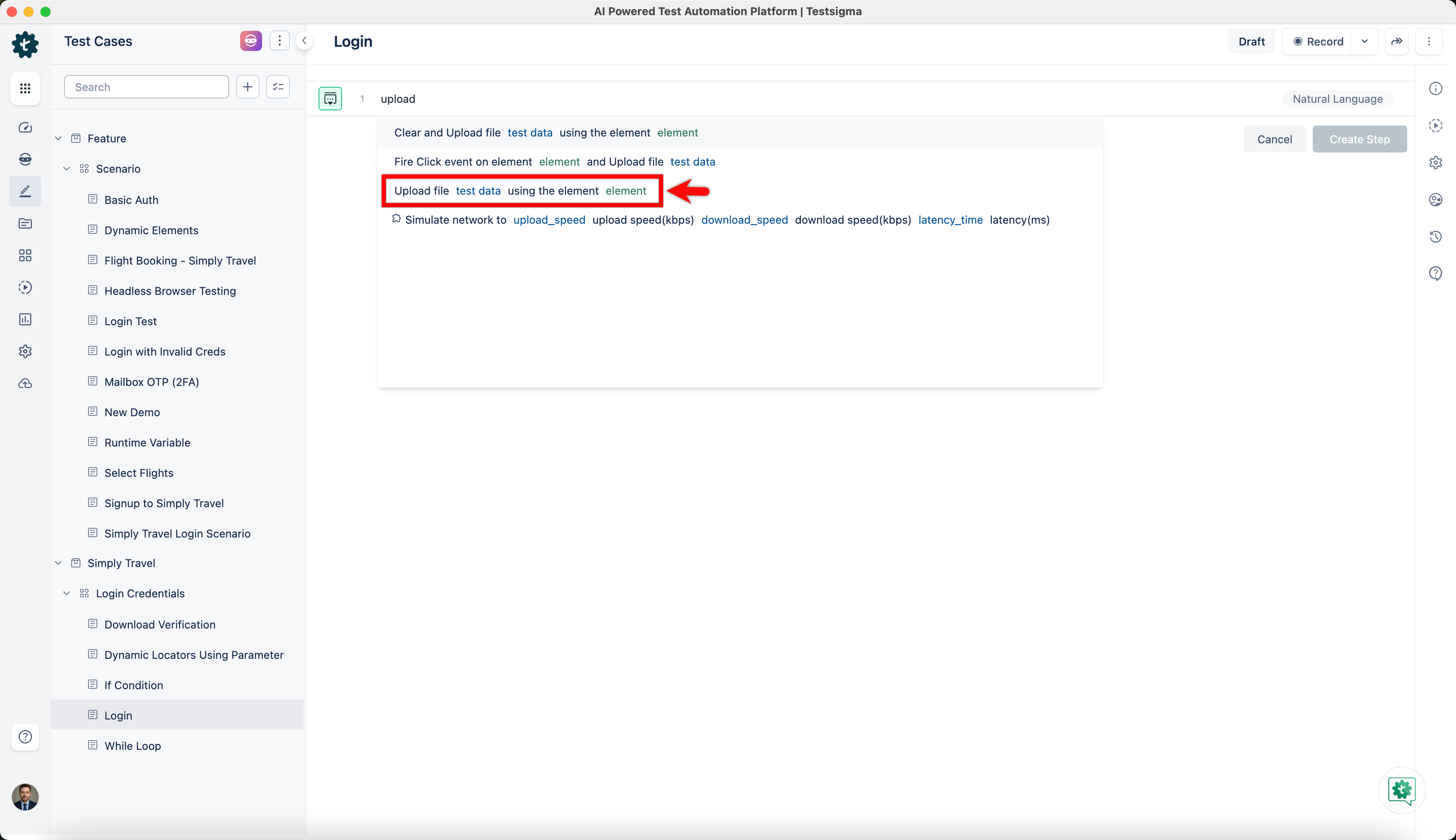
Replace the test data and with actual values. The test step will look similar to the following:
-
Testsigma Cloud Storage: Upload file testsigma-storage:/testsigma.com/uploads/9/7/adventure-beach-compass-691637-resized.jpg using the element upload_button
-
Third Party Storage: Upload file https://s3.amazonaws.com/dev.testsigma.com/samples/videos1.mp4 using the element upload_button
-
Local Windows File: Upload file C:\Users\user\My Documents\adventure-beach-compass-691637-resized.jpg using the element upload_button
-
Local Linux/Mac File: Upload file /home/user/Documents/adventure-beach-compass-691637-resized.jpg using the element upload_button