
Runs
Access Locally Hosted Applications
1. Whitelisting Testsigma IP Addresses
Section titled “1. Whitelisting Testsigma IP Addresses”Whitelisting of Testsigma IP addresses is necessary to ensure that the Testsigma servers and lab environments can securely interact with your applications and systems for testing activities. It’s a security practice to prevent unauthorized access, and only trusted and verified computers or networks can connect to and interact with the Testsigma environment. This article discusses the whitelisting of Testsigma IPs.
Testsigma IP Addresses
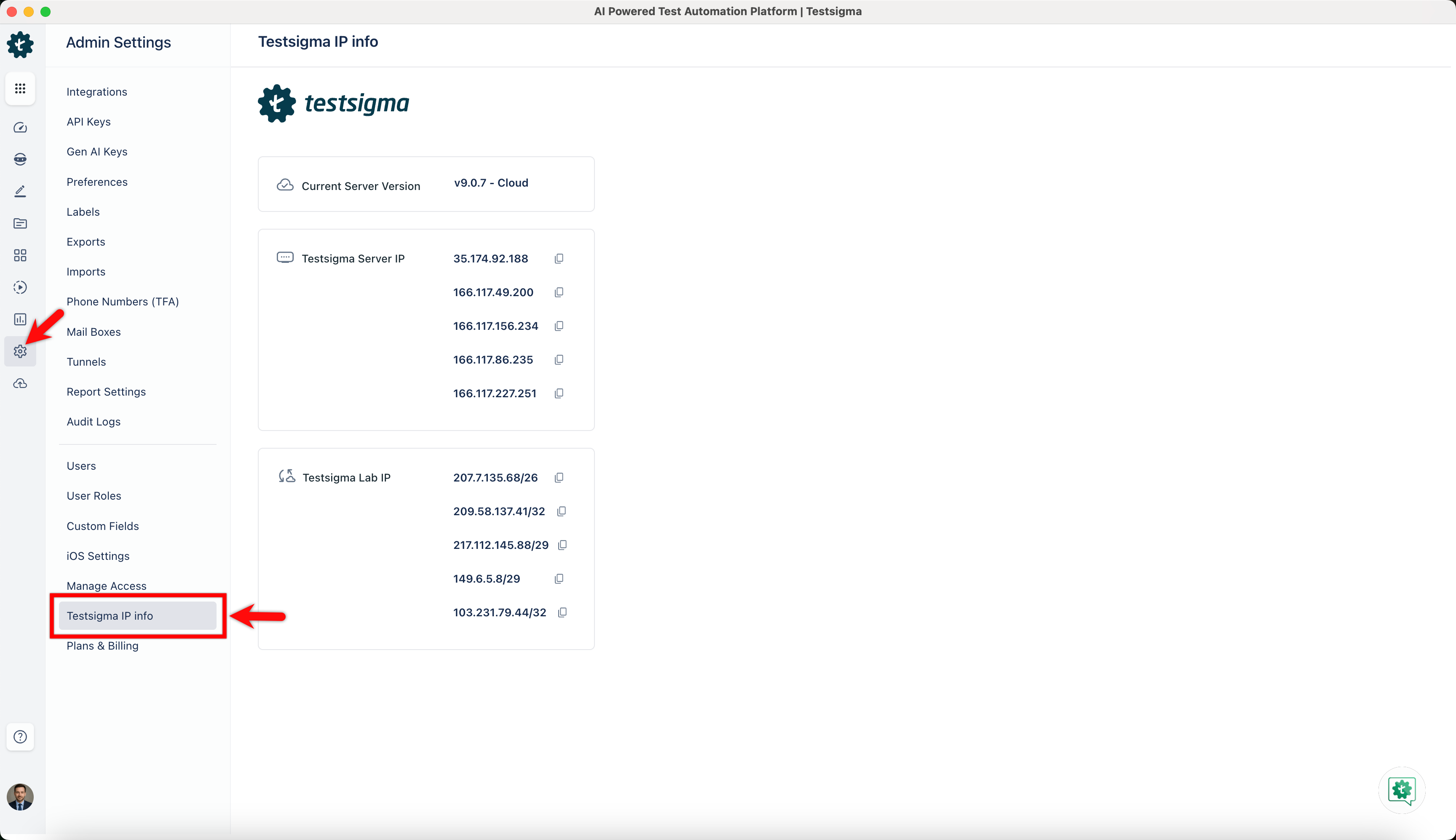
Section titled “Testsigma IP Addresses”Login to Testsigma and go to Settings > Testsigma IP info to see the IP range to whitelist.
-
Testsigma Server IP: Whitelisting this IP will allow you to access the Testsigma server, where the test executions happen on Testsigma’s very own device cloud infrastructure.
-
Testsigma Lab IPs: Whitelisting these IP ranges will allow you to access Testsigma Labs, where all the account’s test assets and data are hosted and stored.
How to Whitelist Testsigma IPs?
Section titled “How to Whitelist Testsigma IPs?”The whitelisting process involves adding Testsigma IP addresses to a list of allowed IPs in your organization’s firewall or network security settings. This will ensure that traffic from these IPs will be allowed through the network’s security barriers.
Connect with your Network Administrator or Infosec Team to whitelist the necessary Testsigma IP addresses.
For more information on IP whiltelisting, refer to the documentation on IP whitelisting.
2. Testsigma Agent
Section titled “2. Testsigma Agent”You can also test locally hosted applications using the Testsigma Agent, which allows test executions on your local machines and mobile devices. To do this, set up the Testsigma Agent utility on your local machine.
For setup and execution, refer to the following links: