
Test Data
Concat Test Data
Prerequisites
Before you begin, ensure that you have referred to:
Steps to Concat Test Data
Section titled “Steps to Concat Test Data”-
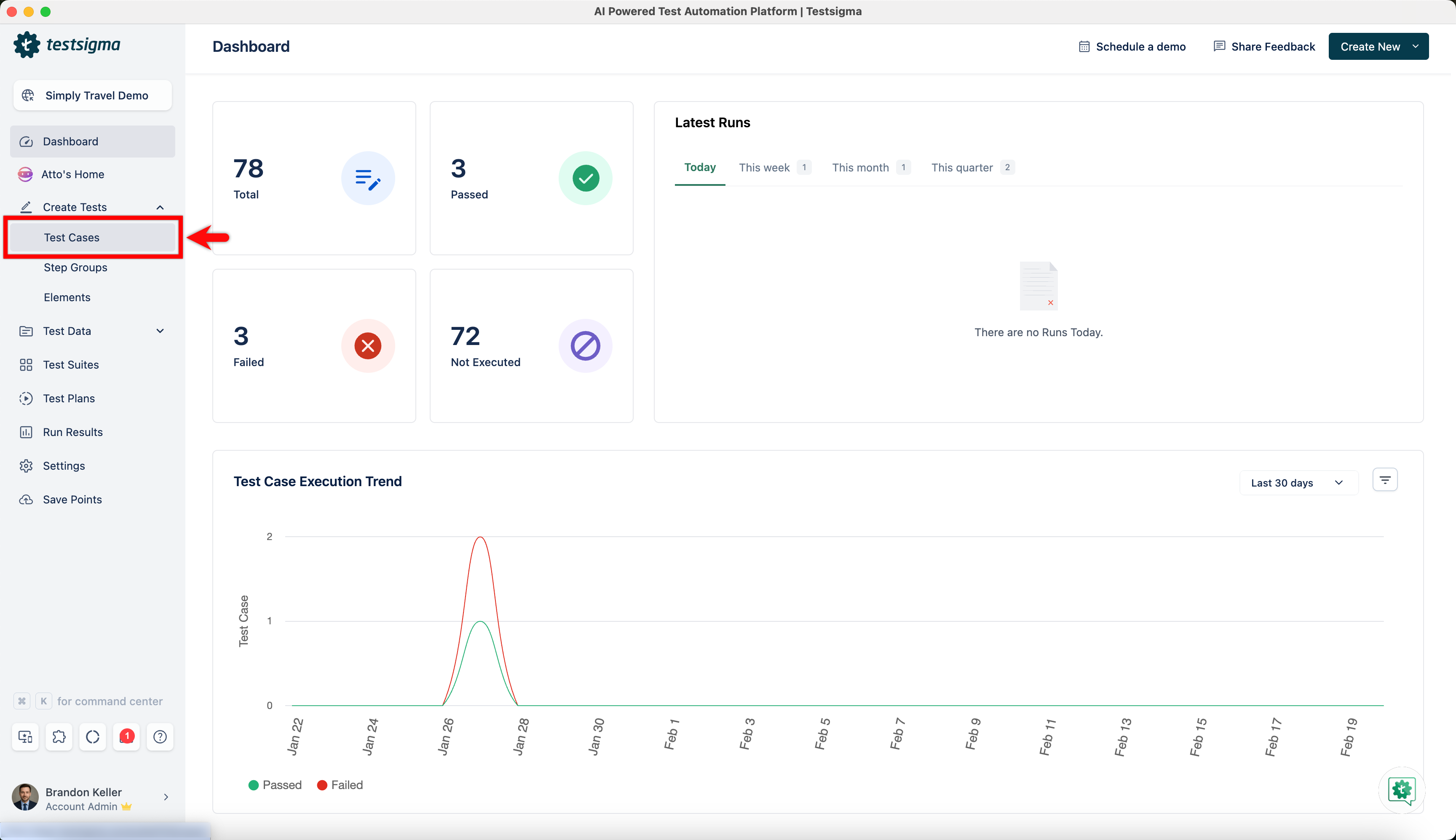
Navigate to Create Tests > Test Cases, and click on Create Test Case.
-
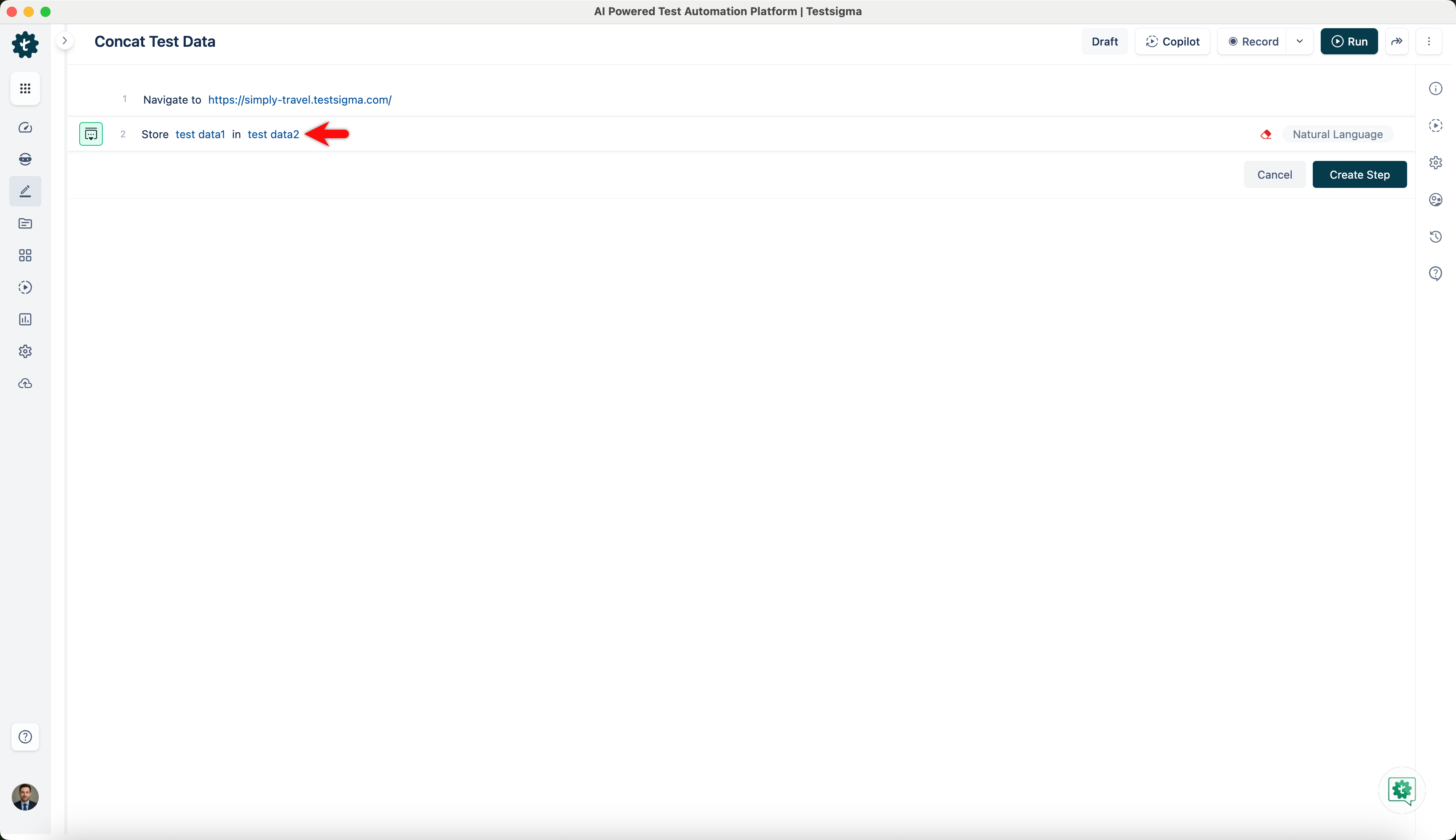
To concat test data, we use the following NLP in our test case.
-
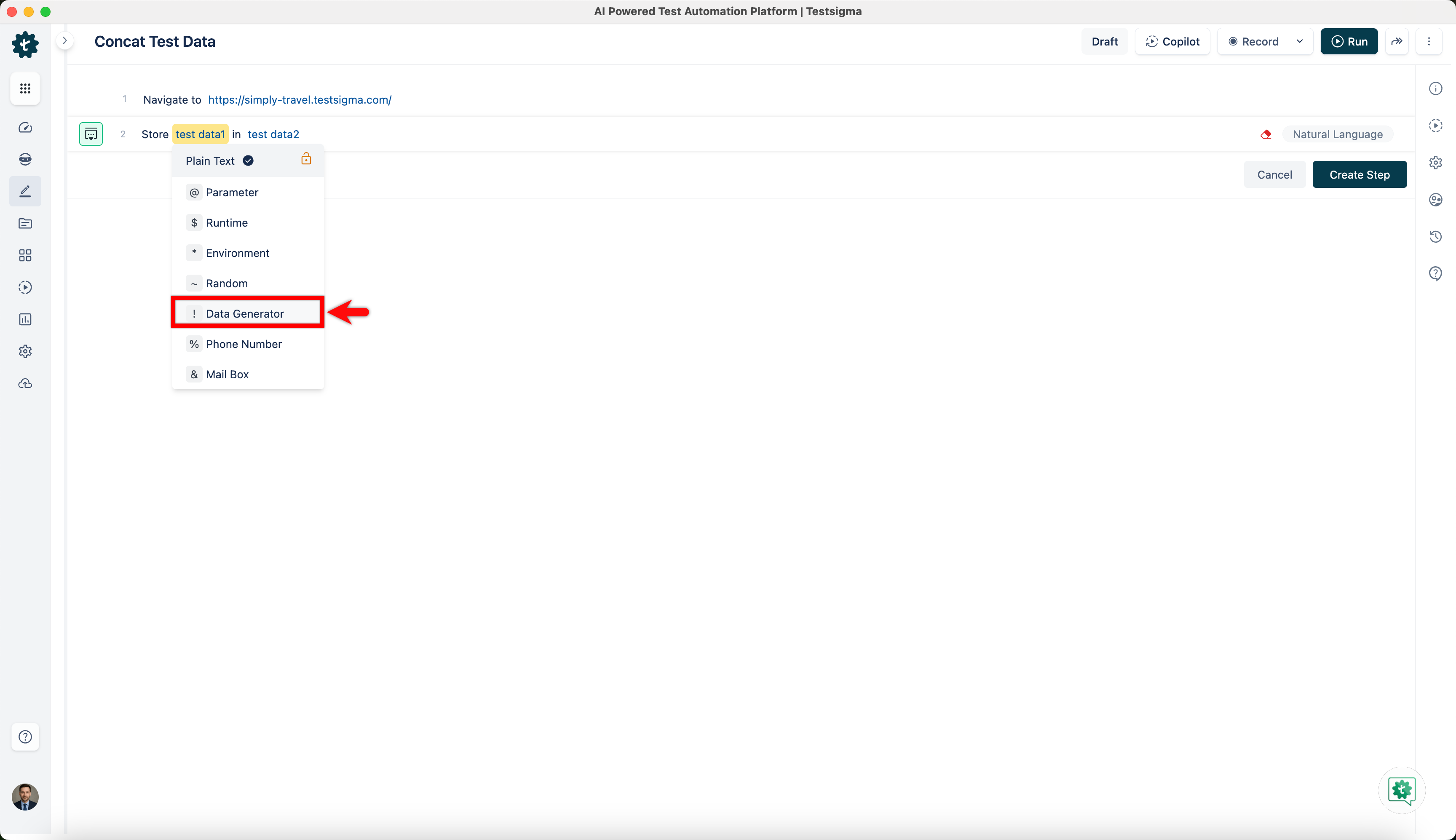
Click on test data1, and select Data Generator from the dropdown.
-
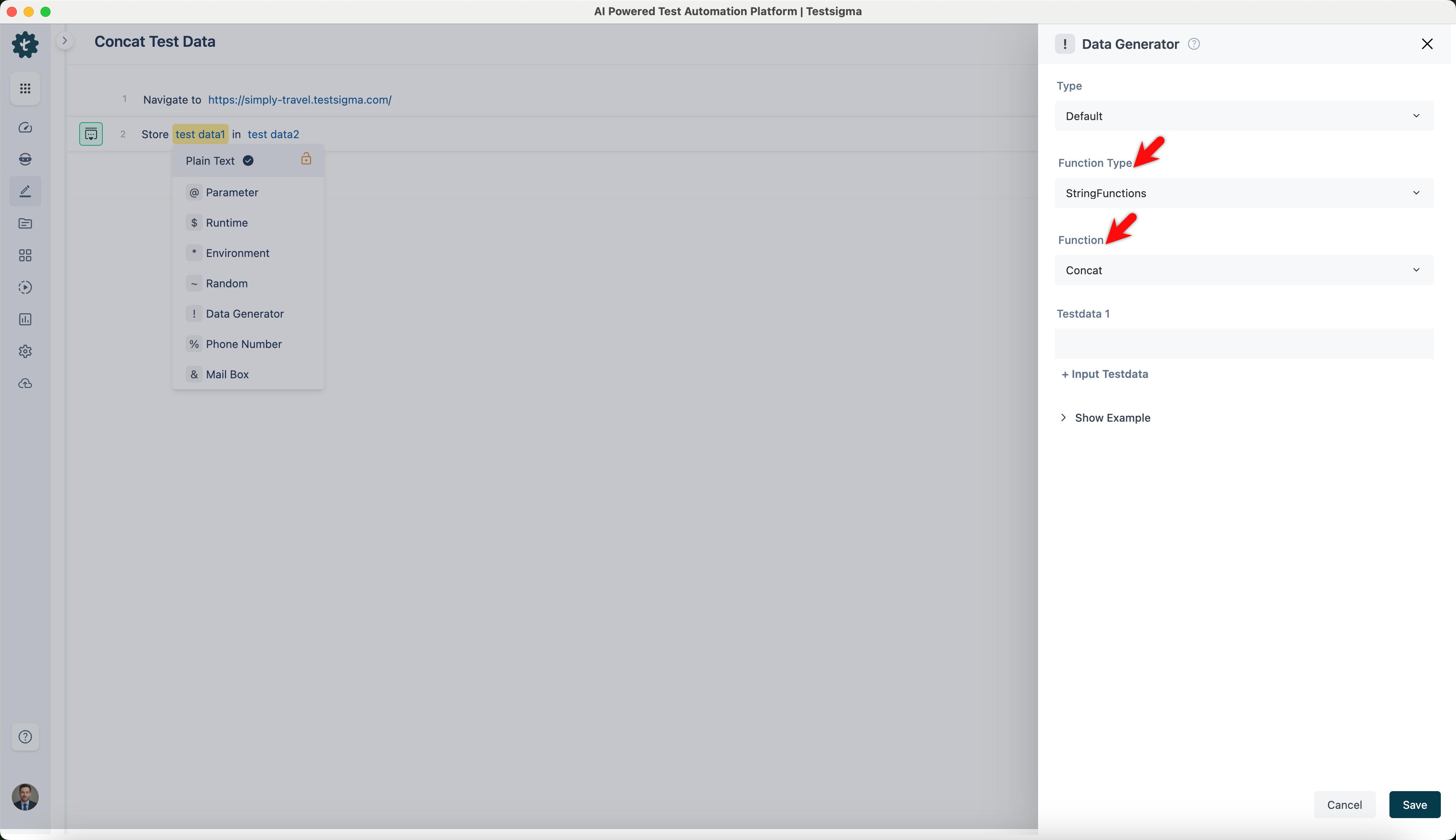
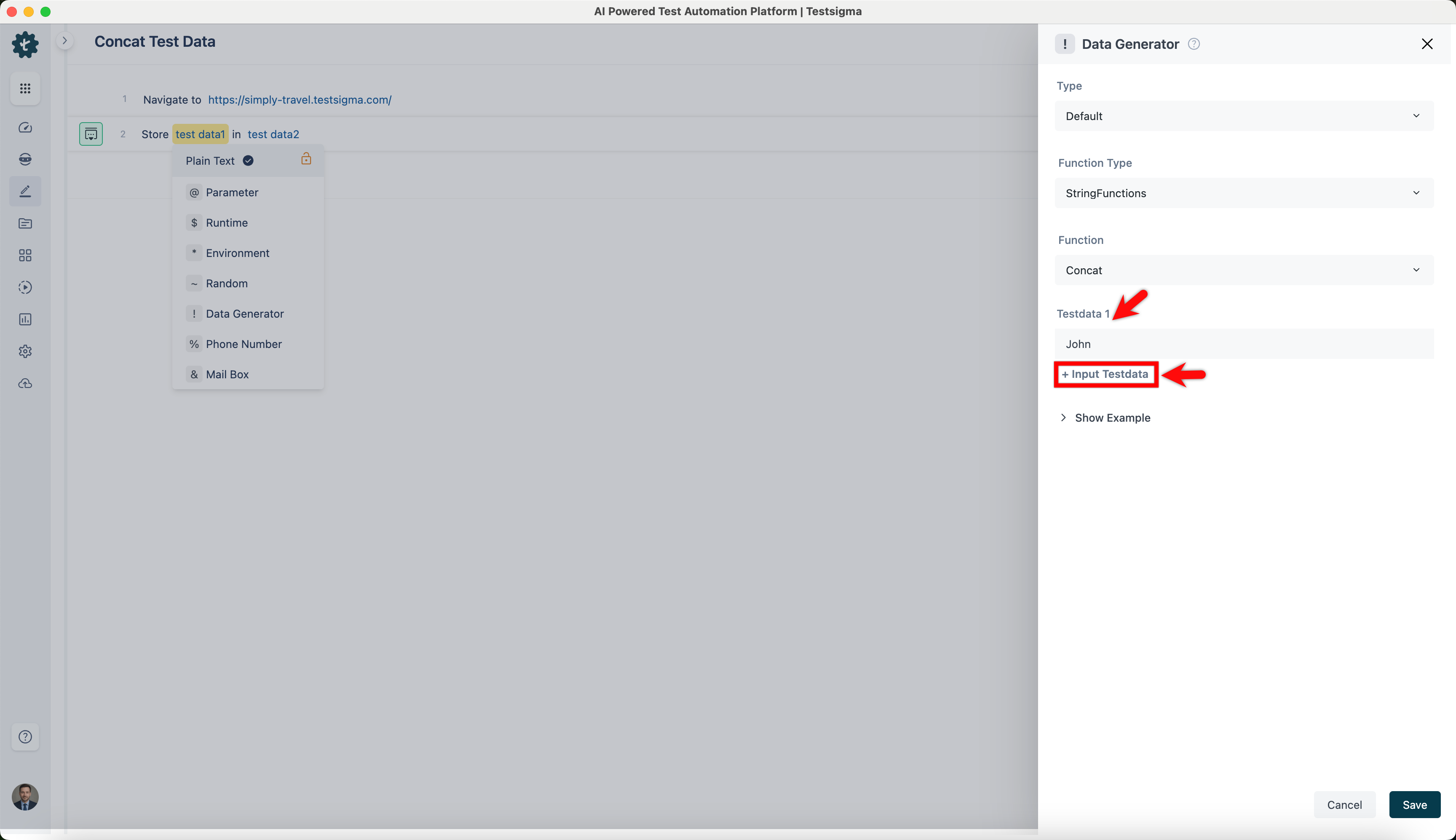
On ! Data Generators overlay, select StringFunctions as Function Type and Concat as Function.
-
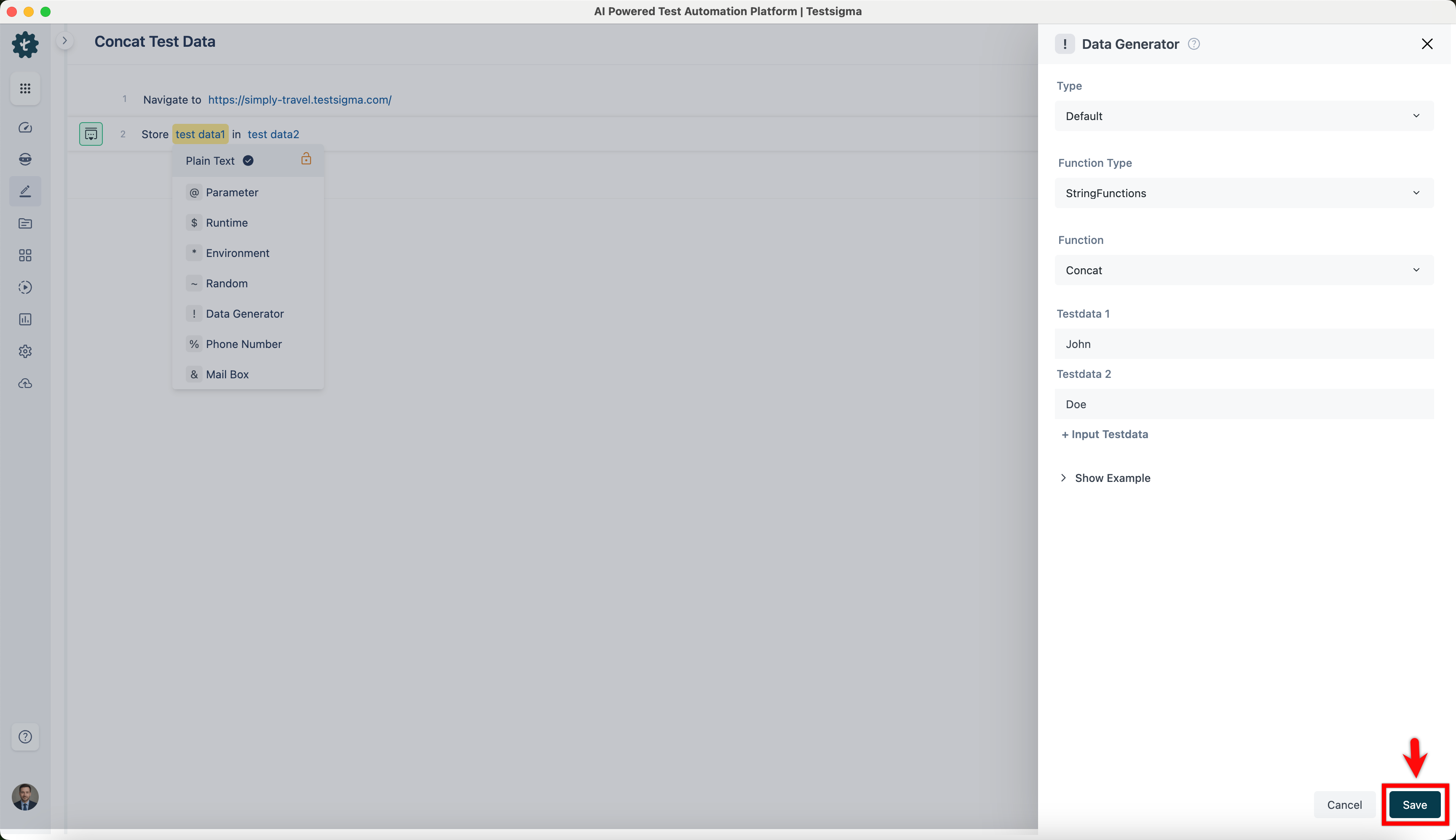
Enter the first value in Testdata 1, click + Input Testdata to add another field, then enter the second value.
-
Click Save.
-
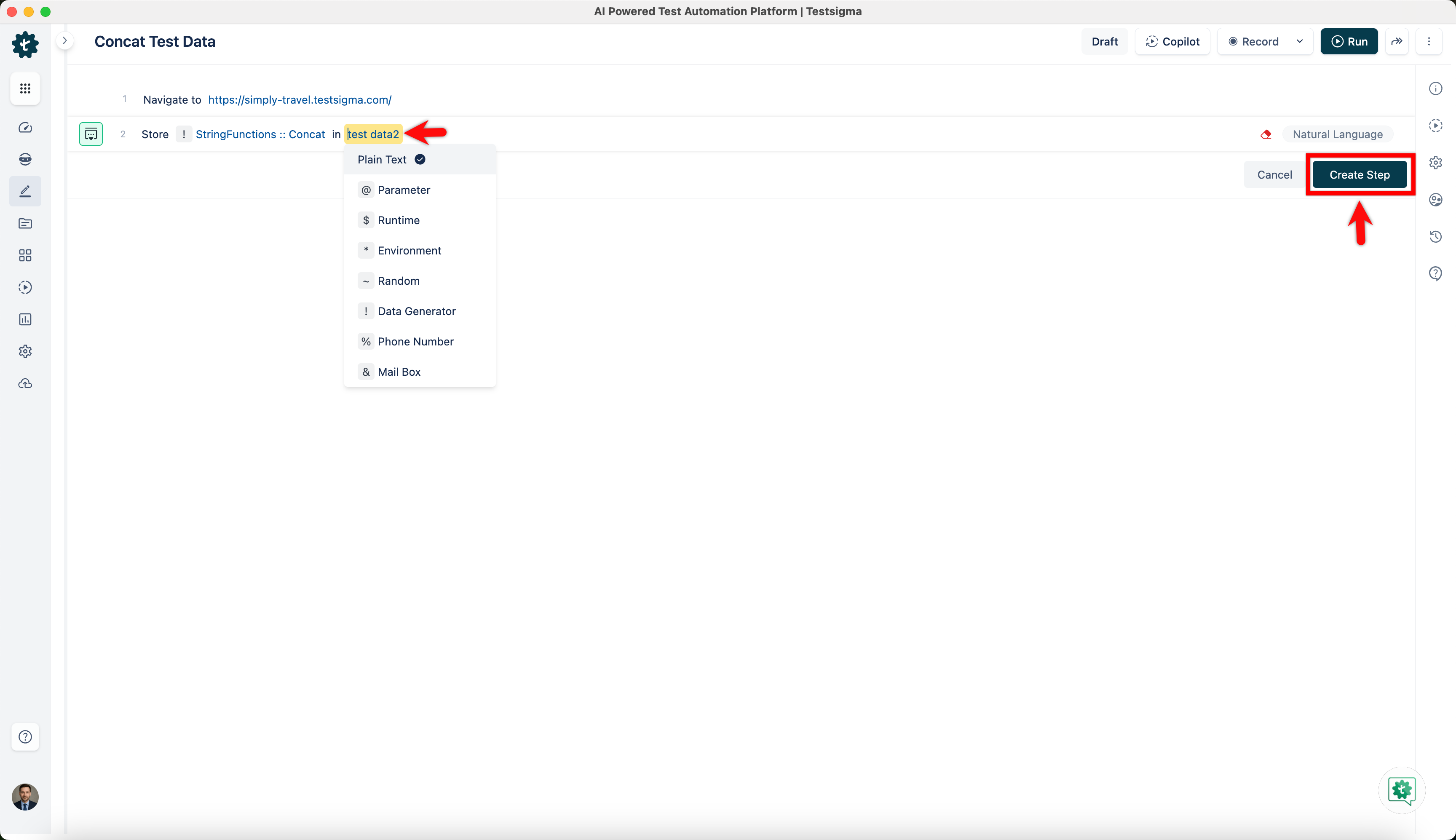
Click on test data2, choose where you want to store the test data from the dropdown and click Create Step.
-
After adding all the steps, execute the test case and validate the result.