Test Plans
Disabling Test Cases in Test Plans
Prerequisites
Before proceeding, ensure that:
- You have referred to the documentation on creating test plans.
- You are familiar with the Add Test Suites & Link Machine Profiles tab in Create or Edit Test Plan page.
Managing Test Cases in Test Plan
Section titled “Managing Test Cases in Test Plan”-
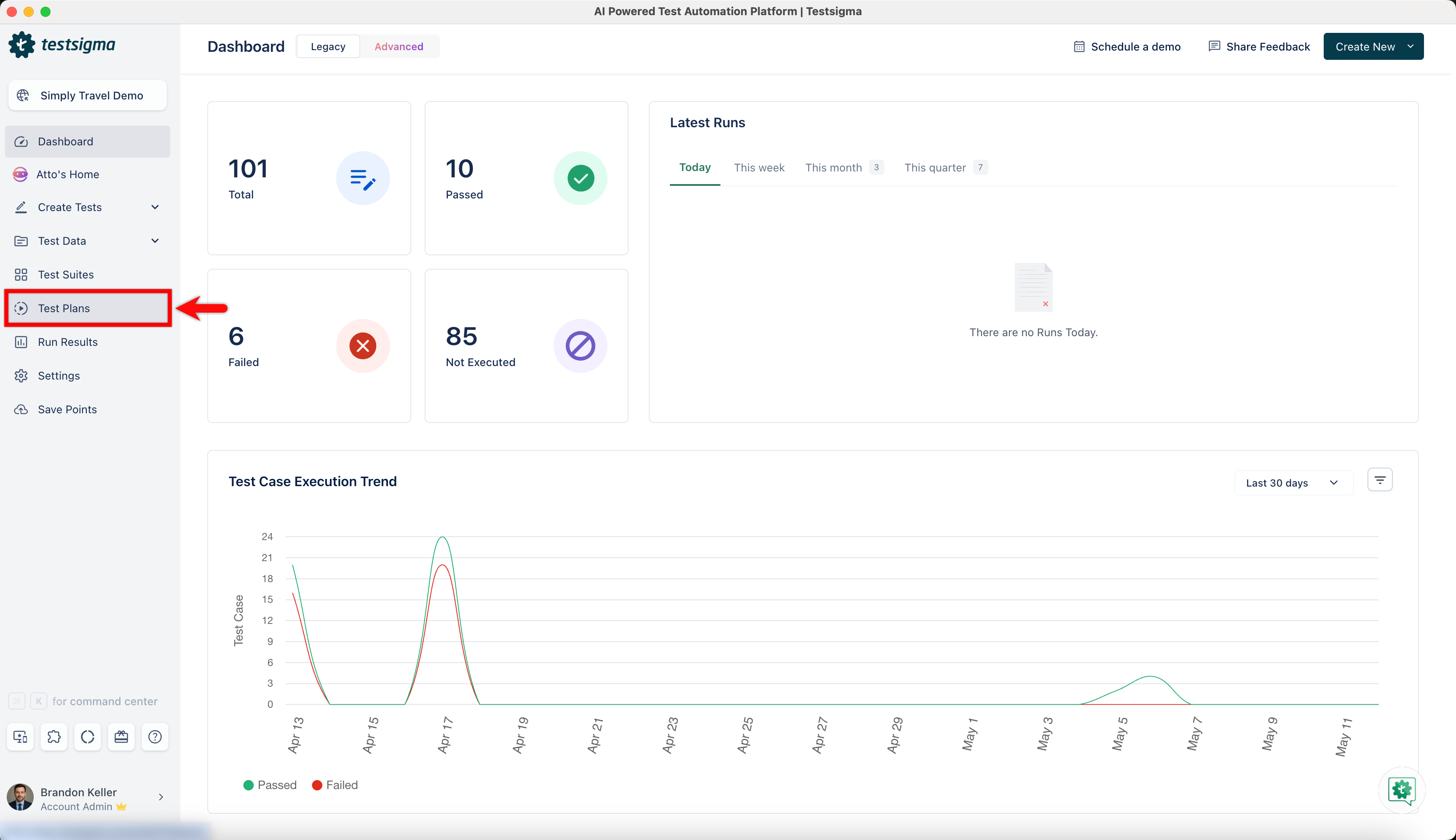
Navigate to Test Plans in the left-side navbar. Click the Create Test Plan button at the top right of the Test Plans list page.
-
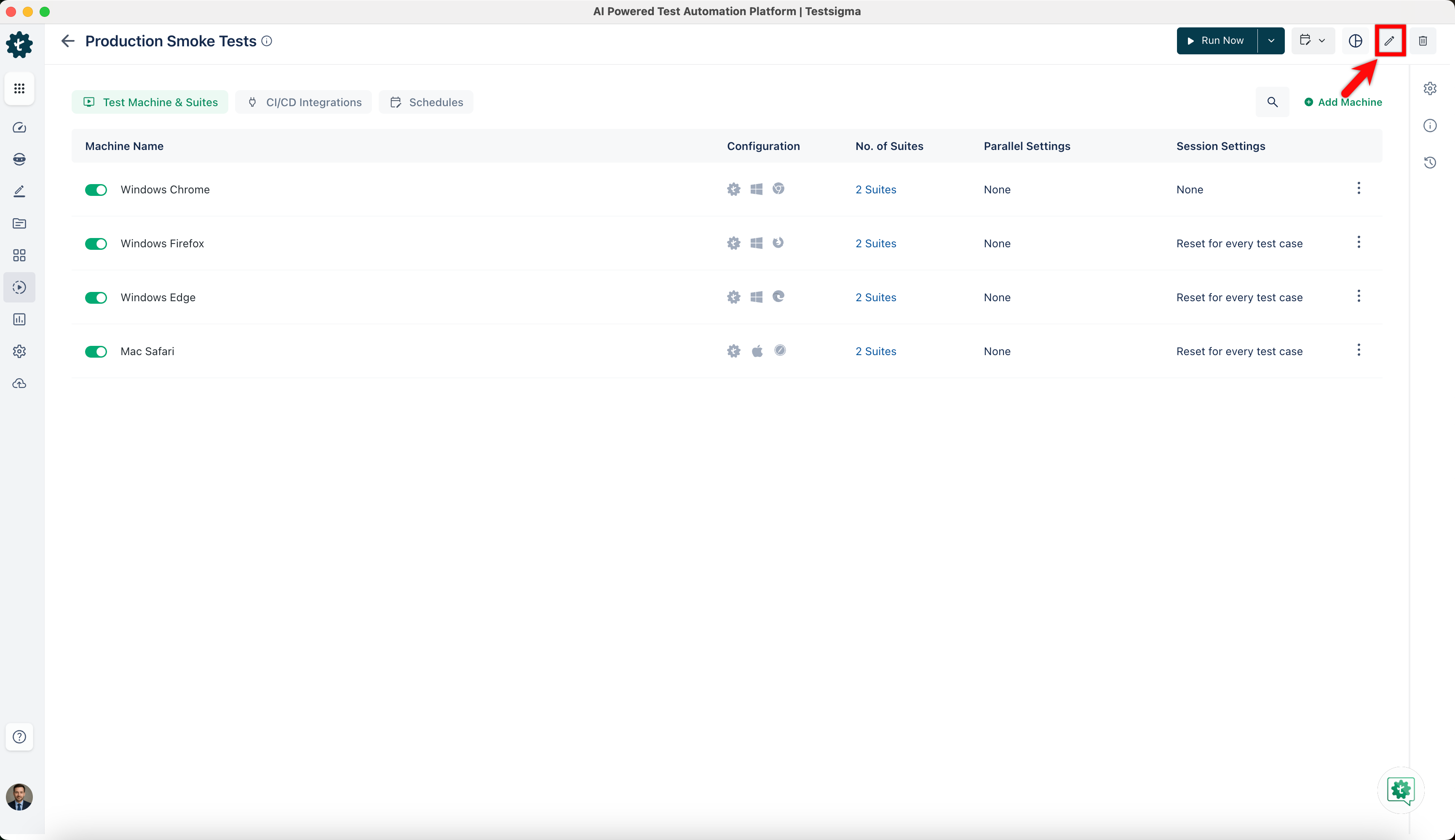
Alternatively, open an existing Test Plan from the list and click the Edit icon at the top right on the Test Plan details page to edit it.
-
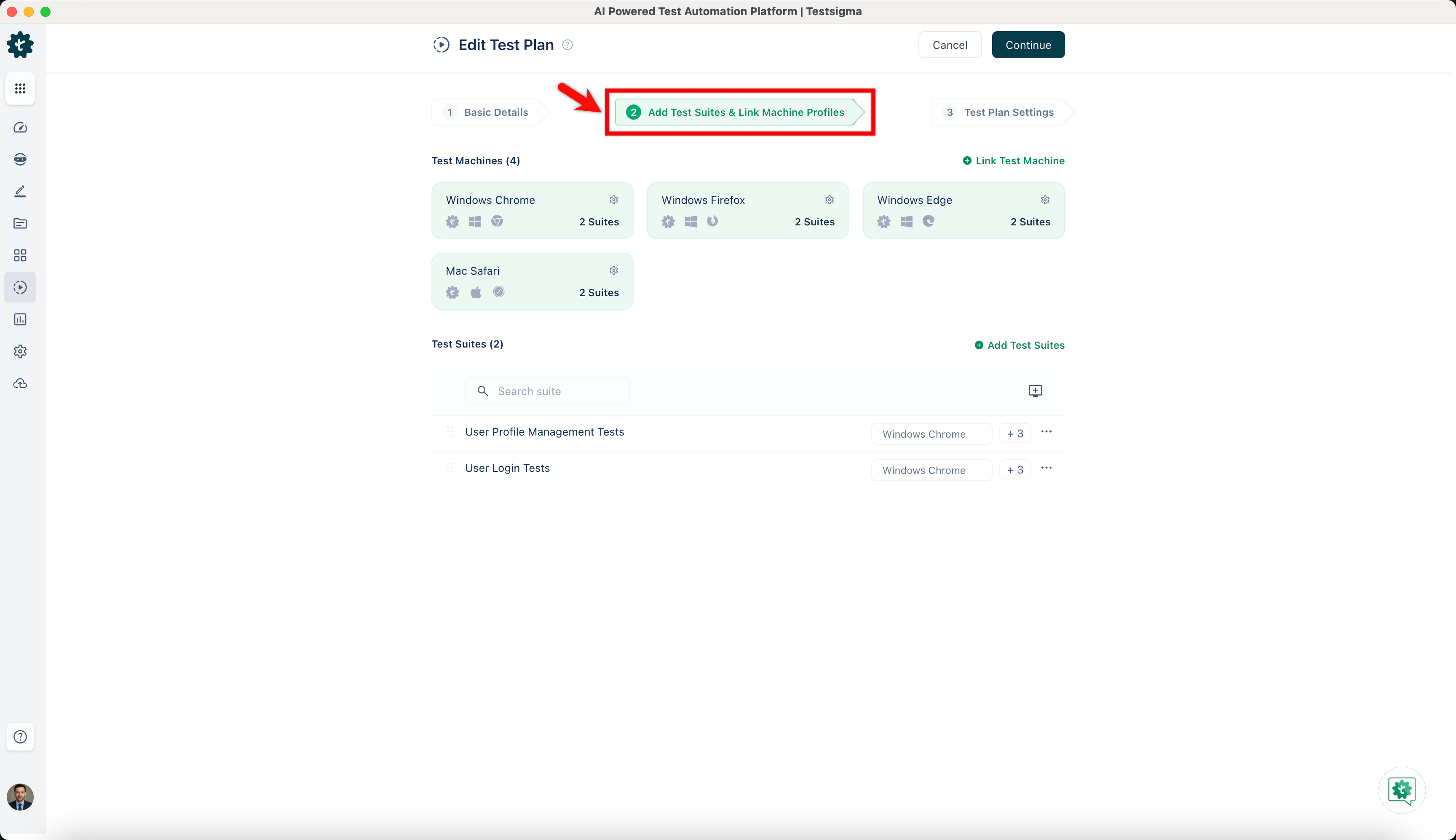
Navigate to the Add Test Suites & Link Machine Profiles tab on the Create or Edit Test Plan page.
-
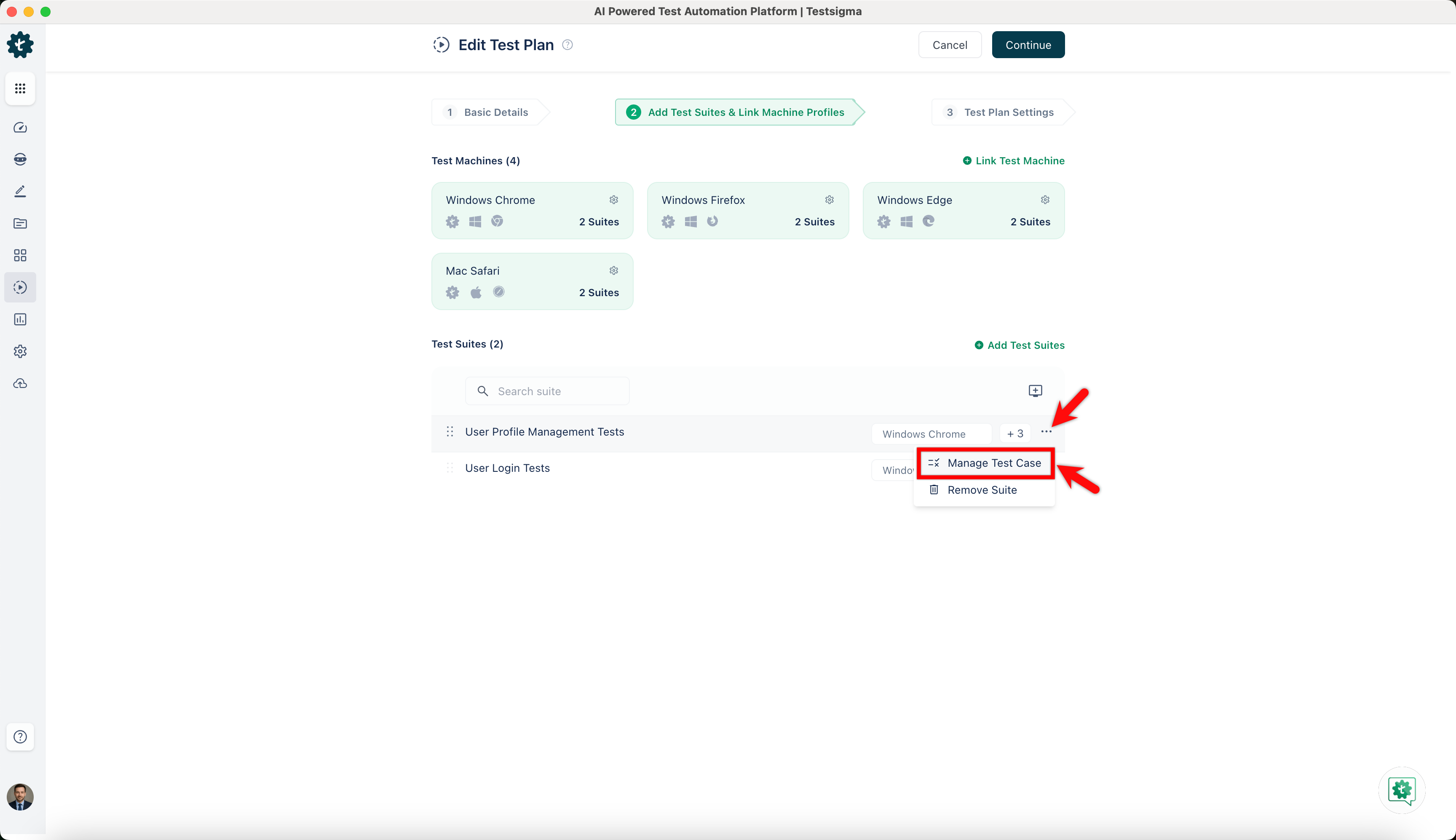
Click the ellipsis icon in the Test Suites section and select Manage Test Case from the dropdown list.
-
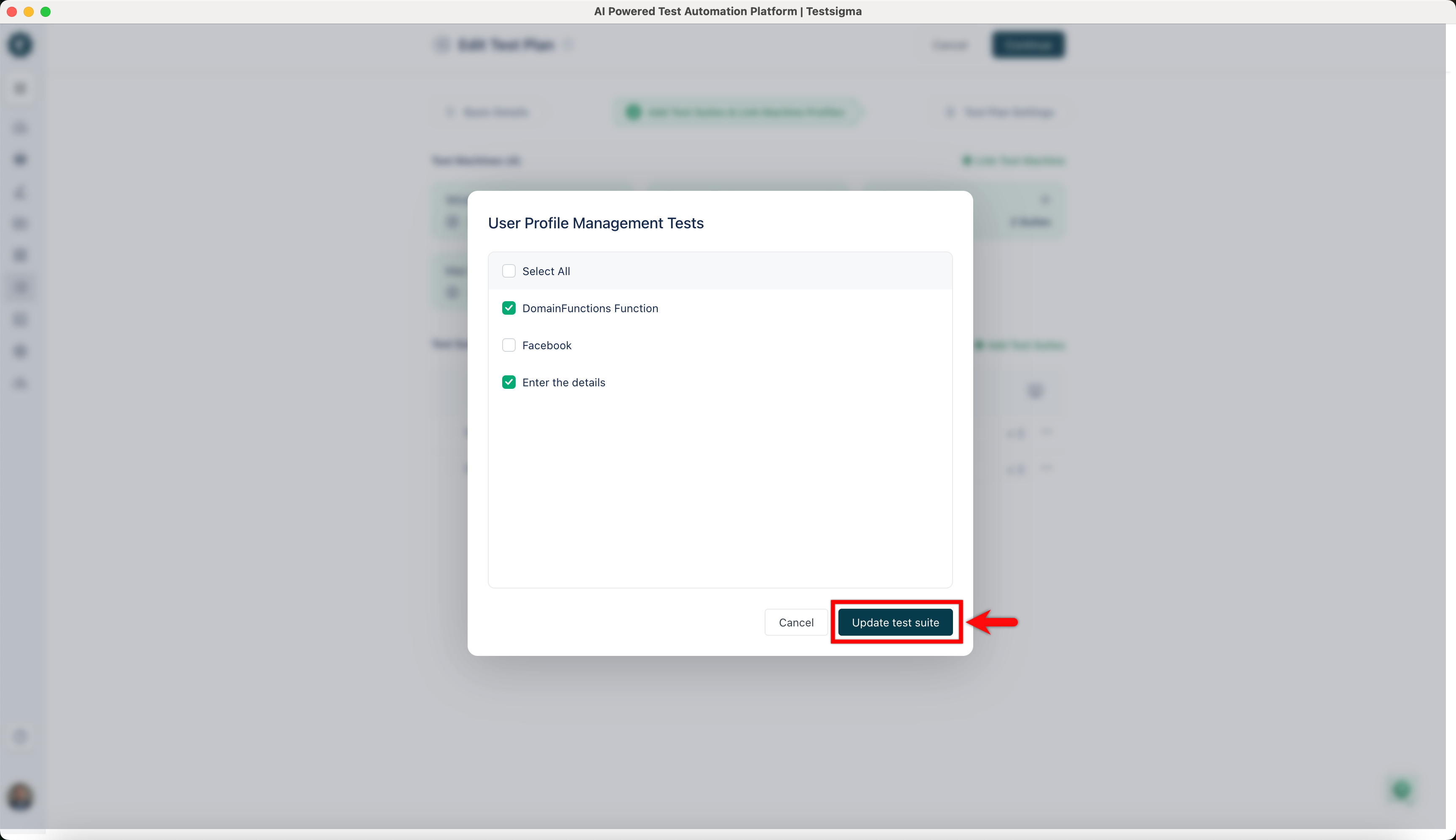
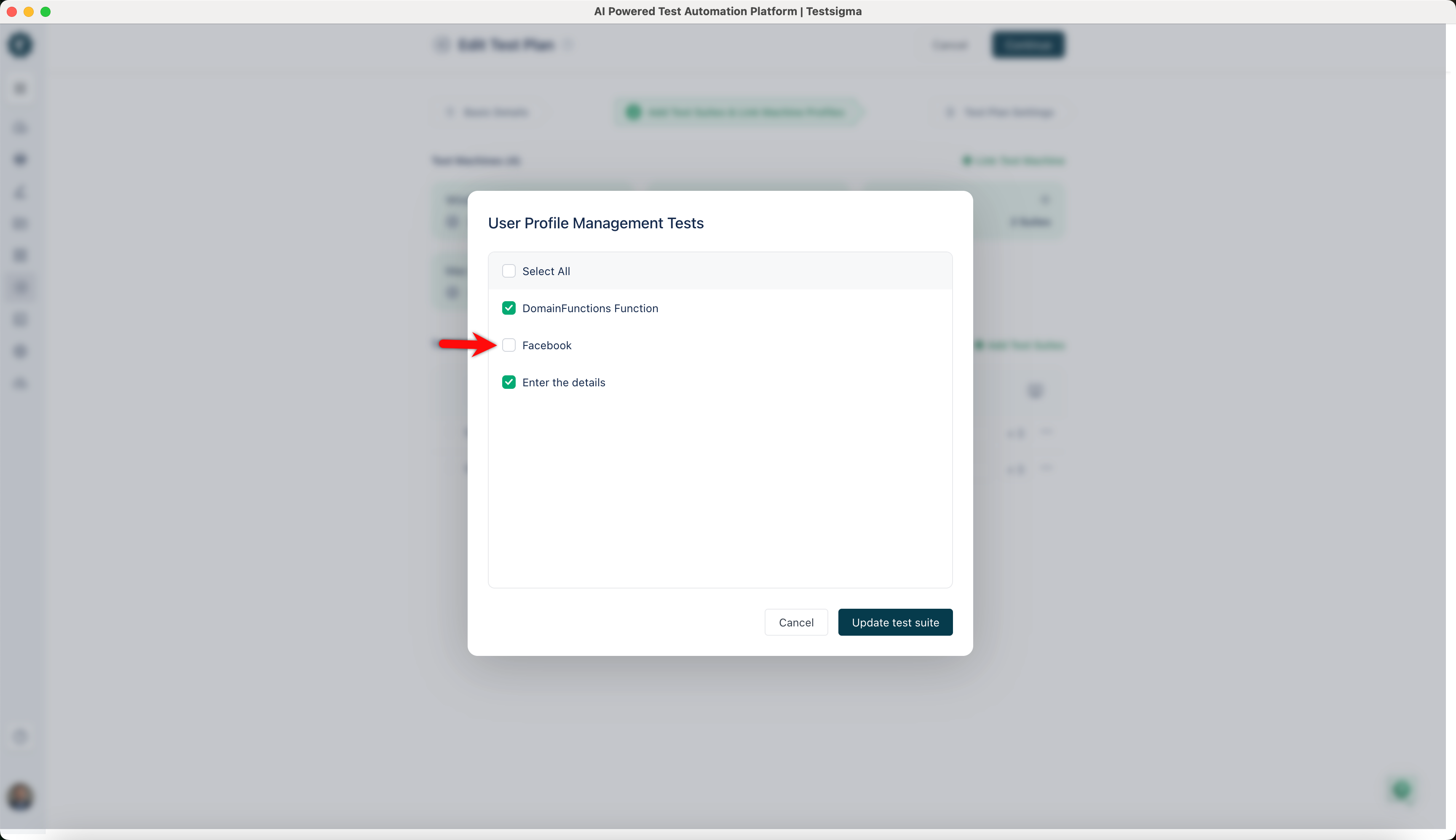
In the User Profile Management Tests dialog, uncheck the test cases you want to disable.
-
Click Update test suites to save the changes.