Test Data
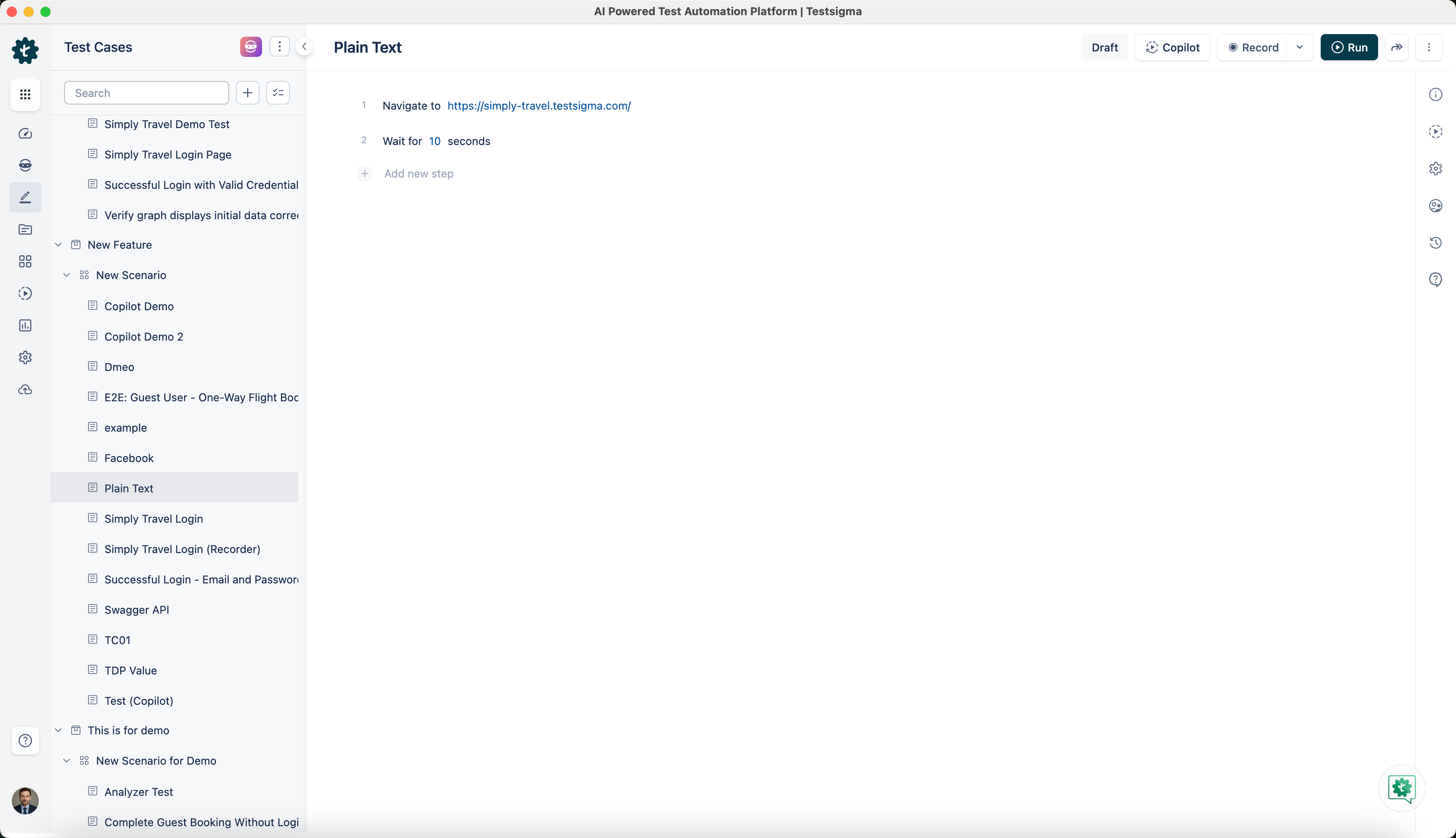
Plain Text
When to Use Plain Text in a Test Case?
Section titled “When to Use Plain Text in a Test Case?”Plain Text or Raw data is used when you want to hardcode an input in your test. In cases where the input data is unique and doesn’t have to be a part of a test data profile or any other test data types, we use plain text data.
For Example: Here we are using the NLP, Wait for test data seconds.
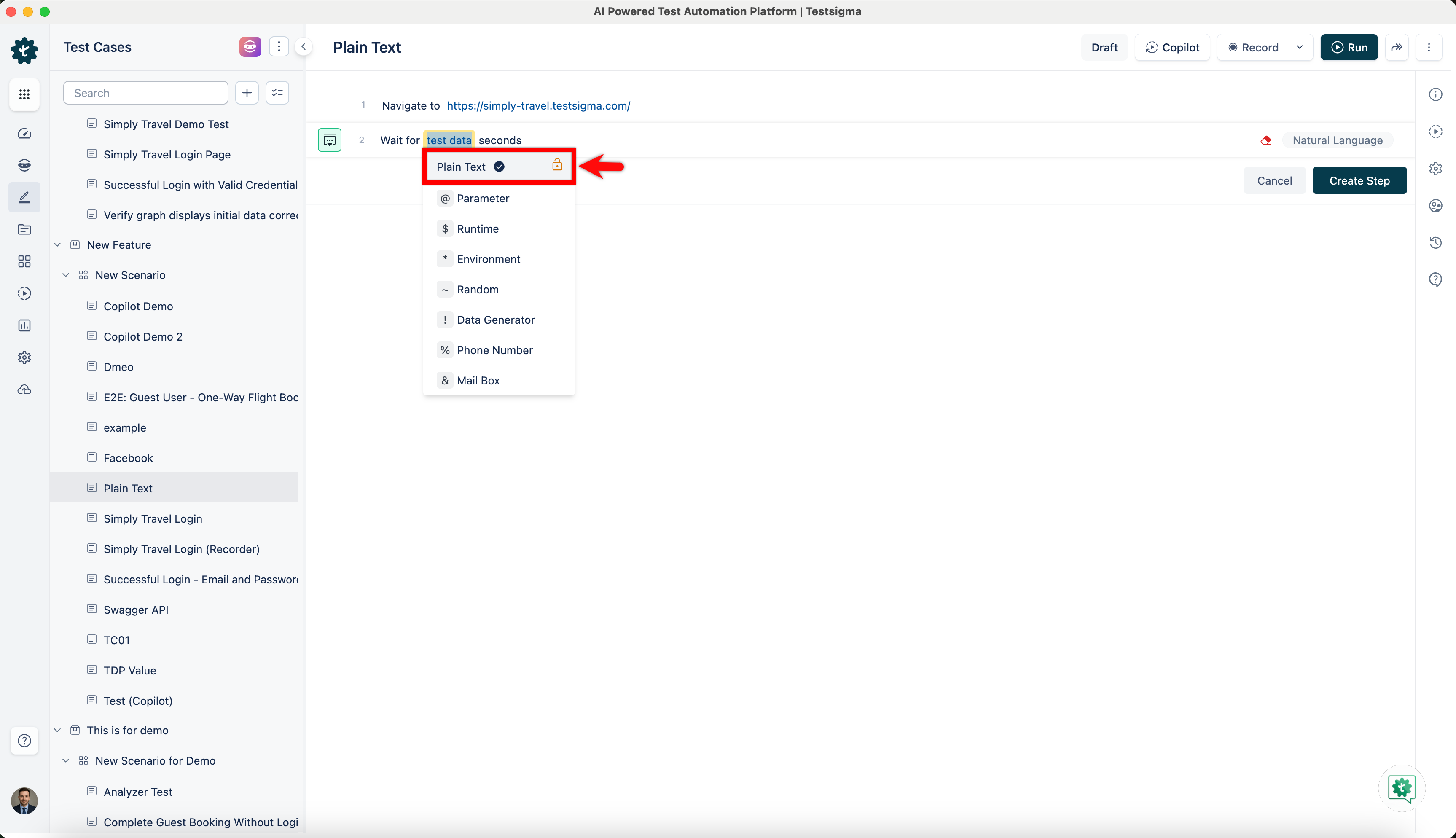
We’ll select Plain Text from the dropdown and enter a number to create a test step.
How to Use Plain Text in a Test Case?
Section titled “How to Use Plain Text in a Test Case?”-
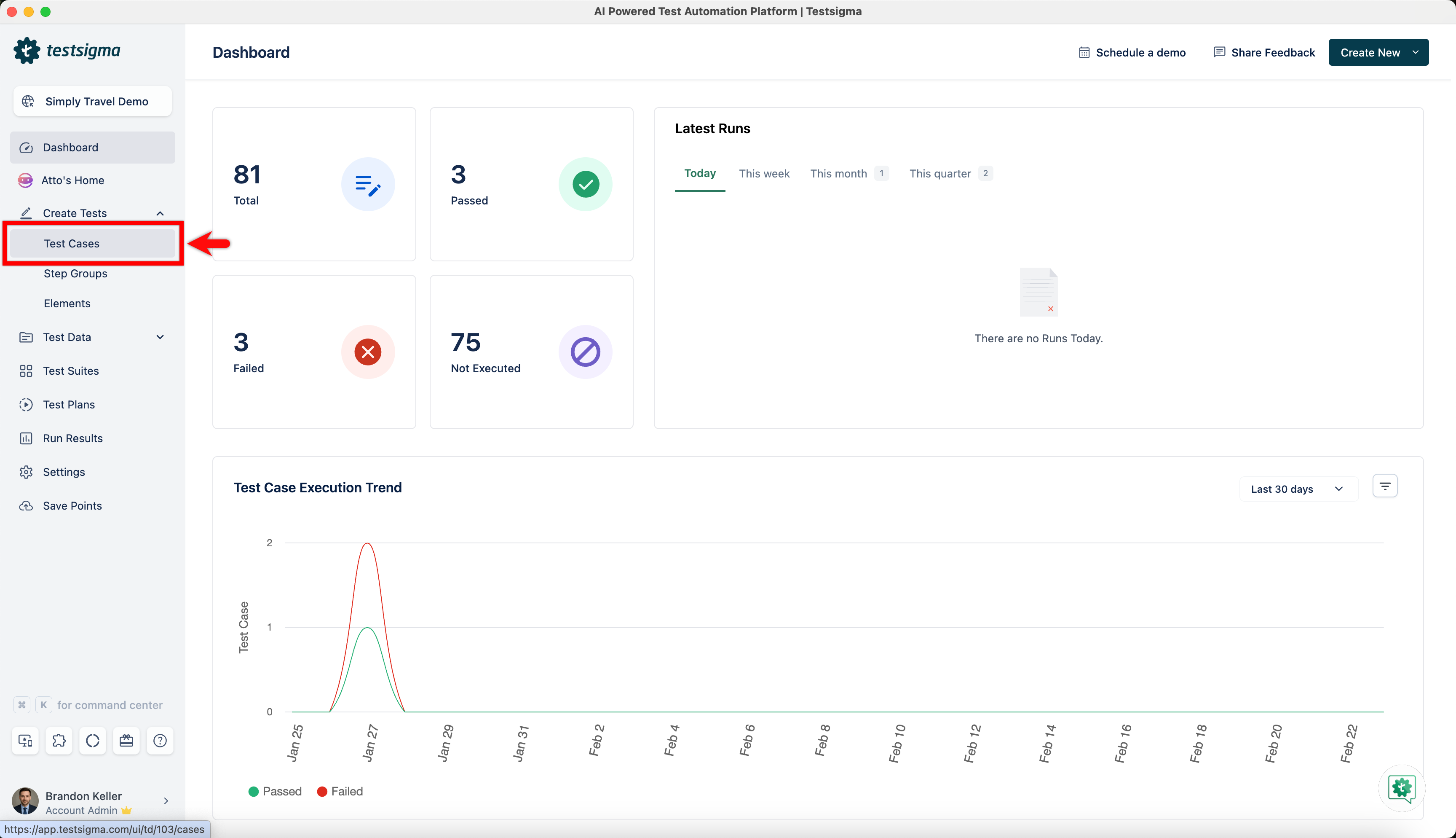
Navigate to Create Tests > Test Cases and click on Create Test Case.
-
Create a test step with NLP that has test data in it and choose Plain Text from the dropdown.
-
Here, erase test data and enter a number to create the test step.