Auto-Healing
Auto-Healing Insights
Steps to View Auto-Heal Insights
Section titled “Steps to View Auto-Heal Insights”-
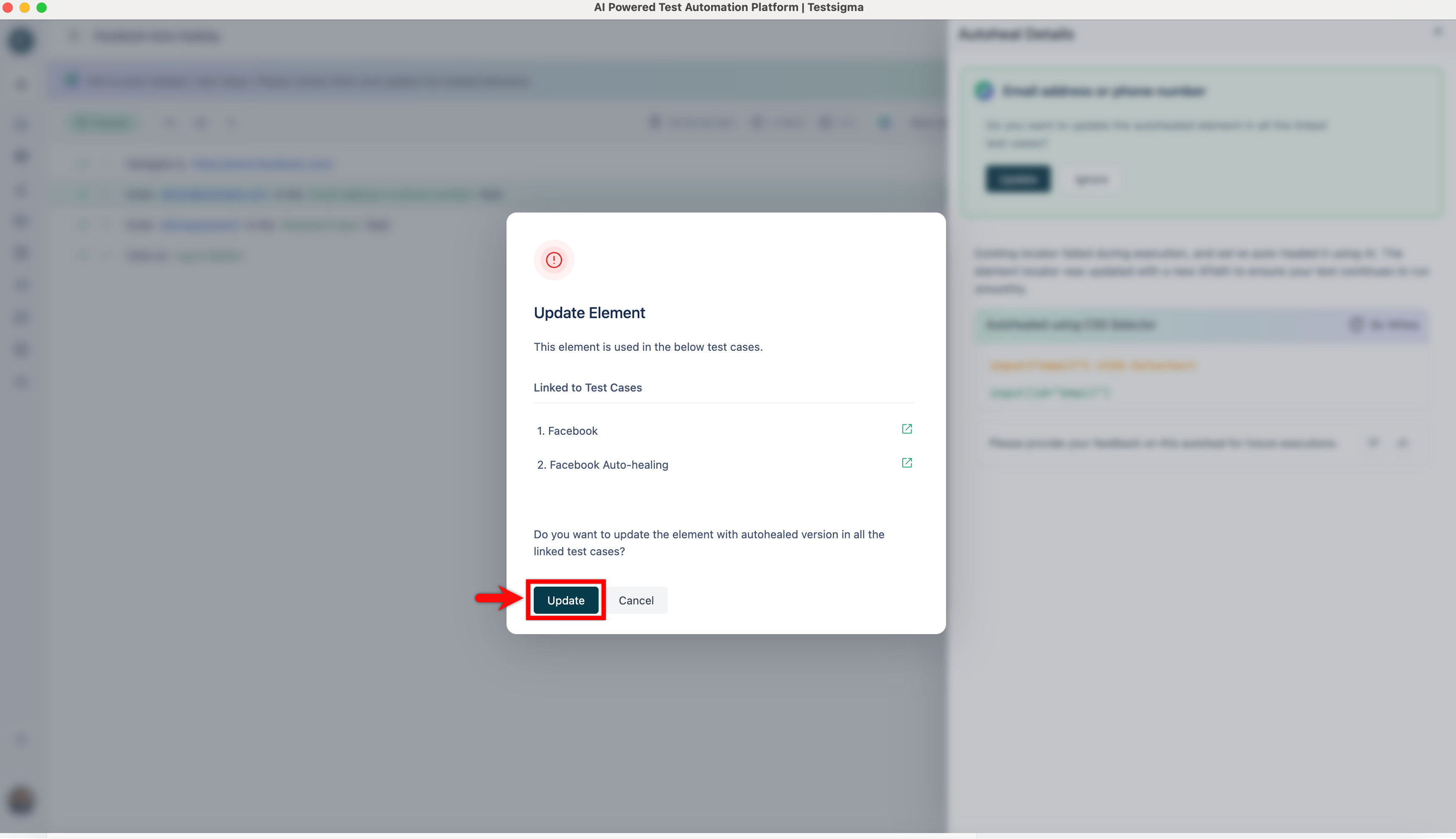
Click the test step where the element was auto-healed to view insights.
-
Go to the Step Result and click Auto-Heal Details. This opens the Auto-Heal Details overlay.
-
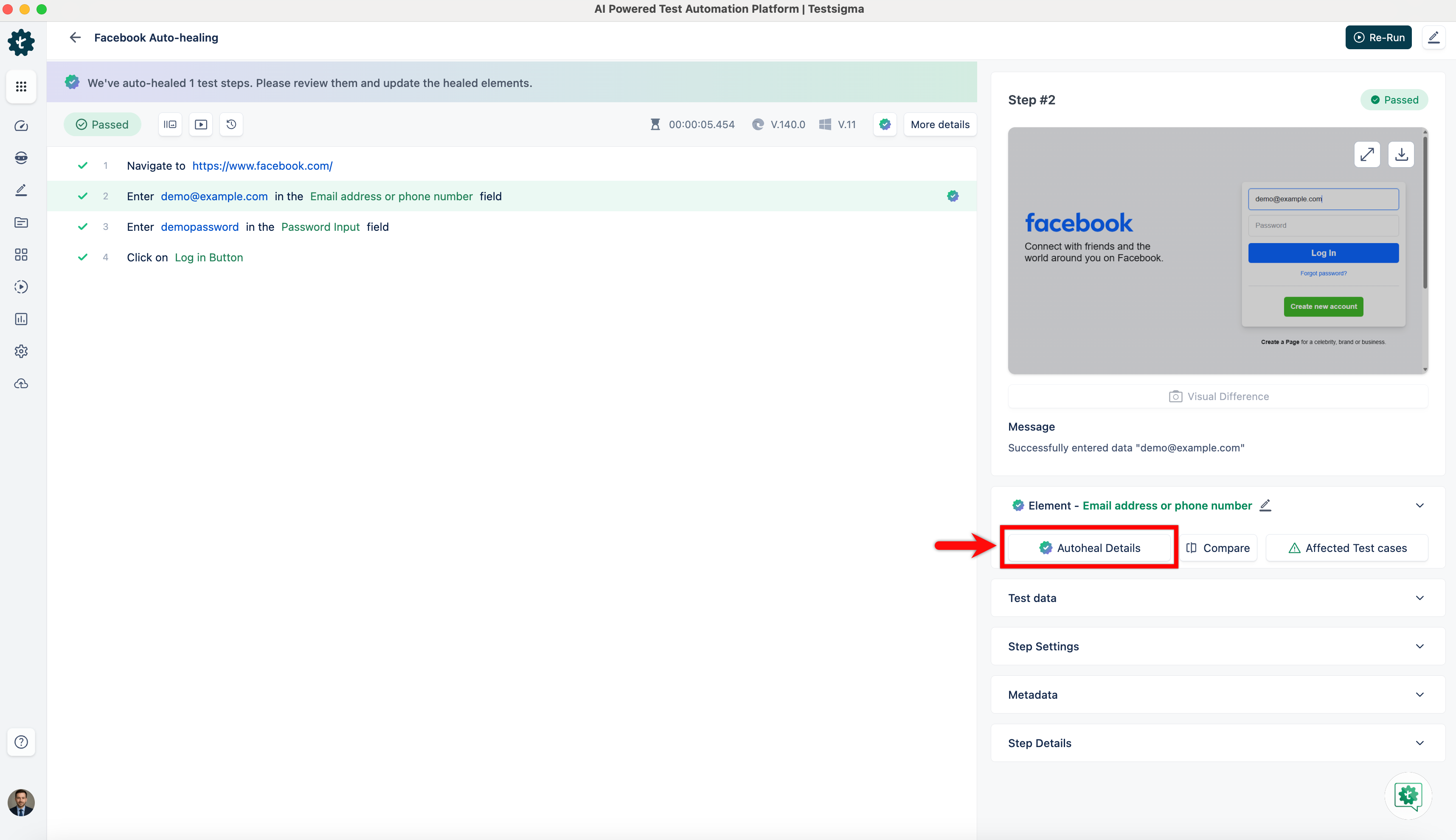
Review the Auto-Heal Insights.
-
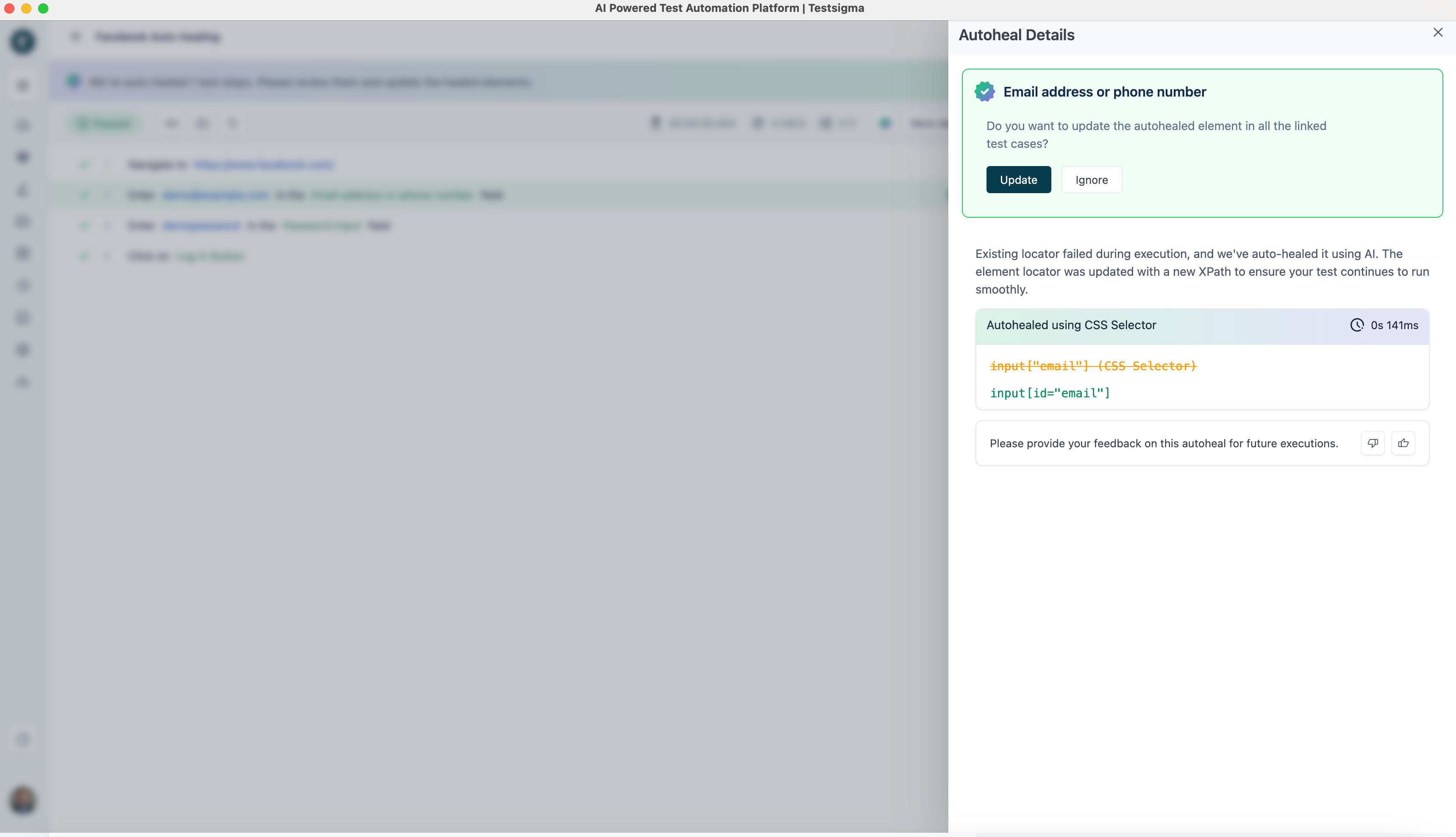
To update the element value permanently, click Update.
-
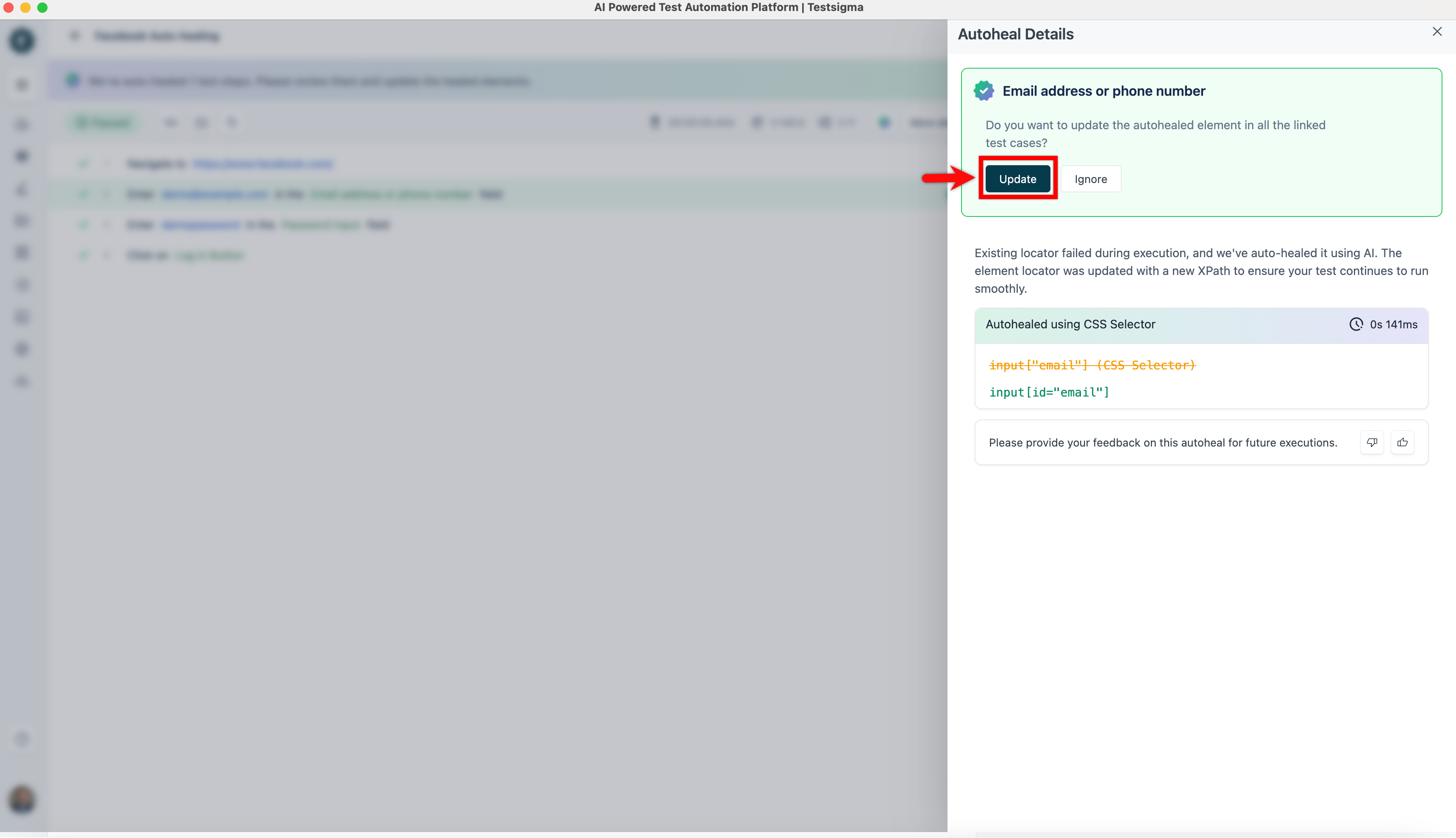
On the Update Element dialog, click Update again to confirm.