
Integrations
Integrate Testsigma with TestMU
Prerequisites
Before you begin, ensure that:
- You have the username and API Key for TestMU which can be obtained from your TestMU account dashboard.
- You have referred to the documentation on supported test lab types in Testsigma.
Integrating with TestMU
Section titled “Integrating with TestMU”Once the username and API key is obtained, navigate to the Integrations page through Dashboard > Settings > Integrations.
- Enable the toggle next to TestMU.
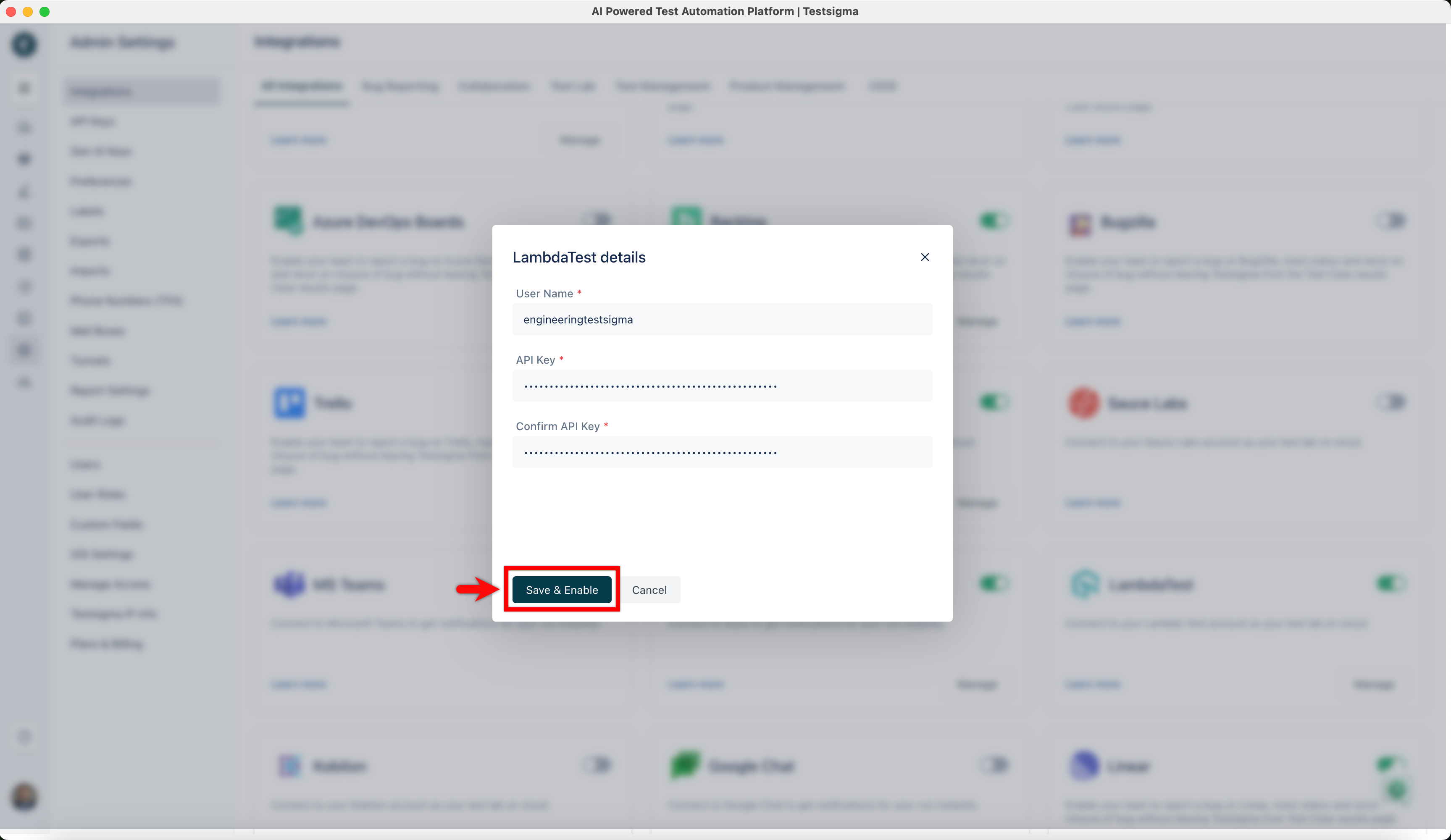
- in the TestMU details dialog, enter the username and API Key obtained from TestMU here.
- After entering the details, click on the Save & Enable button to add the integration.
Using TestMU for Test Runs
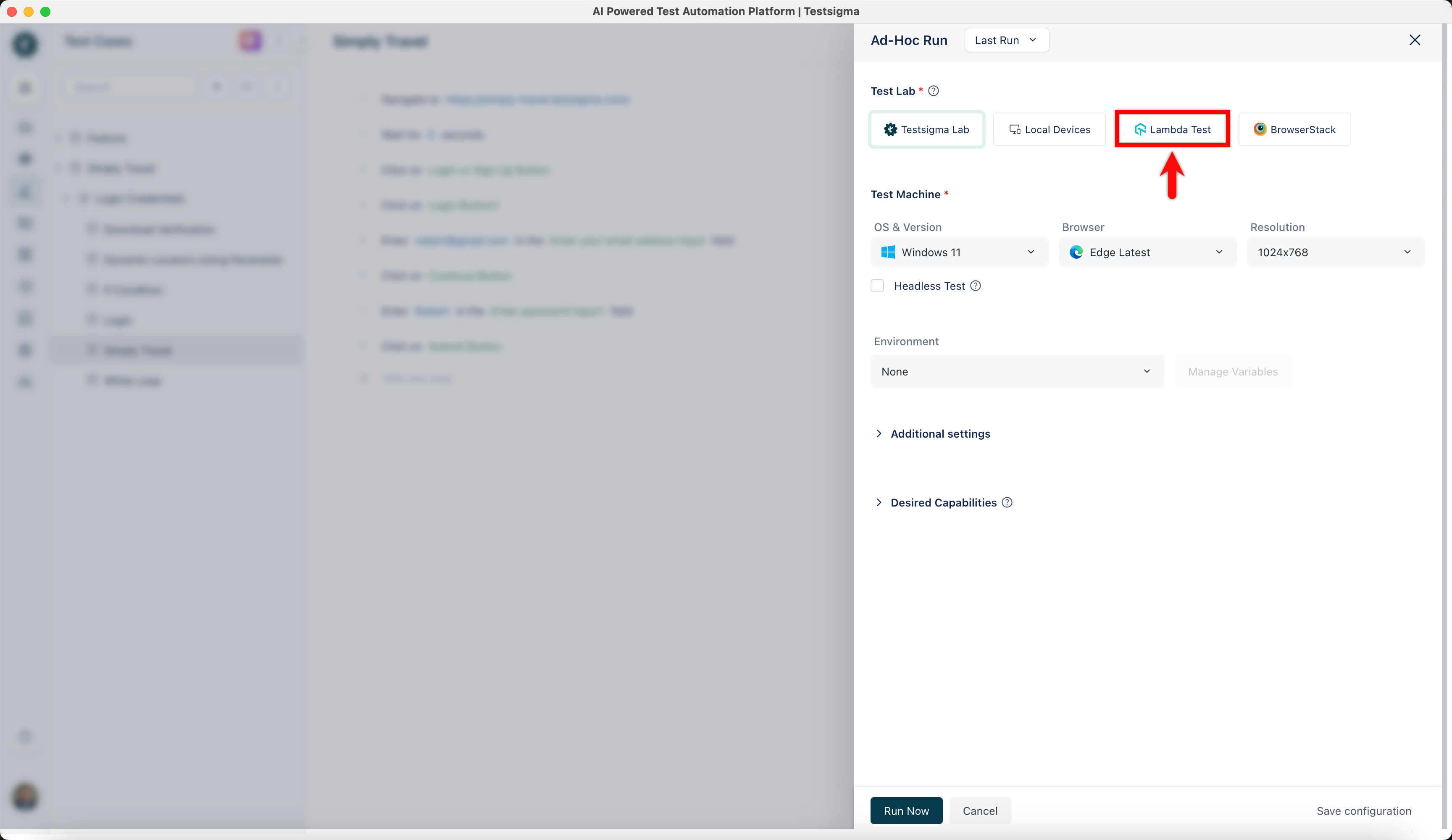
Section titled “Using TestMU for Test Runs”Once the account details are added to the Integrations page, select TestMU as the Test Lab type instead of Testsigma Lab while creating an Ad-hoc run or Test Plan Run.
View Test Execution Details
Section titled “View Test Execution Details”TestMU restricts the availability of Test Results outside their platform. Therefore, you may need to check TestMU App if you want to get granular details about the Test Runs.
As soon as you execute the tests from Testsigma, the test execution will start on the TestMU platform as well. To view the test execution details, open the Automation dashboard in TestMU. You will see your test details on the top, as shown below: