
Add-ons
Connect MongoDB & PostgreSQL Databases
Connecting MongoDB and PostgreSQL databases to Testsigma enhances your testing capabilities by allowing seamless interaction with these databases directly within your test cases. This integration enables you to execute queries, retrieve data, and validate results efficiently, thereby improving test accuracy and coverage while reducing manual effort in managing database interactions.
Prerequisites
Before you begin, ensure that you have referred to:
- Documentation on installing add-ons the community addon.
Connect MongoDB via addon
Section titled “Connect MongoDB via addon”To set up a database connection to MongoDB in Testsigma, follow these steps:
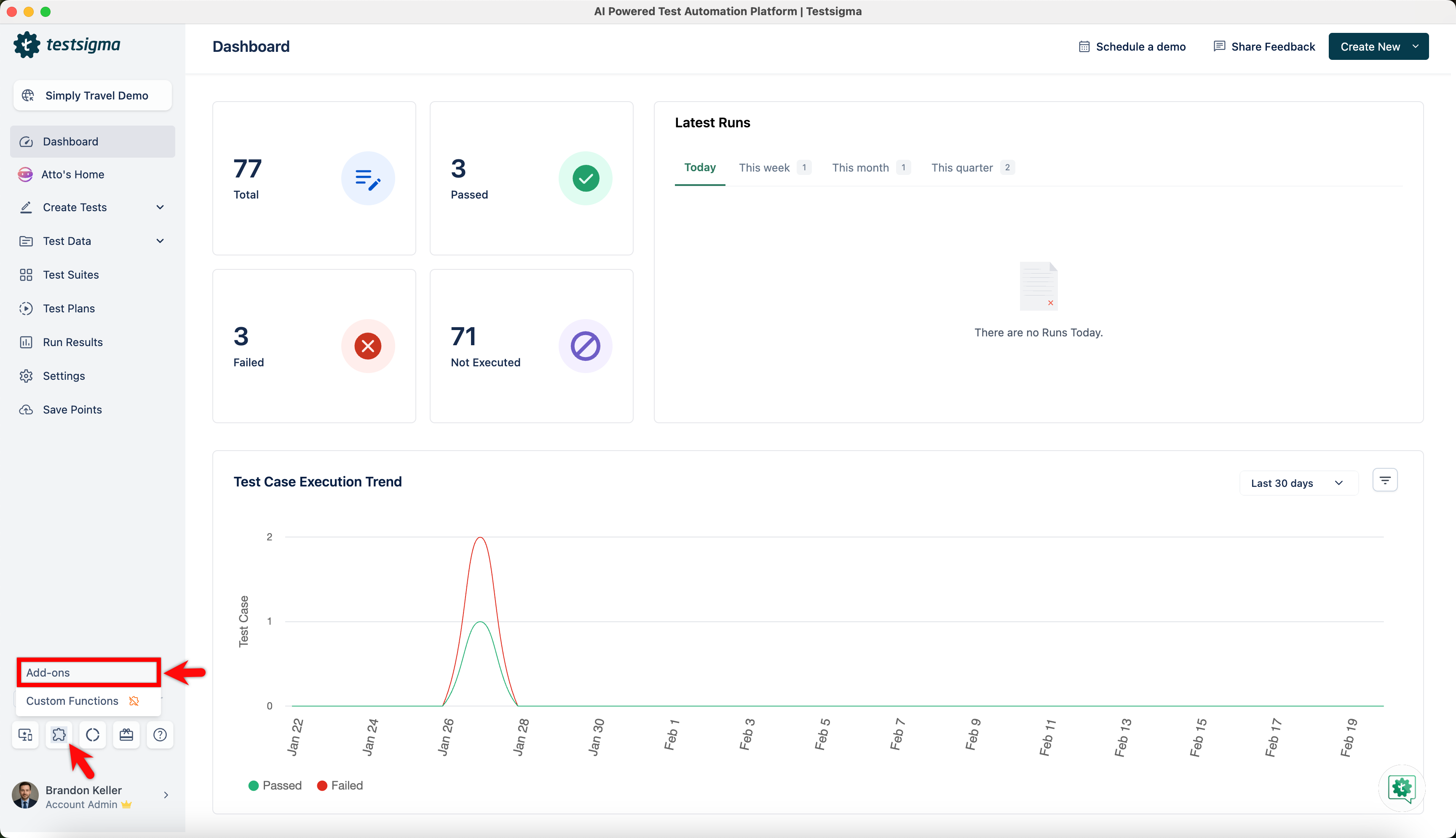
- From the left navigation bar, go to Addons and click Add-ons.
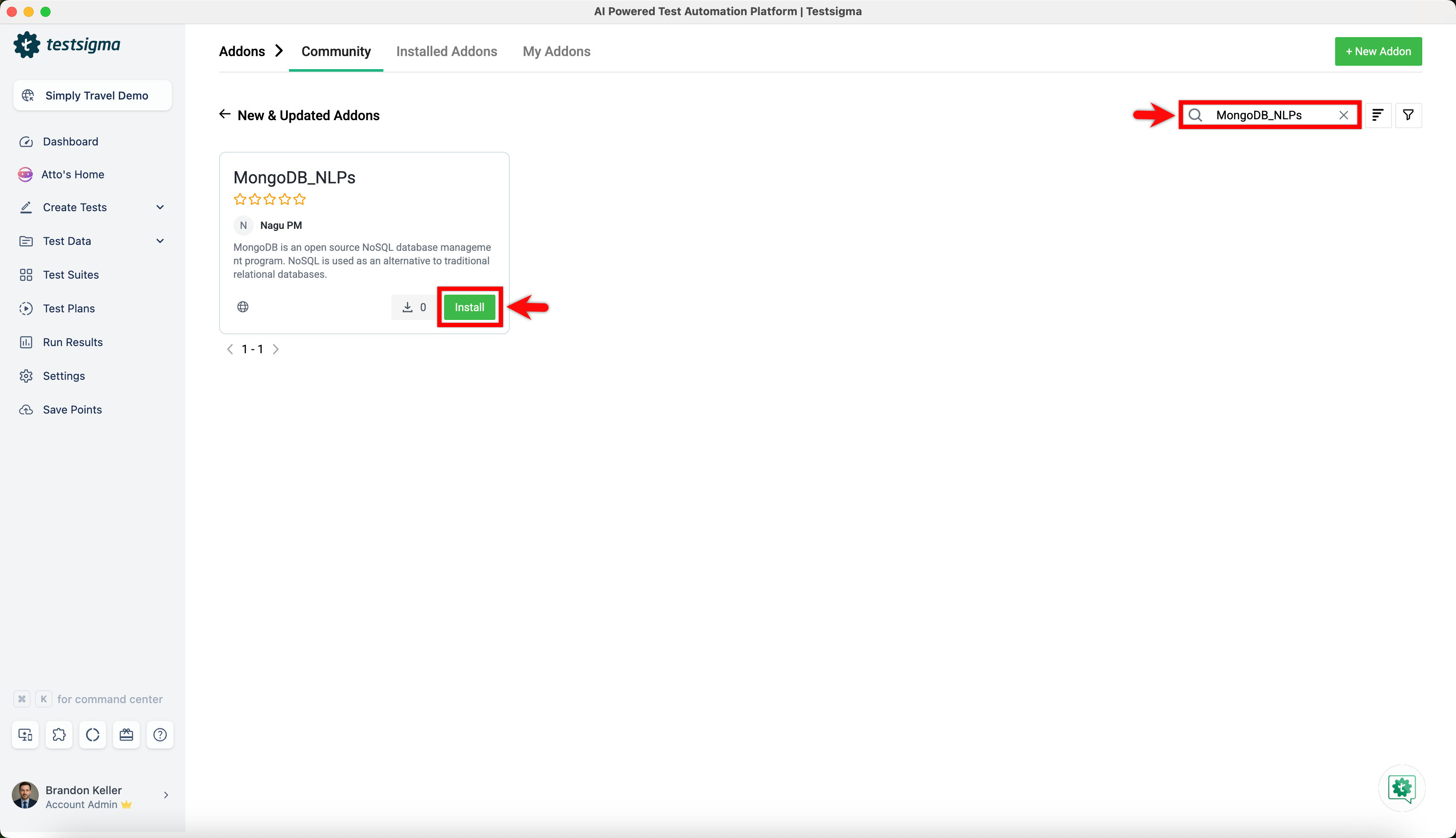
- Under the New & Updated Addons section, search for the MongoDB_NLPs addon and click Install.
- Once you install the MongoDB_NLPs addon, you can find the predefined NLPs in Test Steps.
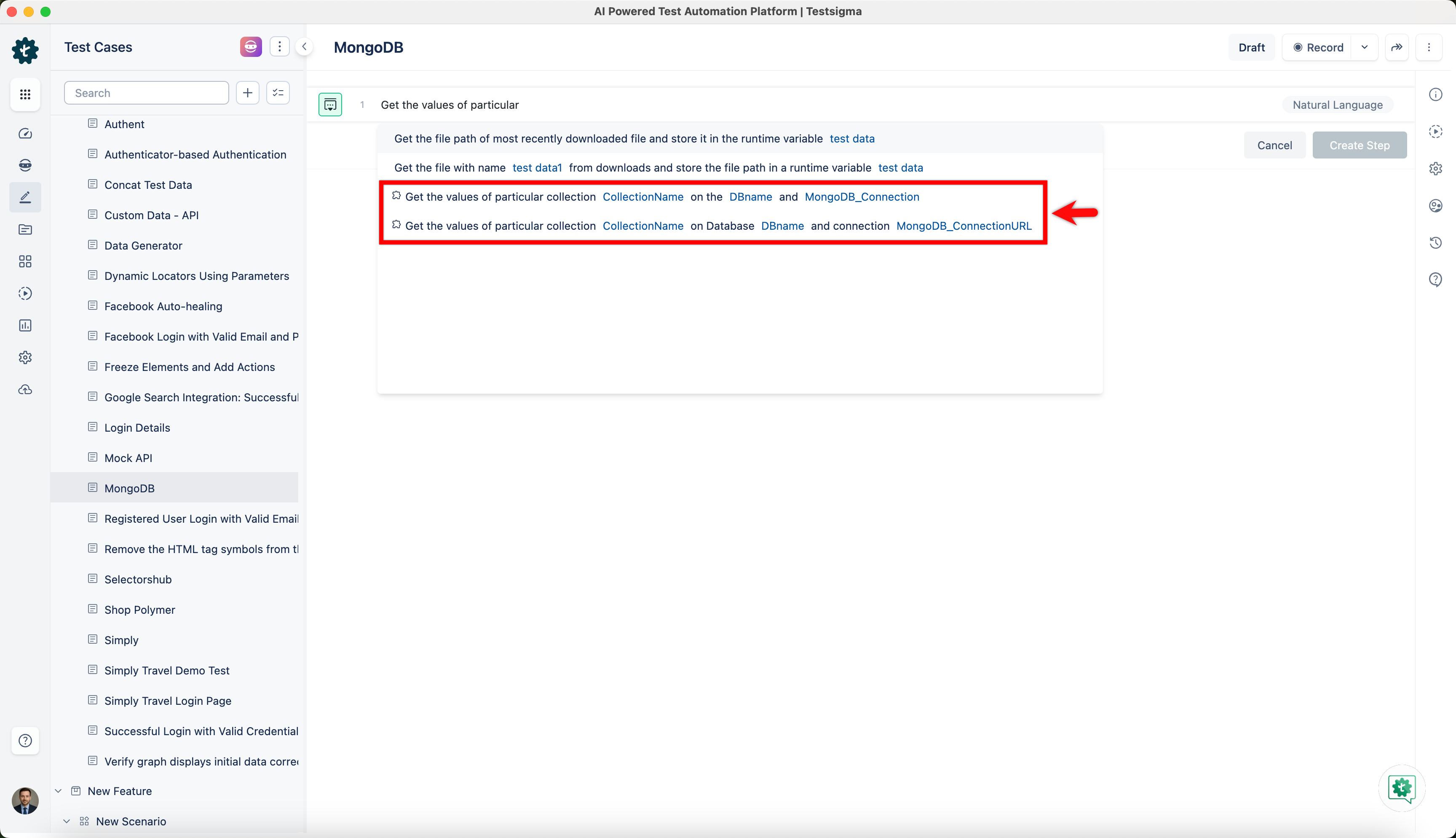
- The parameters available with NLPs and how to use them in Test Steps are shown below.
| Parameter | Description | Example Value |
|---|---|---|
| DBname | Collections are stored in a MongoDB database | e-commerce, blog, social-media |
| CollectionName | A group of MongoDB documents | users, products, orders |
| MongoDB_Connection | MongoDB connection connects to a MongoDB server or cluster | MongoClient, Mongoose |
| MongoDB_ConnectionURL | A URL-like string used to specify the address of a MongoDB server or cluster, as well as options for the connection | mongodb://localhost:27017/blog |
Connect PostgreSQL via addon
Section titled “Connect PostgreSQL via addon”To set up a database connection to PostgreSQL in Testsigma, follow these steps:
- From the left navigation bar, go to Addons and click Add-ons.
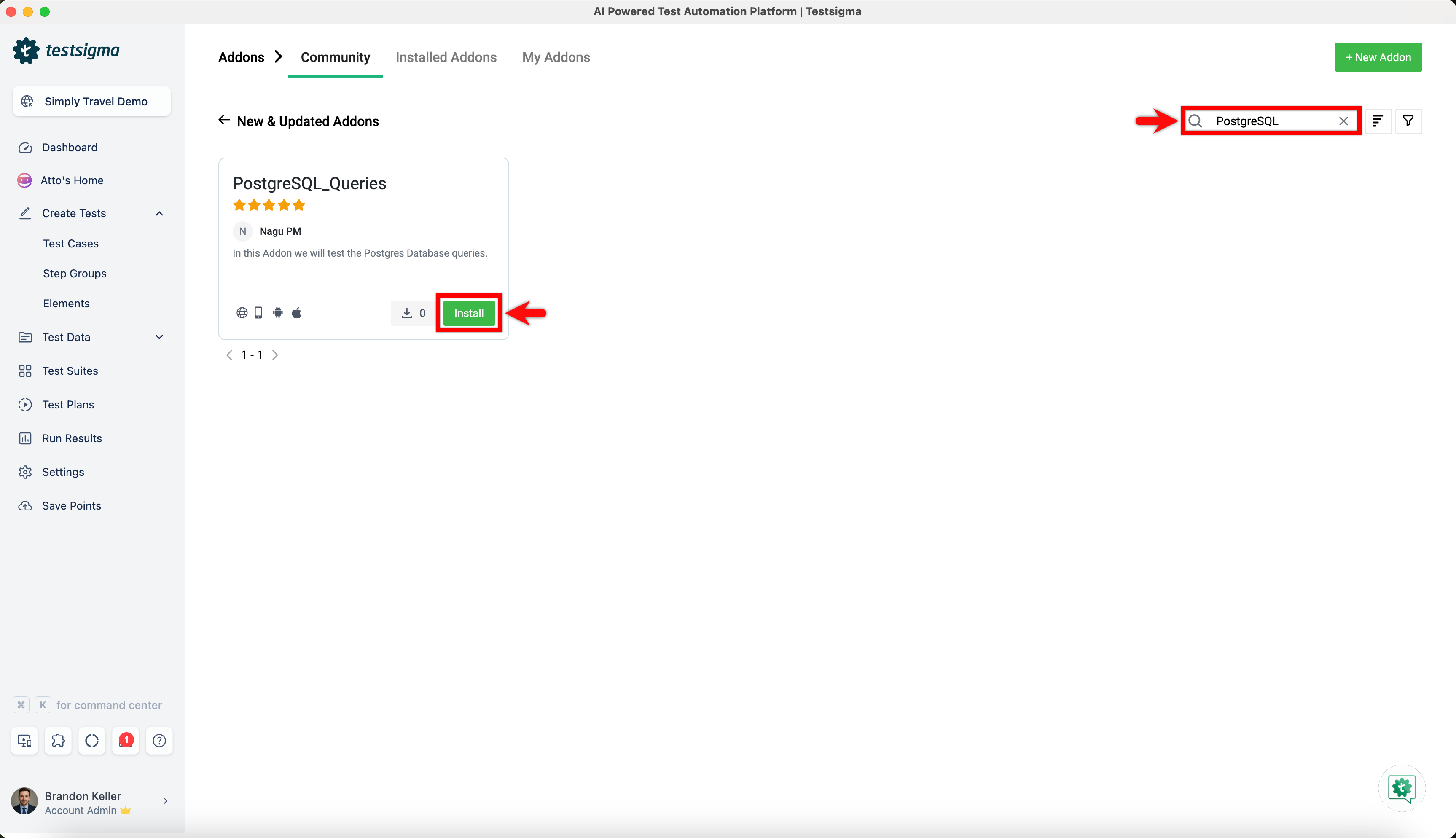
- Under the New & Updated Addons section, search for the PostgreSQL_Queries addon and click Install.
- Once you install the PostgreSQL_Queries addon, you can find the predefined NLPs in Test Steps.
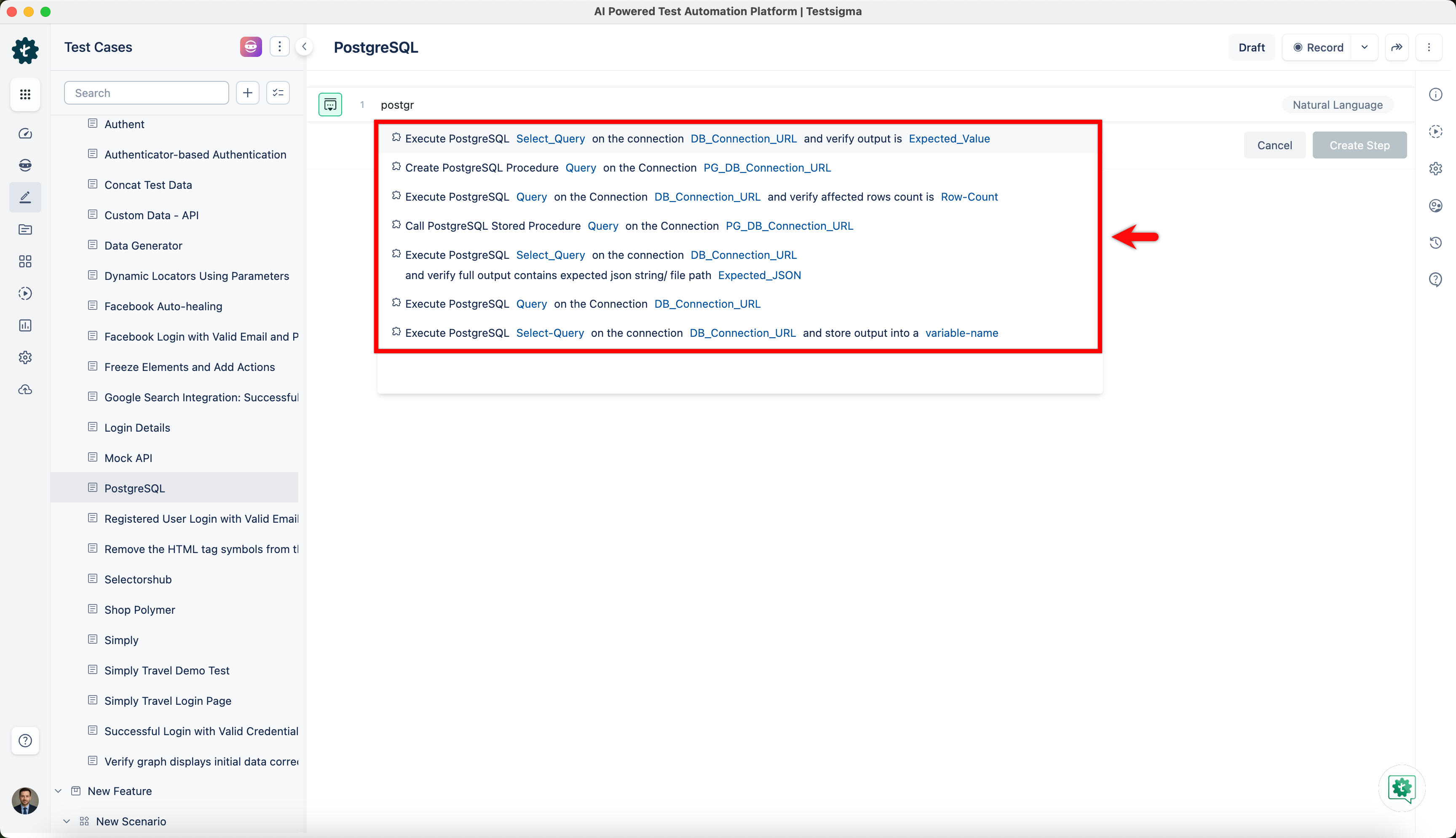
- The parameters available with NLPs and how to use them in Test Steps are shown below.
| Parameter | Description | Example Value |
|---|---|---|
| Query | Executes a query on a PostgreSQL database | SELECT * FROM table_name; |
| Row_Count | Returns the number of rows in a result set | SELECT COUNT(*) FROM table_name; |
| DB_ConnectionURL | Creates a URL string for connecting to a PostgreSQL database | postgresql://user:password@localhost:5432/database_name |
| PG_DBConnectionURL | Creates a connection URL for connecting to a PostgreSQL database | postgresql://username:password@host:port/database_name |
| Variable-Name | Assigns a value to a variable | var_name = “some value” |
| Select-Query | Executes a SELECT query and returns the result set | SELECT column_name FROM table_name WHERE condition; |
| Expected-Value | Compares a result with an expected value | assert result == expected_value, f”Expected {expected_value}, but got {result}” |