
Test Data
Test Data Type: Runtime
Prerequisites
- Before you begin, ensure that you have referred to the documentation on creating test cases, projects, test cases, elements, test steps, and test data types.
Store Data as a Runtime Variable
Section titled “Store Data as a Runtime Variable”-
Use the Store keyword in NLP to create a new step in the test case for saving a dynamic value as Runtime data.
-
Remove the test data placeholder, enter the text by storing the data in the text, and click Create Step to generate a runtime variable.
Example:
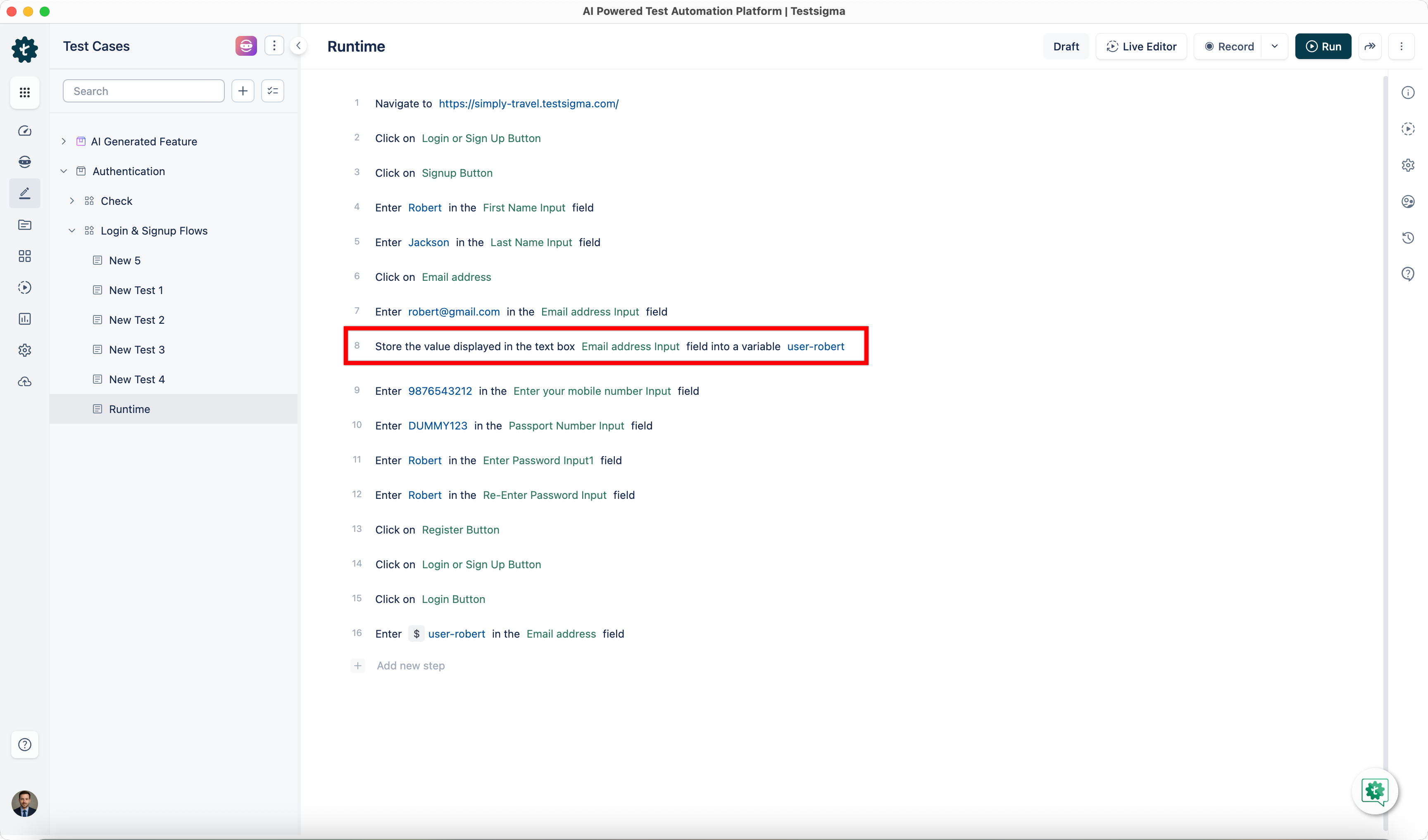
Section titled “Example:”- Use the NLP step Store the value displayed in the text box element field into a variable test data.
- Click the element in NLP to select or create an element and replace the test data placeholder.
- Enter the text to store the data in the text field.
- NLP stores the value displayed in the text box with the UI identifier Email address Input (element) into the variable user-robert (test data).
Use Runtime Variables in Test Step
Section titled “Use Runtime Variables in Test Step”-
Use NLP to create a new step in the Test Case and include a placeholder for test data.
-
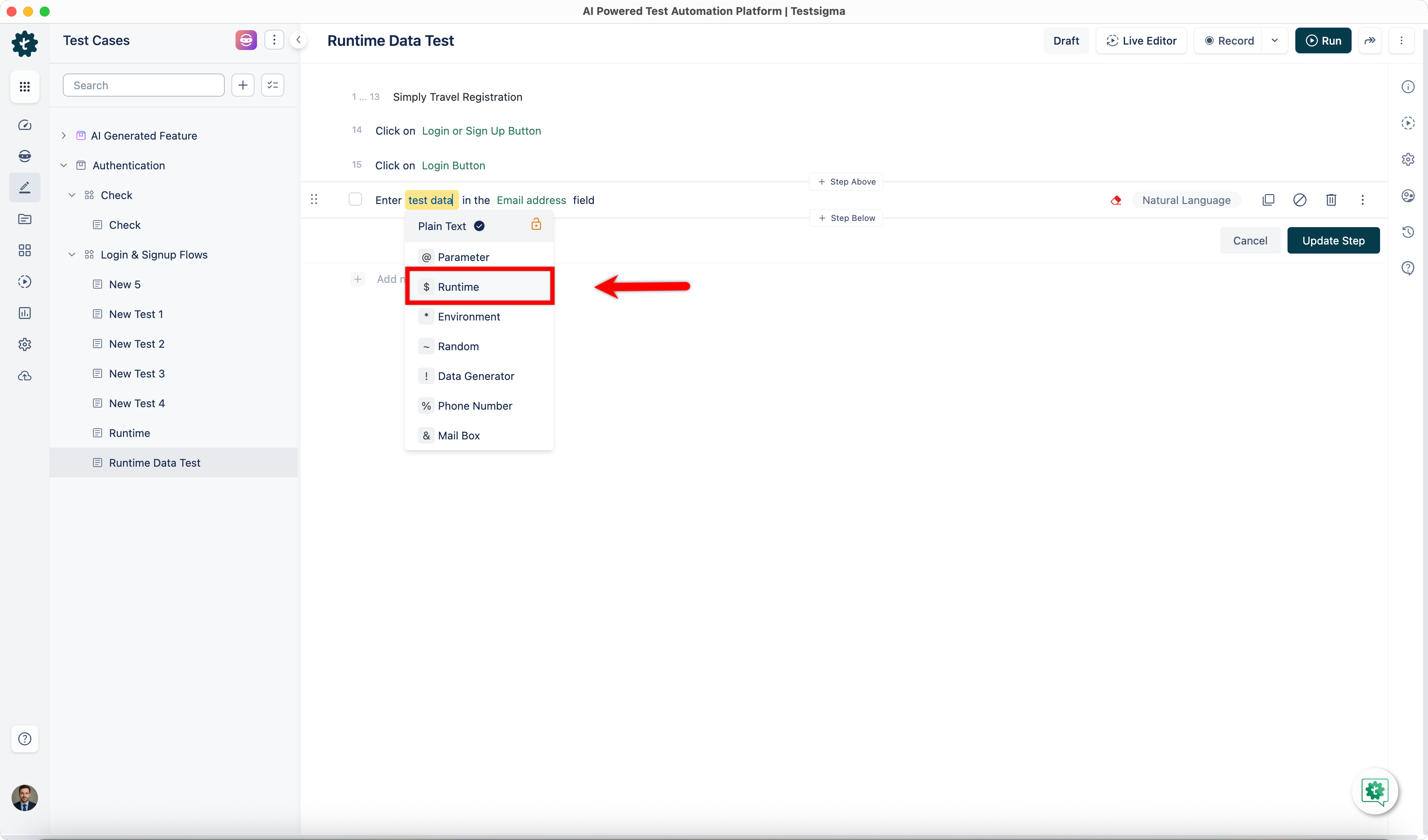
Click the test data placeholder to replace it, and then select the $ Runtime from the Test Data Types dropdown menu.
-
A list of runtime variables already created in the project will appear in the Runtime Variables overlay.
-
Select the Runtime Variable from the overlay or search for a runtime variable and insert it into the test steps.
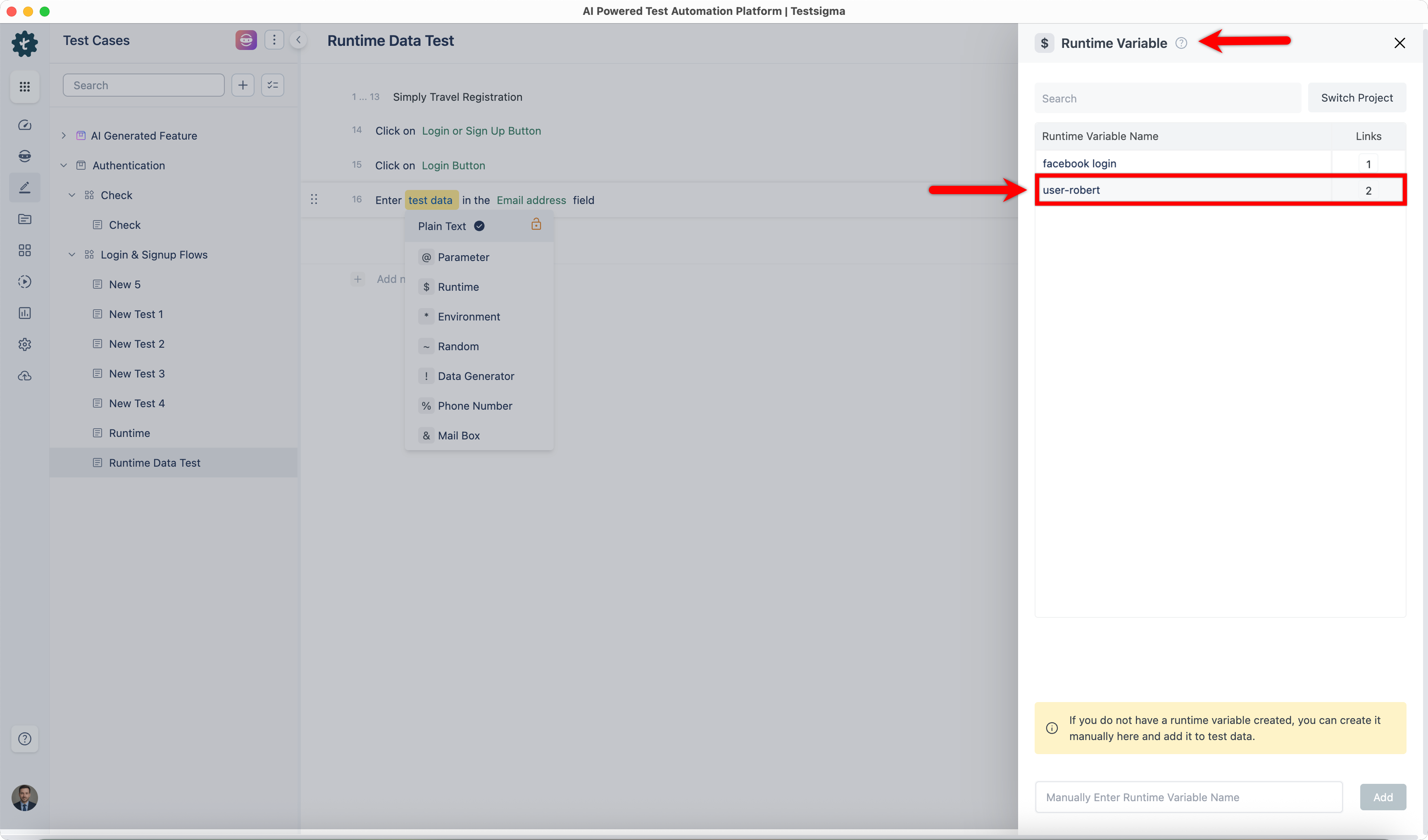
You can also click the Switch Project button in the overlay, select the Project, Application, and Version, and use a Runtime Variable created in other projects.
Example Use Cases
Section titled “Example Use Cases”- Bill Payment: After successfully making the payment, you need to save the system-generated Bill ID and use it in the next step for verification.
| Action to use | Store the value displayed in the text box element field into a variable test data. |
|---|---|
| Actual statement used | Store the value displayed in the text box Bill_ID field into a variable billid_no. |
| Usage for retrieving the value | Enter $ billid_no in the Enteryour::BillNumber field. |
- SSID Creation for Router: You want to save the SSID used in a form on the first page so that you can insert it in a form on the last page.
| Action to use | Store text from the element element into a variable test data. |
|---|---|
| Actual statement used | Store text from the element SSID into a variable ssid_no. |
| Usage for retrieving the value | Enter $ ssid_no in the Enteryour::SSIDNumber field. |