Configuration
Generate API Key
Steps to Generate API Key
Section titled “Steps to Generate API Key”Follow the below steps to generate an API key in Testsigma:
-
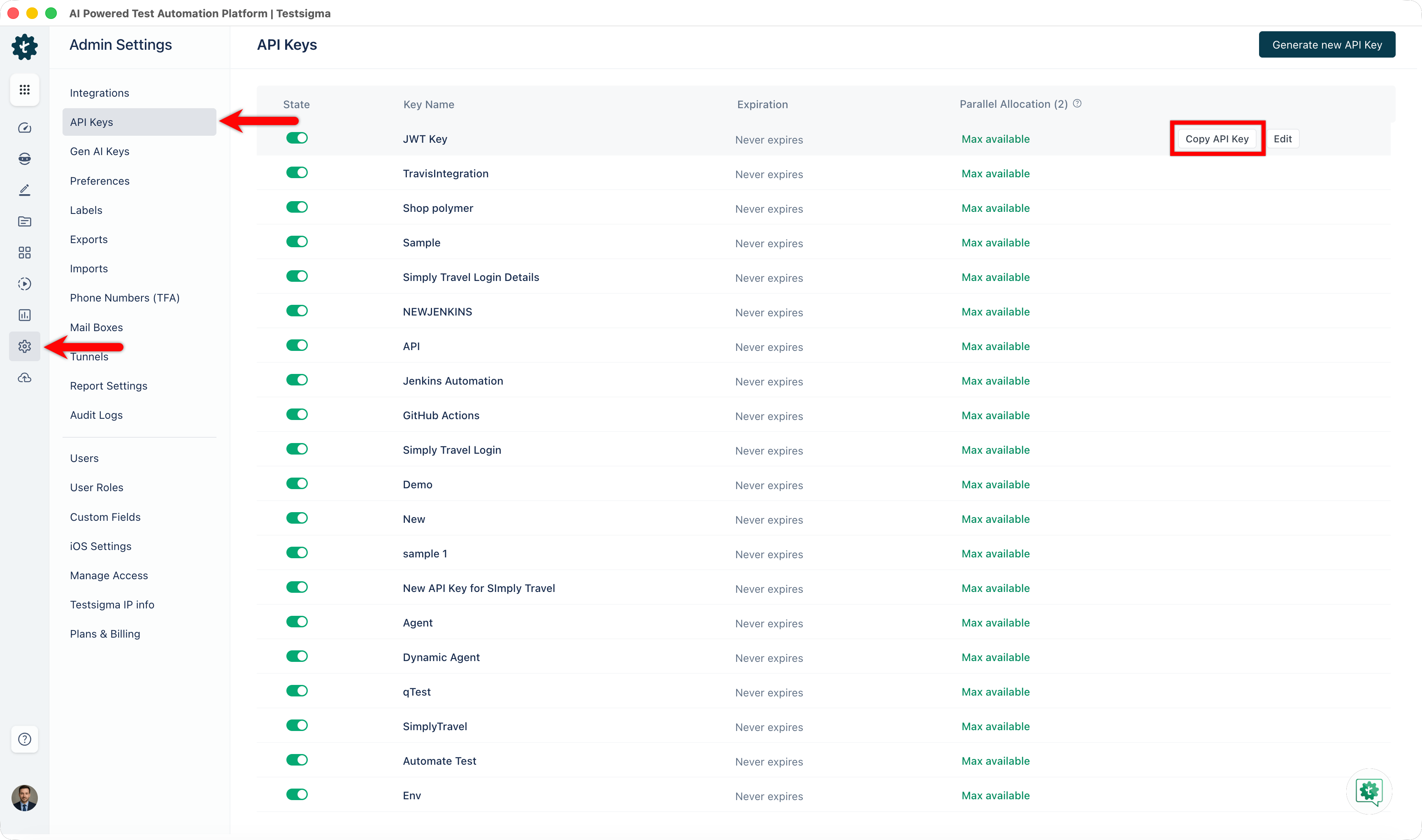
Navigate to Settings > API Keys in the left-side navbar.
-
Click the Generate new API Key button in the top right corner of the screen on the API Keys page, and a Generate API Key pop-up overlay will appear.
-
In the pop-up overlay for Generate API Key, you can enter a Name for your API Key and specify the number of parallel test executions for this key. The overlay provides a toggle for restricting parallel test execution for this key.
-
After entering a name and configuring parallel settings, click the Generate Key button. The API key will be displayed on the screen. Click the Copy API Key button to copy it to your clipboard for use in your applications or scripts.