Test Cases
Testing API Responses with Custom Values
Prerequisites
Before you begin, ensure that you have referred to:
Steps to Send Custom Variables in API Steps
Section titled “Steps to Send Custom Variables in API Steps”-
From the left-side navbar, select Create Tests > Test Cases and then create a test case.
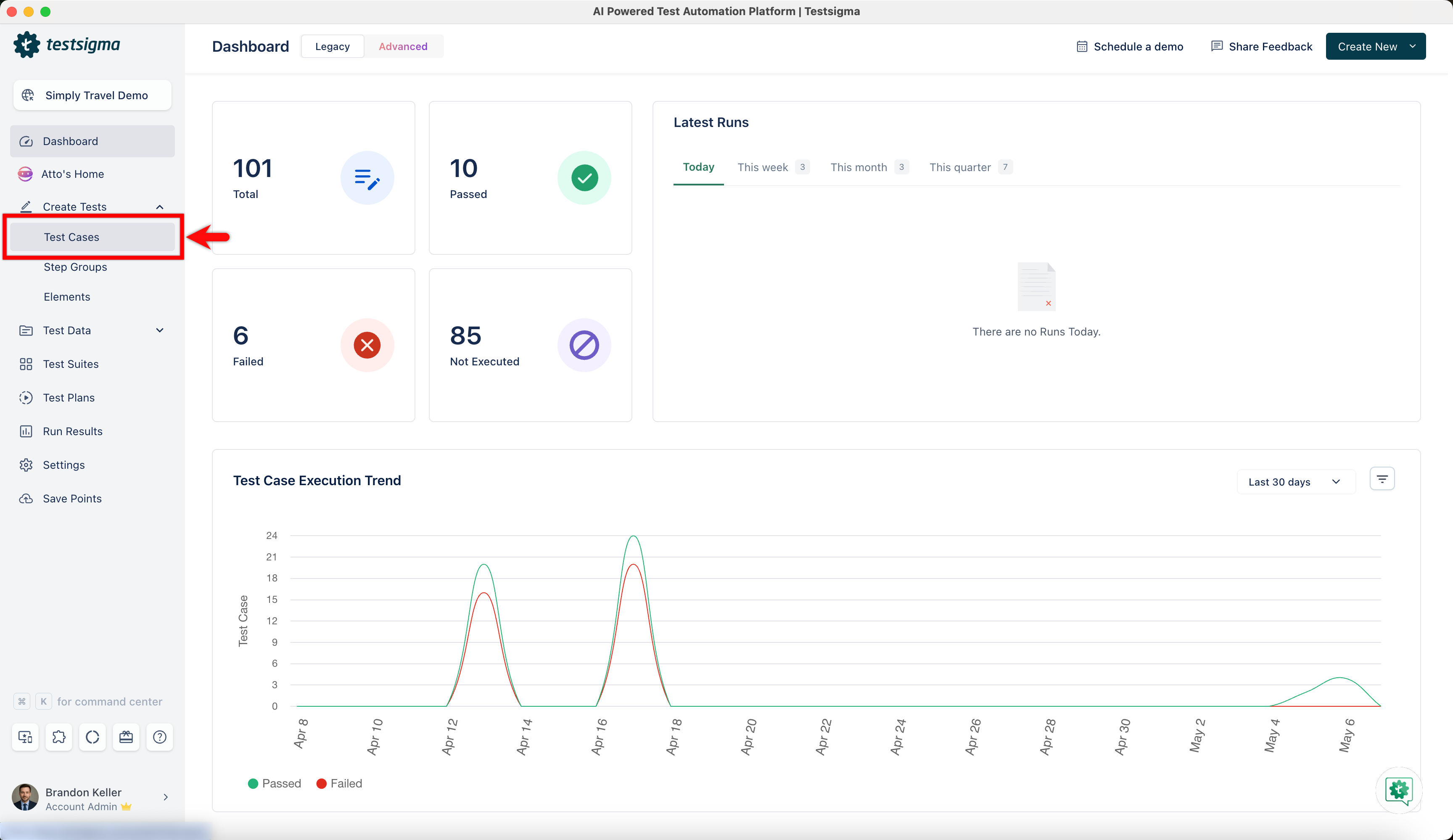
-
On the Test Case Details page, click the option next to the test step and select Rest API.
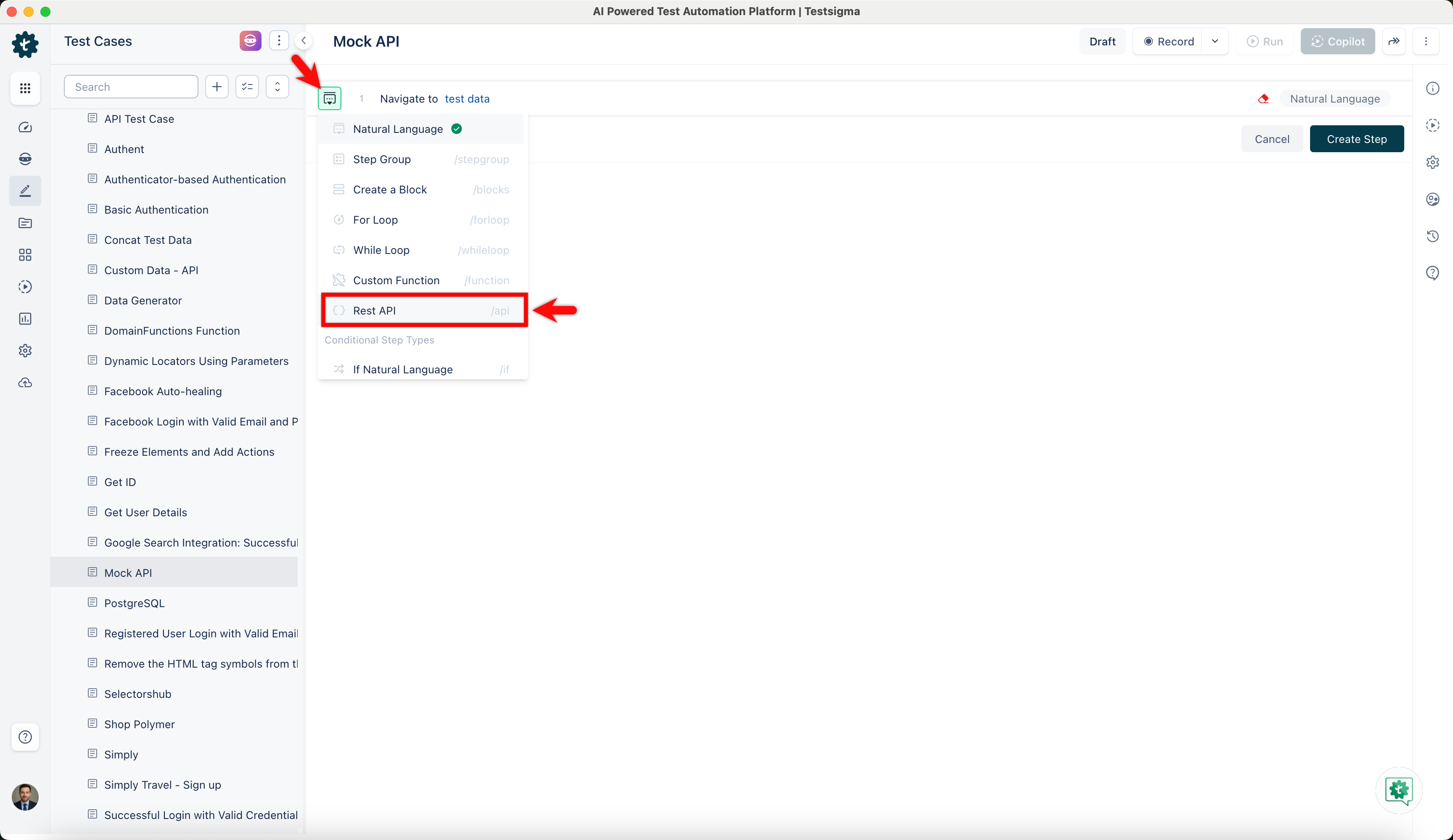
-
Click on the test step to open the Rest API window.
-
Enter the Title, choose the Method, and enter the Endpoint.
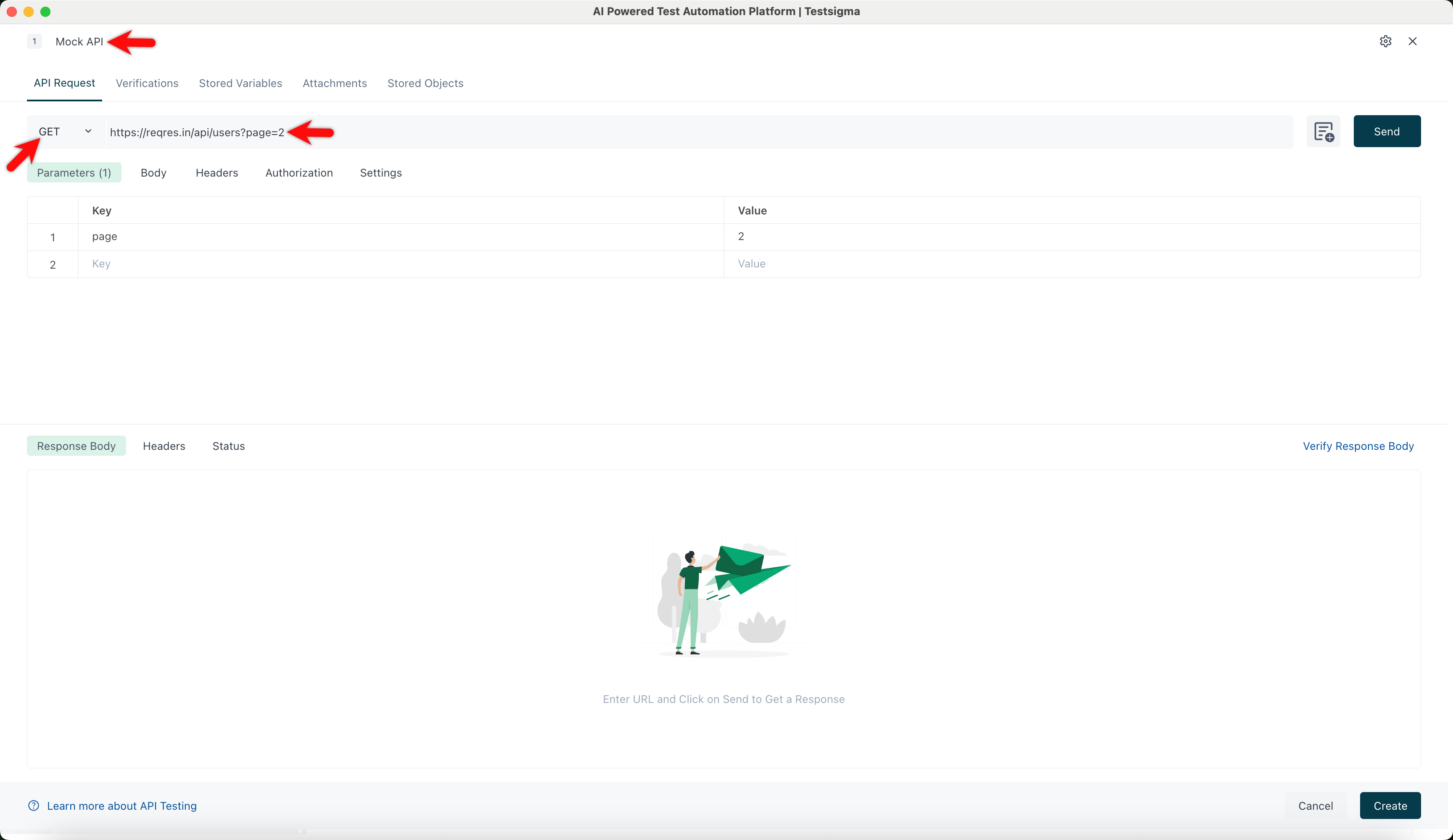
-
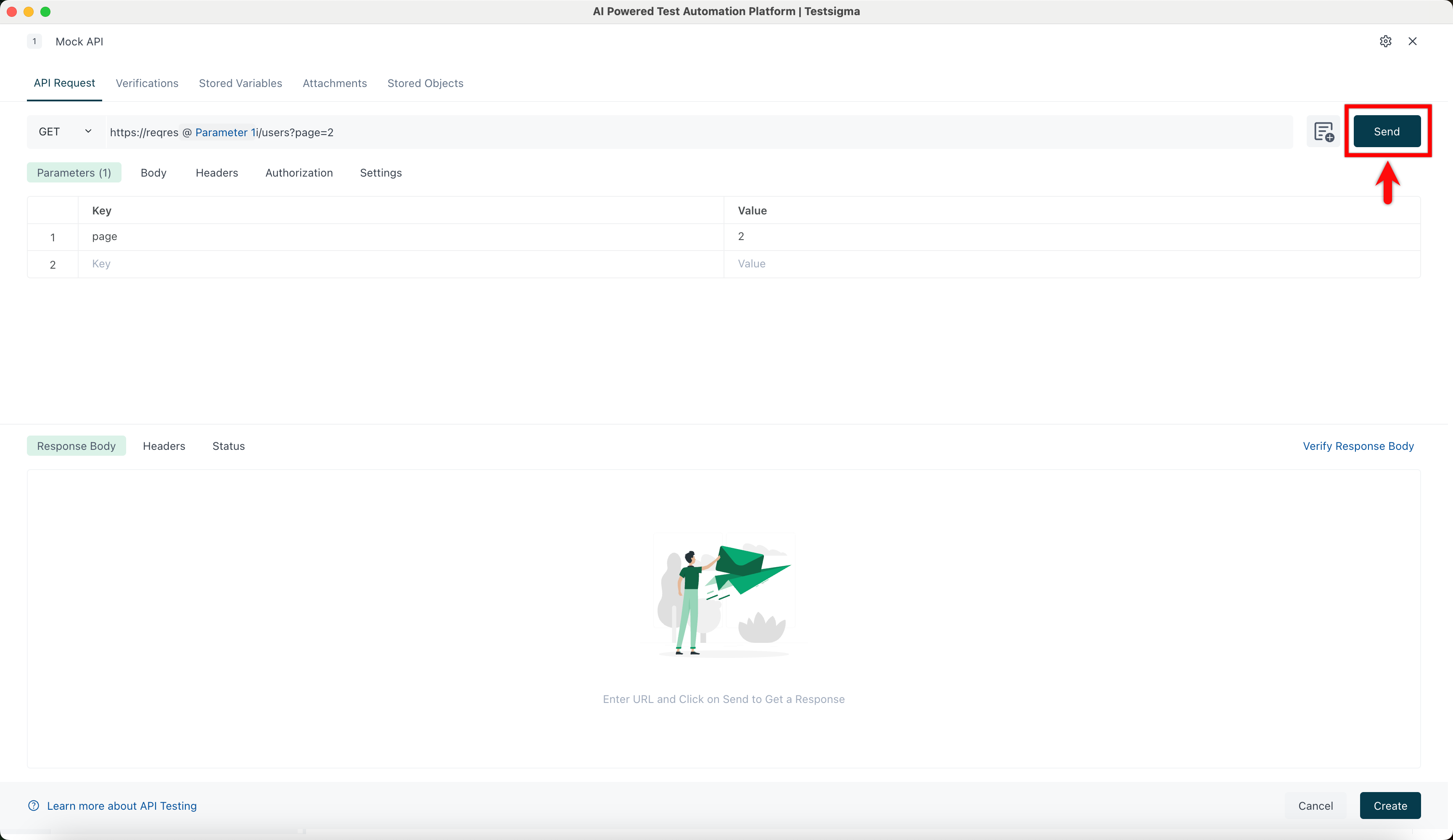
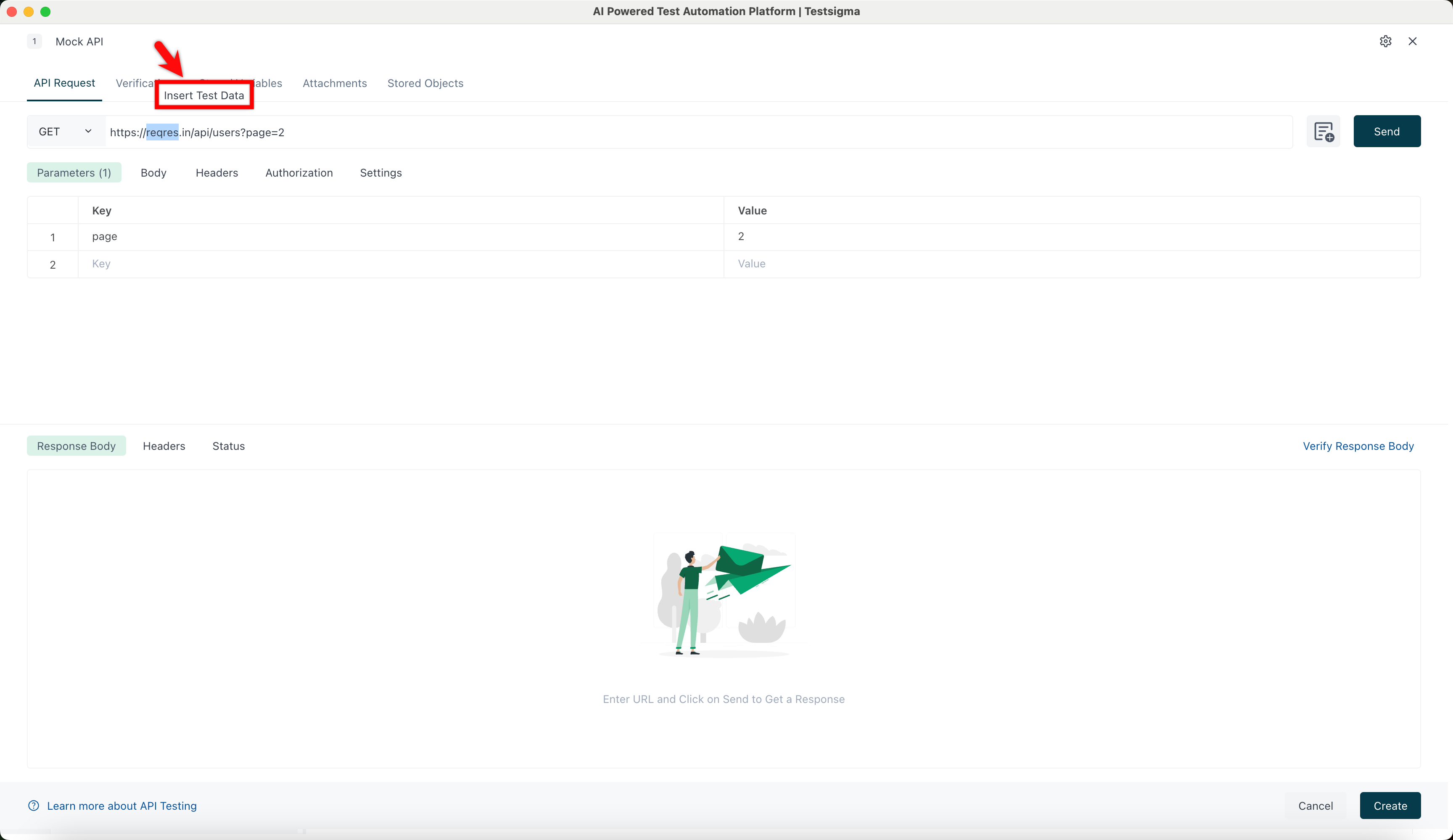
Select the data you want to parametrize and click Insert Test Data.
-
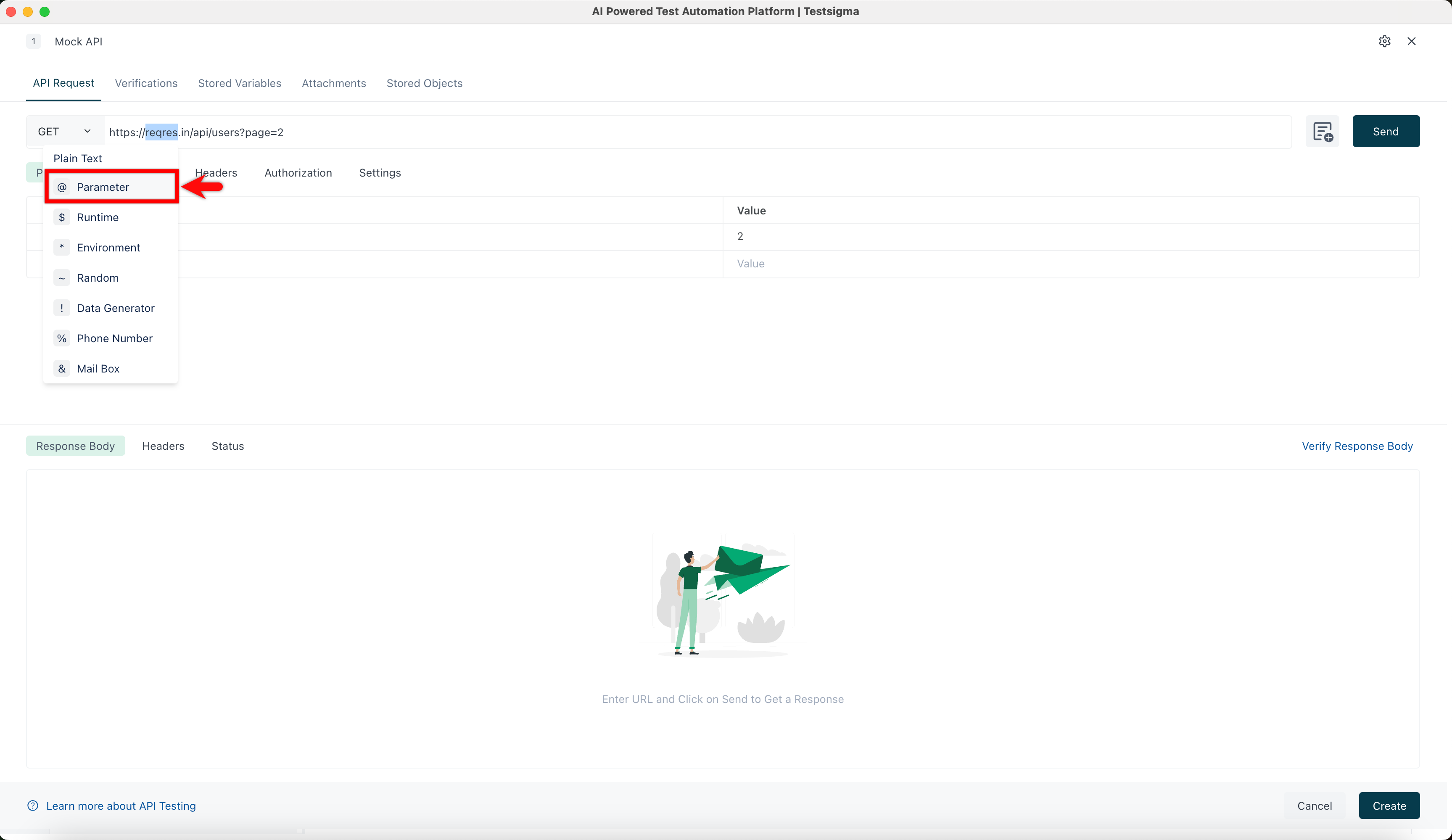
Choose the test data type you want to add (e.g., @Parameter).
-
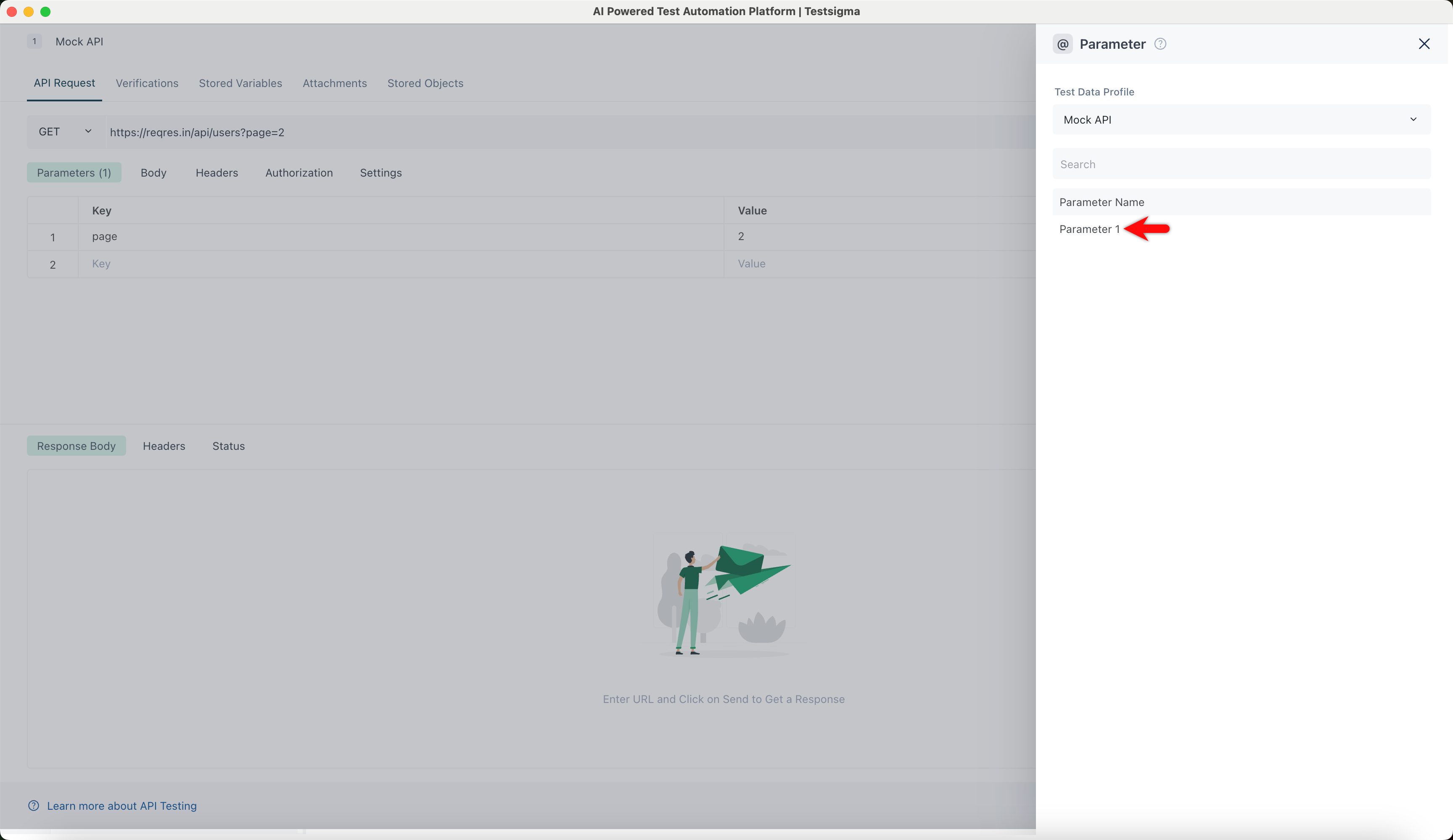
In the @Parameter overlay, select the required parameter name.
-
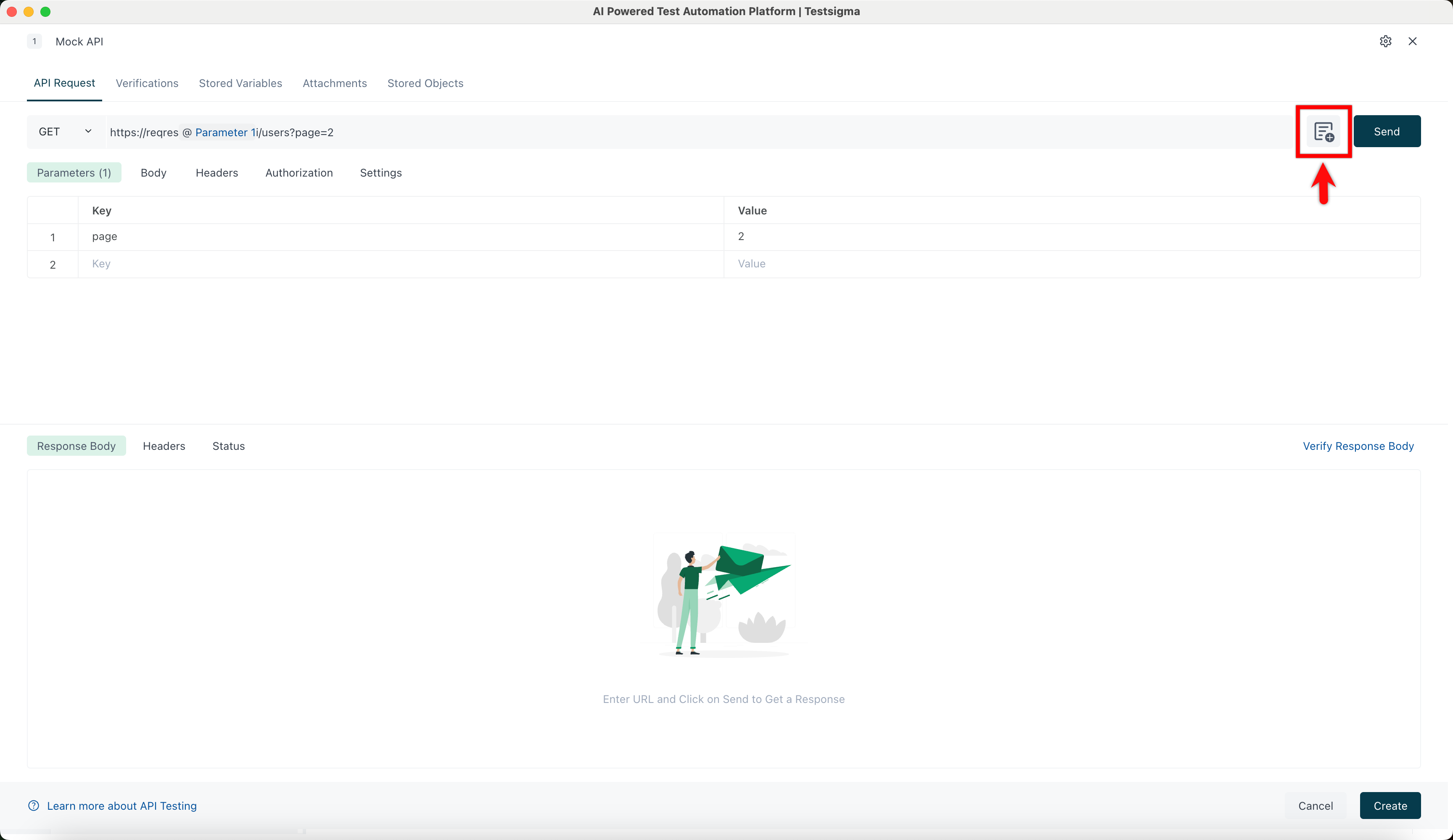
Click Add Request Values. The Request values overlay will open.
-
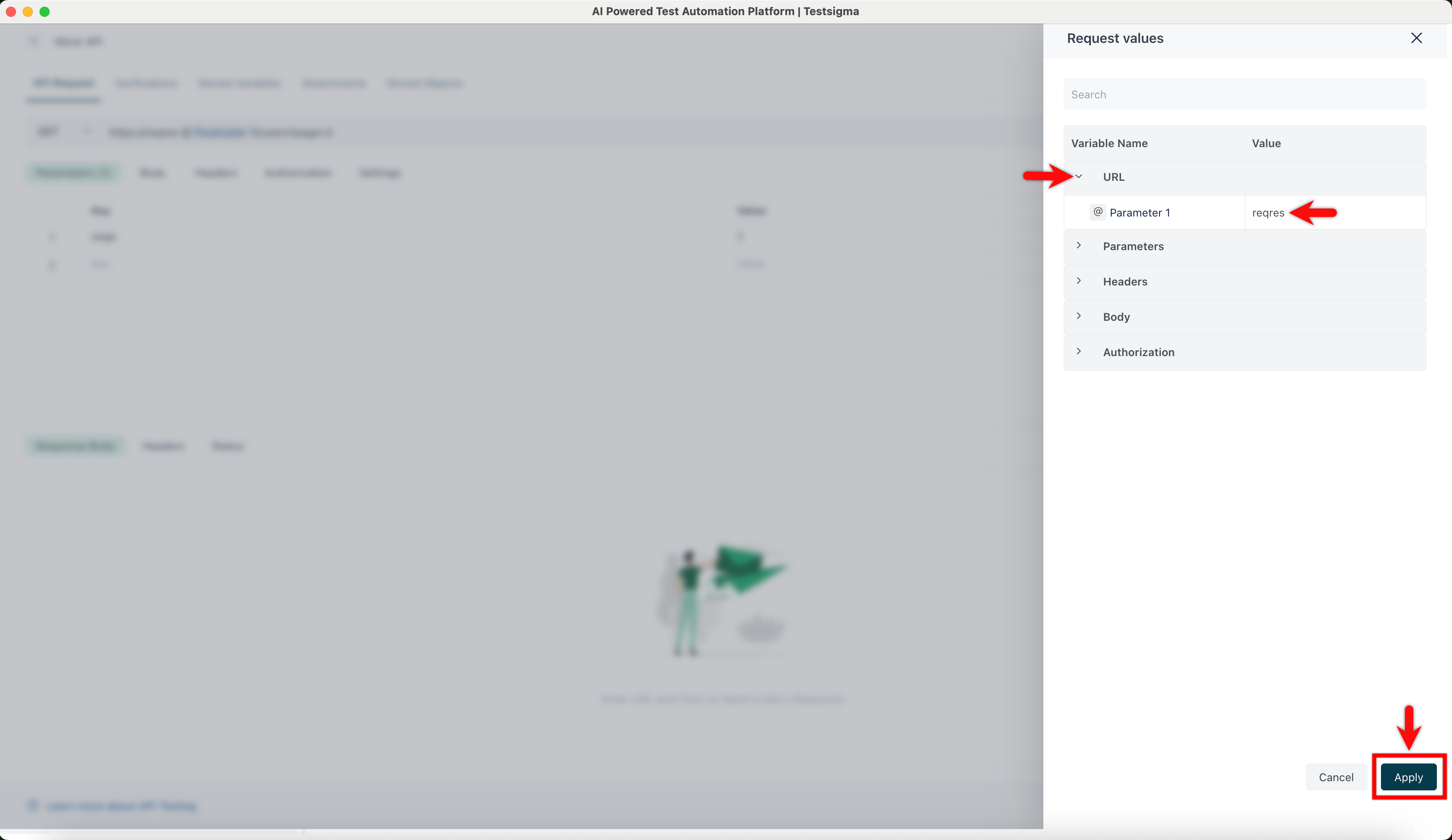
In the Request Values overlay, click URL, add the value to the parameter in the URL, and click Apply.
-
Click Send and verify the response received from the API.