
Test Plans
AfterTest Suite
Steps to create AfterTest Suite
Section titled “Steps to create AfterTest Suite”-
Navigate to Test Suite, and create a test suite.
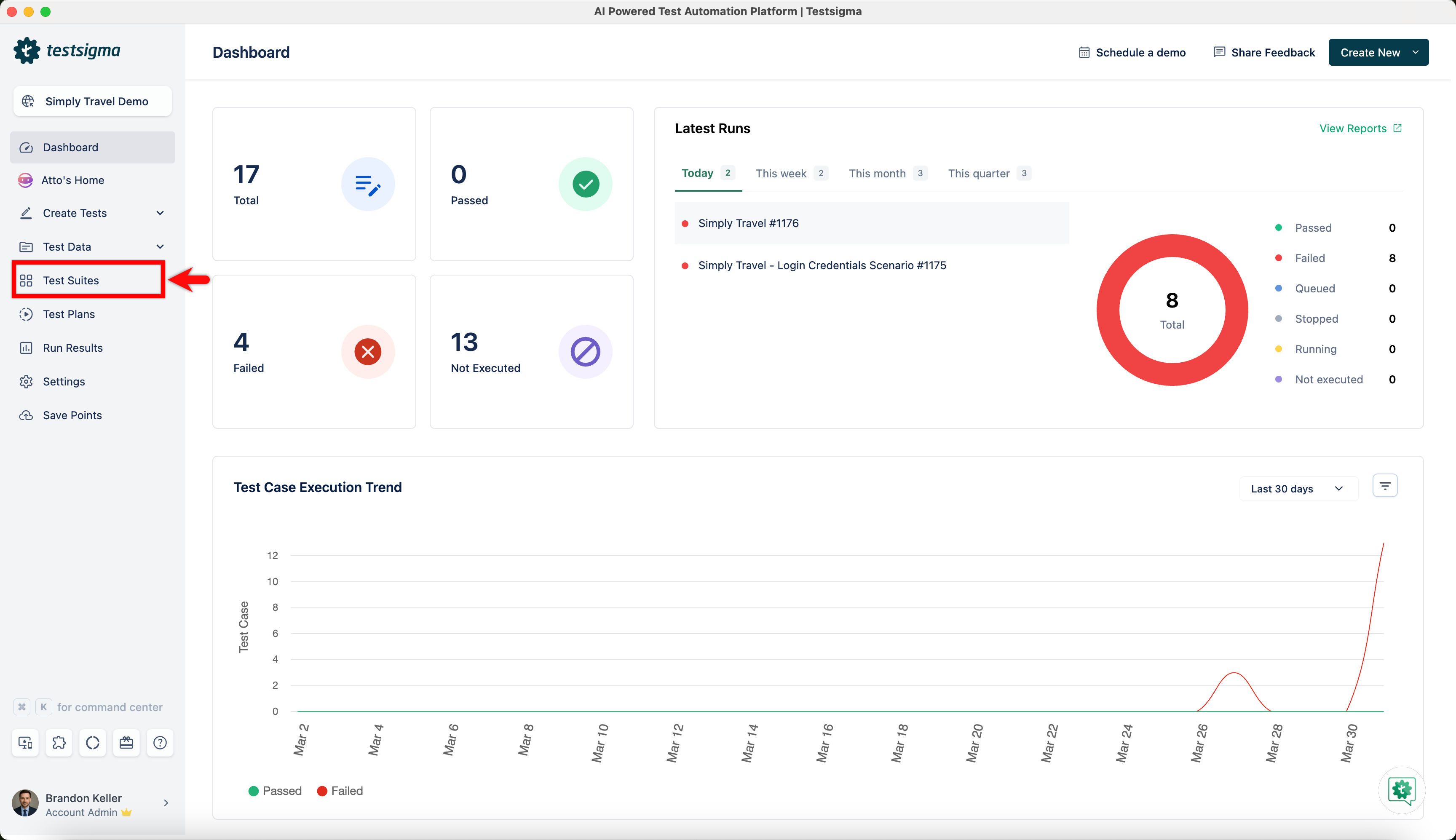
-
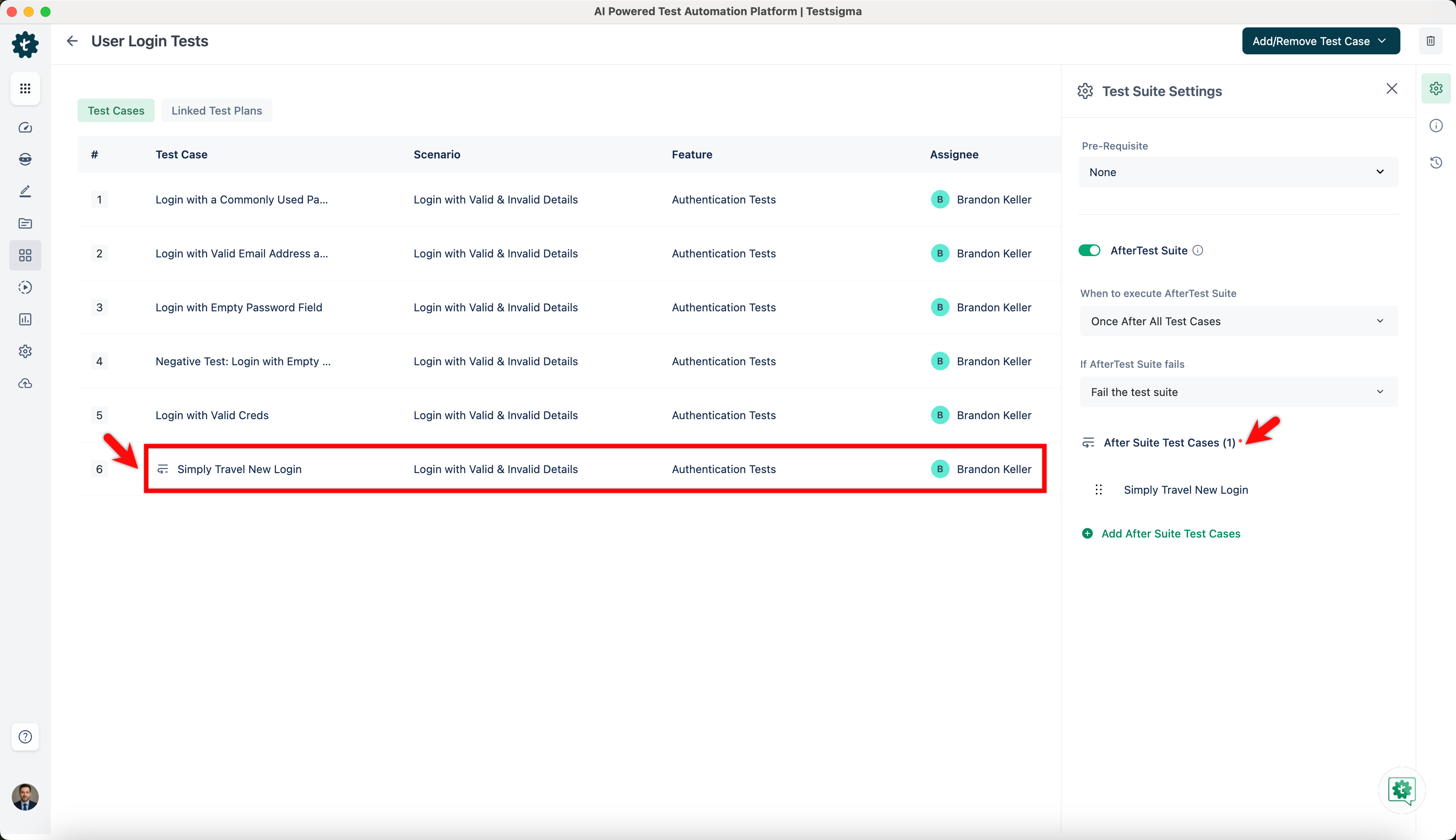
Click on Test Suite settings and enable AfterTest Suite toggle.
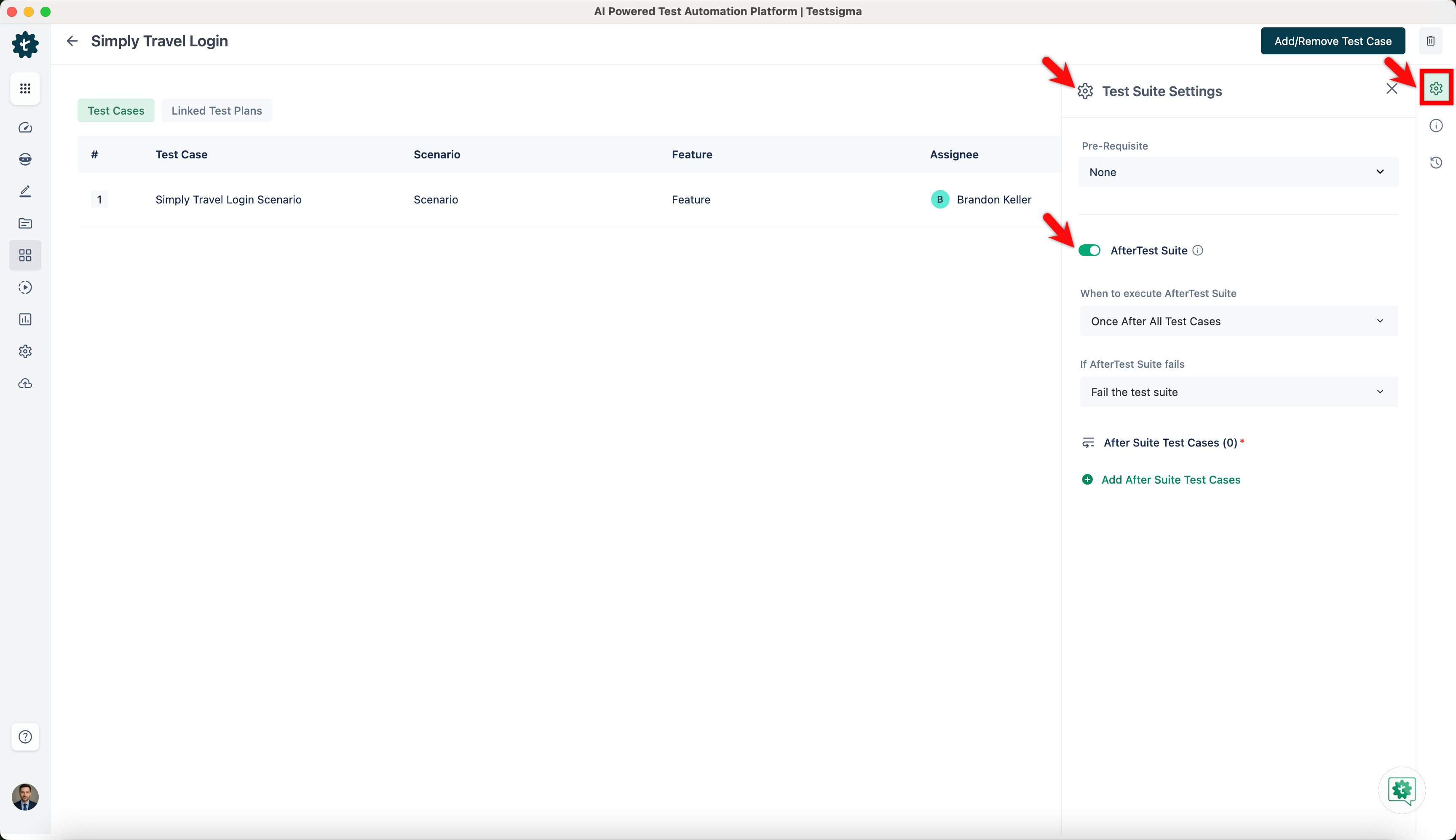
-
Click on Add After Suite Test Cases. This will open Add After Suite Test Cases prompt.
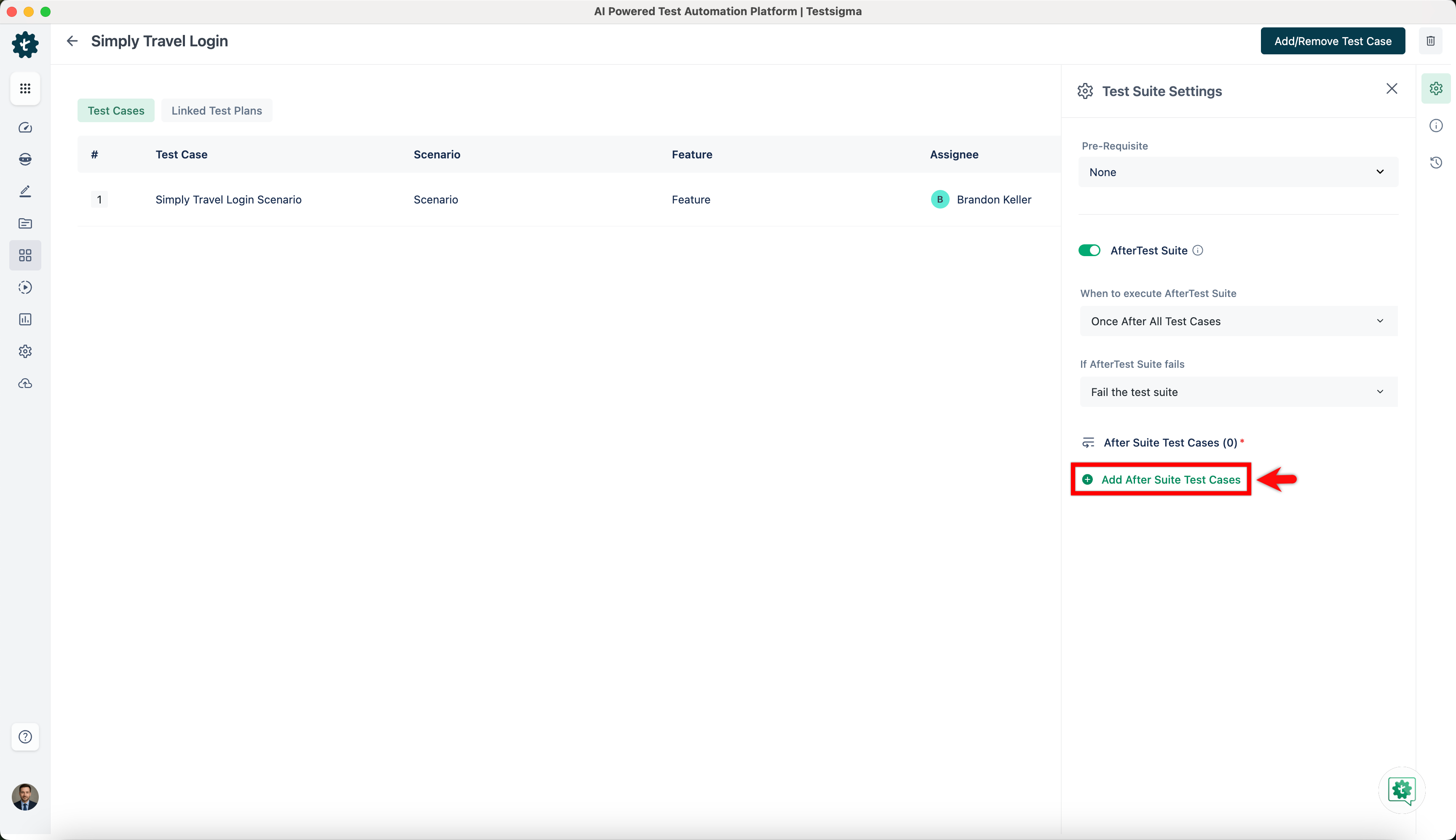
-
On Add After Suite Test Cases prompt, select test cases for AfterTest Suite and click on Add to Suite.
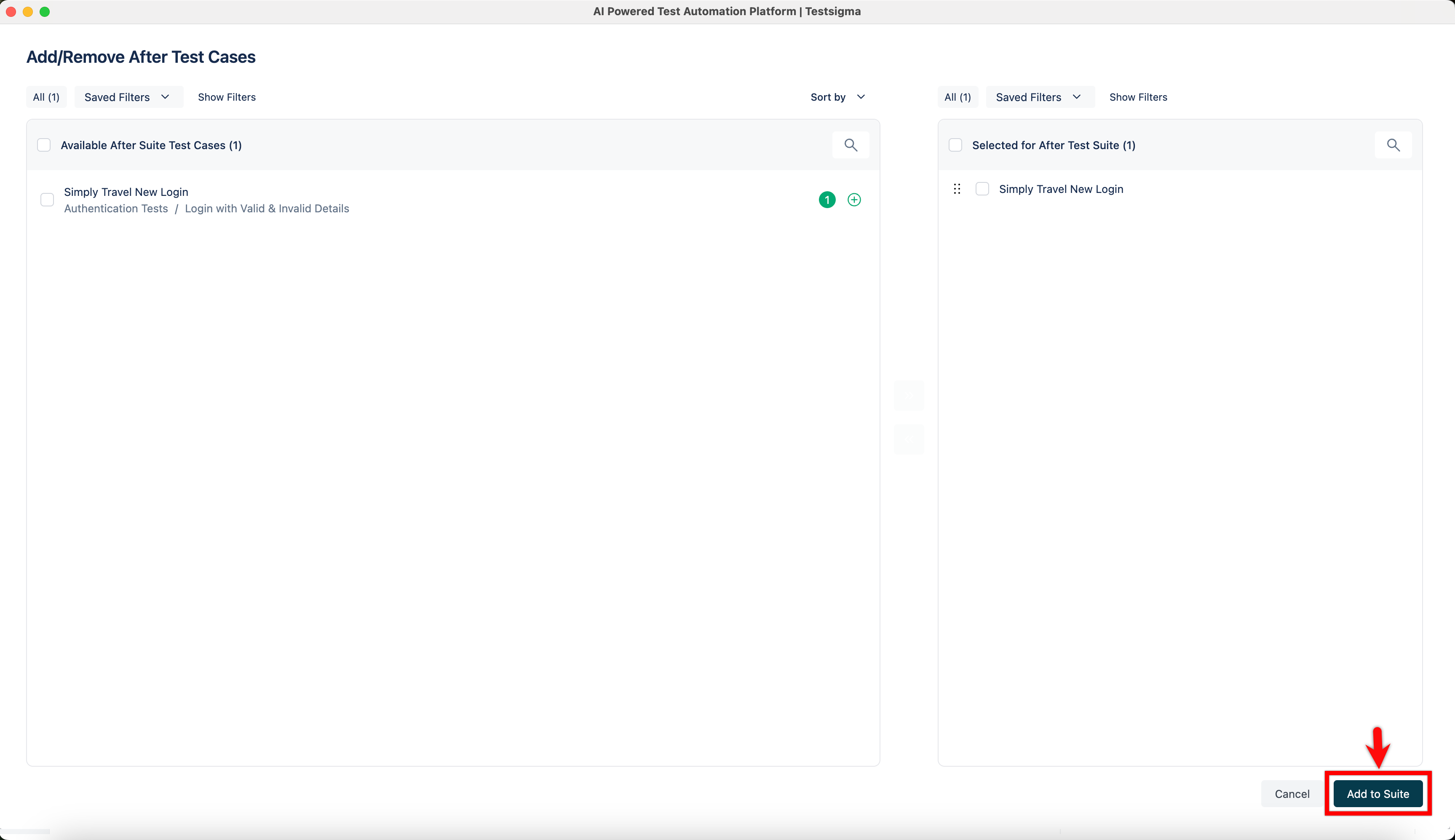
-
The selected test cases for AfterTest Suite will be executed after the test suite execution.
Available NLPs for AfterTest Suite
Section titled “Available NLPs for AfterTest Suite”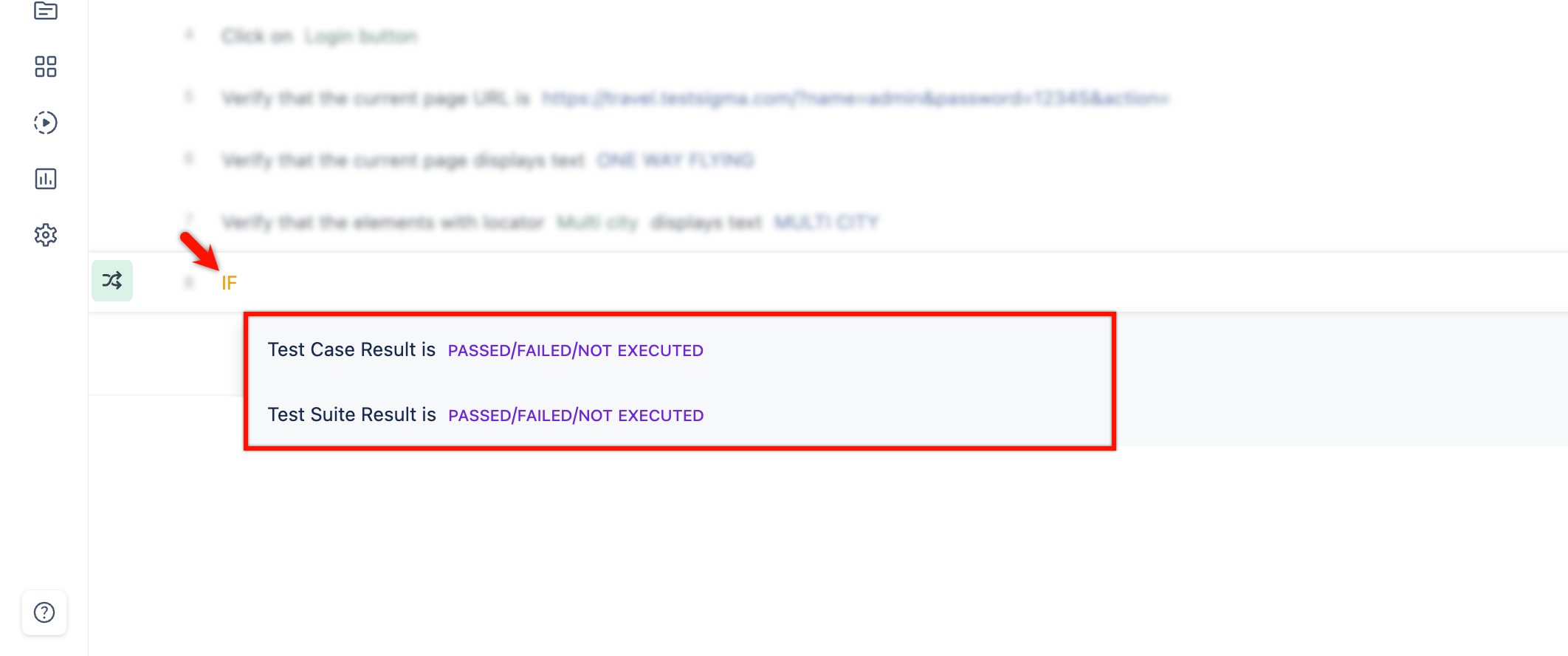
- You can use Test Case Result is Passed/Failed/Not Executed NLP to create and execute Test steps depending on the result of your Test Case.
- You can also use Test Suite Result is Passed/Failed/Not Executed NLP to create and execute Test steps depending on the result of your Test Suite.