Configuration
Configure Password Policy
Prerequisites
- Before you begin, ensure that you have an active Testsigma account.
Configure Password Policy
Section titled “Configure Password Policy”-
Click the User Profile menu in the bottom-left corner.
-
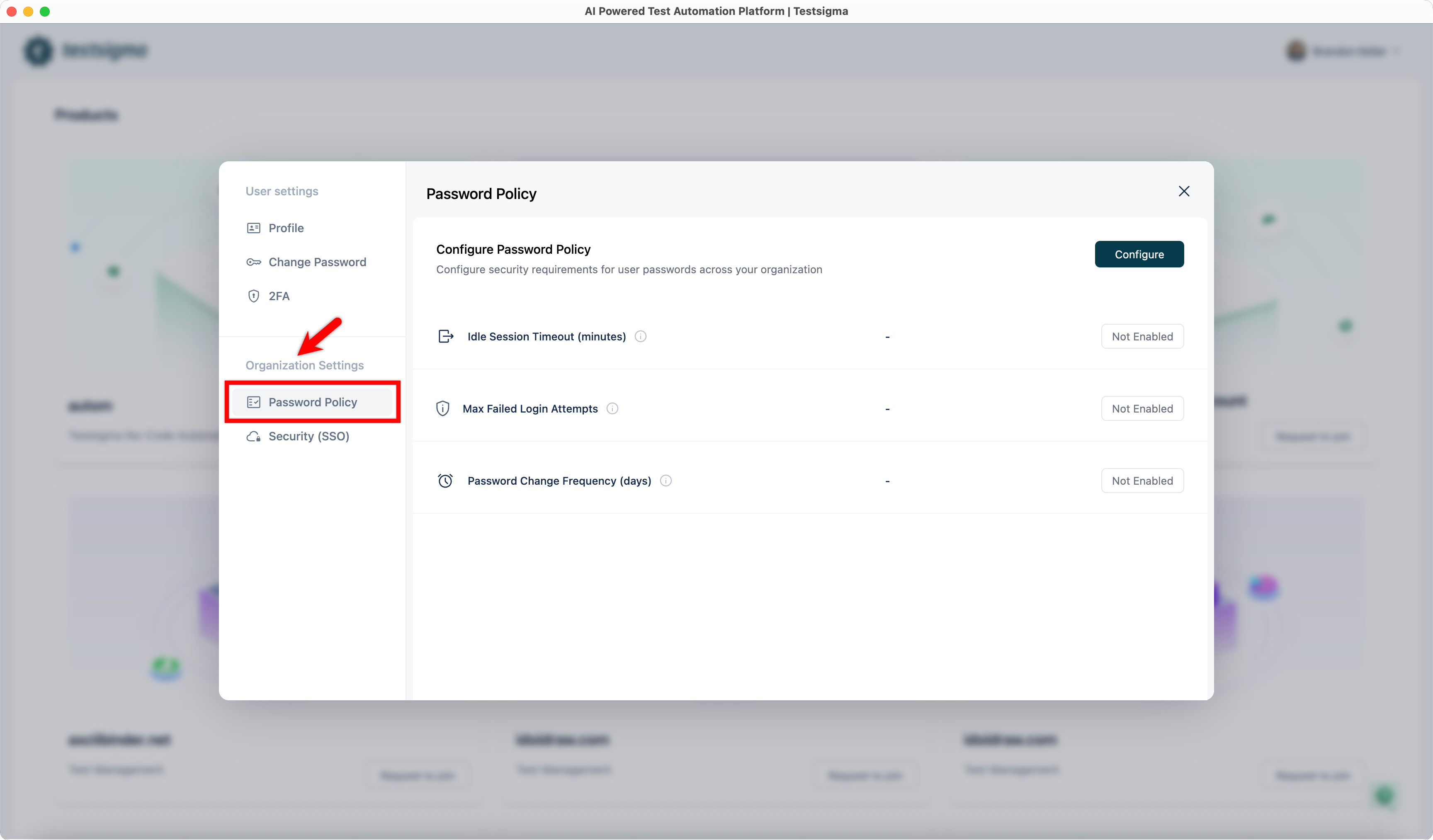
Under Organization Settings, select Password Policy.
-
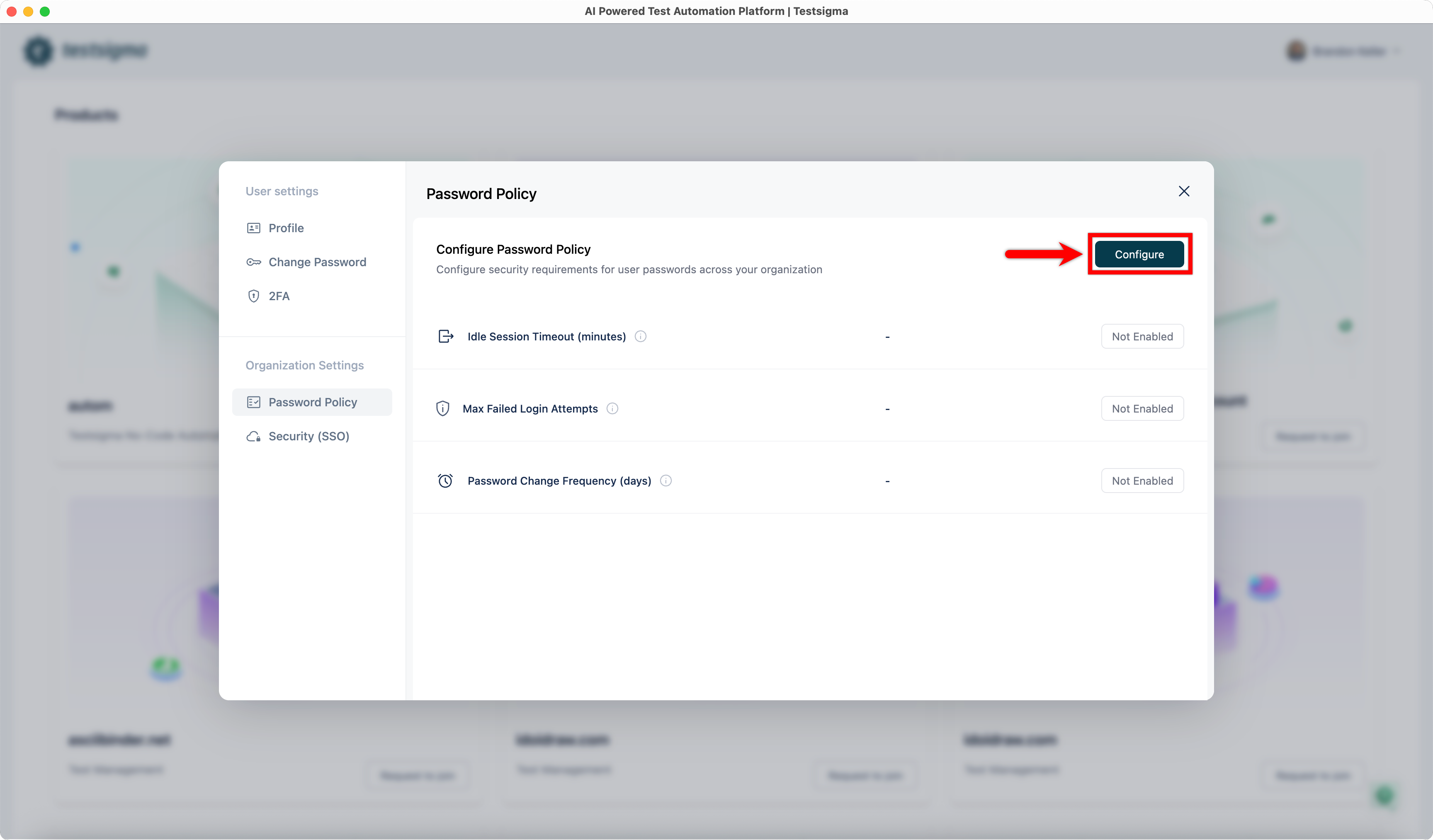
Click Configure. This will open the Configure Password Policy dialog.
-
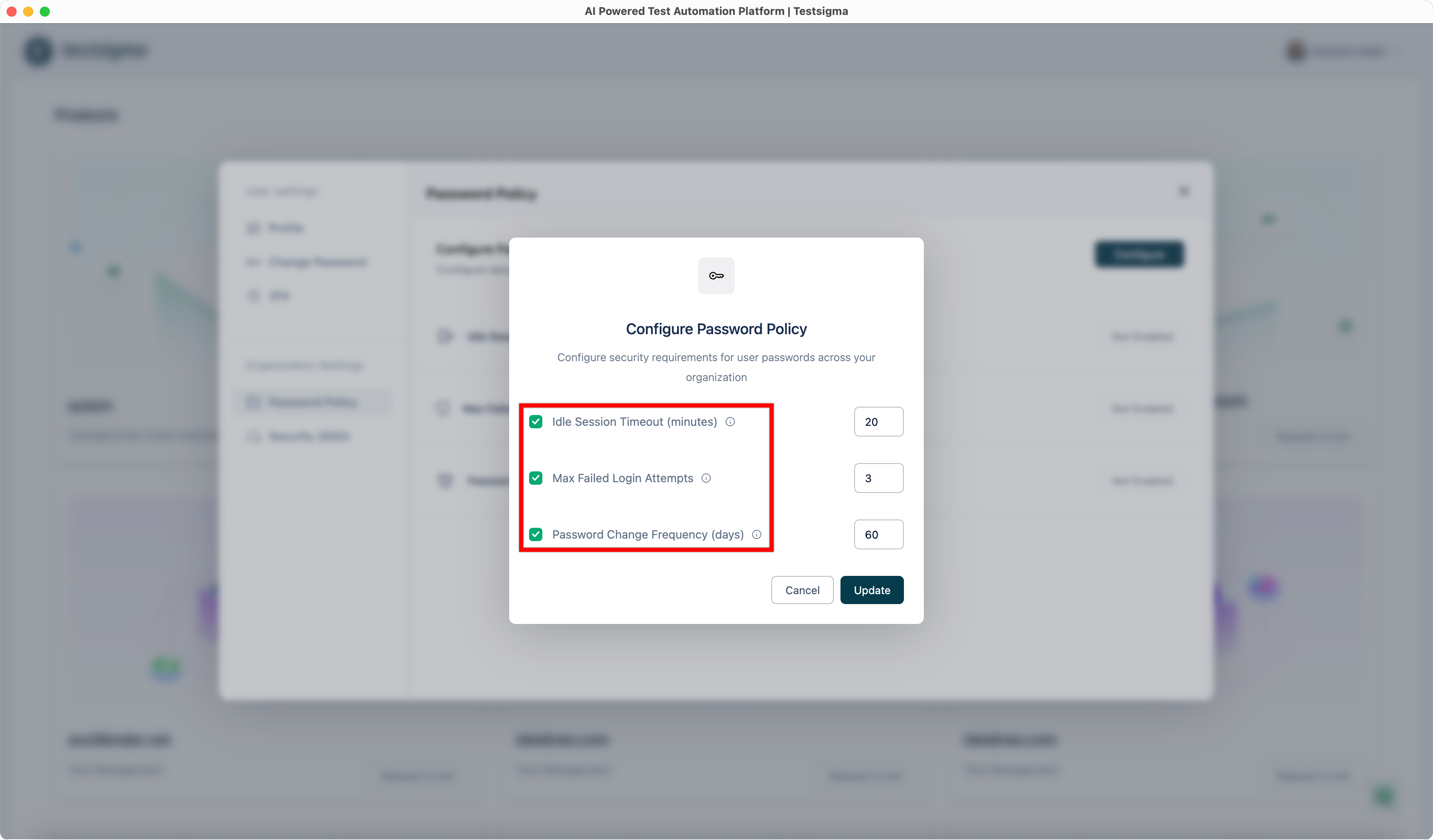
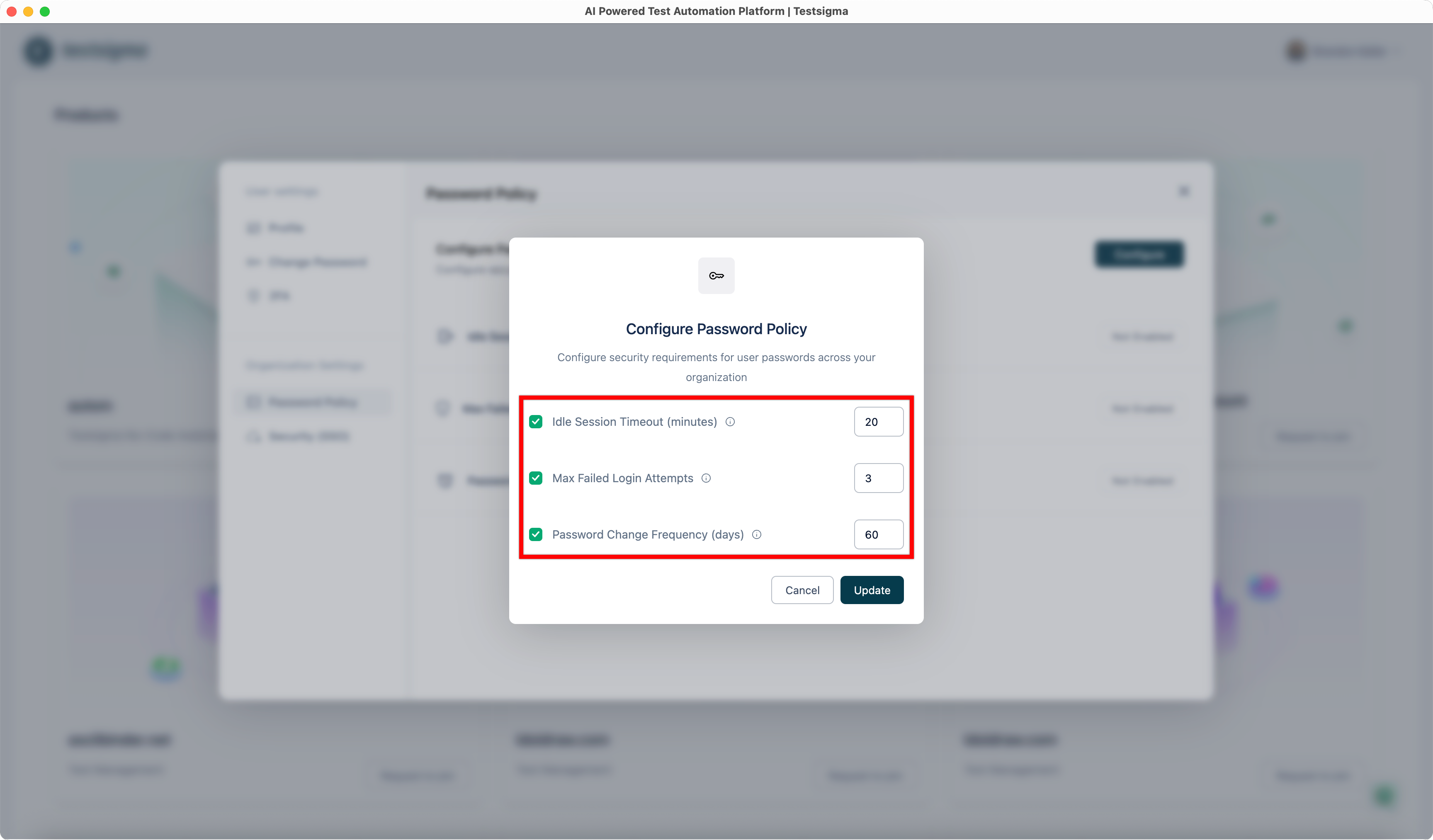
In the Configure Password Policy dialog, select each setting you want to enable.
-
For each selected setting, enter the required value in the corresponding field:
- Idle Session Timeout (minutes): Enter the number of minutes after which inactive users are automatically signed out.
- Max Failed Login Attempts: Enter the maximum number of consecutive failed login attempts allowed before the account is locked.
- Password Change Frequency (days): Enter how often users must change their passwords.
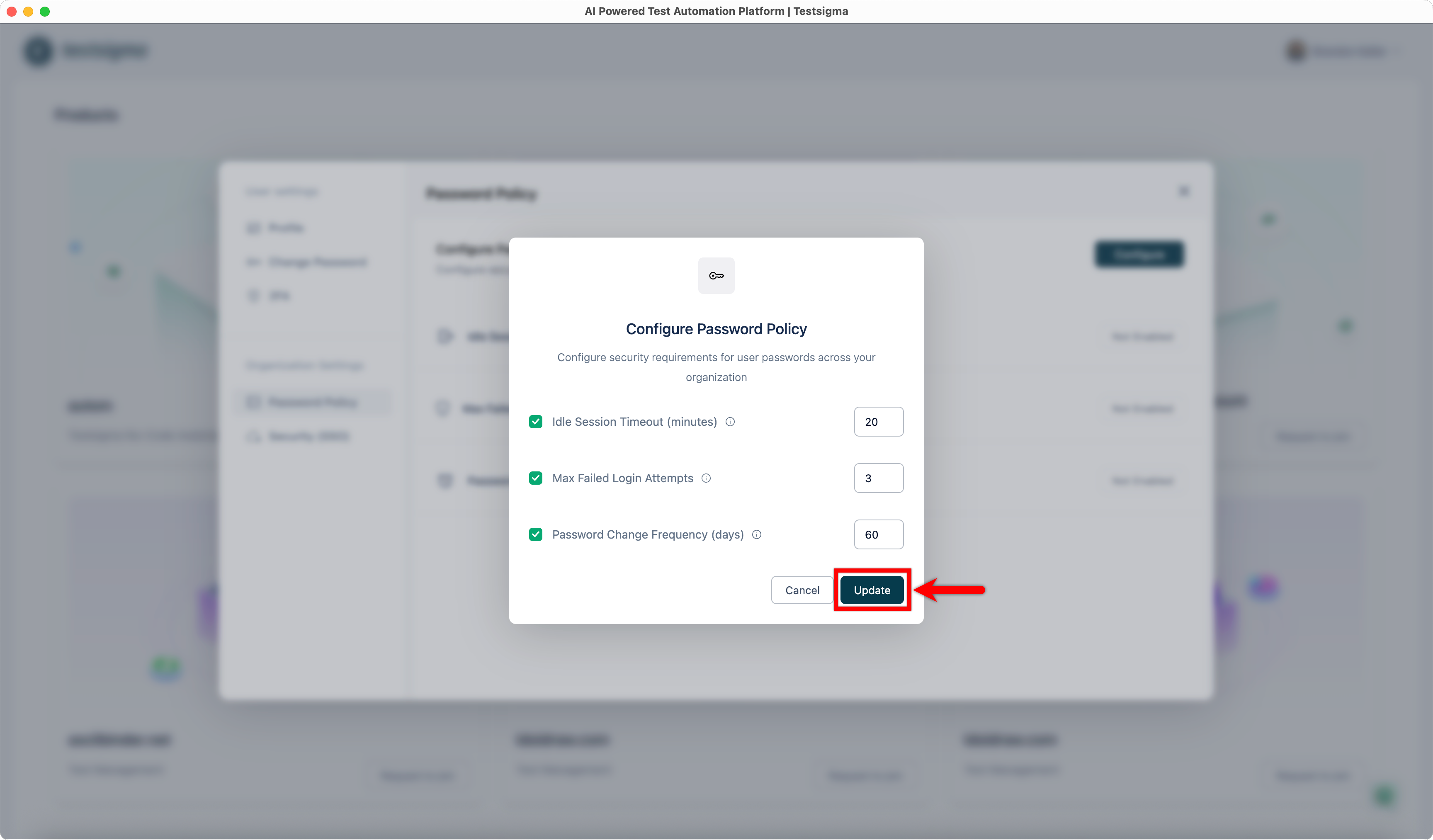
-
Click Update to save your changes.