
Test Data
File Function Type
Prerequisites
Before you begin, ensure that you have referred to:
Selecting File as a Function Type for Data Generator
Section titled “Selecting File as a Function Type for Data Generator”-
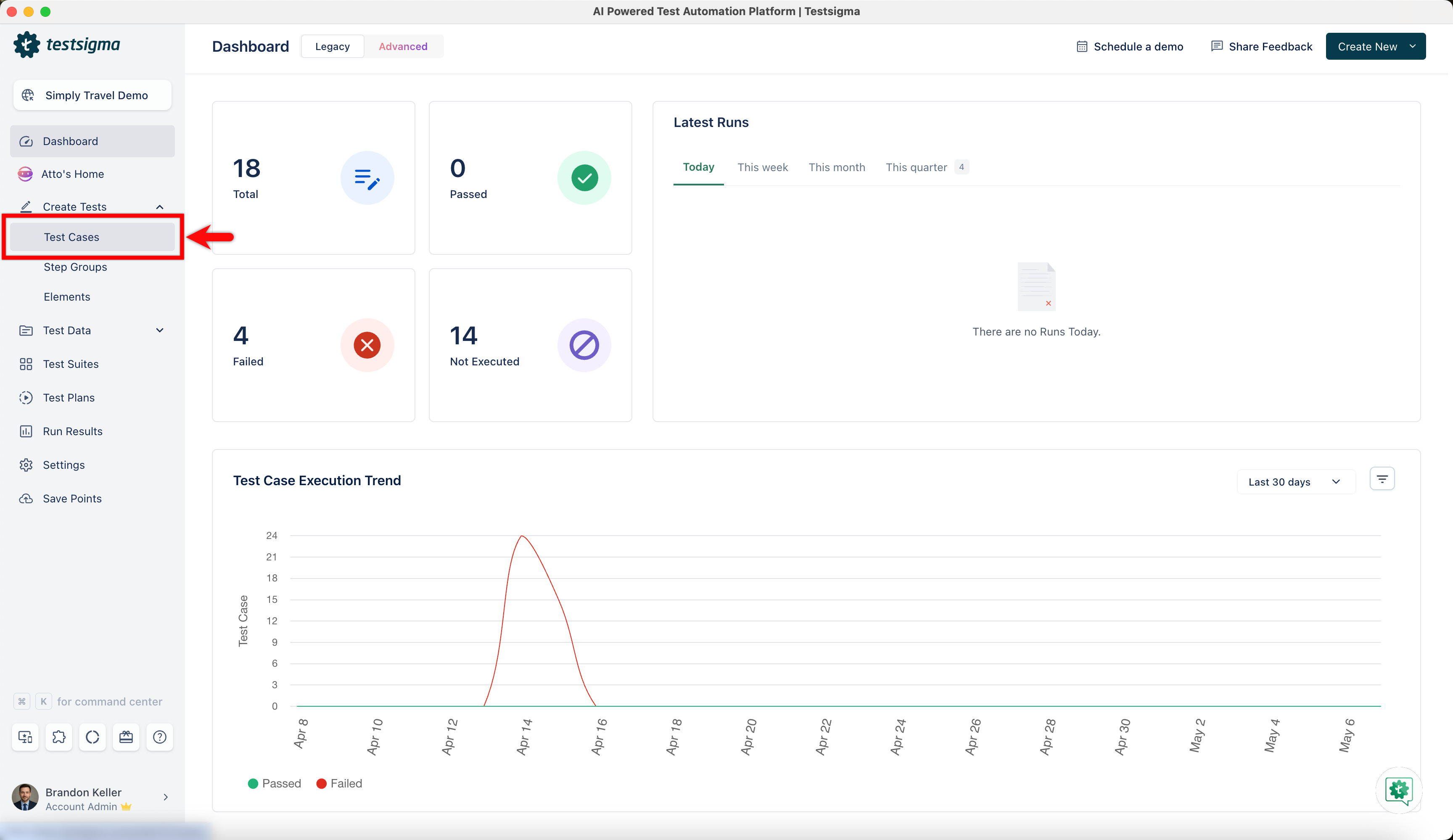
From the left navigation bar, go to Create Tests > Test Cases and create a new test case.
-
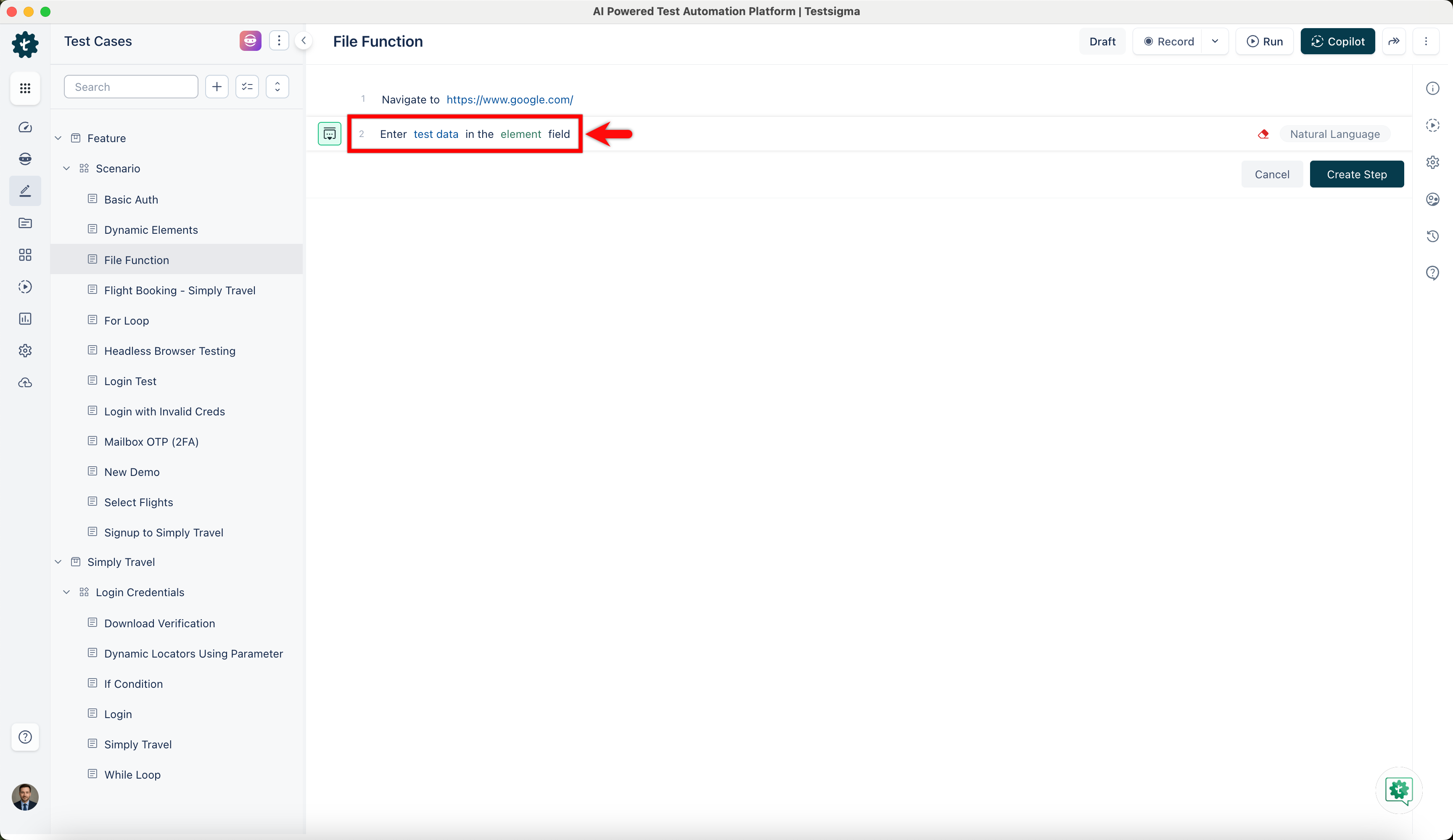
Use NLP to create a new step in the test case and include a placeholder for test data.
-
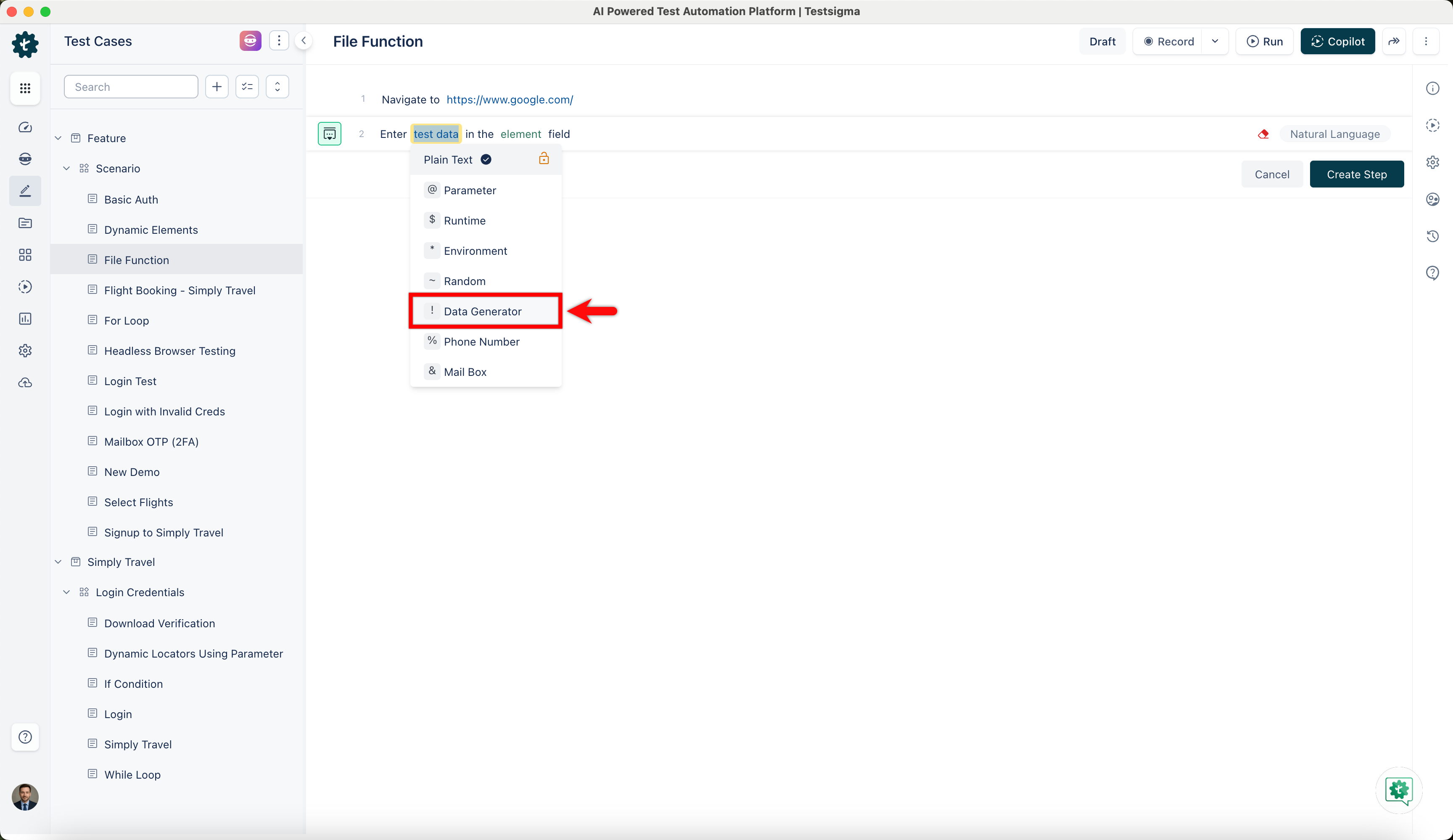
Click on the test data placeholder. From the Test Data Types dropdown menu, select the ! Data Generator option.
-
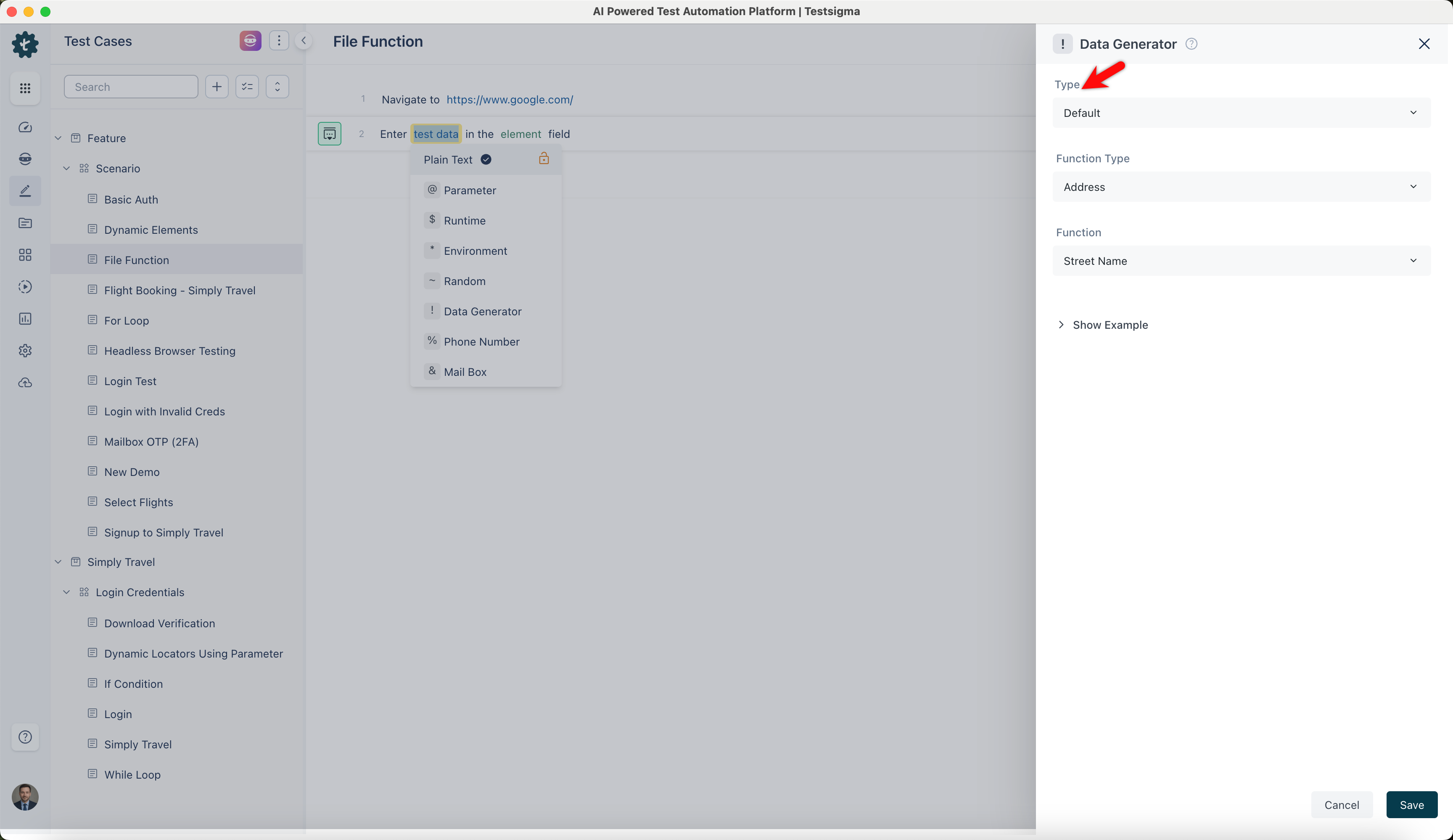
On the ! Data Generators overlay screen, select the Type to Default. This will enable you to use a collection of built-in test data generators.
-
Select File from the Function Type dropdown list.
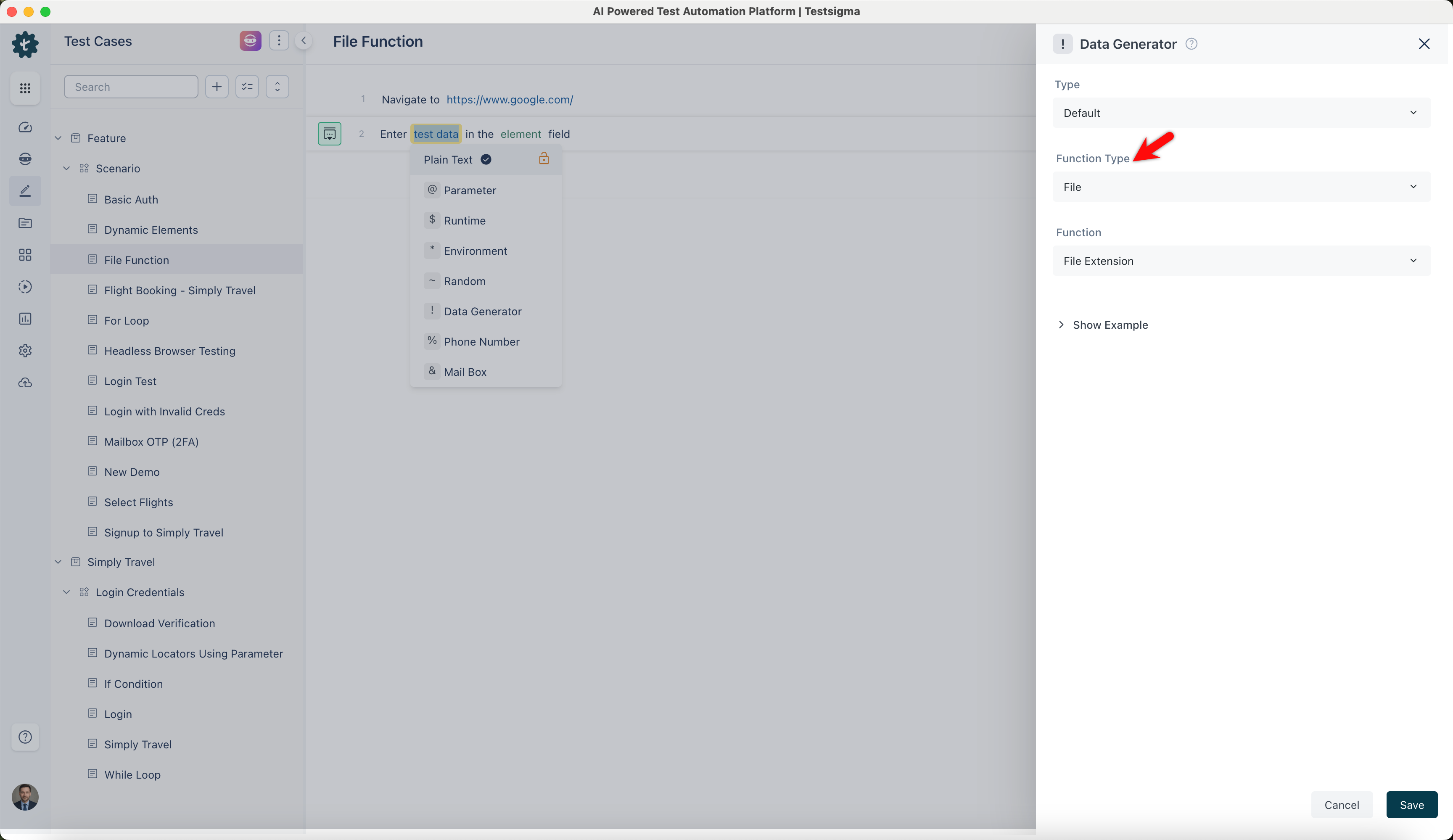
Extension
Section titled “Extension”- Allows you to specify the type of file by adding a file extension. It helps in identifying the type of file.
ℹ️Example:
- Input: None (This function does not require any specific input)
- Output:
- html
- docx
- tiff
- js
MIME Type
Section titled “MIME Type”- Allows you to identify the format and nature of a file using MIME types. It helps applications recognize the type of file being processed.
ℹ️Example:
- Input: None (This function does not require any specific input)
- Output:
- application/font-woff
- text/xml
- model/mesh
- audio/vorbis
File Name with Directory Path
Section titled “File Name with Directory Path”- Allows you to assign a specific name to a file, including the file extension. It helps in organizing and identifying files.
ℹ️Example:
- Input: None (This function does not require any specific input)
- Output:
- blanditiis_minus/at.json
- nihil_autem/assumenda.css
- quis_sit/est.wav
- voluptatem_nisi/quas.jpeg
Generate Filename based on Provided Arguments
Section titled “Generate Filename based on Provided Arguments”- Allows you to generate a filename based on specific provided arguments, ensuring customized file naming.
ℹ️Examples:
| Input | Output |
|---|---|
| arg0: /documents arg1: / arg2: annual_report arg3: .pdf |
/documents/annual_report.pdf |
| arg0: /spreadsheets arg1: / arg2: sales_data arg3: .xlsx |
/spreadsheets/sales_data.xlsx |
| arg0: /presentations arg1: / arg2: company_meeting arg3: .pptx |
/presentations/company_meeting.pptx |
| arg0: /data arg1: / arg2: customer_list arg3: .csv |
/data/customer_list.csv |