
CI/CD
Integrate Testsigma with Gearset (Salesforce)
Prerequisites
Before you begin, ensure that you have referred to:
Test Plan Execution Setup in Gearset CI Job
Section titled “Test Plan Execution Setup in Gearset CI Job”-
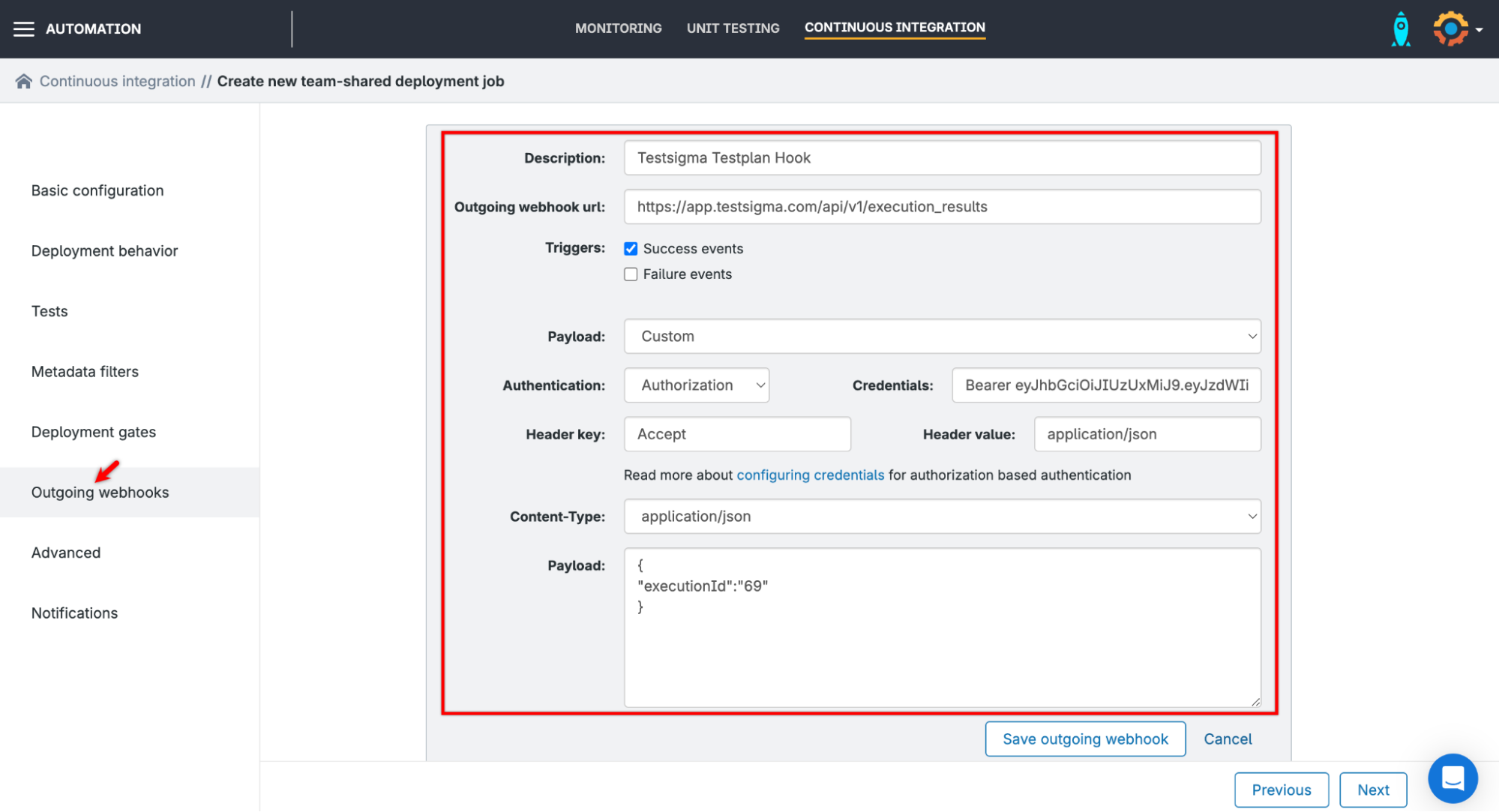
On Outgoing webhooks section,
-
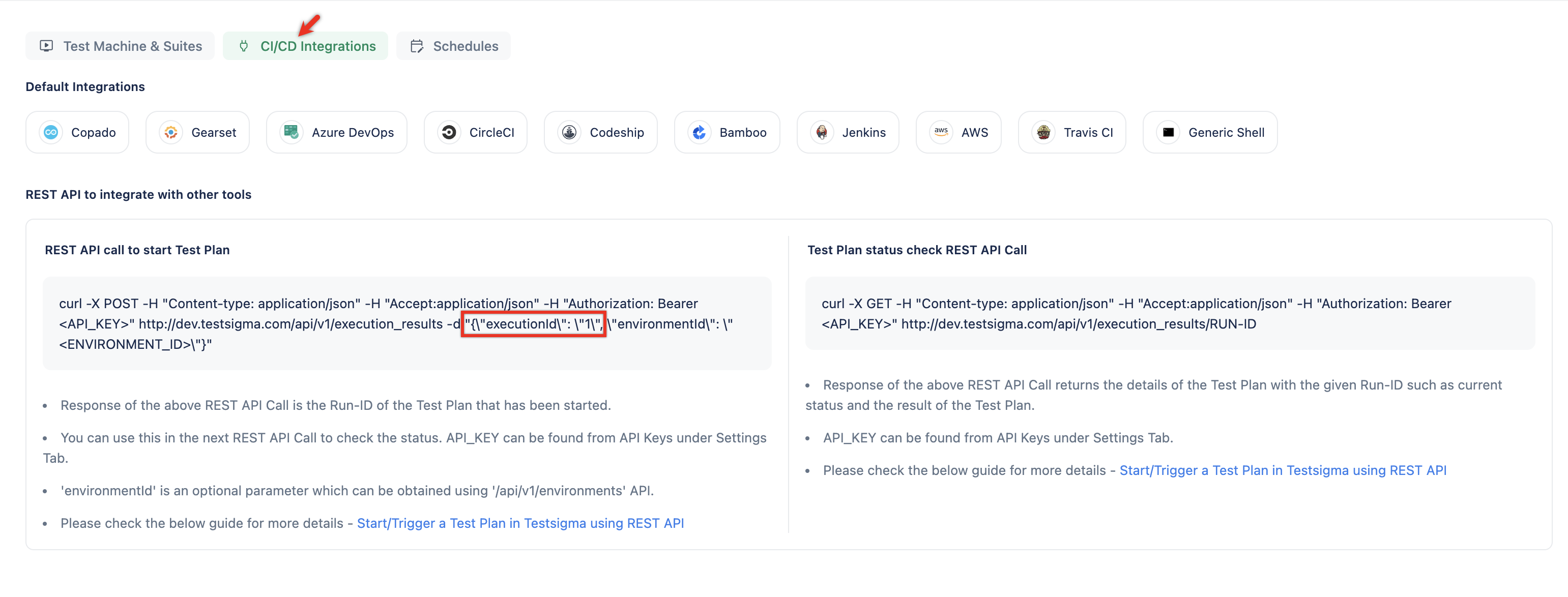
Enter the API Endpoint from cURL in the Outgoing webhook url field. [[info | NOTE:]] | You can find this under Test Plans > CI/CD Integrations > REST API call to start Test Plan
-
In the Payload field, select Custom.
-
In the Authentication field, select Authorization.
-
In the Credentials field, add the API key in the following format
Bearer <API-KEY> -
Add the following Header details:
Header key: Accept
Header value: application/json -
In the Content-Type field, select application/json.
-
In the Payload field, enter the test plan execution ID in the following format:
{“executionId”:”<id>”}
[[info | NOTE:]] | You can find the Execution ID under Test Plans > CI/CD Integrations > REST API call to start Test Plan |
-
-
Go to Notifications, click Save CI Job.
-
Once the metadata is downloaded, verify that the test plan is triggered from Gearset.