
Auto-Healing
Auto-healing for AI-Generated Test Cases
Prerequisites
Before you begin, ensure that:
- You have enabled the Generative AI feature. If you don’t have access to this feature, please contact Support via chat for assistance.
- You have referred to the documentation on enabling the auto-healing feature.
- You have referred to the documentation on generating test cases using Atto.
Steps to Execute the Generated Test Cases
Section titled “Steps to Execute the Generated Test Cases”-
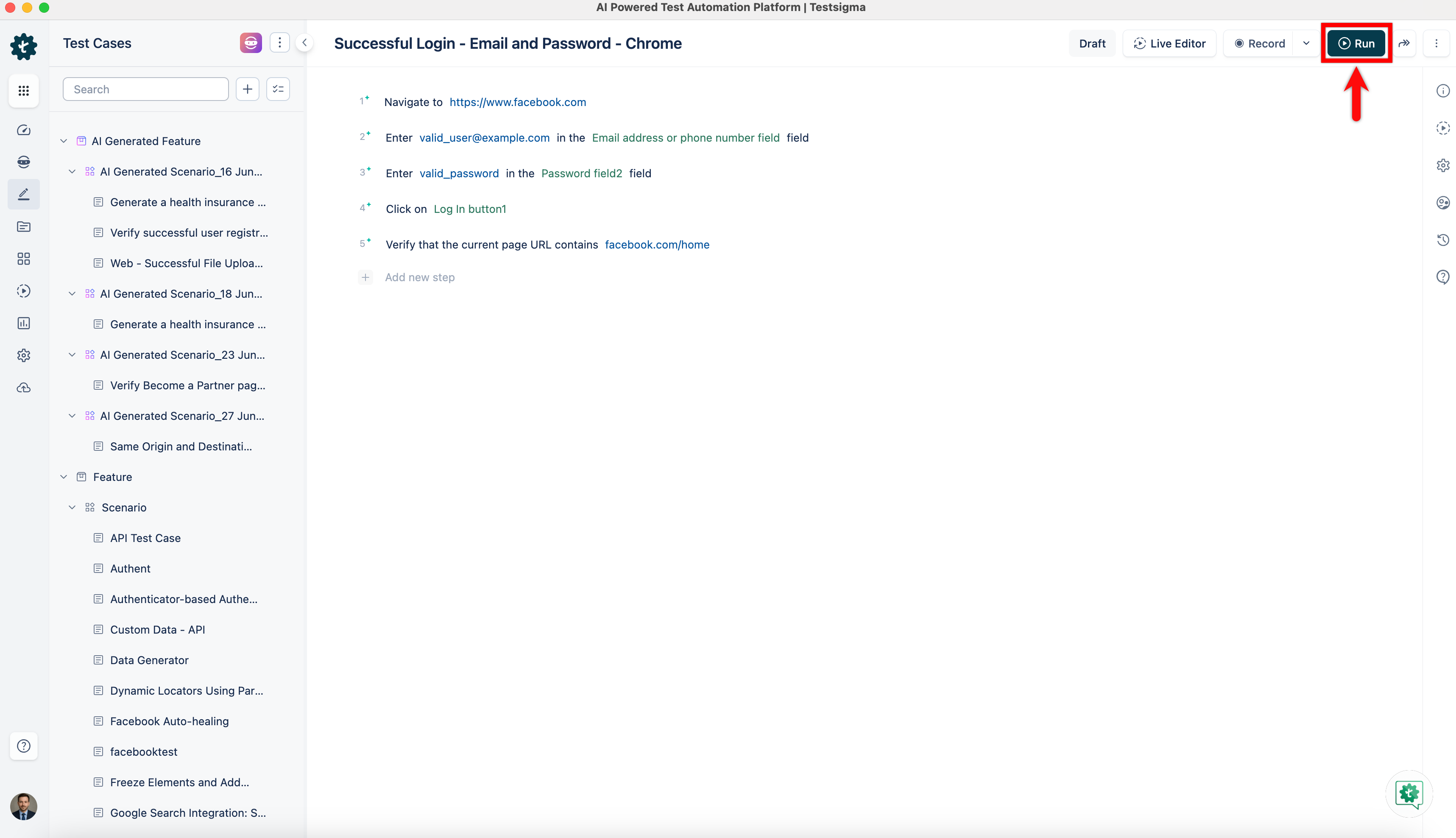
Once the test case has been added to the selected scenario, click Run.
-
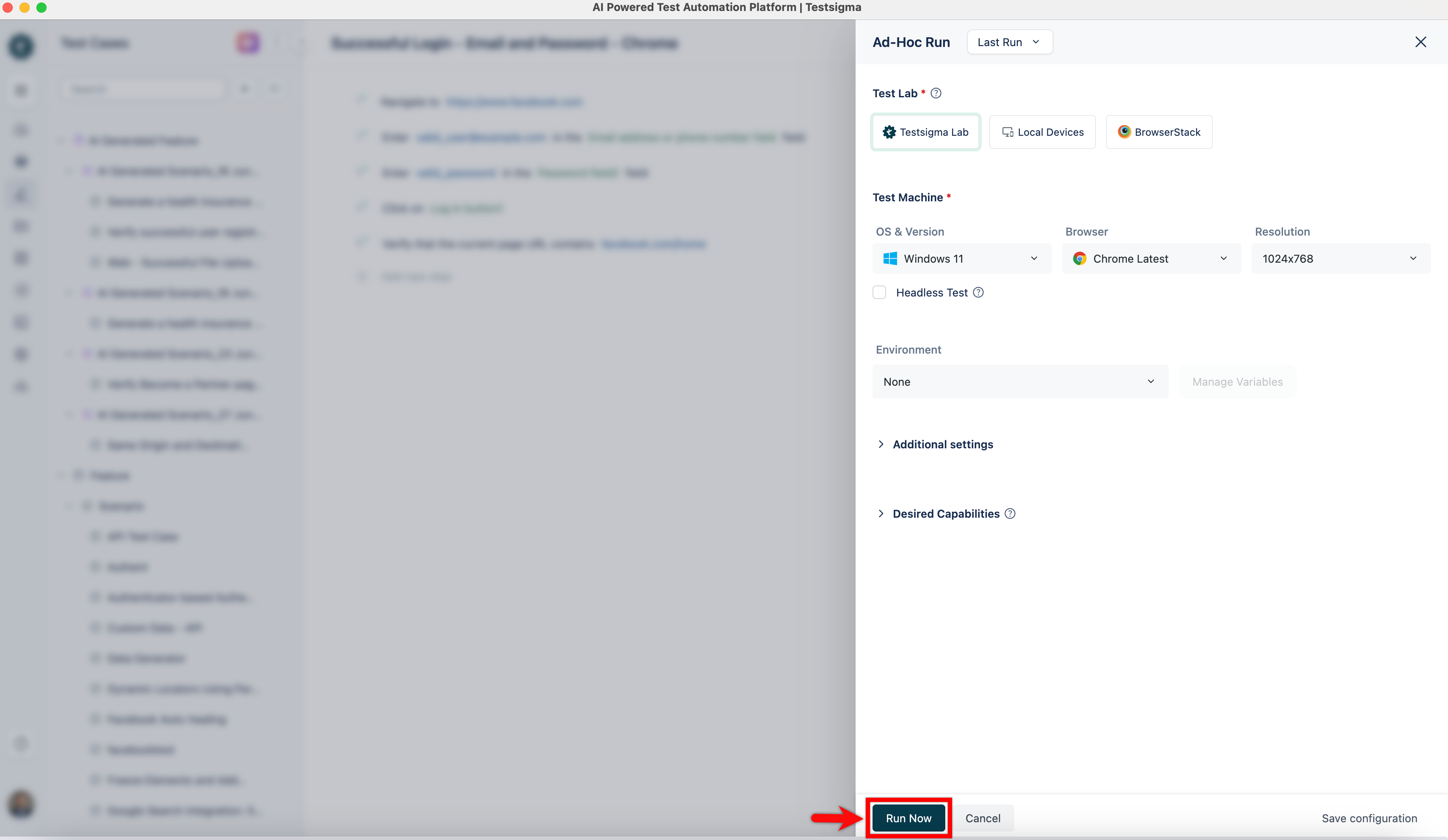
On the Ad-Hoc Run overlay, configure the required options and click Run Now.
-
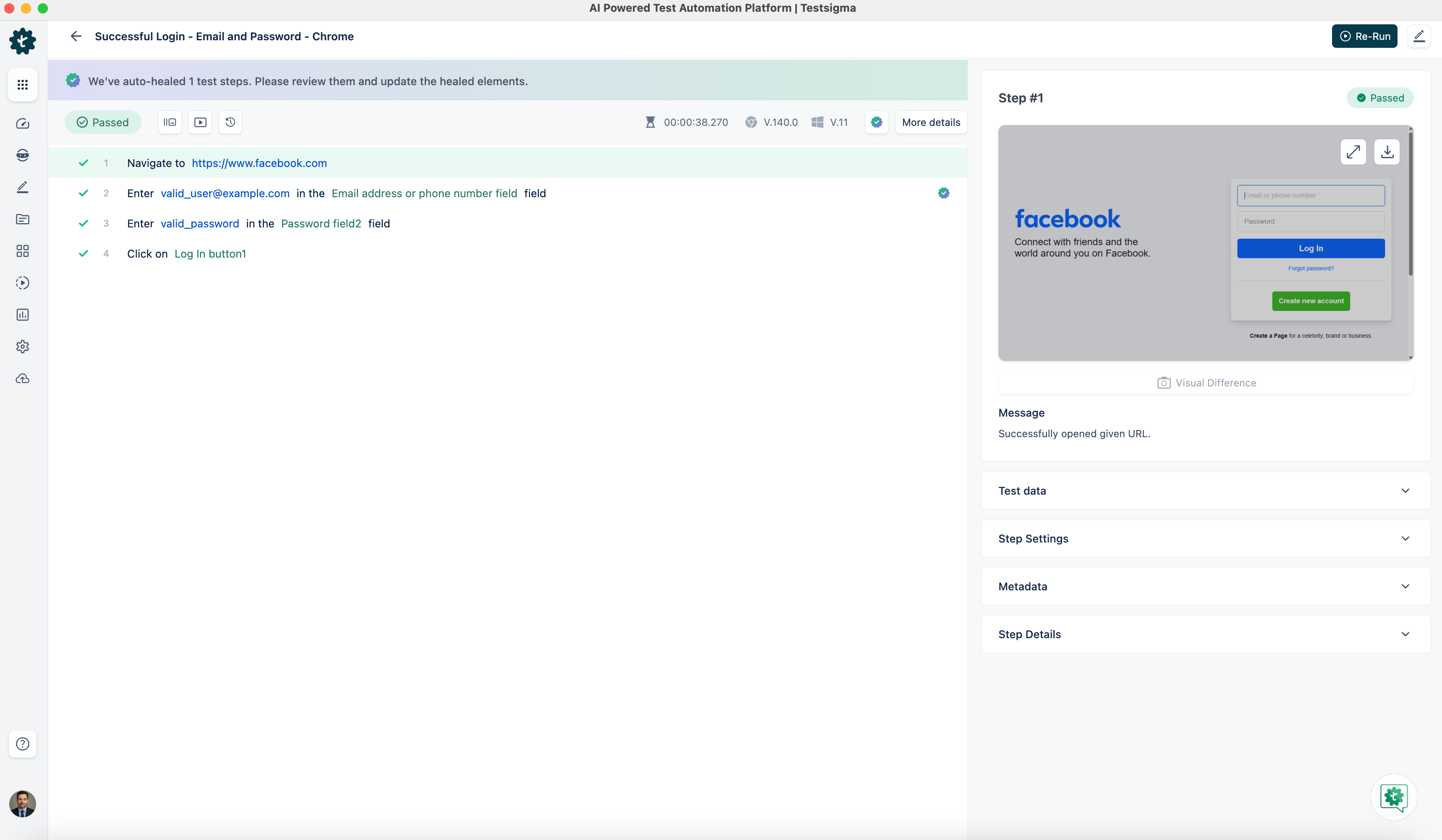
During execution, Testsigma’s auto-healing detects that the Email address or phone number element uses a dummy locator and automatically heals it by identifying the correct element.
-
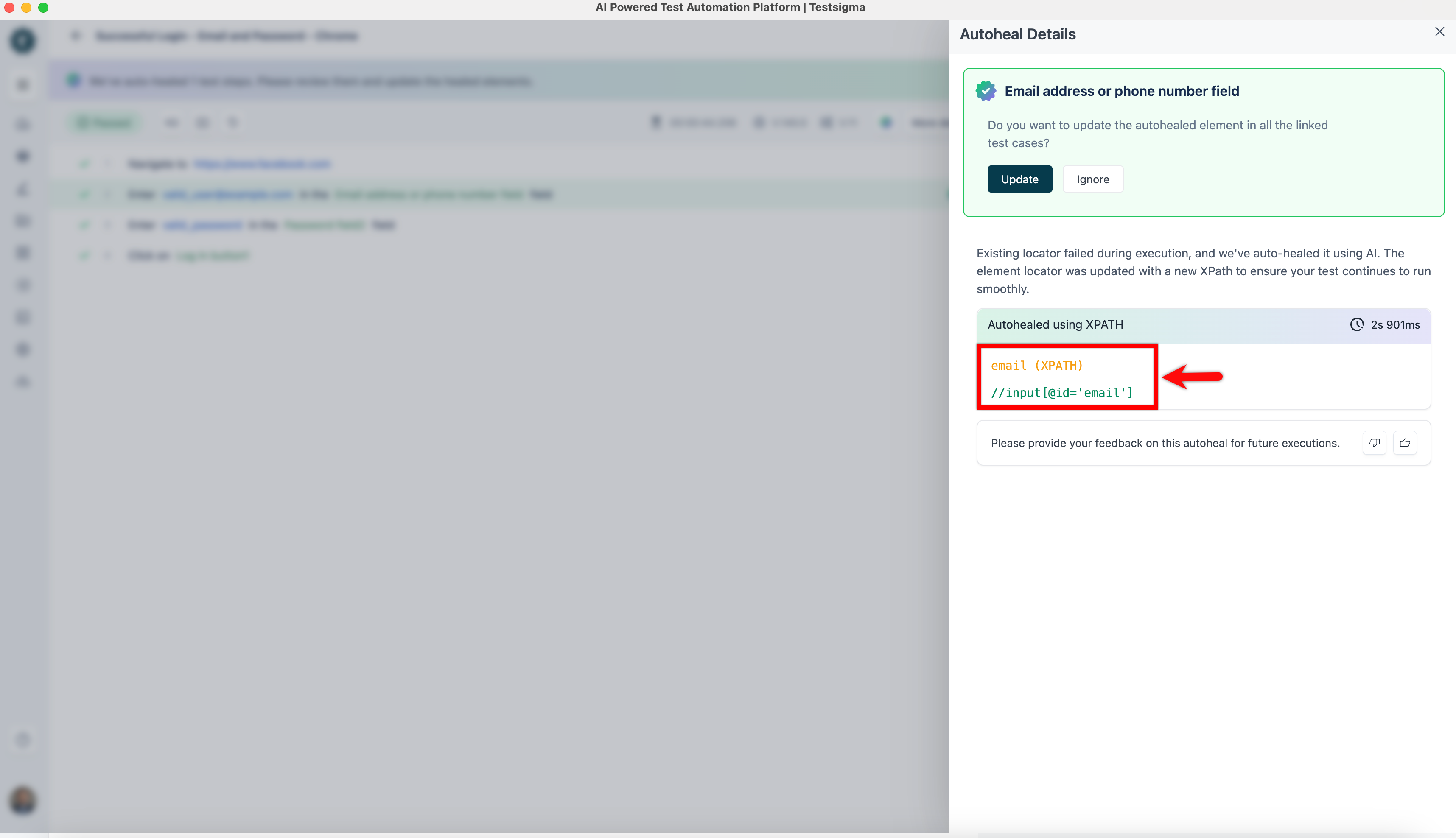
When Gen AI Auto-Healing is enabled, Testsigma updates the locator to //input[@id=‘email’] and continues the execution seamlessly.
Auto-Healing Insights
Section titled “Auto-Healing Insights”Once the test execution is complete, please refer to the documentation on Auto-Healing Insights to view the auto-healing results and learn how to update the element locator.