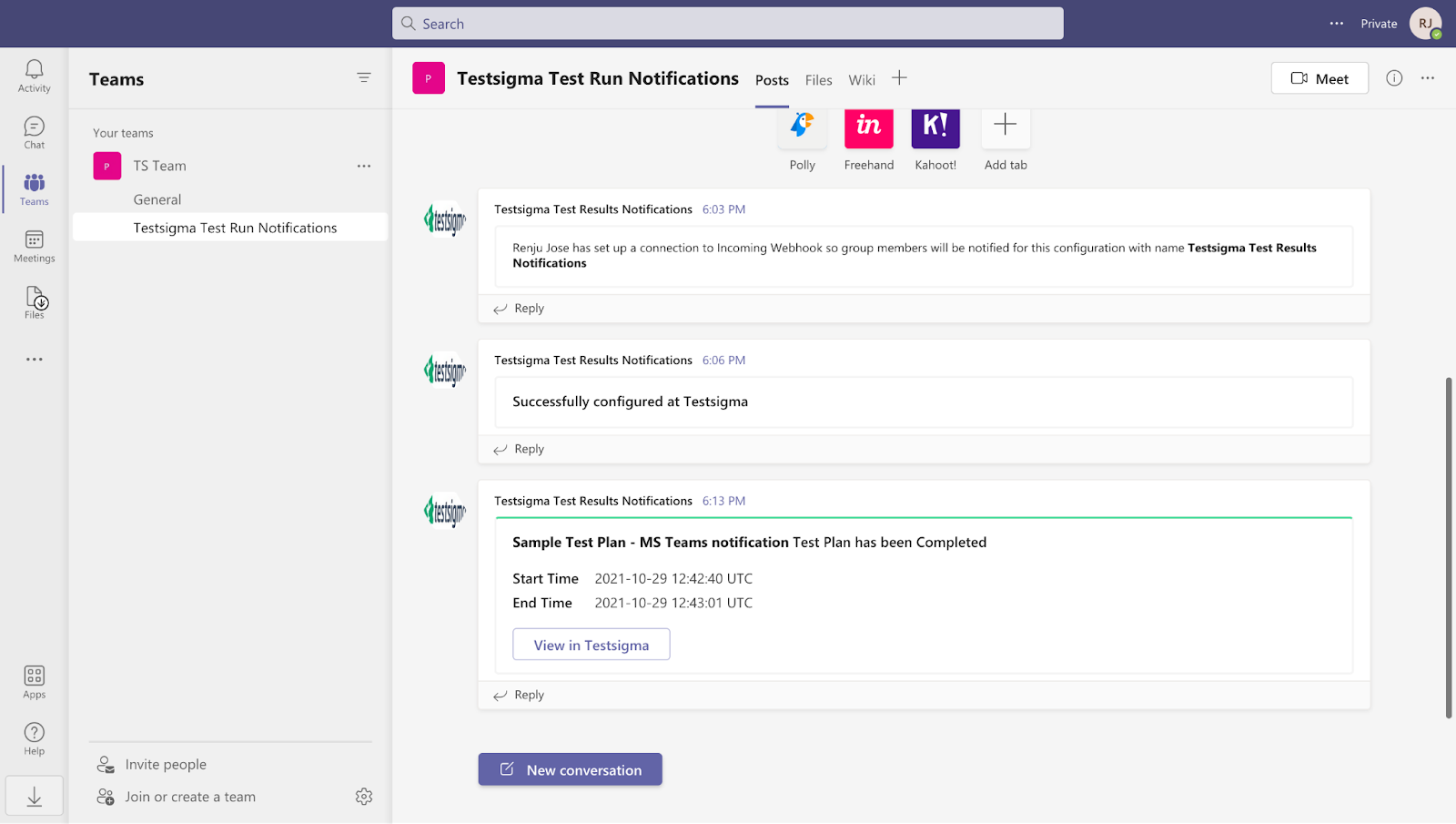
Integrations
Integrating MS Team with Testsigma
Prerequisites
Before you begin, ensure that:
- You have a valid Microsoft Teams Connector
- You have referred to the documentation on creating test plans.
Steps to Integrate Microsoft Teams with Testsigma
Section titled “Steps to Integrate Microsoft Teams with Testsigma”-
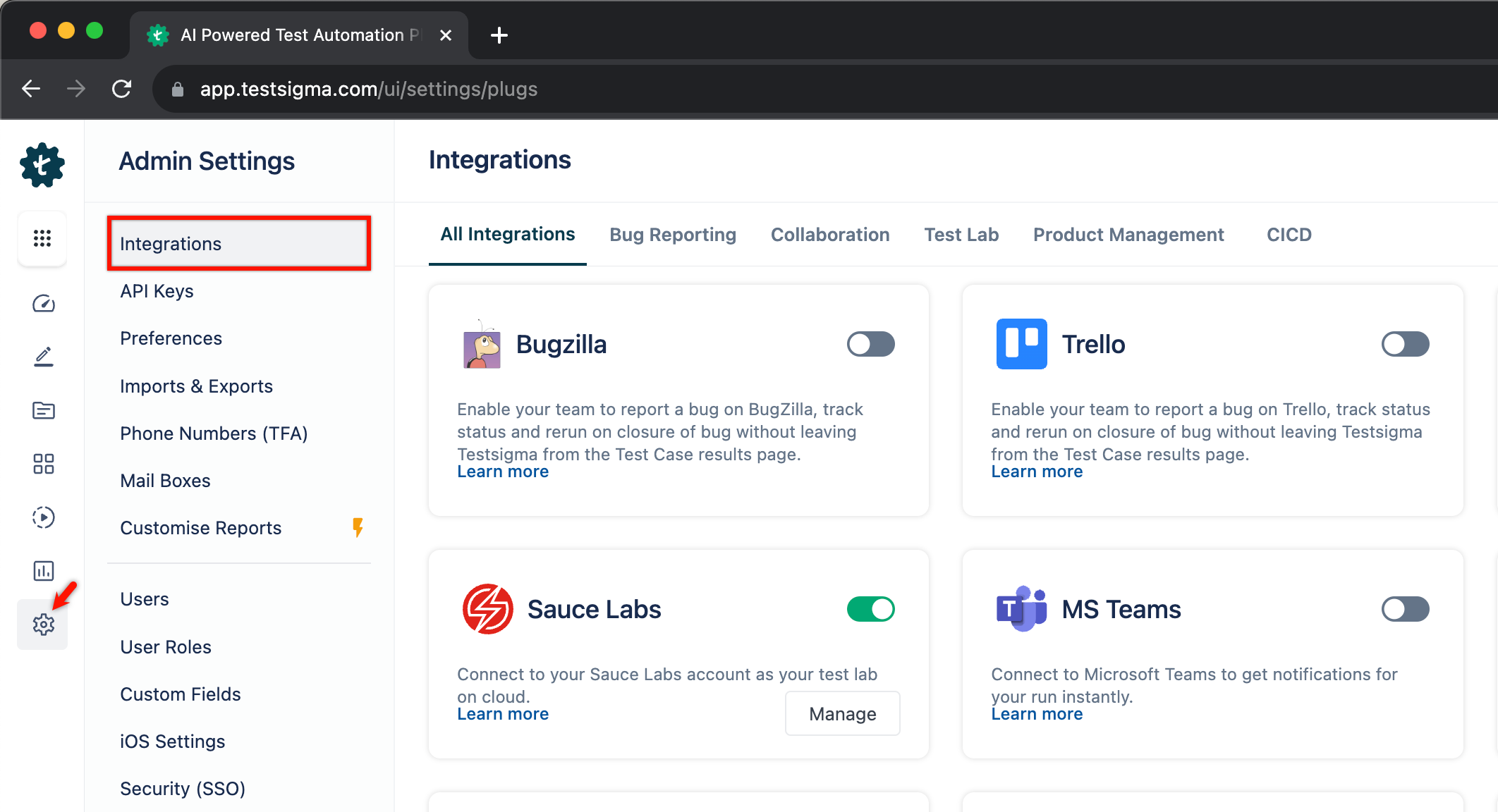
Navigate to Settings > Integrations.
-
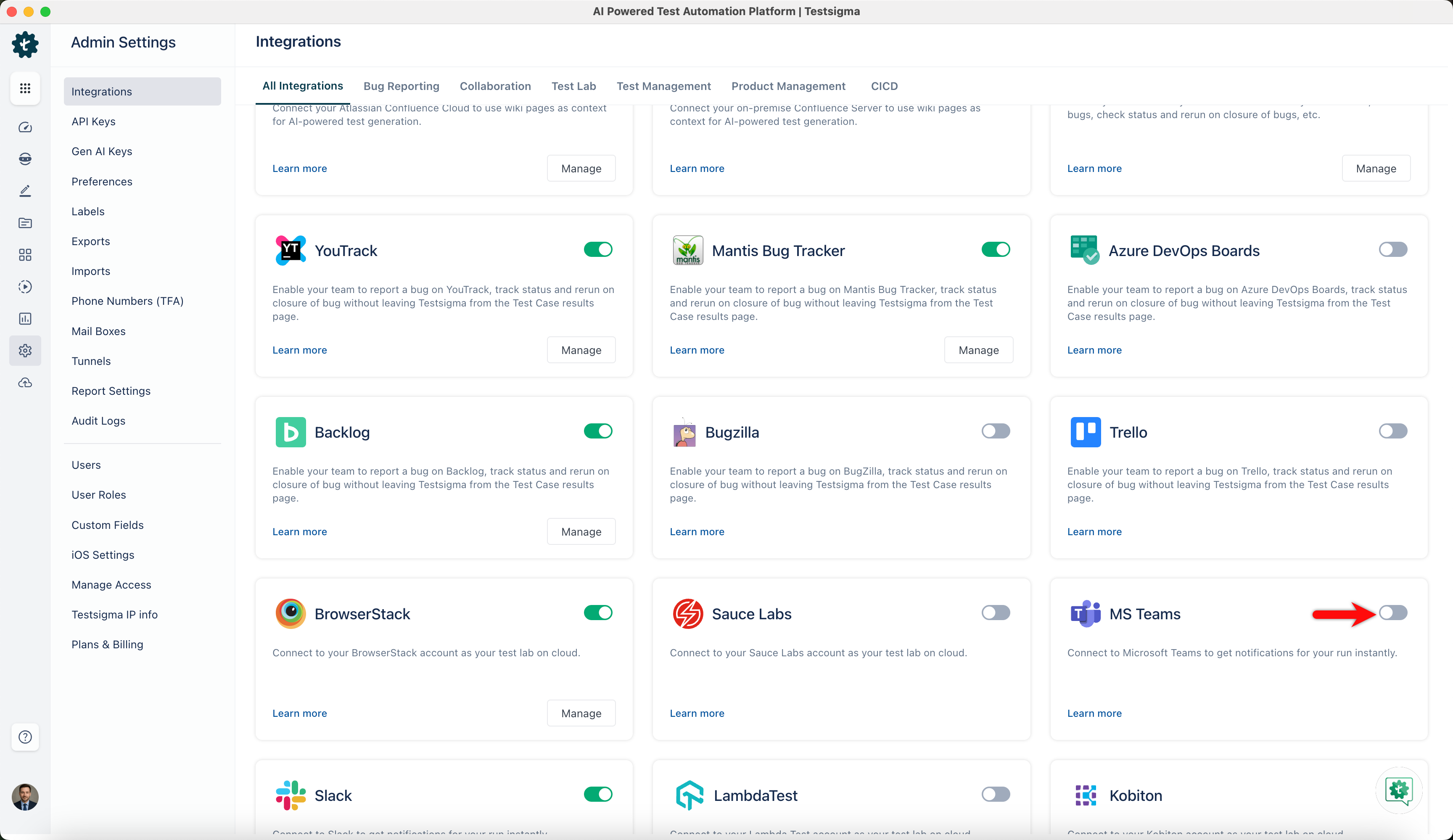
Enable toggle on MS Teams widget.
-
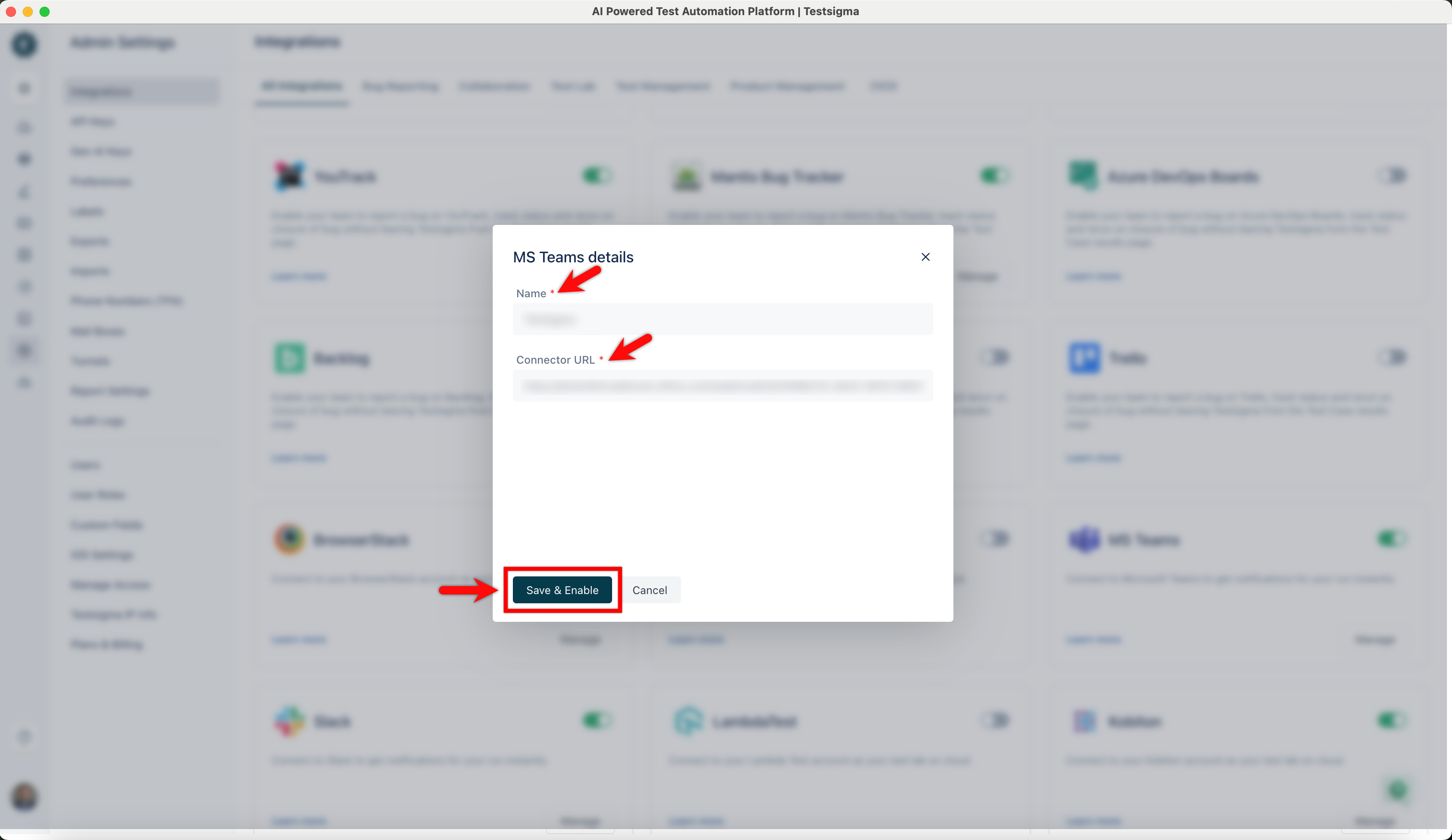
On the MS Teams details prompt, enter Name, Connector URL and click on Save & Enable.
Enabling MS Teams Notifications in Test Plan
Section titled “Enabling MS Teams Notifications in Test Plan”Once the MS Teams integration is added, you can enable the MS Teams notifications for your test plans while editing any existing ones or creating a new one.
-
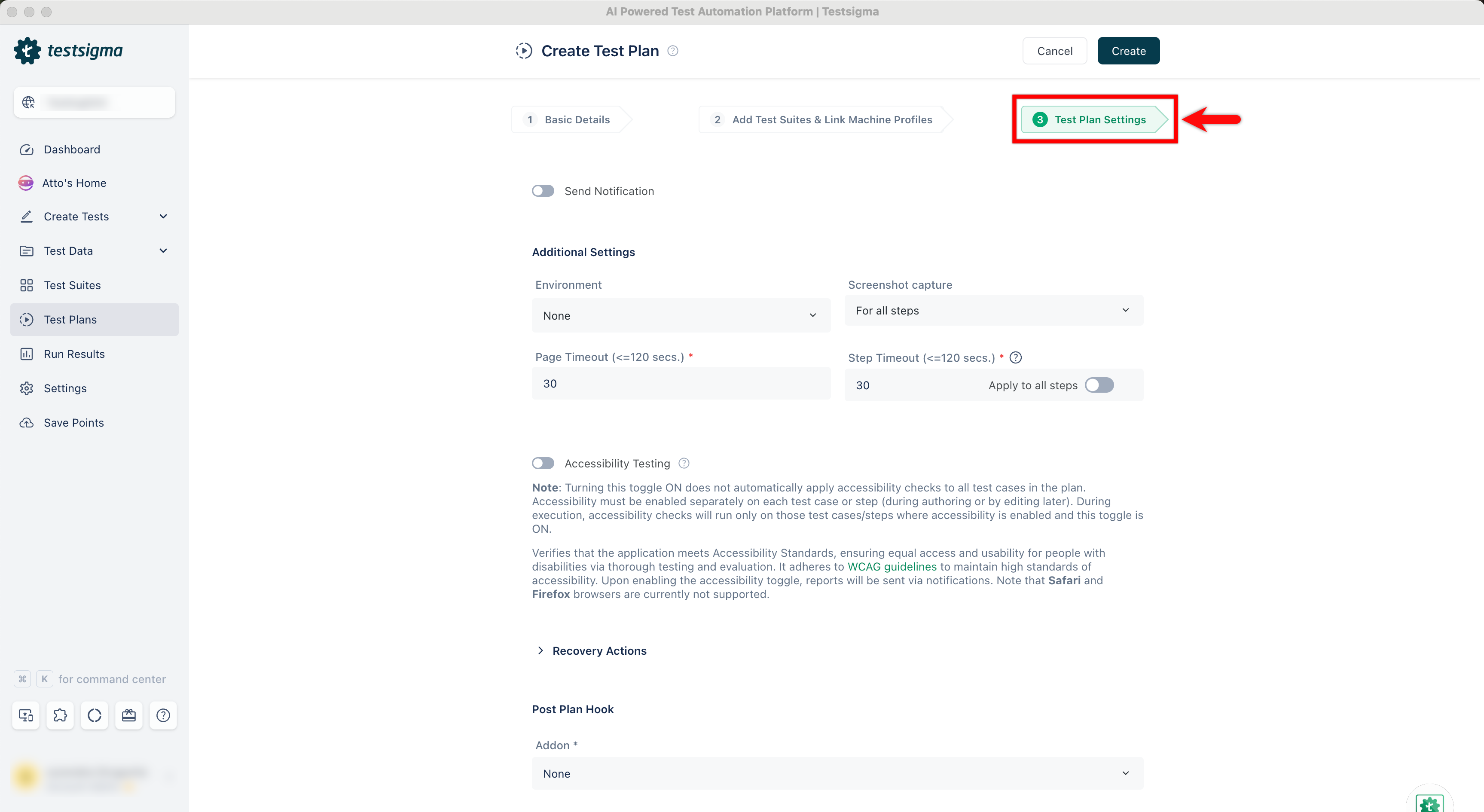
On Create Test Plan/Edit Test Plan page, click on Test Plan Settings.
-
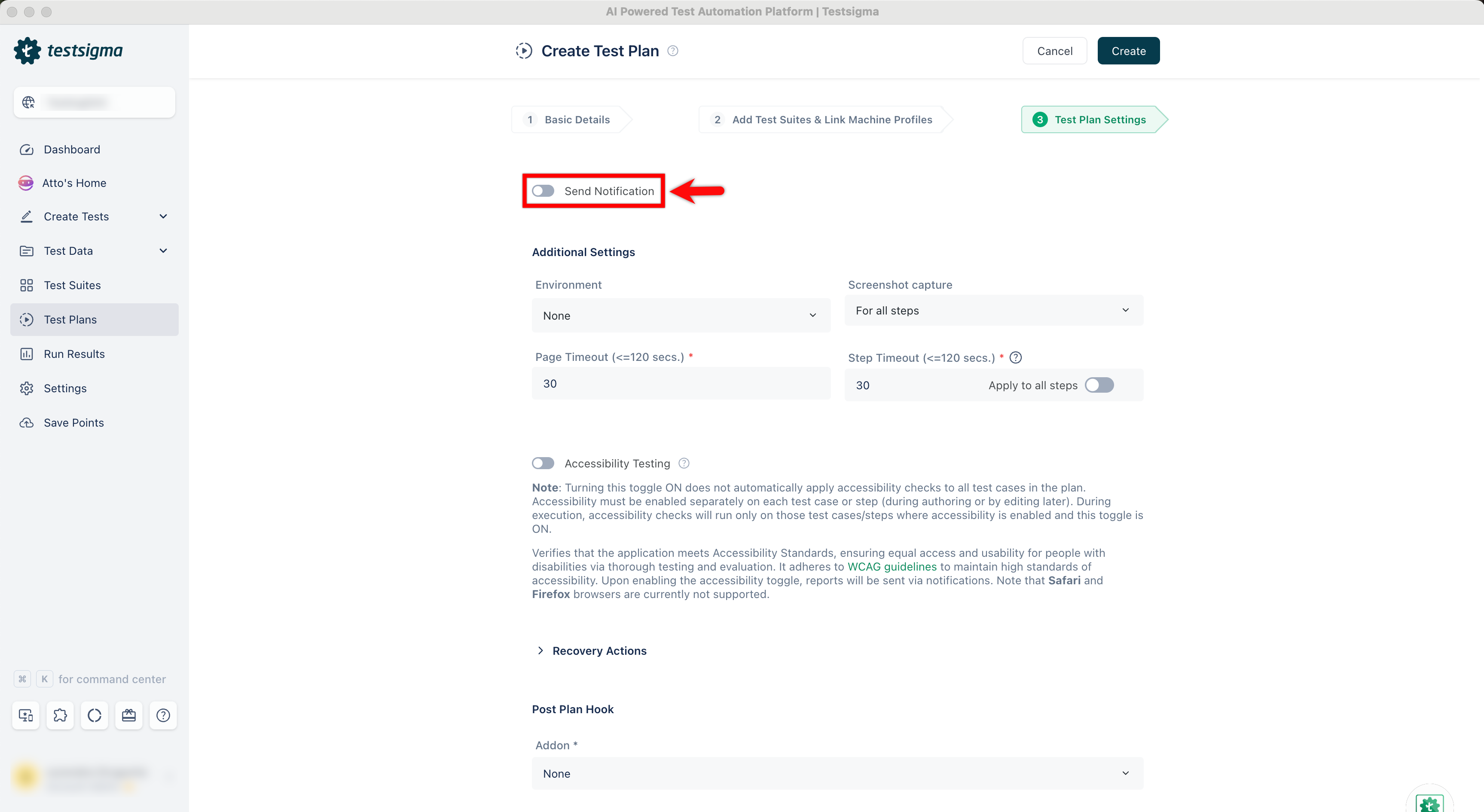
Enable Send Notification toggle.
-
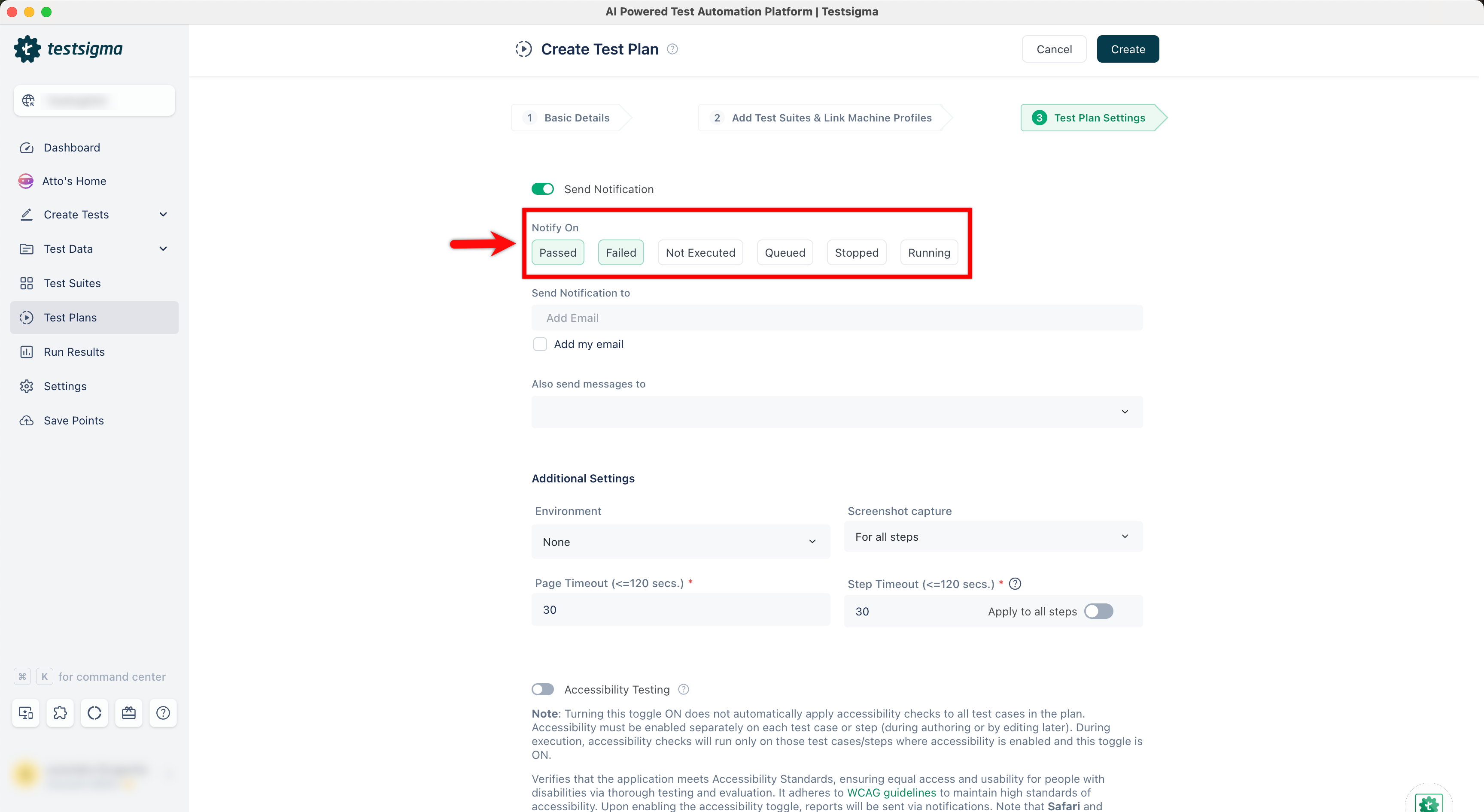
Under the Notify On section, select the status for which you want to be notified. You can select multiple statuses from the list.
-
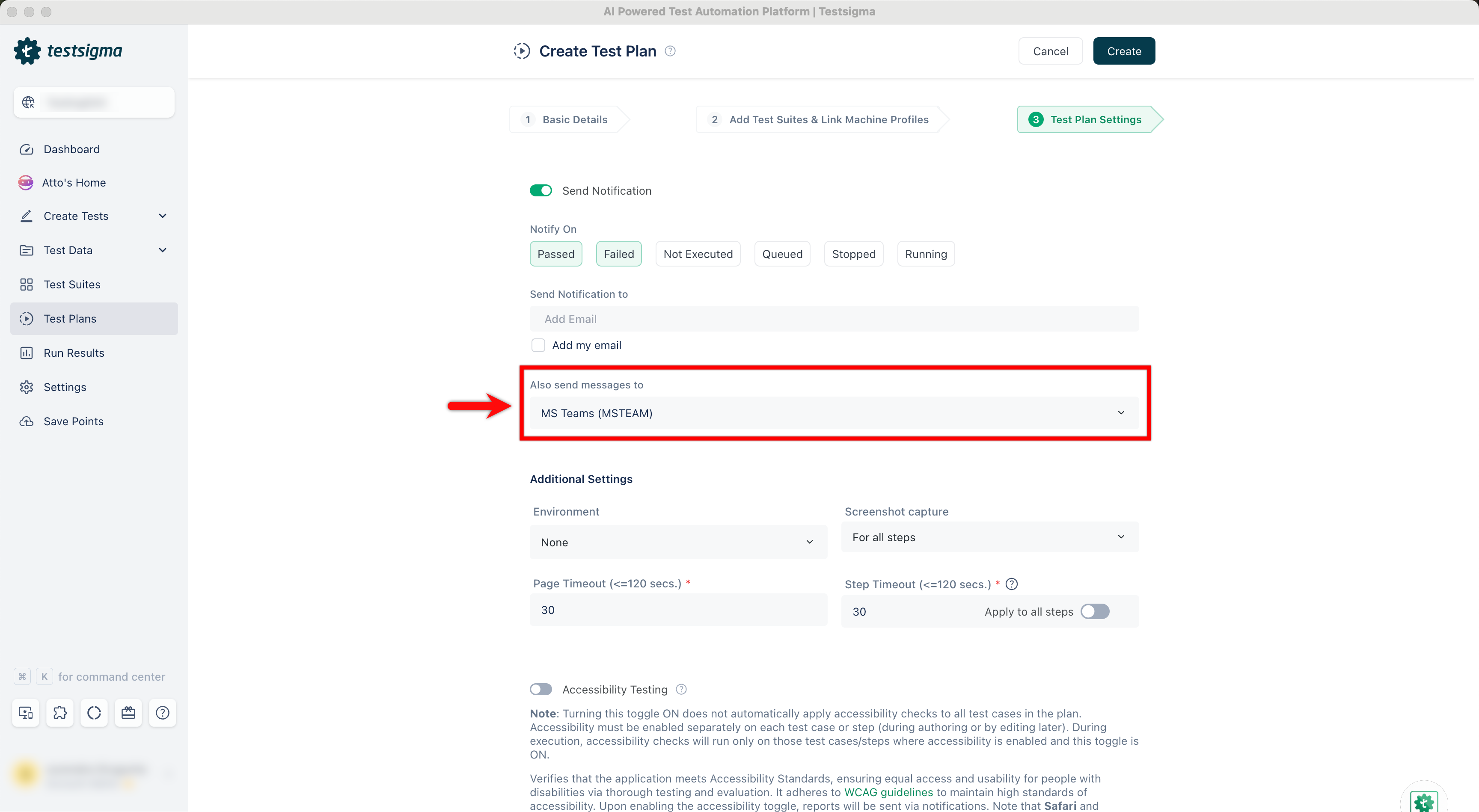
Under the Also send messages to dropdown, select MS Teams.
Here’s what the notification looks like on MS Teams: