
Troubleshooting
Unable to Retrieve Text from a Text Field
When working with text fields, you may not be able to retrieve the entered value using Store text from the element element into a variable test data. This occurs because text fields store data in the element’s value attribute, not as visible text.
To retrieve the correct data, use Store the value for the attribute attribute of the element element into a variable test data NLP.
The test step Store text from the element element into a variable test data does not return any value when used on a text field.
Text fields such as <input> and <textarea> store user-entered data in the value attribute, rather than as inner text within the element.
Resolution
Section titled “Resolution”Use Store the value for the attribute attribute of the element element into a variable test data.
Steps to Identify Whether an Element Contains Text or a Value
Section titled “Steps to Identify Whether an Element Contains Text or a Value”-
Right-click on the element and select Inspect.
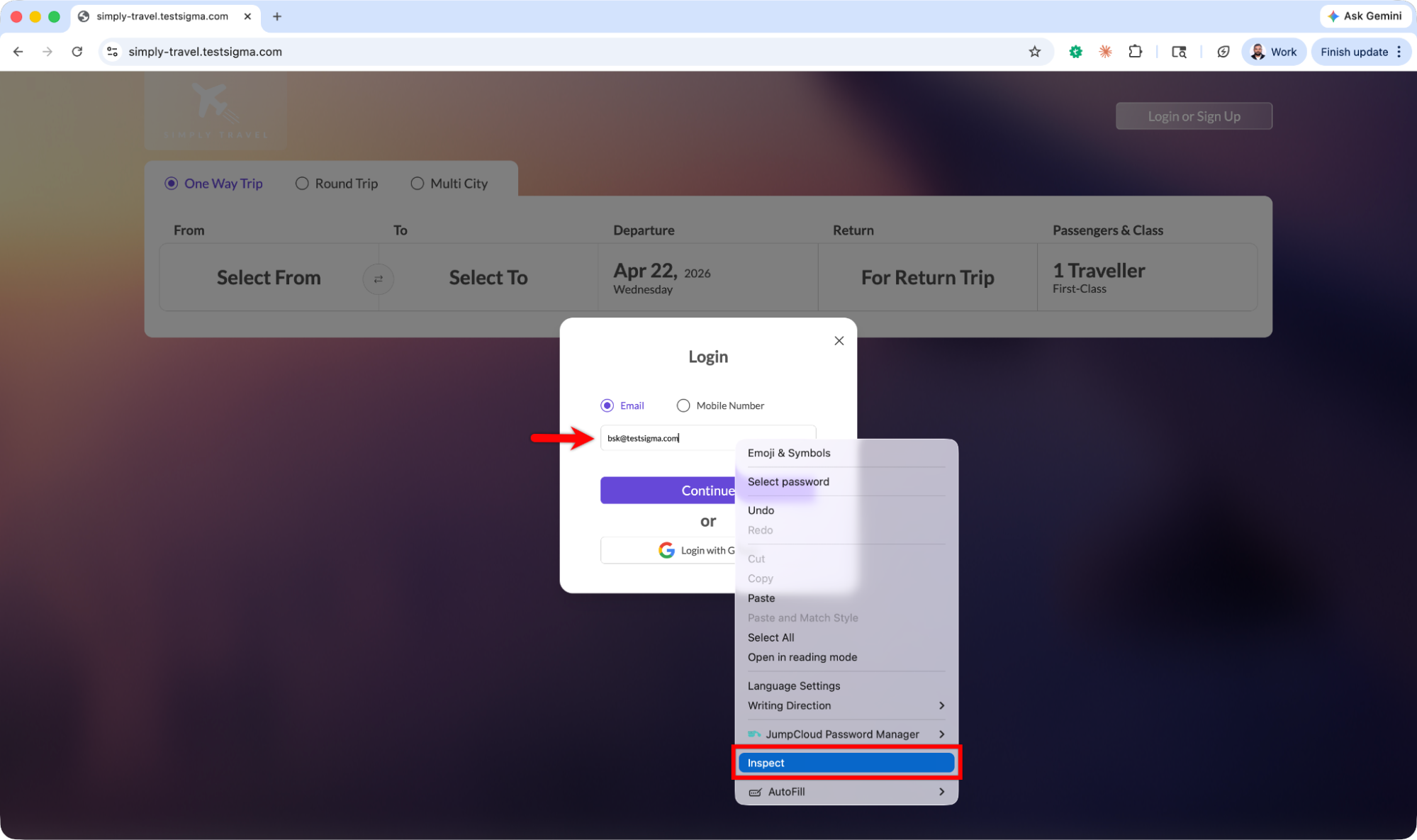
-
In the Elements panel, locate the highlighted element.
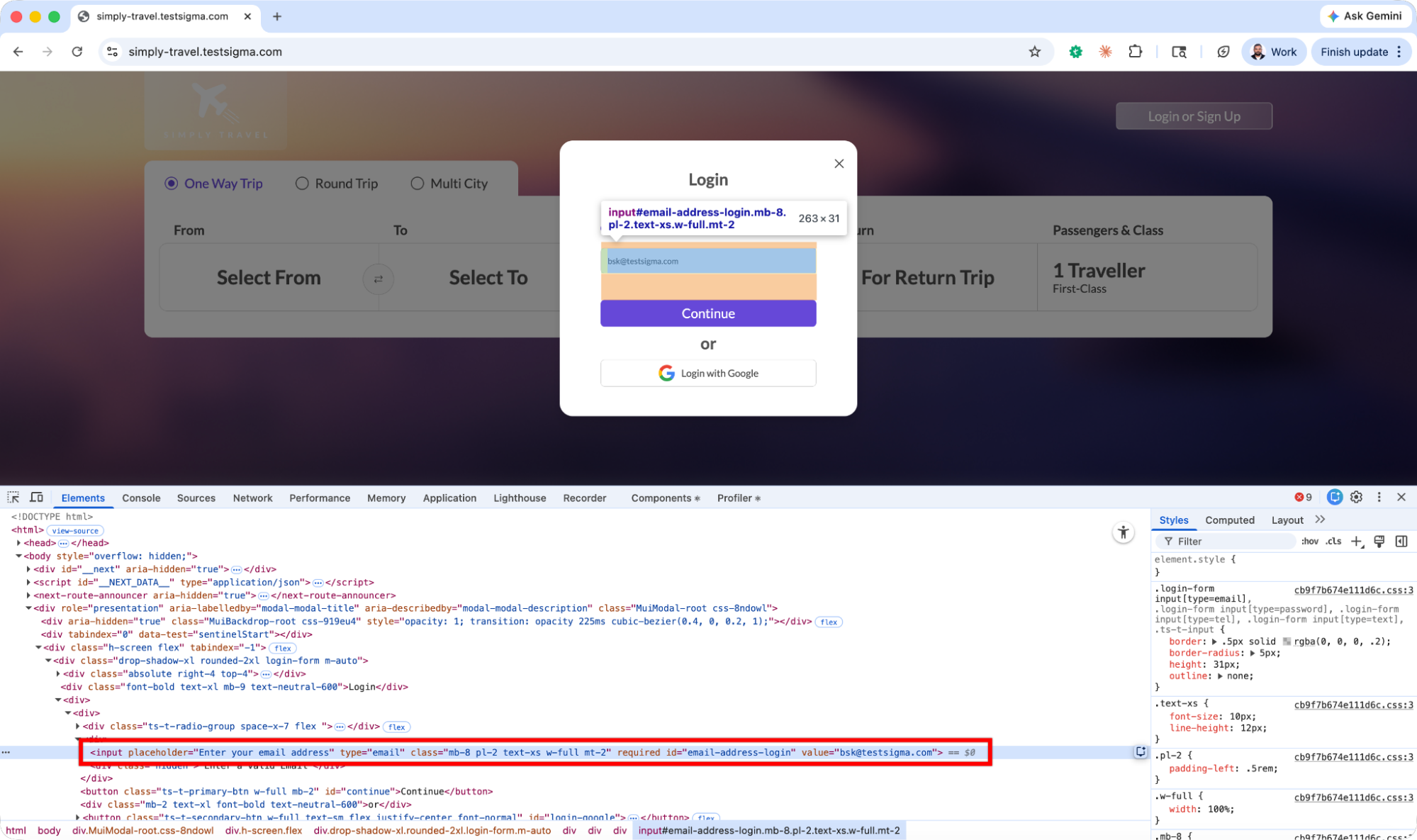
-
Check how the data is stored:
- If the data appears between tags (for example,
<span>Text</span>), use Store text from the element element into a variable test data. - If the data appears in an attribute (for example,
value=”Text”), use Store the value for the attribute attribute of the element element into a variable test data.
- If the data appears between tags (for example,