
AI Agents
Bug Reporter Agent in Testsigma
Prerequisites
- Before you begin, ensure the Analyzer Agent has reviewed at least one failed test step and a bug tracking tool is integrated with Testsigma.
Steps to Report a Bug
Section titled “Steps to Report a Bug”-
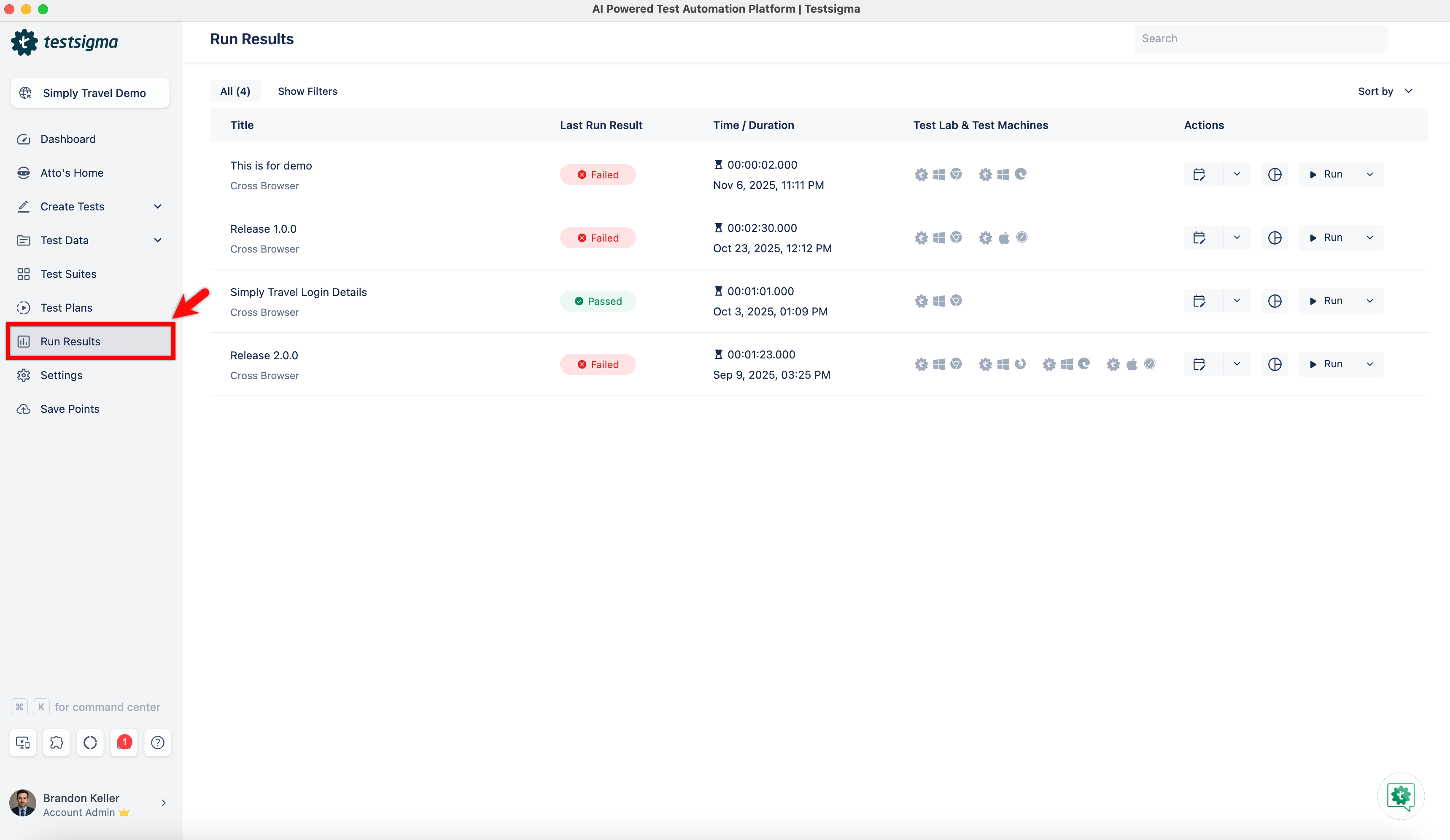
From the left navigation bar, go to Run Results.
-
Open the test plan that contains failed test cases.
-
Select a test case with a failed step and click the step to open its details.
-
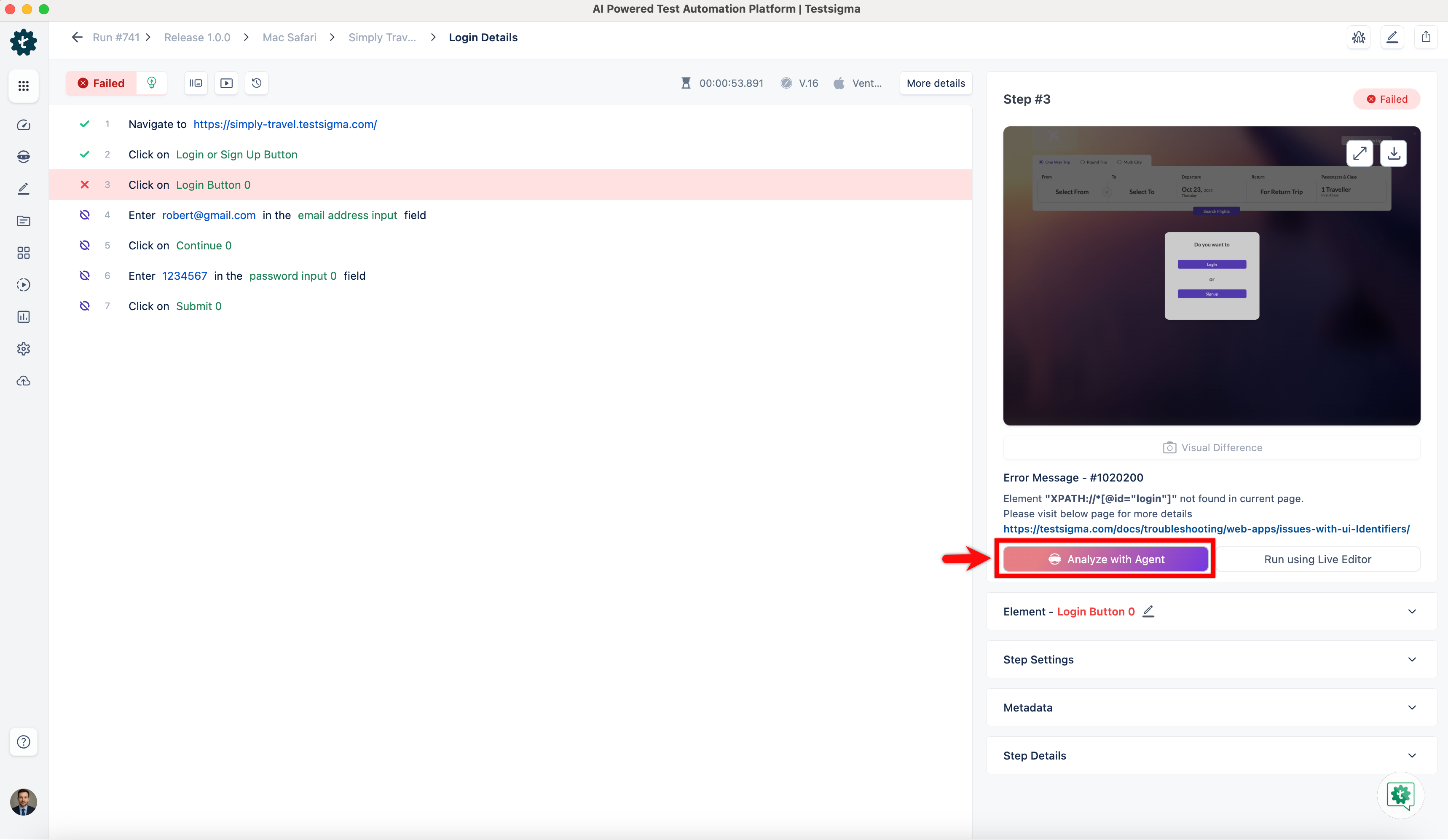
In the Step Details panel, click Analyze with Agent, and wait for the analysis to complete.
-
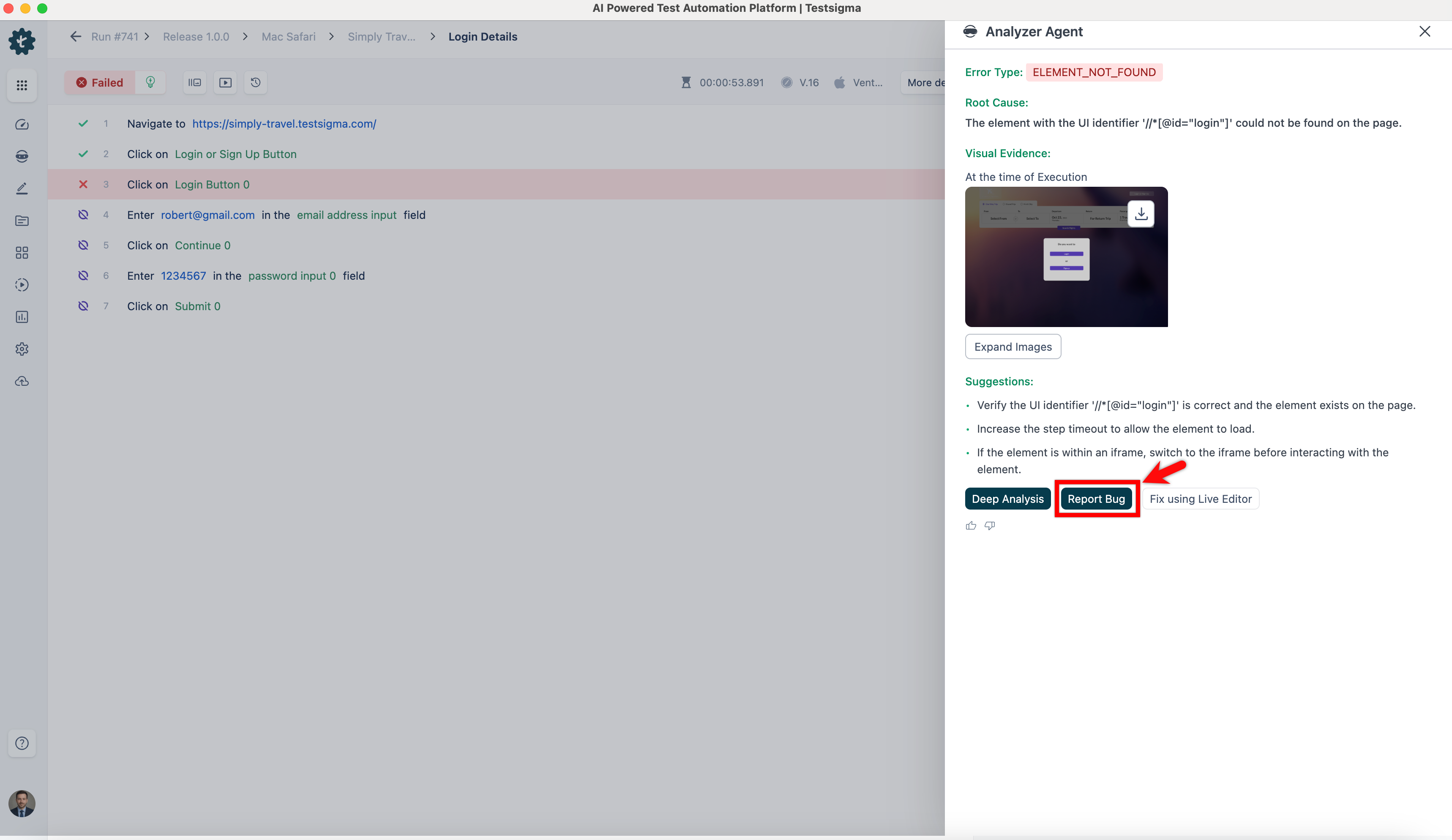
In the Analyzer Agent overlay, click Report Bug.
-
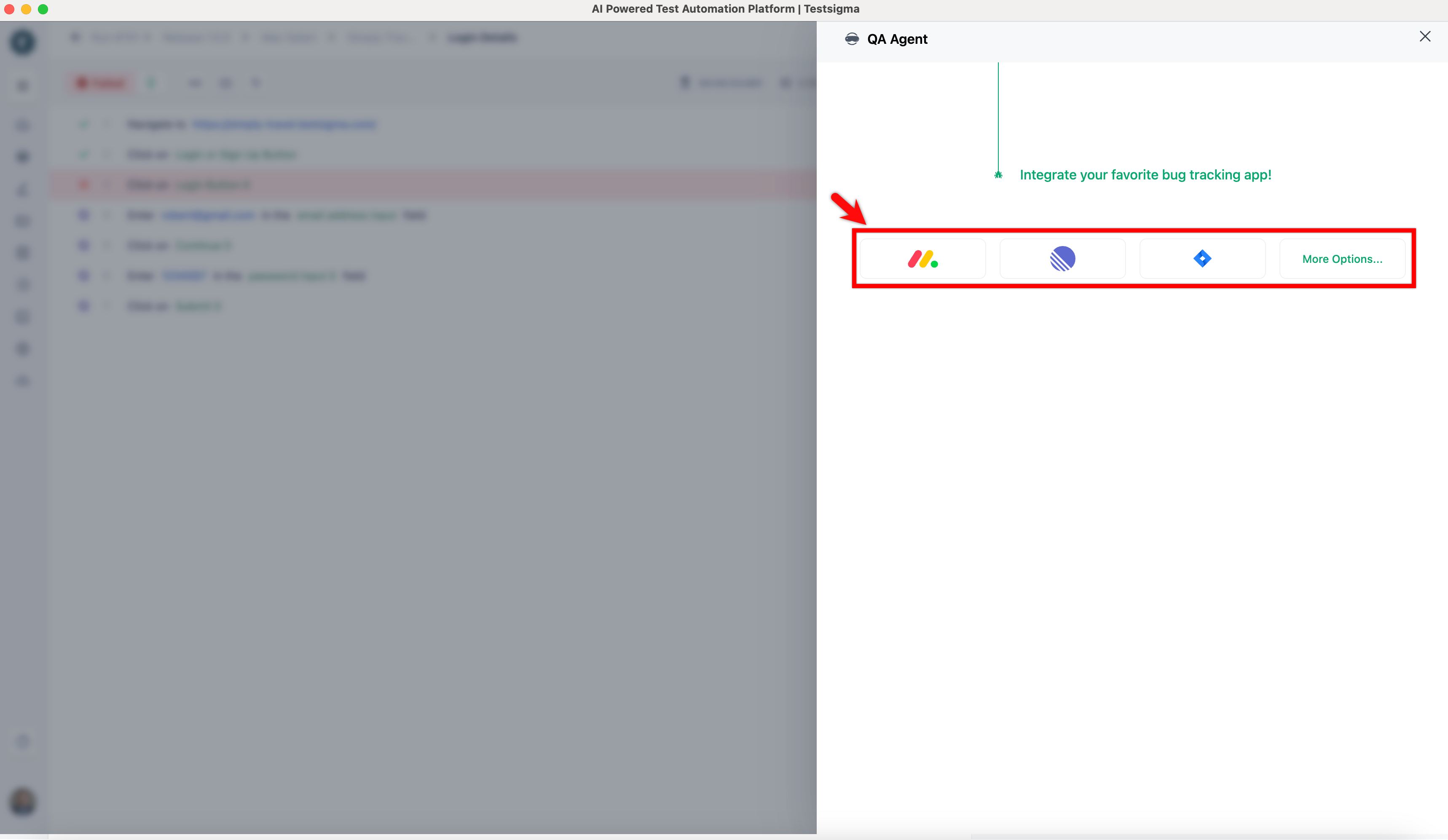
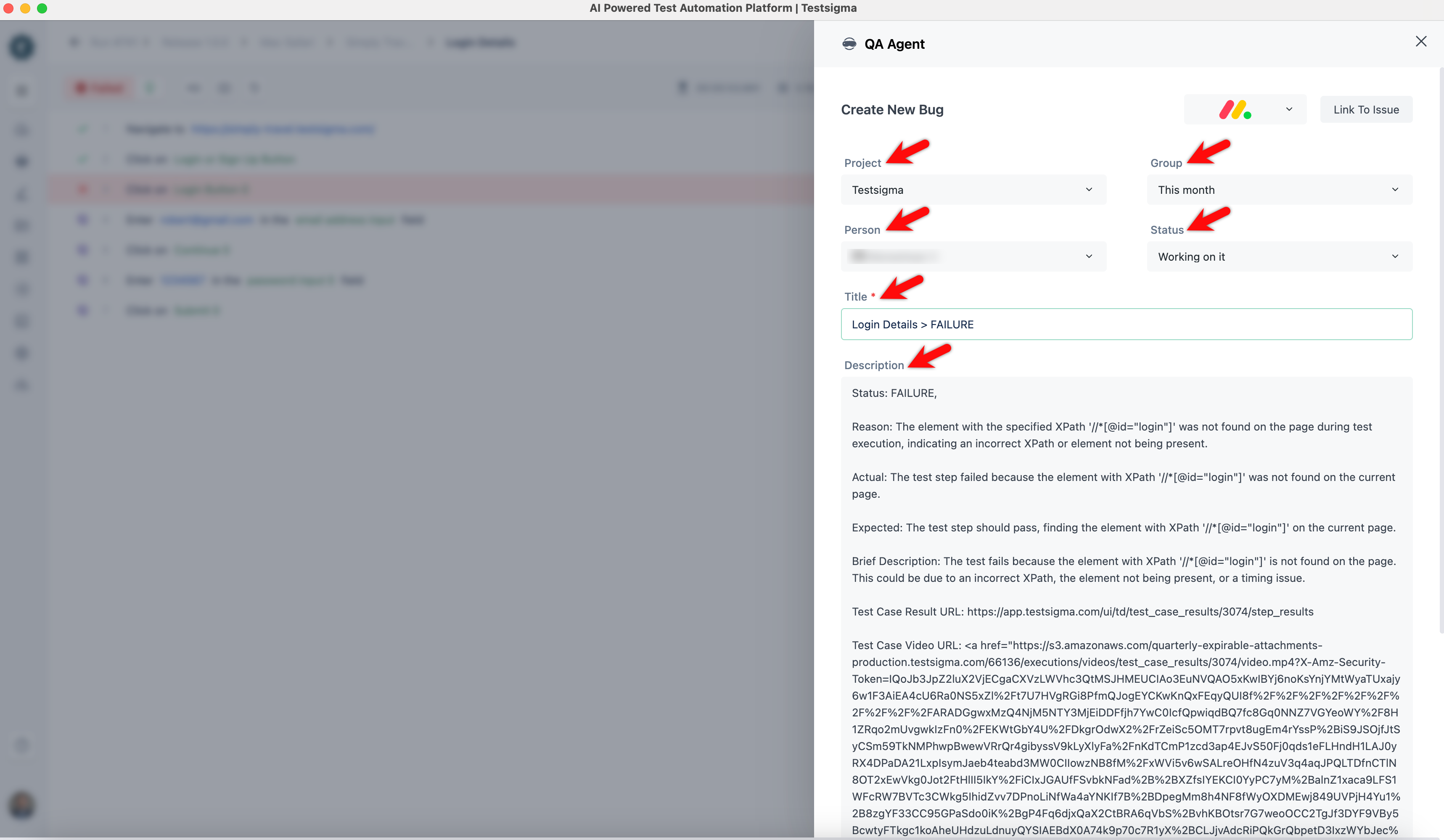
On the QA Agent overlay, select a bug tracking tool.
-
Select Project, Group, Person, and Status. Update the title if needed, and review the Description.
-
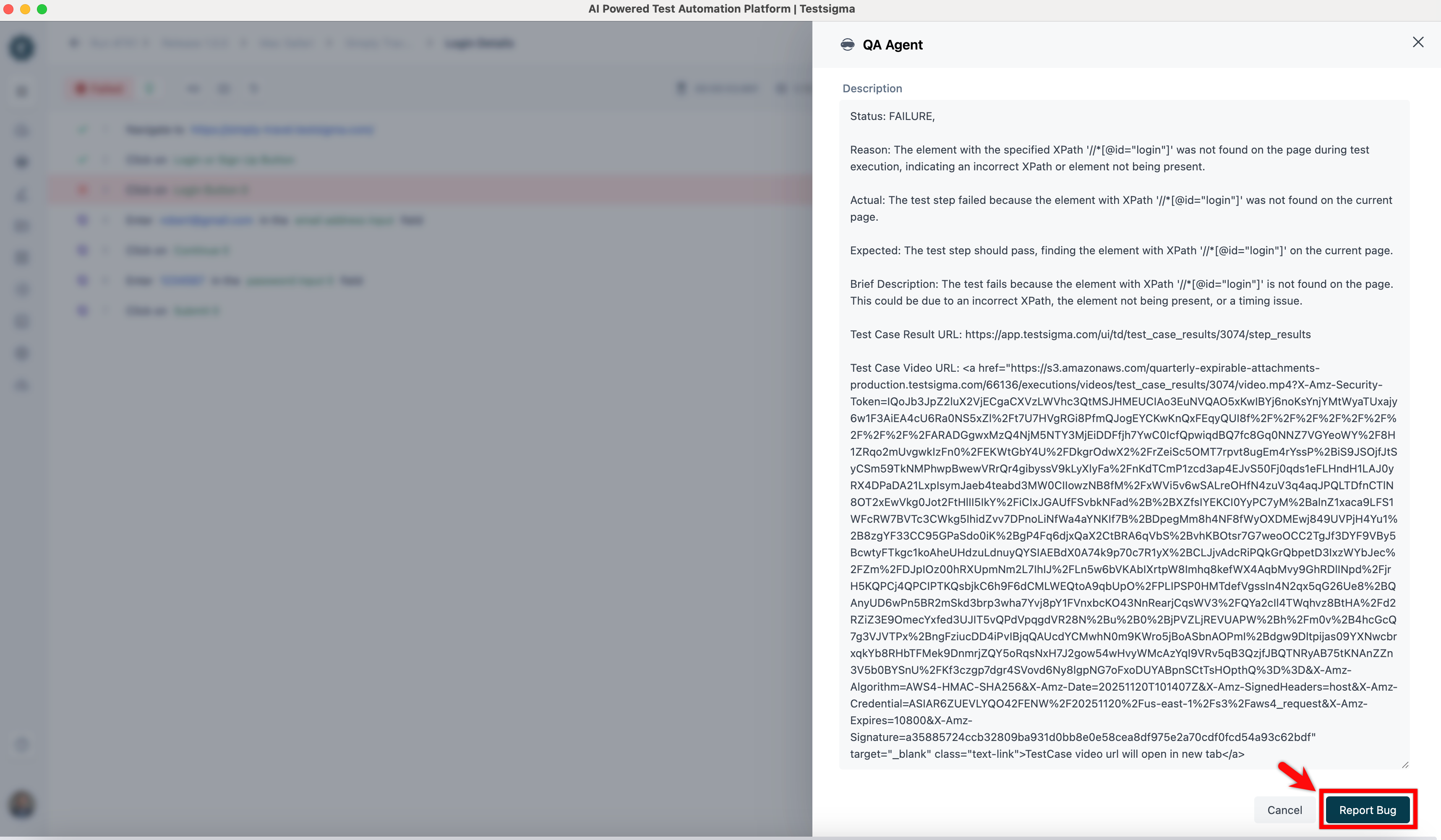
Click Report Bug.
-
The issue will be created in Jira with all the details.