Test Step Recorder
Install Testsigma Recorder Extension: Edge
Steps to Install Edge Extension
Section titled “Steps to Install Edge Extension”-
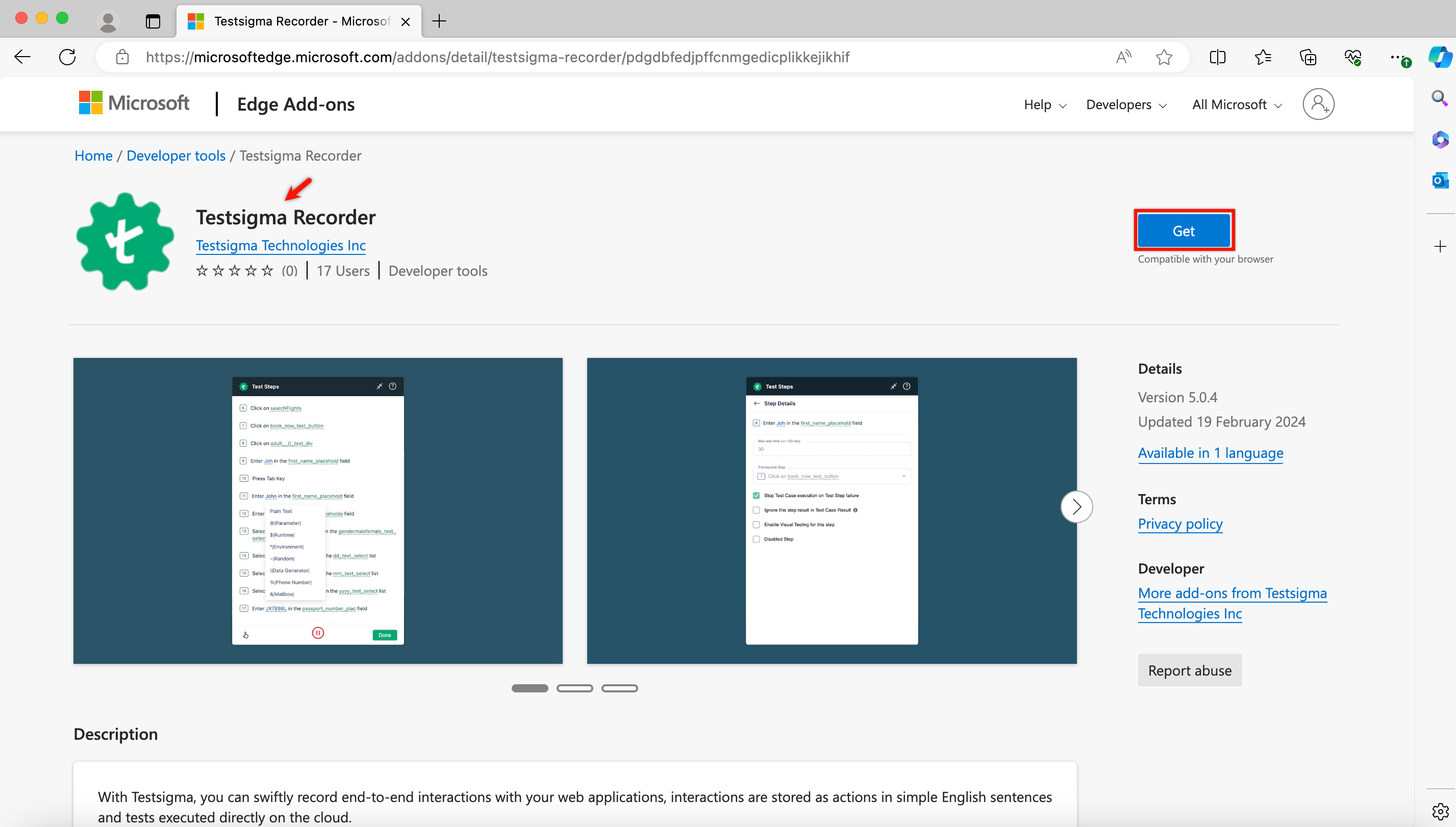
Go to Testsigma Recorder
-
Click on Get.
-
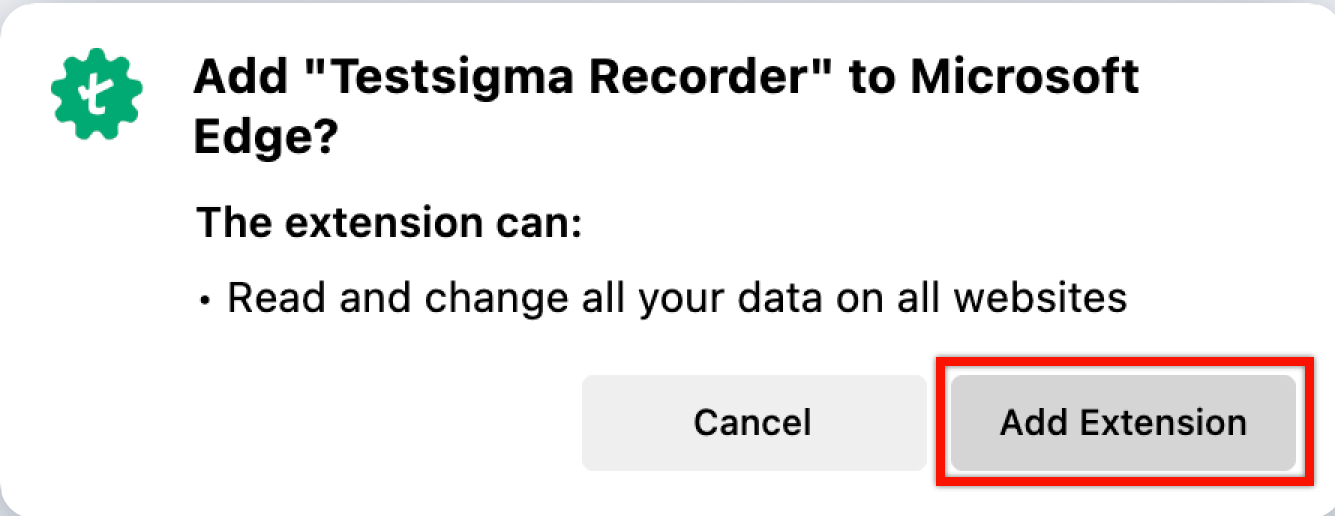
On the permission prompt, click on Add Extension.
-
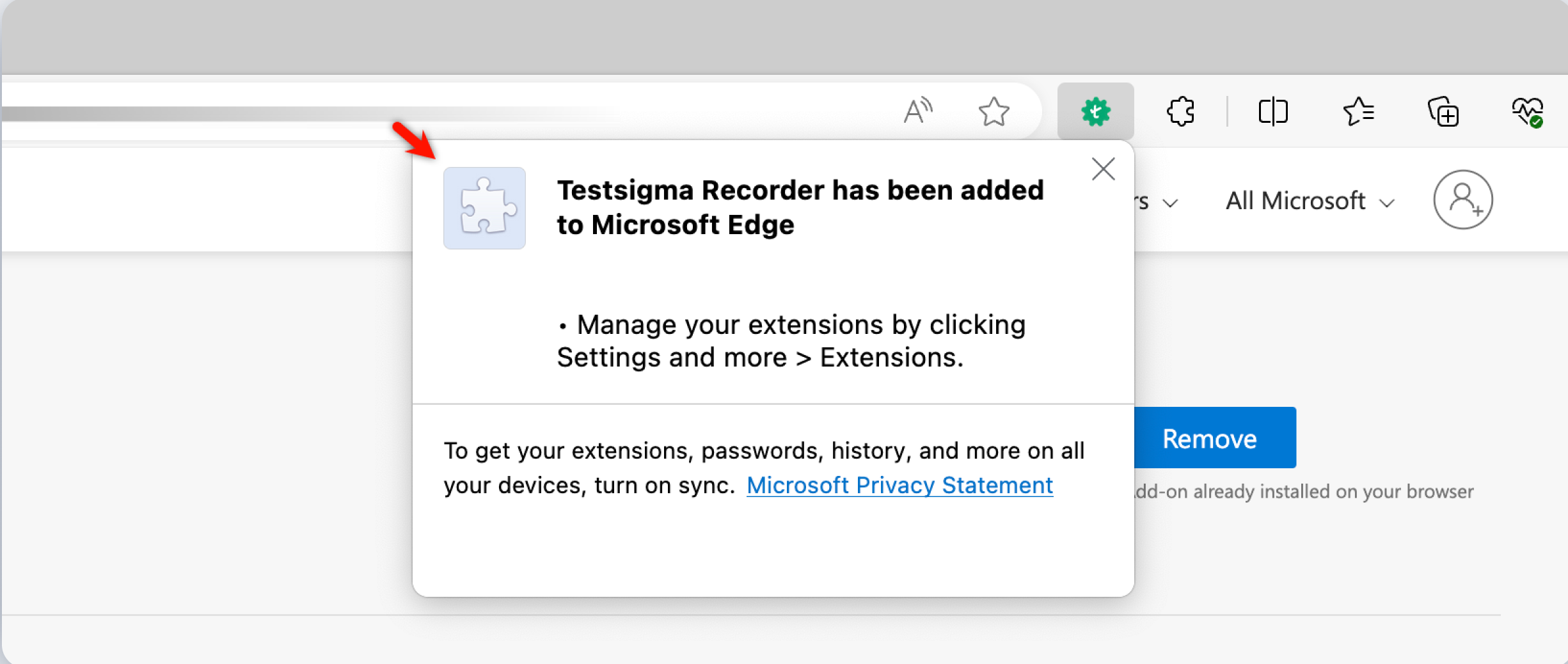
On successful installation, the following message will appear:
Record Steps in InPrivate Mode
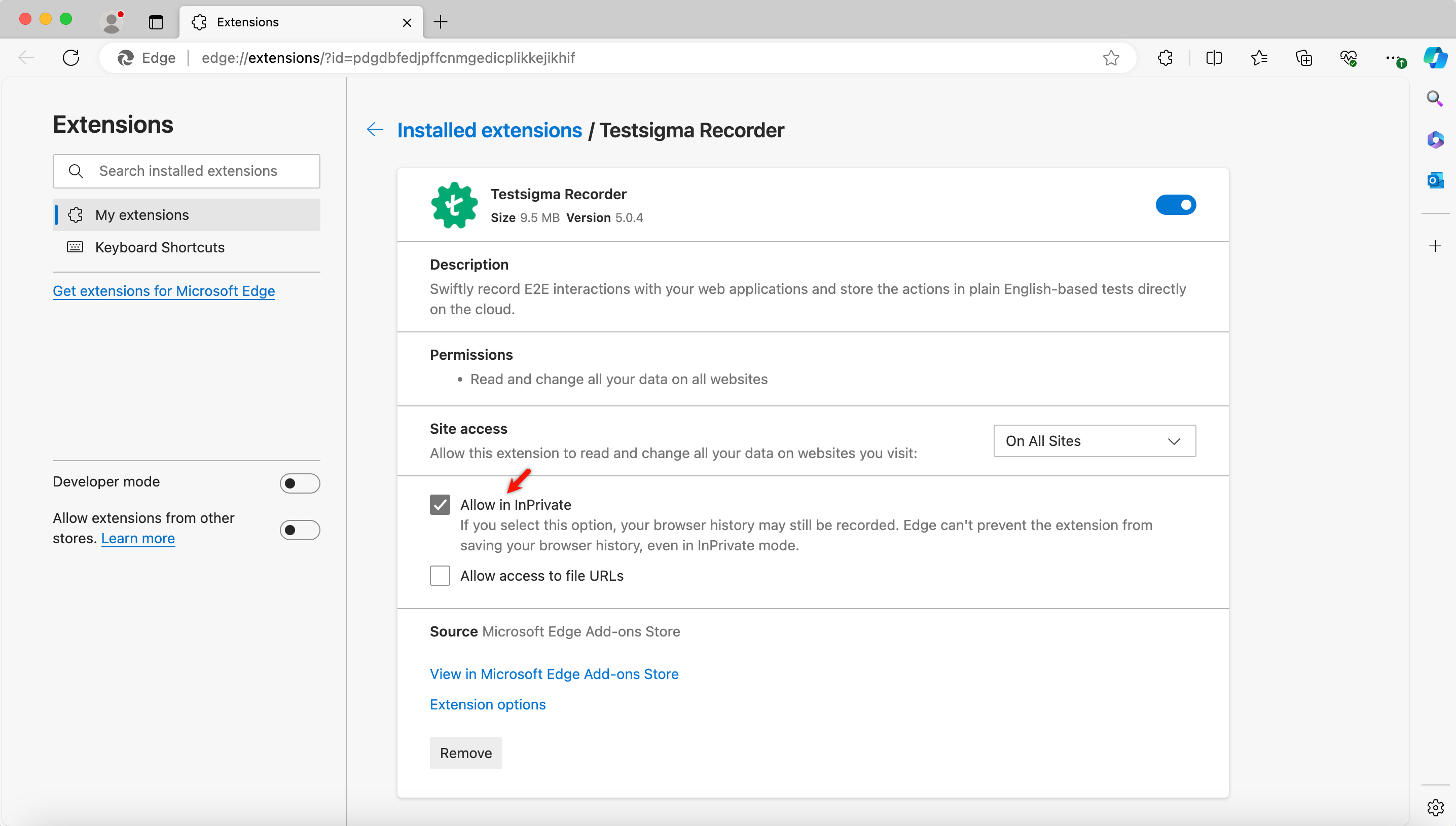
Section titled “Record Steps in InPrivate Mode”You can record steps in private mode by enabling the Allow in InPrivate option in the Testsigma manage extension. This feature lets you record steps privately without storing browsing history or cookies. Follow the steps below to enable the “Allow in InPrivate” option in the Testsigma extension in Edge browser.
Extension Settings for InPrivate Mode
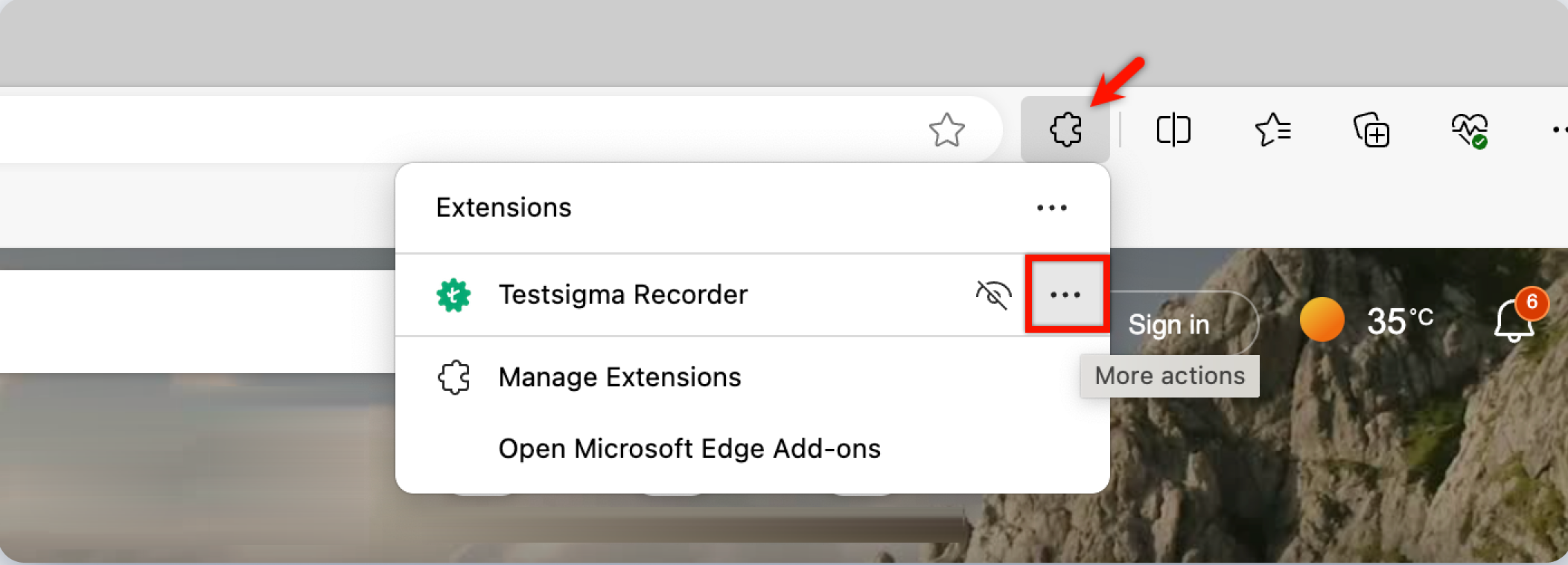
Section titled “Extension Settings for InPrivate Mode”1. Open the Testsigma Extension: Go to Extensions and click the meatballs menu on Testsigma extension icon in the browser toolbar.
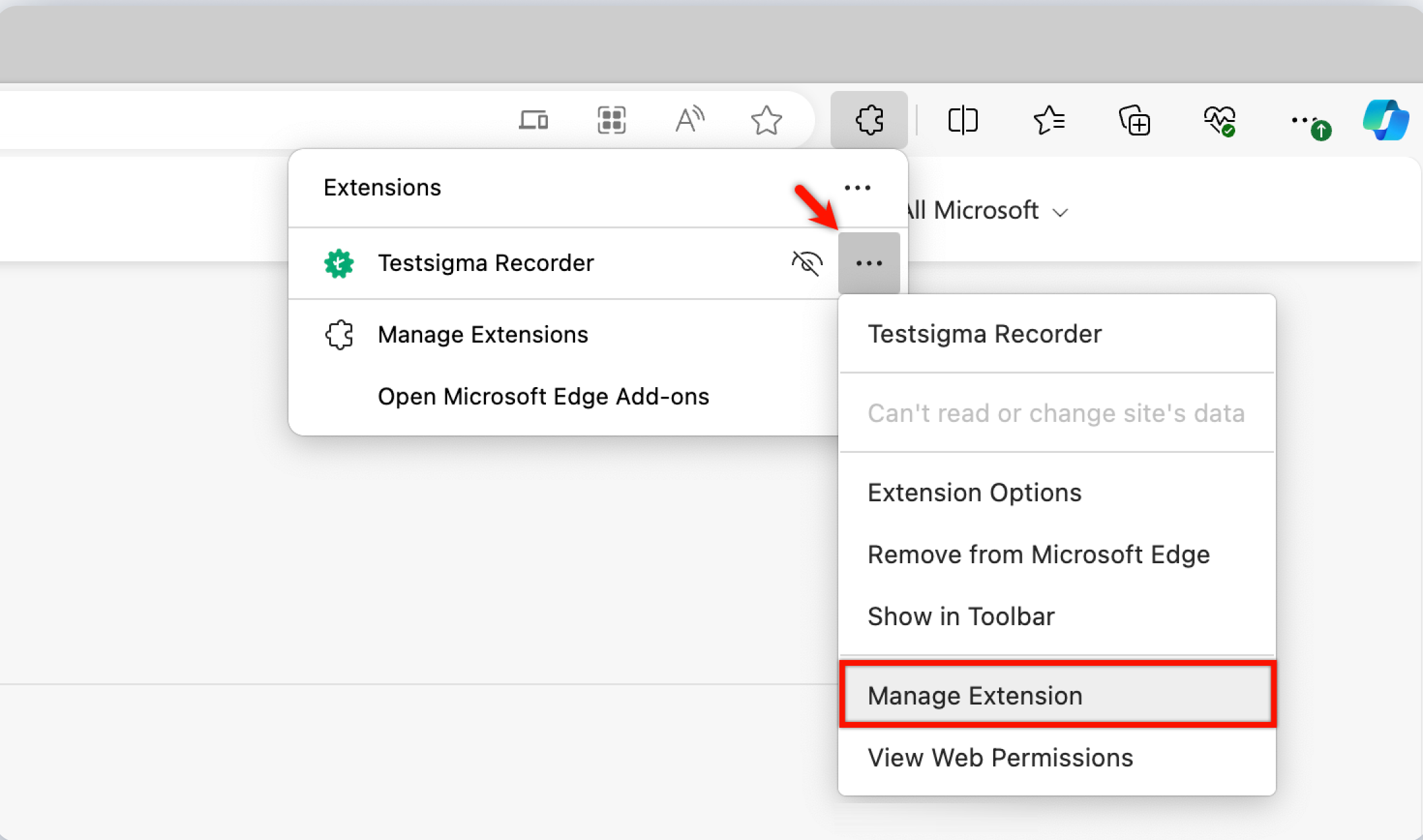
2. Access Extension Settings: From the extension menu, select Manage Extension.
3. Enable Allow in InPrivate: Toggle on Allow in InPrivate option.