Salesforce Testing
Salesforce Element Repositories
Naming Conventions
Section titled “Naming Conventions”
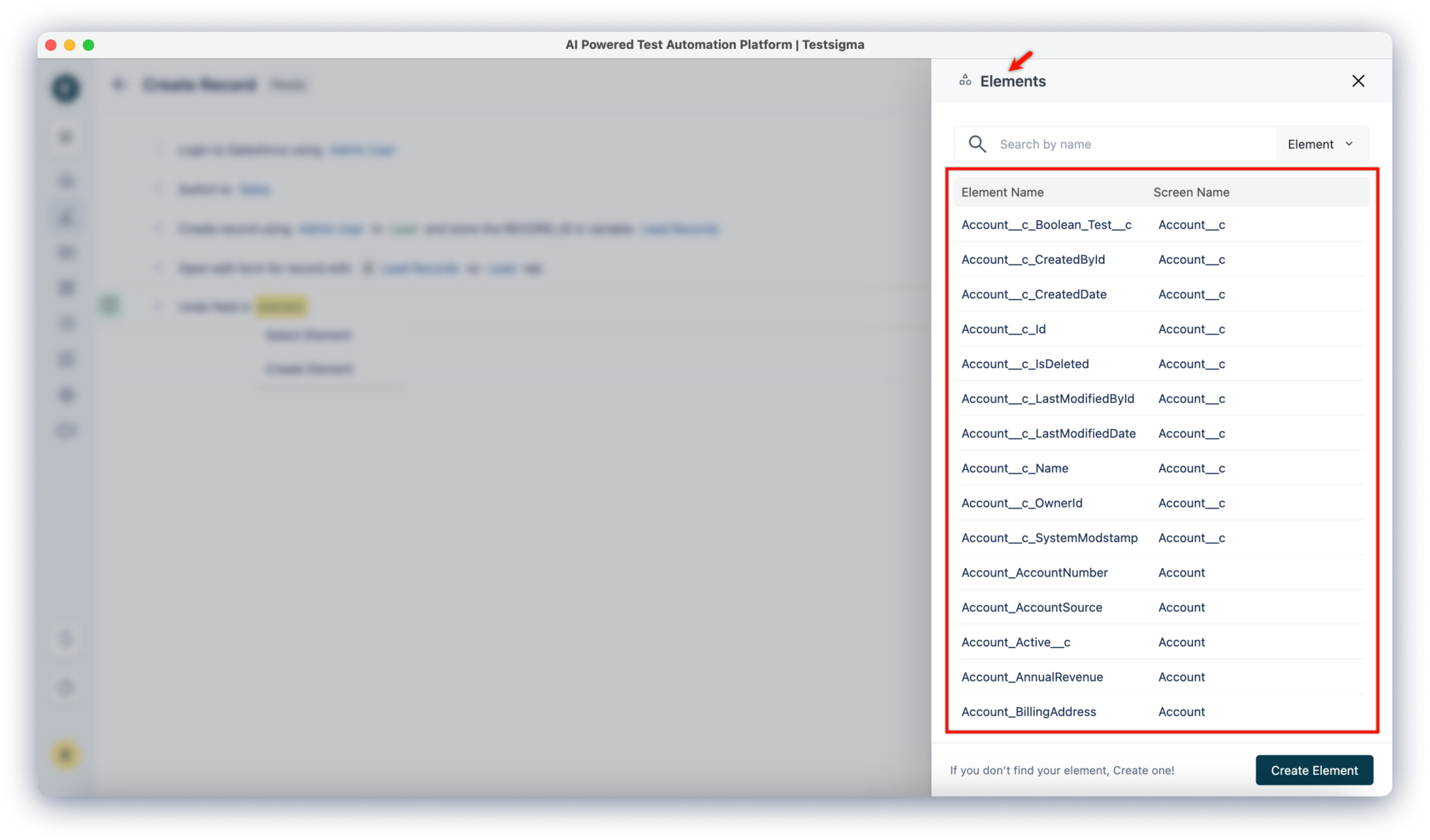
Field Names: This will be in the ObjectName_FieldName format.
- Example: If the element name is Account_CreatedDate, Account is the object, and the created date Field is CreatedDate.
Screen Names: Generally, the name displayed on the UI screen is the object name.
- Example: A screen displaying account details should be named Account.
Steps to Check Element Repositories
Section titled “Steps to Check Element Repositories”-
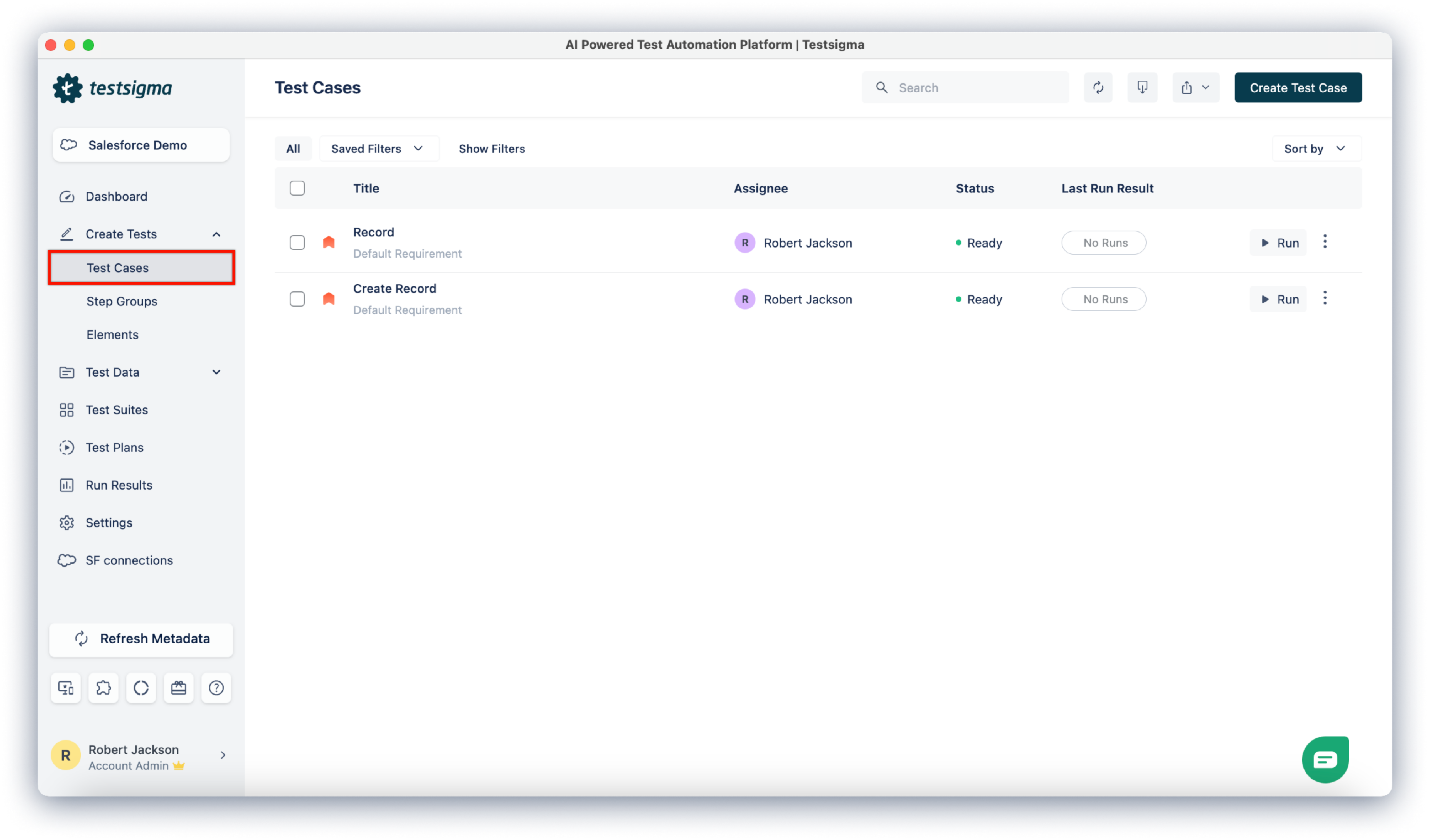
Navigate to Create Tests > Test Cases, and open any test case or create a test case.
-
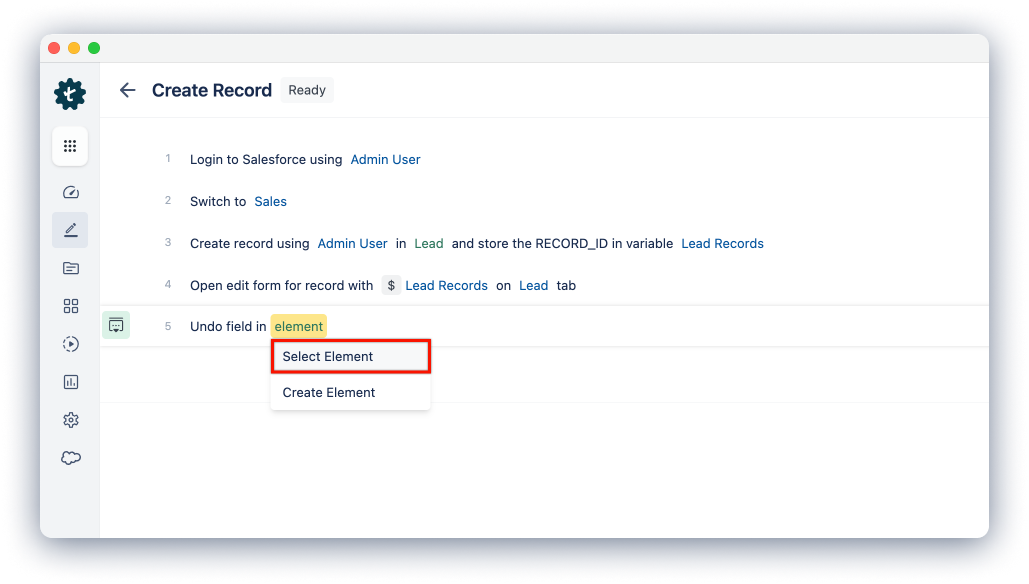
From the Test Case Details page, add test steps and hover over the element and click on Select Element from the dropdown.
-
This will open the Elements overlay, where you can see all the elements.
Creating Elements While Creating Test Steps
Section titled “Creating Elements While Creating Test Steps”-
Create a test case and click Copilot.
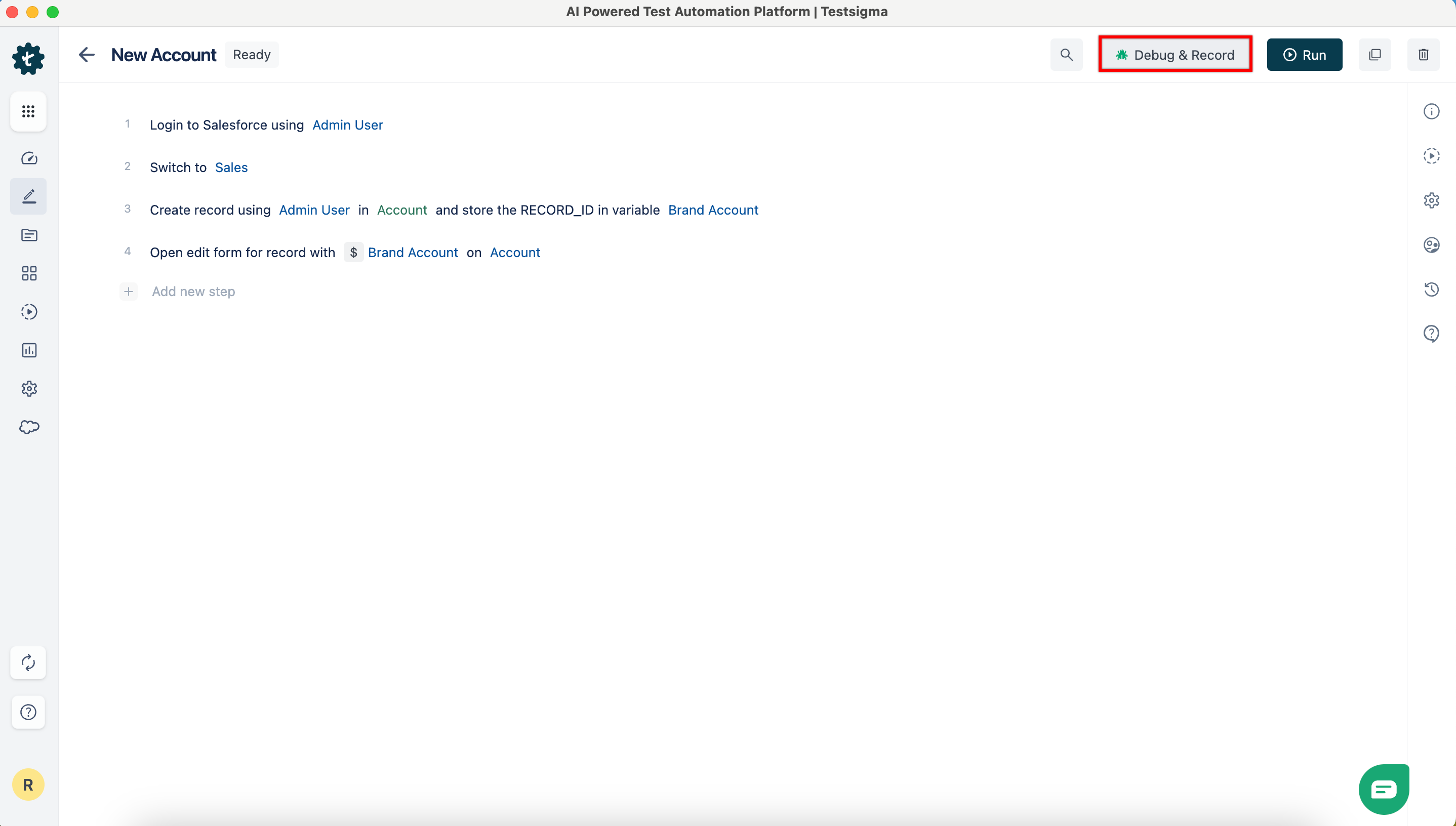
-
In the Debug & Record overlay, verify that the Copilot is live, select a connection under Salesforce Metadata connection, and click Launch.
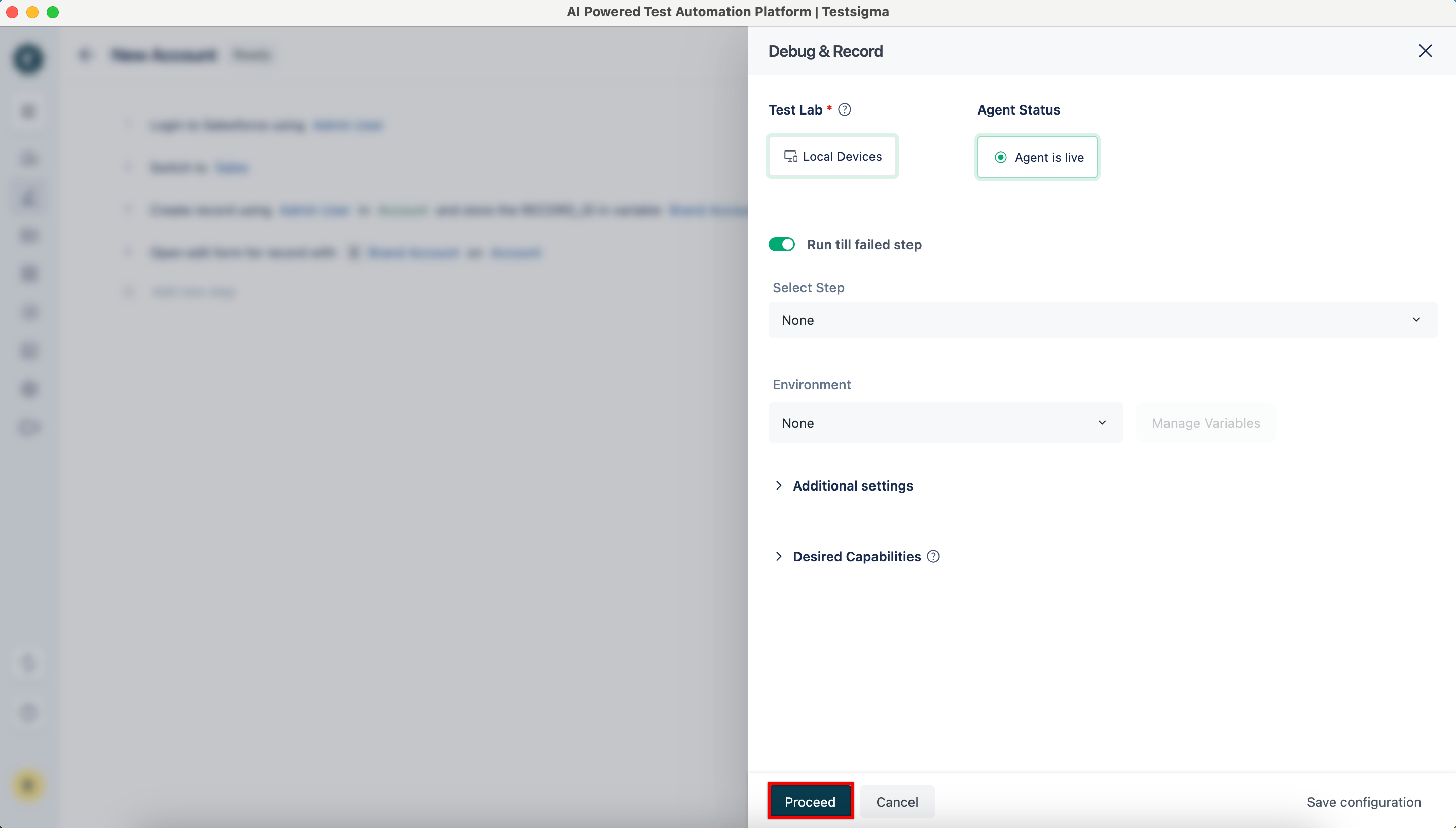
-
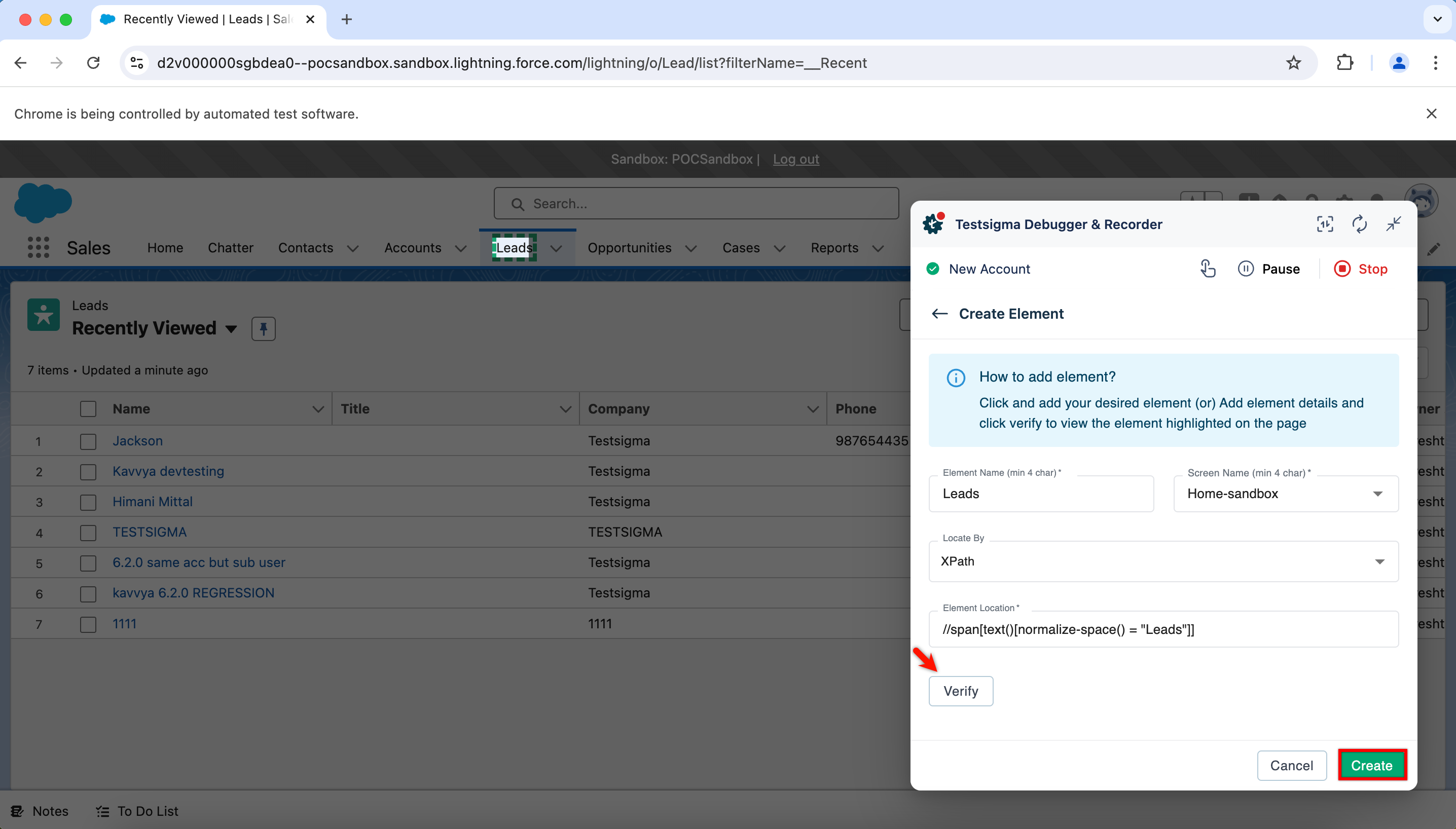
In the Testsigma Debugger & Recorder, click element in the NLP and select Create Element from the dropdown menu.
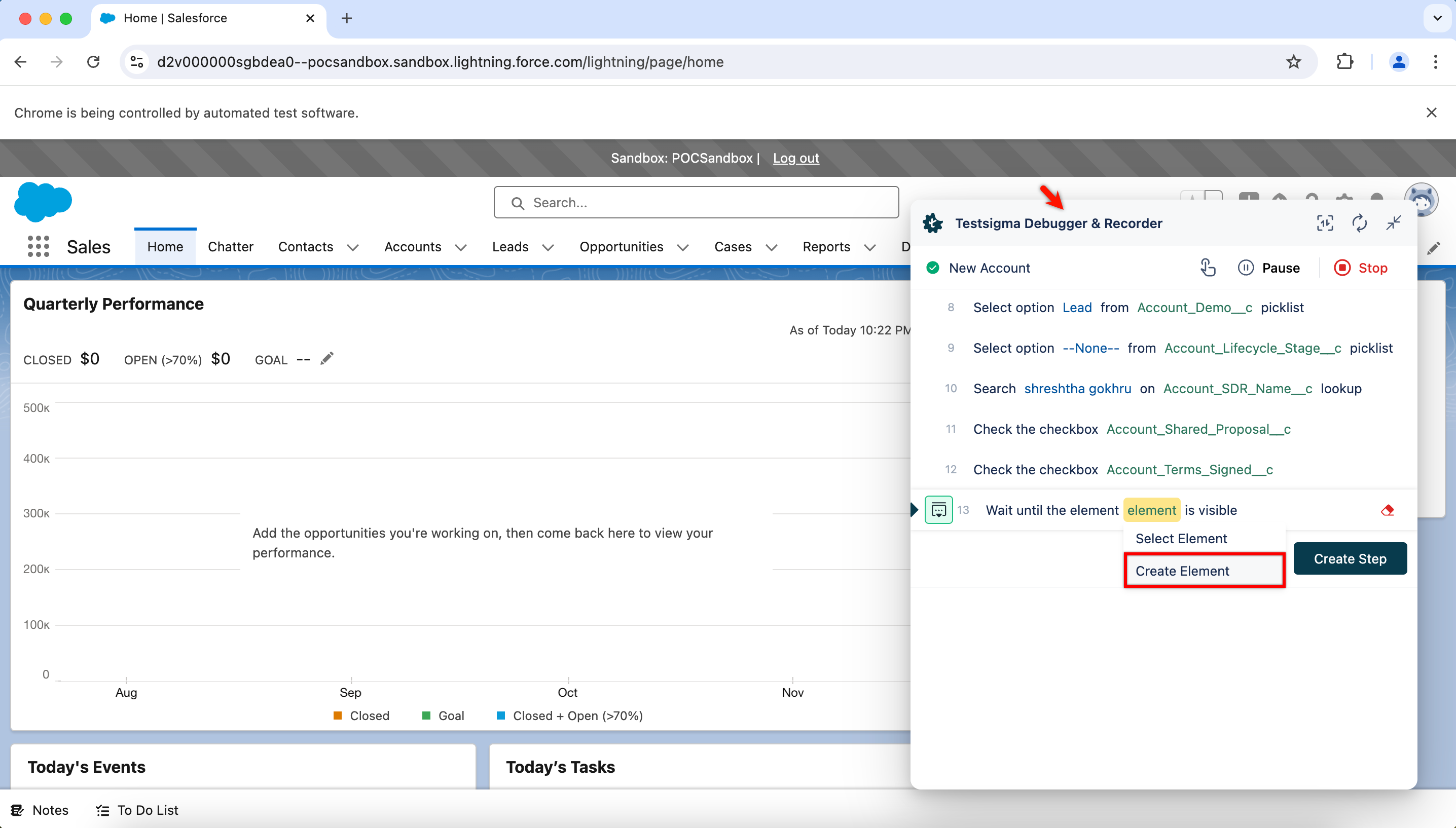
-
Click the UI element, which you want to capture. The recorder automatically captures the element details.
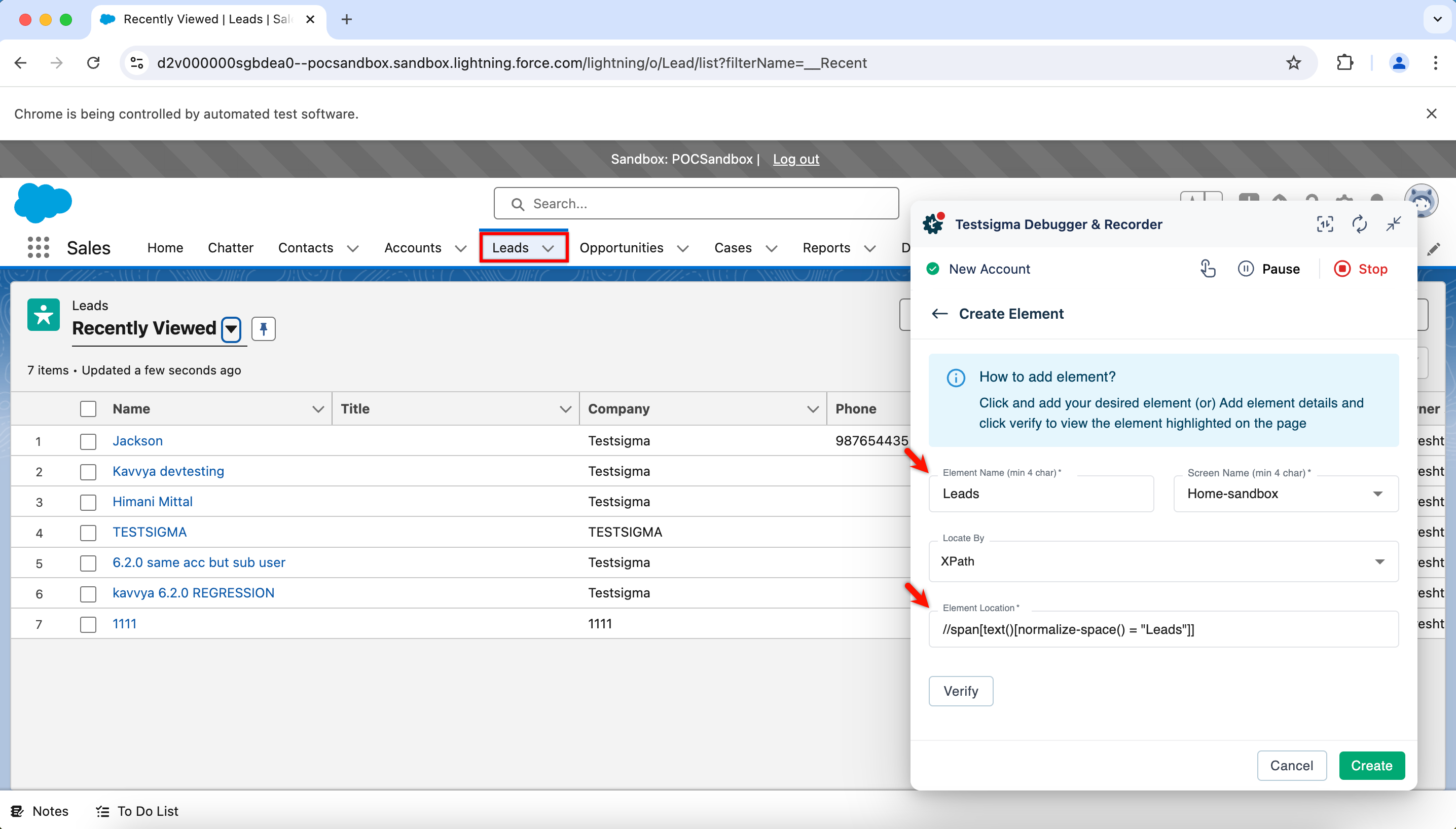
-
Verify the element, then click Create.
Verifying Pre-learnt Salesforce Elements
Section titled “Verifying Pre-learnt Salesforce Elements”-
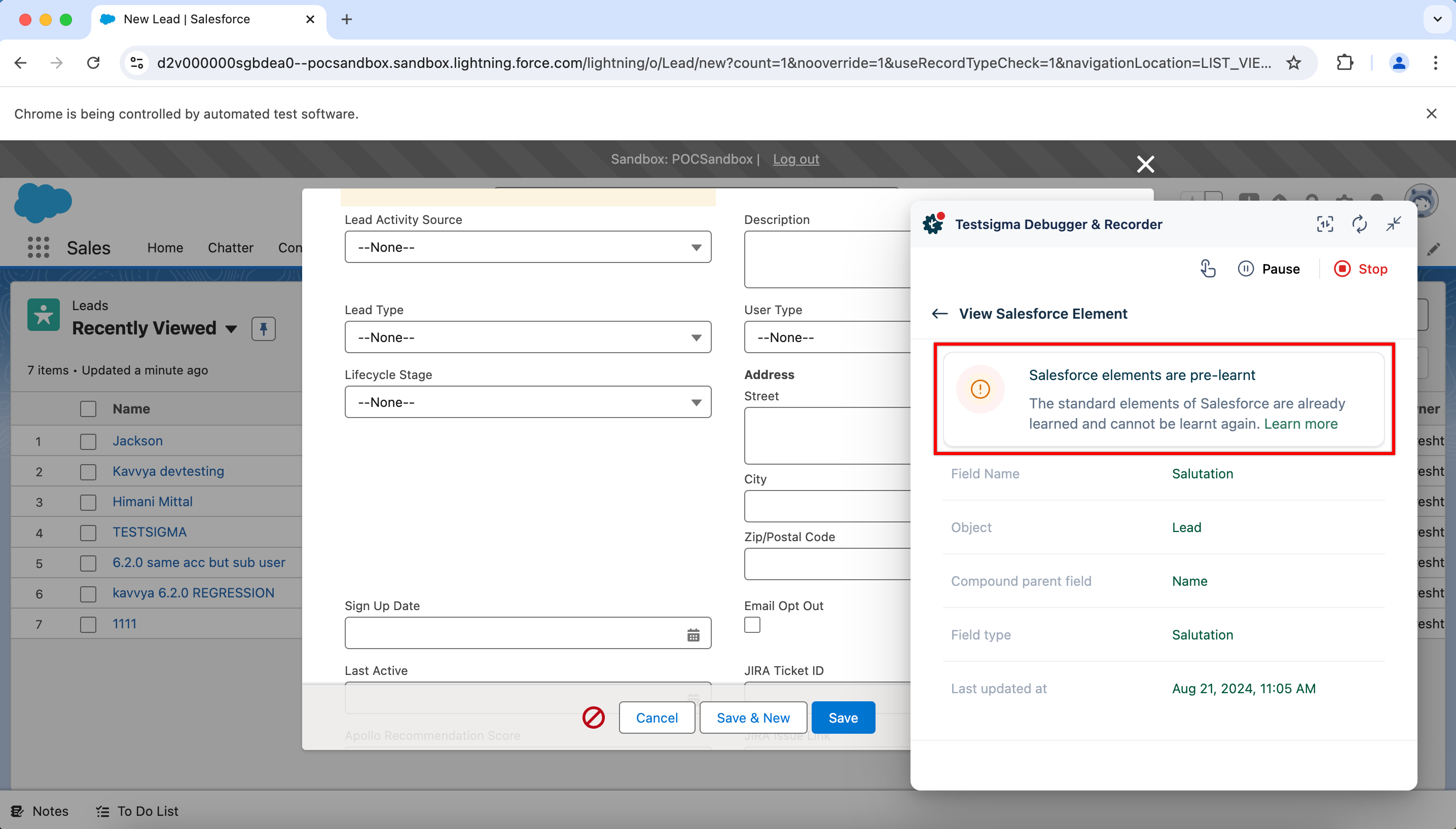
Click element which has the namig conventions as mentioned in the above section. For more information on naming conventions, refer to the documentation on naming conventions
-
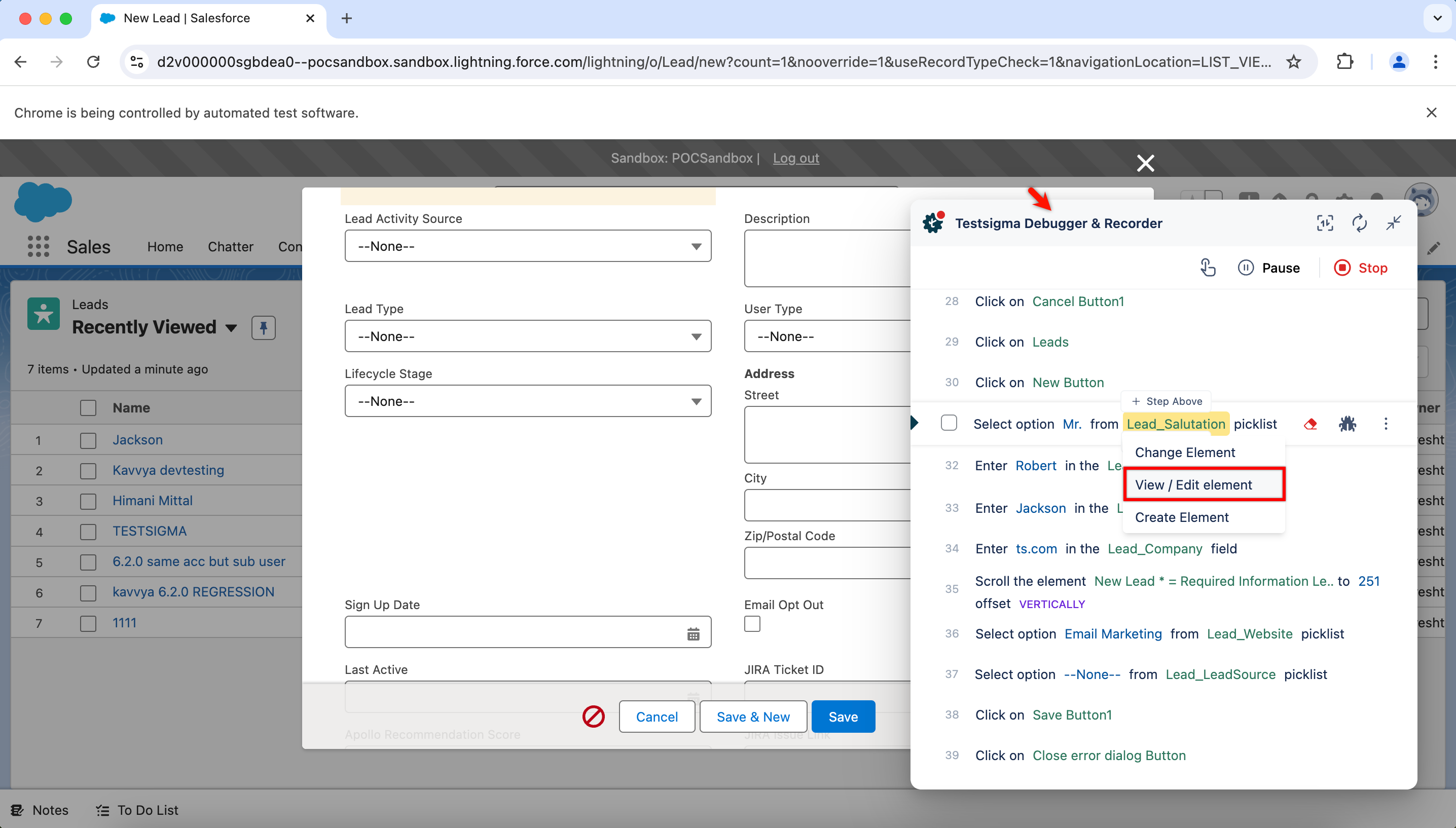
Click View/Edit Element from the dropdown menu on the Testsigma Debugger & Recorder.
-
A new overlay appears, indicating that the element is a standard Salesforce element and has been pre-learned.