Desired Capabilities
Biometric Authentication
Prerequisites
Before you begin, ensure that:
- You have a mobile application to test.
How to Add Biometric Authentication Desired Capability?
Section titled “How to Add Biometric Authentication Desired Capability?”In order to Add Biometric Authentication for Android and iOS apps, we can use the following desired capability:
‘testsigma.allowTouchIdEnroll=true’
| Name | Data Type | Value |
|---|---|---|
| testsigma.allowTouchIdEnroll | Boolean | True |
Using Biometric Authentication Desired Capability
Section titled “Using Biometric Authentication Desired Capability”-
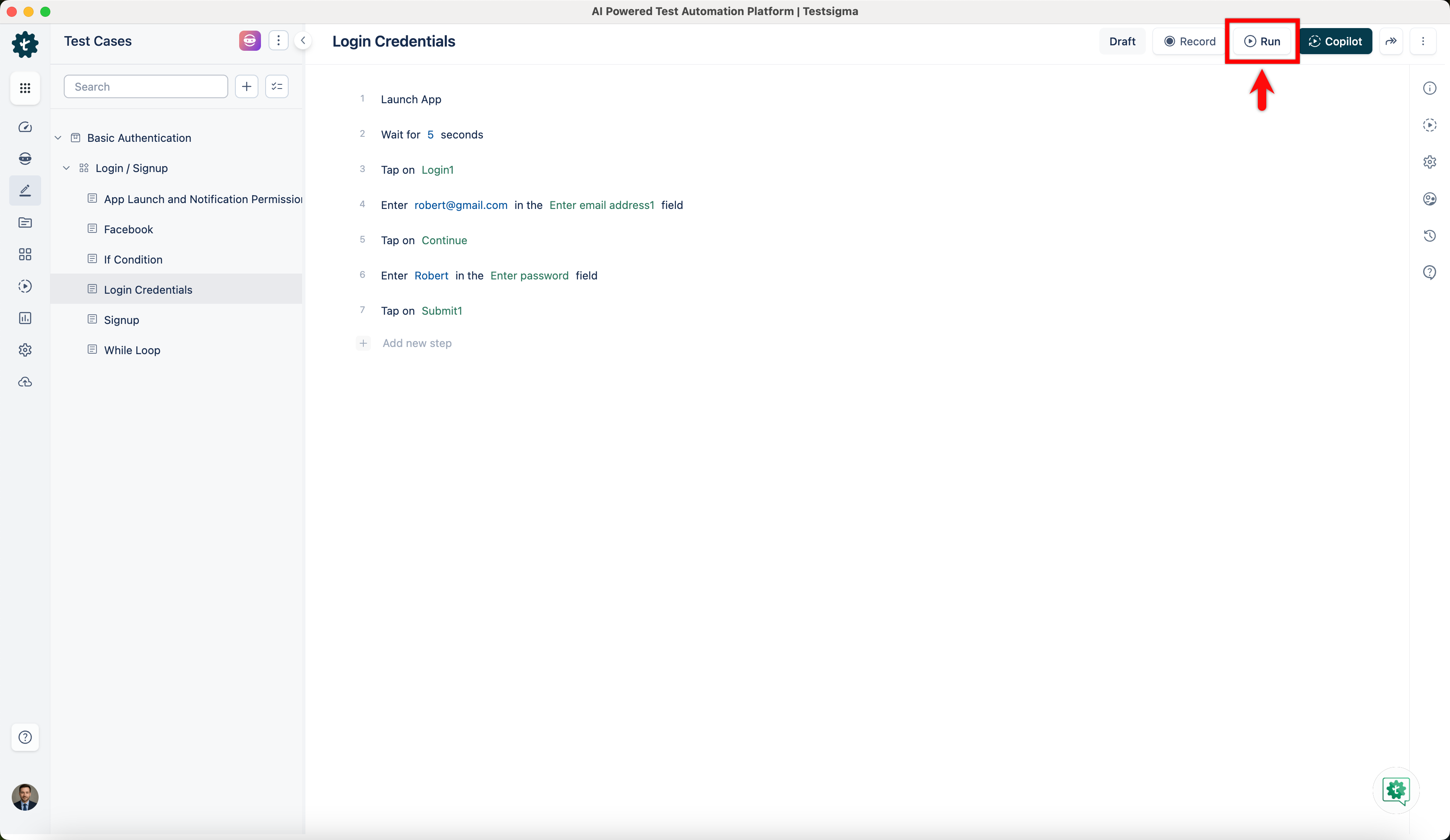
Click on Run from the Test Case Details page.
-
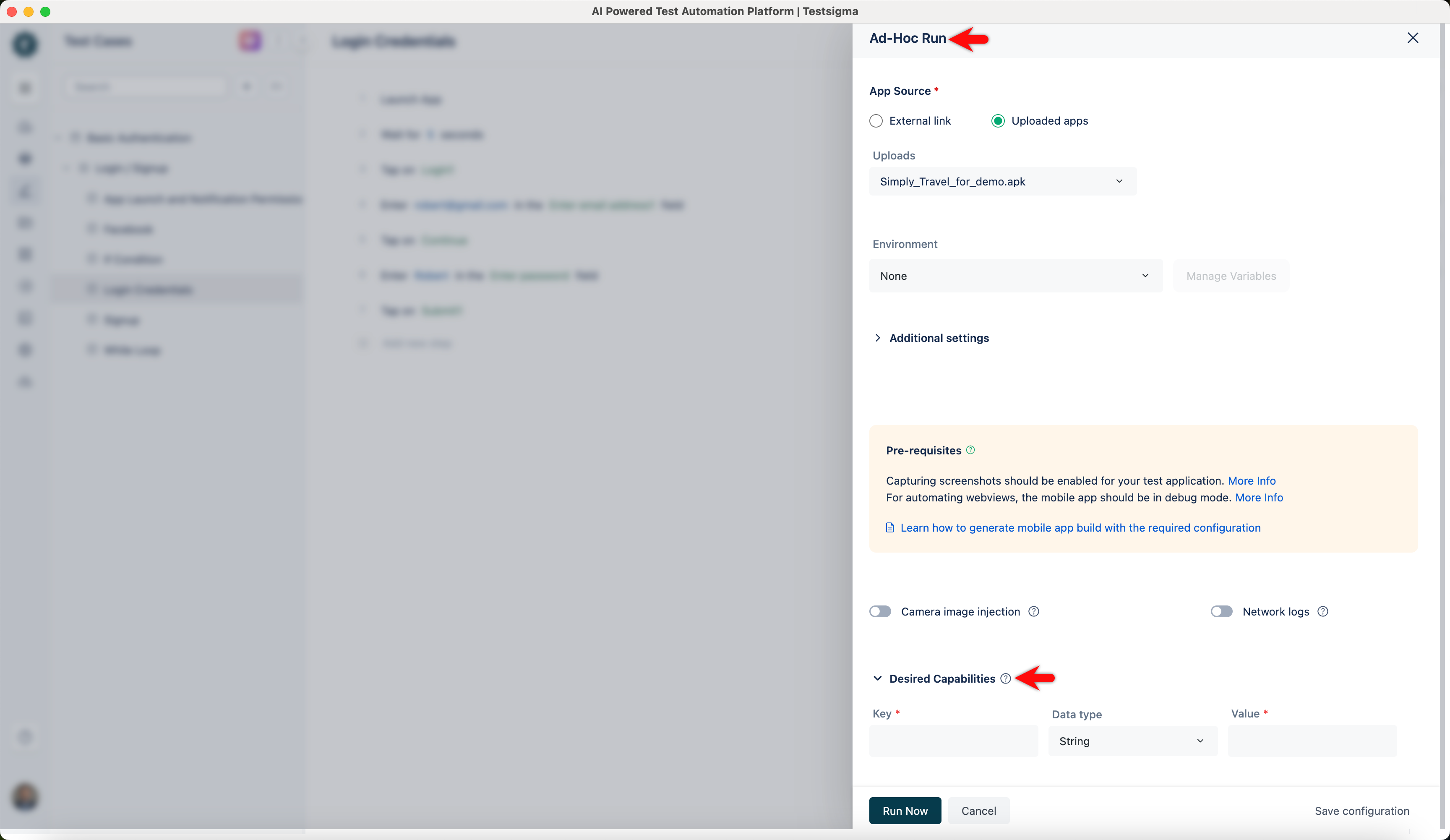
On the Ad-Hoc Run overlay, click on Desired Capabilities.
-
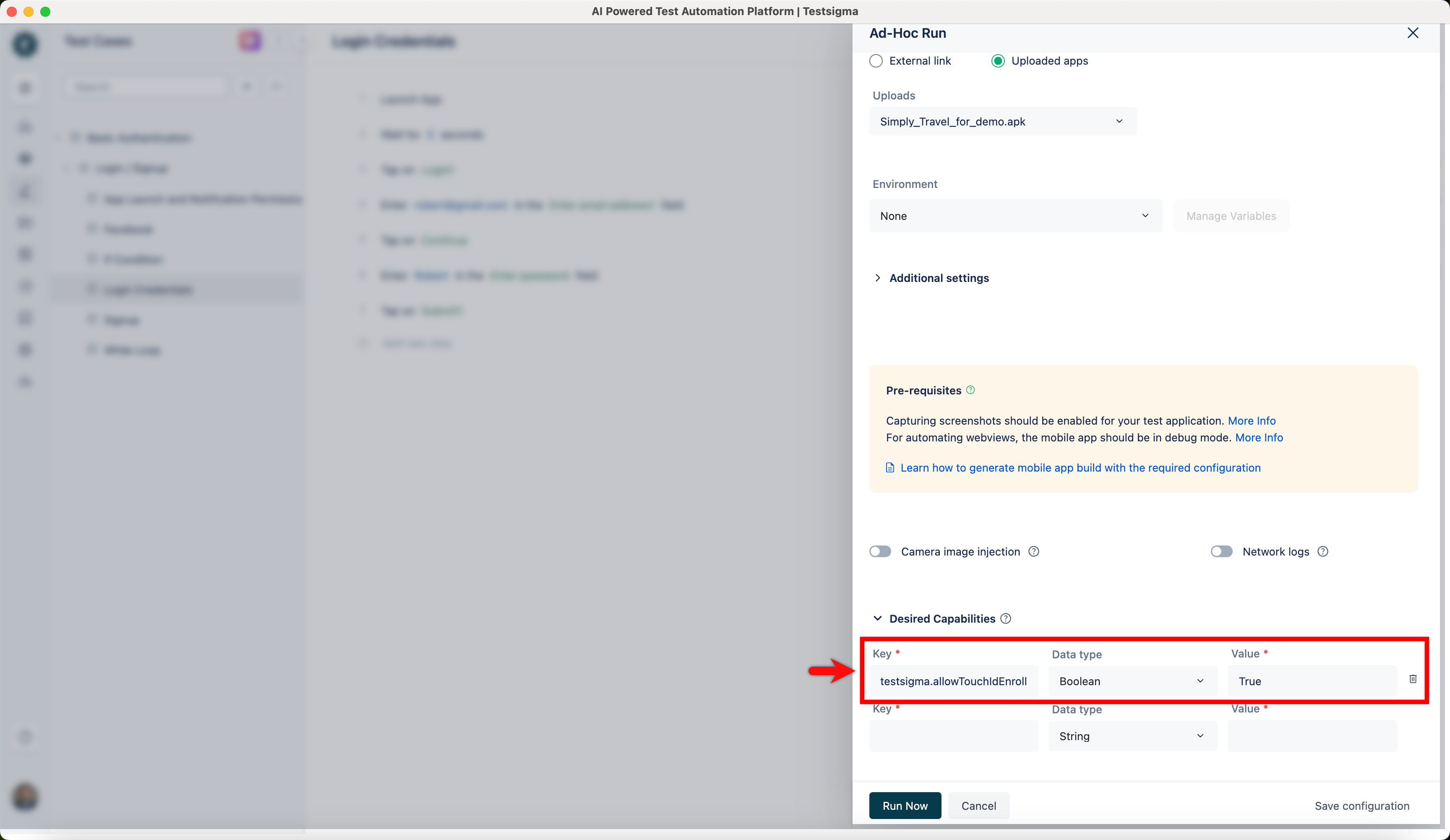
Enter testsigma.allowTouchIdEnroll in the Key field, select Boolean as the Data type, and set the Value as True.
-
Click on Run Now to execute the test case.