
Runs
Use Mock Servers in Test Executions
Prerequisites
Before you begin, ensure that:
- You have configured mock servers
- You know how to execute tests
Configure Mock Server in Dry Runs
Section titled “Configure Mock Server in Dry Runs”-
From the left navigation bar, go to Create Tests > Test Cases.
-
Expand a feature and scenario, then open or create a test case.
-
Click Run in the Action Panel.
-
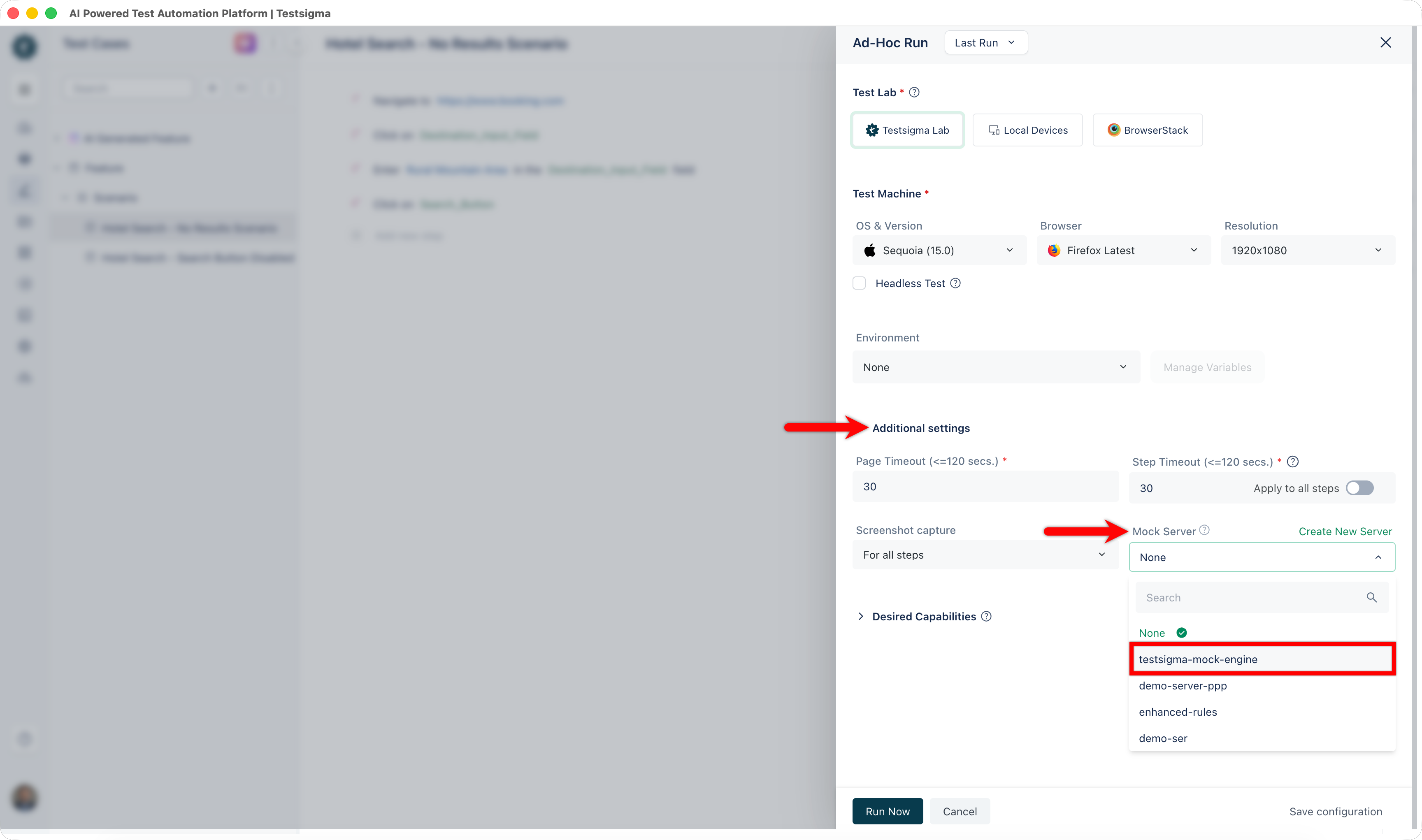
In the Ad-Hoc Run overlay:
- Configure Test Lab, Machine, and Environment as required
- Expand Additional Settings and select a mock server from the Mock Server dropdown
-
Click Run Now.
[[info | NOTE:]] | During execution, you can open the configured endpoint in the Mock Server application to review API calls in real time.
-
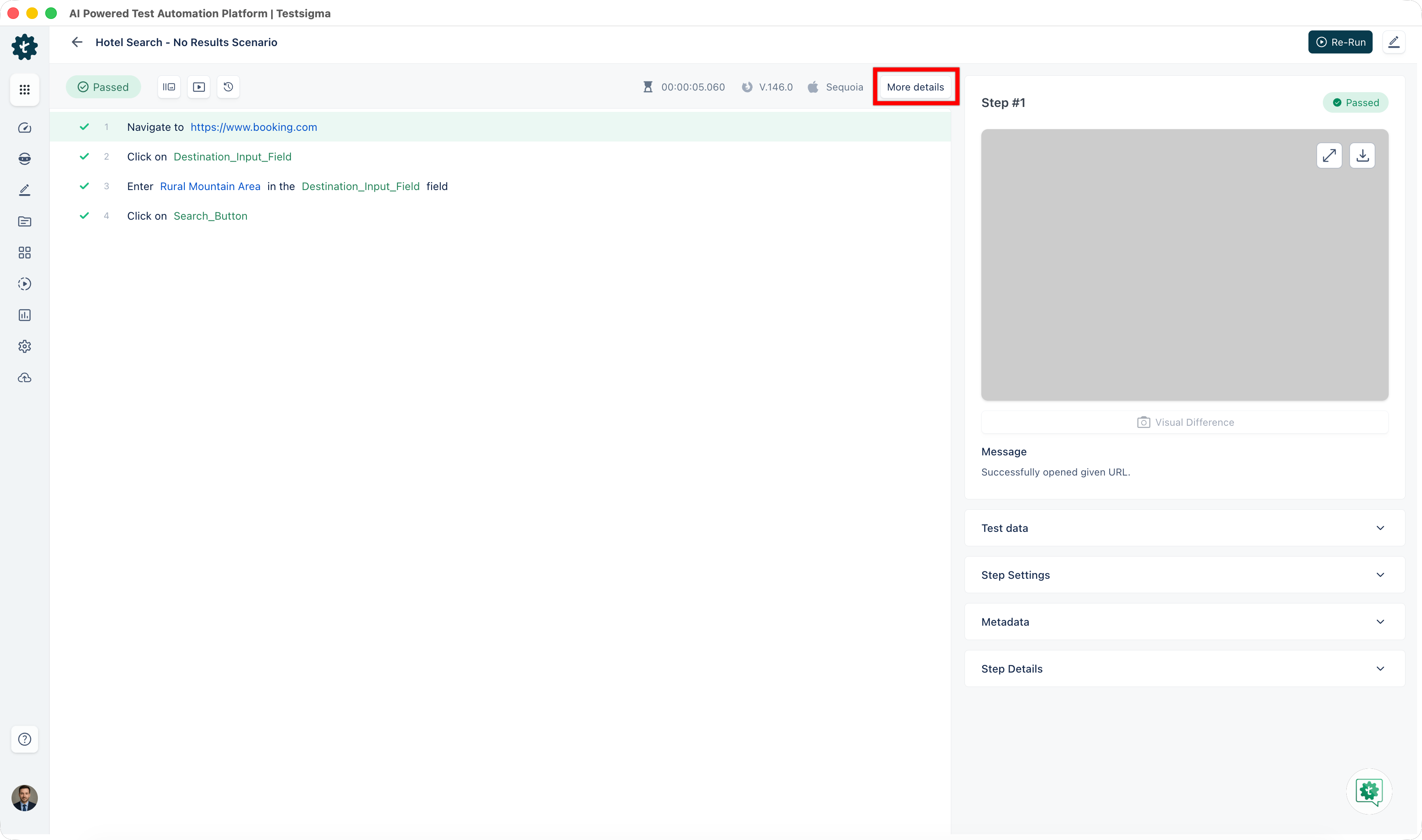
After execution is complete, go to the results page and click More Details.
-
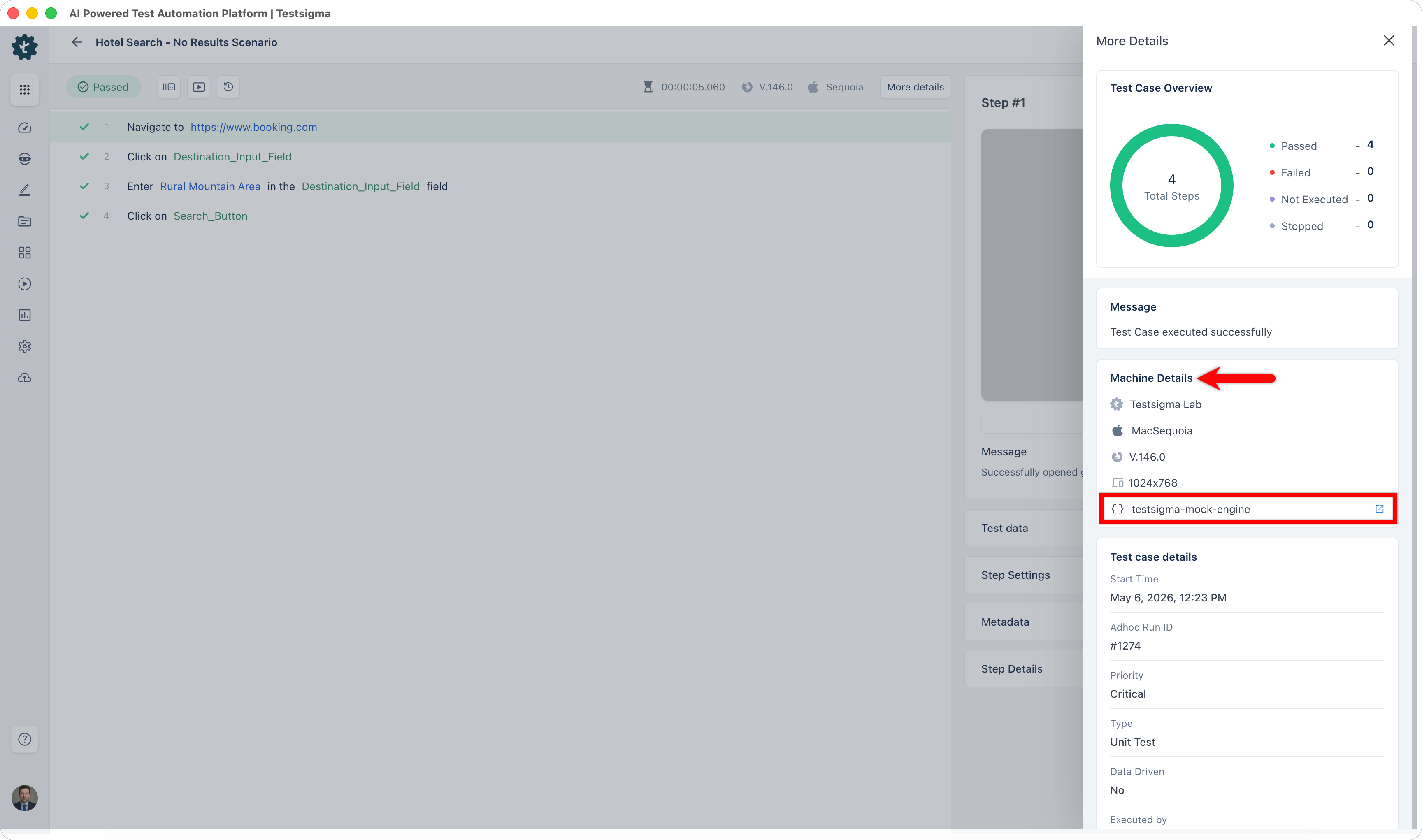
In the More Details overlay, go to Machine Details and select the mock server used.
-
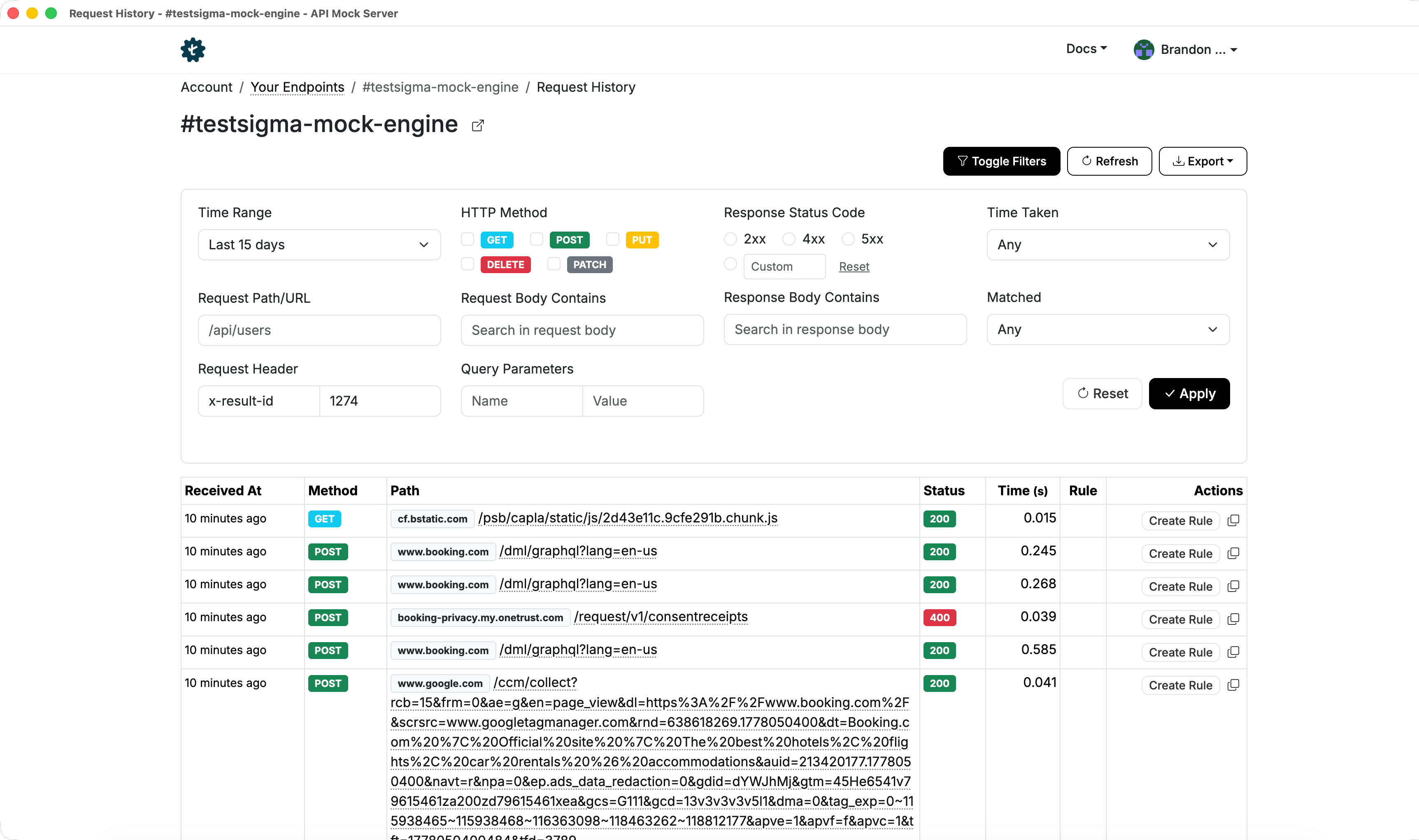
Review the mocked rules in the Mock Server History section.
Configure Mock Server in Test Plans
Section titled “Configure Mock Server in Test Plans”-
From the left navigation bar, go to Test Plans.
-
Open or create a test plan.
-
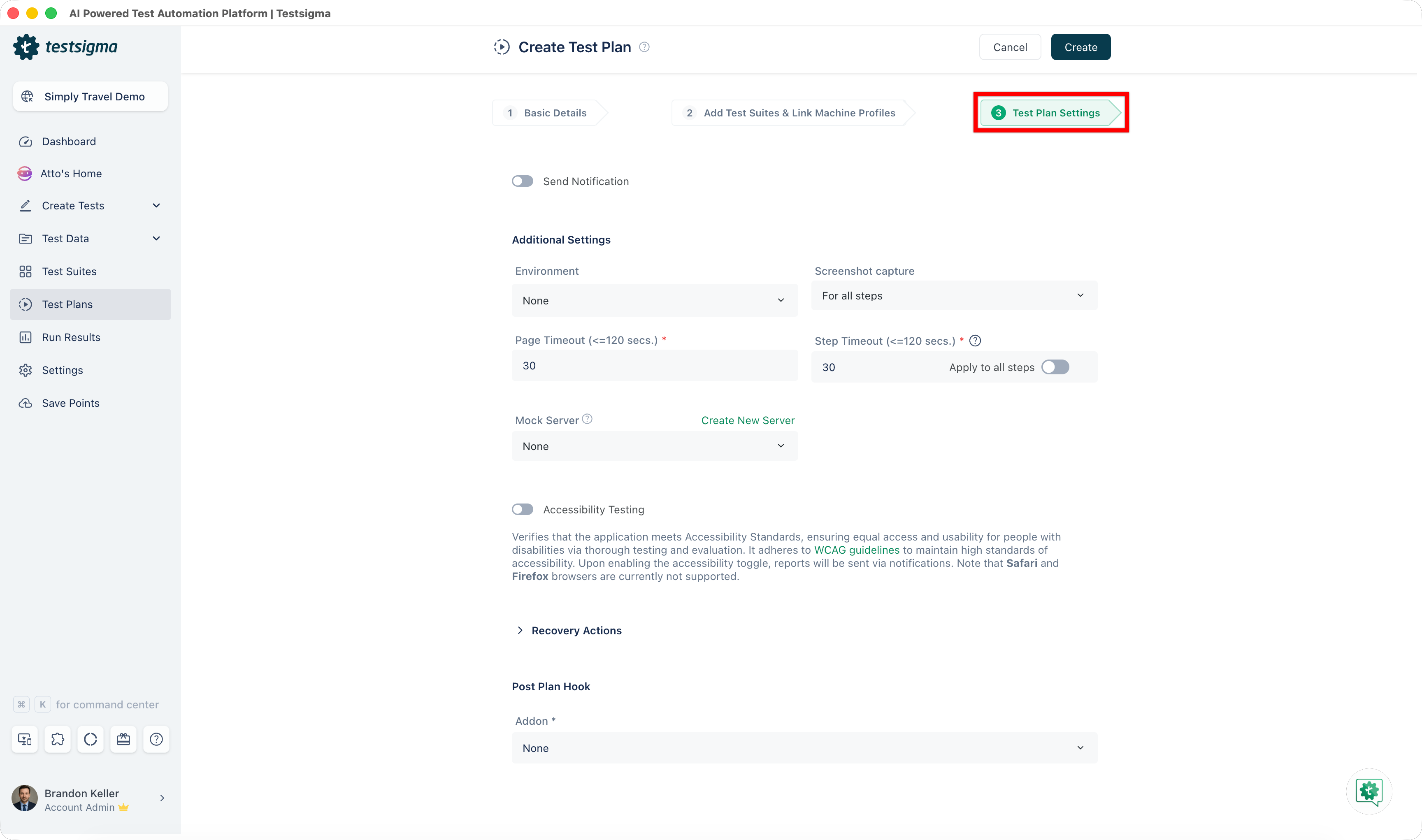
Go to Test Plan Settings.
-
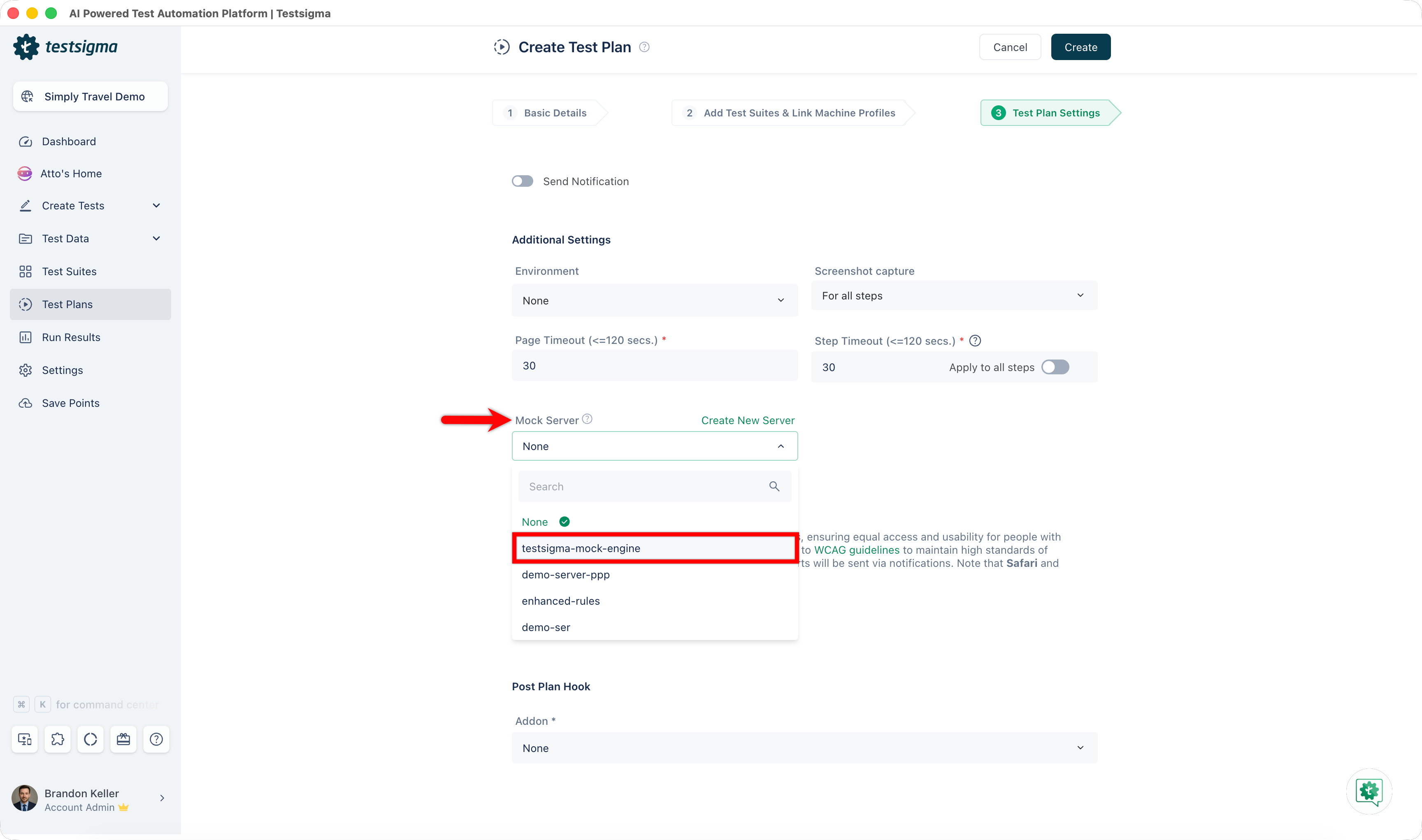
In Additional Settings:
- Select a mock server from the Mock Server dropdown
- Click Update or Create
-
Click Run Now.
-
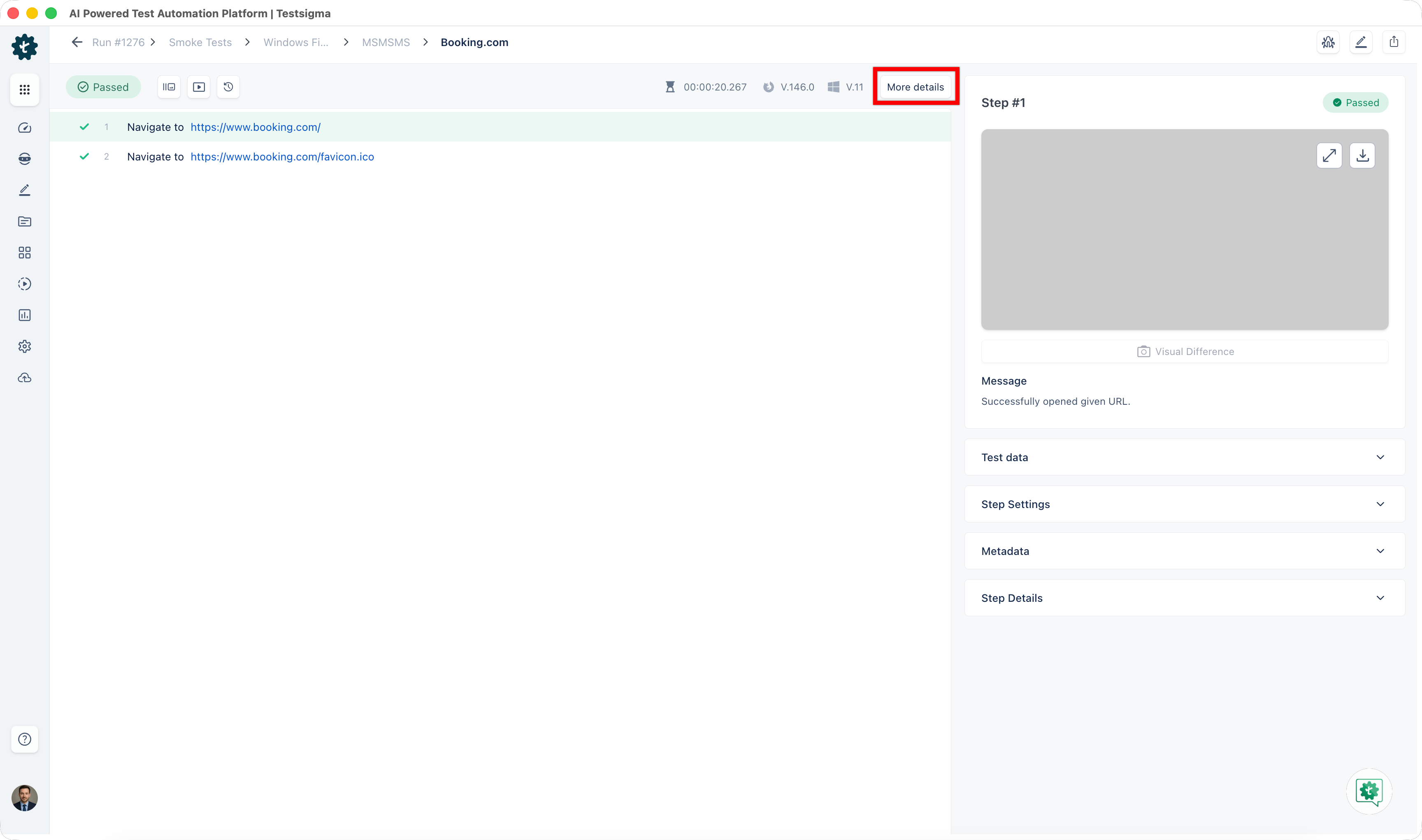
After execution is complete, go to the test case results page and click More Details.
-
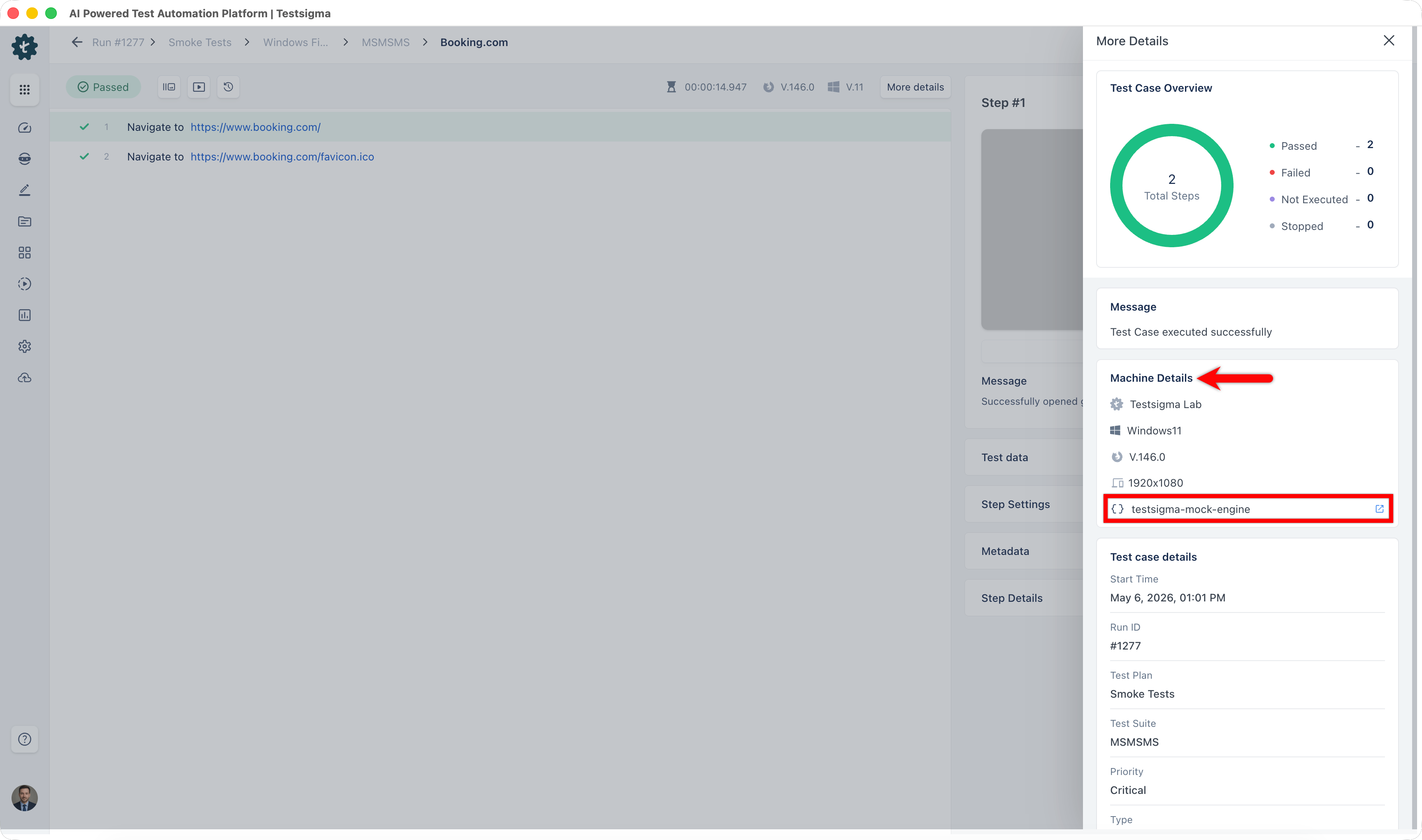
In the More Details overlay, go to Machine Details and select the mock server used.
-
Review the mocked rules in the Mock Server History section.
Add Mock Rules
Section titled “Add Mock Rules”-
After execution, go to the test case results page and click More Details.
-
In the More Details overlay, go to Machine Details and select the mock server used.
-
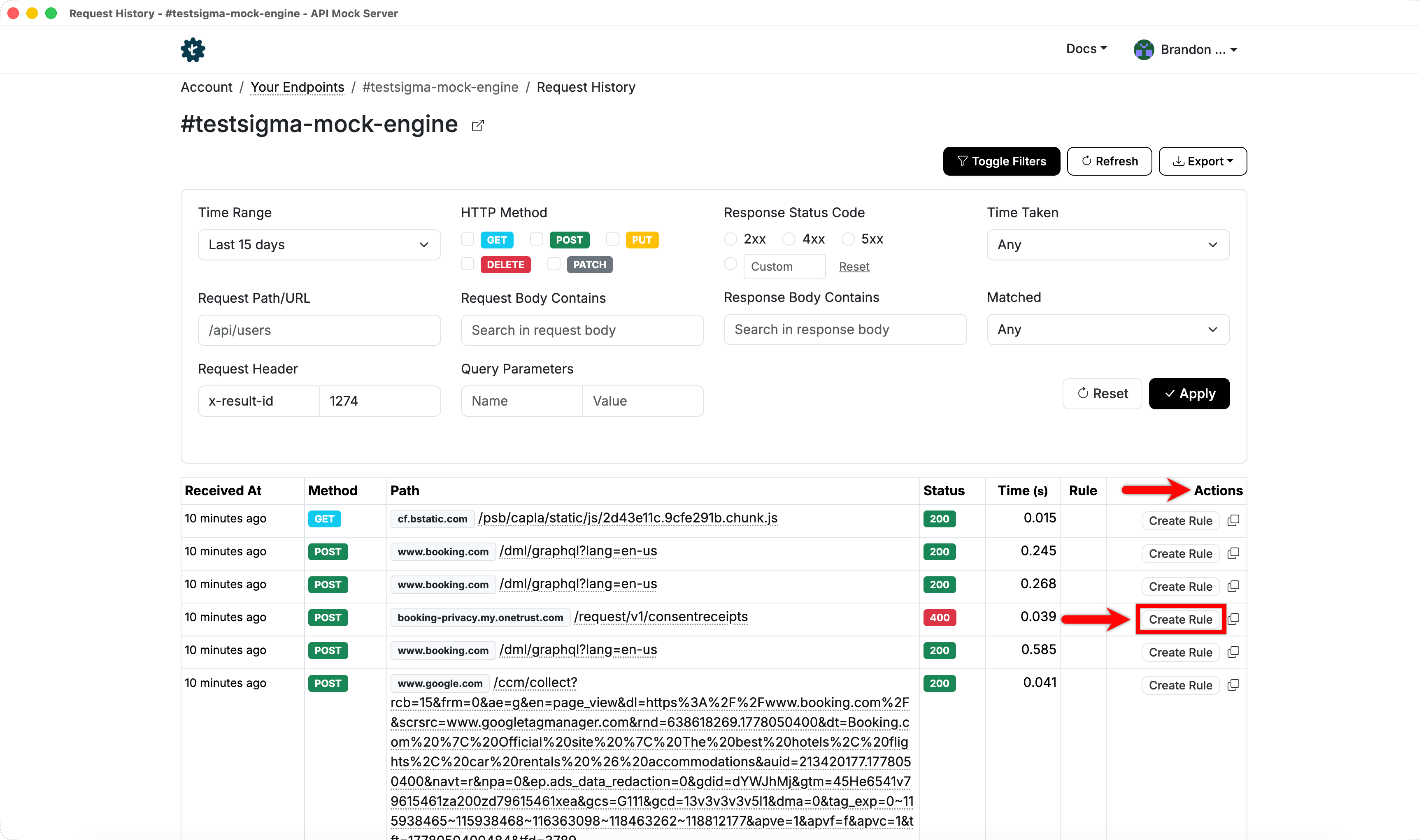
In the API Results table, click Create Rule in the Action column for the API call you want to mock.
-
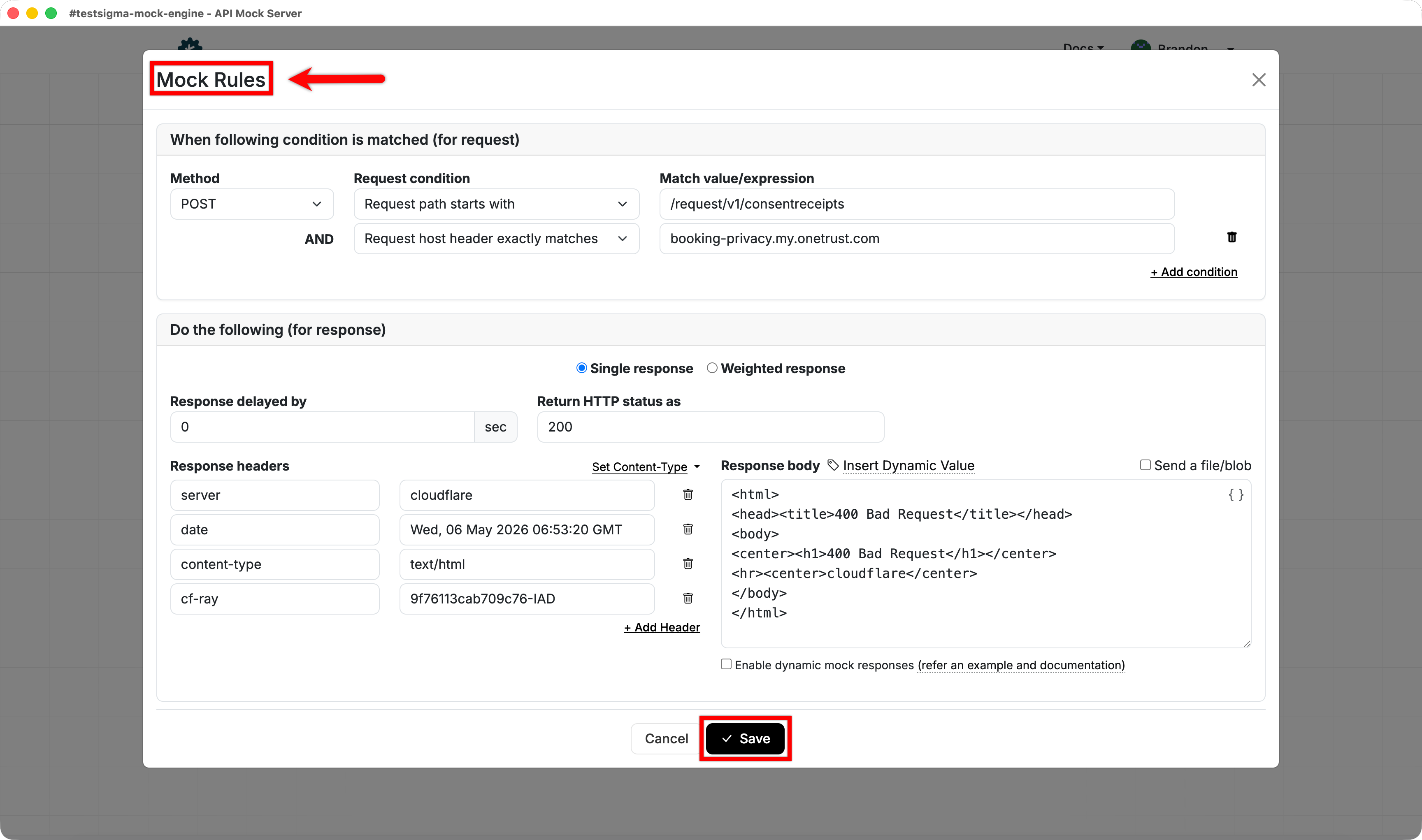
In the Mock Rules dialog, update the rule details and click Save.
-
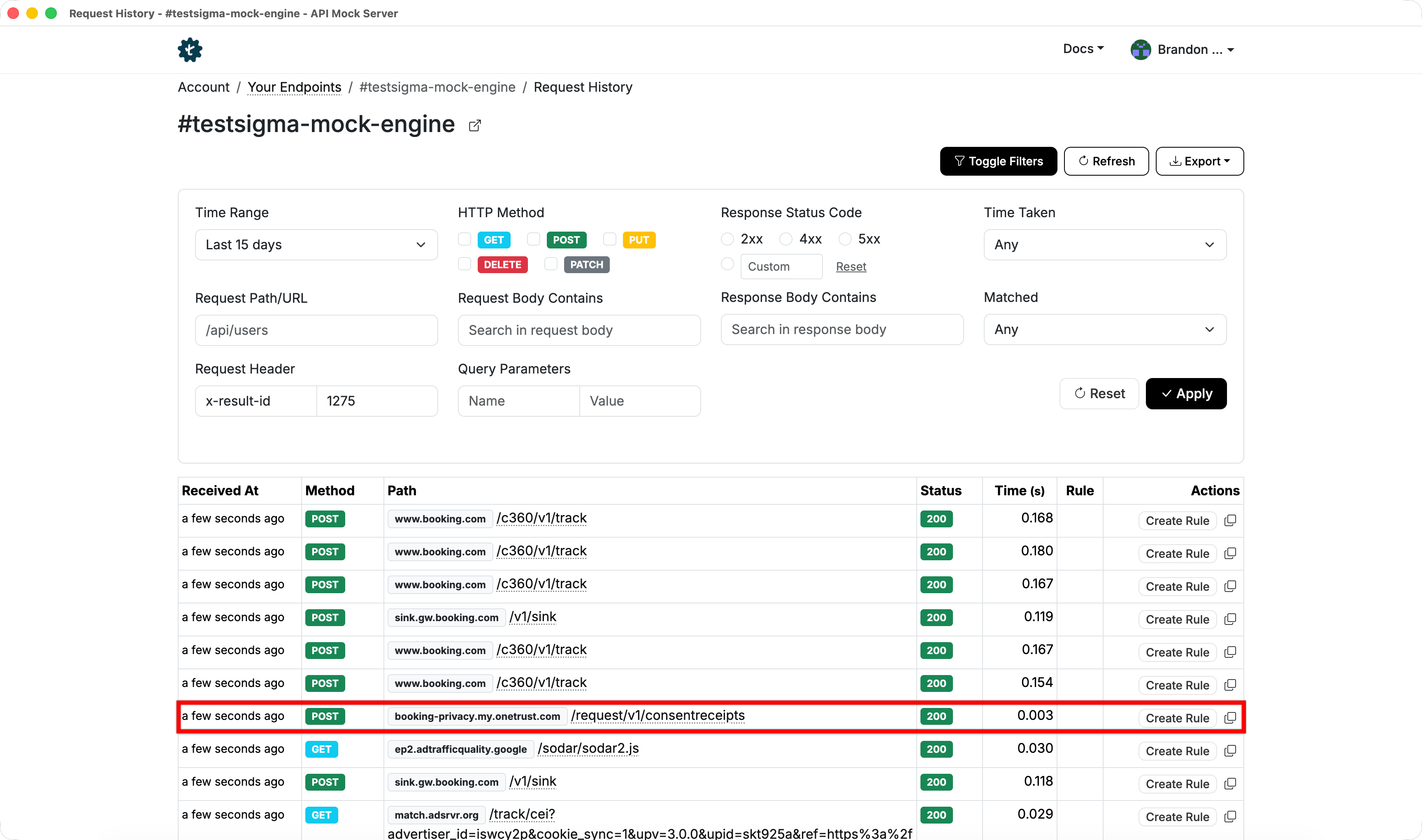
On the next execution, the mock server returns the configured responses for matching API calls.
To learn how to define request matching and configure responses, see Mock Rules and API Routes.