
Test Data
Update Value in Test Data Profile
Prerequisites
Before you begin, ensure that you have reviewed:
Updating Value in TDP Using Test Case
Section titled “Updating Value in TDP Using Test Case”-
From the left navigation bar, go to Create Tests > Test Cases and create or open an existing test case.
-
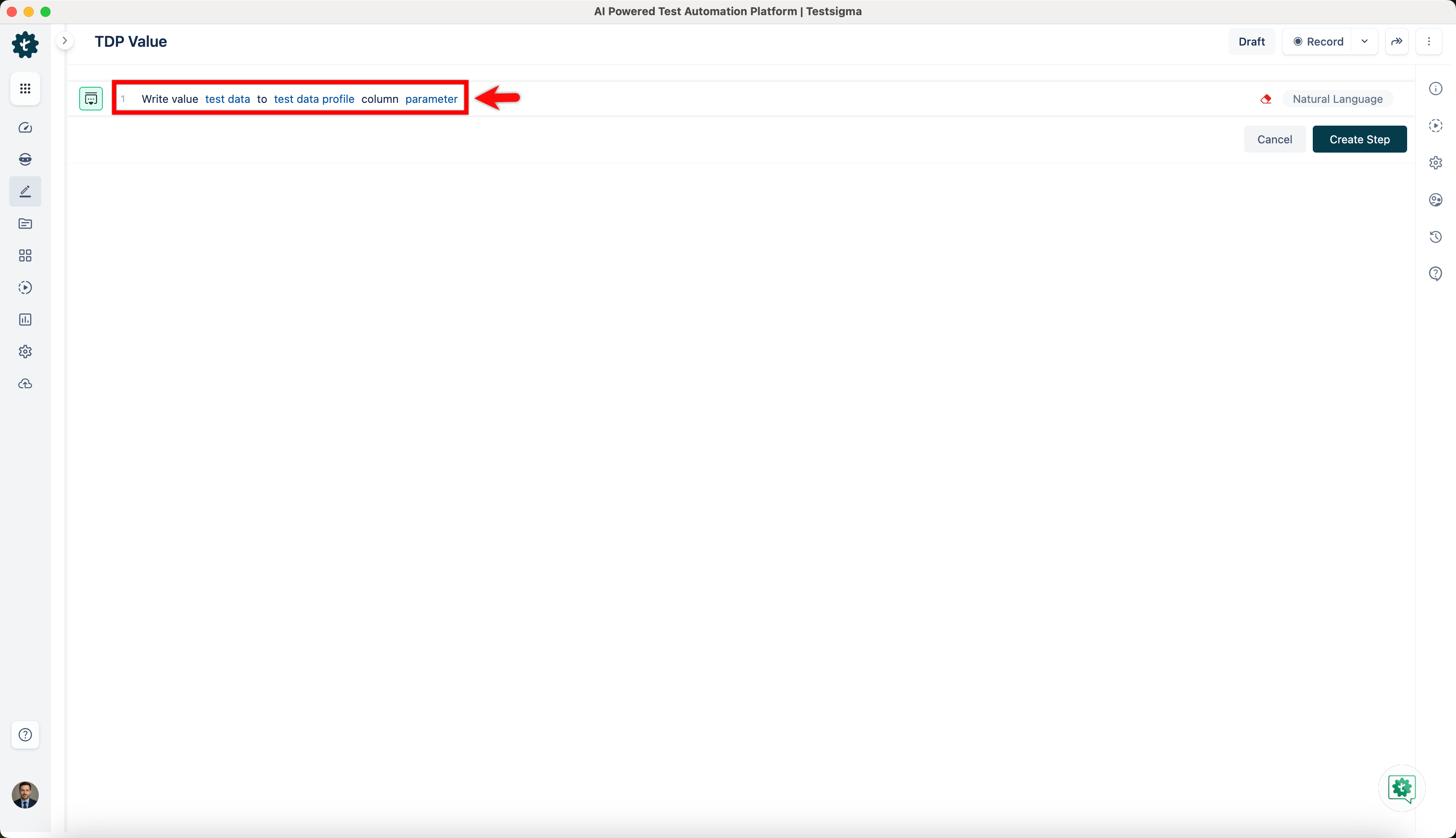
Add a new test step using the NLP for updating a test data profile value.
-
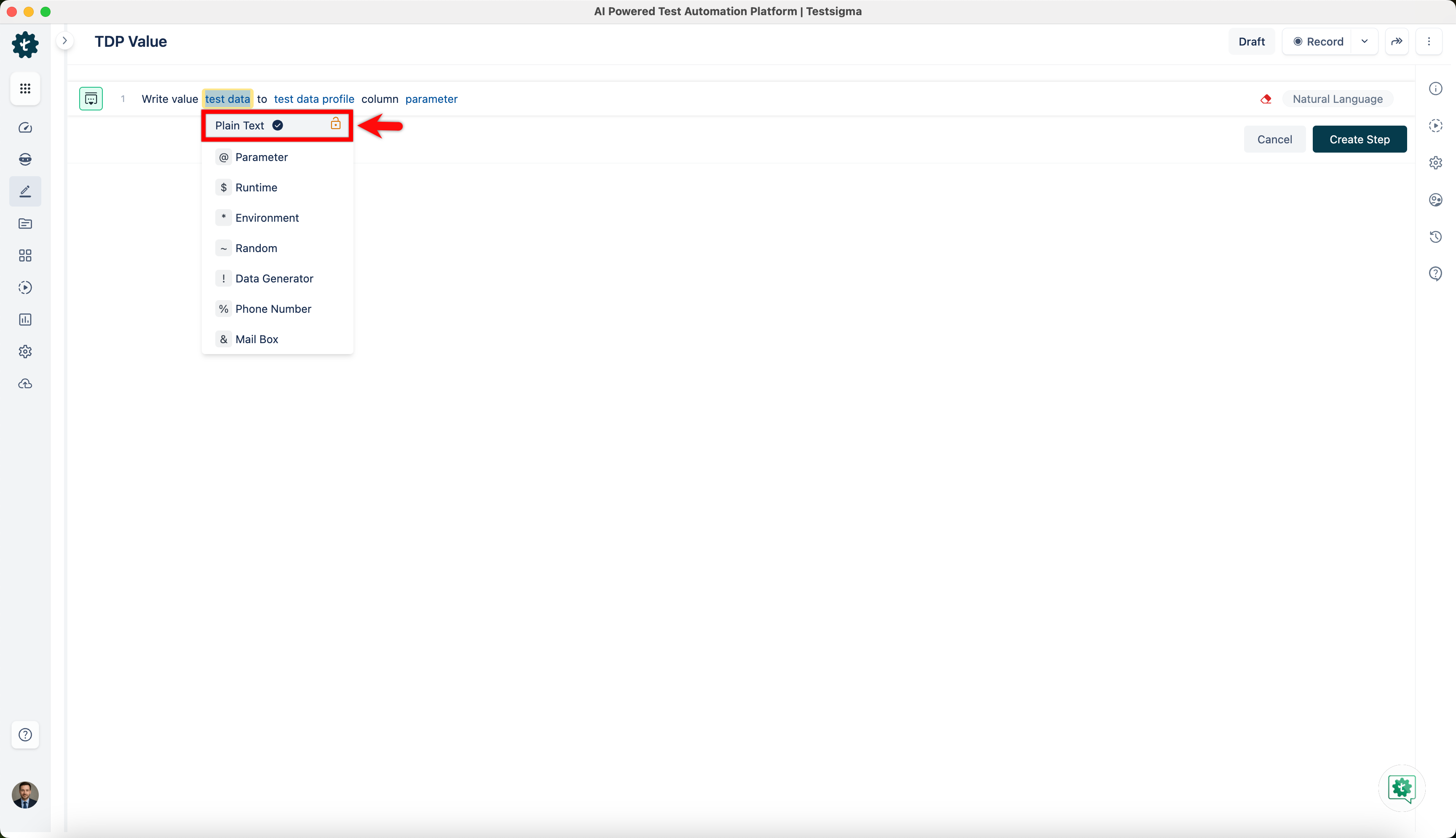
In the NLP step, hover over the test data placeholder and select Plain text from the dropdown. Replace it with the value you want to update.
-
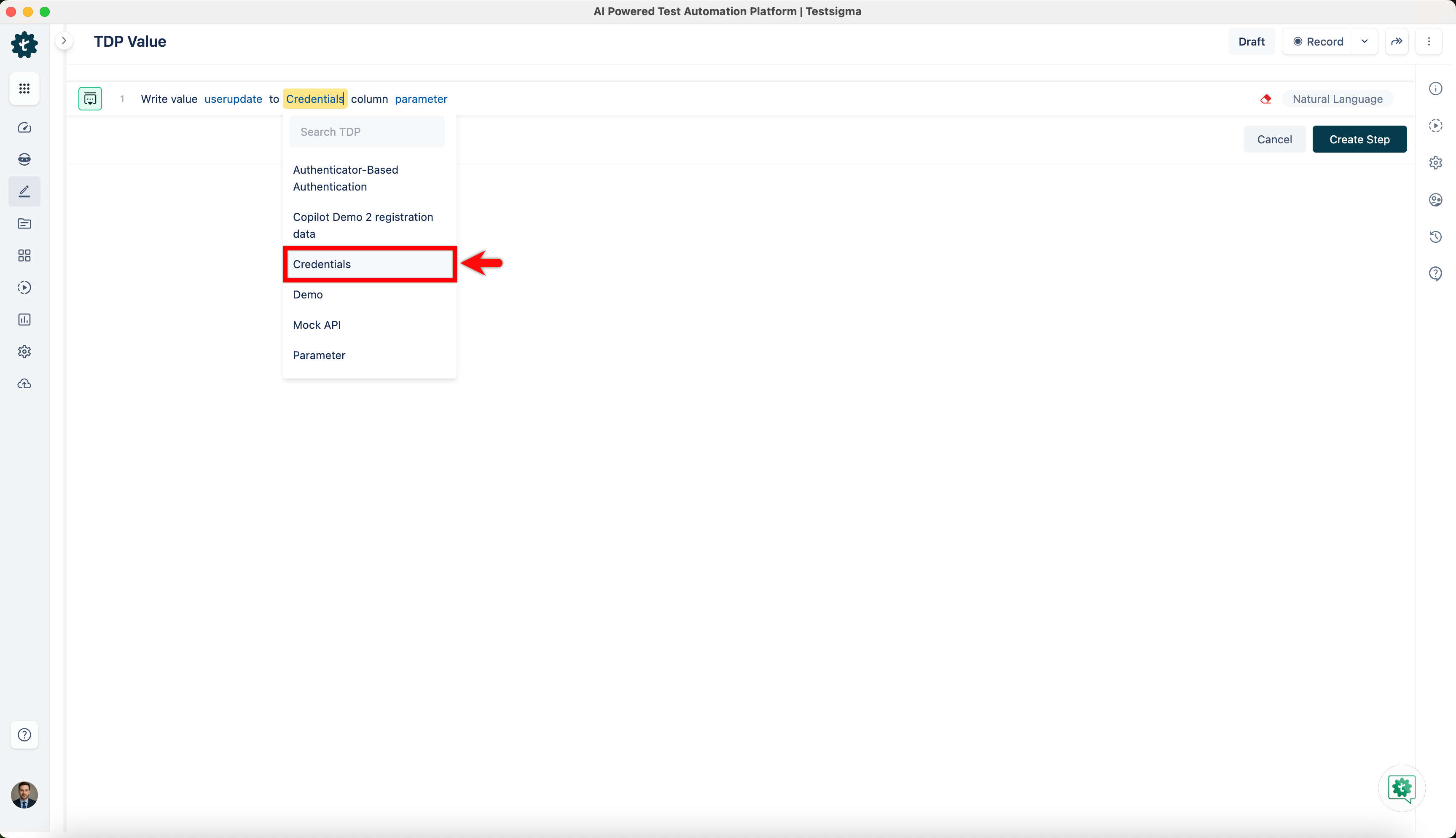
Hover over the test data profile placeholder and select the profile you want to update. Profiles are listed under their respective Feature and Scenario folders.
-
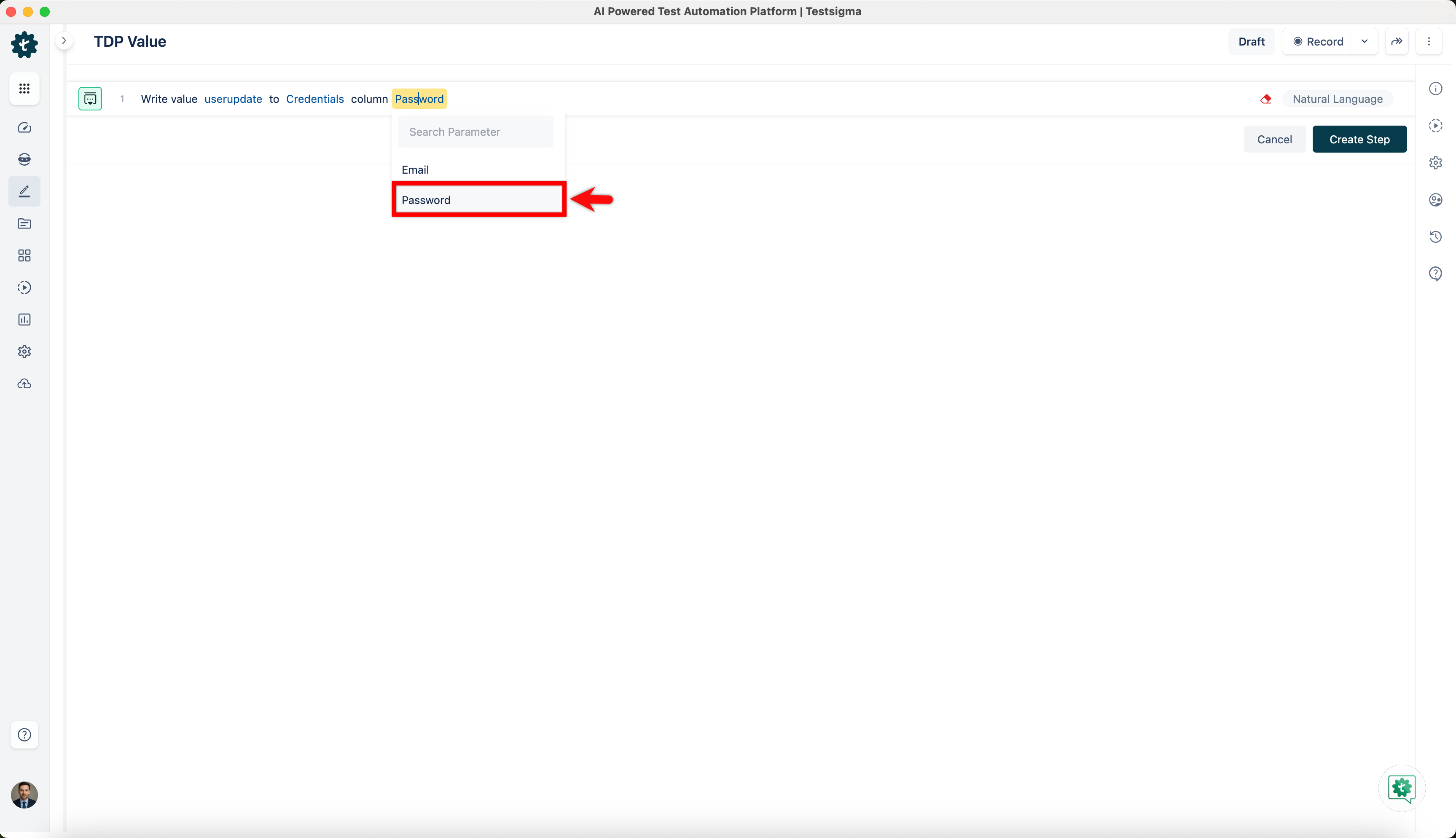
Hover over the parameter placeholder and select the column in the profile you want to update.
-
Select Run to execute the test case.
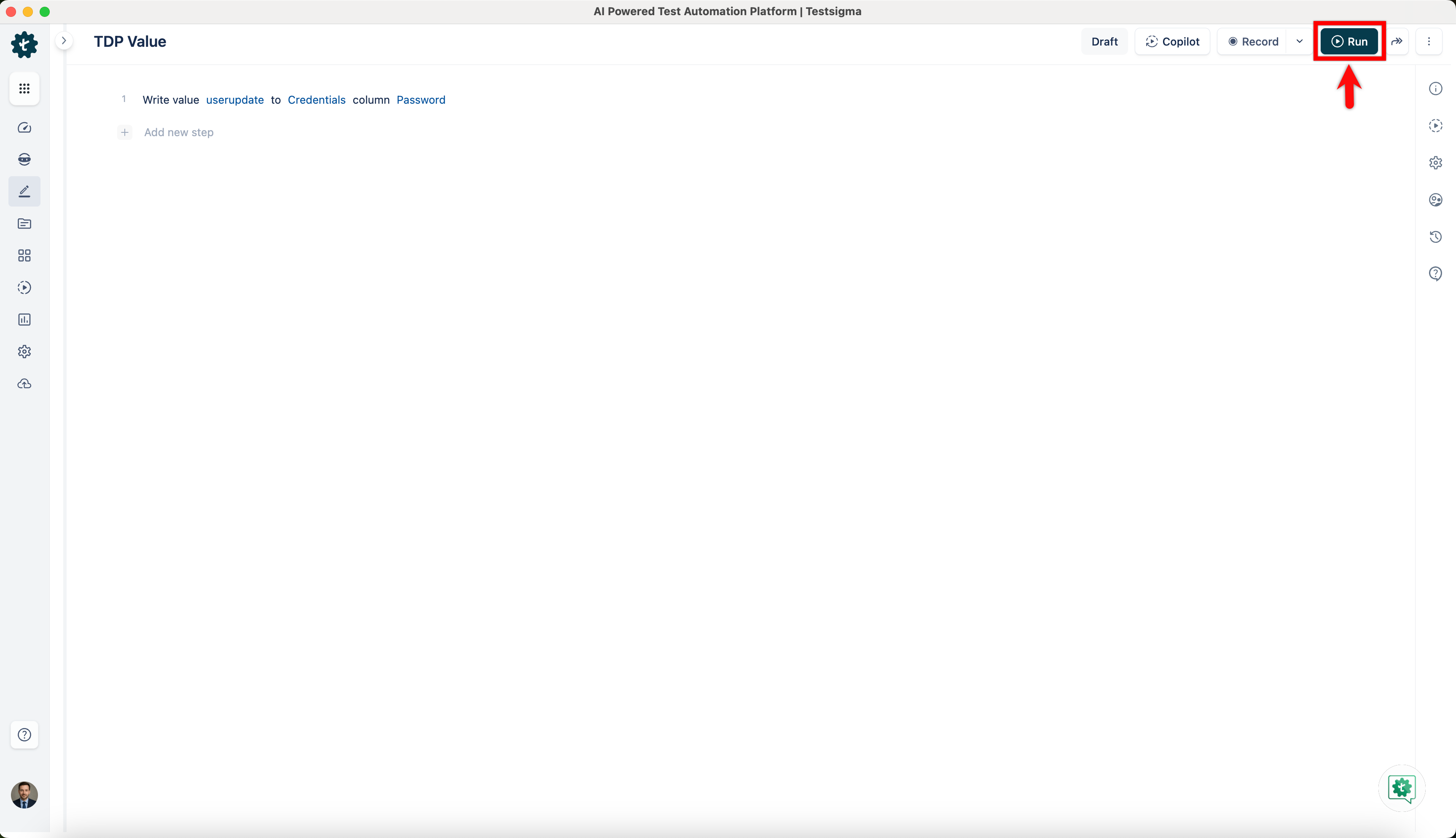
On successful execution, the value is updated in the Test Data Profile.