Test Plans
Email Configuration in Test Plan
Prerequisites
Before you begin, ensure that you have referred to:
Configure email in Test Plan
Section titled “Configure email in Test Plan”- Navigate to Test Plans and create a new test plan or open an existing one.
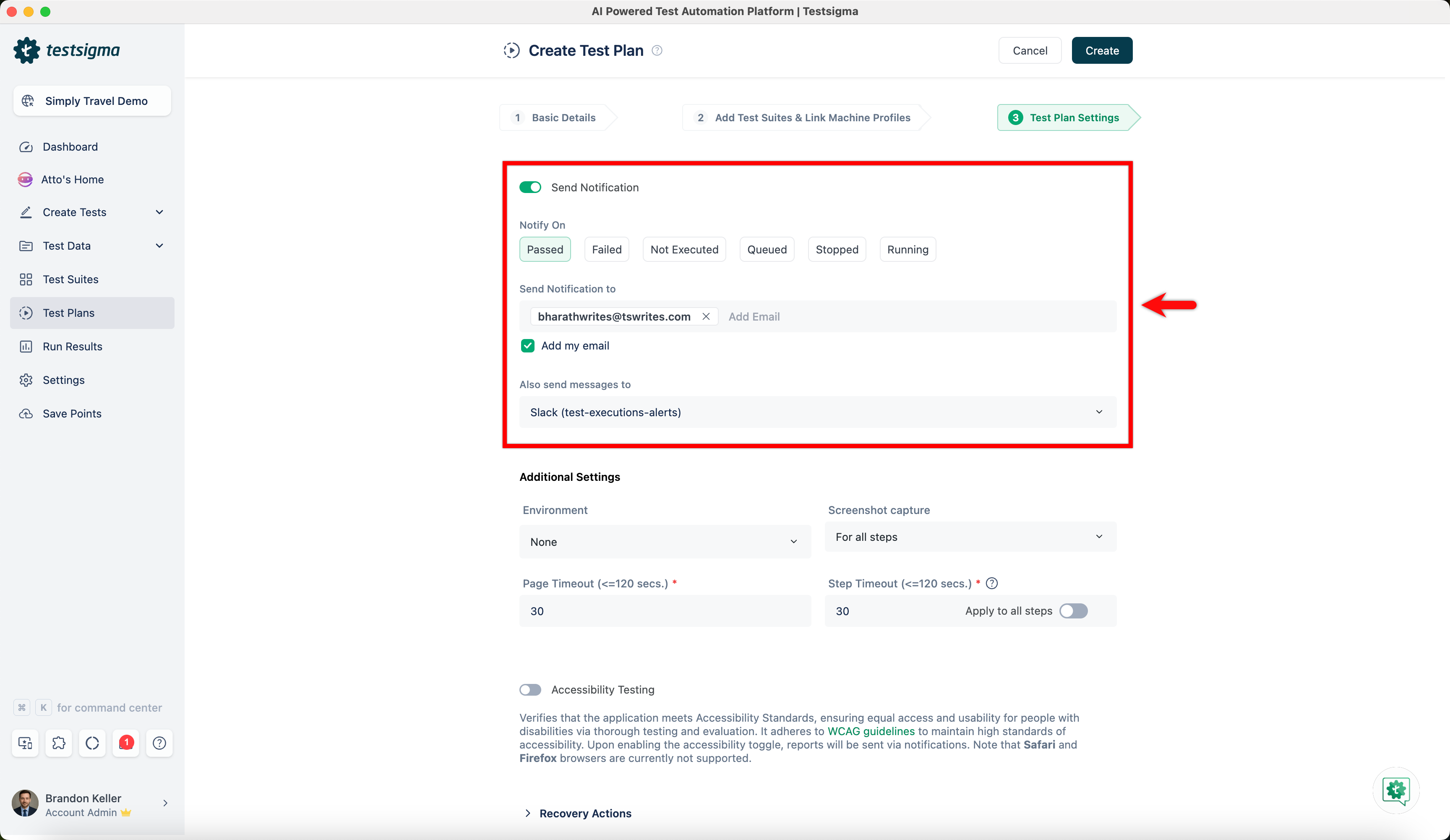
- On the Create or Edit Test Plan page, go to Test Plan Settings tab.
- Enable Send Notifications toggle, select when to Notify On from below:
- Passed
- Failed
- Not Executed
- Queued
- Stopped
- Running
- In the Send Notification to field, enter the email address where you want to receive the notifications.
- If you want to use your Testsigma-registered email address, check the box labeled Add my email.
- If you prefer to receive notifications via chat, click the drop-down list below Also Send messages to.
- Select the chat channels where you want to receive the notifications, such as Google Chat, Slack or Microsoft Teams.
- Once all your preferences are set, click on Create or Update to save the changes.