Test Cases
View the Import Summary
Prerequisites
- Ensure you have imported artefacts from the current project to the destination project.
Steps to View the Import Summary
Section titled “Steps to View the Import Summary”-
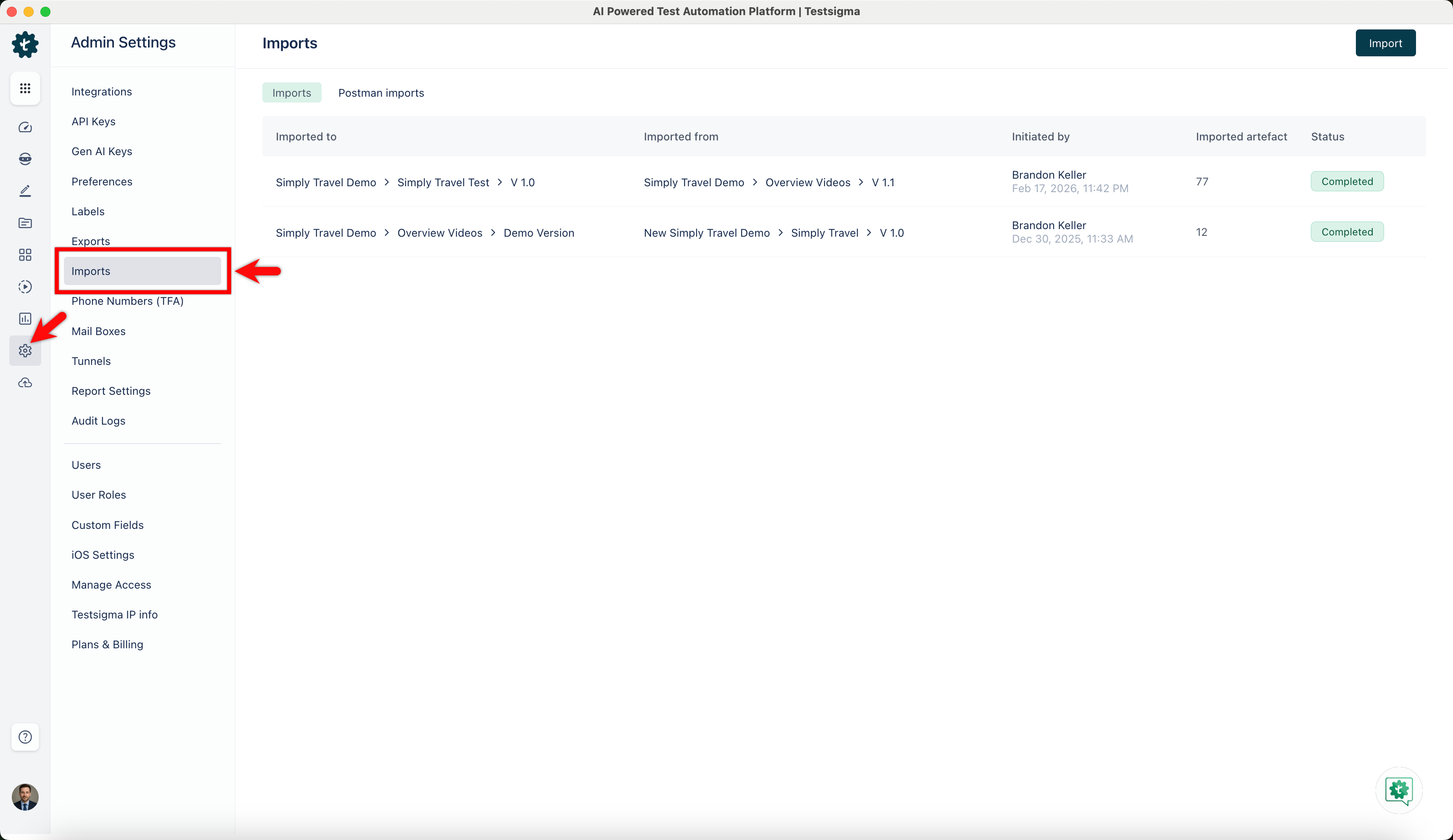
From the left navigation bar, go to Settings > Imports.
-
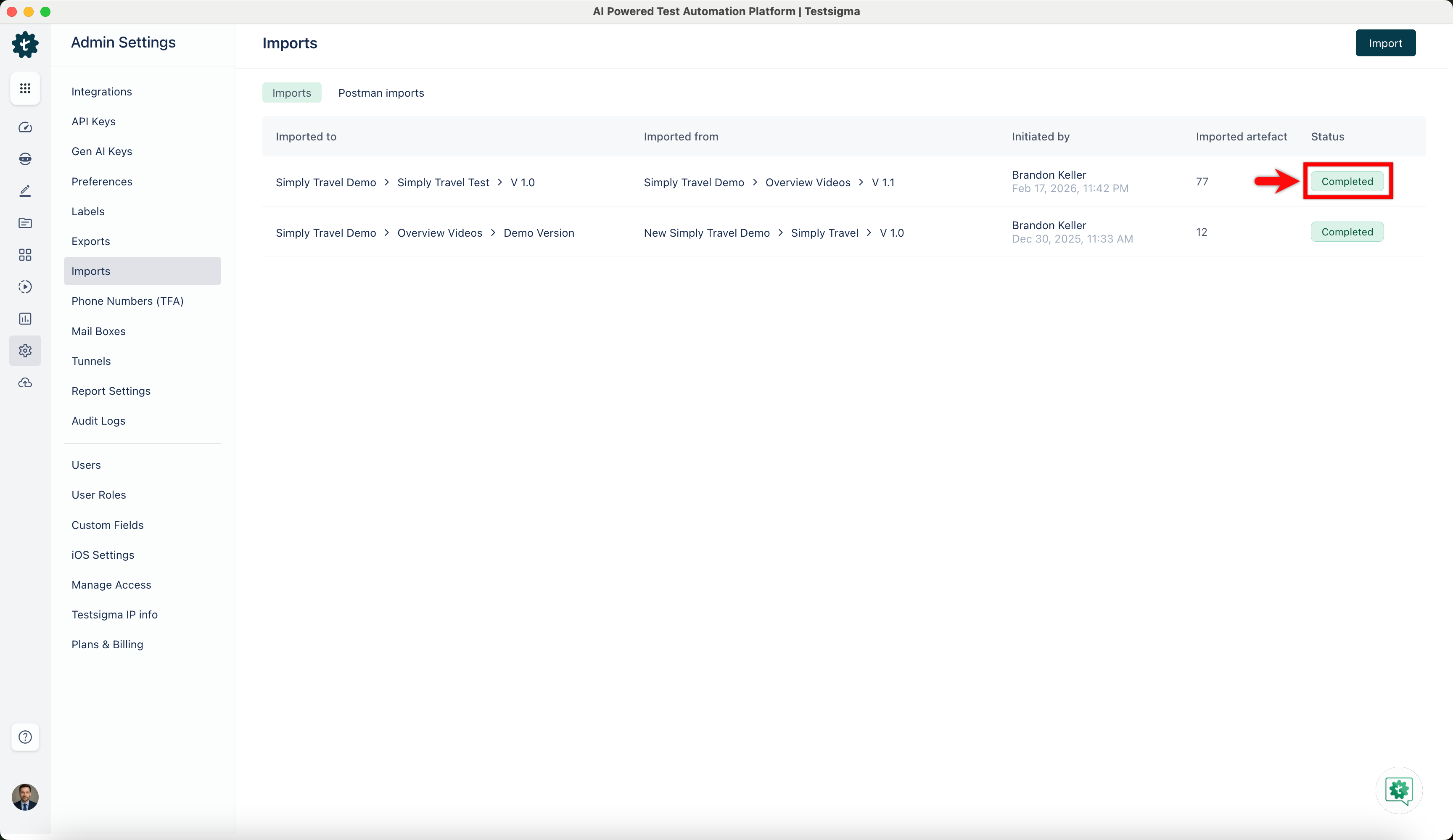
In the Imports page, click the status of the import you want to view.
-
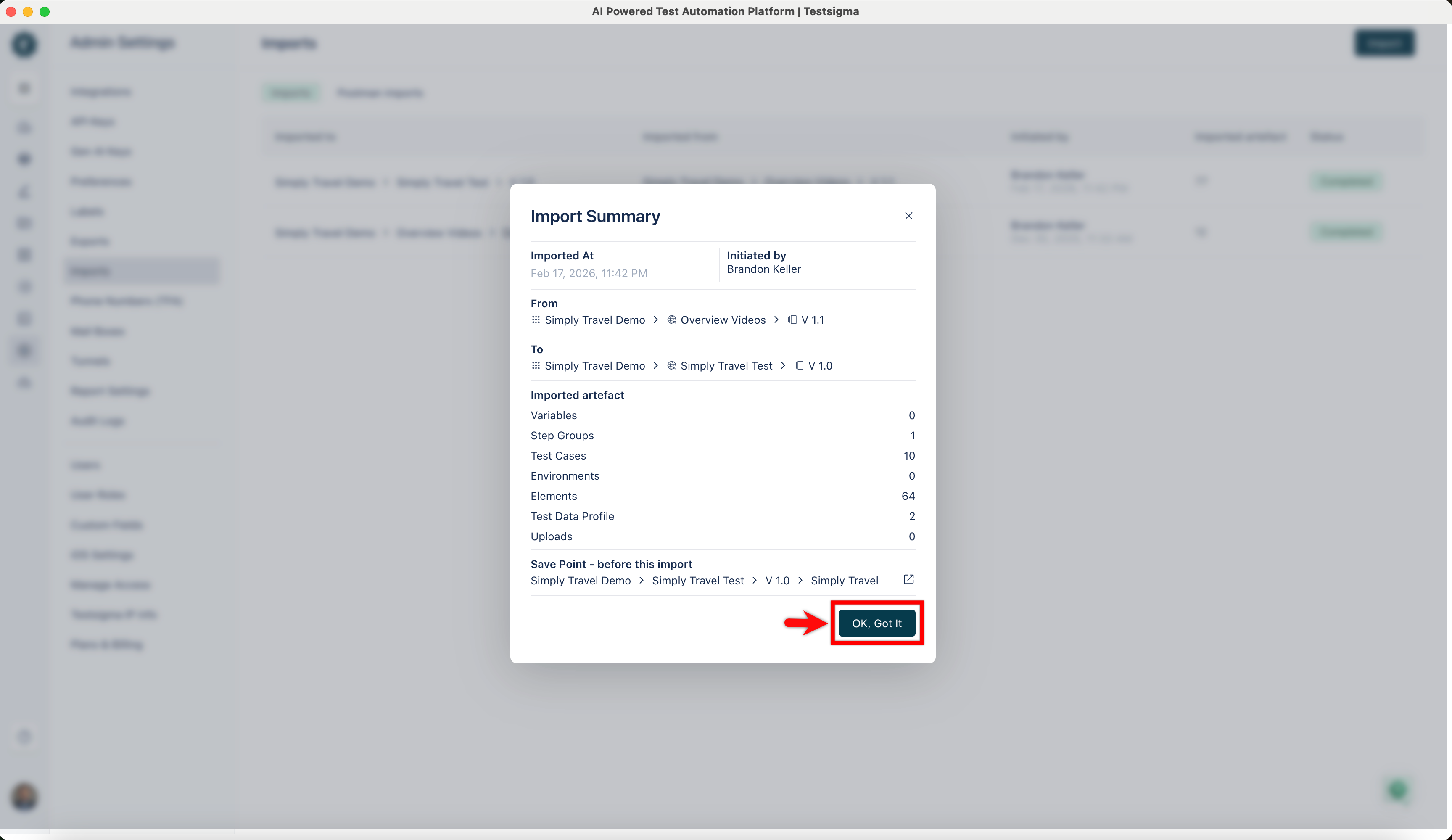
In the Import Summary dialog, verify the details, and click OK, Got it.