Test Data
Test Data - Parameter
How to Use Parameters in a Test Case?
Section titled “How to Use Parameters in a Test Case?”-
Create a Test Data Profile. For more information on creating test data profiles, refer to the documentation on creating test data profiles. Alternatively, you can also import a Test Data Profile.
-
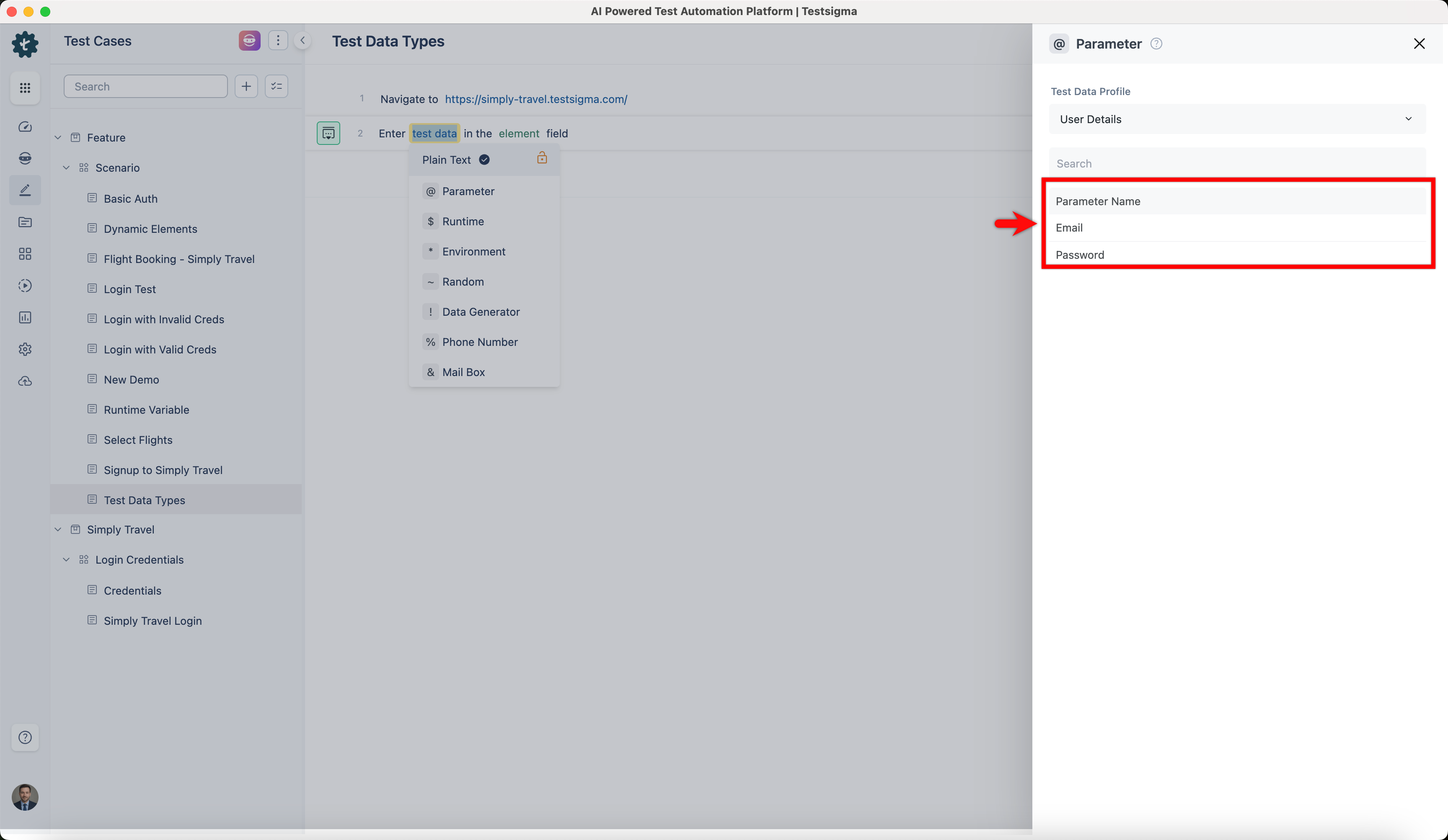
Create a Test Case and associate Test Data Profile from Test Case Settings. For more information on creating test cases, refer to the documentation on creating test case.
-
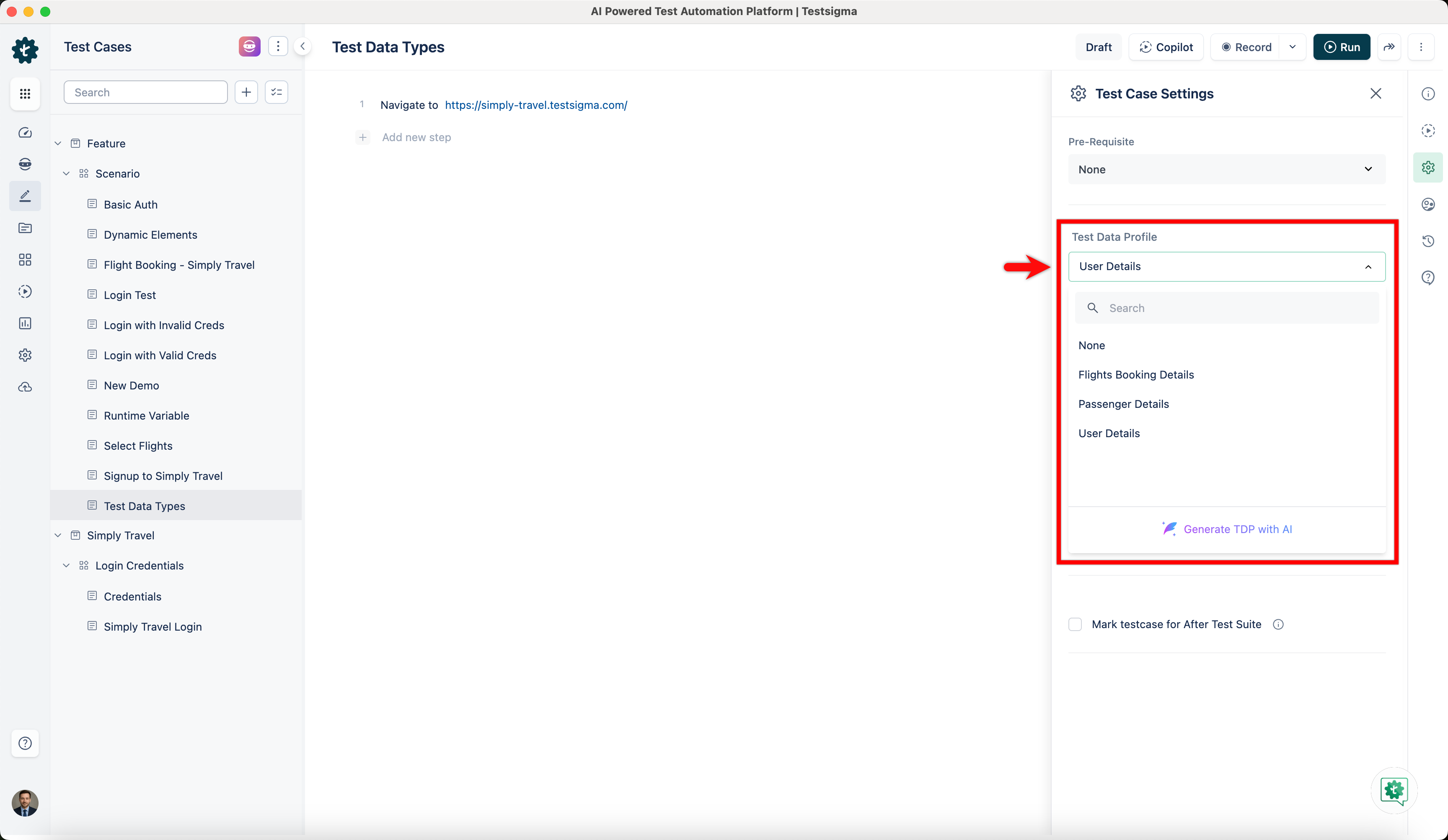
In your test steps, use ‘Enter test data in the element field’ NLP.
-
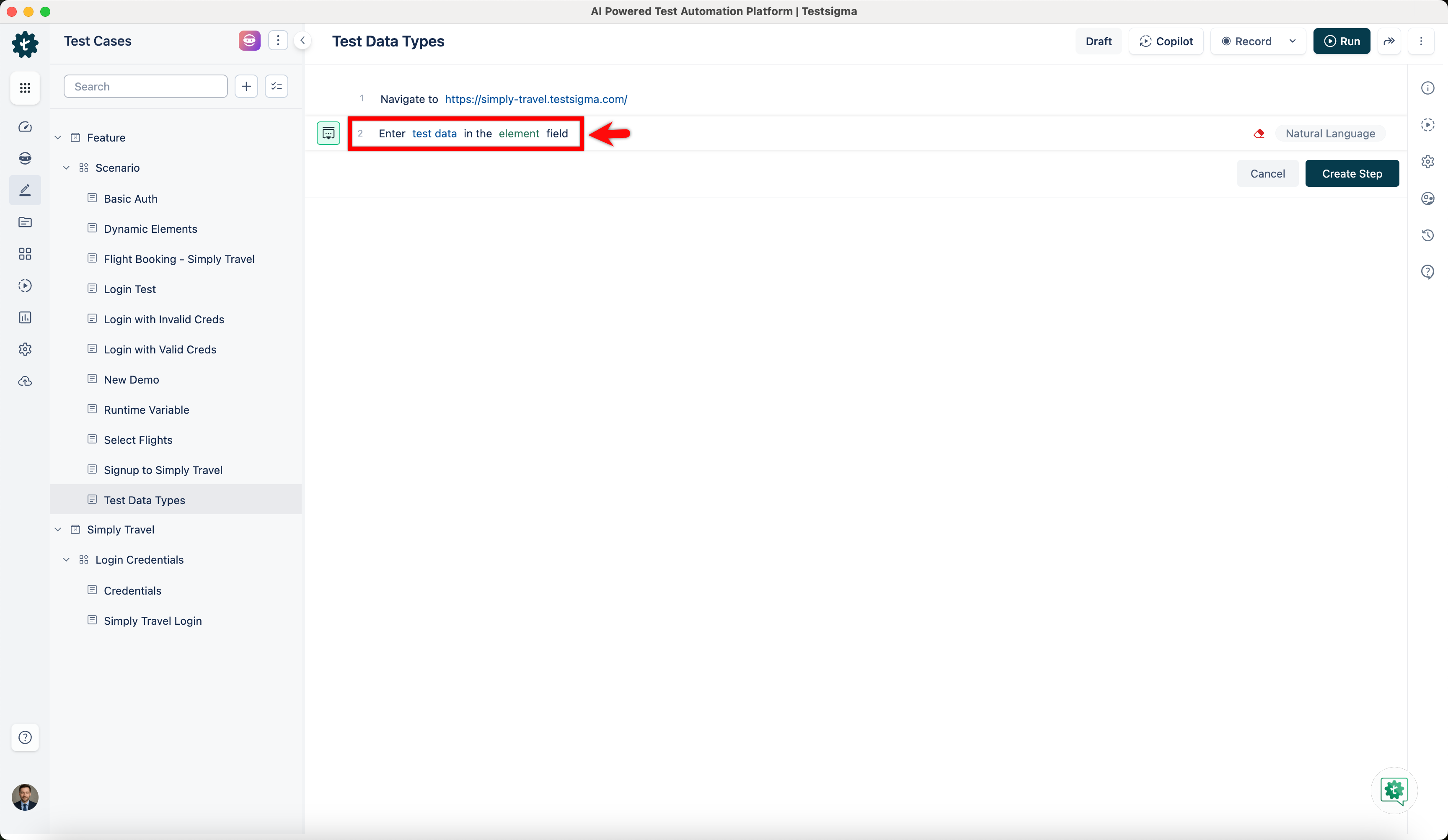
Click on test data and select Parameter from the drop-down.
-
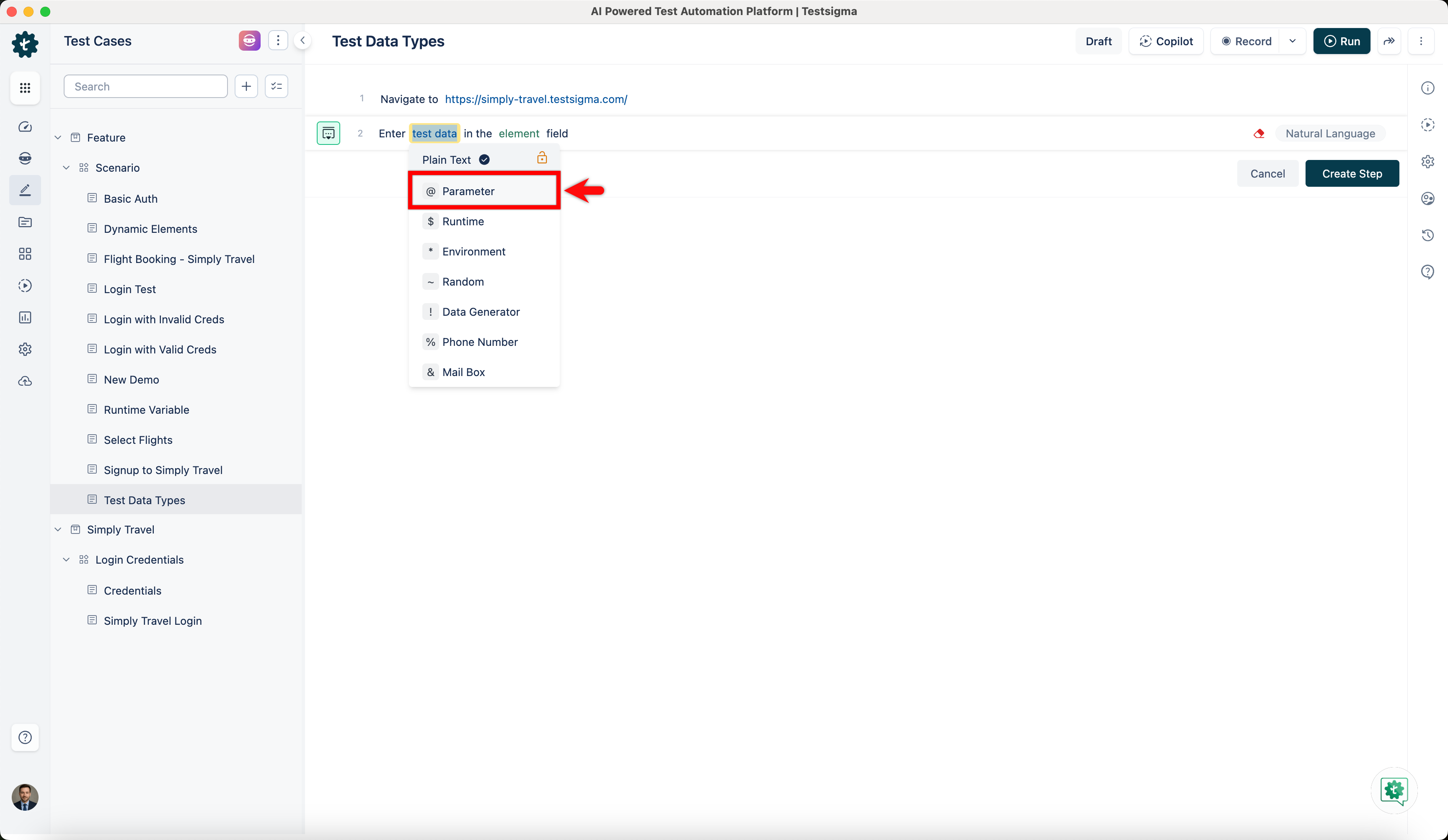
On Parameter overlay, choose the parameter you want to use in your test case.