
Test Cases
Parameters
Send a Query Parameter
Section titled “Send a Query Parameter”Testsigma keeps the request URL and the Parameters tab in sync, so you can add query parameters in whichever way is more convenient. Any change made in one place is automatically reflected in the other.
Method 1: Enter Parameters Directly in the URL
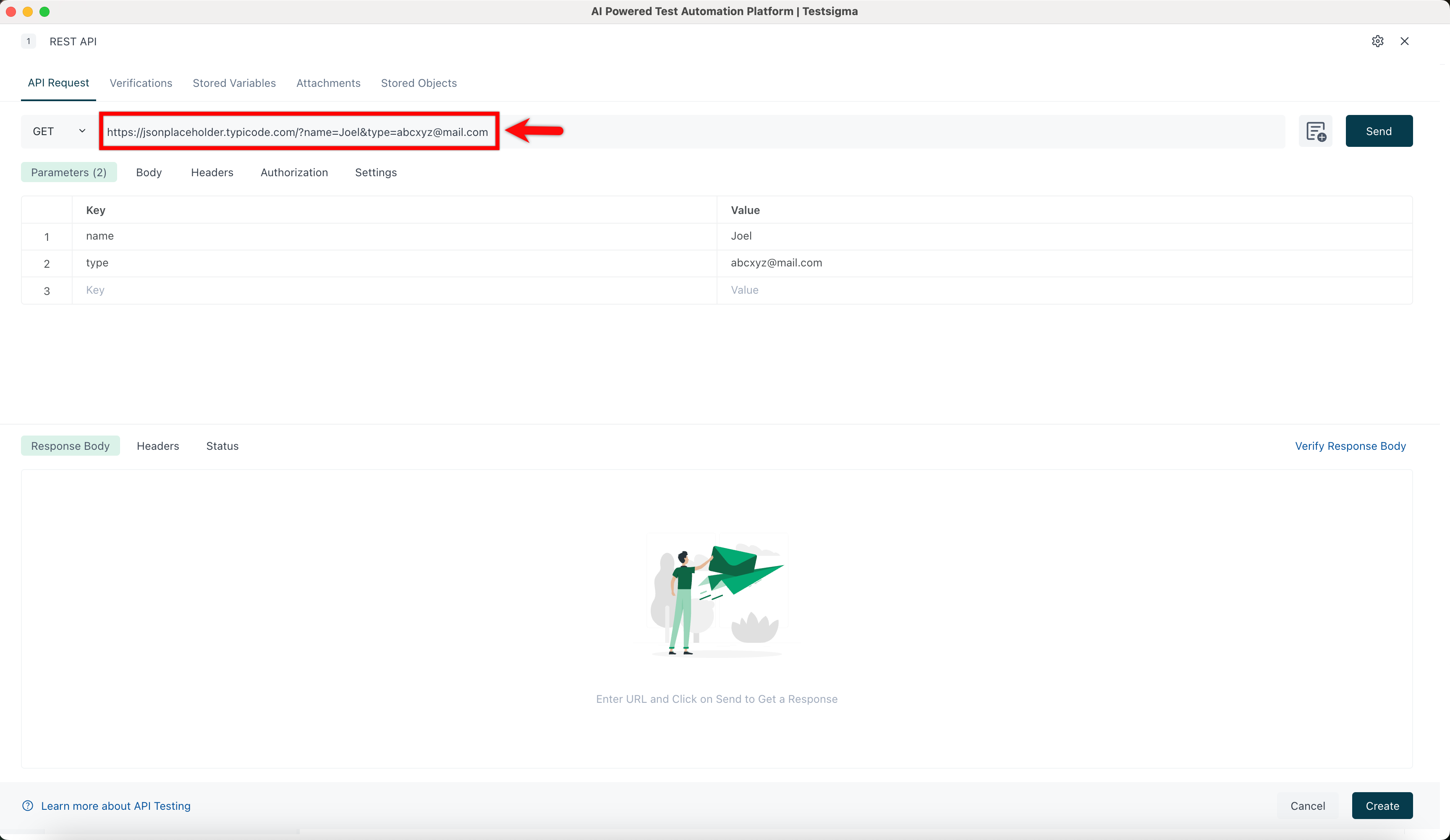
Section titled “Method 1: Enter Parameters Directly in the URL”Type the full parameterized URL into the URL field. For example:
https://jsonplaceholder.typicode.com/?name=Joel&type=abcxyz@mail.com
The Parameters tab will automatically populate with the corresponding key-value pairs (name = Joel, type = abcxyz@mail.com).
Method 2: Enter Parameters in the Parameters Tab
Section titled “Method 2: Enter Parameters in the Parameters Tab”Open the Parameters tab and enter your keys and values manually. The URL field at the top will automatically update to reflect them. For example:
- Entering page = 2 produces
https://jsonplaceholder.typicode.com/?page=2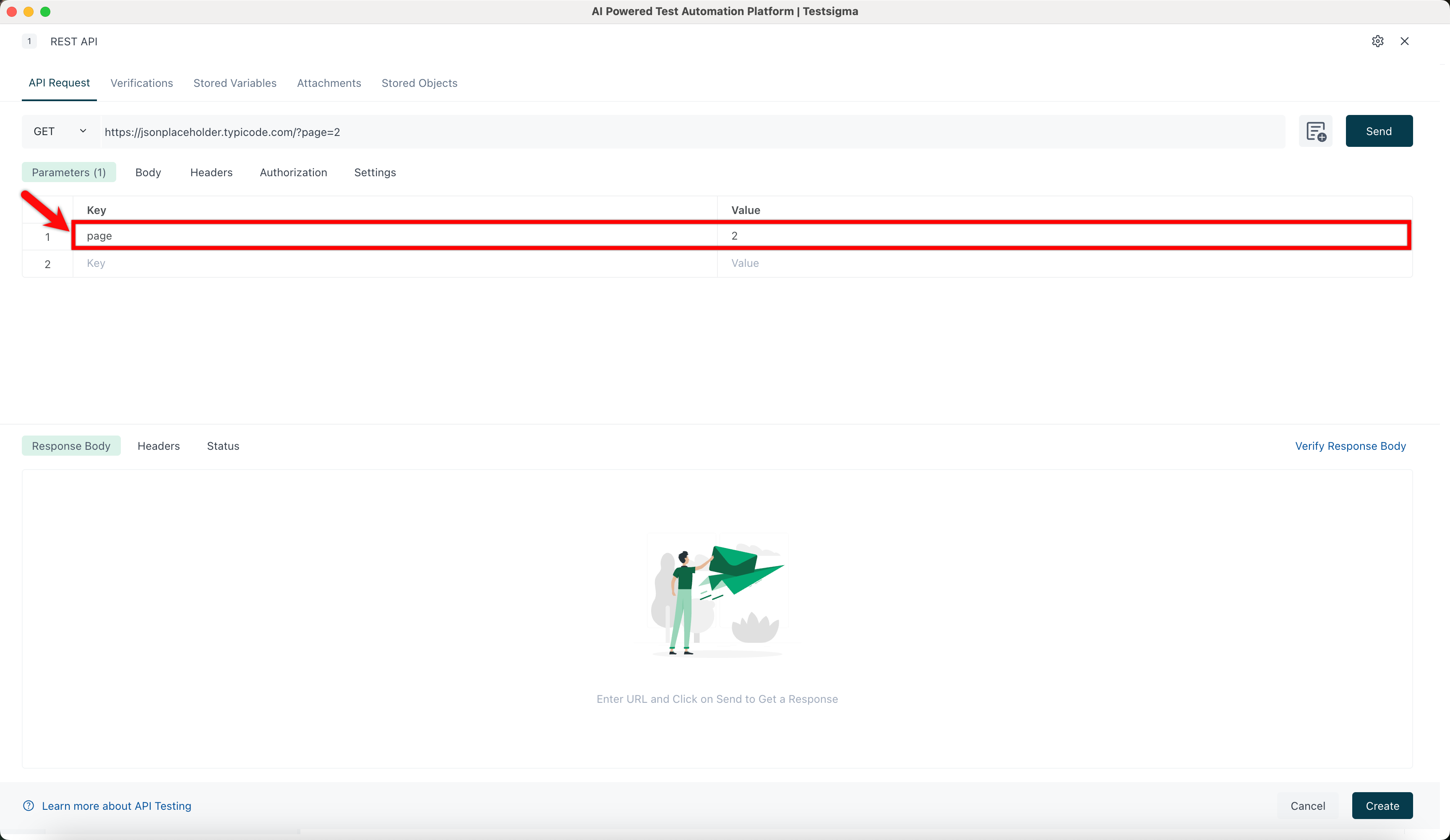
- Entering name = Joel along with type = abcxyz@mail.com produces
https://jsonplaceholder.typicode.com/?name=Joel&type=abcxyz@mail.com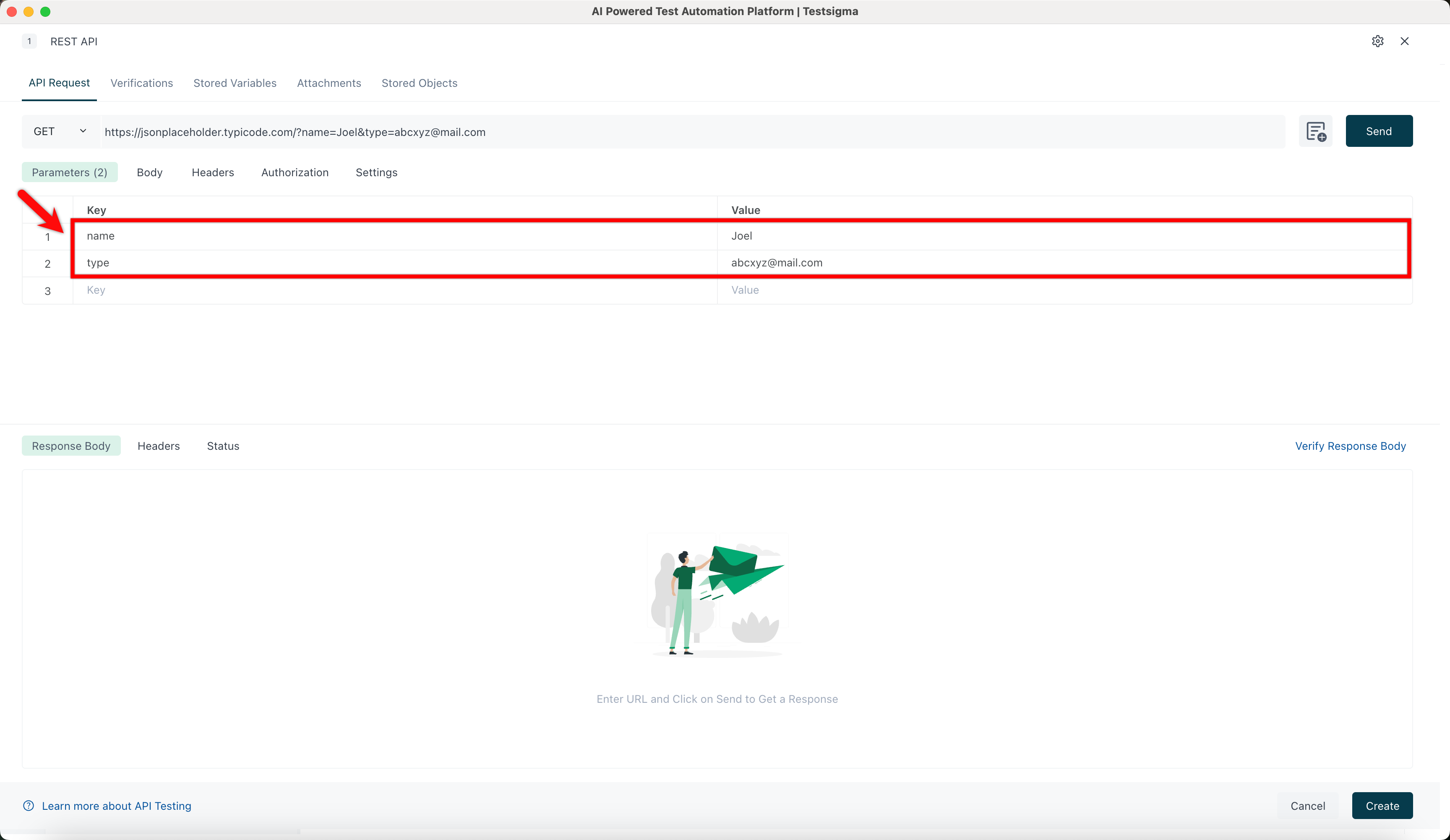
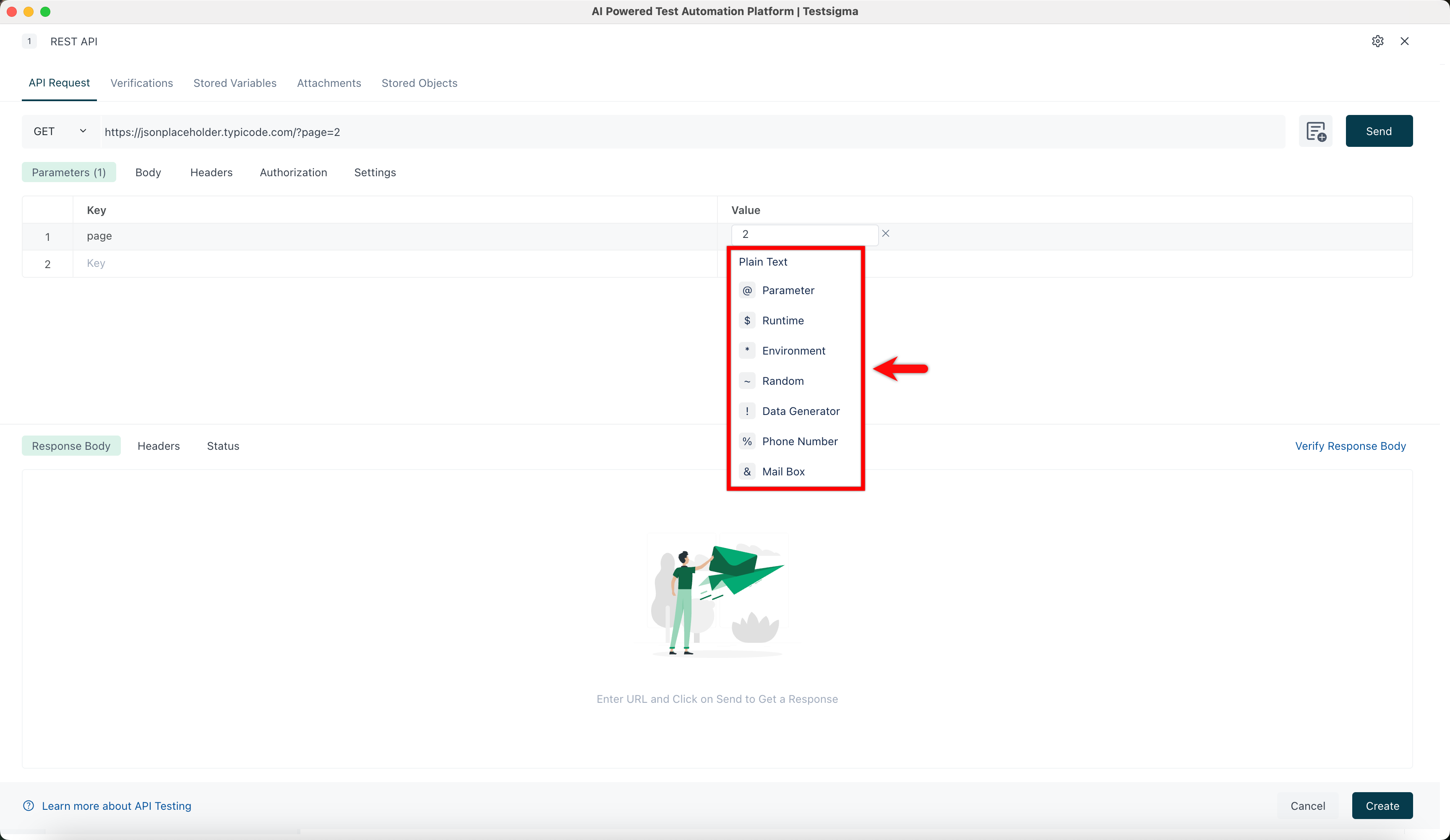
You can also click a Value field to replace it with a test data type such as Parameter, Runtime, Environment, Random, Data Generator, Phone Number, or Mail Box.
Send the Request
Section titled “Send the Request”Once your parameters are set, click Send to fetch the response in real time. You can also configure Body, Headers, and Authorization as needed before sending.