
Test Data
Number Function Type
Prerequisites
Before you begin, ensure that you have referred to:
Selecting Number as a Function Type for Data Generator
Section titled “Selecting Number as a Function Type for Data Generator”-
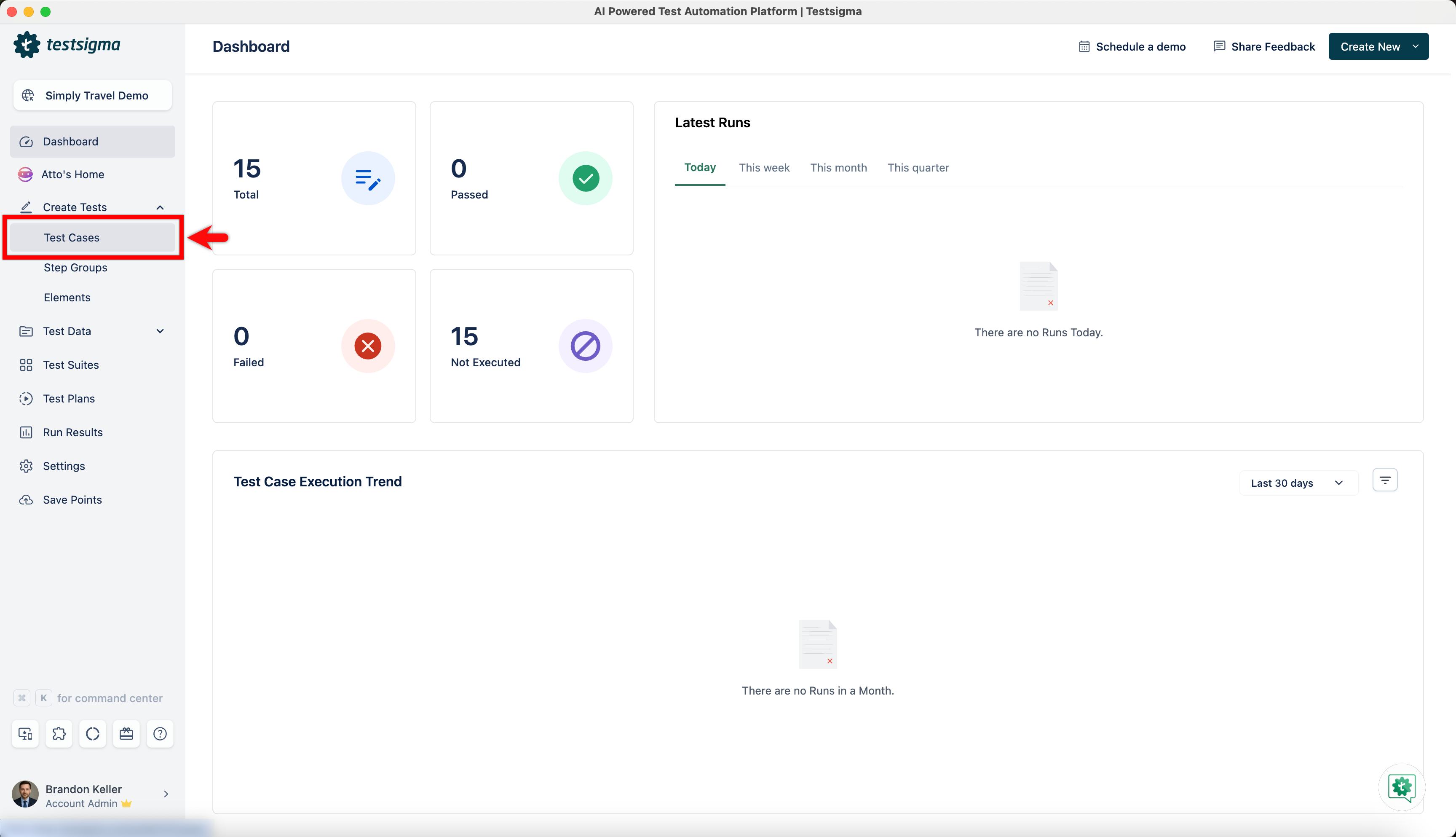
From the left navigation bar, go to Create Tests > Test Cases and create a new test case.
-
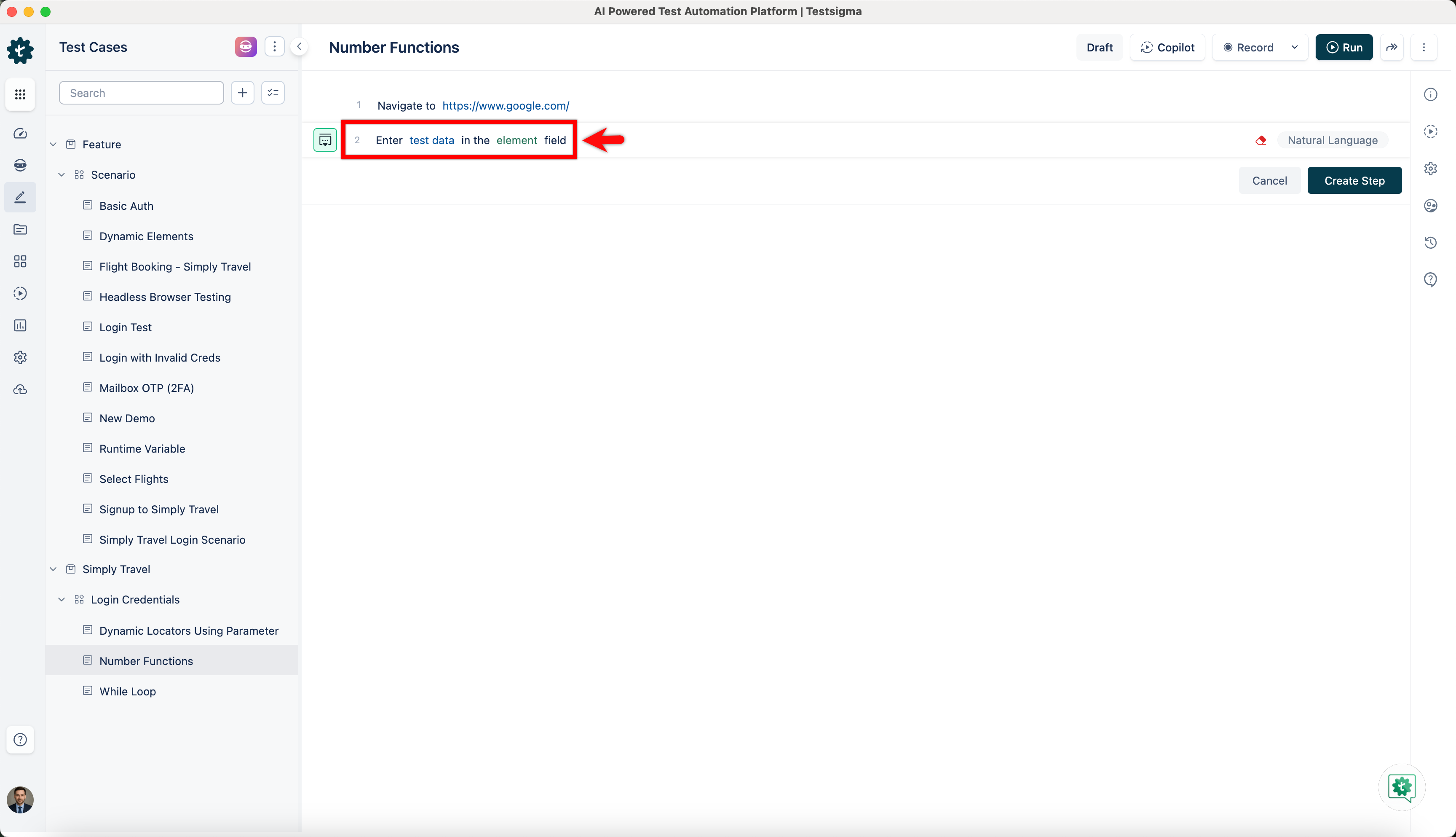
Use NLP to create a new step in the test case and include a placeholder for test data.
-
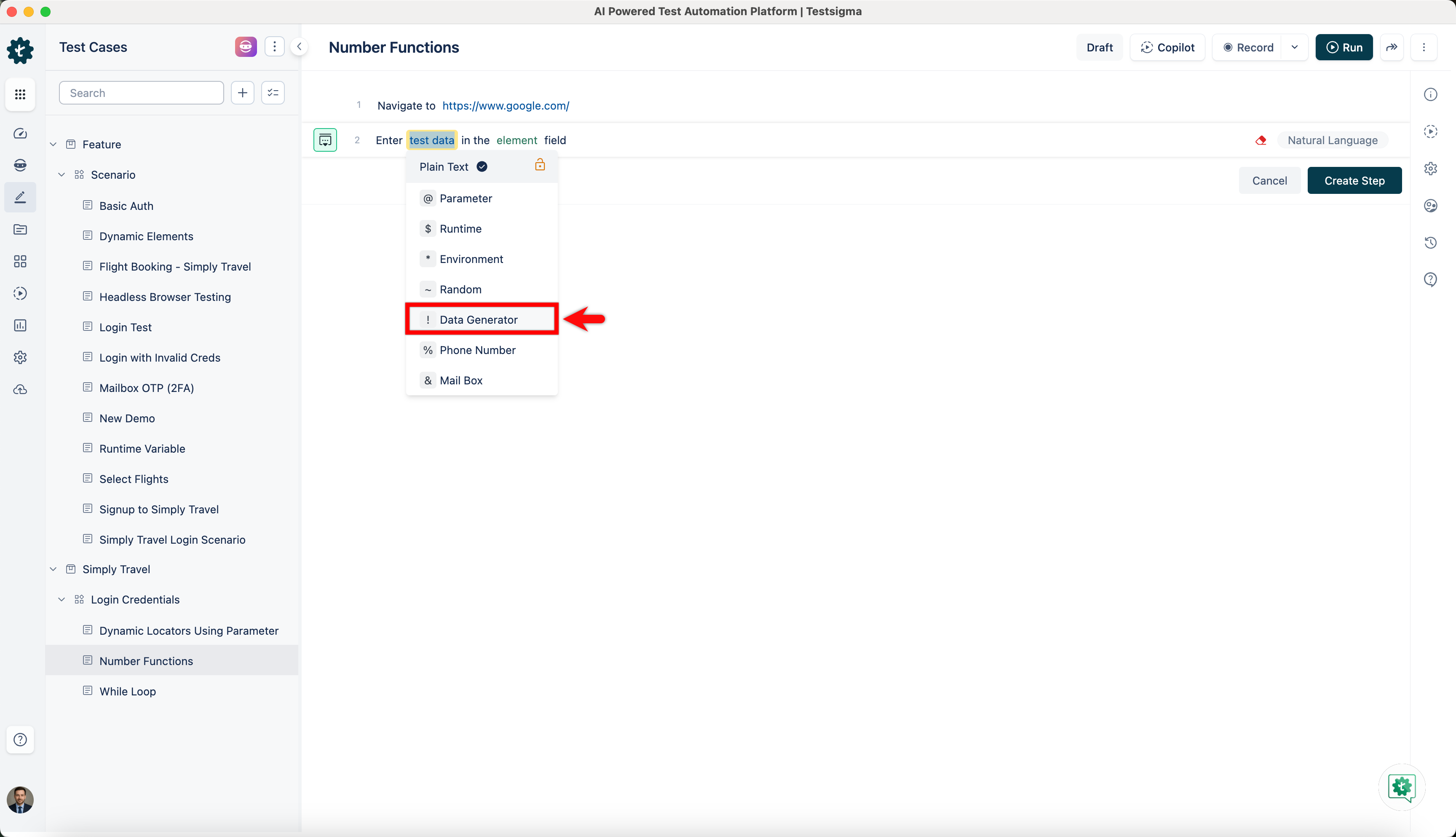
Click on the test data placeholder. From the Test Data Types dropdown menu, select the ! Data Generator option.
-
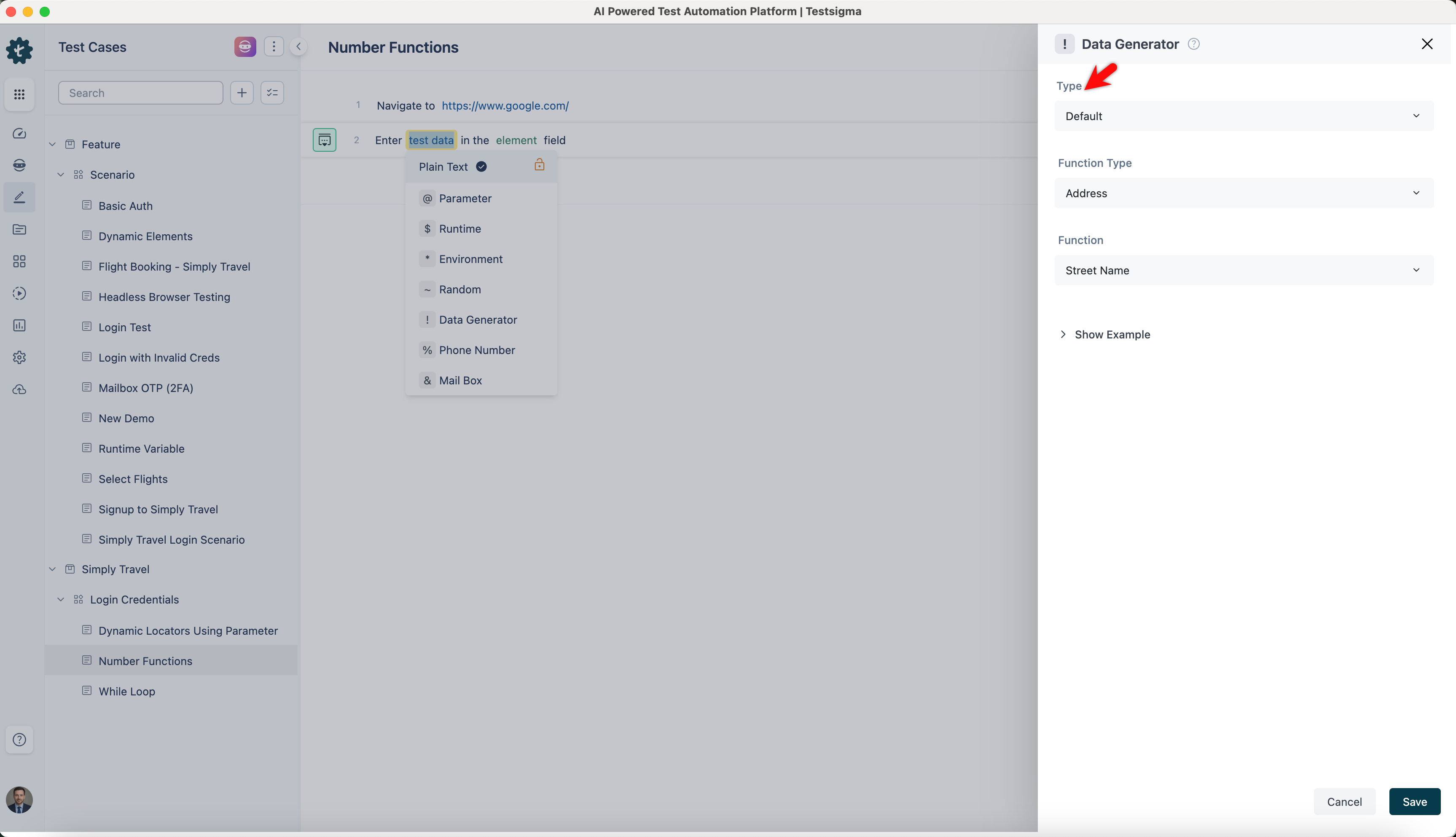
On the ! Data Generators overlay screen, select the Type to Default. This will enable you to use a collection of built-in test data generators.
-
Select Number from the Function Type dropdown list.
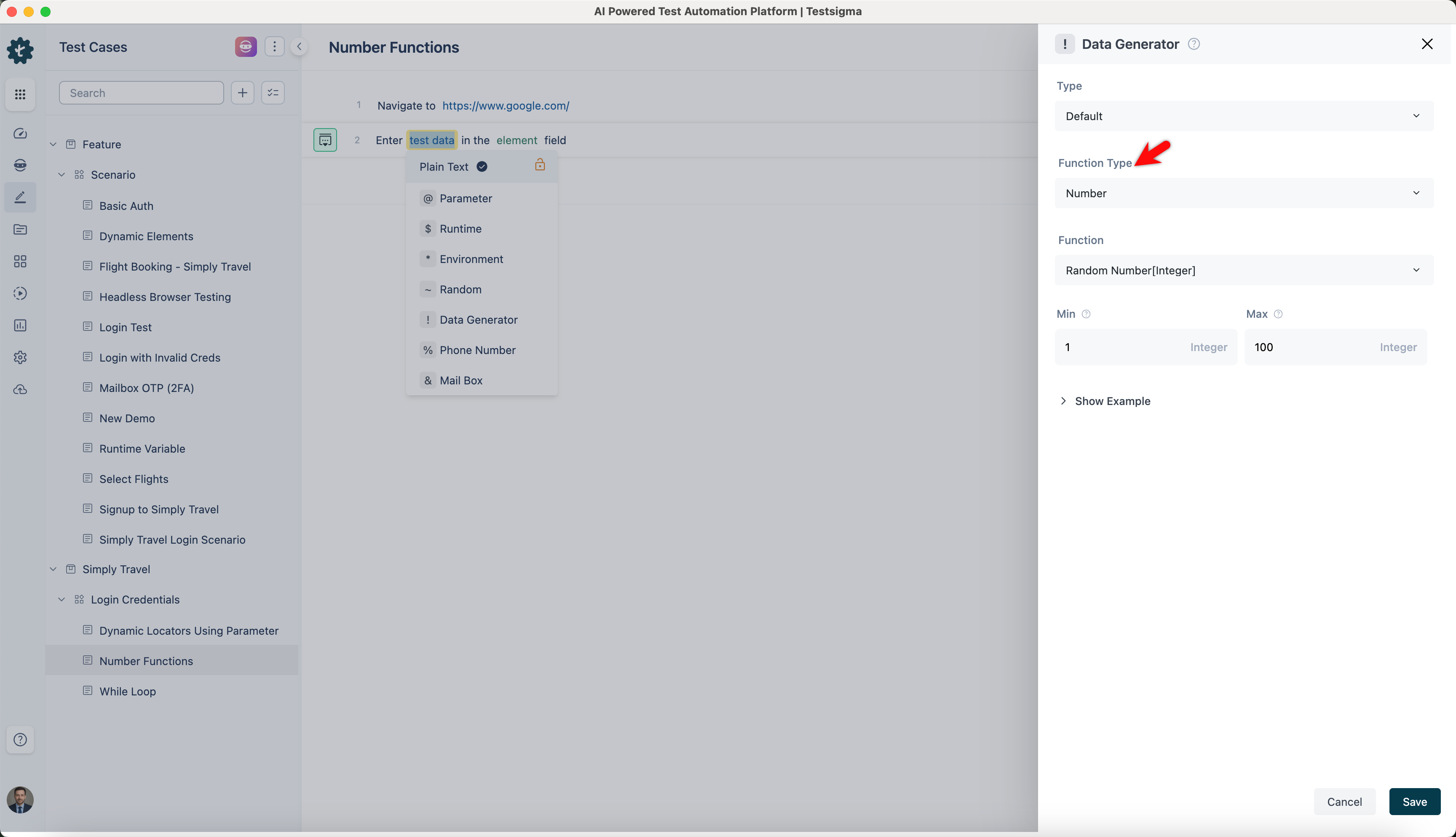
Random Number
Section titled “Random Number”- Enables you to generate a random number between a specified range. It is useful for creating random data samples within a specific numeric range.
ℹ️Example:
| Input | Output |
|---|---|
| min: 1 max: 100 |
73 |
| min: 10 max: 50 |
32 |
| min: 100 max: 500 |
418 |
| min: 5 max: 20 |
15 |
Random Digit
Section titled “Random Digit”- Allows you to generate a random digit between 0 and 9. This is helpful for scenarios where single-digit numbers are required, like generating a random OTP.
ℹ️Example:
- Input: None (This function does not require any specific input)
- Output:
- 7
- 3
- 0
- 9
Random Digit Not Zero
Section titled “Random Digit Not Zero”- Enables you to generate a random digit between 1 and 9. This is useful for cases where zero is not a valid digit, such as generating unique identification codes.
ℹ️Example:
- Input: None (This function does not require any specific input)
- Output:
- 6
- 8
- 3
- 1
Number of Digits
Section titled “Number of Digits”- Allows you to generate a number with a specified number of digits. This is useful for generating identification numbers or codes of a fixed length.
ℹ️Example:
| Input | Output |
|---|---|
| Digits: 5 Boolean: True |
39485 |
| Digits: 4 Boolean: False |
-3276 |
| Digits: 3 Boolean: True |
821 |
| Digits: 6 Boolean: False |
-491257 |
Random Number
Section titled “Random Number”- Enables you to generate a random number without specifying any range. It is useful for generating random numerical data without any constraints.
ℹ️Example:
- Input: None (This function does not require any specific input)
- Output:
- 845
- 129
- 4567
- 901
Random Double
Section titled “Random Double”- Allows you to generate a random decimal number within a specified range and with a specified number of decimal places. This is useful for scenarios requiring floating-point numbers, such as price or measurement data.
ℹ️Example:
| Inputs | Outputs |
|---|---|
| Max No of Decimals: 2 Min: 1.5 Max: 5.5 |
3.47 |
| Max No of Decimals: 3 Min: 10.1 Max: 20.5 |
15.234 |
| Max No of Decimals: 1 Min: 100.0 Max: 200.0 |
145.7 |
| Max No of Decimals: 4 Min: 0.1 Max: 1.0 |
0.7564 |
Digits
Section titled “Digits”- Enables you to generate a random number with a specified count of digits, which is useful for creating data where numbers of a specific digit length are required, like serial numbers.
ℹ️Example:
| Inputs | Outputs |
|---|---|
| Count: 3 | 593 |
| Count: 5 | 48291 |
| Count: 2 | 47 |
| Count: 6 | 384719 |
- Allows you to generate a random number with a fixed length using this feature, which is useful for generating small, single-digit random numbers.
ℹ️Example:
- Input: None (This function does not require any specific input)
- Output:
- 6
- 4
- 7
- 2