
Test Data
ChangeDataType Function Type
Prerequisites
Before you begin, ensure that you have referred to:
Selecting ChangeDataType as a Function Type for Data Generator
Section titled “Selecting ChangeDataType as a Function Type for Data Generator”-
- From the left navigation bar, go to Create Tests > Test Cases and create a new test case.
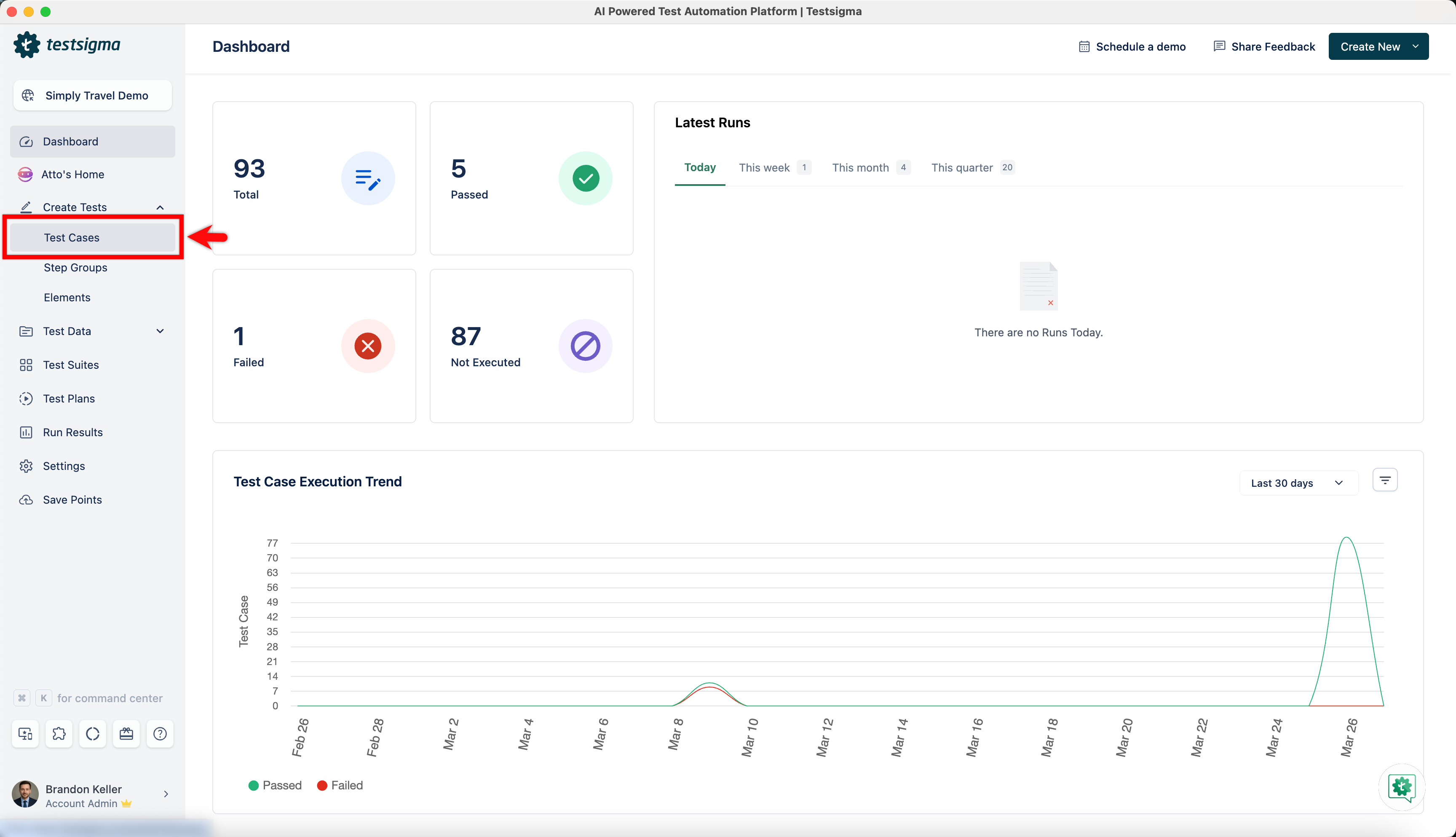
- From the left navigation bar, go to Create Tests > Test Cases and create a new test case.
-
Use NLP to create a new step in the test case and include a placeholder for test data.
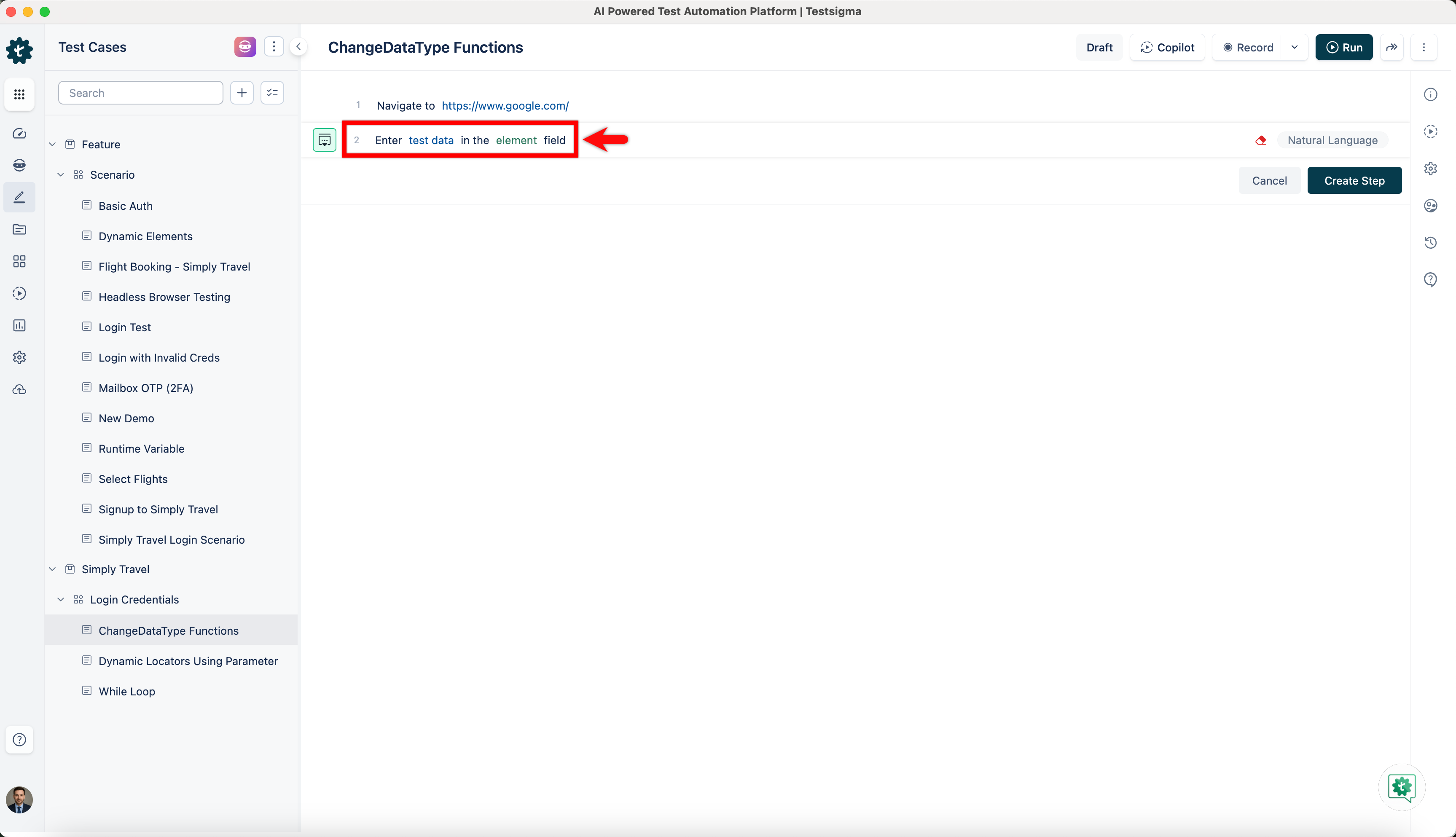
-
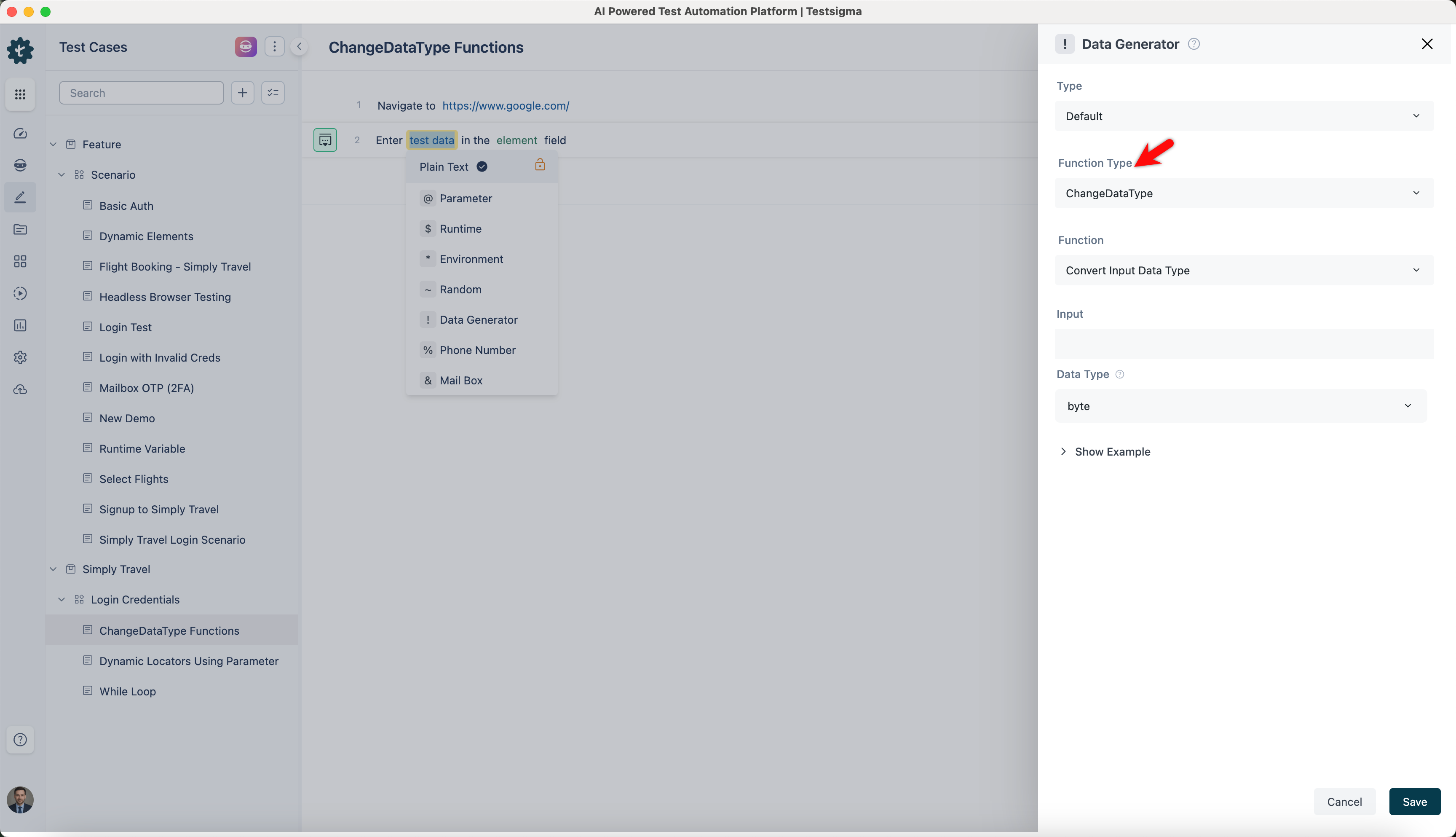
Click on the test data placeholder. From the Test Data Types dropdown menu, select the ! Data Generator option.
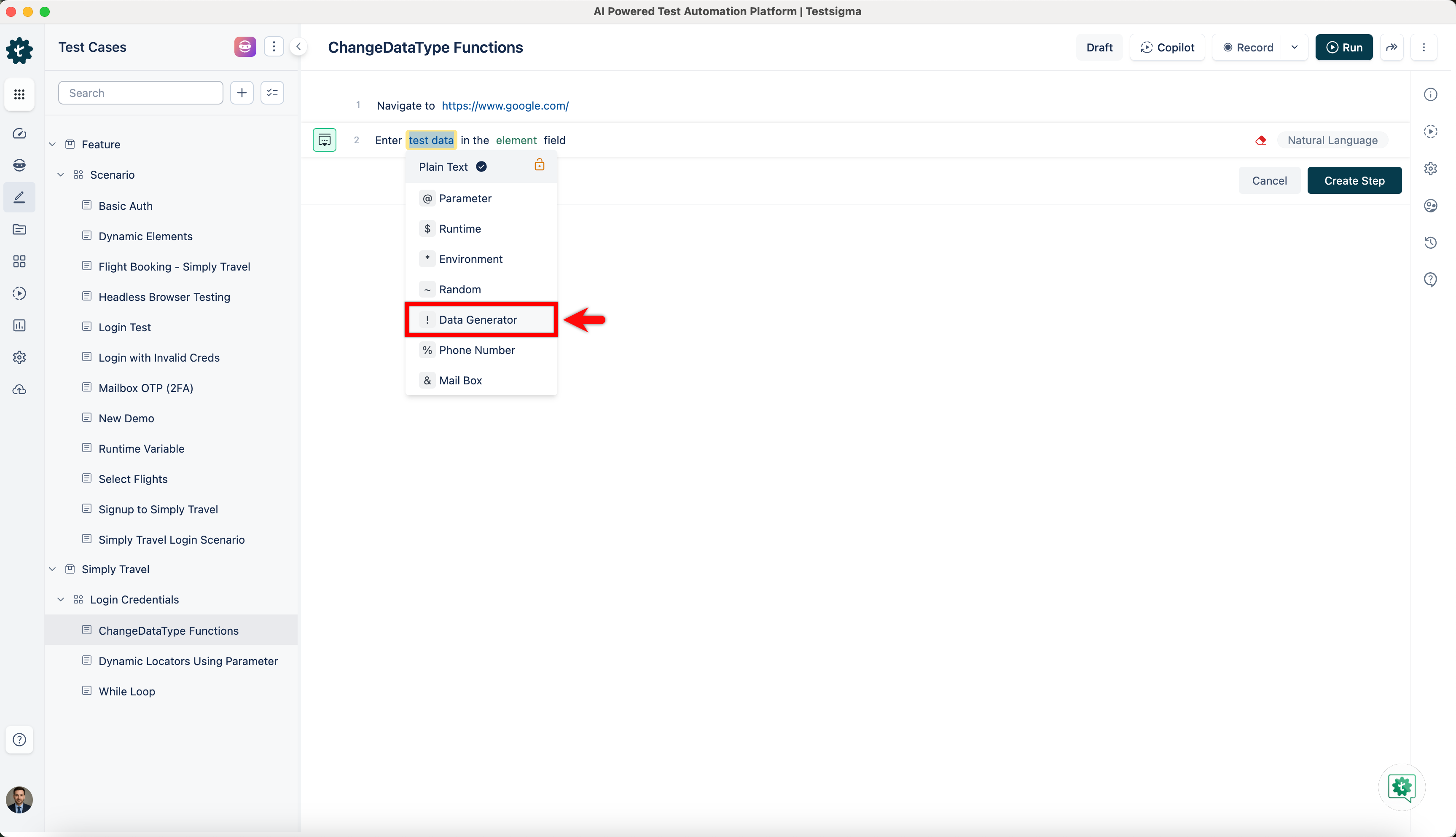
-
On the ! Data Generators overlay screen, select the Type to Default. This will enable you to use a collection of built-in test data generators.
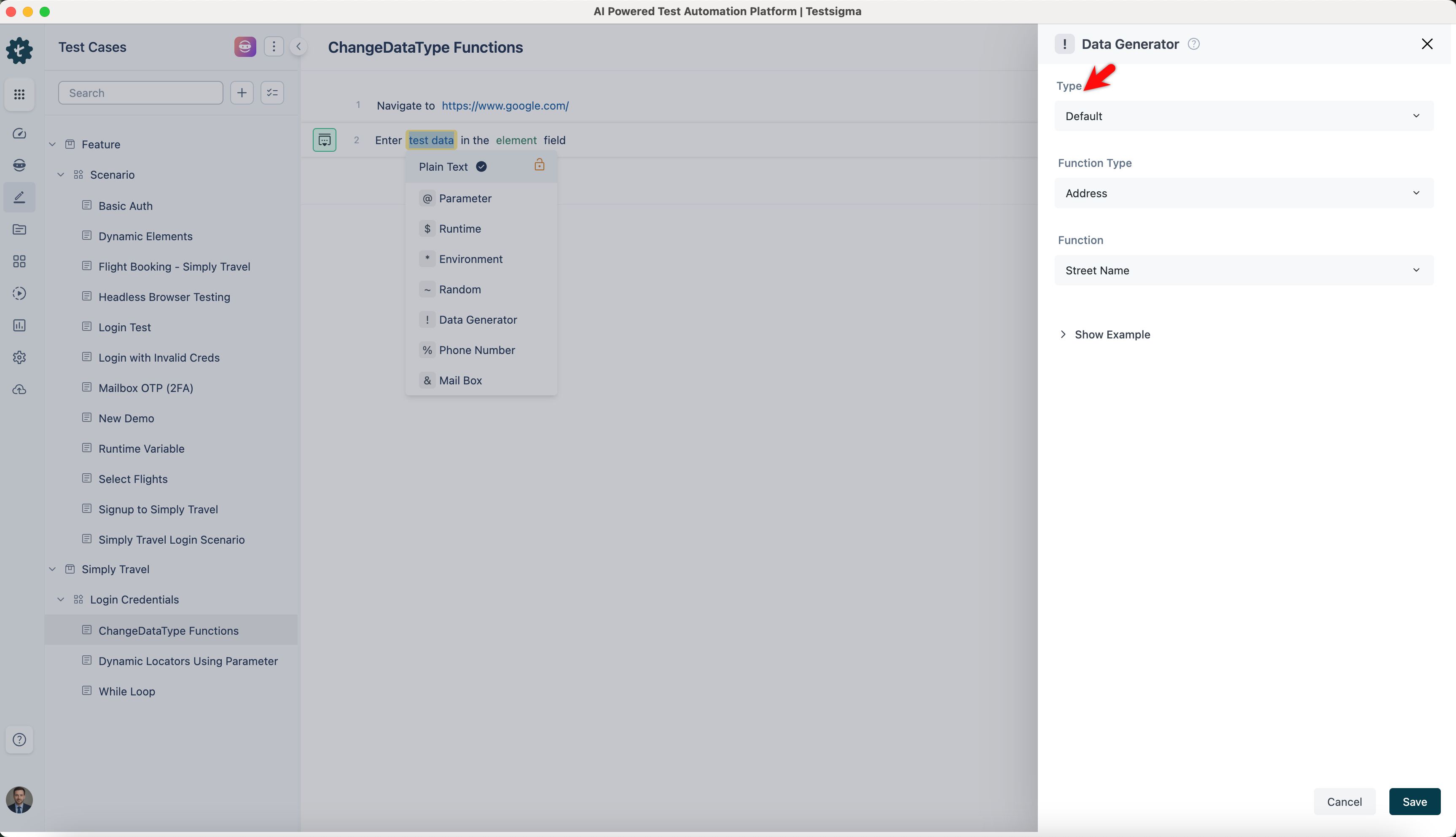
-
Select ChangeDataType from the Function Type dropdown list.
Convert Input Data Type
Section titled “Convert Input Data Type”- Allows you to transform an input value into a specified data type.
ℹ️Examples:
| Inputs | Outputs |
|---|---|
| Input: 123 Data Type: int |
123 |
| Input: 0 Data Type: boolean |
true |
| Input: 65 Data Type: char |
A |
| Input: 3.14 Data Type: double |
3.14 |