
Collaboration
Execution Controls (Stopping Test Execution)
Prerequisites
Before you begin, ensure that you have referred to:
Enabling Stop Executions Preference
Section titled “Enabling Stop Executions Preference”-
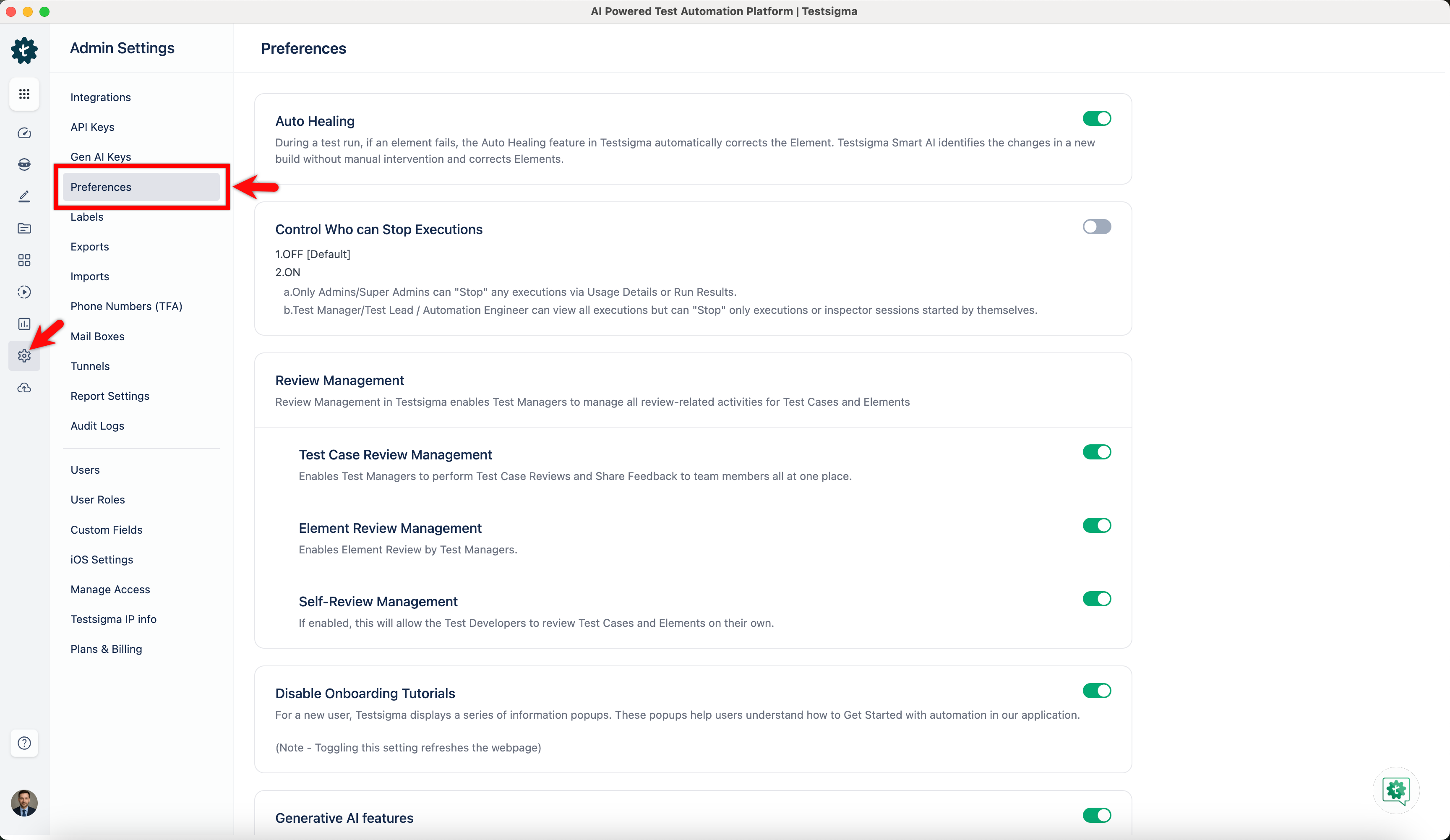
Navigate to Settings > Preferences.
-
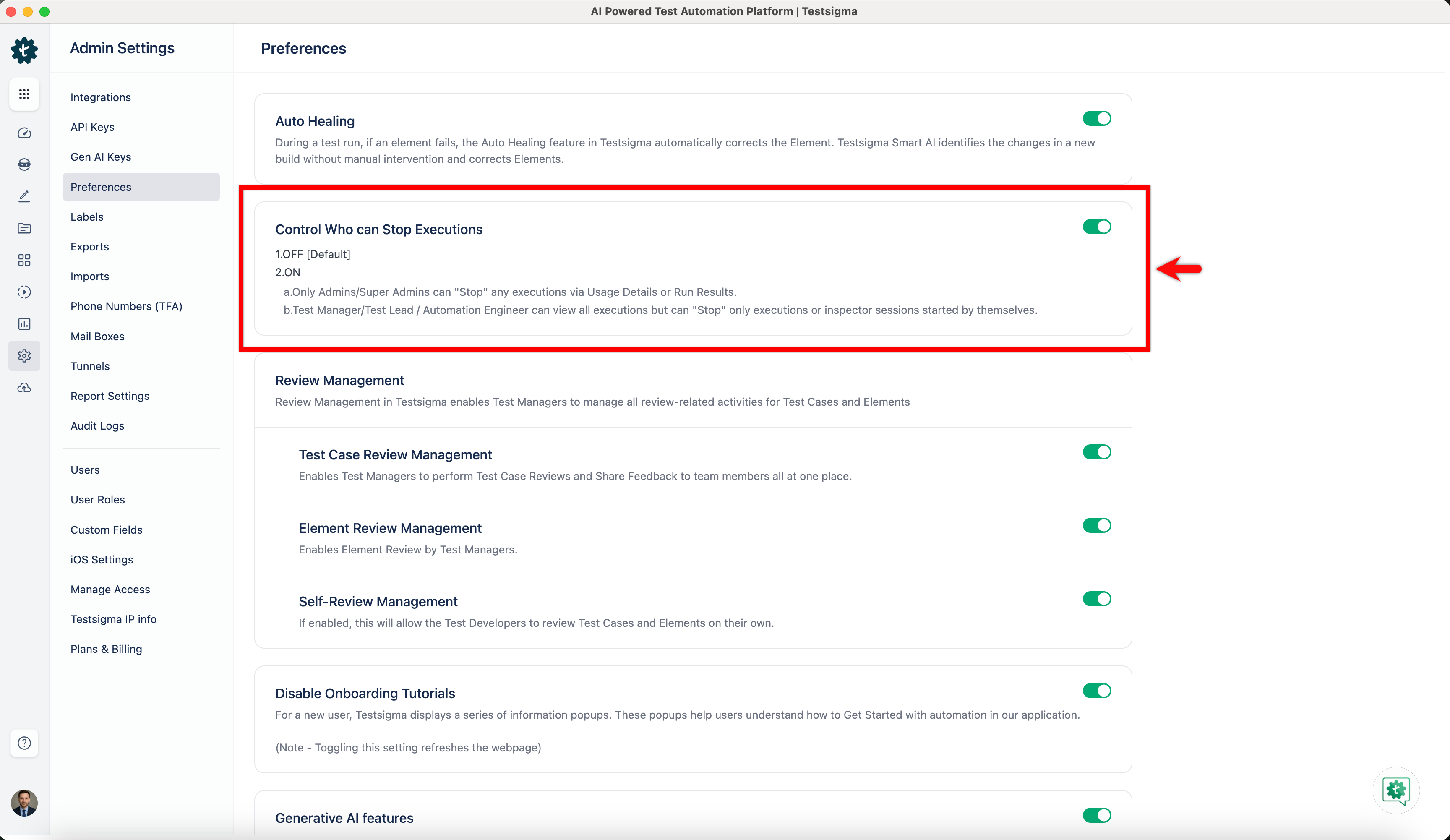
Enable the toggle switch for the Control Who Can Stop Executions feature flag, which will be toggled off by default.
Understanding Execution Stopping Permissions
Section titled “Understanding Execution Stopping Permissions”-
Once you enable the feature, the following permissions will be in effect:
-
Account Administrators and Super Administrators, who can stop executions via the Usage Details or Run Results sections, hold the highest control.
-
All executions can be viewed by Test Managers, Test Leads, and Automation Engineers, and they can only stop the executions or user sessions initiated by themselves.
-
-
Users cannot click the Stop to halt the execution. If a user needs to stop the execution without initiating it, they must contact the Super Admin.