FAQs
How to Resolve App Launch Issues?
By default, Testsigma re-signs iOS apps for installation, but this can break features like push notifications and custom entitlements that rely on original signing credentials.
If your app is already signed using the Apple Developer Enterprise Program, you can disable re-signing by adding a specific desired capability to preserve its functionality during testing.
Steps to Resolve App Launch Issues
Section titled “Steps to Resolve App Launch Issues”-
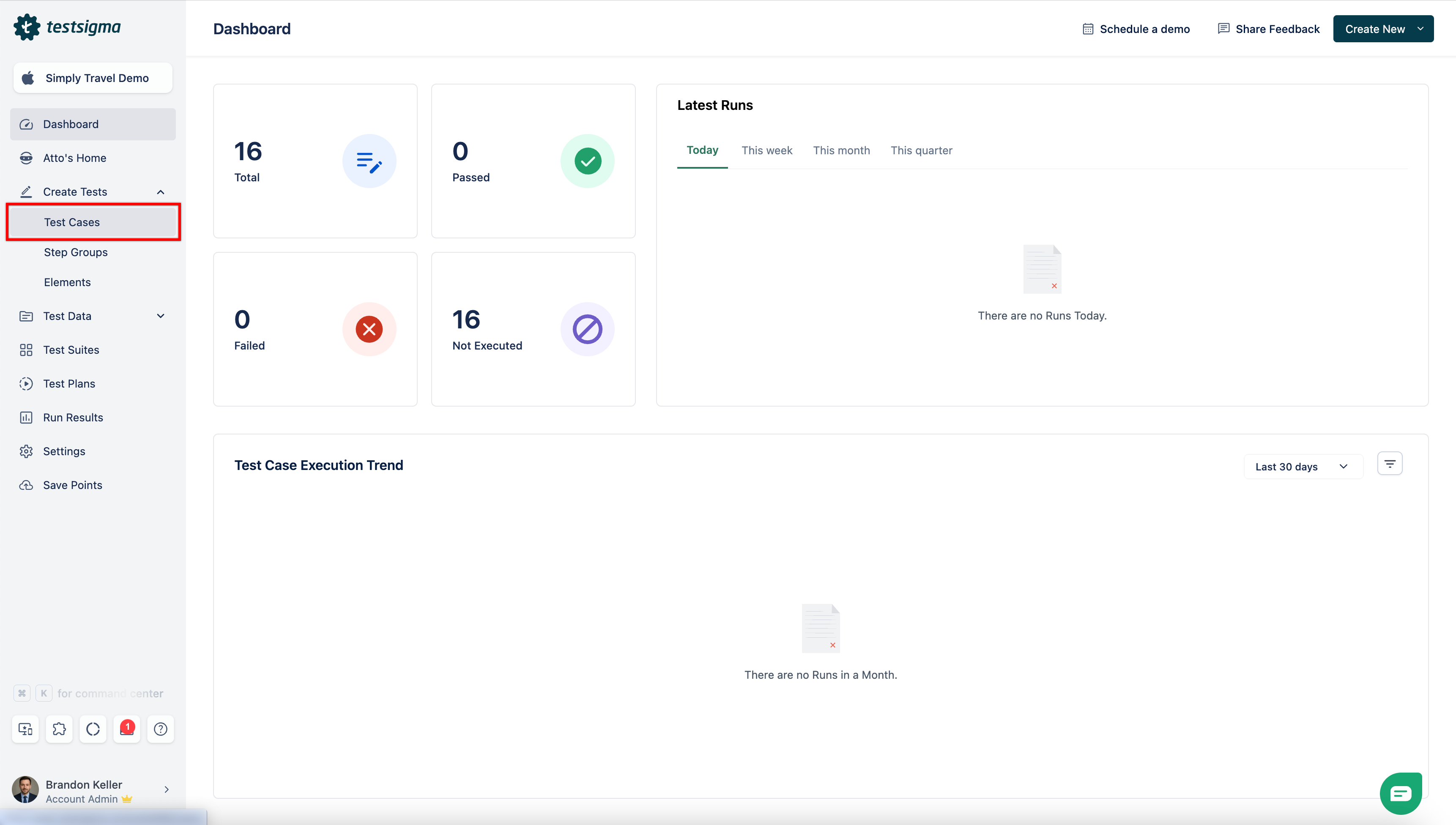
From the left navigation bar, go to Create Tests and click Test Cases.
-
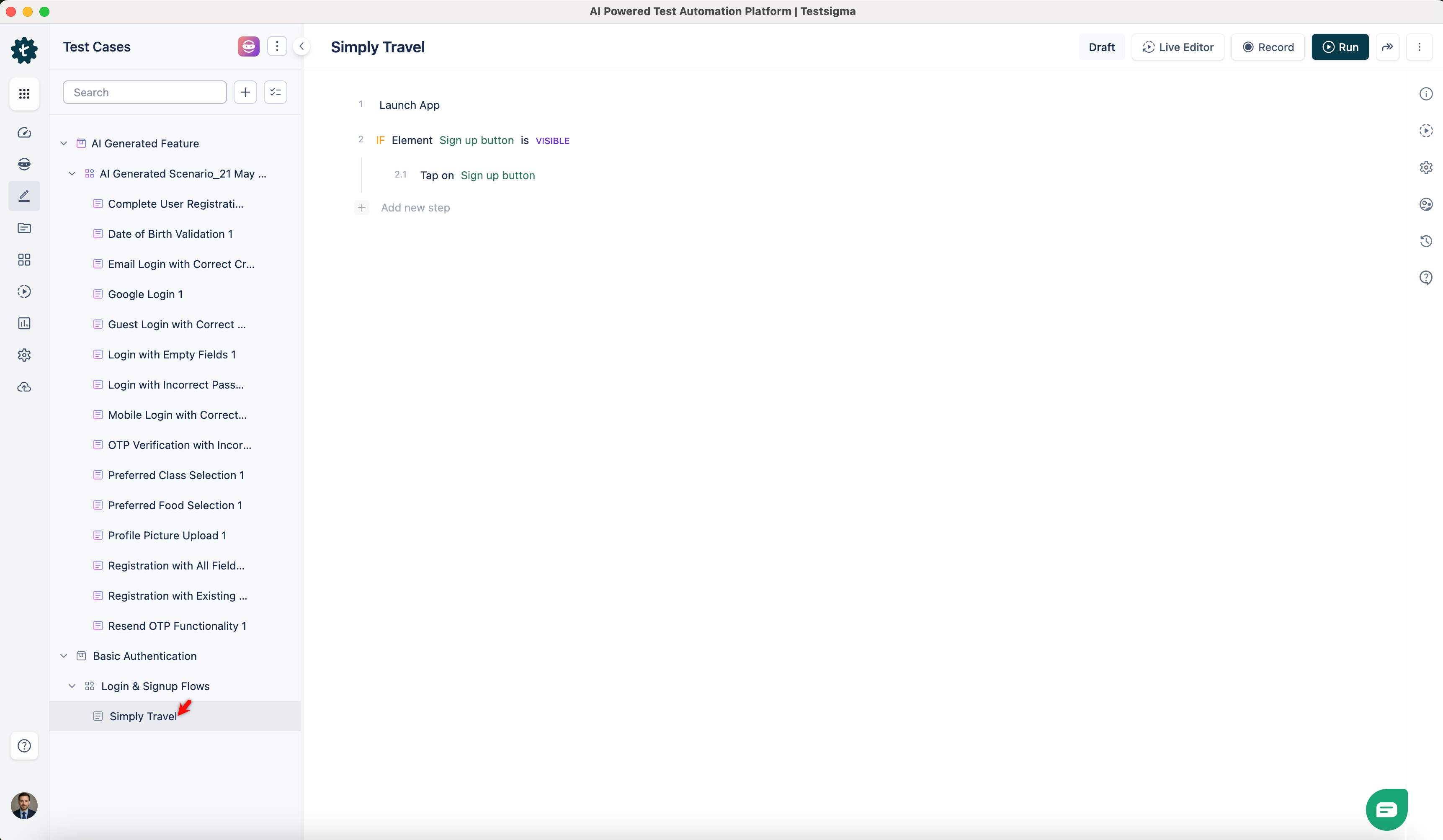
In the Test Case Explorer section, expand the required Feature and Scenario and select the required test case.
-
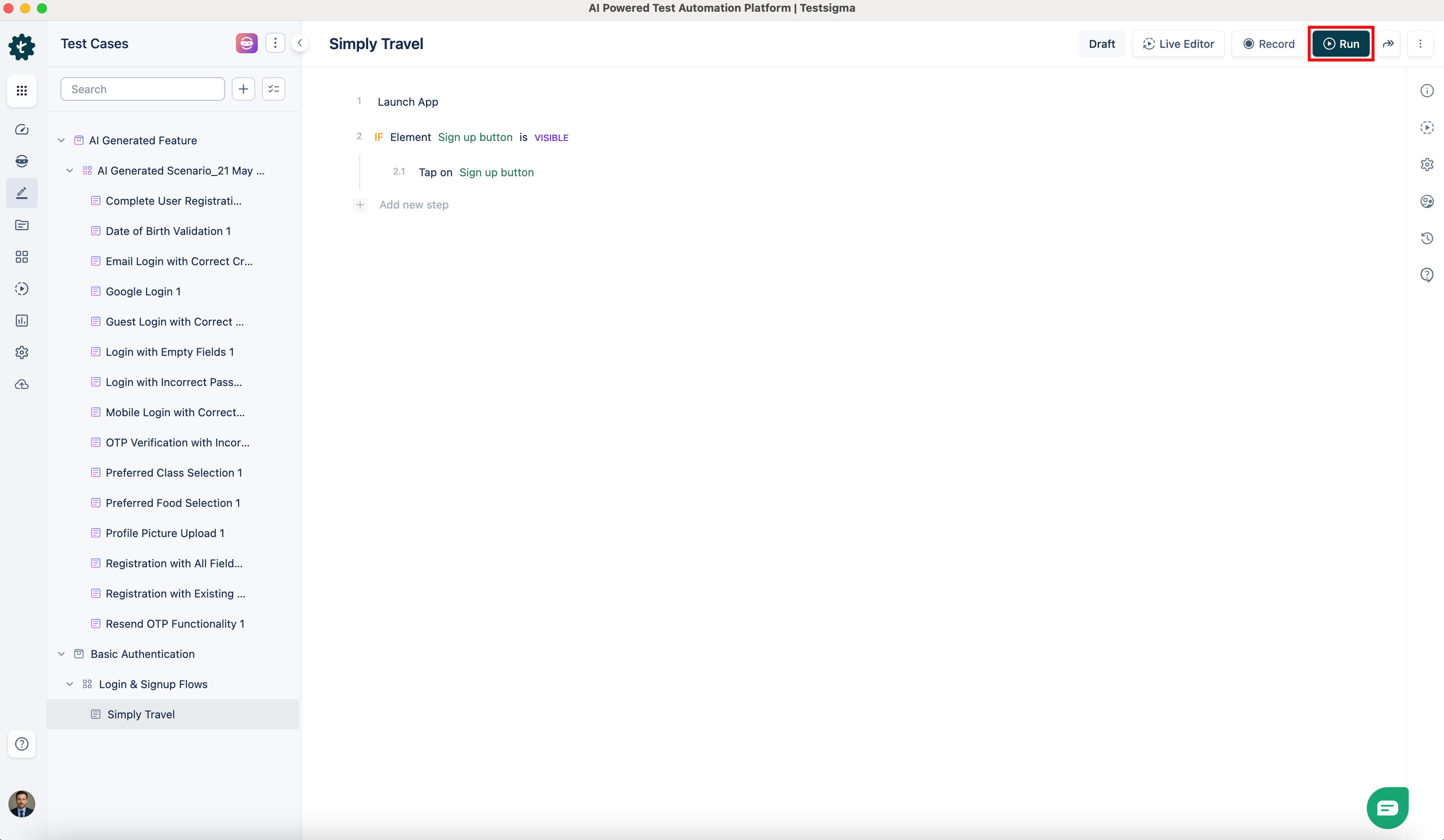
In the Test Case Details page, click Run.
-
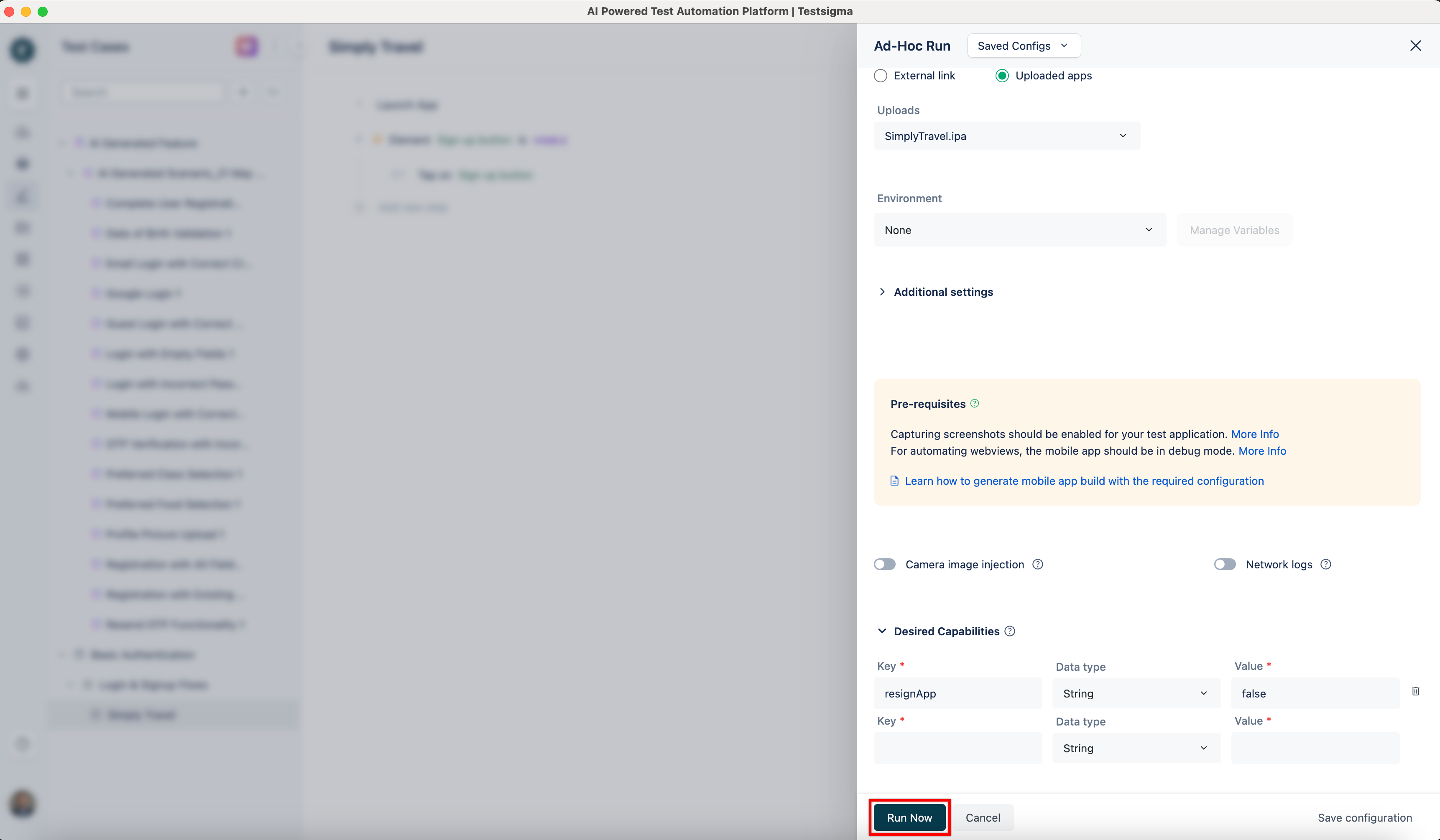
In the Ad-Hoc Run overlay, expand the Desired Capabilities field and specify the following desired capability:
Key Data type Value resignApp String false 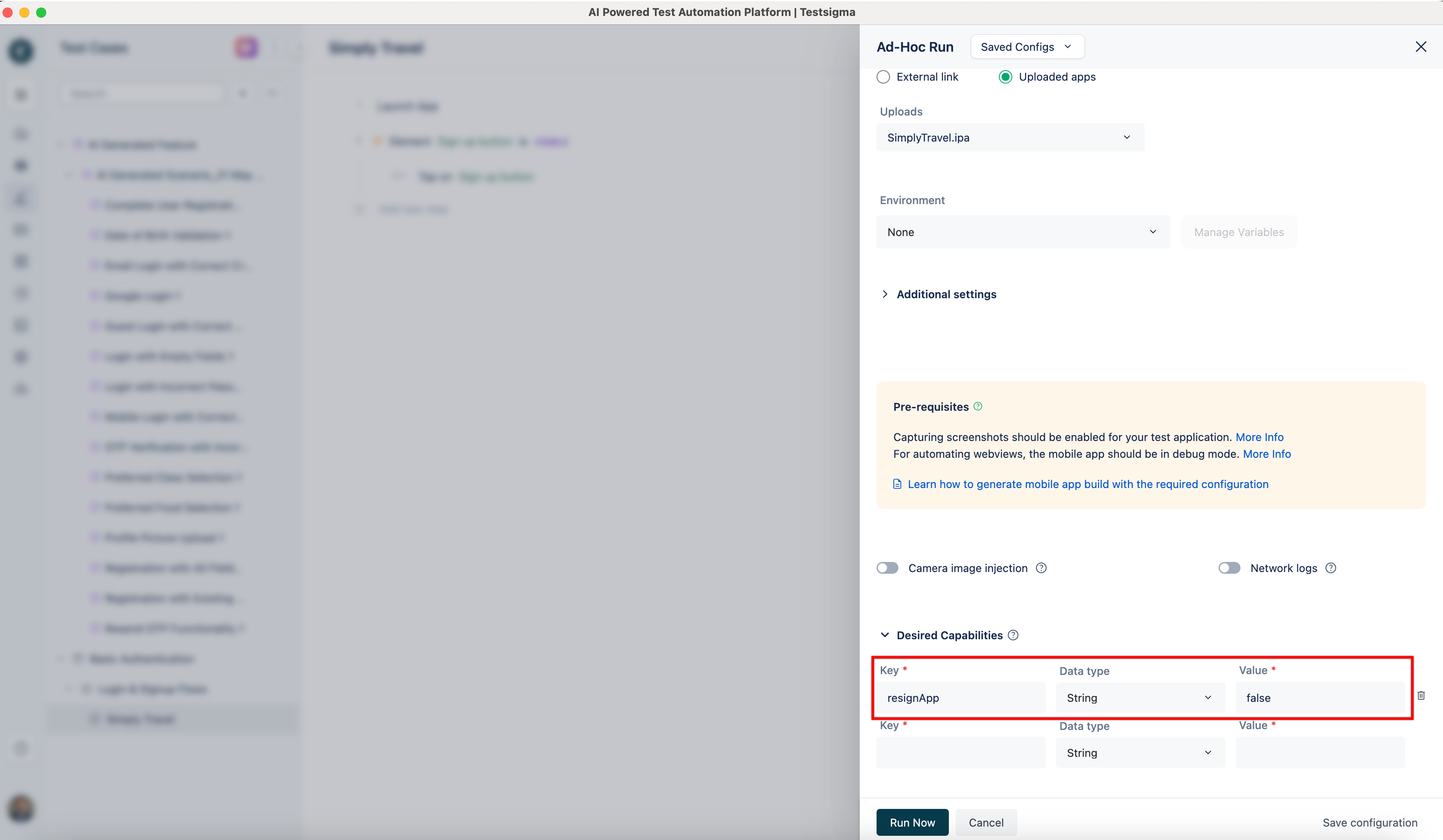
-
Click Run Now.