
CI/CD
Integrate Testsigma with Copado (Salesforce)
Prerequisites
Before you begin, ensure that you have referred to:
Configure Copado Release Manager App
Section titled “Configure Copado Release Manager App”-
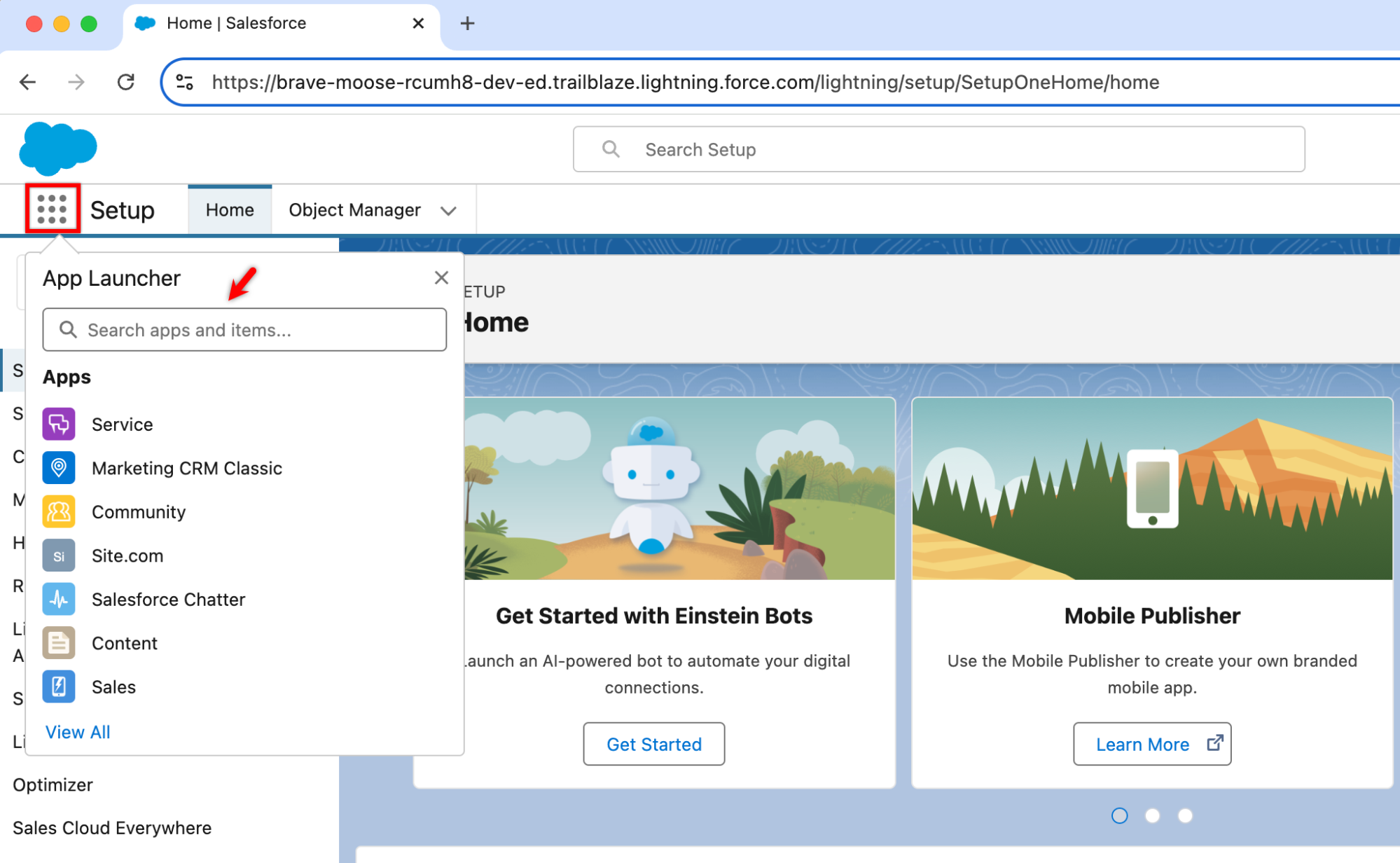
Click App Launcher from the top navigation bar and search for Copado Release Manager.
-
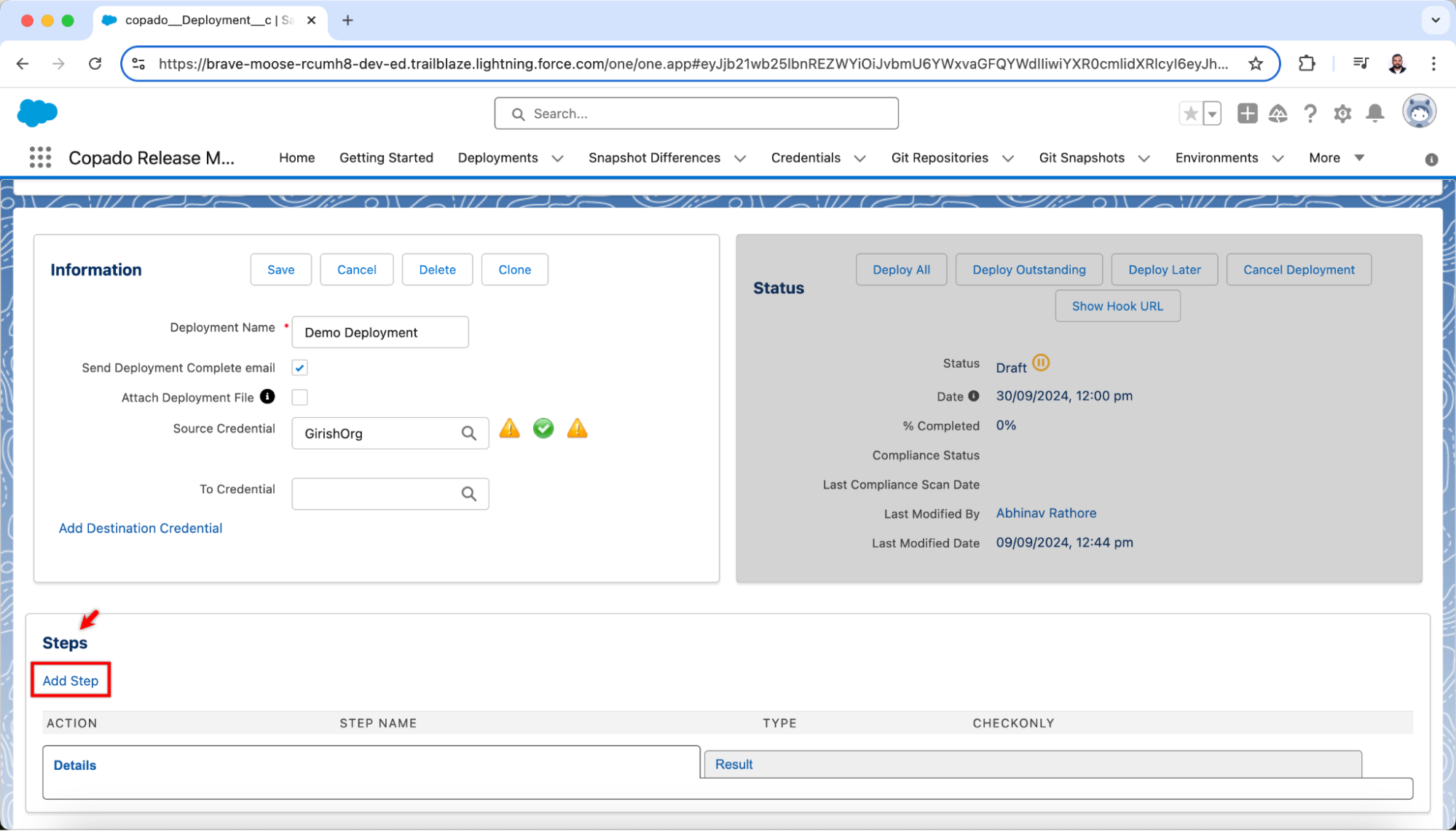
In the Copado Release Manager App, navigate to Deployment > Steps > Add Step.
-
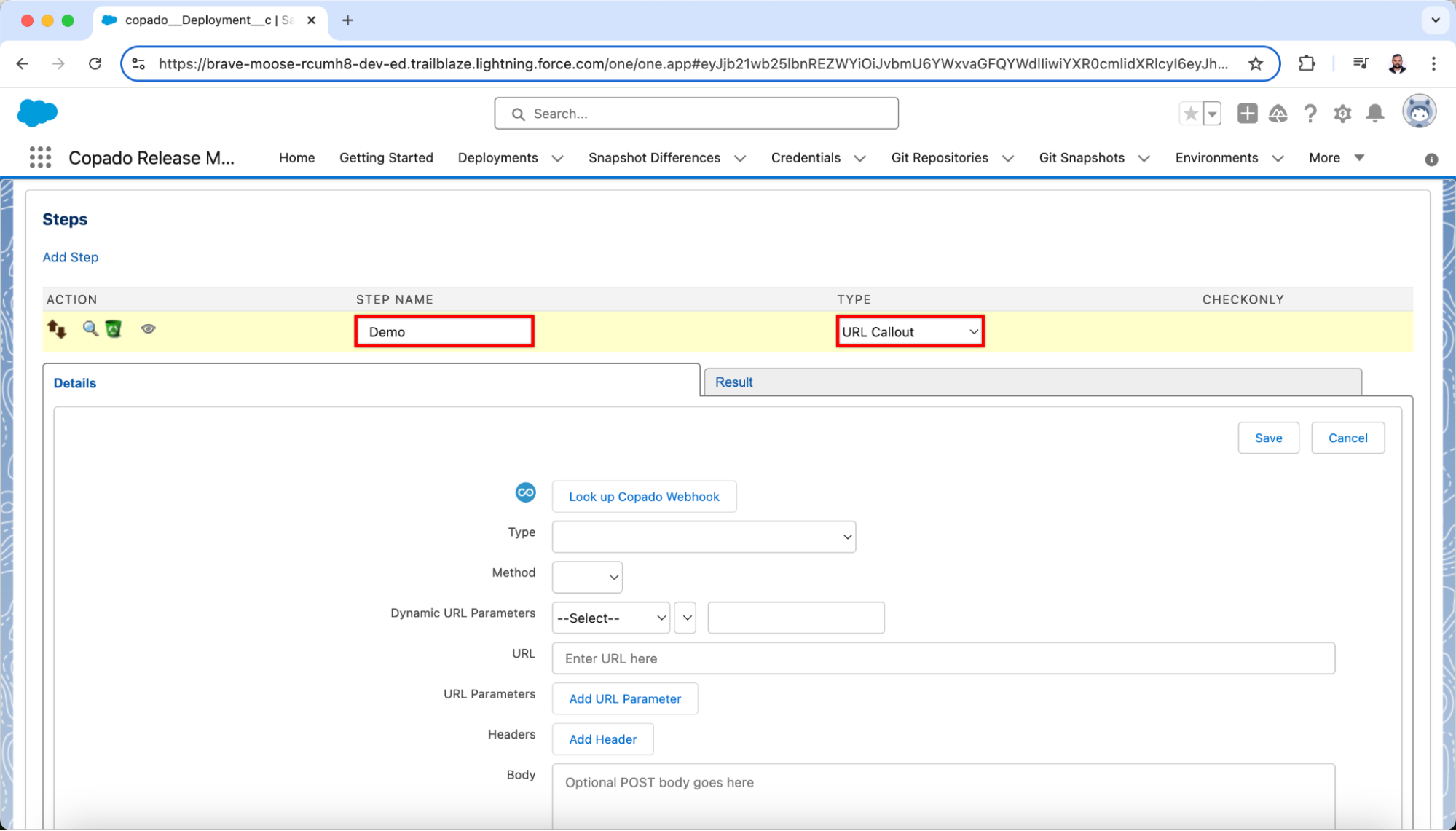
Enter a name for the step in the Step Name textbox and select URL Callout from the Type dropdown menu.
-
On the details section, follow these steps:
-
In the Type dropdown menu, select one of the following options:
-
Perform callout and pause step: This option helps you call an external system and wait for a response before deploying. It is useful when the deployment process depends on completing an external task, such as running automated tests and waiting for the results before continuing.
-
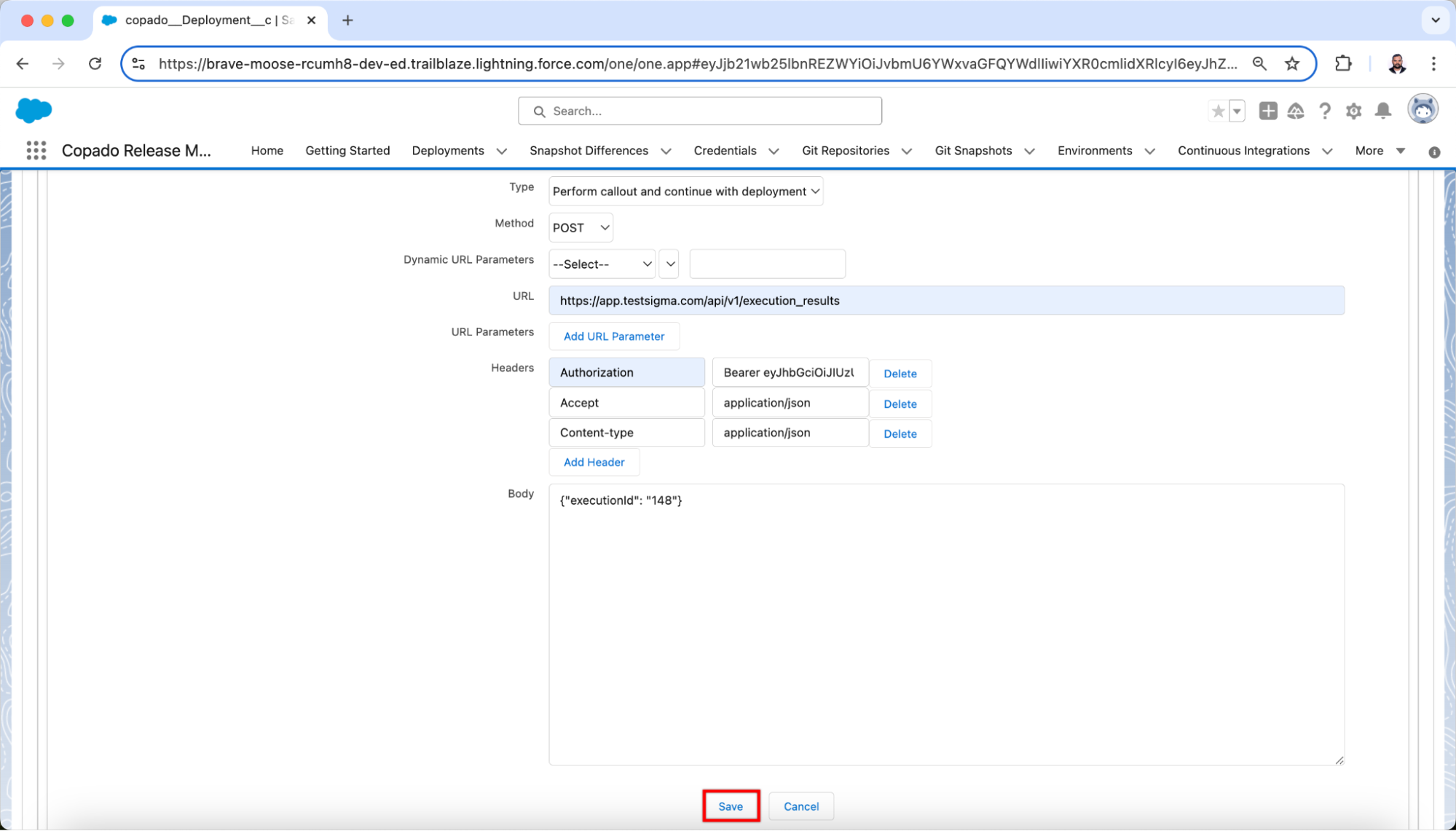
Perform callout and continue with deployment: This option helps you call an external system but continues with the deployment without waiting for a response. It is helpful when you have non-blocking automated tests that you want to run without delaying the deployment process.
 Here, we are selecting the second option.
-
-
In the Method, select POST.
-
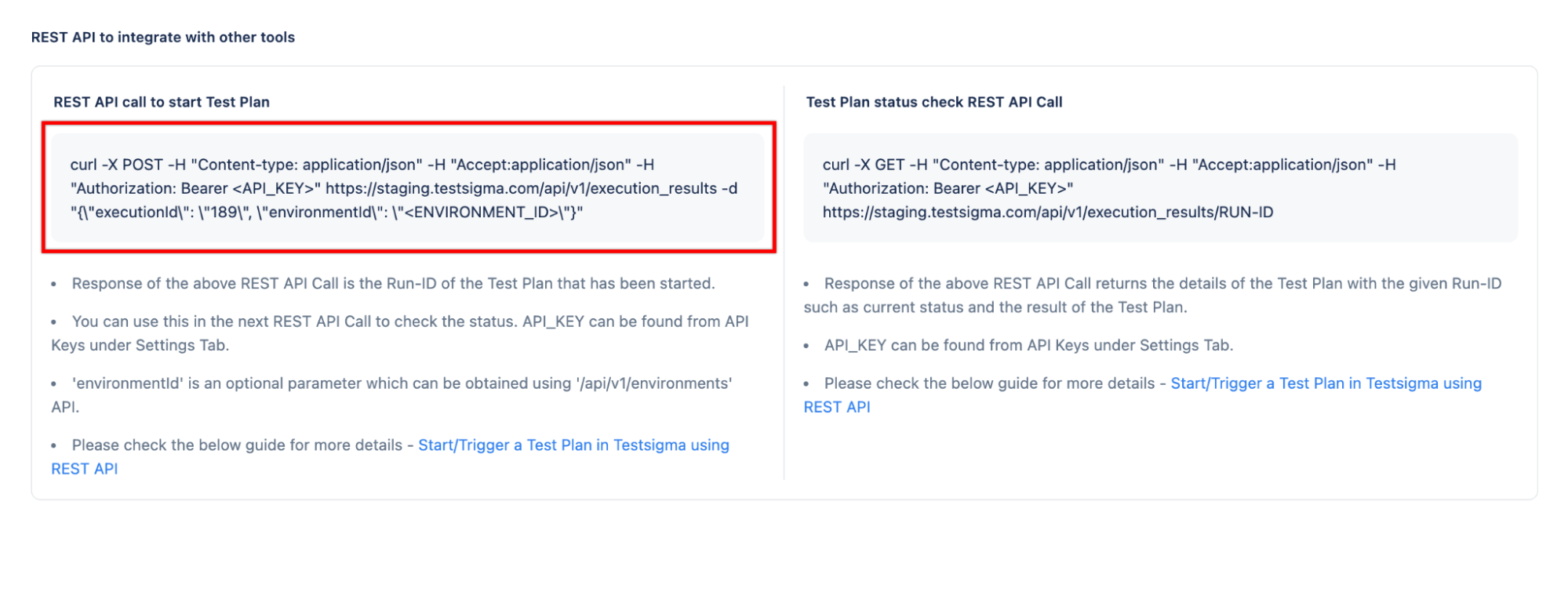
In the URL, enter the REST API call given in the cURL. For example, https://app.testsigma.com/api/v1/execution_results.
 You can also find the execution ID in the cURL response.
 -
Add the following headers:
- Authorization and enter the API Key
- Accept and enter application/json
- Content-Type and enter application/json
-
In the Body, paste the JSON payload
-
Click Save
Now, the Test Plan will run with the Perform callout and pause step option.