
Test Data
Internet Function Type
Prerequisites
Before you begin, ensure that you have referred to:
Selecting Internet as a Function Type for Data Generator
Section titled “Selecting Internet as a Function Type for Data Generator”-
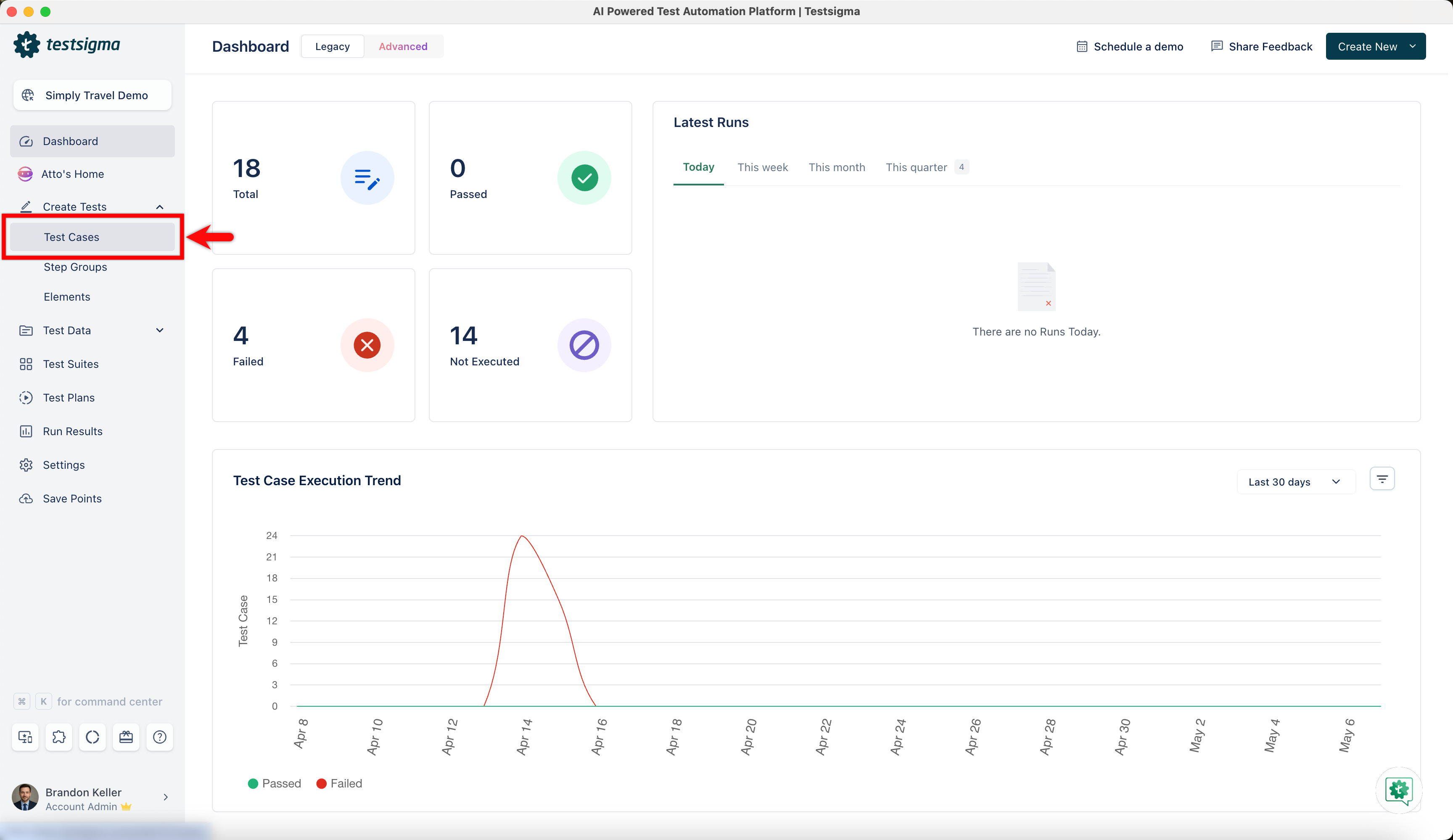
From the left navigation bar, go to Create Tests > Test Cases and create a new test case.
-
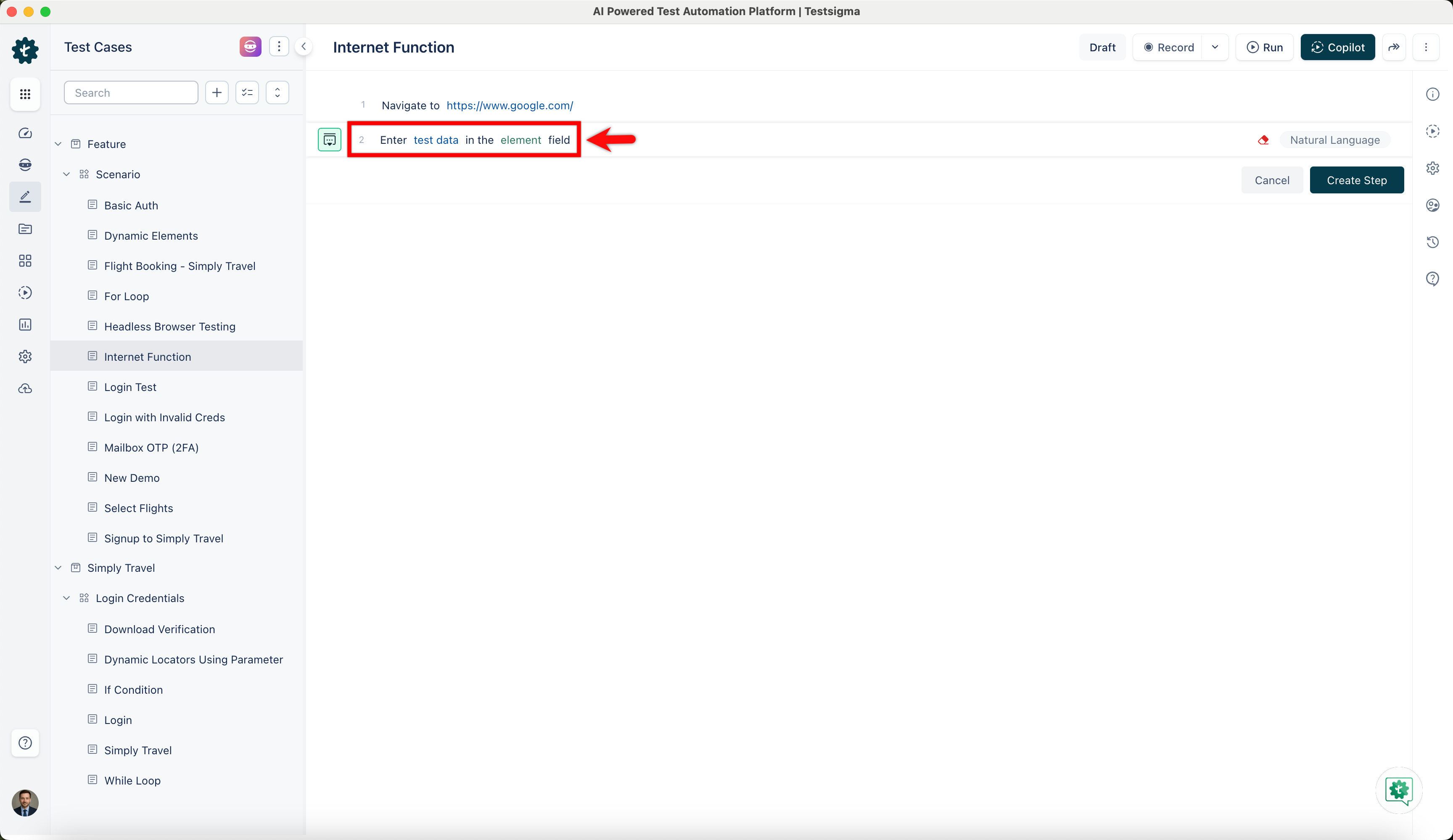
Use NLP to create a new step in the test case and include a placeholder for test data.
-
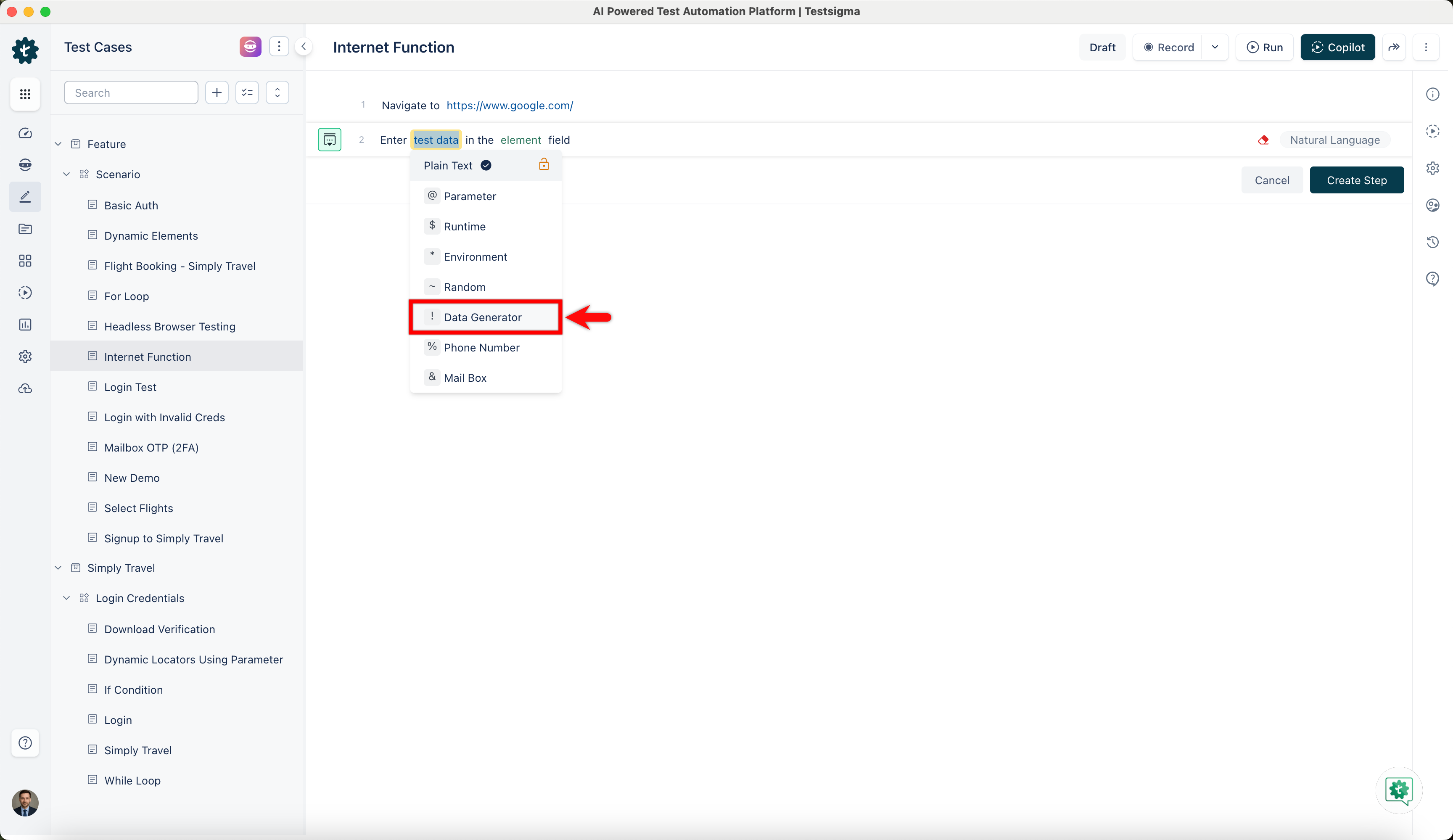
Click on the test data placeholder. From the Test Data Types dropdown menu, select the ! Data Generator option.
-
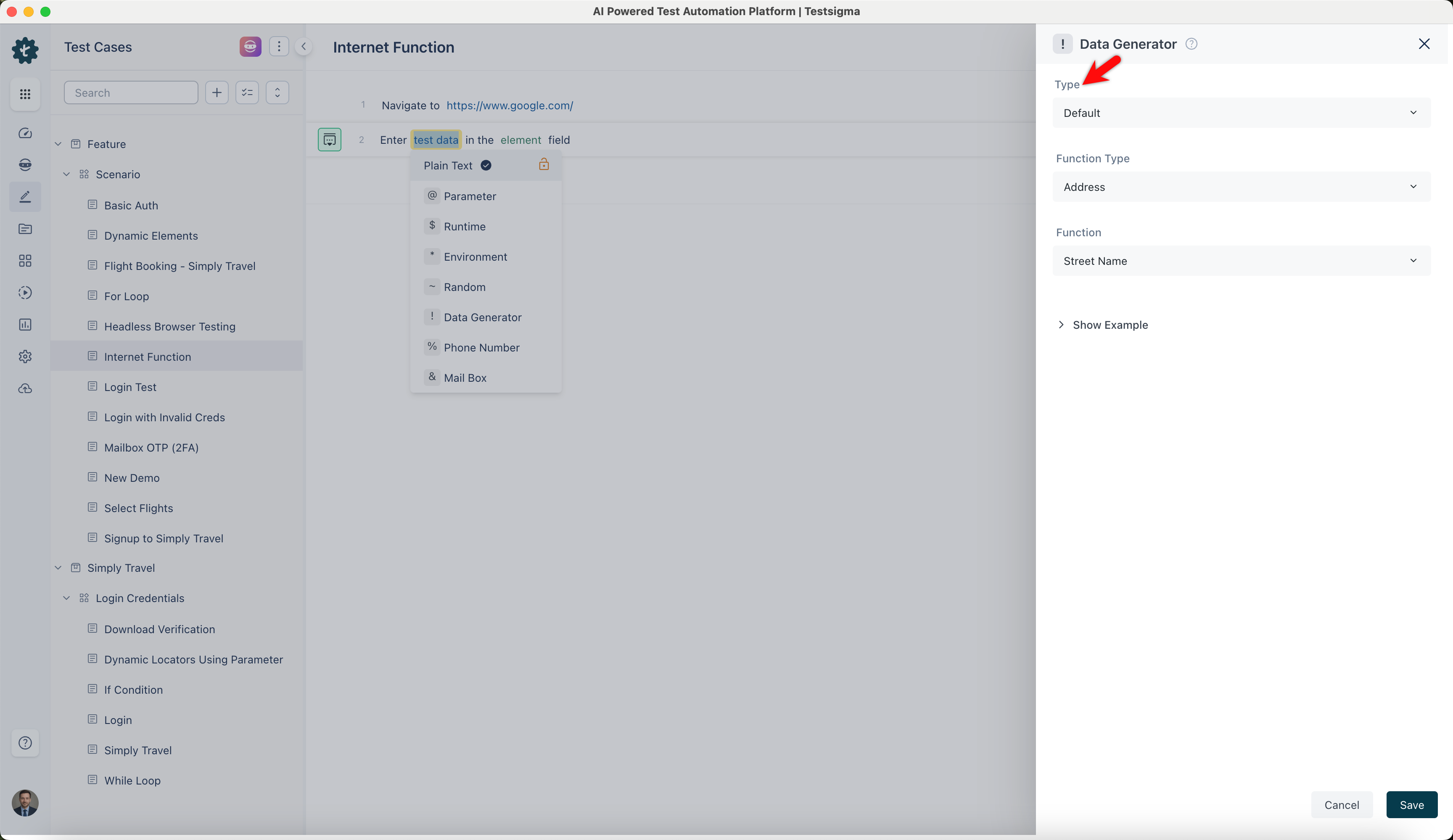
On the ! Data Generators overlay screen, select the Type to Default. This will enable you to use a collection of built-in test data generators.
-
Select Internet from the Function Type dropdown list.
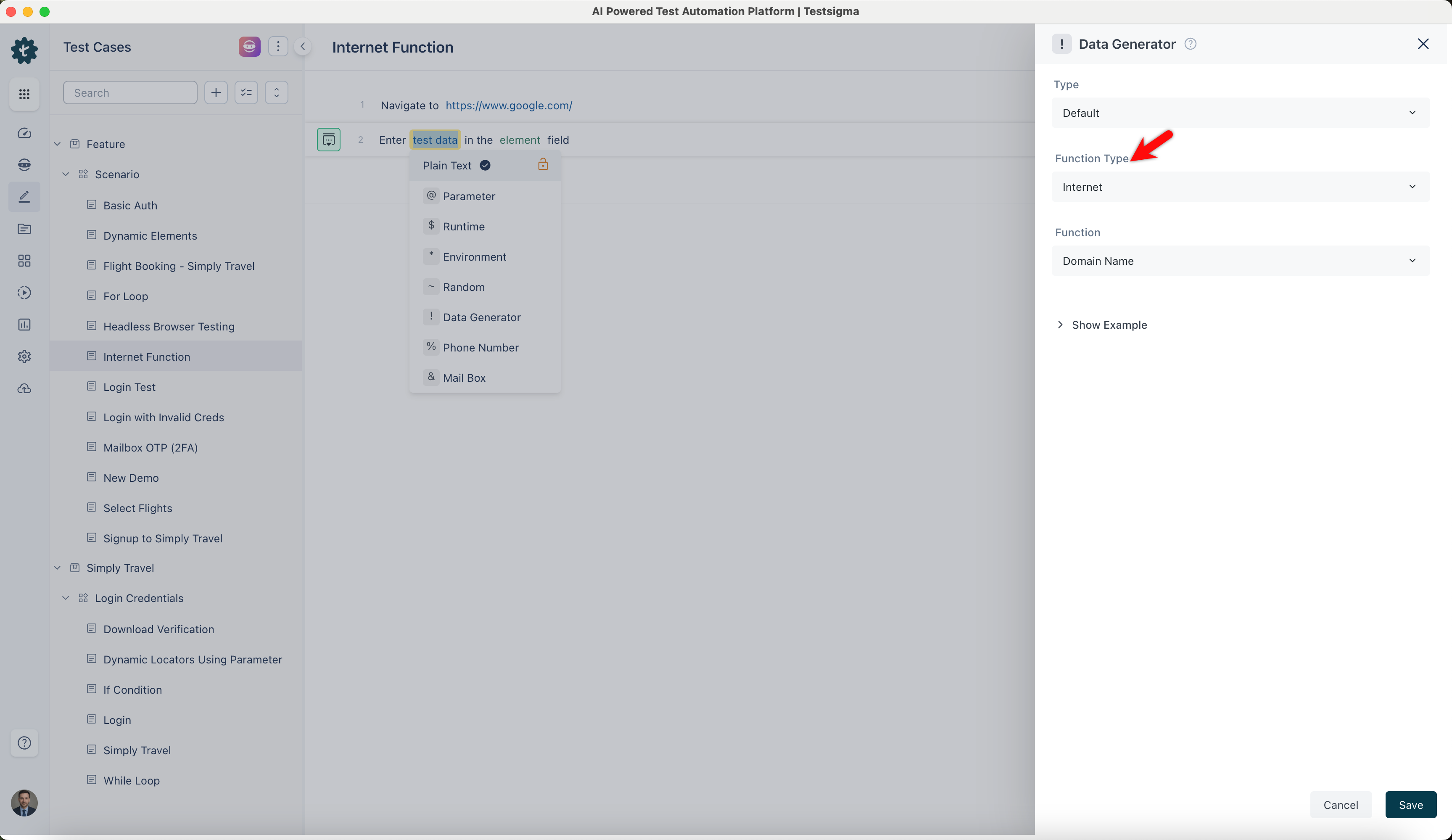
Domain Name
Section titled “Domain Name”- Enables you to generate random domain names using it. It is useful for testing web applications that require domain names, such as creating sample websites or testing domain-related functionalities.
ℹ️Example:
- Input: None (This function does not require any specific input)
- Output:
- example.com
- mywebsite.org
- business.net
- shoponline.co
Domain Word
Section titled “Domain Word”- Allows you to create a random word that can be used as a domain name. It is useful for generating unique and meaningful names for websites or services.
ℹ️Example:
- Input: None (This function does not require any specific input)
- Output:
- example
- mywebsite
- business
- shoponline
Domain Suffix
Section titled “Domain Suffix”- Enables you to generate random domain suffixes. This is useful for testing purposes when you need different domain suffixes, such as .com, .org, .net.
ℹ️Example:
- Input: None (This function does not require any specific input)
- Output:
- .com
- .org
- .net
- .co
Email Address
Section titled “Email Address”- Allows you to generate random email addresses. It is useful for testing email-related functionalities in applications, such as sending confirmation emails or user notifications.
ℹ️Example:
- Input: None (This function does not require any specific input)
- Output:
- john.doe@example.com
- jane.smith@mywebsite.org
- sarah.glenn@business.net
- robert.d@shoponline.co
Email Address with Input Username
Section titled “Email Address with Input Username”- Enables you to create an email address using a specific username, which is useful for testing the username with various email domains.
ℹ️Example:
| Input | Output |
|---|---|
| username: john.doe | john.doe@example.com |
| username: jane.smith | jane.smith@mywebsite.org |
| username: sarah.glenn | sarah.glenn@business.net |
| username: robert.d | robert.d@shoponline.co |
Safe Email Address
Section titled “Safe Email Address”- Allows you to generate safe email addresses, ensuring no personal or sensitive information is used. This is useful for privacy-conscious testing where personal data should not be used.
ℹ️Example:
- Input: None (This function does not require any specific input)
- Output:
- user@example.org
- contact@safe-mail.com
- info@secure-mail.net
- support@safeonline.co
Safe Email Address with Input Username
Section titled “Safe Email Address with Input Username”- Enables you to create a safe email address by using a specific username, ensuring that no personal or sensitive information is used. It is beneficial for generating non-sensitive email addresses for specific users in privacy-sensitive applications.
ℹ️Example:
| Input | Output |
|---|---|
| username: support | support@safeonline.co |
| username: contact | contact@safe-mail.com |
| username: customer.service | customer.service@business.net |
| username: admin | admin@shoponline.co |
- Enables you to generate random image URLs. It is useful for testing image-loading functionalities in web applications, such as galleries or image hosting services.
ℹ️Example:
- Input: None (This function does not require any specific input)
- Output:
- http://example.com/image.jpg
- https://mywebsite.org/photo.png
- http://business.net/picture.gif
- https://shoponline.co/image.jpg
Password
Section titled “Password”- Allows you to generate random passwords with specified parameters. It is useful for creating secure passwords for user accounts, testing login functionalities, and ensuring password strength.
ℹ️Example:
- Input: None (This function does not require any specific input)
- Output:
- aB3@k9$ZqE
- P@ssw0rd123!
- S@mplePassw0rd!@#
- SecurePwd2023$!
- Enables you to generate universally unique identifiers (UUIDs) based on specified versions. This is useful for creating unique identifiers for records in databases, tracking entities, and ensuring global uniqueness.
ℹ️Example:
- Input: None (This function does not require any specific input)
- Output:
- 6b22c165-06f4-4c2e-b15f-d285aa2d92c7
- dd6e936a-5fb1-4c3c-a358-2a2fb7c97f2f
- 97f6e5fb-0f34-4347-bd84-5a7cb7f920d4
- 43a24e08-9a36-4eef-8f13-6e9b95d1c0d5