
FAQs
Basic Authentication for Web Pages
Basic Authentication is a simple and effective way to secure web pages. You can perform this easily by passing the authentication details directly via the URL. This article discusses how to perform basic authentication for web pages.
Passing Authentication Details via URL
Section titled “Passing Authentication Details via URL”We can use the below format for Basic Authentication:
For Example:
Section titled “For Example:”In the NLP, Navigate to test data, replace the test data with https://admin:admin123@orangehrm.com.
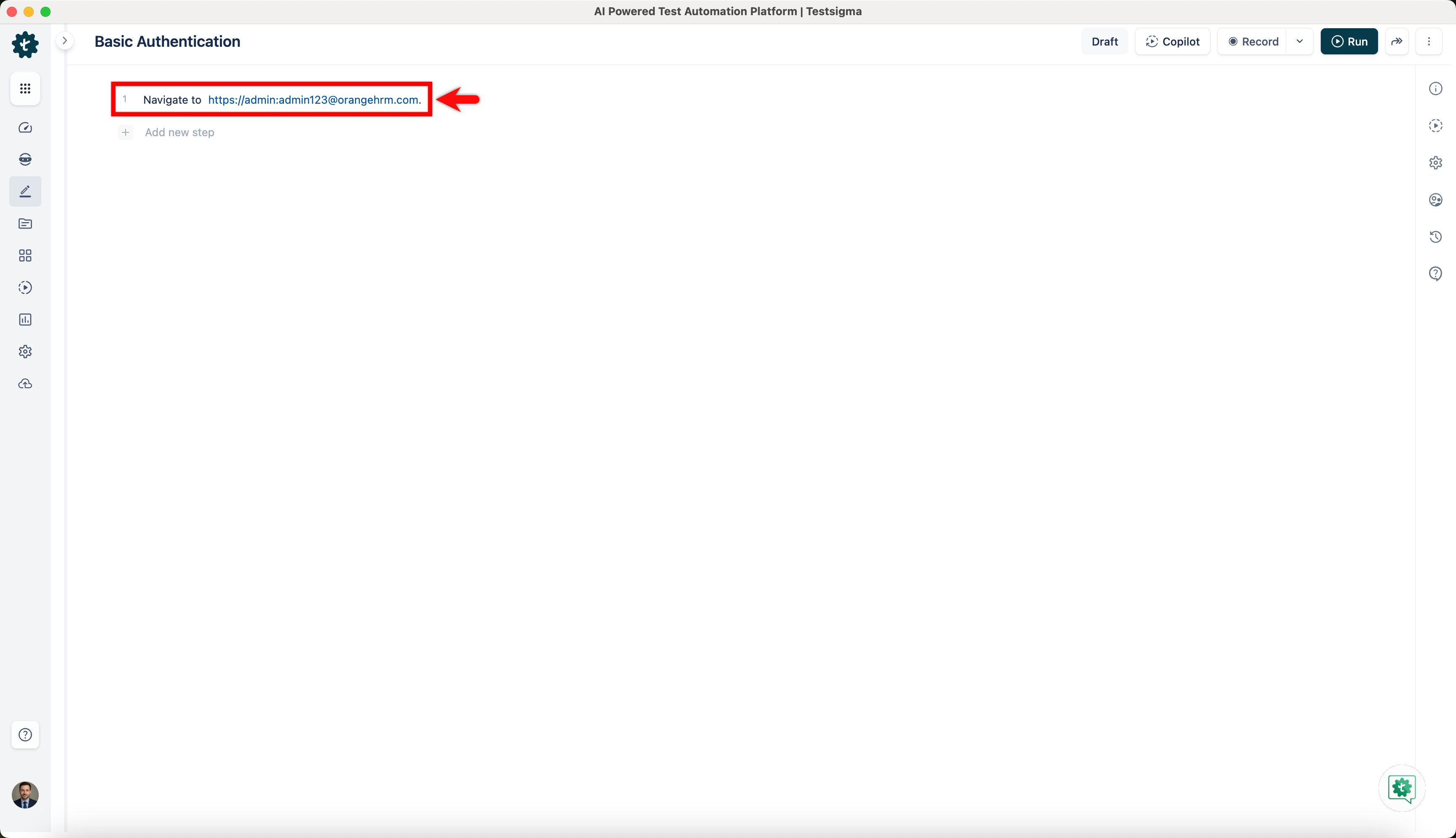
When we navigate to the host URL, the browser automatically sends the credentials for Authentication. We need to use HTTPS to secure sensitive information.
Reducing Execution Time on Safari in Mobile Web
Section titled “Reducing Execution Time on Safari in Mobile Web”When testing web applications on Safari or mobile browsers, passing credentials directly in the URL (for example, https://admin:admin123@orangehrm.com) may increase step execution time.
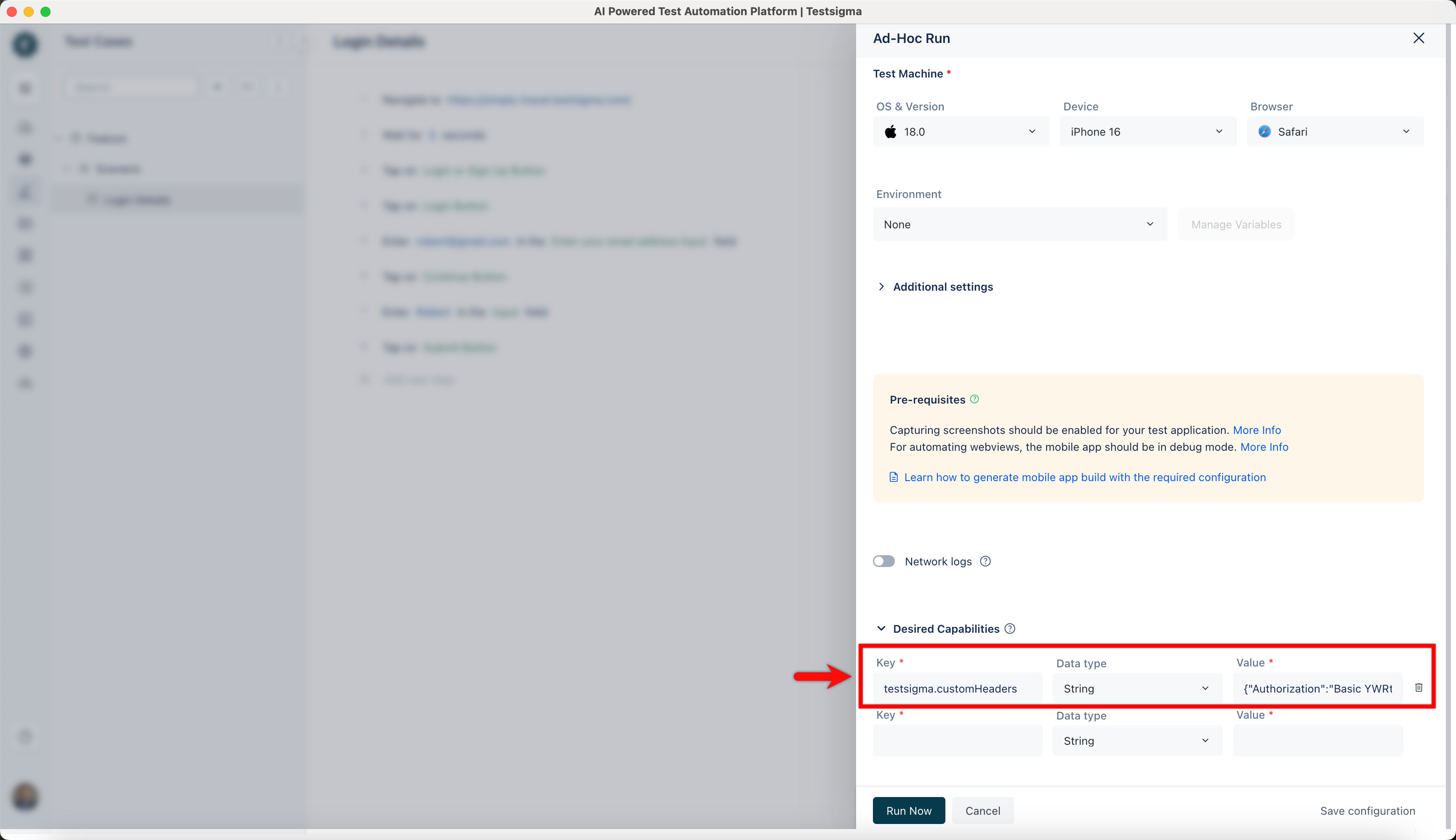
To overcome this and speed up execution, instead of passing the credentials in the URL, we can pass them as a custom header using Desired Capabilities.
Configuration
Section titled “Configuration”| Key | Type | Value |
|---|---|---|
| testsigma.customHeaders | String | {“Authorization”:“Basic YWRtaW46YWRtaW4xMjM=”} |
Steps to Generate Base64 Credentials
Section titled “Steps to Generate Base64 Credentials”Combine the username and password in the format username:password, and then convert this string to Base64 encoding.
For Example:
In the URL: https://admin:admin123@orangehrm.com
Username: admin
Password: admin123
Base64 encoded value: YWRtaW46YWRtaW4xMjM=
Once the desired capability is set, the browser authenticates through the header and prevents the additional execution delay observed in Safari.