Testsigma Agent
Testsigma Agent Upgrade Guide
Prerequisites
- Before you begin, ensure that you have referred to the documentation on setting up the Testsigma Agent on your local machine.
Upgrade Agent Automatically
Section titled “Upgrade Agent Automatically”-
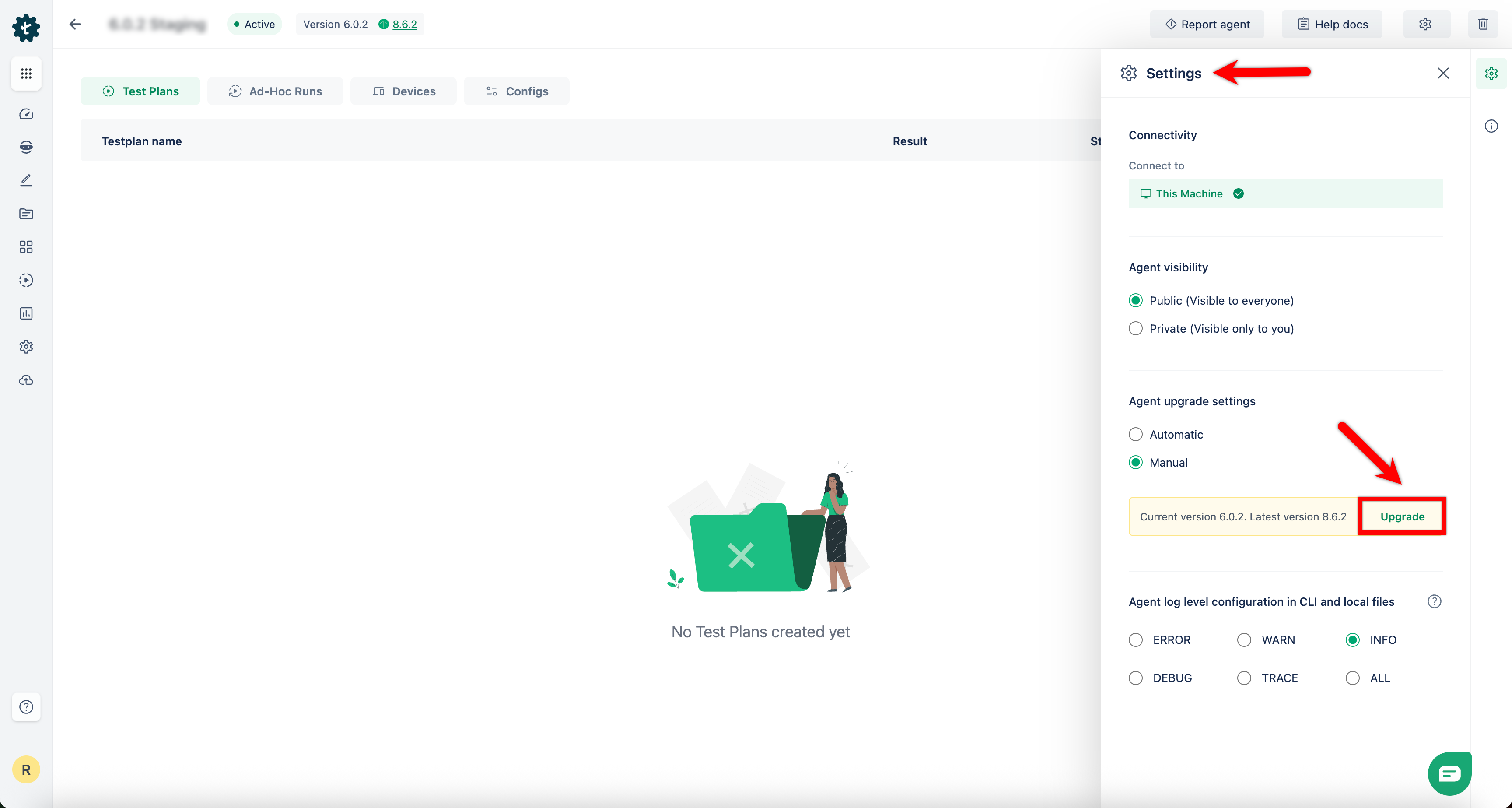
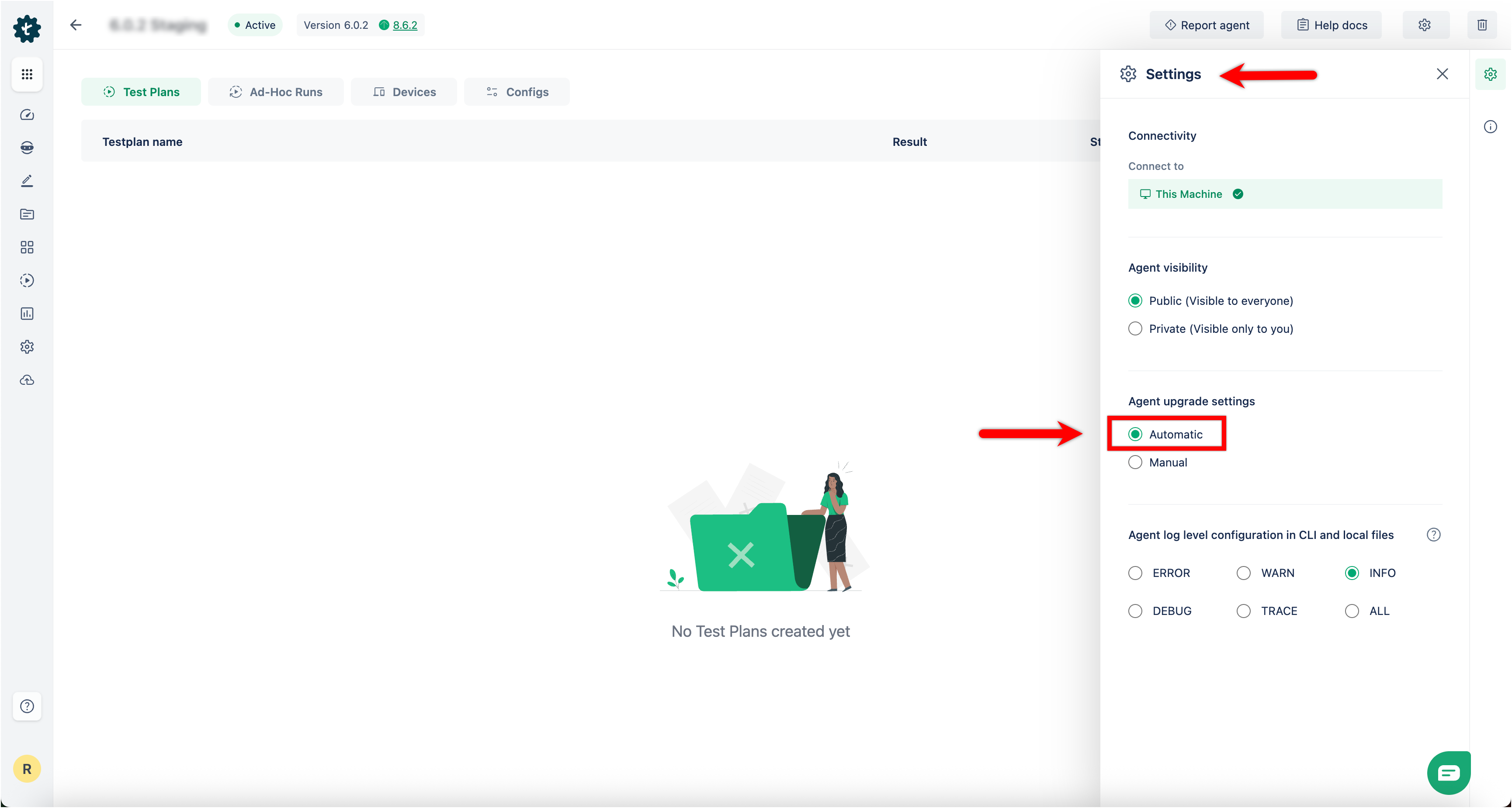
Navigate to Agents > Agent > Settings > Agent upgrade settings to access upgrade settings.
-
Automatic upgrade is enabled by default and the agent upgrades itself when a new version is released.
-
Automatic upgrades ensure that the agent always runs with the latest features, improvements, and security patches.
-
No manual action is required.
Upgrade Agent Manually
Section titled “Upgrade Agent Manually”You can switch to manual upgrades if you want to control when the agent updates.
-
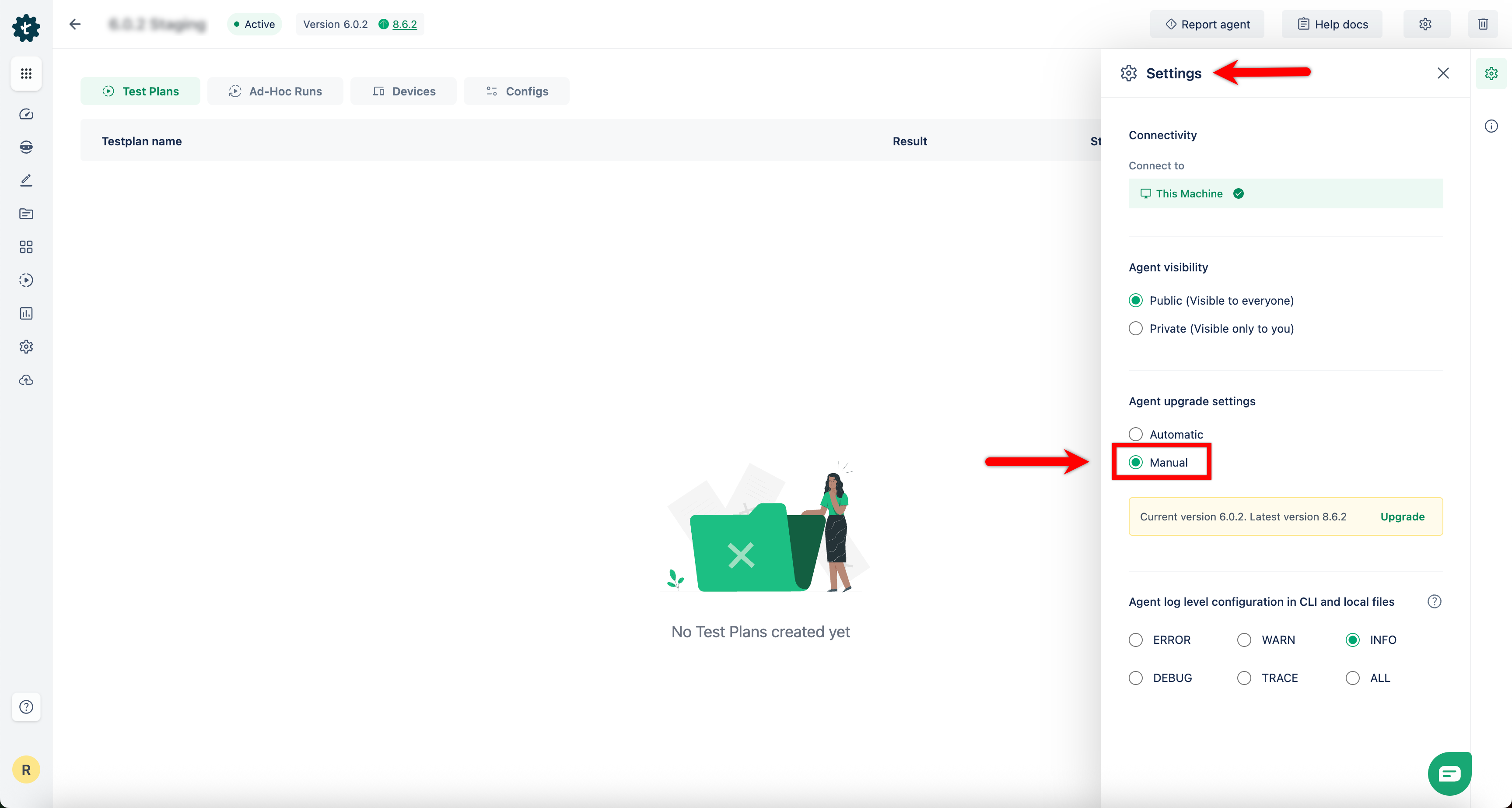
Navigate to Agents > Agent > Settings > Agent upgrade settings to access upgrade settings.
-
Select Manual under Agent upgrade settings.
-
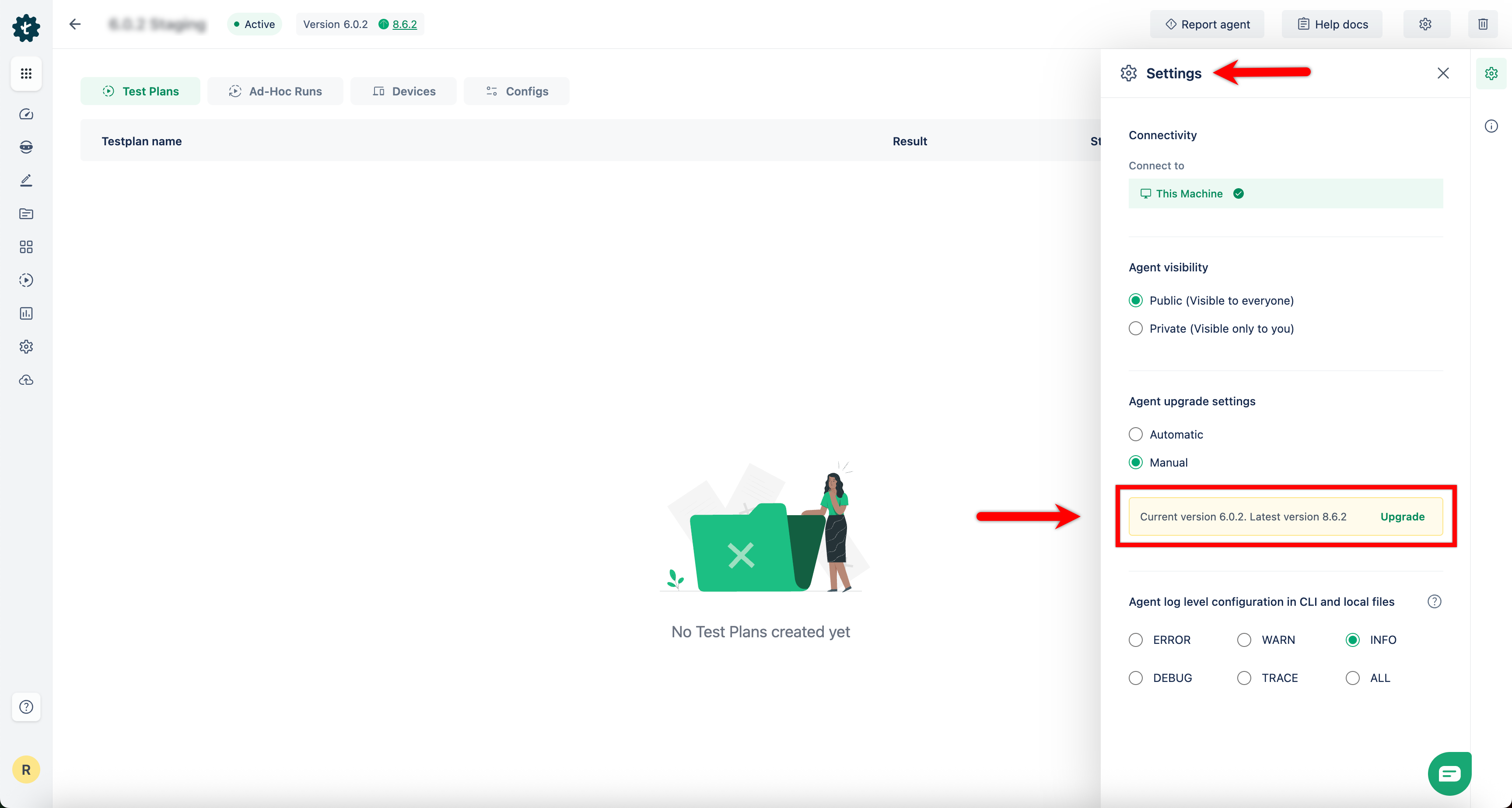
When a new version is available, the UI shows a notification such as: Current version: X.Y.Z. Latest version: A.B.C
-
Click Upgrade to install the latest version.