
Test Data
Bulk Deletion of a Test Data Profile
Steps for Bulk Deletion of a Test Data Profile
Section titled “Steps for Bulk Deletion of a Test Data Profile”-
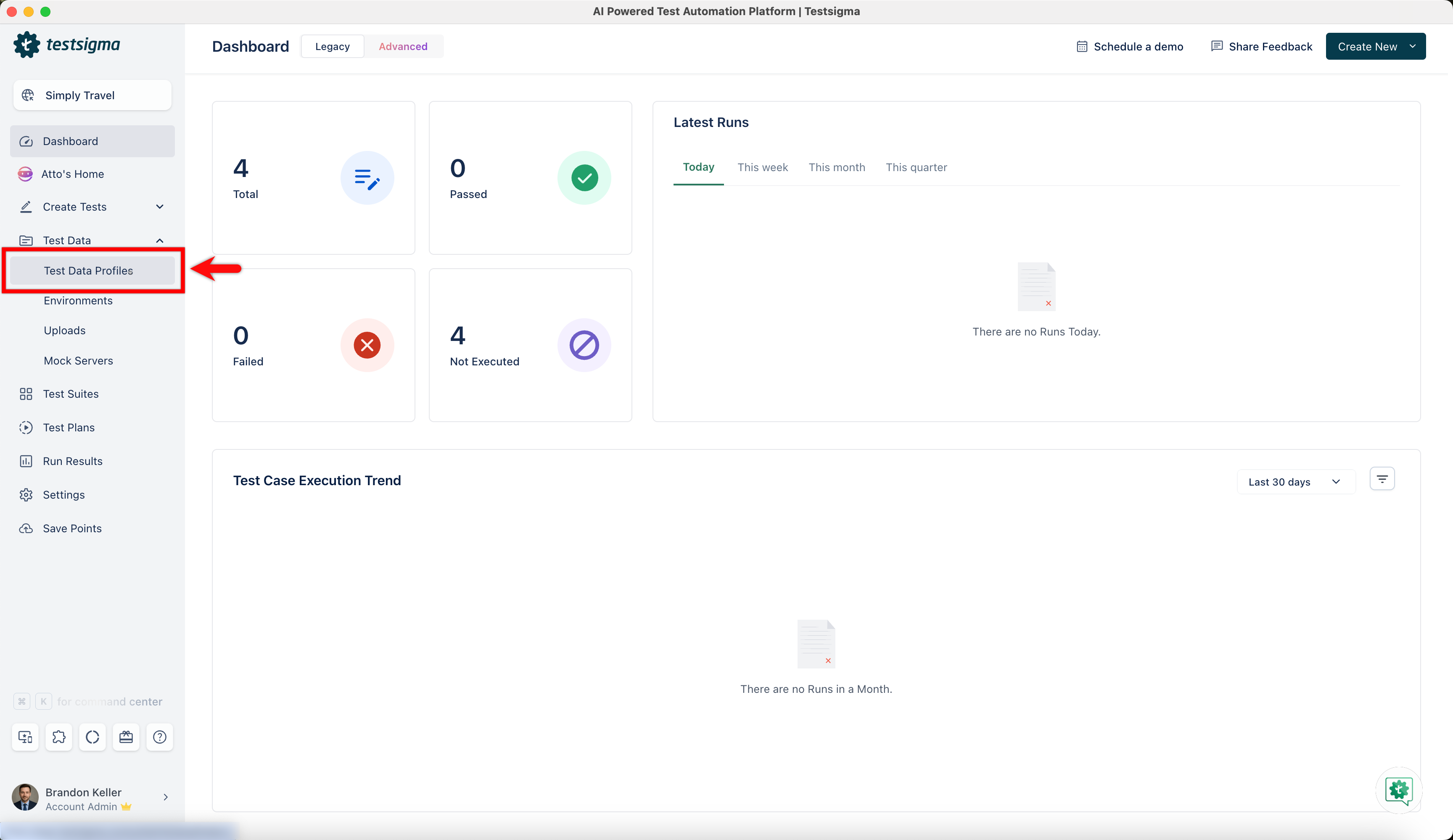
Navigate to Test Development > Test Data Profile.
-
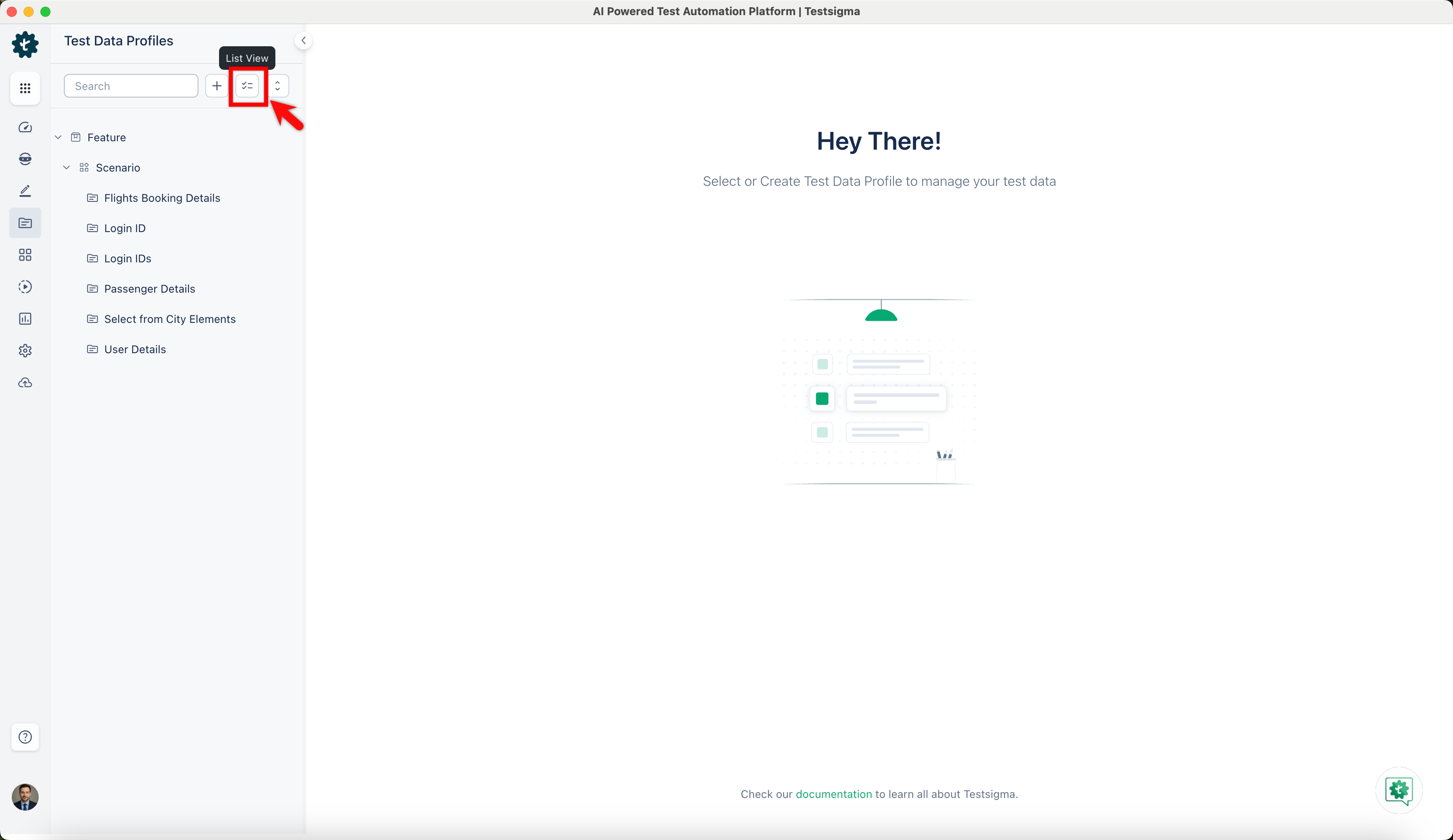
In the Test Data Profile explorer, click the List View icon.
-
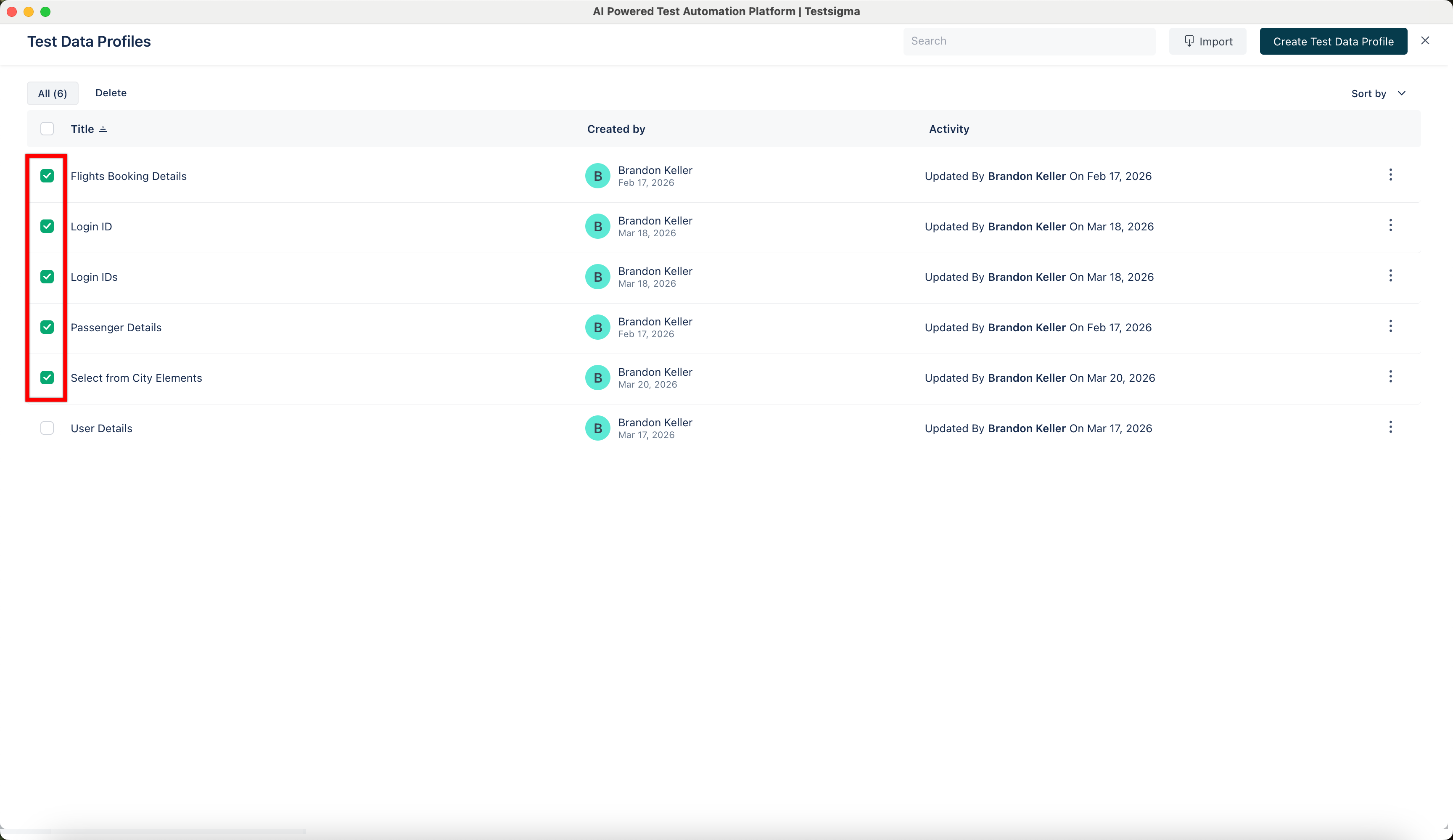
In the Test Data Profiles list page, check all the Test Data Profiles you want to delete.
-
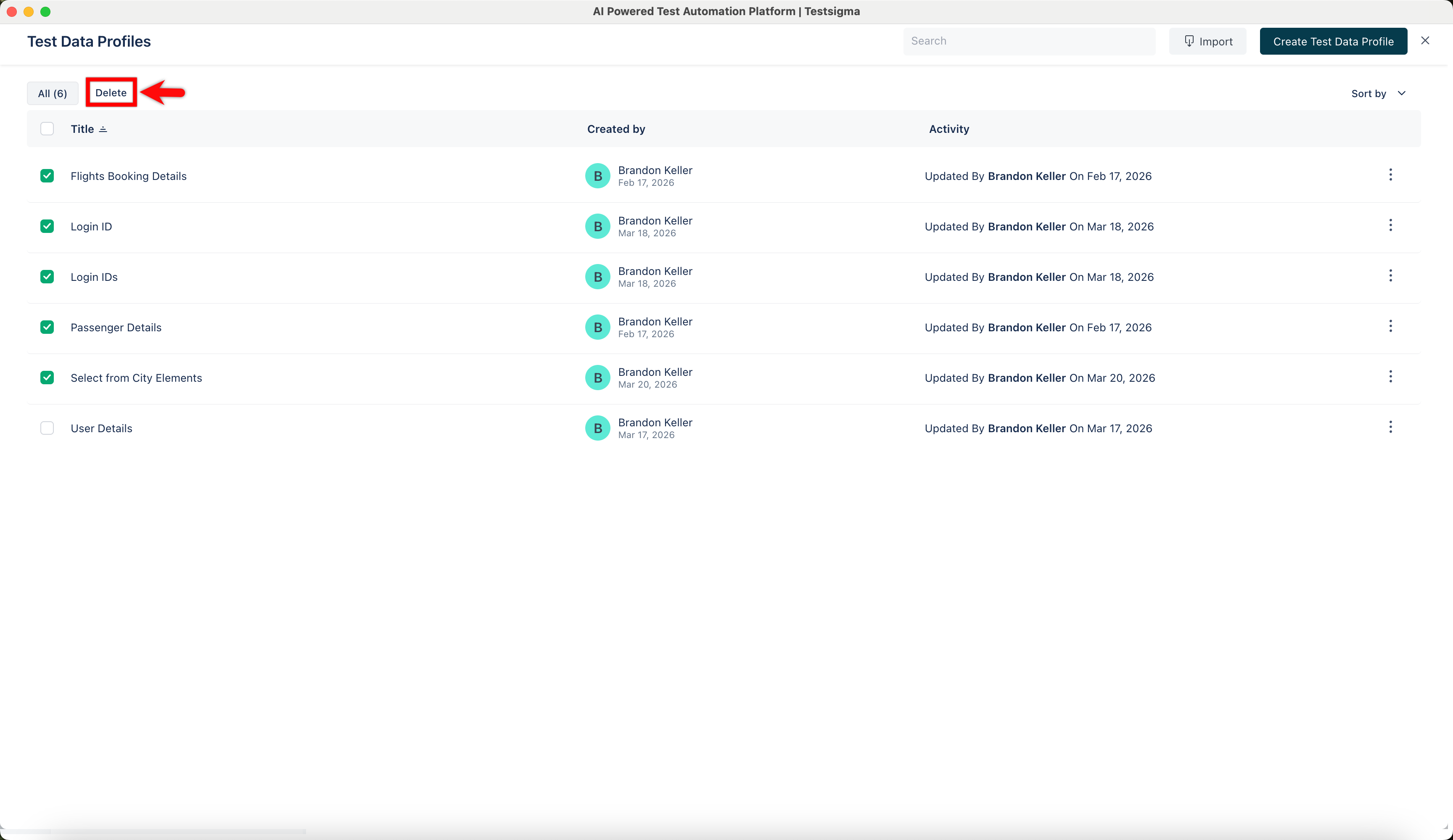
Click on Delete.
-
On the Delete List of Test Data prompt, enter Delete and click on I understand, delete this test data.
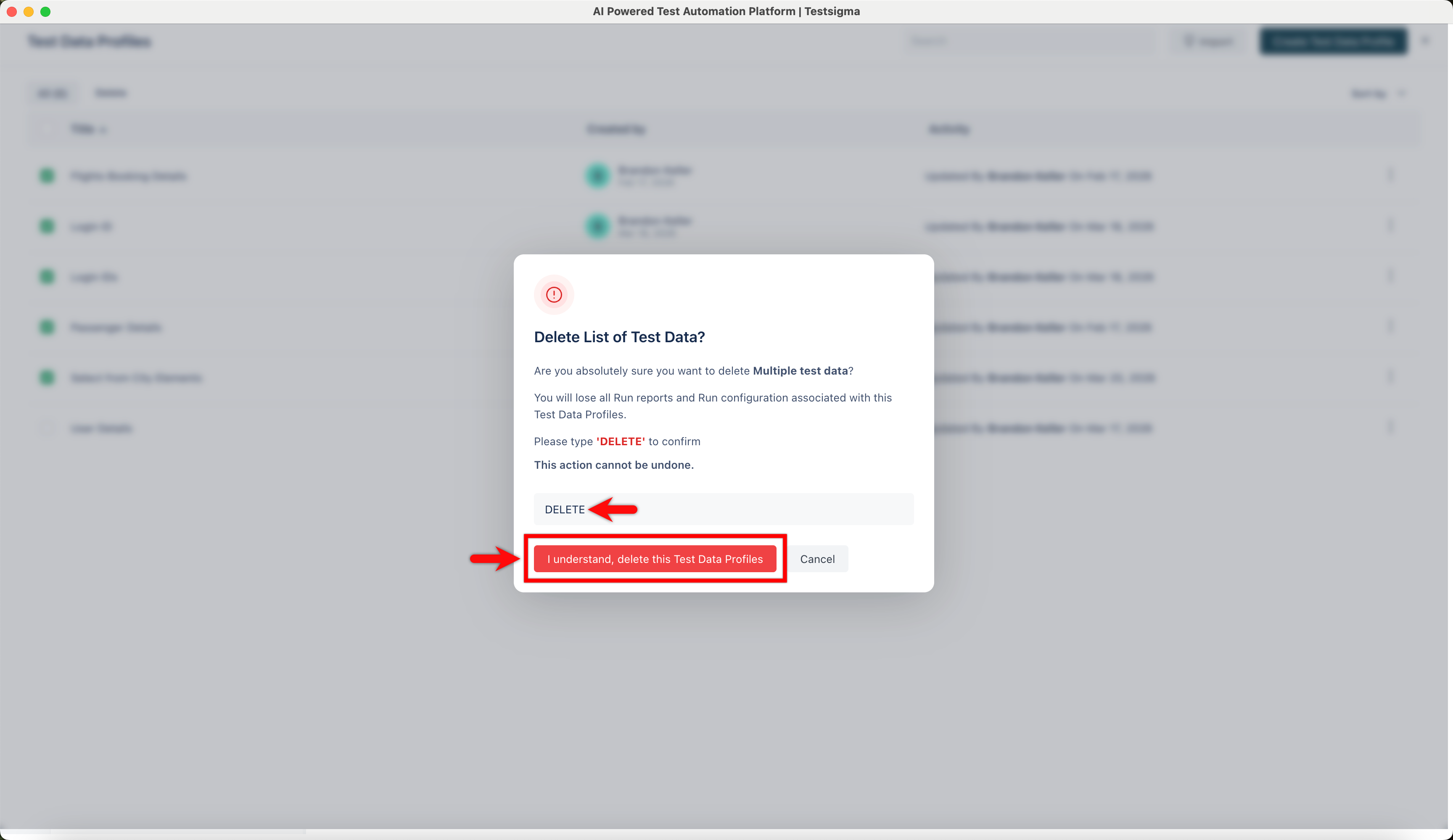
The selected Test Data Profiles deleted from the list.