Salesforce Testing
Query Builder for Salesforce Testing
Prerequisites
- Before you begin, ensure the Salesforce app is connected to Testsigma with a valid metadata connection.
Steps to Use the SOQL Query Builder Tool
Section titled “Steps to Use the SOQL Query Builder Tool”-
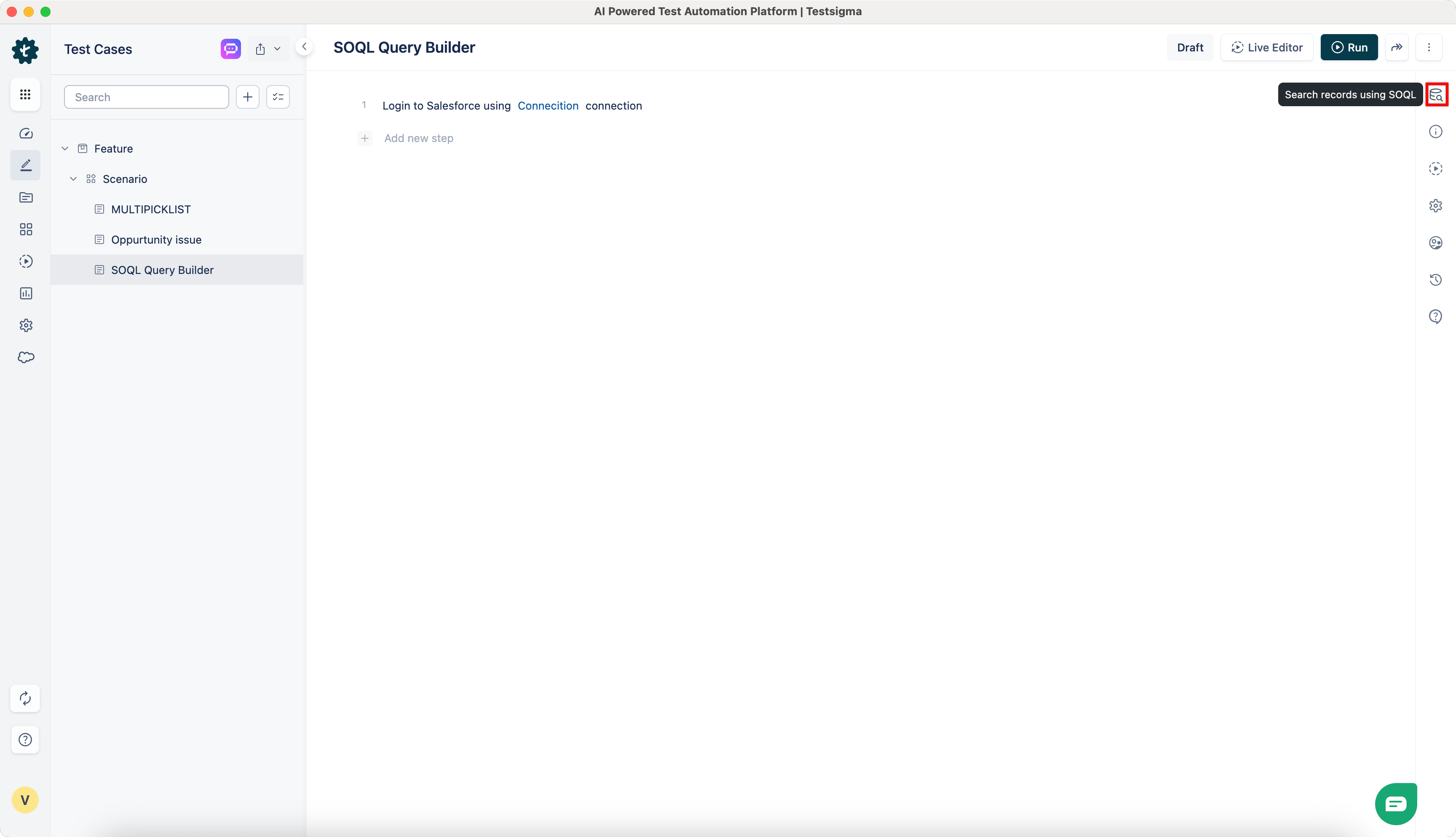
Open the Salesforce Query Builder from the test case page in the Utility Panel.
-
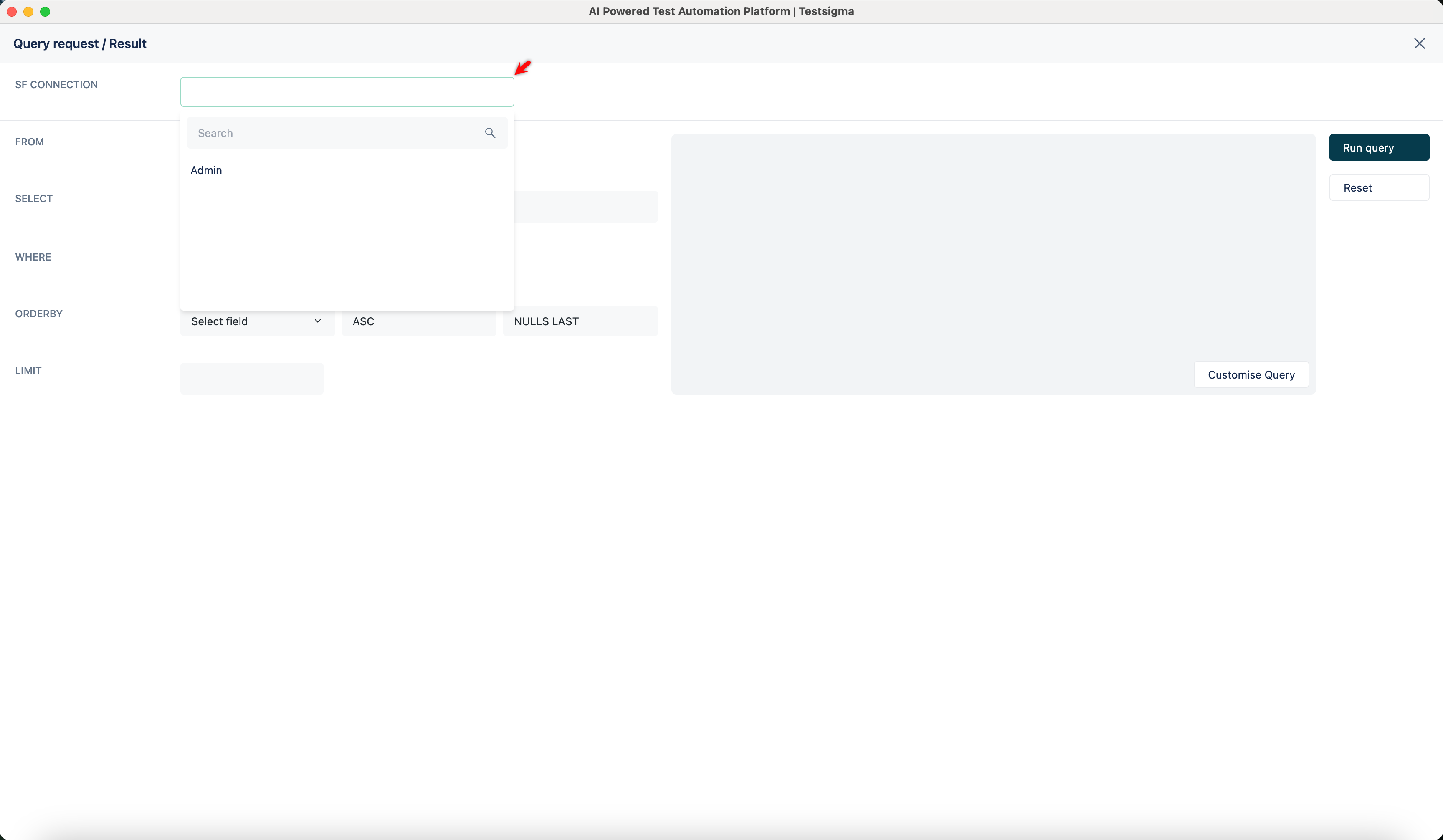
From the SF Connection dropdown, select the Salesforce connection to use.
-
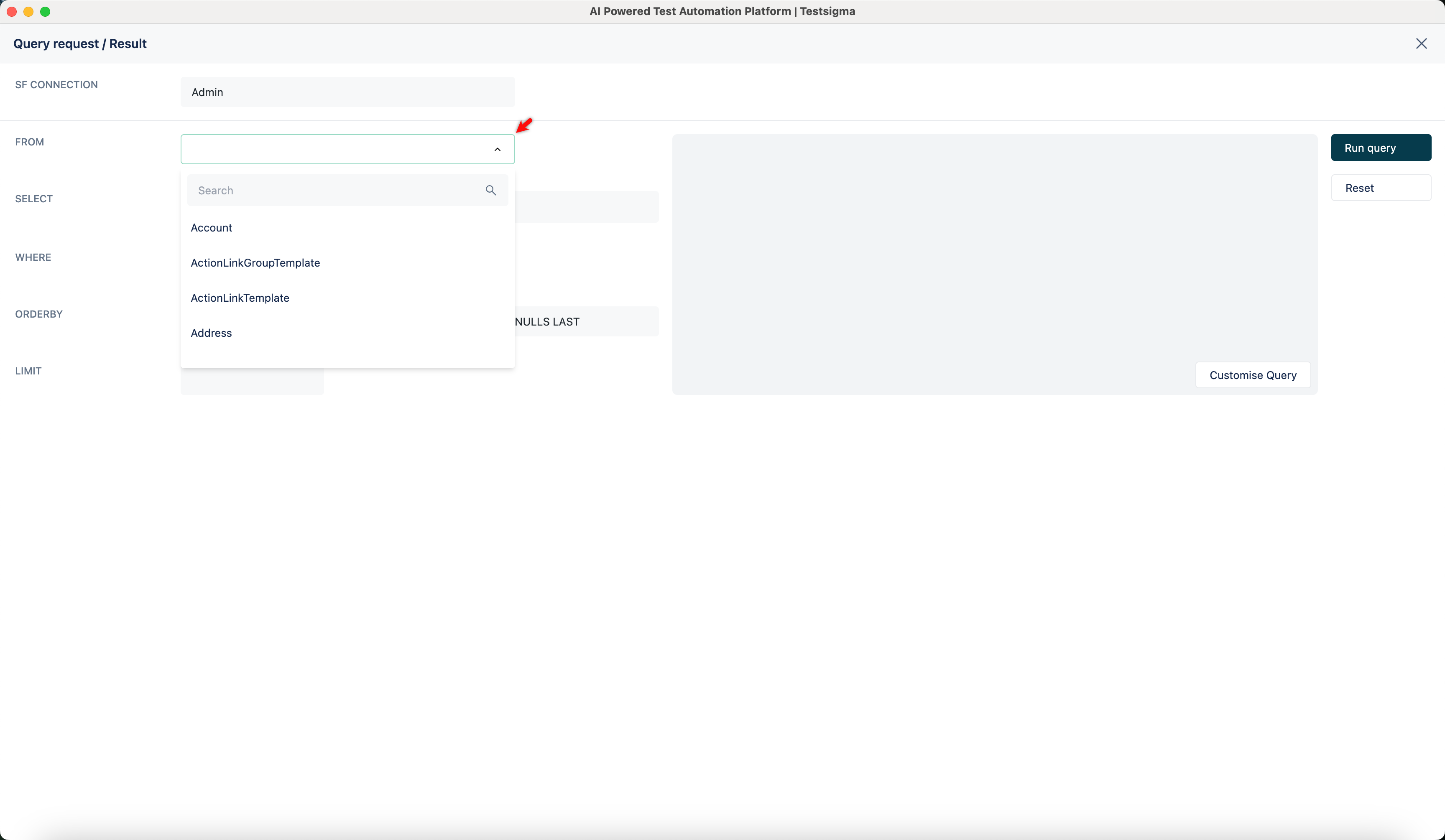
In the FROM field, choose a Salesforce object (e.g., Account, Contact).
-
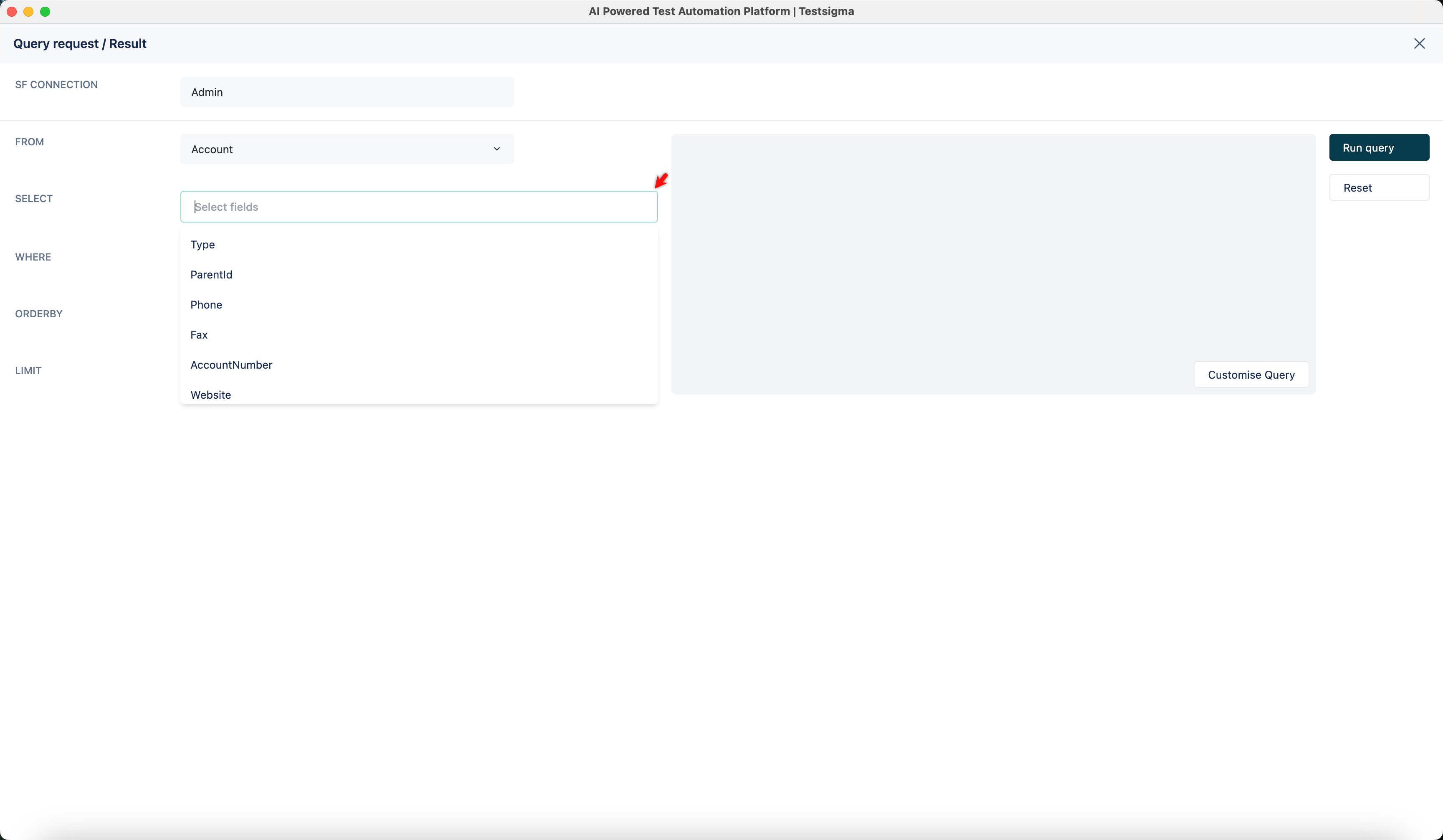
Use the SELECT section to add fields (e.g., Type, RecordTypeId, Industry). The SOQL query updates automatically in the preview pane.
-
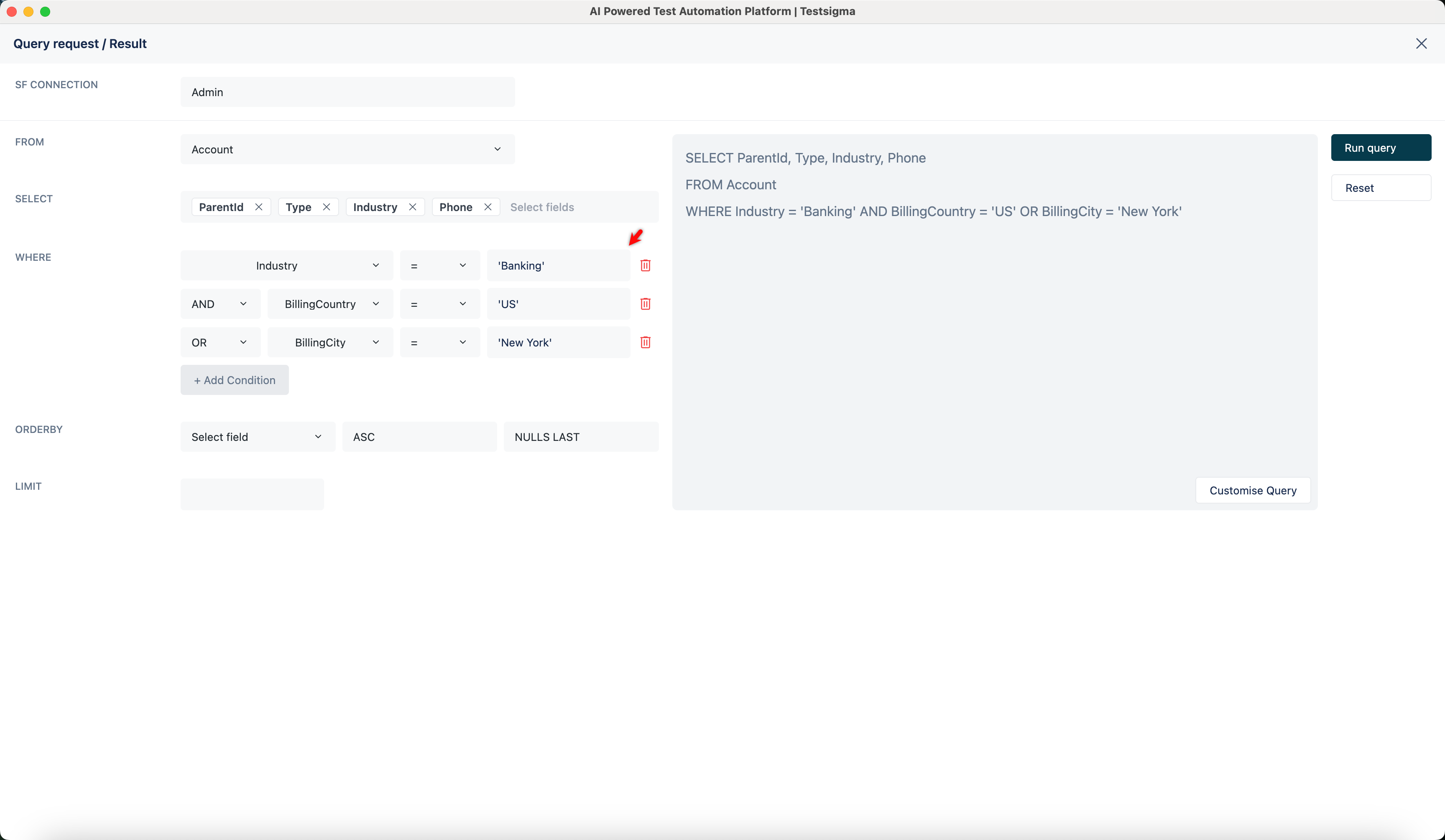
Click + Add Condition to filter results using WHERE clauses if required.
-
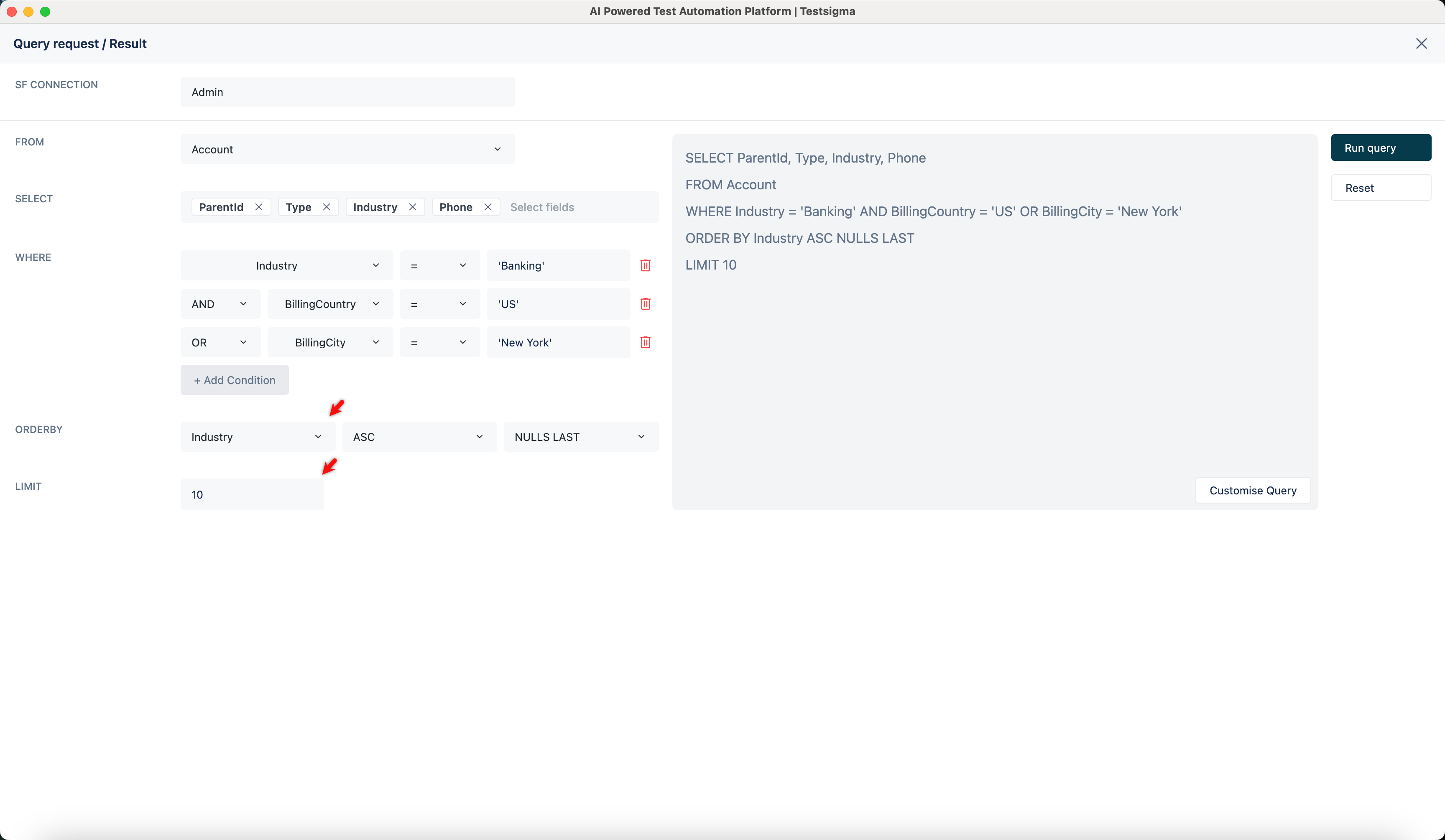
Use ORDER BY and LIMIT to specify the order and number of records.
-
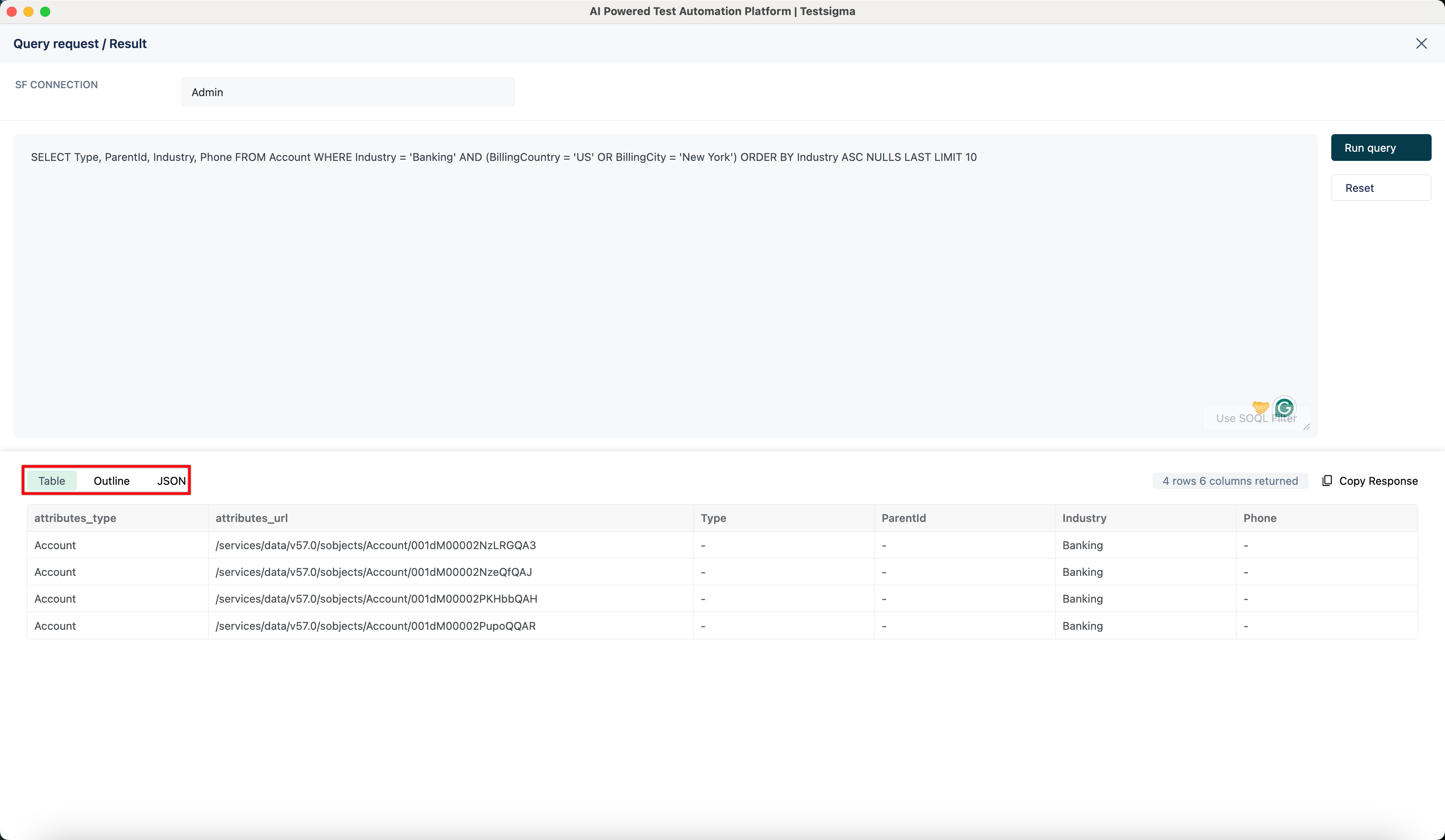
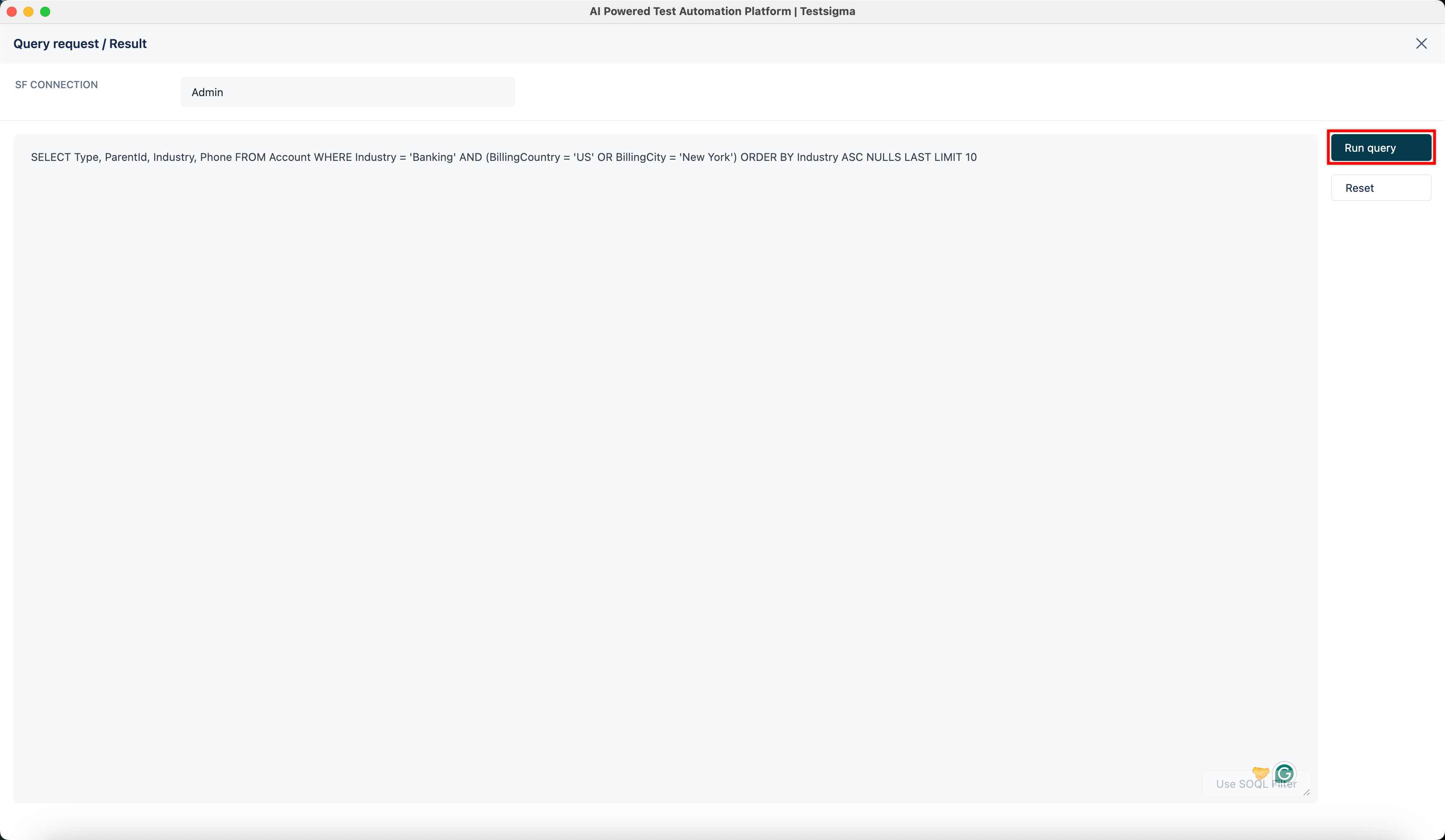
Click Run Query to execute the SOQL query.
-
View the results in Table, Outline, or JSON format.