
Collaboration
Inviting Team Members to a Project
Prerequisites
Before you begin, ensure that you have referred to:
Steps to Invite Team Members
Section titled “Steps to Invite Team Members”-
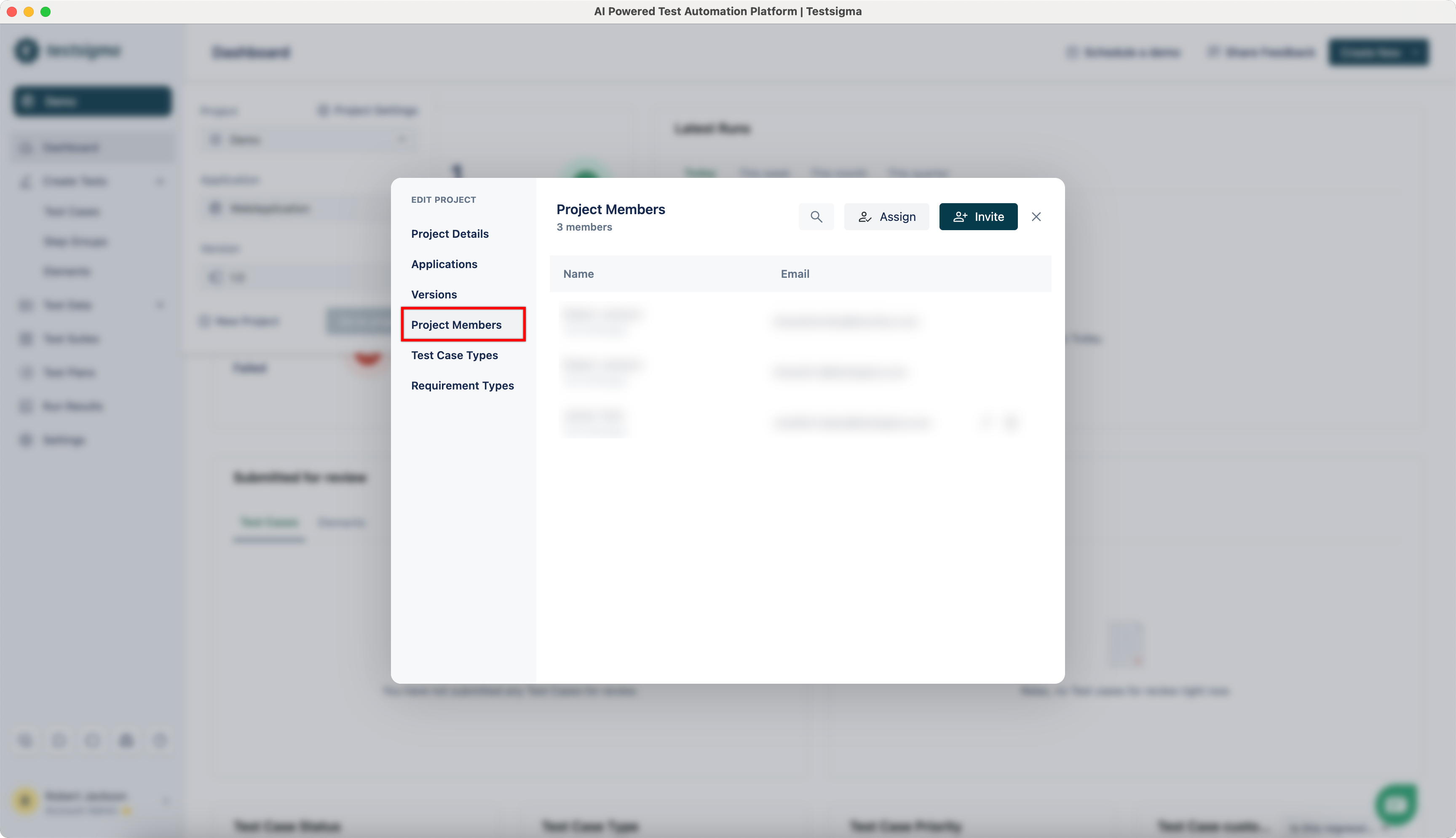
Navigate to Project > Project Settings, click on Project Members.
-
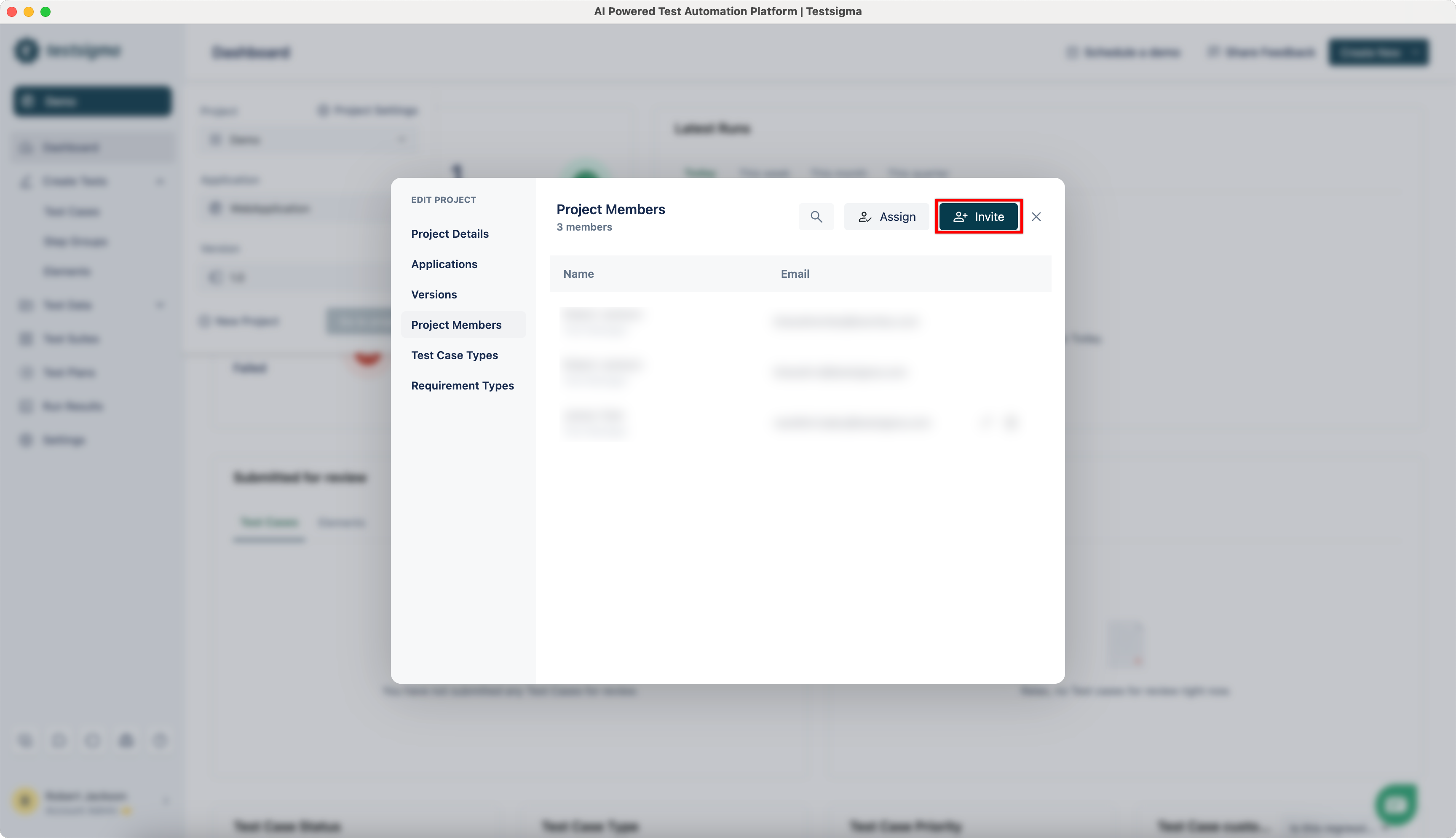
Click on Invite.
-
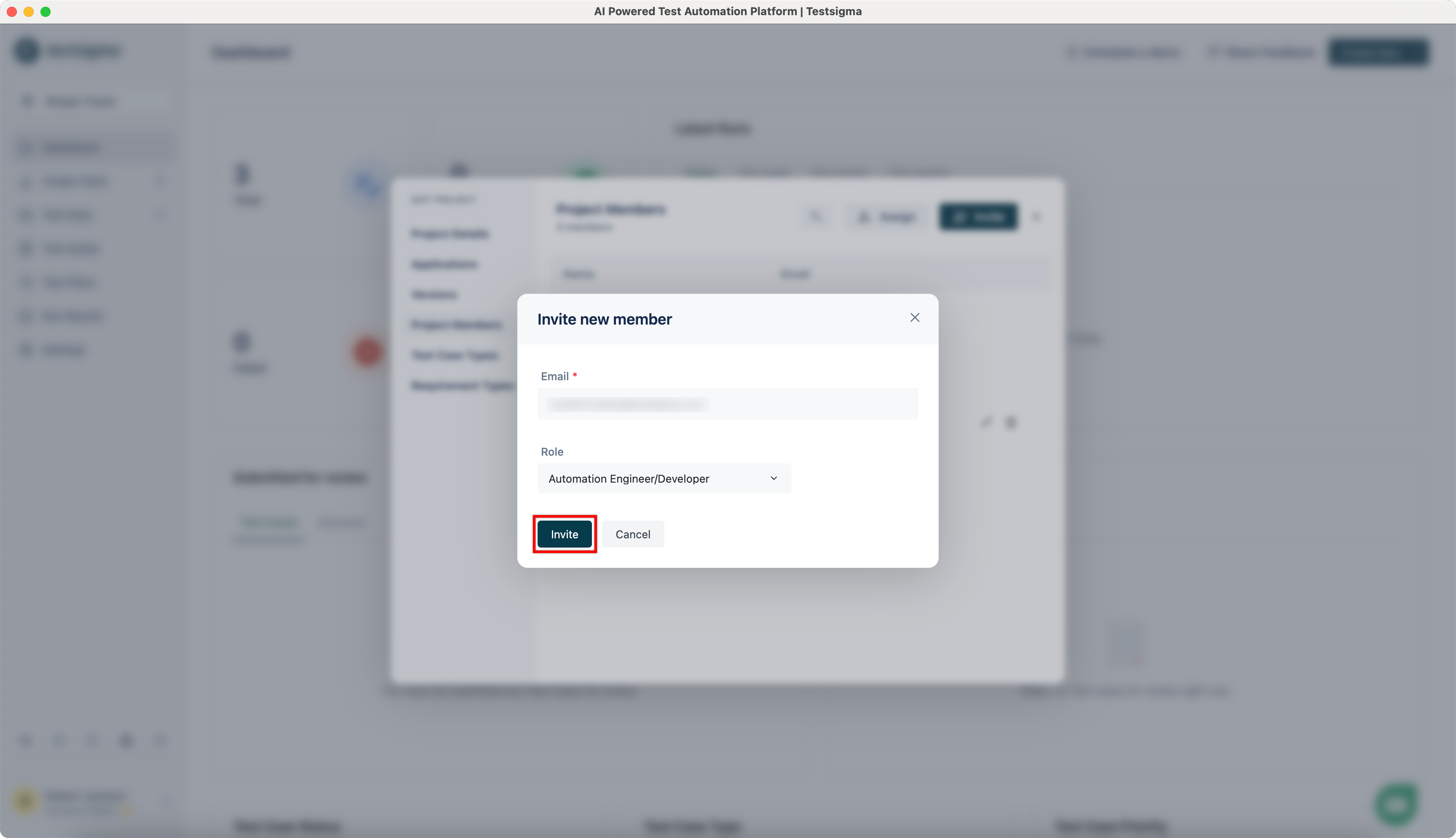
On Invite new member dialog, enter Email and select the Role you want to assign.
-
The invited user should receive an invitation email.
Alternatively, you can also add users from global Settings. Learn how to assign projects from here.