Test Cases
Manage Save Points
Steps to Manage Save Points
Section titled “Steps to Manage Save Points”-
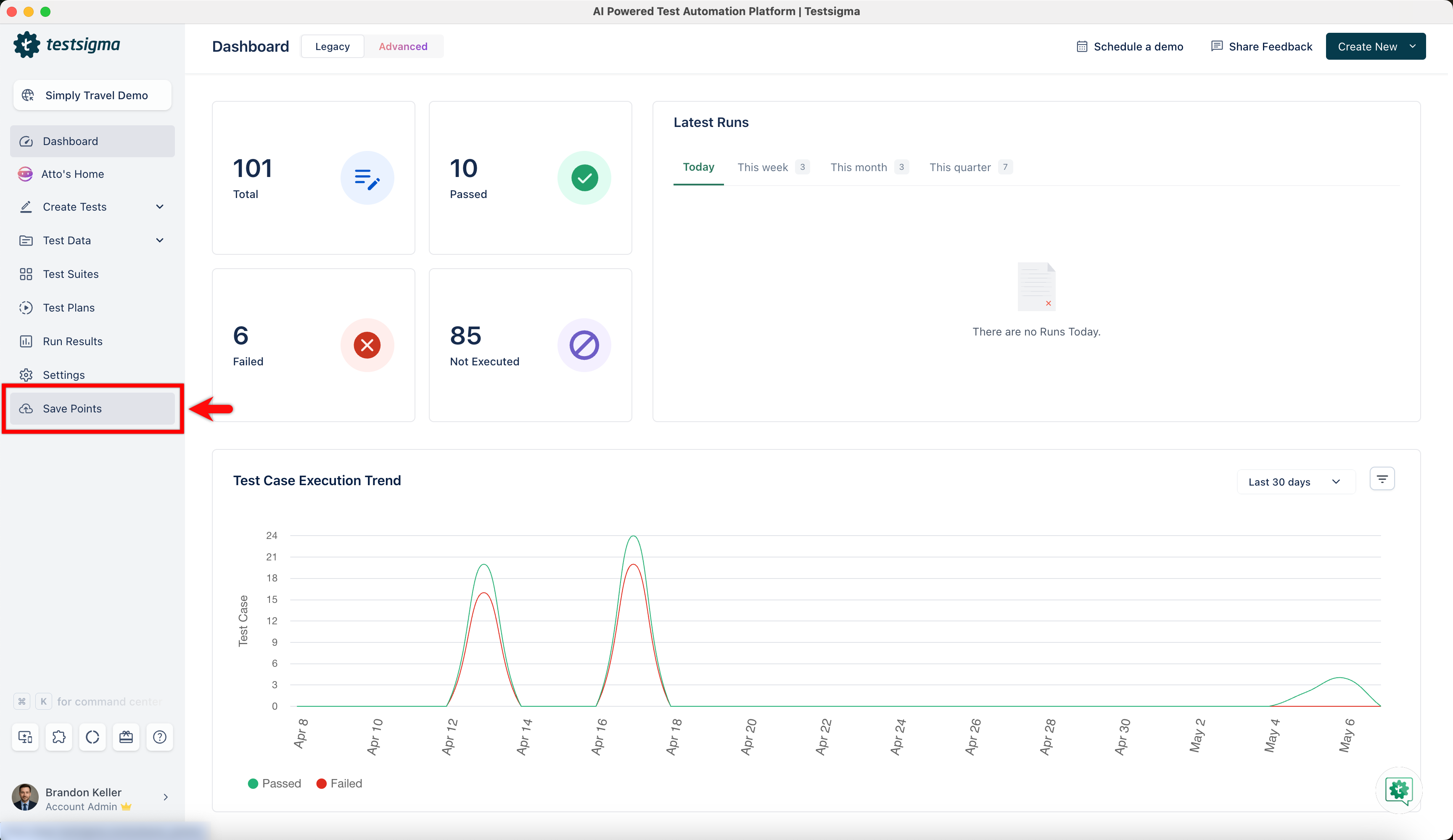
From the left navigation bar, go to Save Points.
-
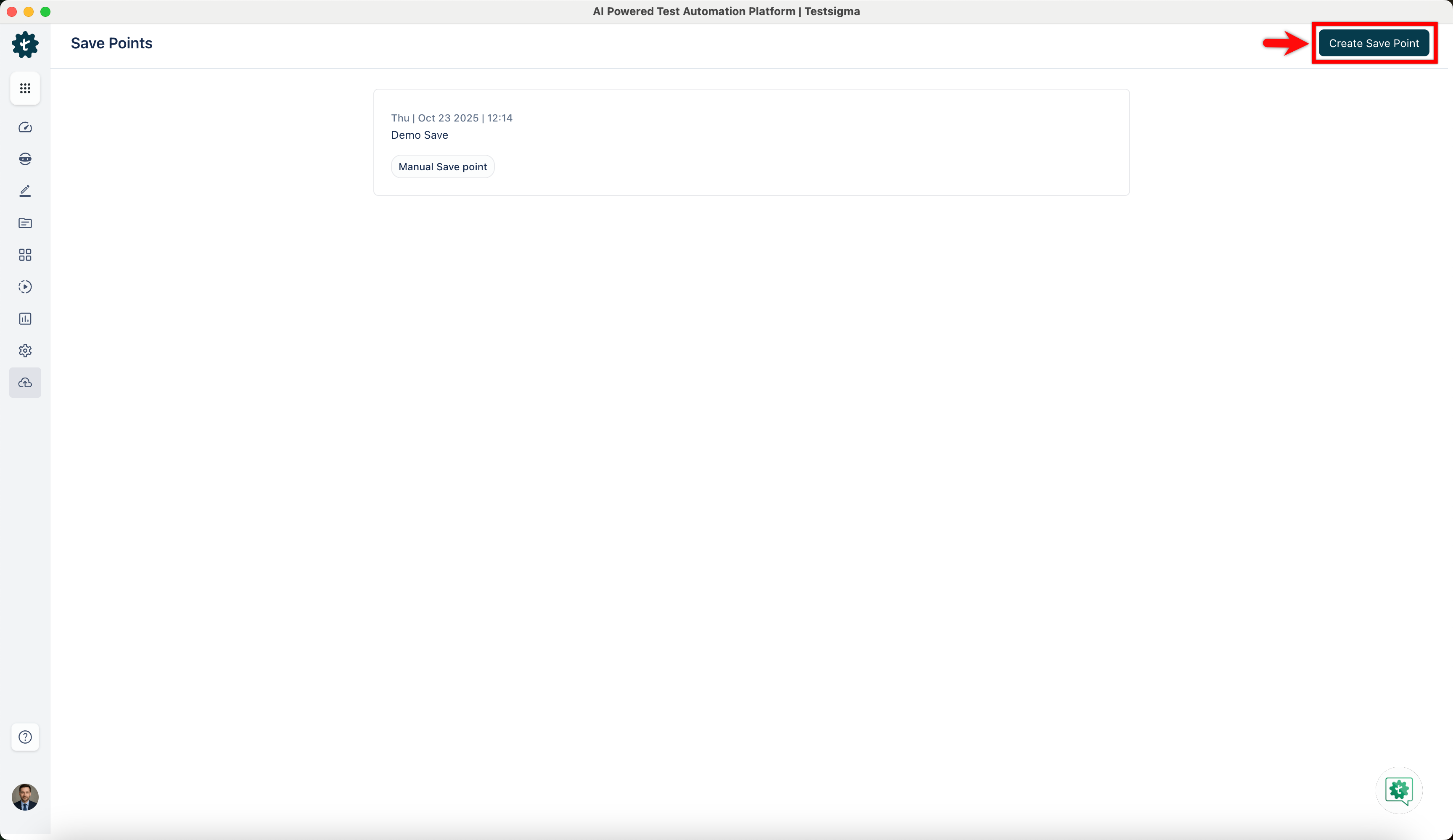
Click Create Save Point to save all test cases, elements, test data profiles, and step groups.
-
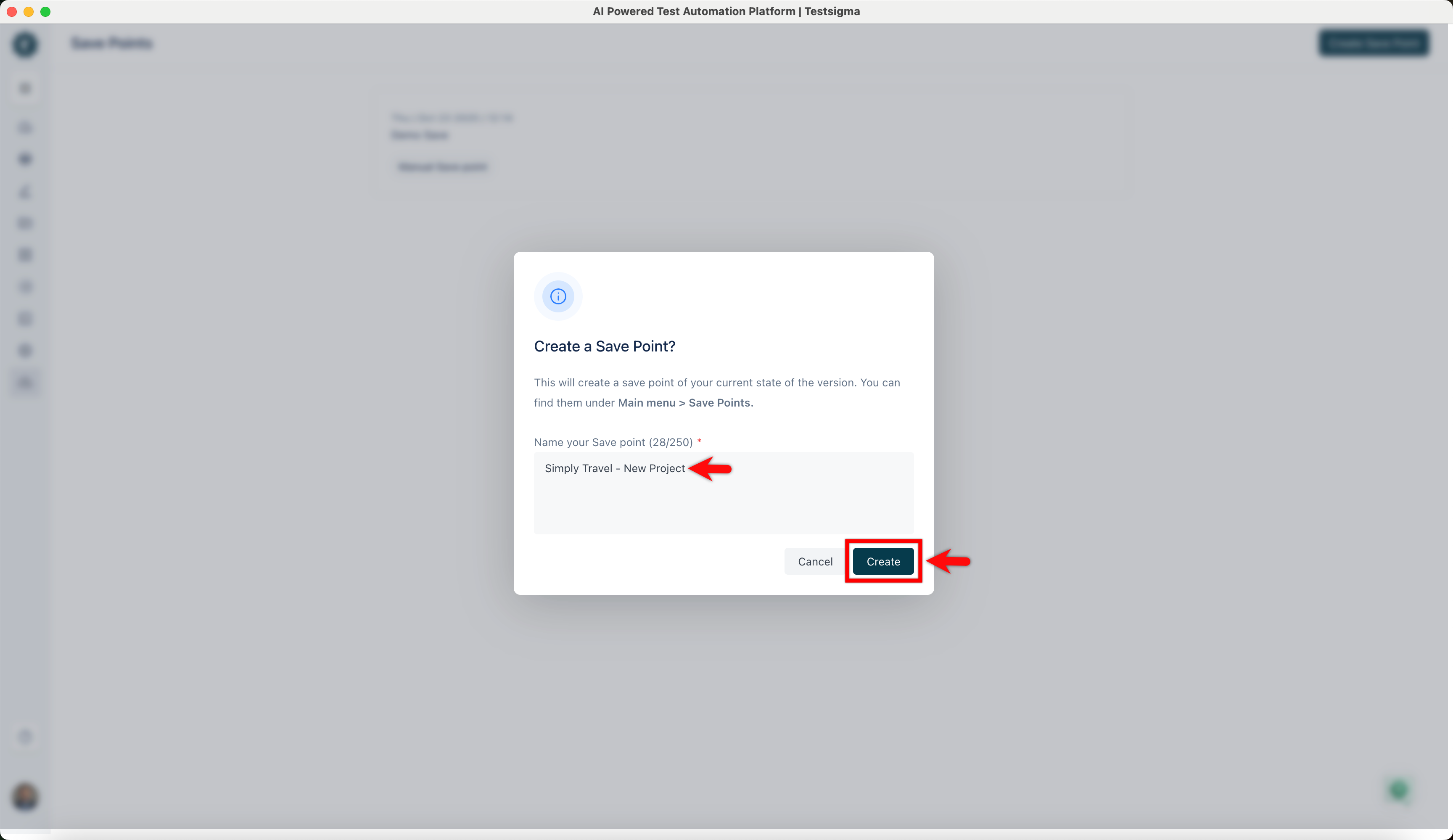
In the Create a Save Point? dialog, enter a name, and click Create.
-
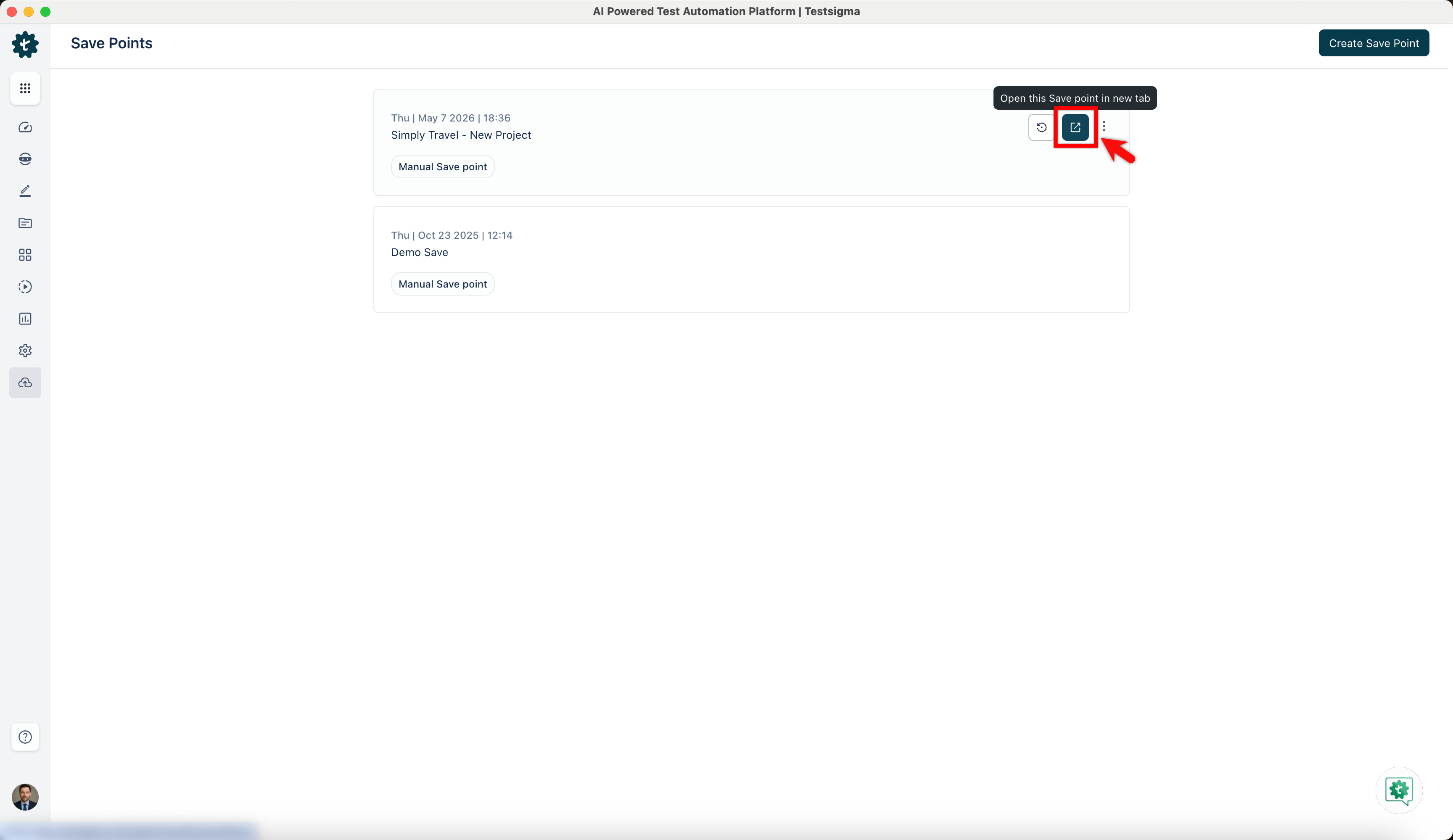
Click the Open this Save Point in new tab icon to to view the save point in a new tab.
-
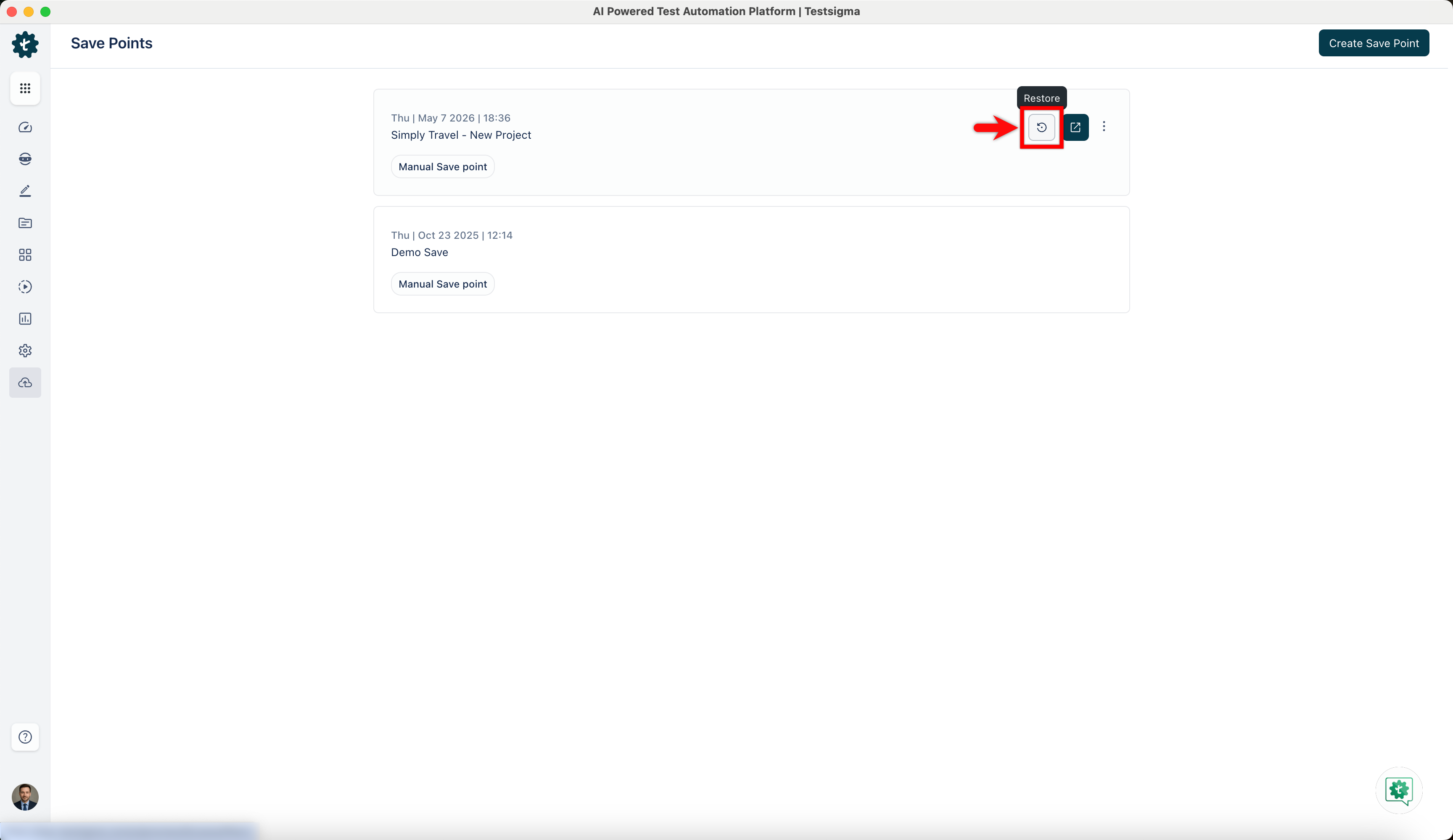
Click the Restore icon to revert to the backup version.
-
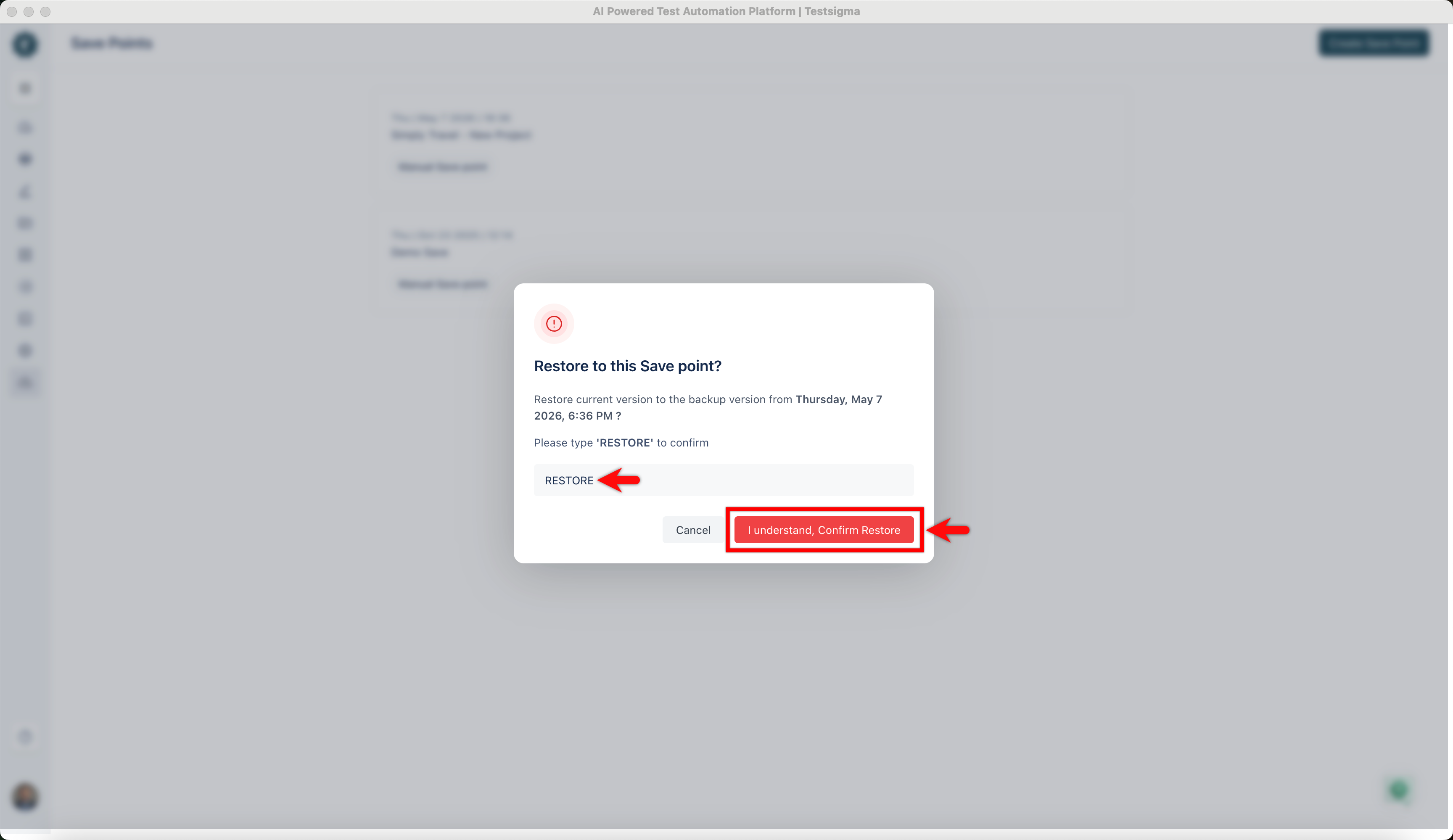
In the Restore to this save point? dialog, enter RESTORE and click I understand, Confirm Restore.
-
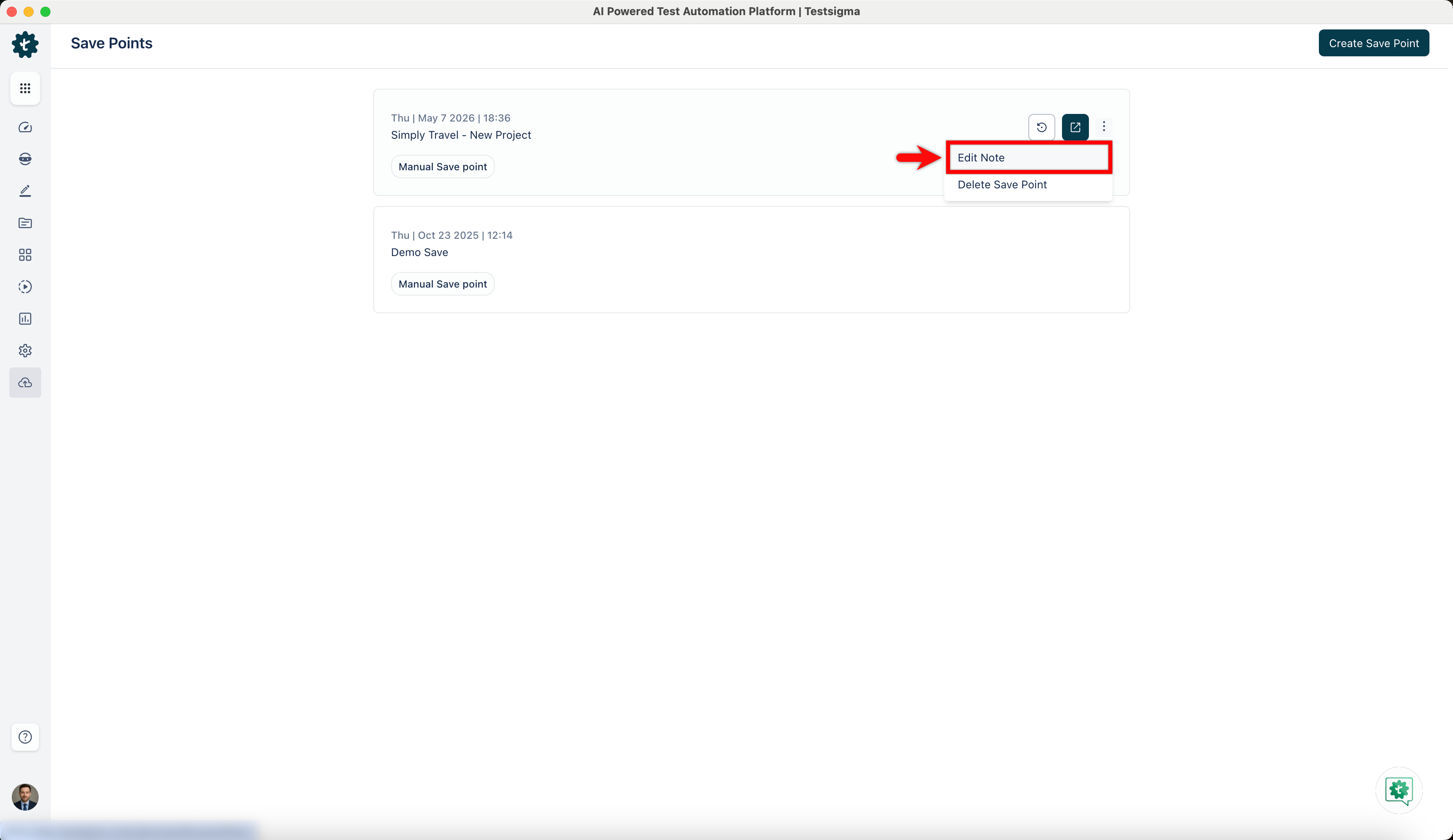
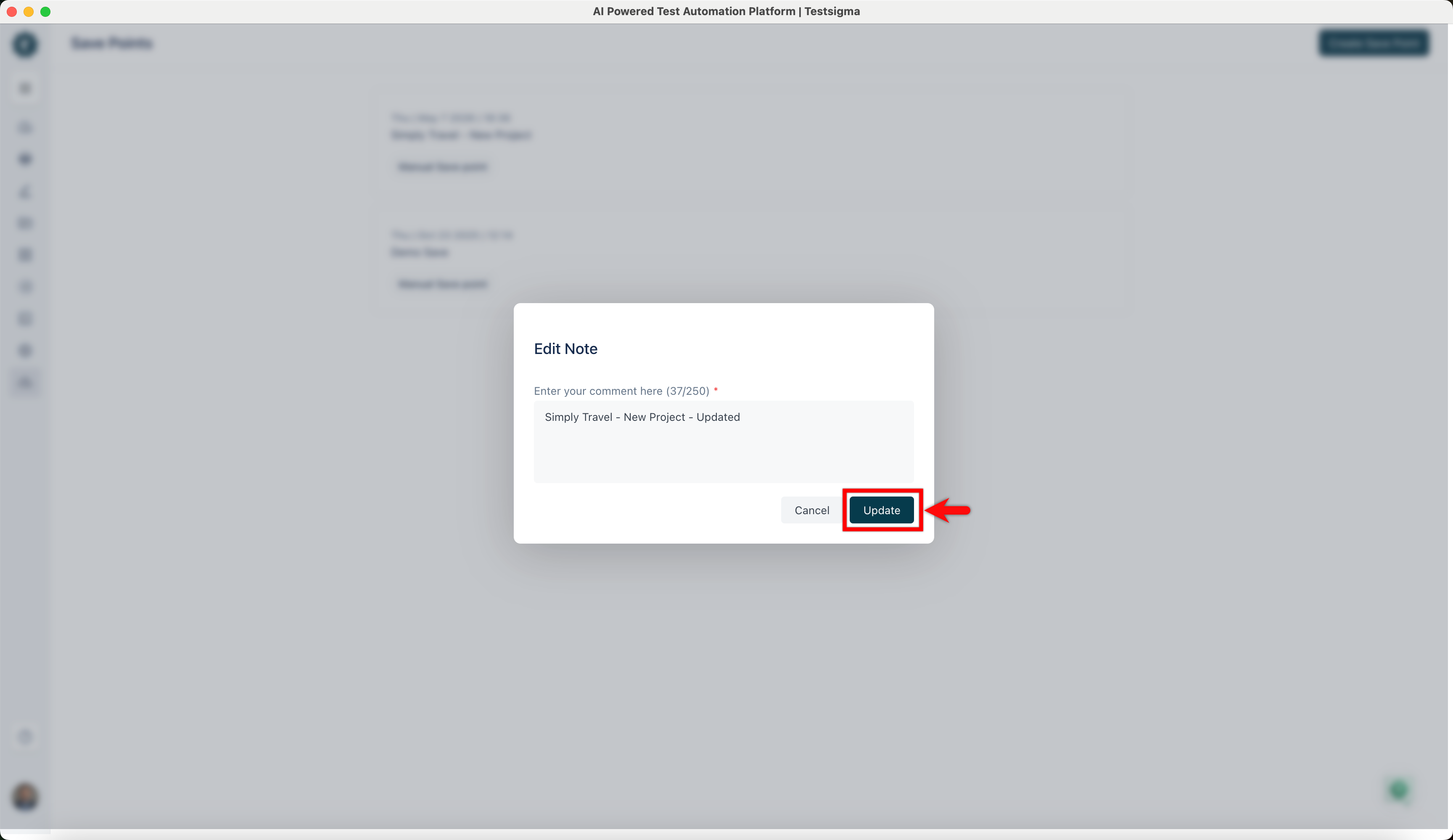
To edit a note of a save point, click the ellipse icon next to it and click Edit Note.
-
In the Edit Note dialog, update the comment, and click Update.
-
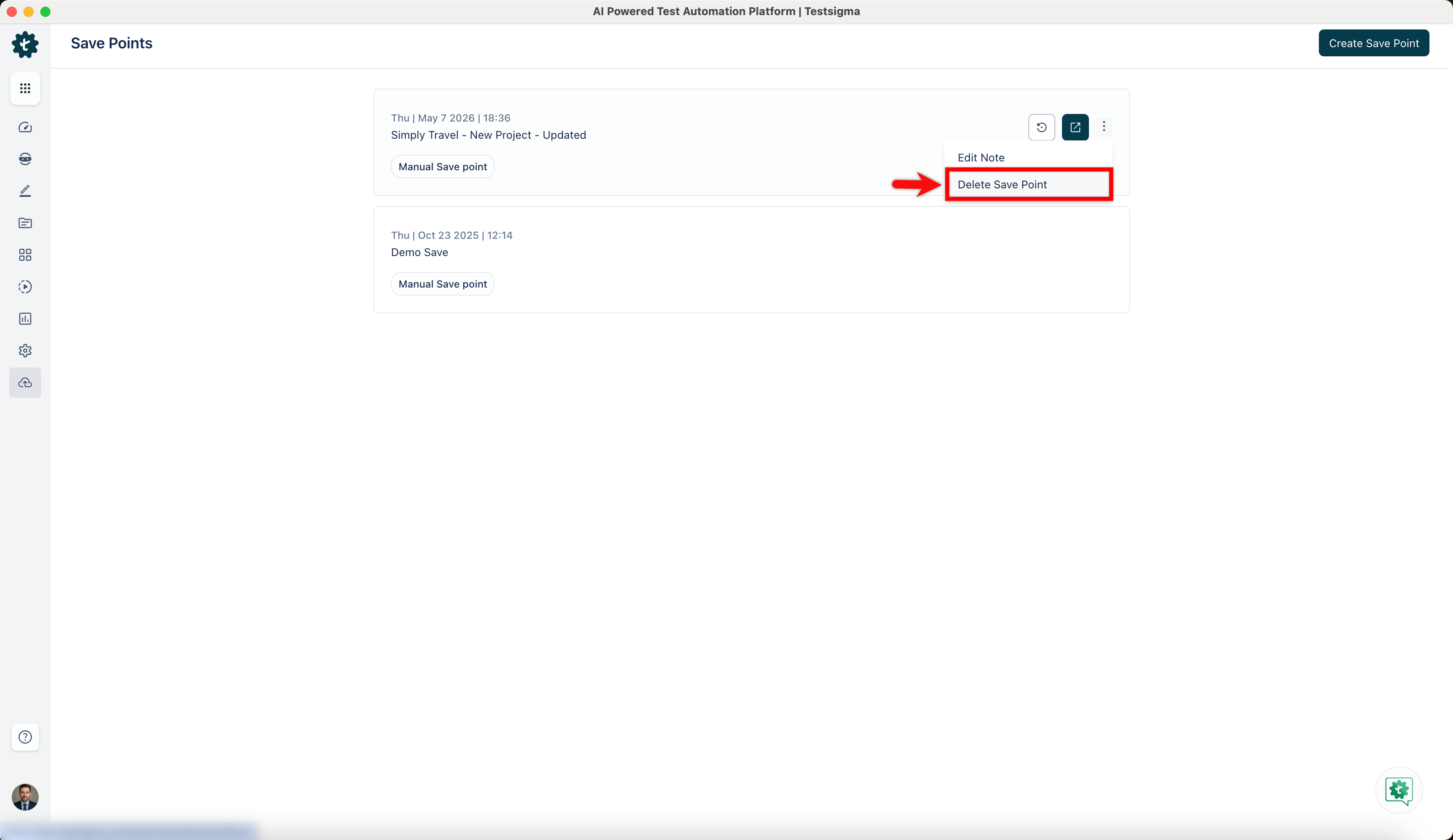
To delete a save point, click the ellipse icon next to it and then click Delete Save Point.
-
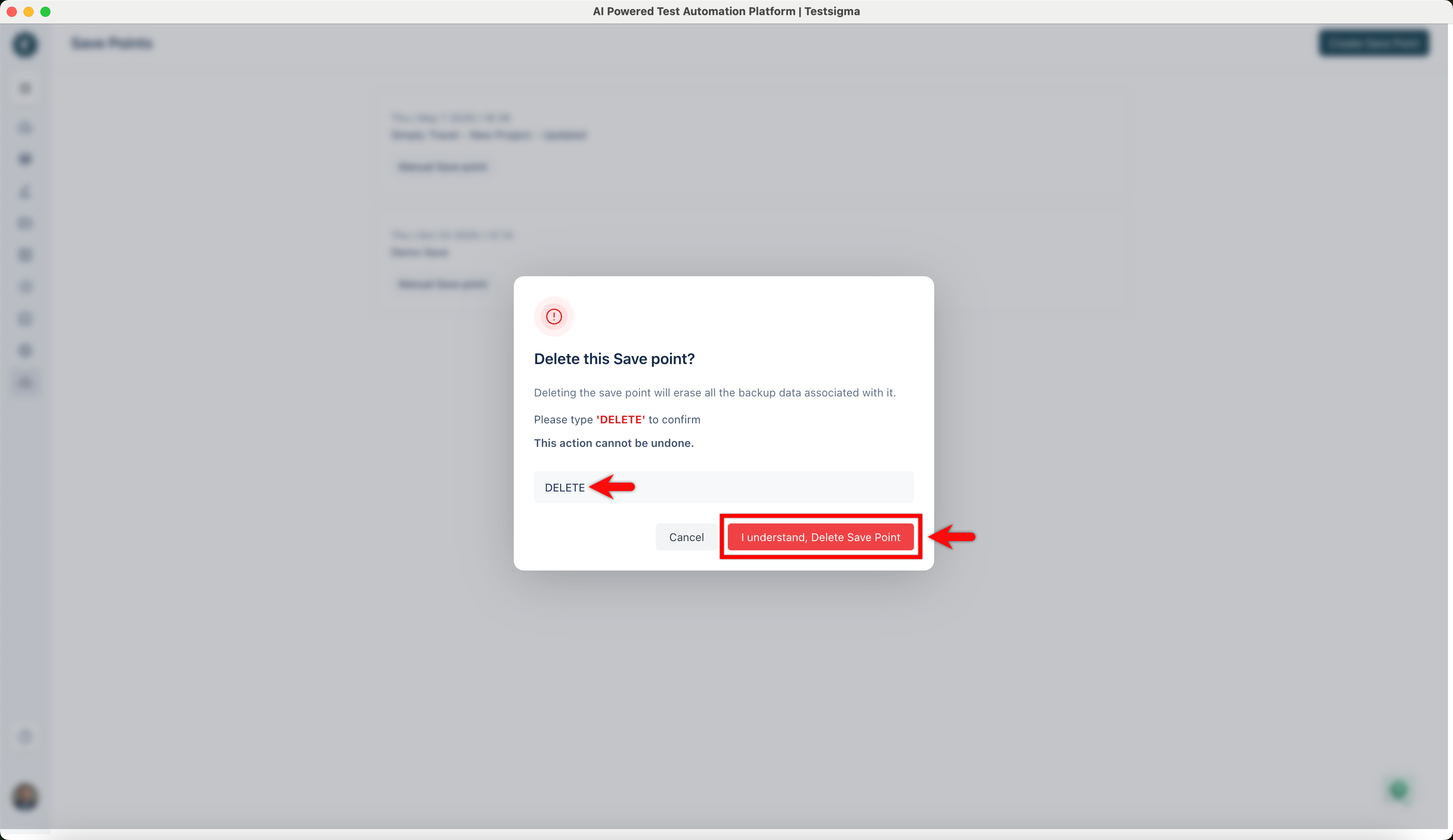
In the Delete this Save Point? dialog, enter DELETE and click I understand, Delete Save Point.