
Test Data
TestDataFromProfile Function Type
Prerequisites
Before you begin, ensure that you have referred to:
Selecting TestDataFromProfile as a Function Type for Data Generator
Section titled “Selecting TestDataFromProfile as a Function Type for Data Generator”-
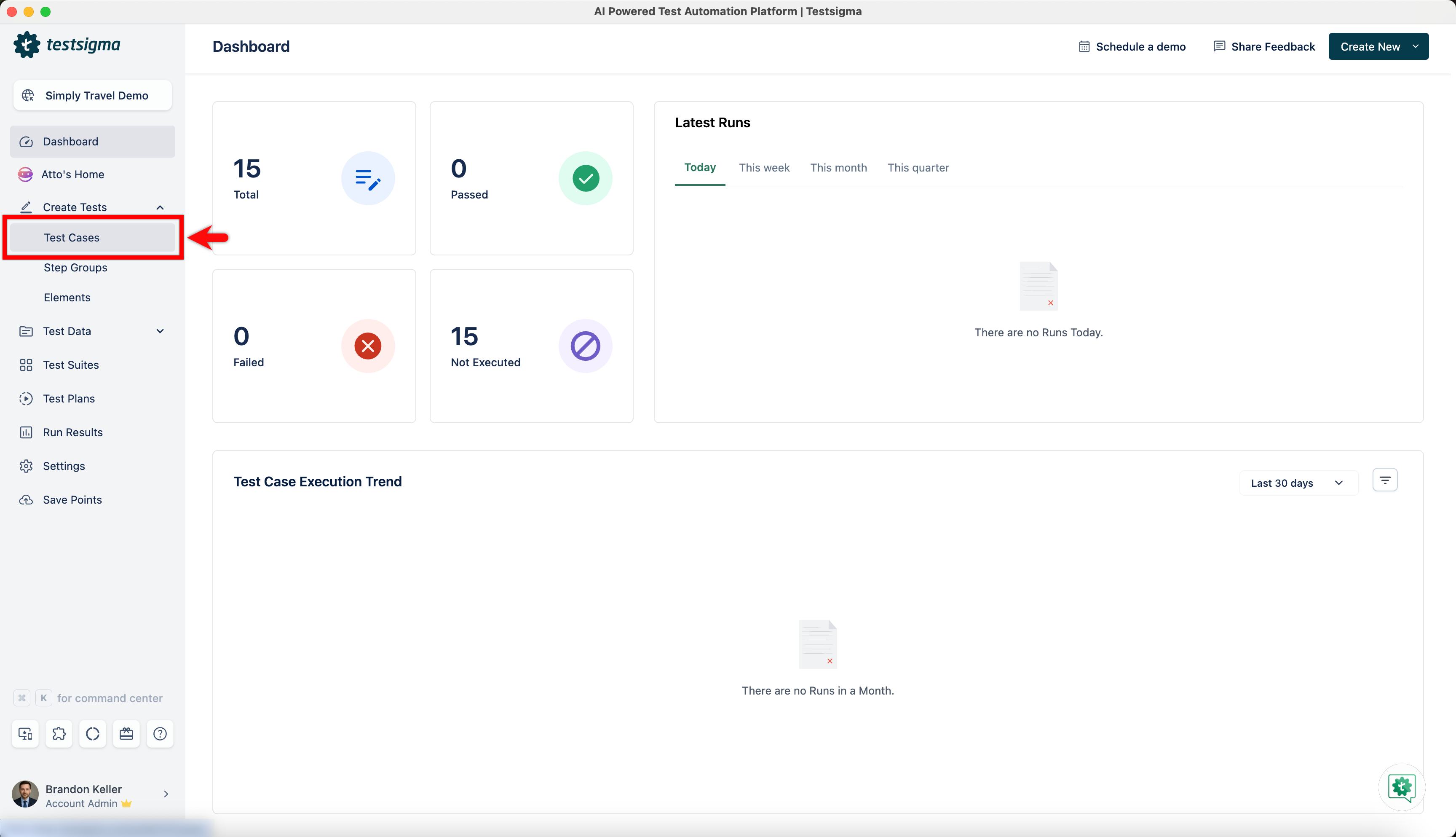
From the left navigation bar, go to Create Tests > Test Cases and create a new test case.
-
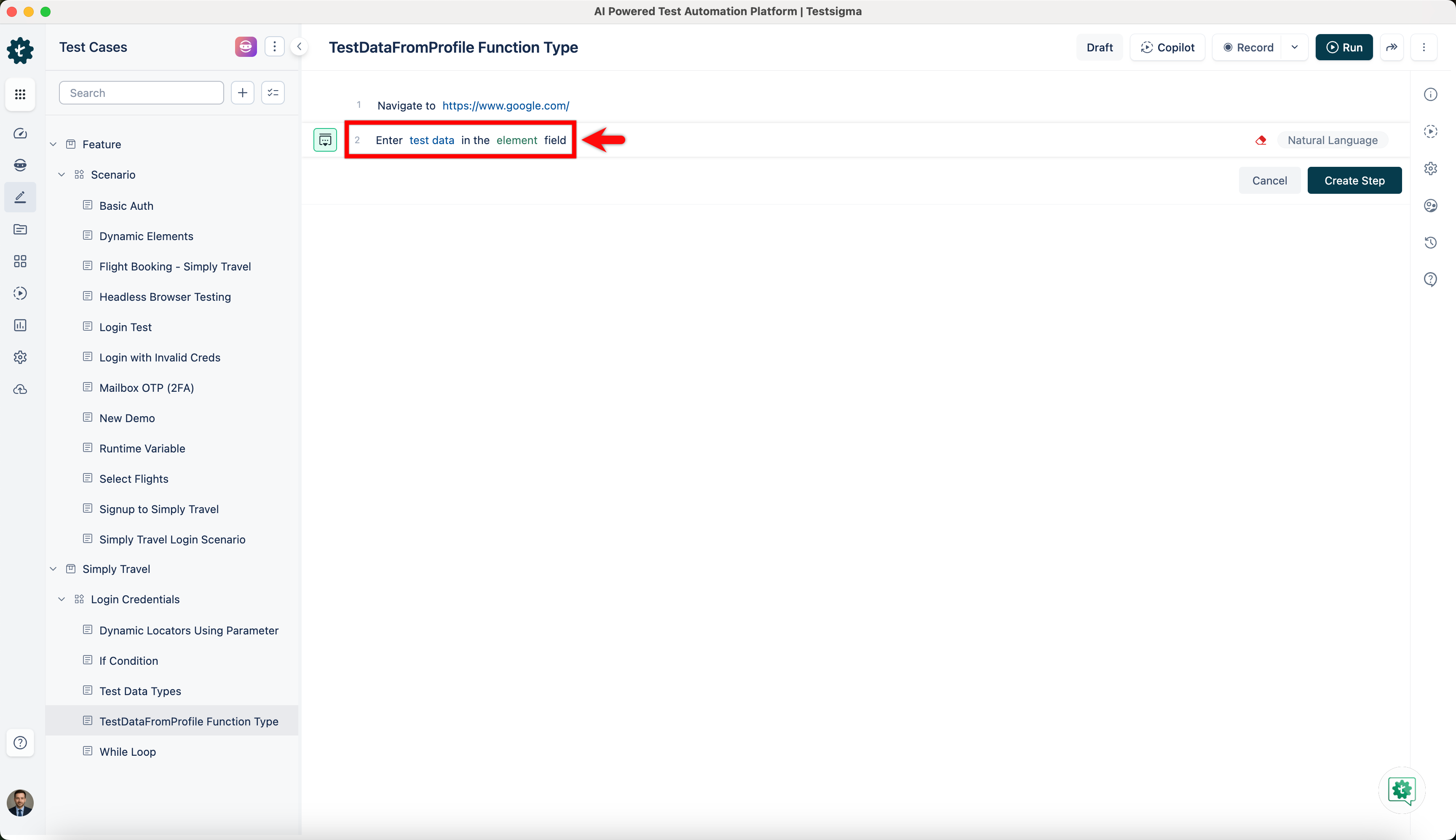
Use NLP to create a new step in the test case and include a placeholder for test data.
-
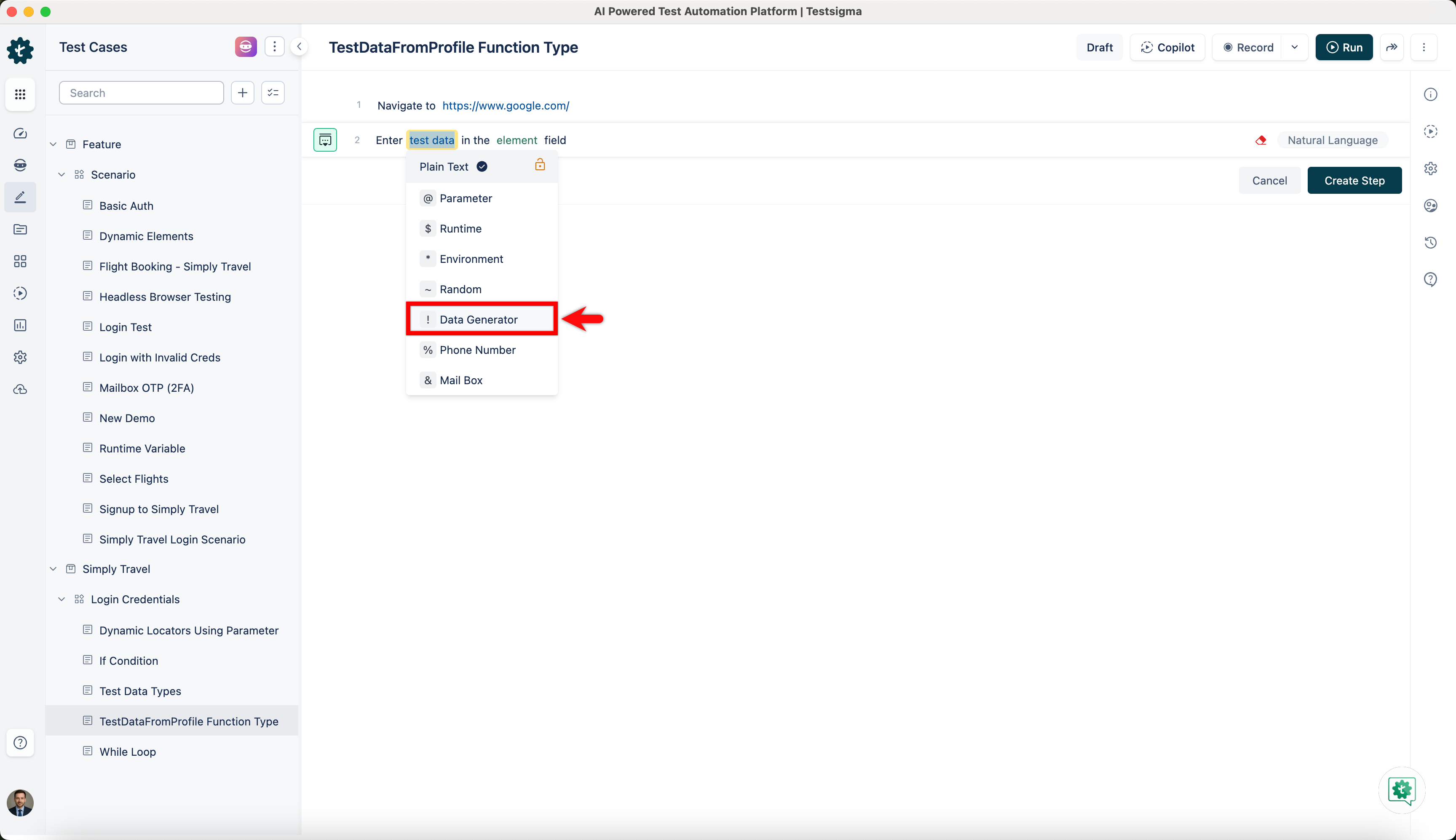
Click on the test data placeholder. From the Test Data Types dropdown menu, select the ! Data Generator option.
-
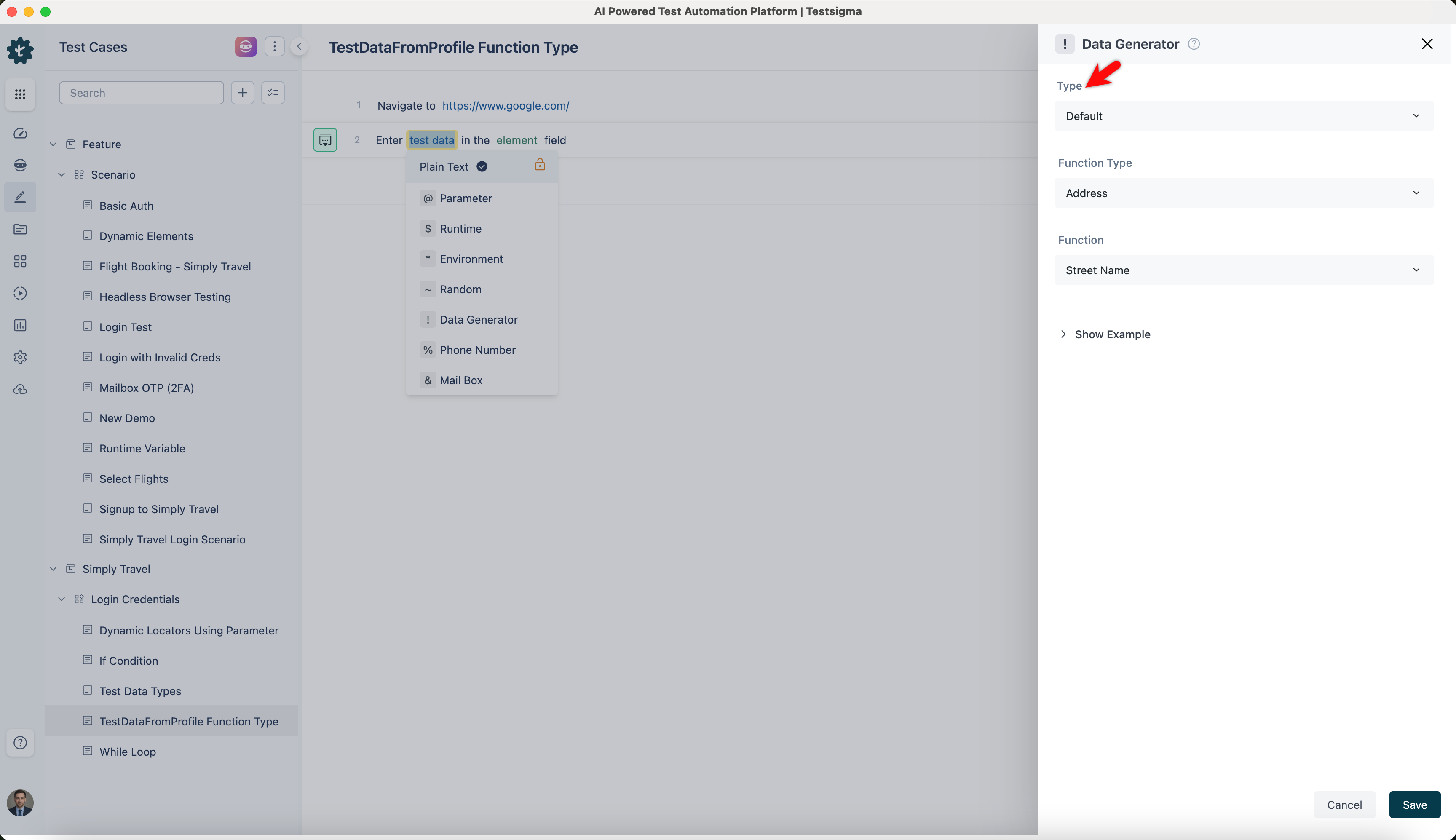
On the ! Data Generators overlay screen, select the Type to Default. This will enable you to use a collection of built-in test data generators.
-
Select TestDataFromProfile from the Function Type dropdown list.
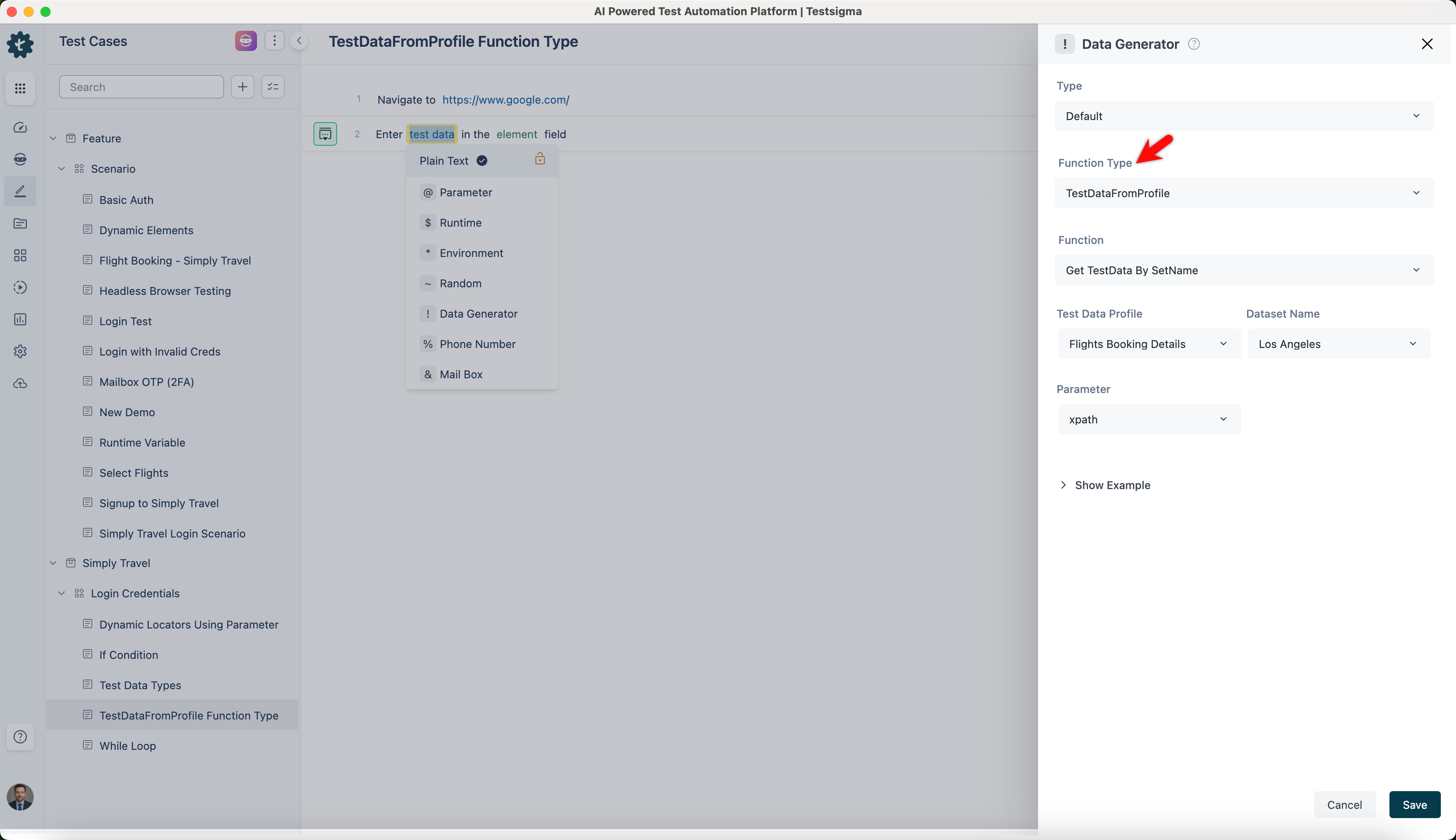
Get Test Data by SetName
Section titled “Get Test Data by SetName”- Enables you to fetch test data by specifying the test data profile, dataset, parameter, and dataset index and returning corresponding data from the selected profile and dataset.
ℹ️Example:
| Input | Output |
|---|---|
| Profile: Customer Data Profile Dataset: Active Customers Parameter: Customer ID Data Set: 1 |
12345 |
| Profile: Order Data Profile Dataset: Pending Orders Parameter: Order ID Data Set: 2 |
67890 |
| Profile: Employee Data Profile Dataset: Current Employees Parameter: Employee ID Data Set: 3 |
54321 |
| Profile: Product Data Profile Dataset: Available Products Parameter: Product Code Data Set: 4 |
P001 |
Get Test Data by RowNumber
Section titled “Get Test Data by RowNumber”- Allows you to retrieve test data by specifying the row number within the profile and returning data from that row.
ℹ️Example:
- Input: None (This function does not require any specific input)
- Output:
- Neha Grant
- Vern Sanford
- Michael Johnson
- Sarah Davis