Test Cases
Attachments
Attach file from form-data
Section titled “Attach file from form-data”-
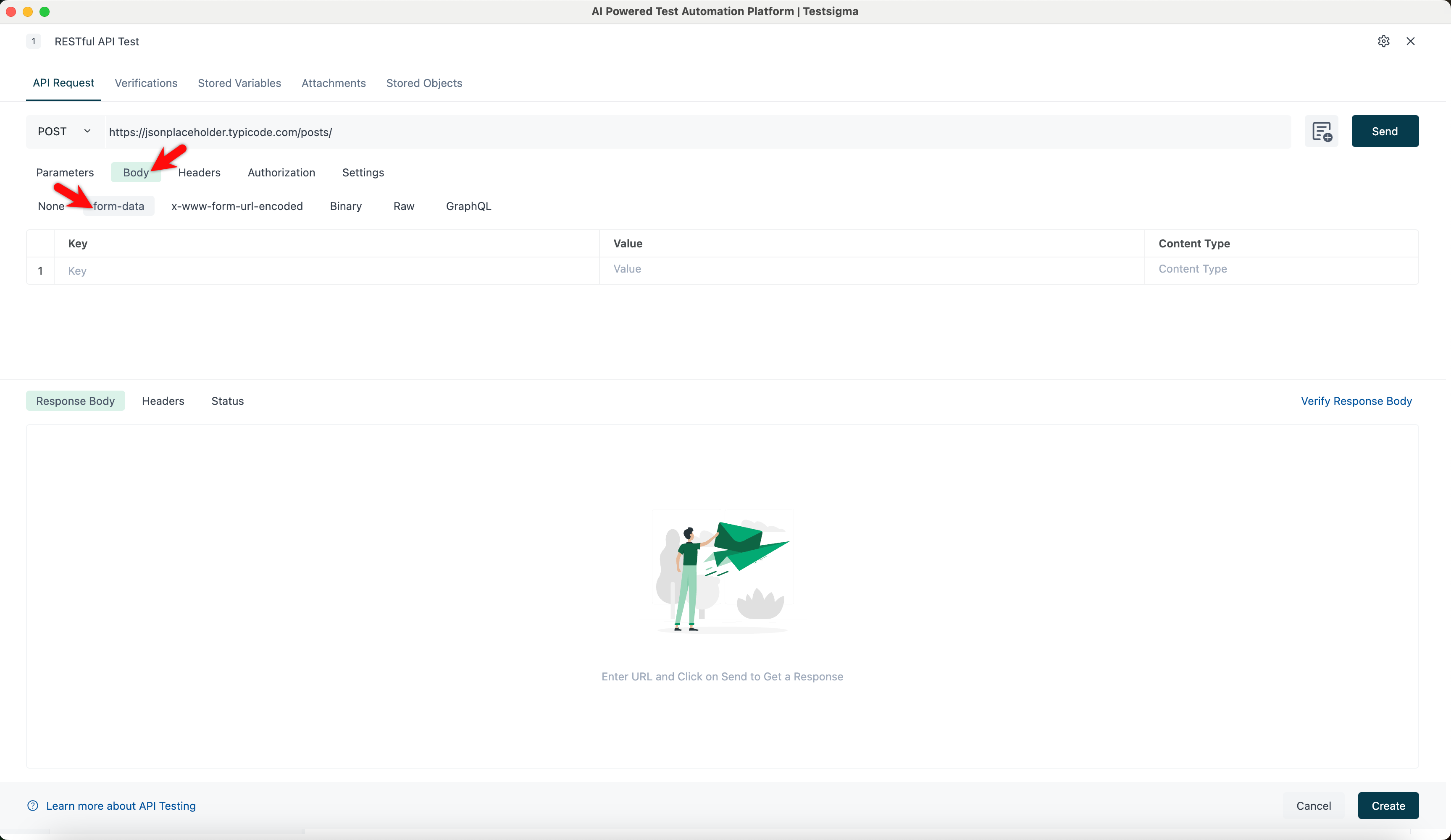
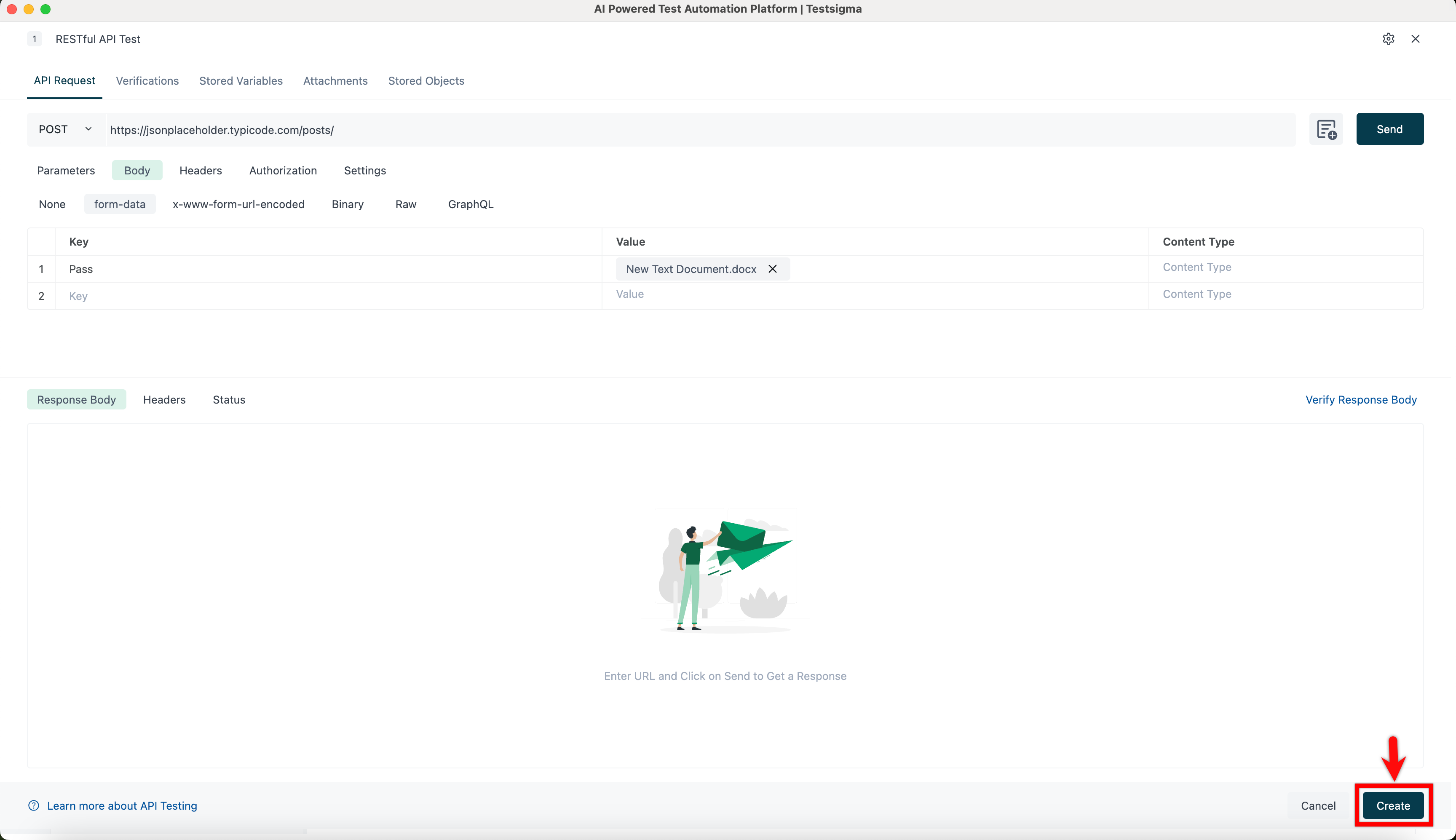
Navigate to API Request > Body > form-data tab.
-
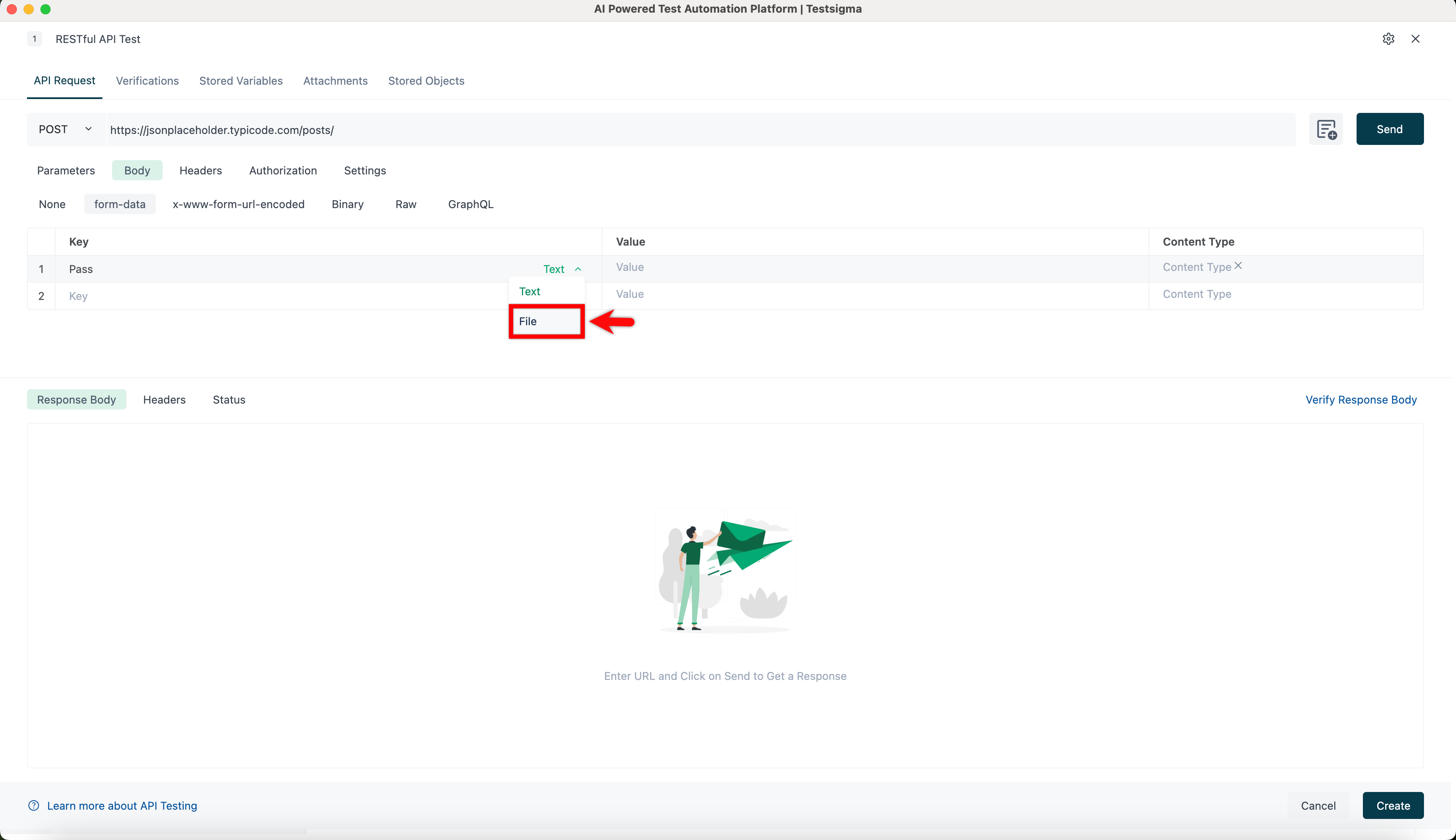
Hover over the Key field and select File from the dropdown.
-
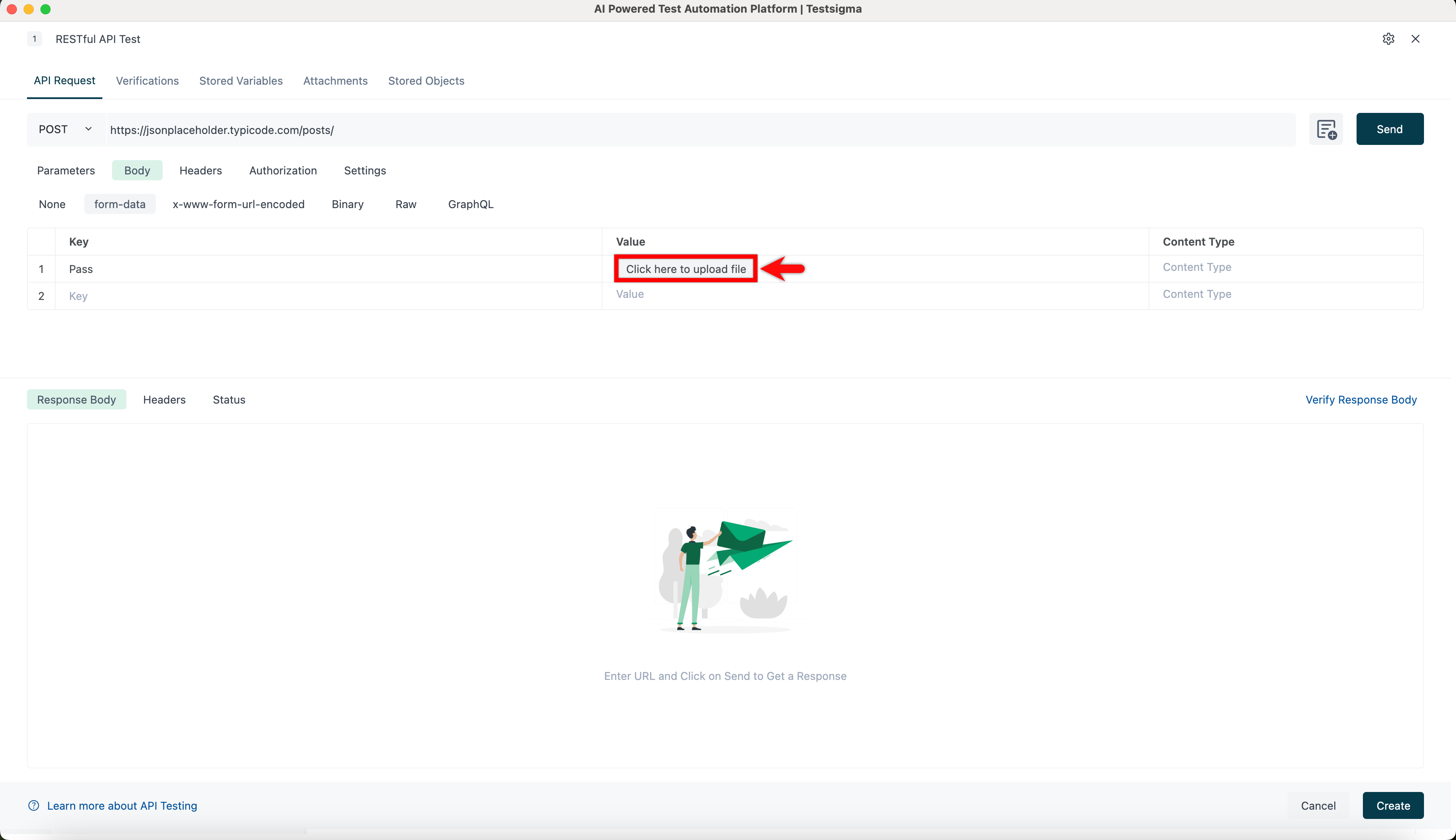
Upload file in the Value field.
-
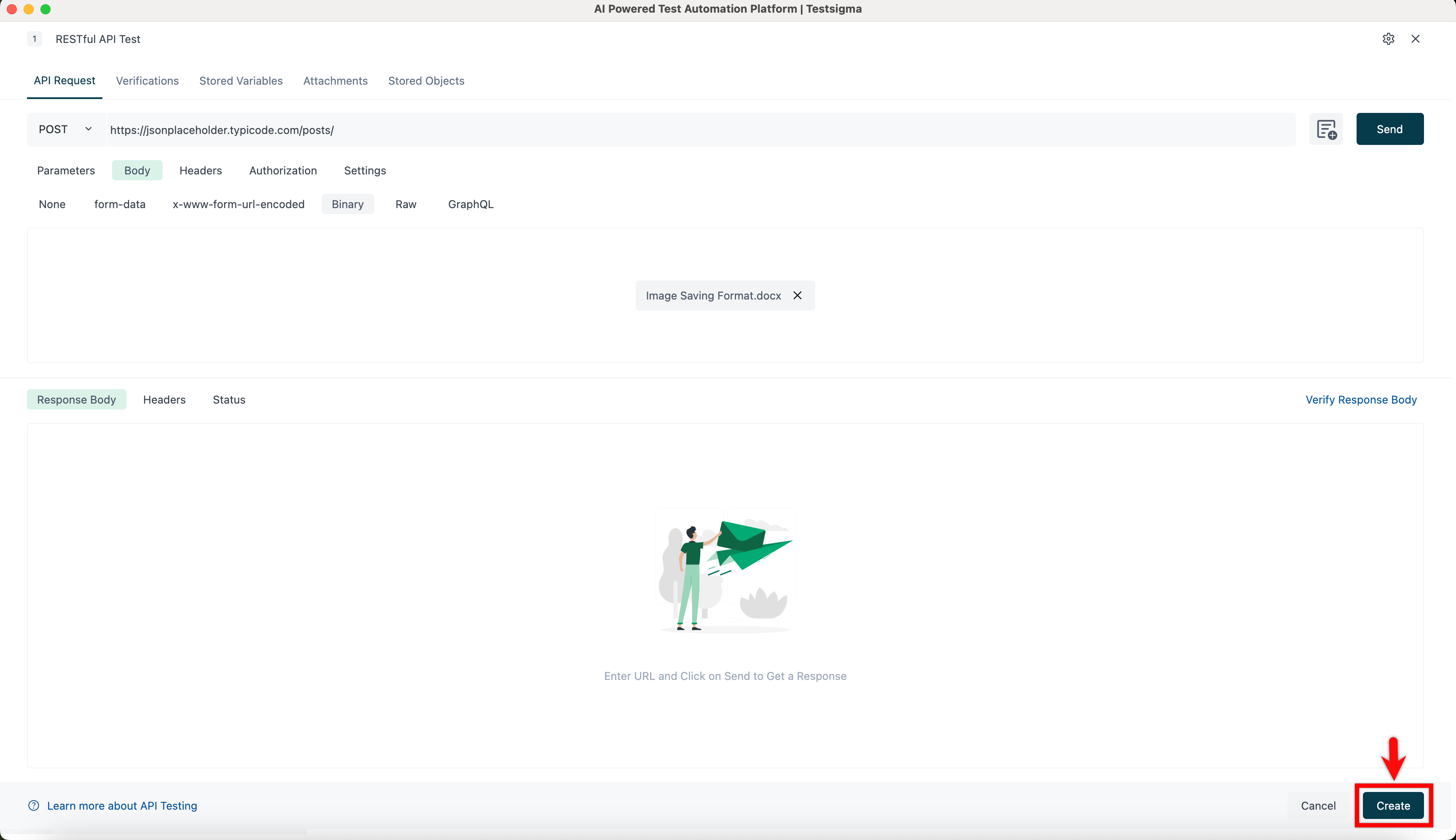
Click Create to upload the file in the Attachments tab.
Attach file from Binary
Section titled “Attach file from Binary”-
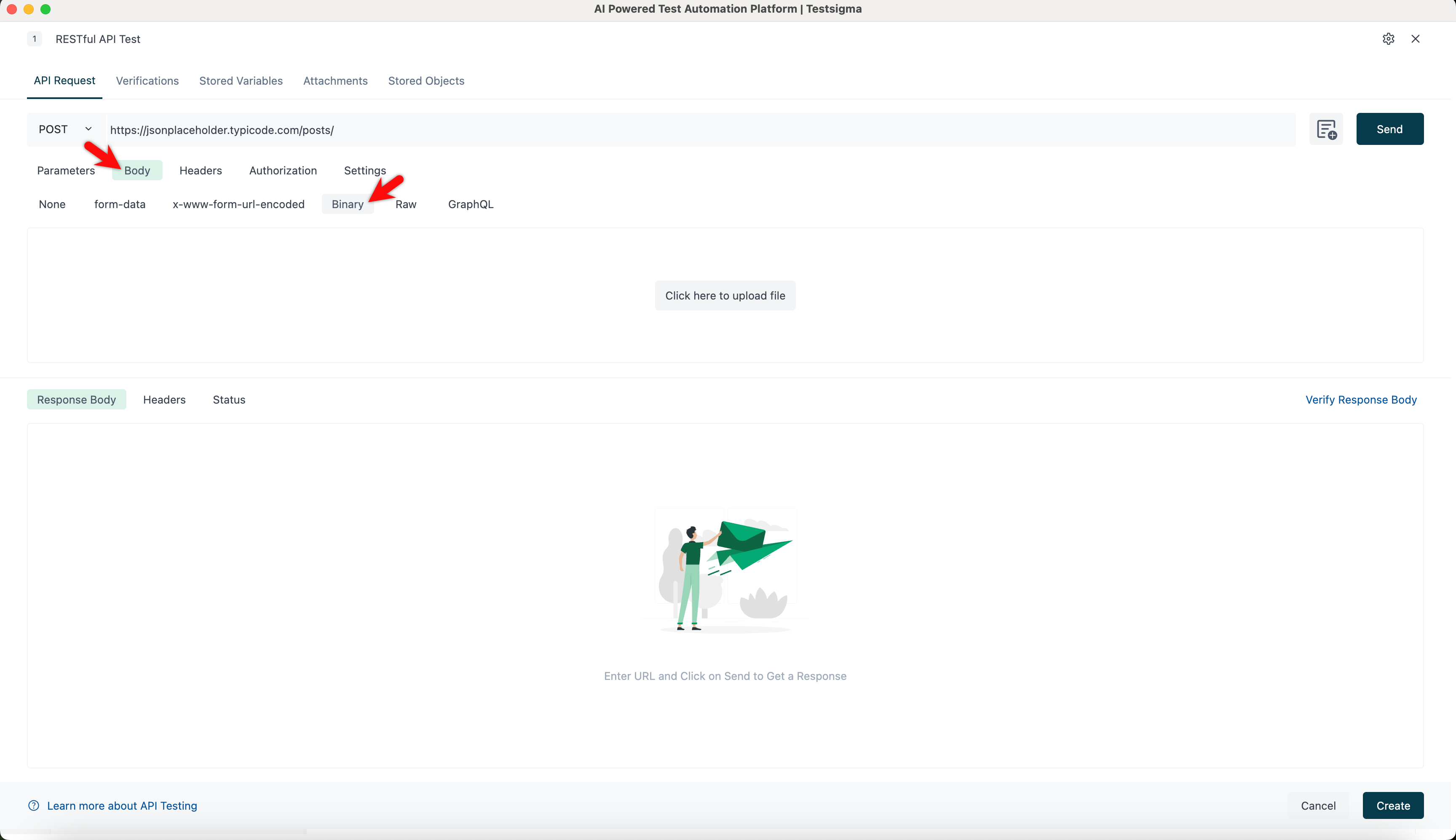
Navigate to API Request > Body > Binary tab.
-
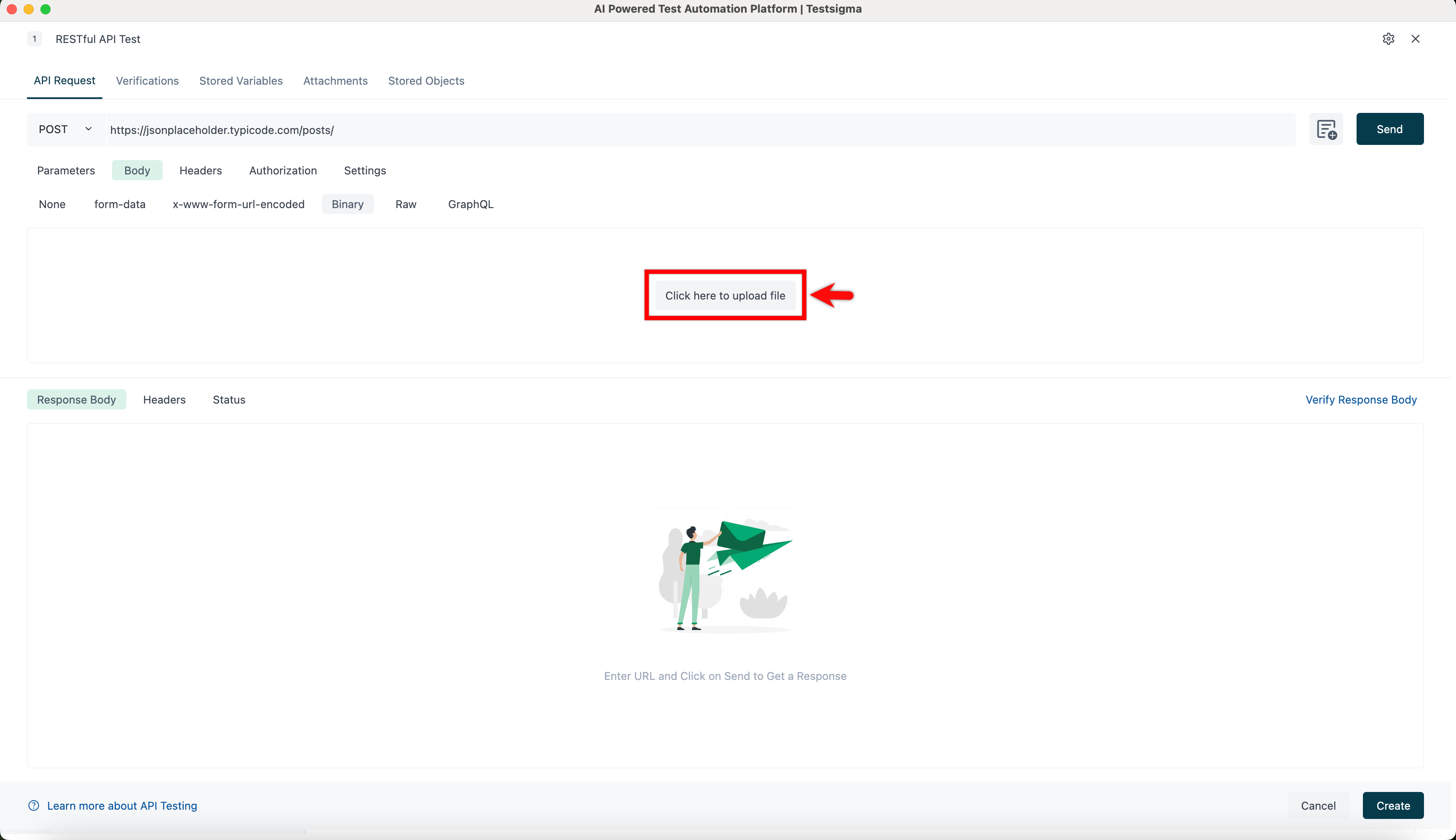
Upload file.
-
Click Create to upload the file in the Attachments tab.