FAQs
Why Can’t Selenium ChromeDriver Interact With 3DS Authentication Pages?
When you navigate to 3D Secure (3DS) authentication pages such as Visa or Mastercard, Selenium on Chrome or Edge may freeze or time out during execution.
Why This Happens
3DS authentication screens load a third-party iframe that runs continuous background scripts from the payment gateway.
Inside these iframes:
- Long-running JavaScript and postMessage listeners are always active.
- Messages are continuously exchanged with the payment provider.
- The browser keeps processing events and never reaches a fully loaded state.
As a result:
- ChromeDriver waits indefinitely for the page to finish loading
- The pageLoad event never completes
- Selenium becomes unresponsive after navigation
To prevent Selenium from waiting indefinitely, you need to add a desired capability to your test case that stops ChromeDriver from waiting for the full page load.
This article discusses how to add the desired capability to the test case.
Steps to Add the Desired Capability to the Test Case
Section titled “Steps to Add the Desired Capability to the Test Case”-
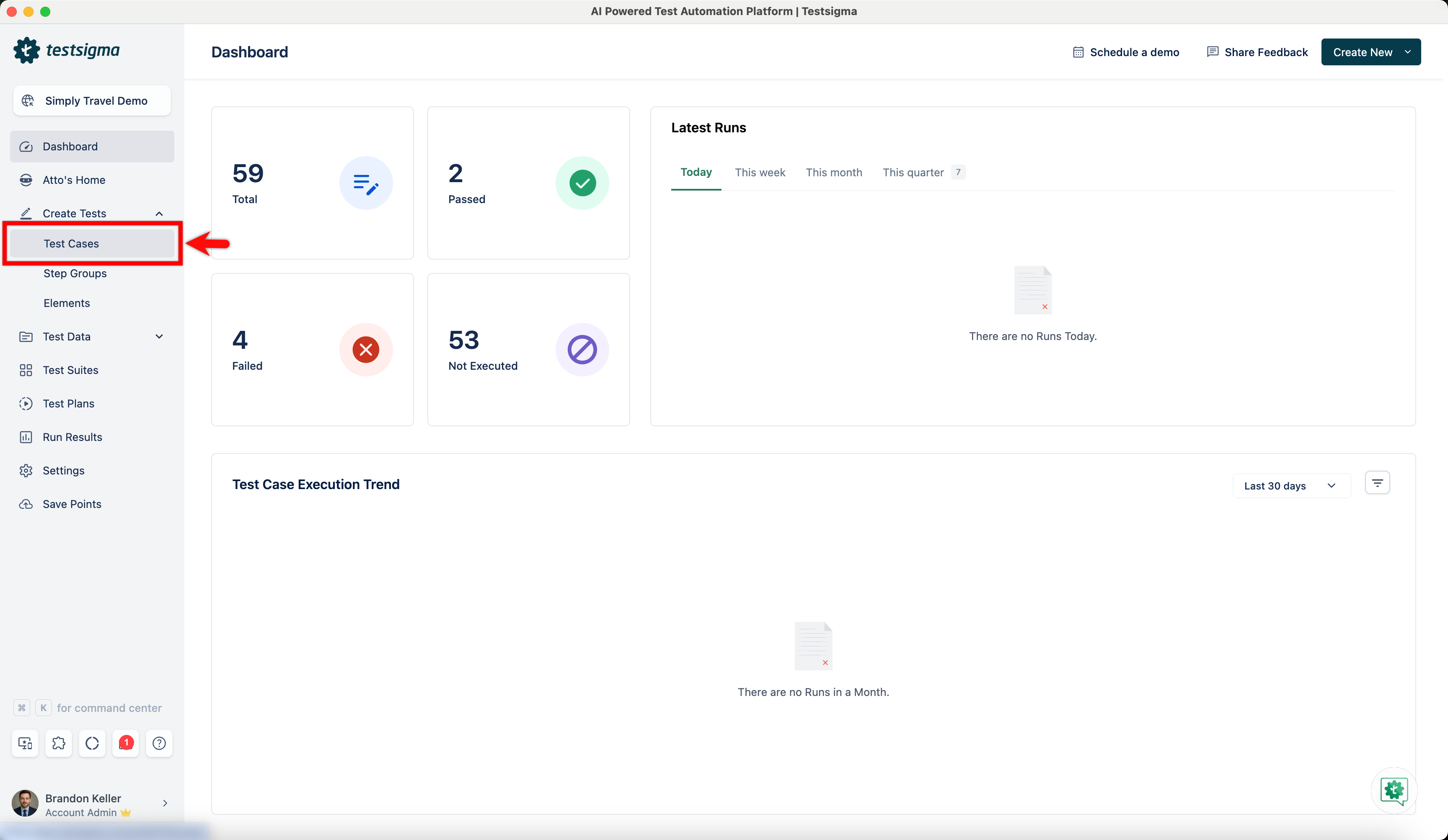
From the left navigation bar, go to Create Tests > Test Cases.
-
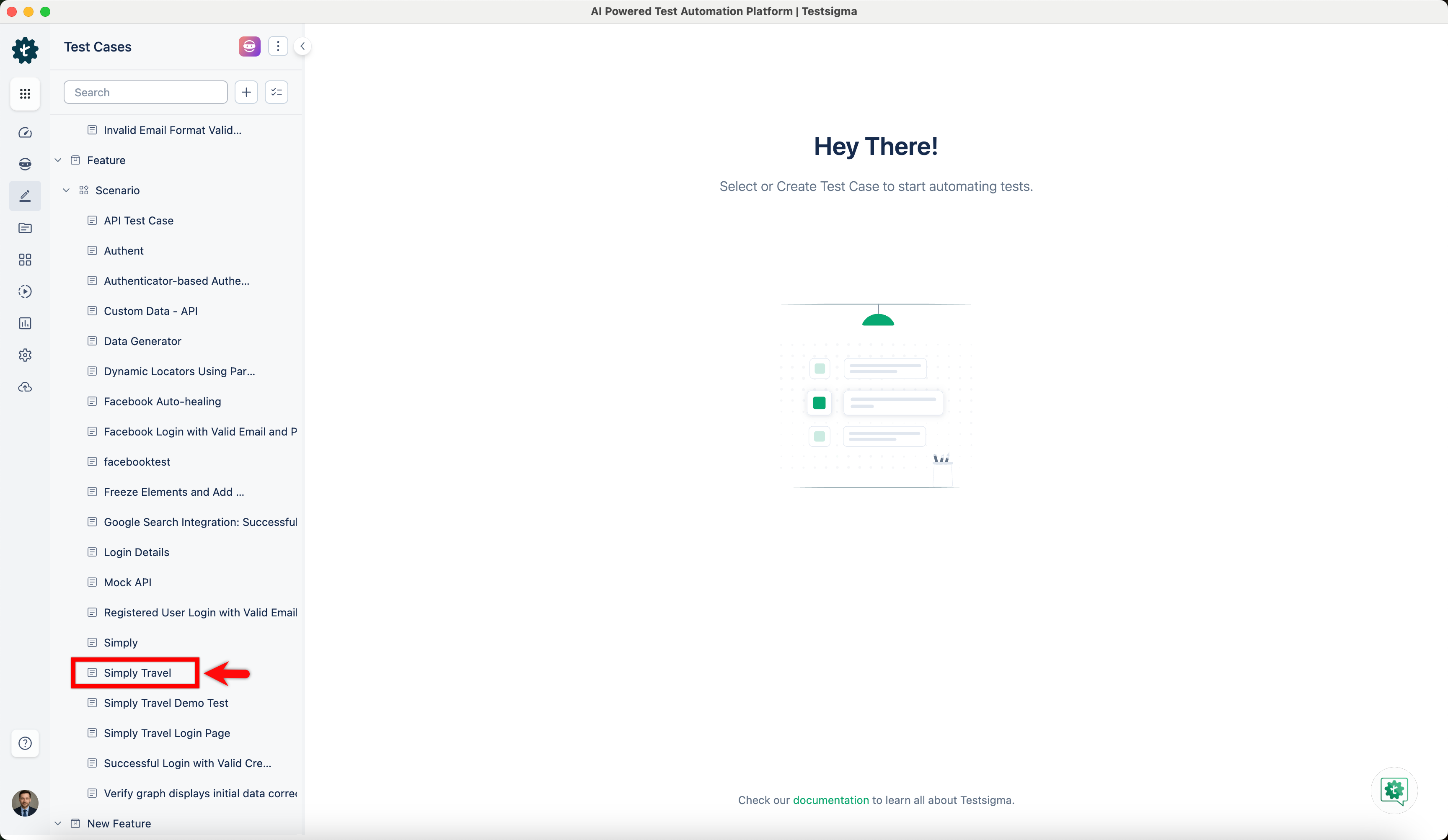
In the Test Case Explorer section, expand a Feature and a Scenario and select the required test case.
-
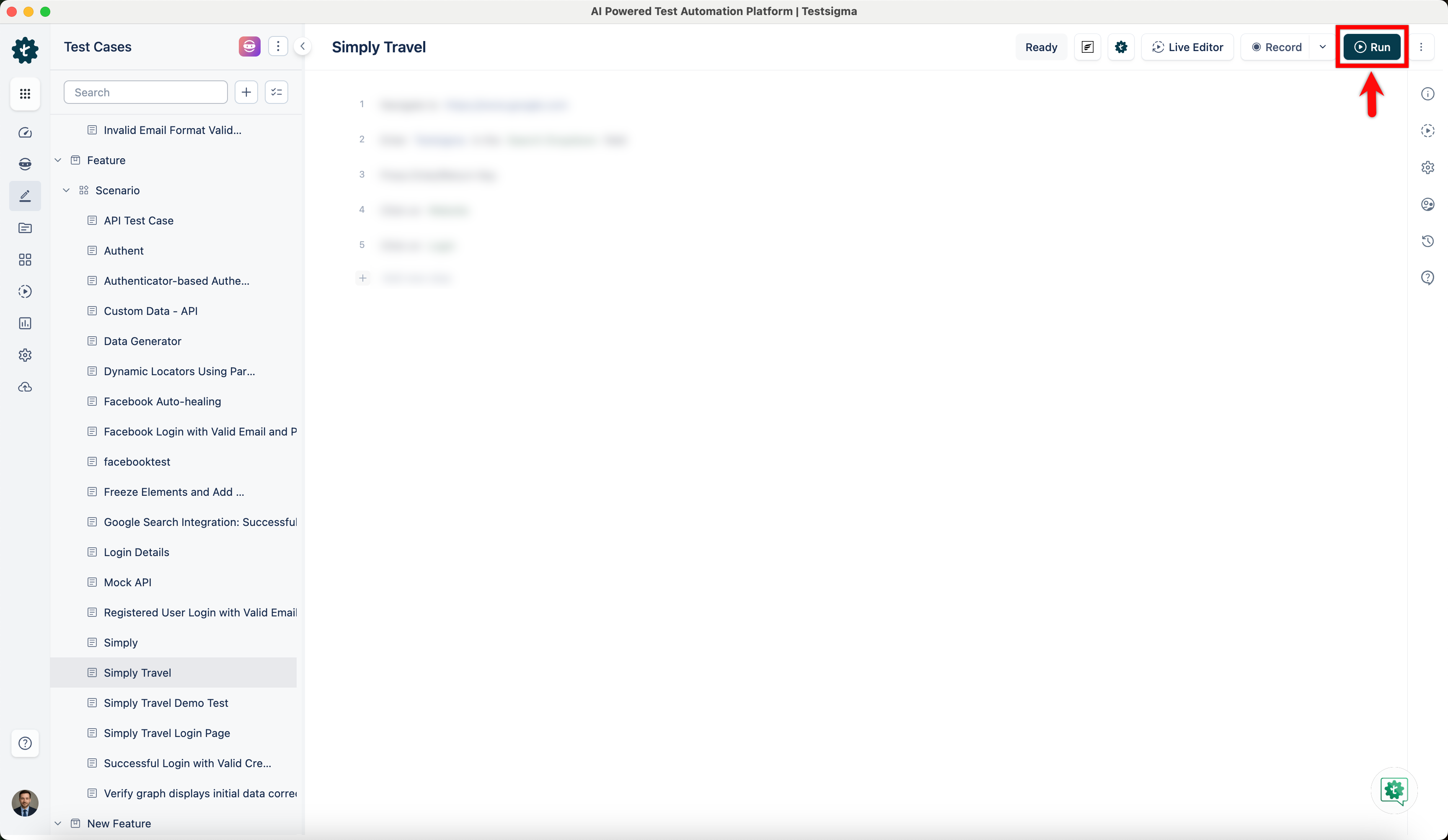
In the Test Case Details page, click Run.
-
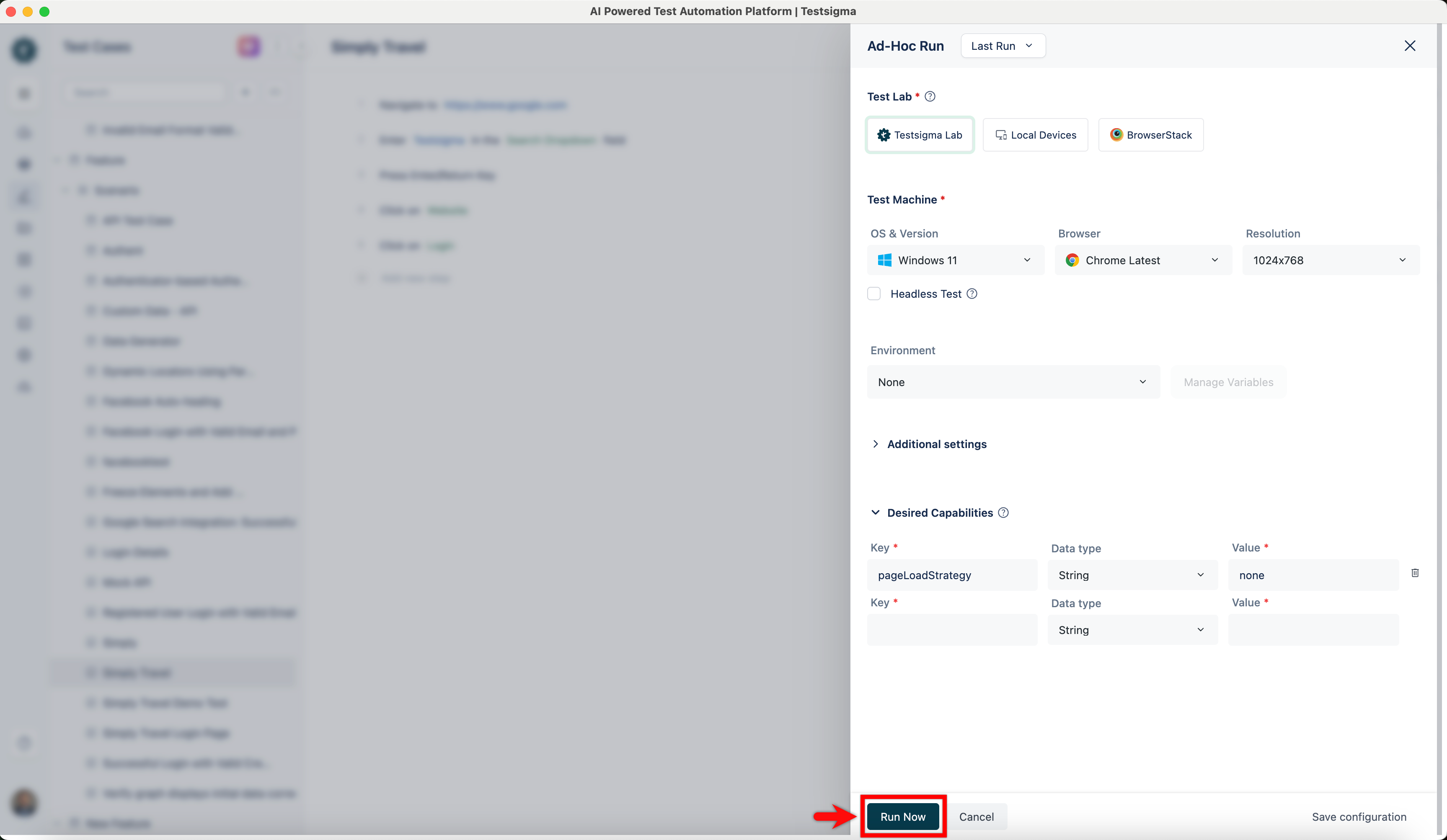
In the Ad-Hoc Run overlay, expand the Desired Capabilities section, enter the following:
Key Data Type Value pageLoadStrategy String none 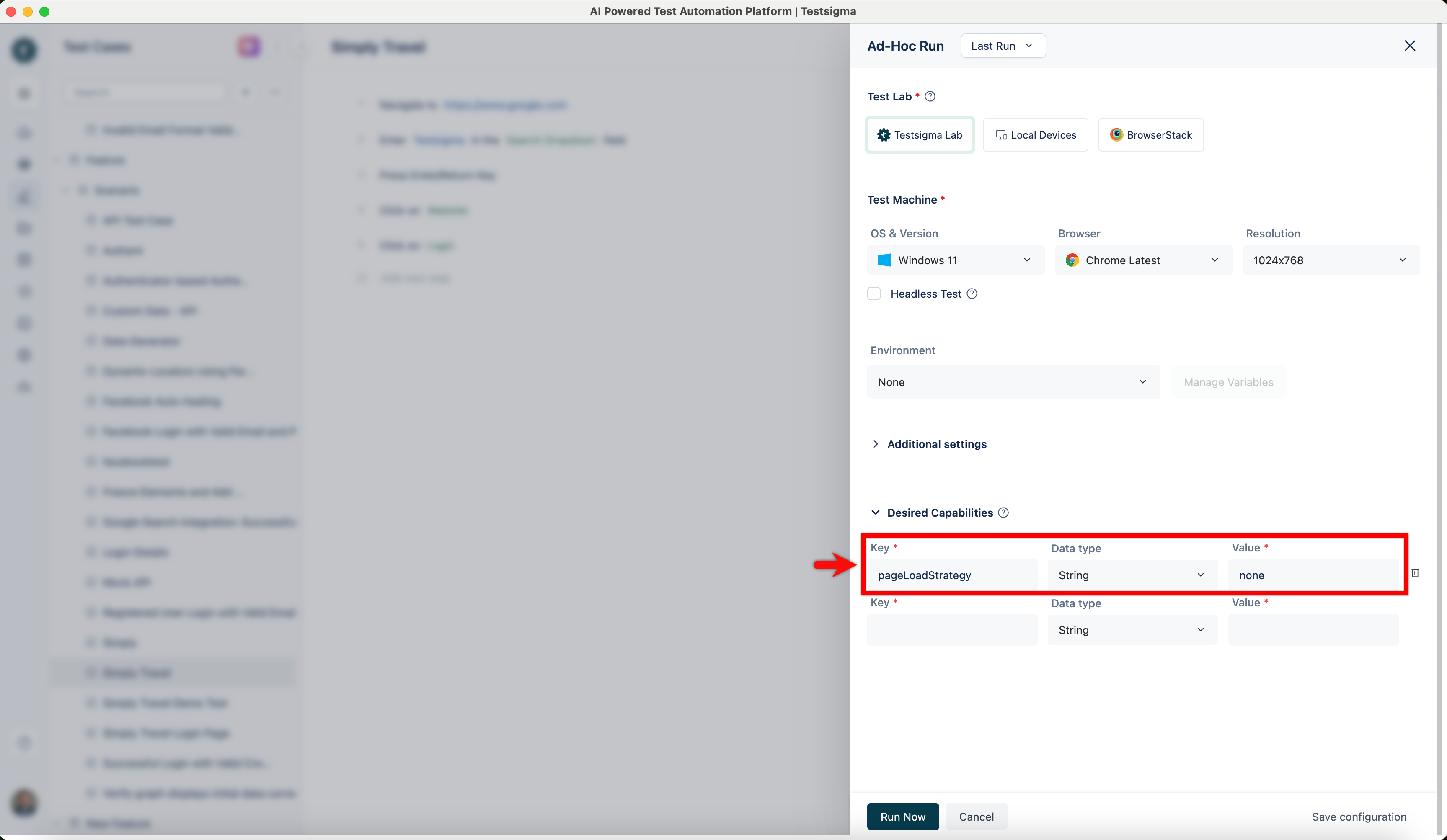
-
Click Run Now.