
CI/CD
Integrate Testsigma with AWS Lambda
How to Add an Execution Step in AWS Lambda:
Section titled “How to Add an Execution Step in AWS Lambda:”-
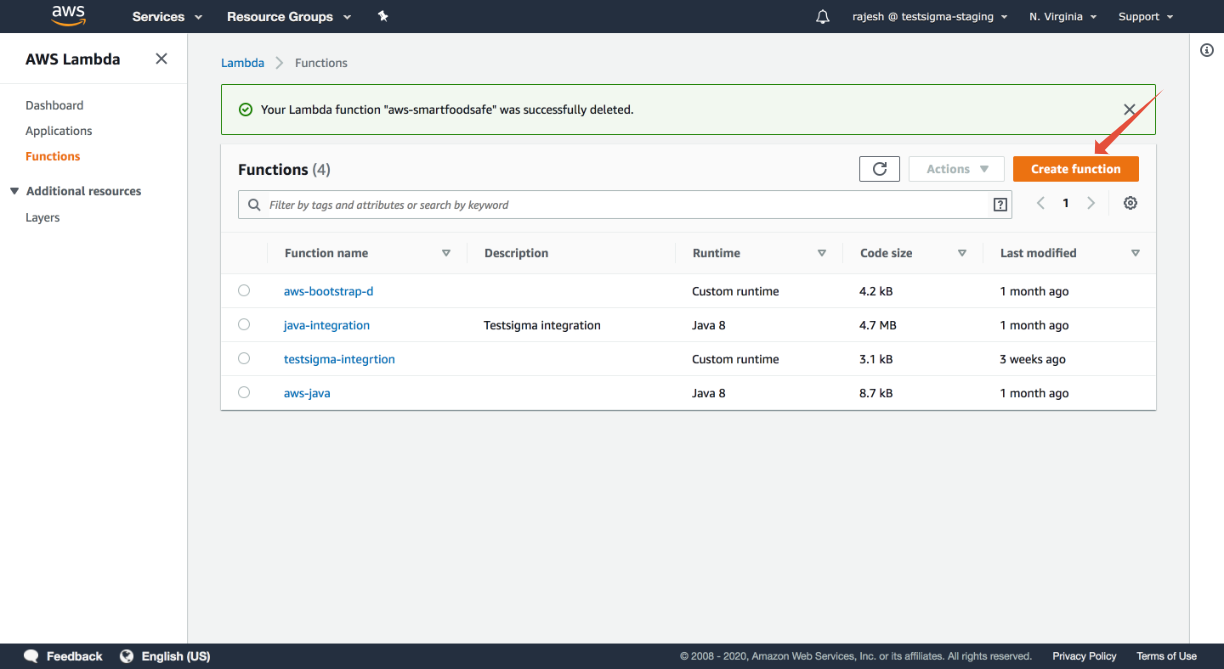
Go to the functions option under AWS Lambda and click on Create Functions.
-
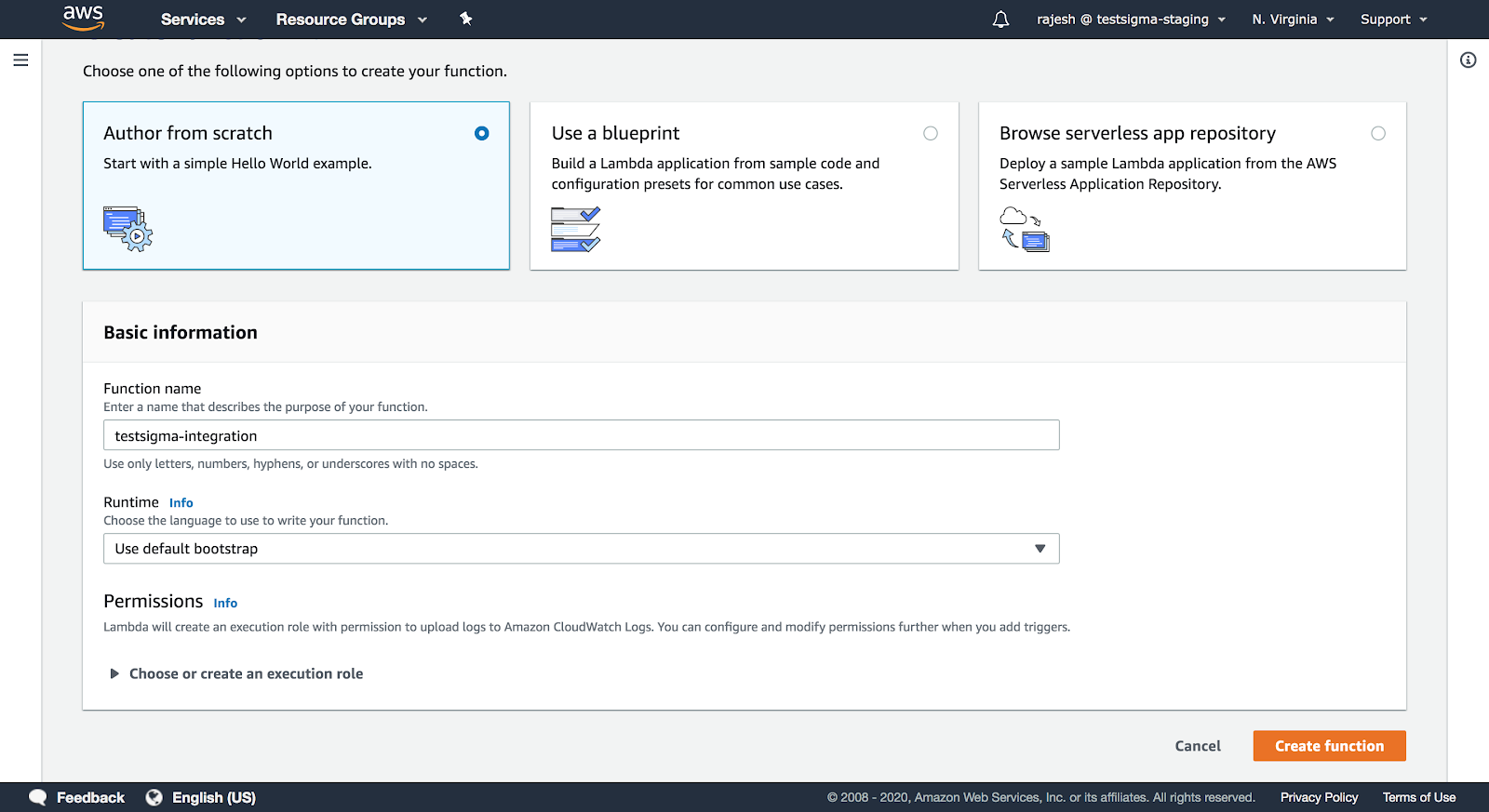
Fill in the basic information for creating a function and click on Create Function.
-
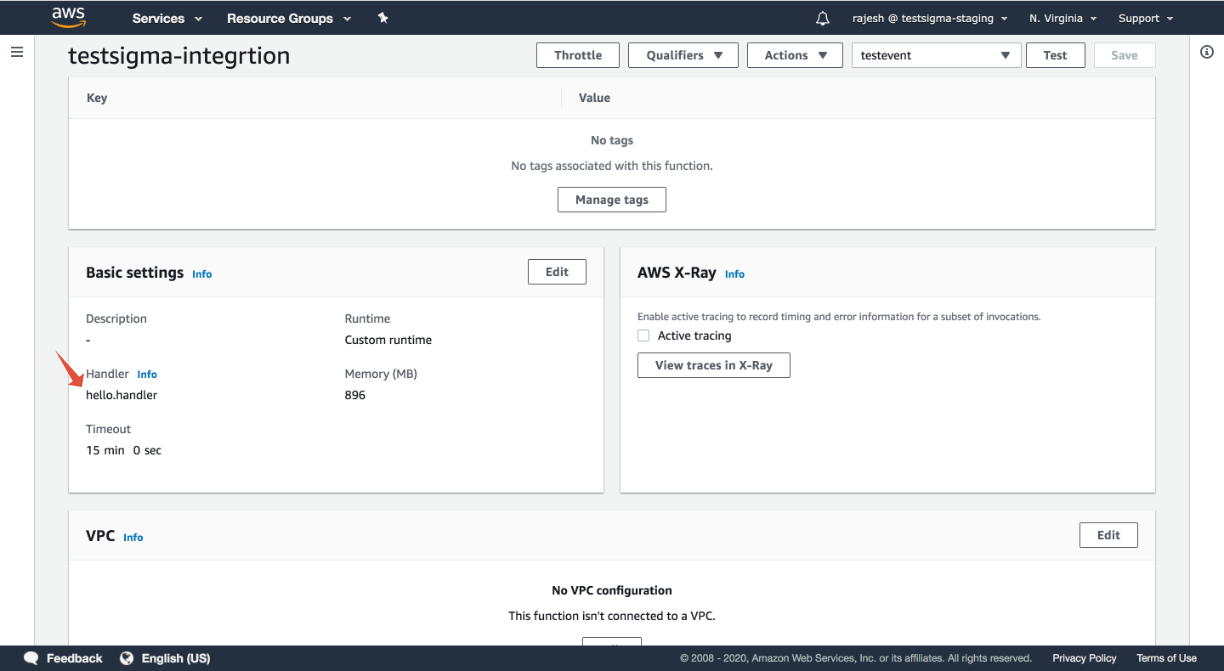
Once the function is created, you can scroll down to Basic Settings to check the Handler file information along with the basic timeout details.
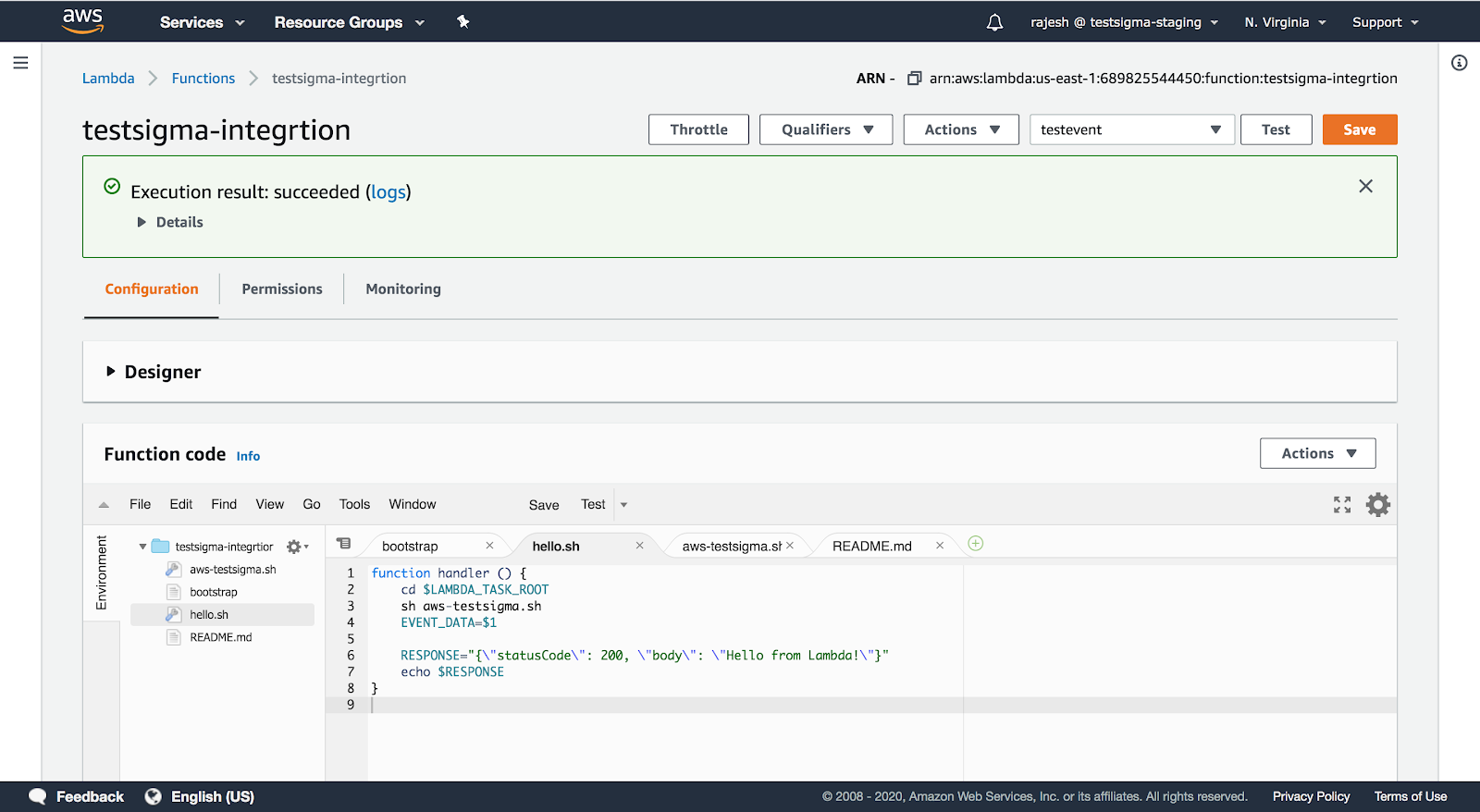
In the screenshot below, you can see that hello.handler is your handler file.
-
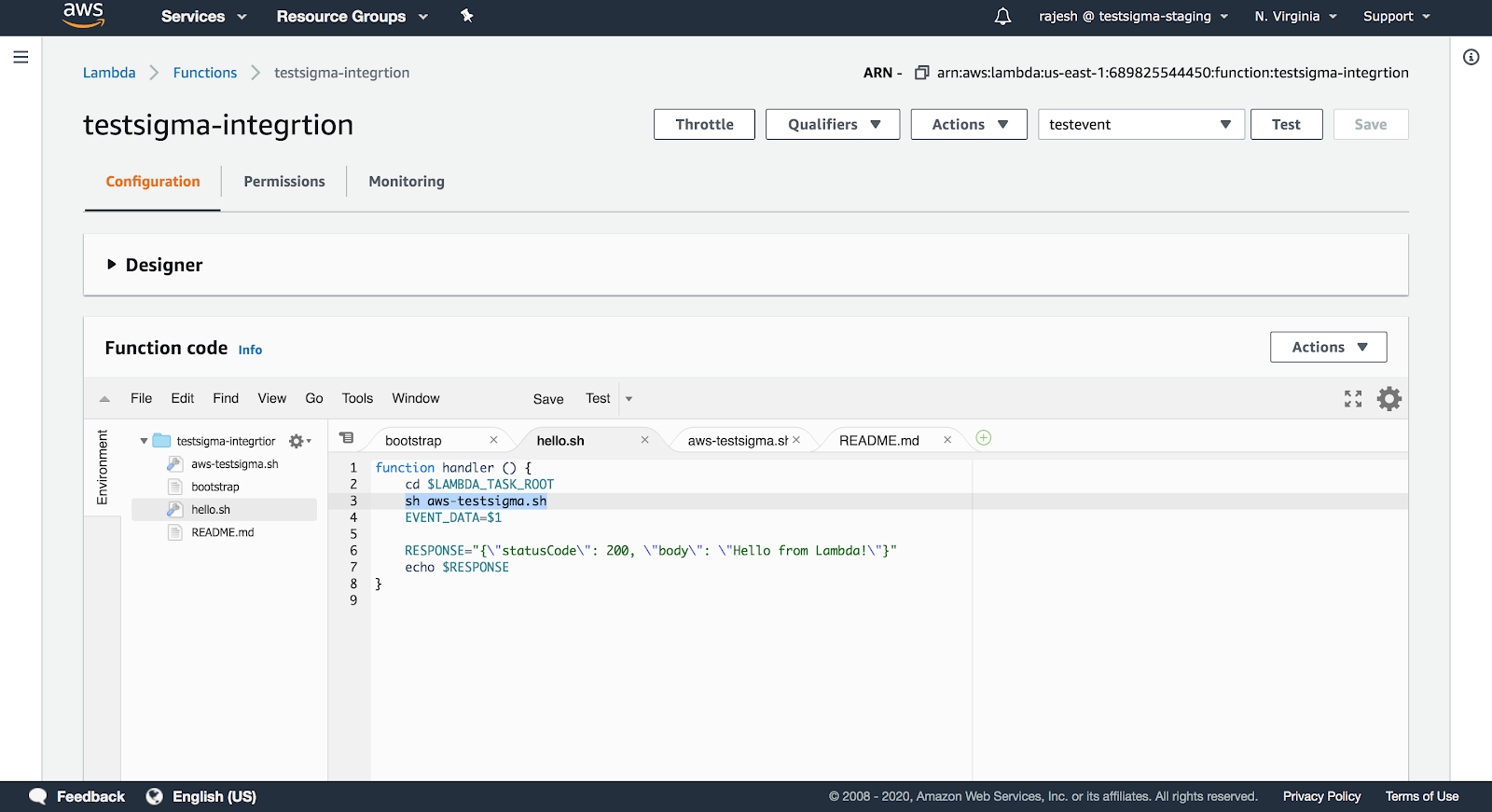
You can check the hello.handler file if you scroll up.
In the screenshot below, you can see that the hello.handler file contains the aws-testsigma.sh file. This aws-testsigma.sh file will contain all the information of the test plan.
-
The aws-testsigma.sh should contain the below information of the documentation on getting test plan ID and API Key which you need to trigger:
Terminal window #********START USER_INPUTS ********TESTSIGMA_USER_NAME=<Username>TESTSIGMA_PASSWORD=<Password>TESTSIGMA_TEST_PLAN_RUN_URL=<Test Plan URL containing the unique Test Plan id>MAX_WAIT_TIME_FOR_SCRIPT_TO_EXIT=180JSON_OUTPUT_REPORTS_DIR=.#********END USER_INPUTS***********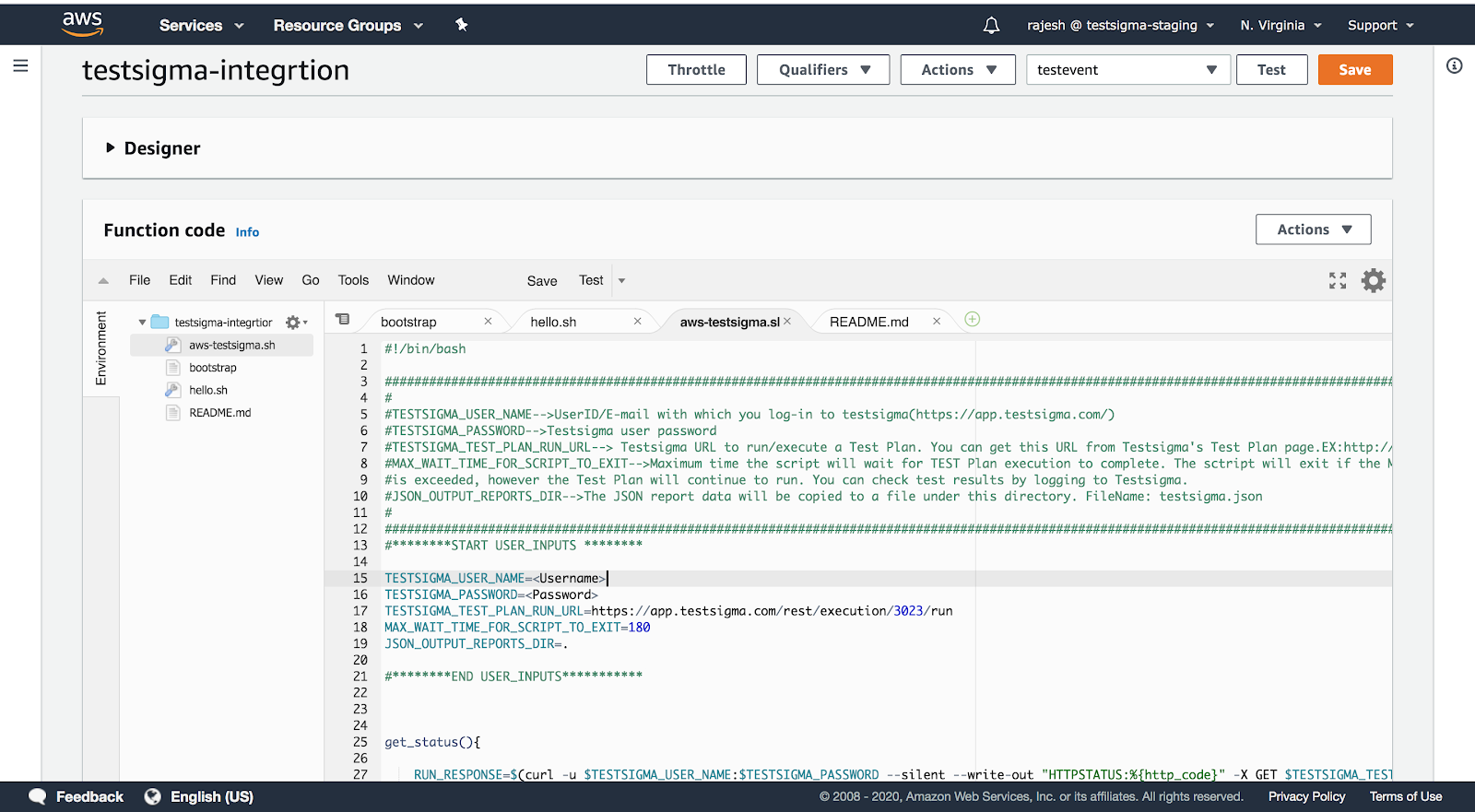
The URL details for the test plan can be taken from REST API call to start Test Plan section in Testsigma.
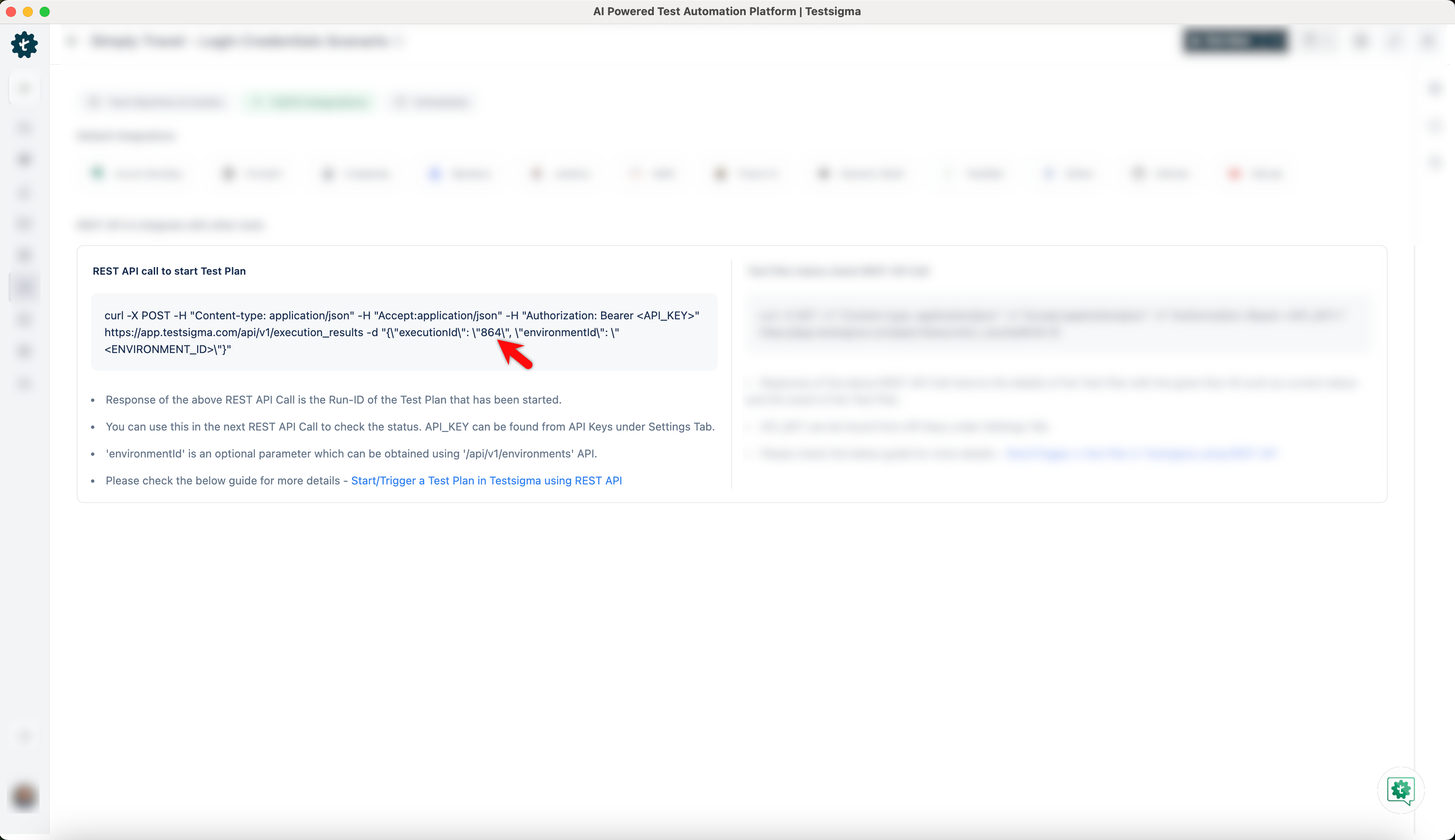
-
Click on TEST at the top right corner to trigger the Test Plan.
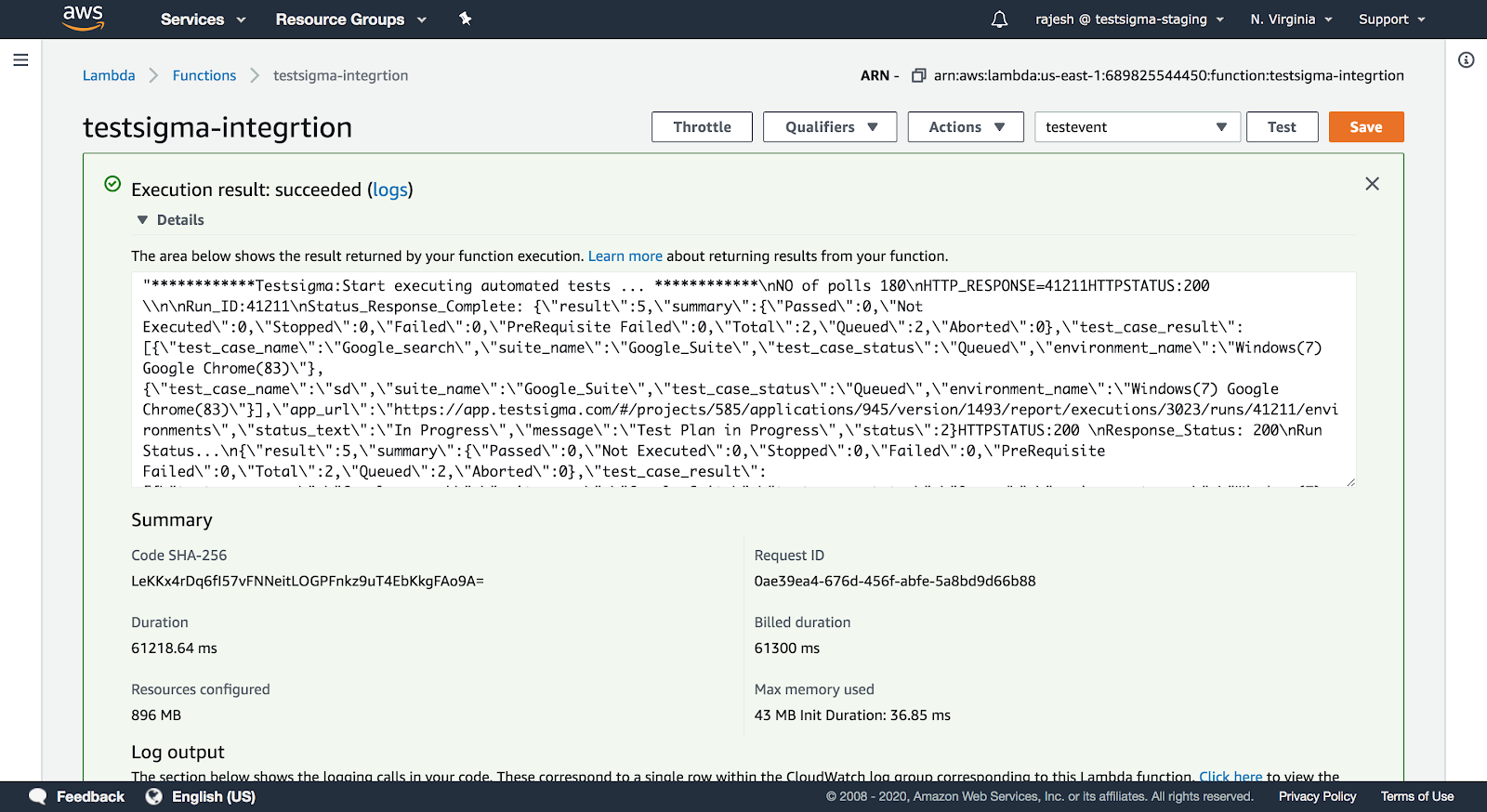
That’s all we need to automate Test Execution when a successful build is triggered using the AWS Lambda.
Source: https://aws.amazon.com/lambda/.