
Troubleshooting
Convert JUnit XML Report to HTML - Jenkins
Learn how to generate a customized HTML report from the JUnit XML report in your CI/CD Pipeline. Let’s take the Jenkins CI Pipeline example here. The process should be similar to any other CI System if it supports Unix Shell/Powershell script.
Obtaining the JUnit Report
Section titled “Obtaining the JUnit Report”We can generate a JUnit Report for the Test Results in three ways:
-
Generate reports from Testsigma Test Plan Run Plugin (Jenkins).
In the case of the Jenkins pipeline, the JUnit report is auto-generated in the workspace in the specified path when you trigger the test plan using the Testsigma Test Plan Plugin.
-
Download reports from the Testsigma Test Results Page.
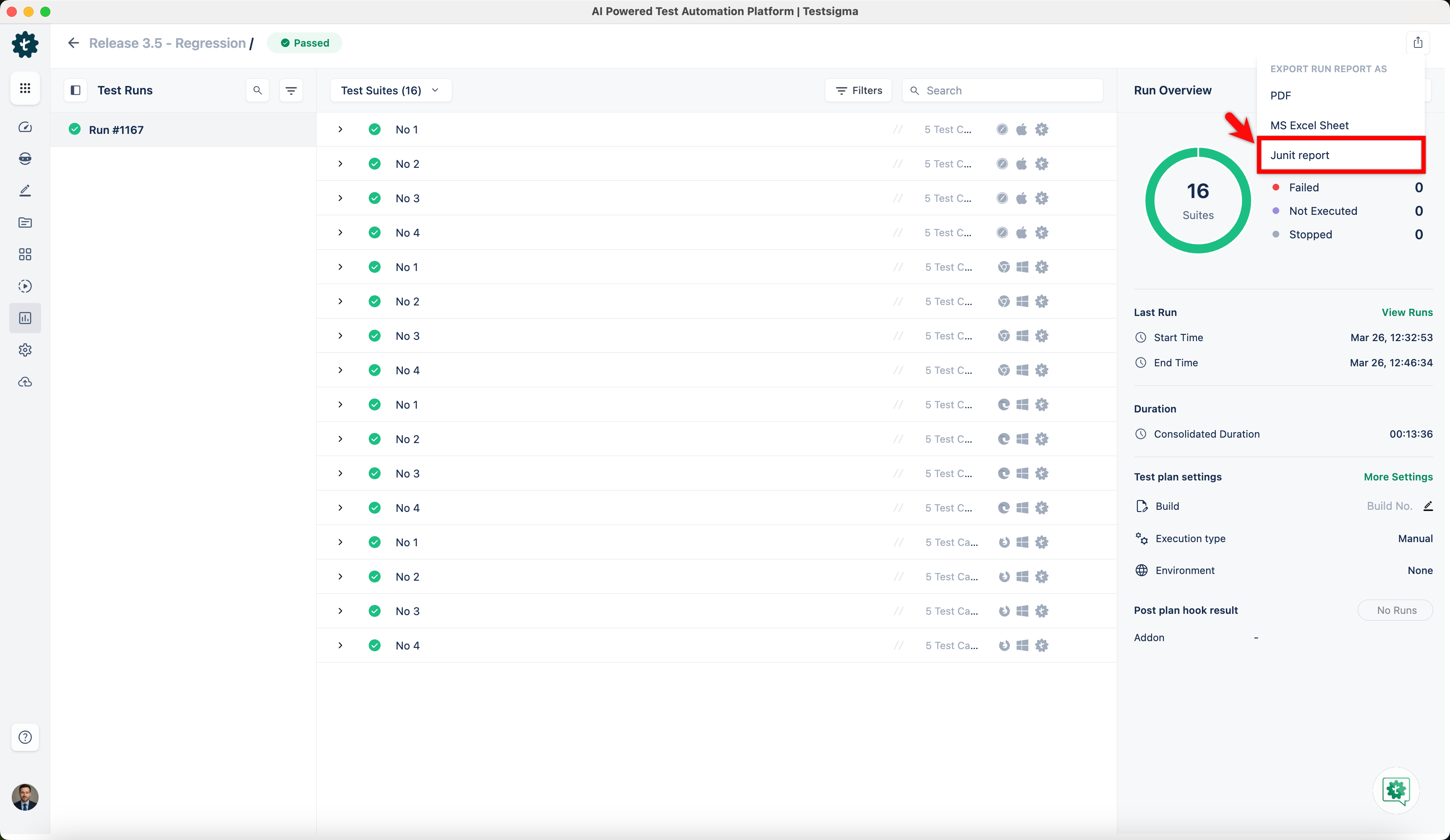
-
Using the REST API for JUnit Reports.
curl --silent -H "Authorization:Bearer $TESTSIGMA_API_KEY"\-H "Accept: application/xml" \-H "content-type:application/json" \-X GET https://app.testsigma.com/api/v1/reports/junit/$RUN_ID \--output <REPORTS_DIR_PATH>/junit_report.xml
Transforming XML to HTML using XSLT Stylesheet
Section titled “Transforming XML to HTML using XSLT Stylesheet”We can get a customized HTML report from the JUnit report XML. This is done using XSL Transformation of the XML file to generate an HTML file using an XSLT Stylesheet as a template. A Sample XSLT Stylesheet is provided below and can be used to convert the JUnit XML report to an HTML File. You can also customize the XSLT Stylesheet to generate a report in the format you prefer.
Mac/Linux
Section titled “Mac/Linux”The built-in xsltproc utility can be used to transform the JUnit XML file to a specific HTML file format. You can customize the XSLT stylesheet to style the HTML file at your convenience.
xsltproc junit-report.xml stylesheet.xslt > testsigma-report.html
Windows
Section titled “Windows”The Windows method is more complex than the Unix method since the ‘xsltproc’ utility is not available in Windows. We will be using a Powershell Script in this case. This git repo contains all the details regarding that.
Integrating the XML 2 HTML Conversation in Jenkins Pipeline
Section titled “Integrating the XML 2 HTML Conversation in Jenkins Pipeline”If we have added the Testsigma Test Plan Run Plugin to your Jenkins Pipeline, the JUnit report will be generated in the path specified in the plugin step.
After that step, we must add one more Build Step to run the XML 2 HTML Transformation using xsltproc (Unix) or Powershell Script (Windows).