
Atto AI Coworker
Copilot in Testsigma
Prerequisites
- Before you begin, ensure Testsigma Terminal is installed and the Copilot is ready.
Steps to Debug & Generate Tests
Section titled “Steps to Debug & Generate Tests”-
From the left navigation bar, go to Create Tests > Test Cases.
-
Create a new test case or open an existing one.
-
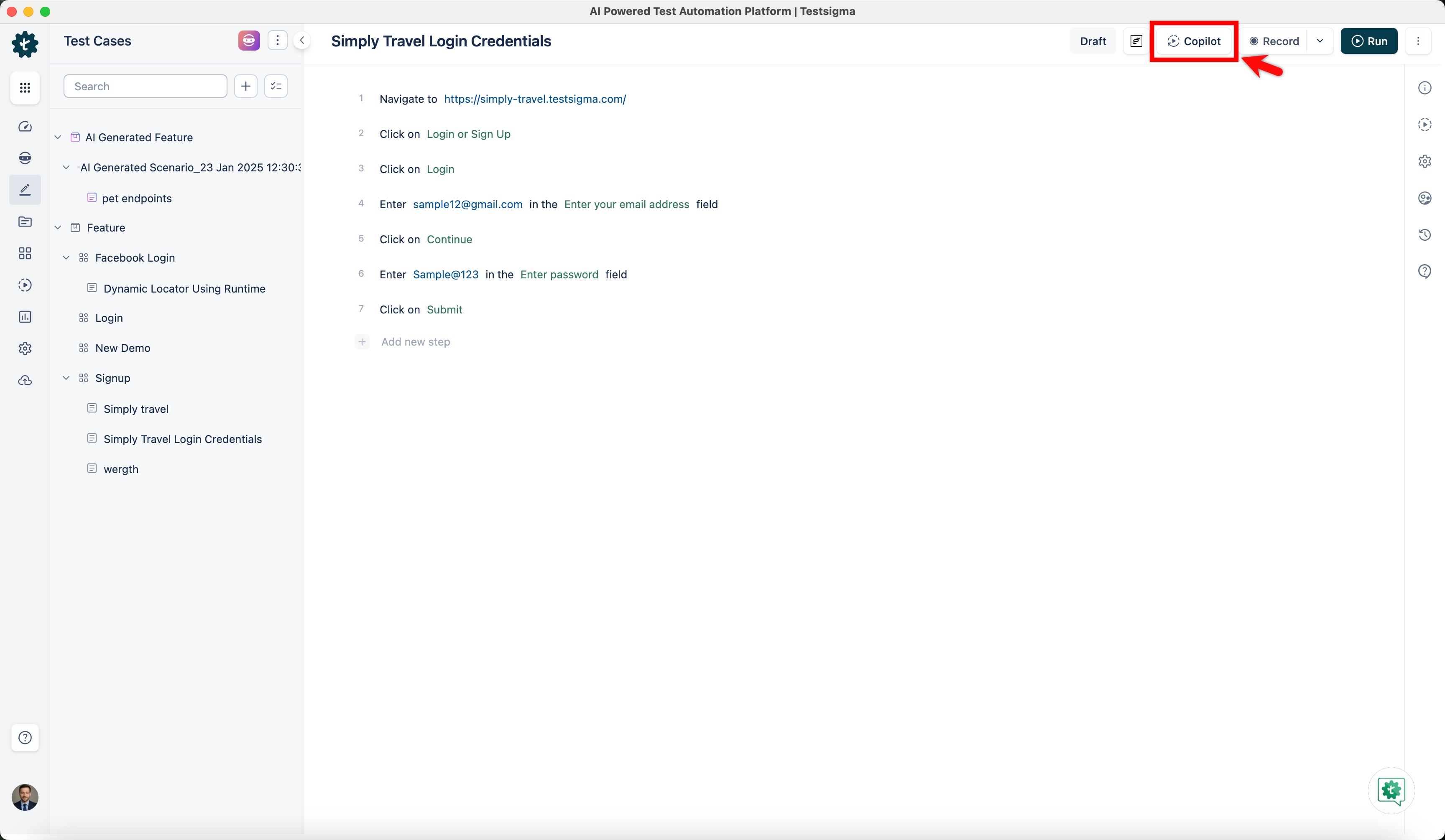
From the Action Panel, click Copilot.
-
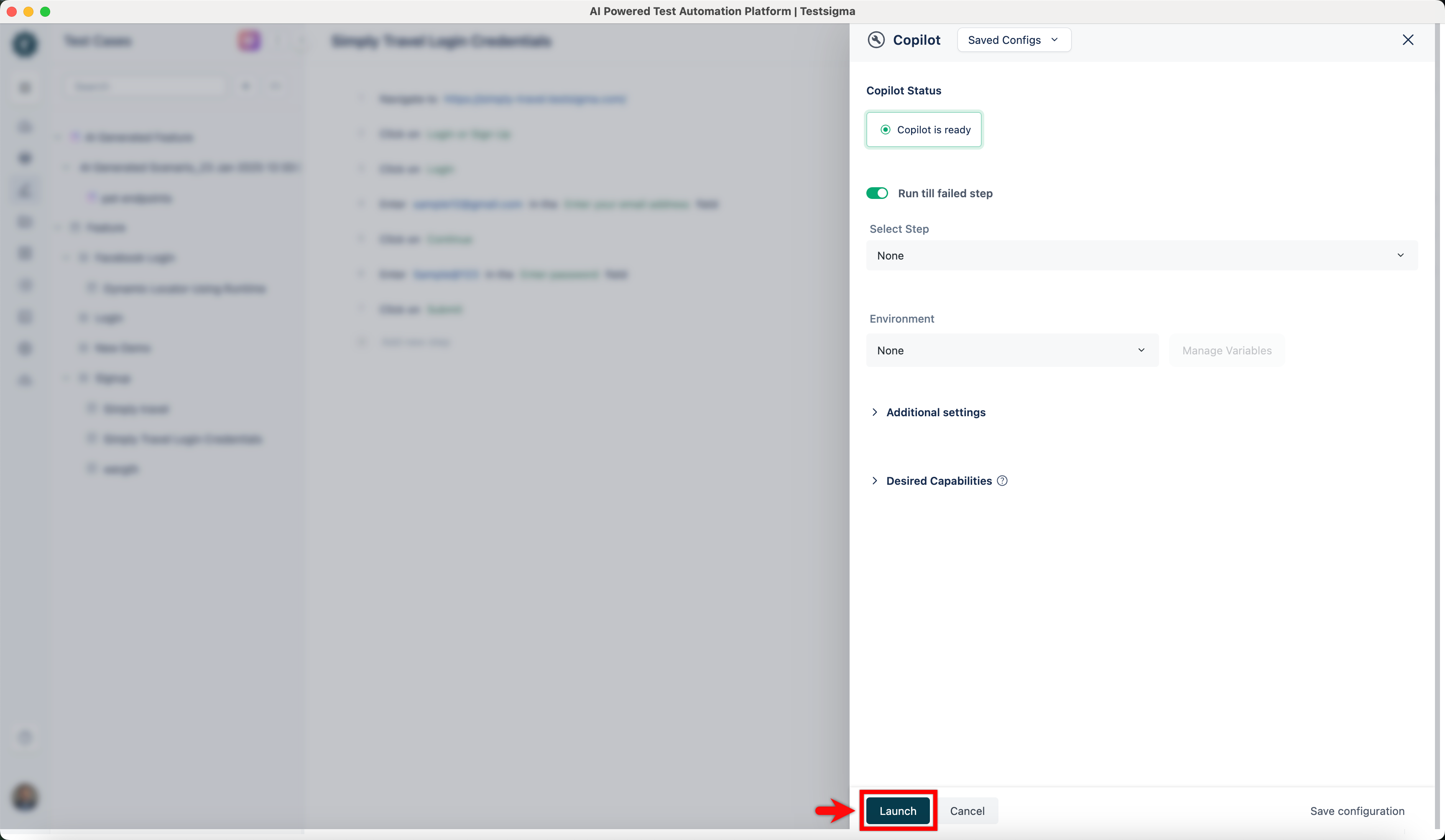
In the Copilot overlay, select a step from the Select Step dropdown to specify the debug point.
-
Click Launch to begin execution.
-
The Copilot will execute all steps up to the debug point.
-
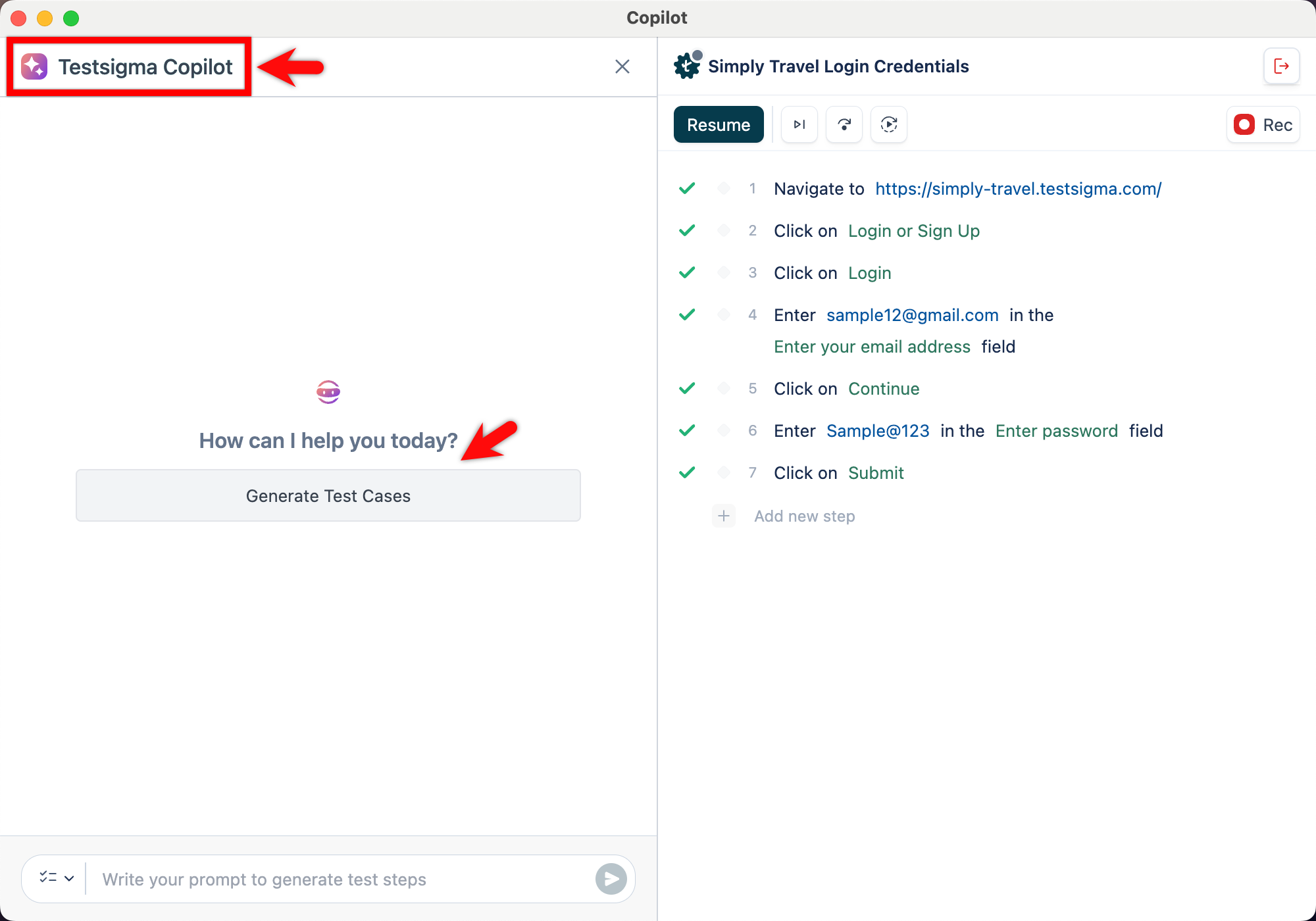
Click Testsigma Copilot on the Copilot dialog.
-
In the Testsigma Copilot overlay, click Generate Test Cases.
-
Copilot will analyze the current page and starts generating test cases.
-
Wait for the test case generation to complete.
-
Click any test case to view the corresponding test steps.
-
Click Add to test case to add the generated steps into the current test case.
For troubleshooting details and frequently asked questions, refer to the documentation on Copilot FAQs.