
Test Data
RandomText Function Type
Prerequisites
Before you begin, ensure that you have referred to:
Selecting RandomText as a Function Type for Data Generator
Section titled “Selecting RandomText as a Function Type for Data Generator”-
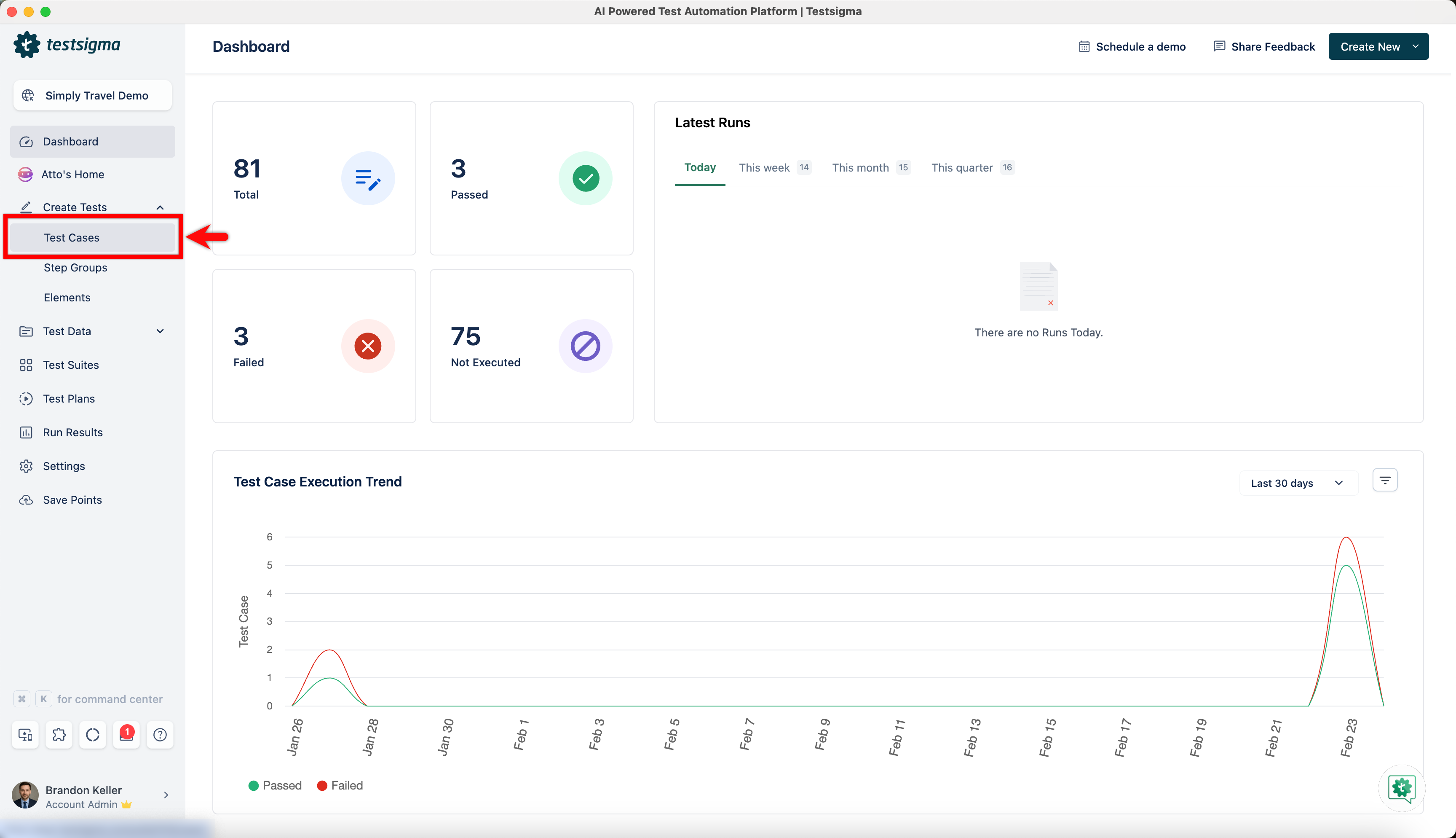
From the left navigation bar, go to Create Tests > Test Cases and create a new test case.
-
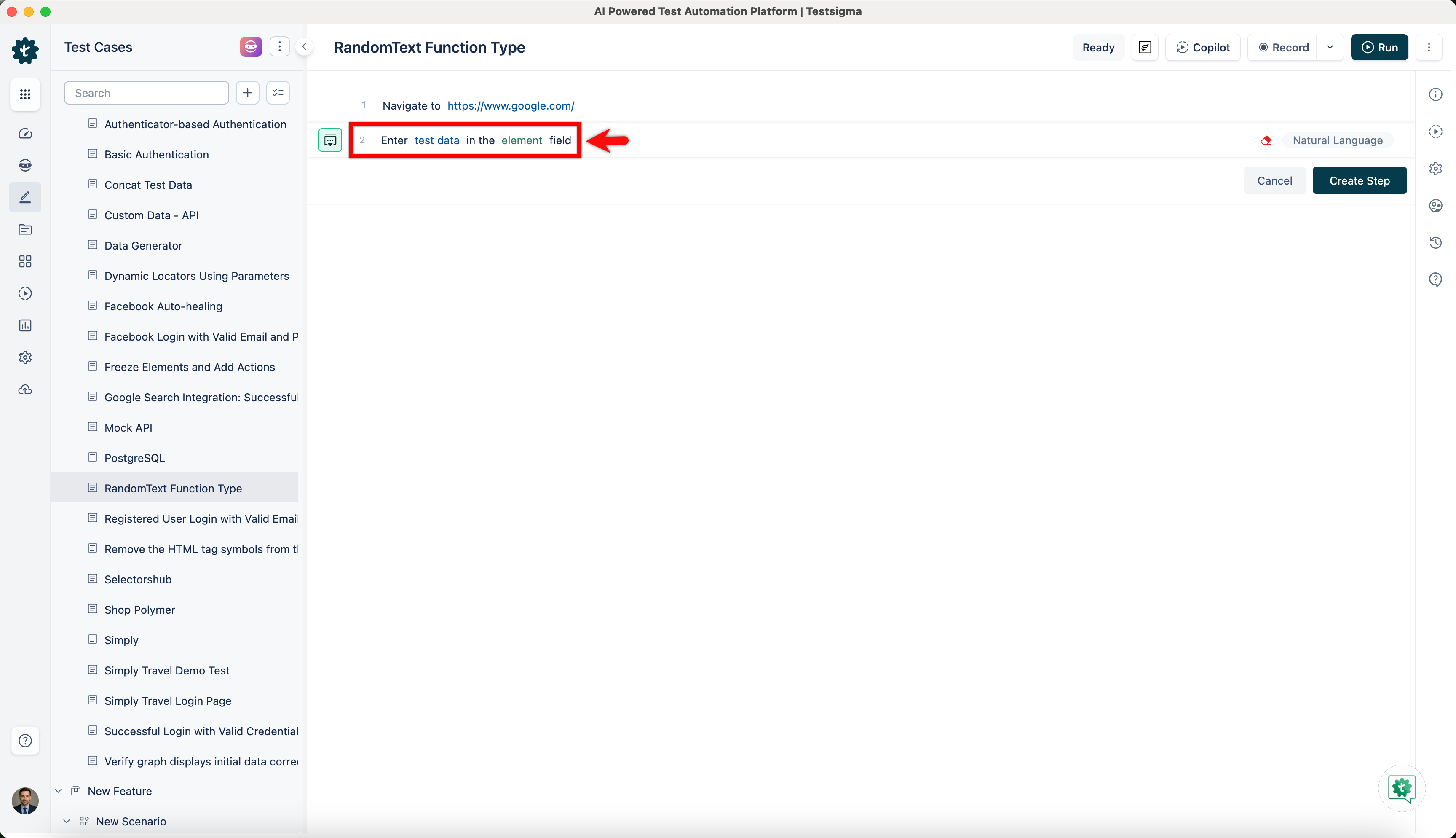
Use NLP to create a new step in the test case and include a placeholder for test data.
-
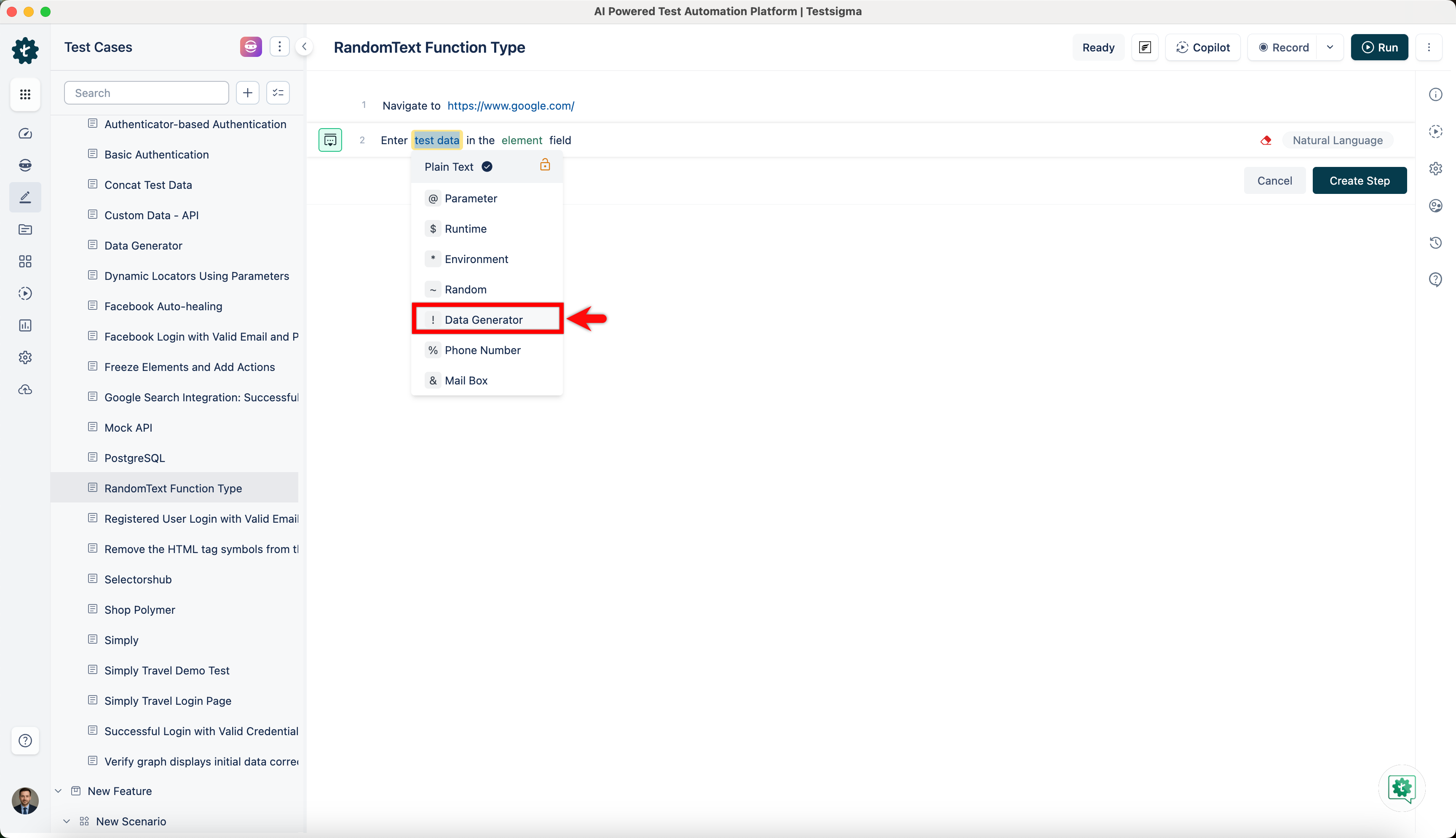
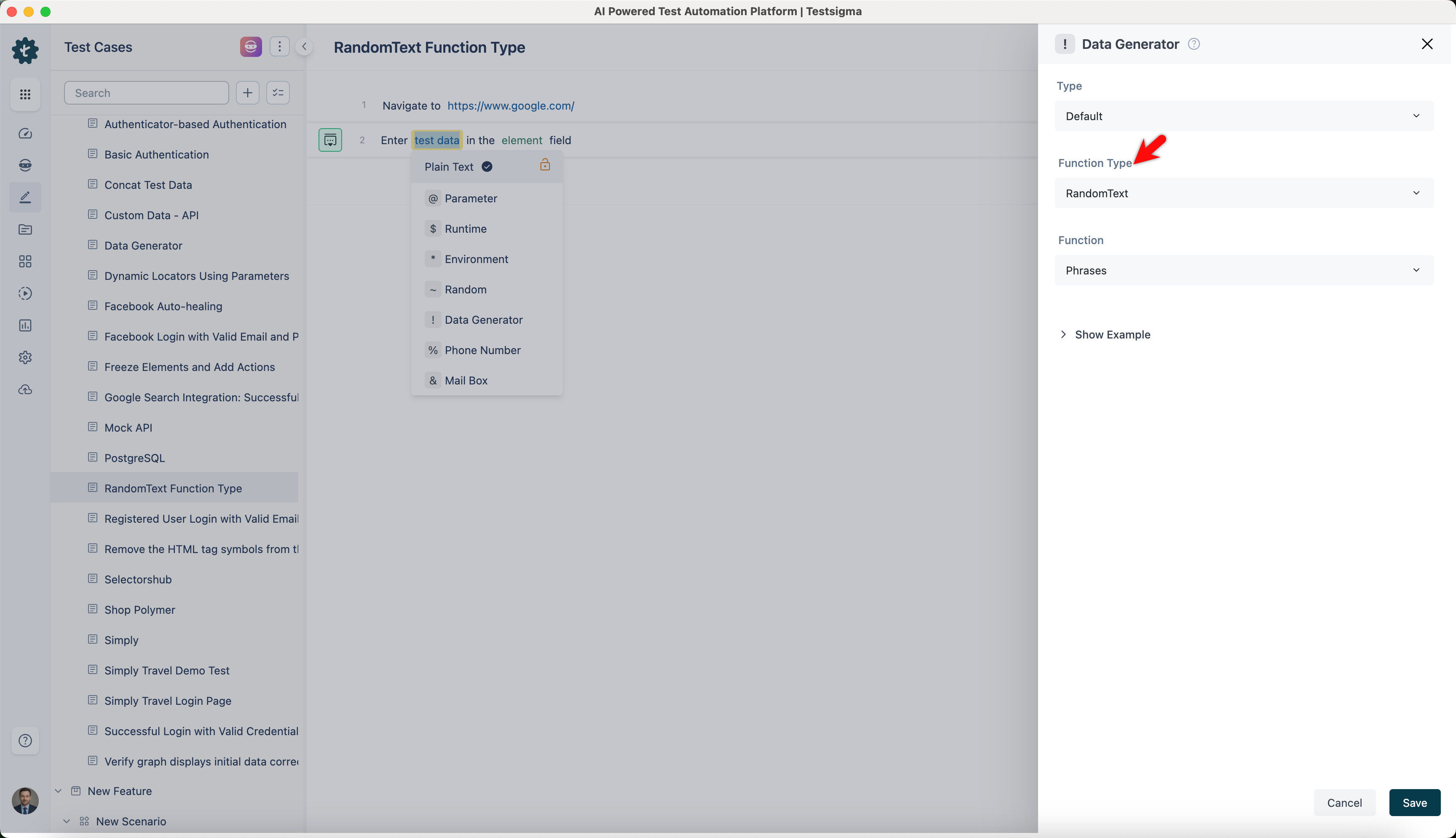
Click on the test data placeholder. From the Test Data Types dropdown menu, select the ! Data Generator option.
-
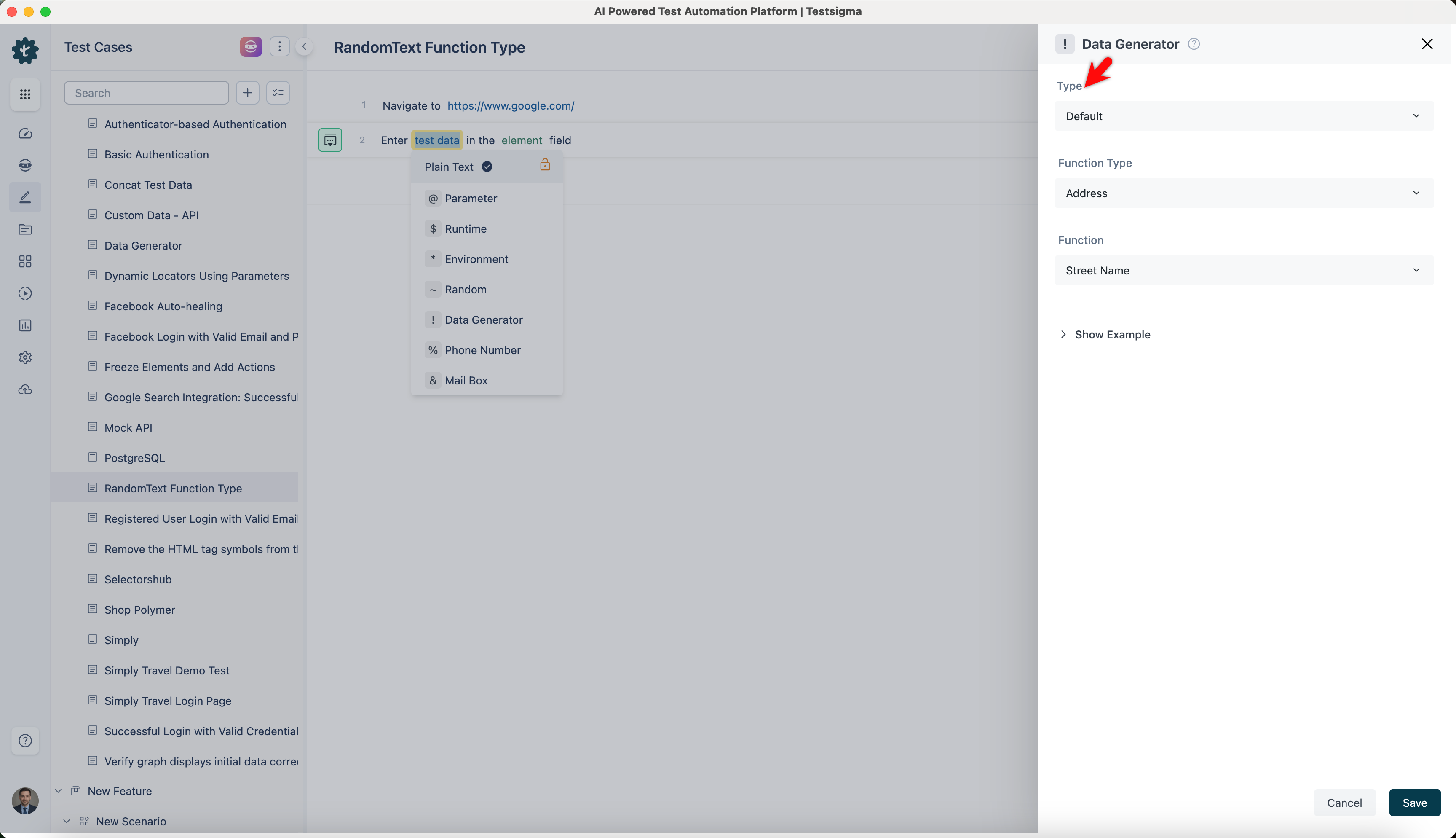
On the ! Data Generators overlay, select the Type to Default. This will enable you to use a collection of built-in test data generators.
-
Select RandomText from the Function Type dropdown list.
Random Text Phrases
Section titled “Random Text Phrases”- Allows you to generate random phrases for various applications.
- It is useful for creating placeholder content, random text, or randomized text blocks for testing or development.
ℹ️Examples:
| Inputs | Outputs |
|---|---|
| Length: 8 | kF7rB9pD |
| Length: 12 | Lm5tQv9JxK3s |
| Length: 6 | R8zQpT |
| Length: 15 | Wz4hJ7uQk9RpLf8Vb |