
Test Data
Phone Number Function Type
Prerequisites
Before you begin, ensure that you have referred to:
Selecting Phone Number as a Function Type for Data Generator
Section titled “Selecting Phone Number as a Function Type for Data Generator”-
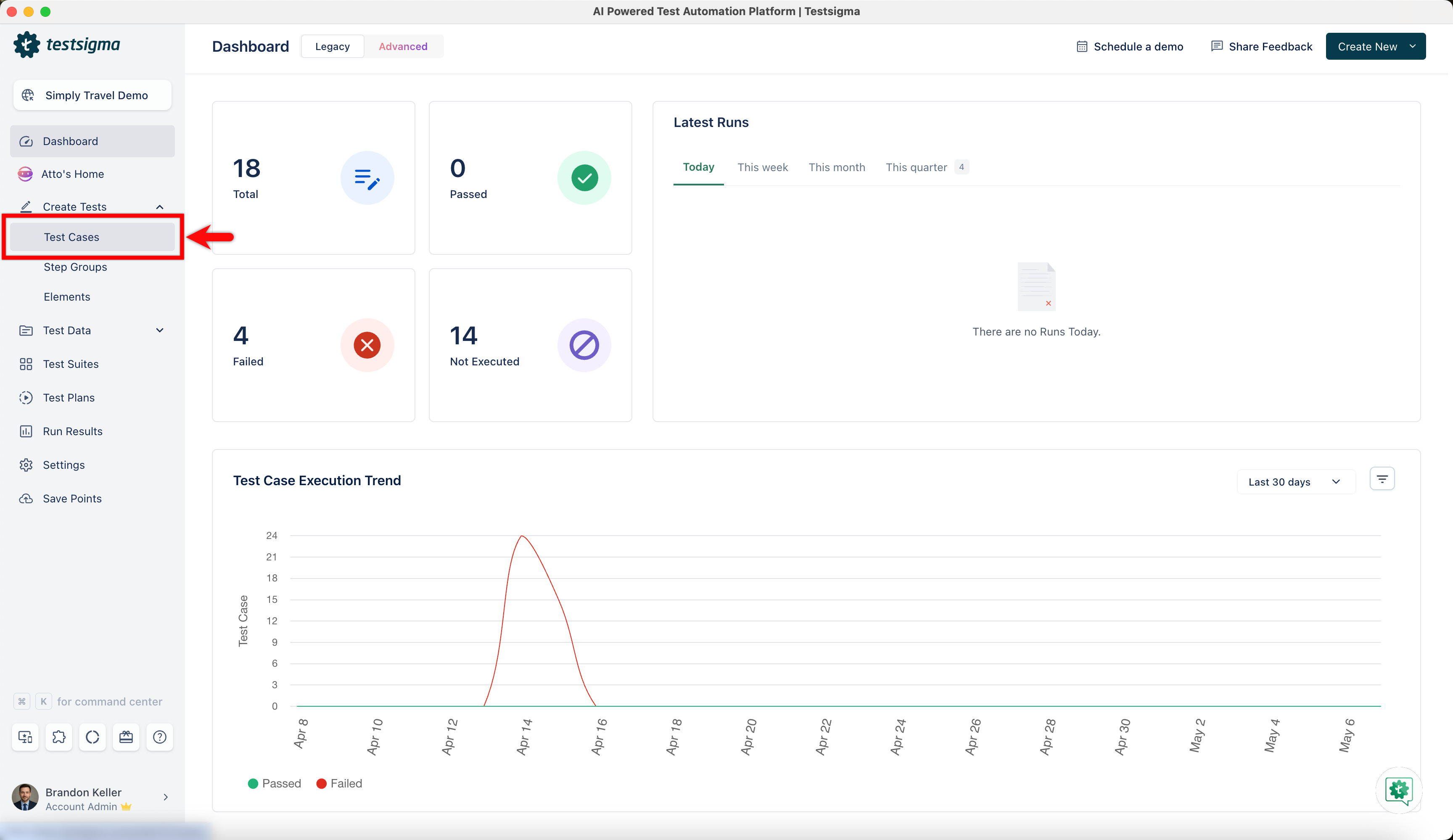
From the left navigation bar, go to Create Tests > Test Cases and create a new test case.
-
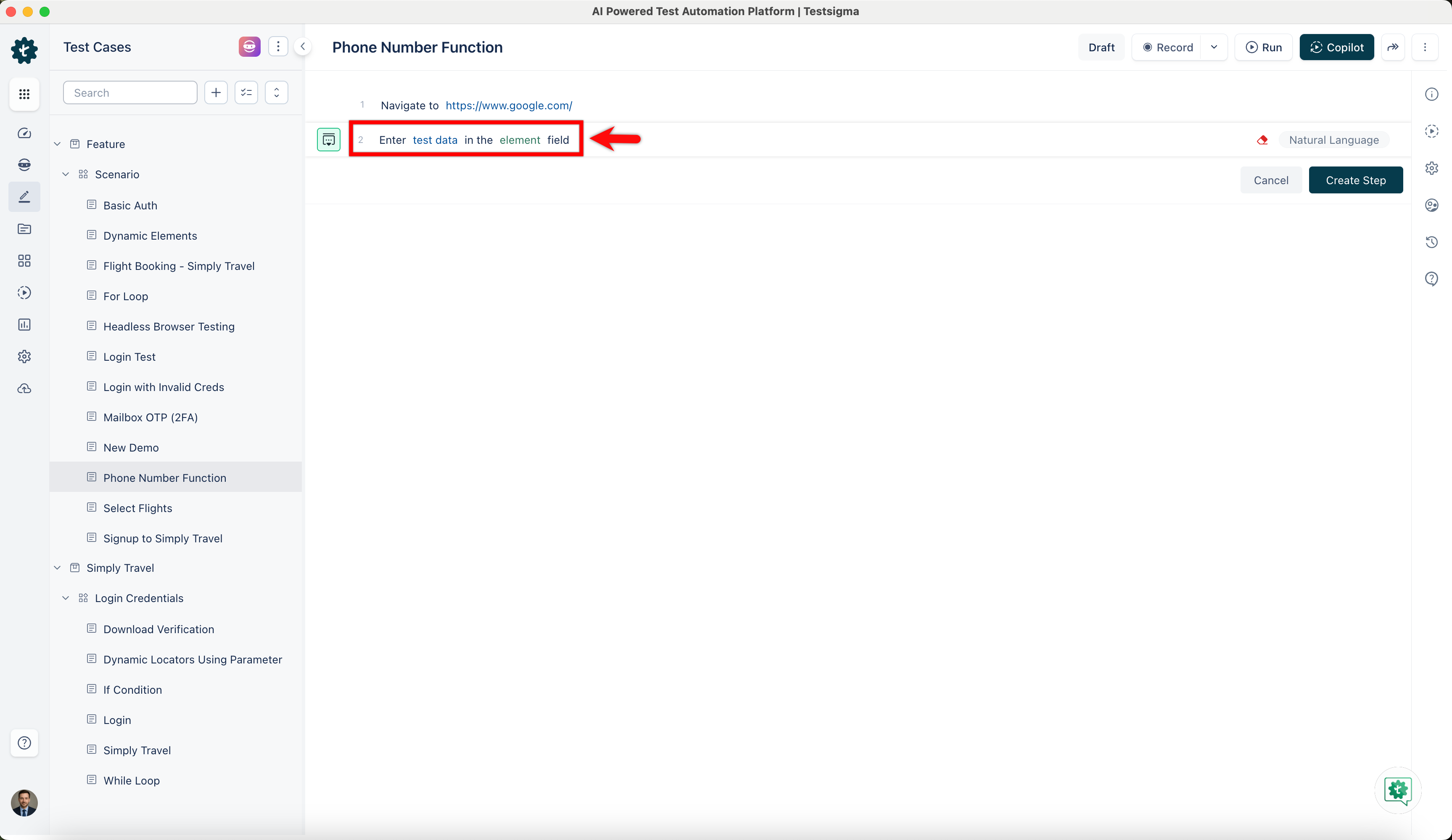
Use NLP to create a new step in the test case and include a placeholder for test data.
-
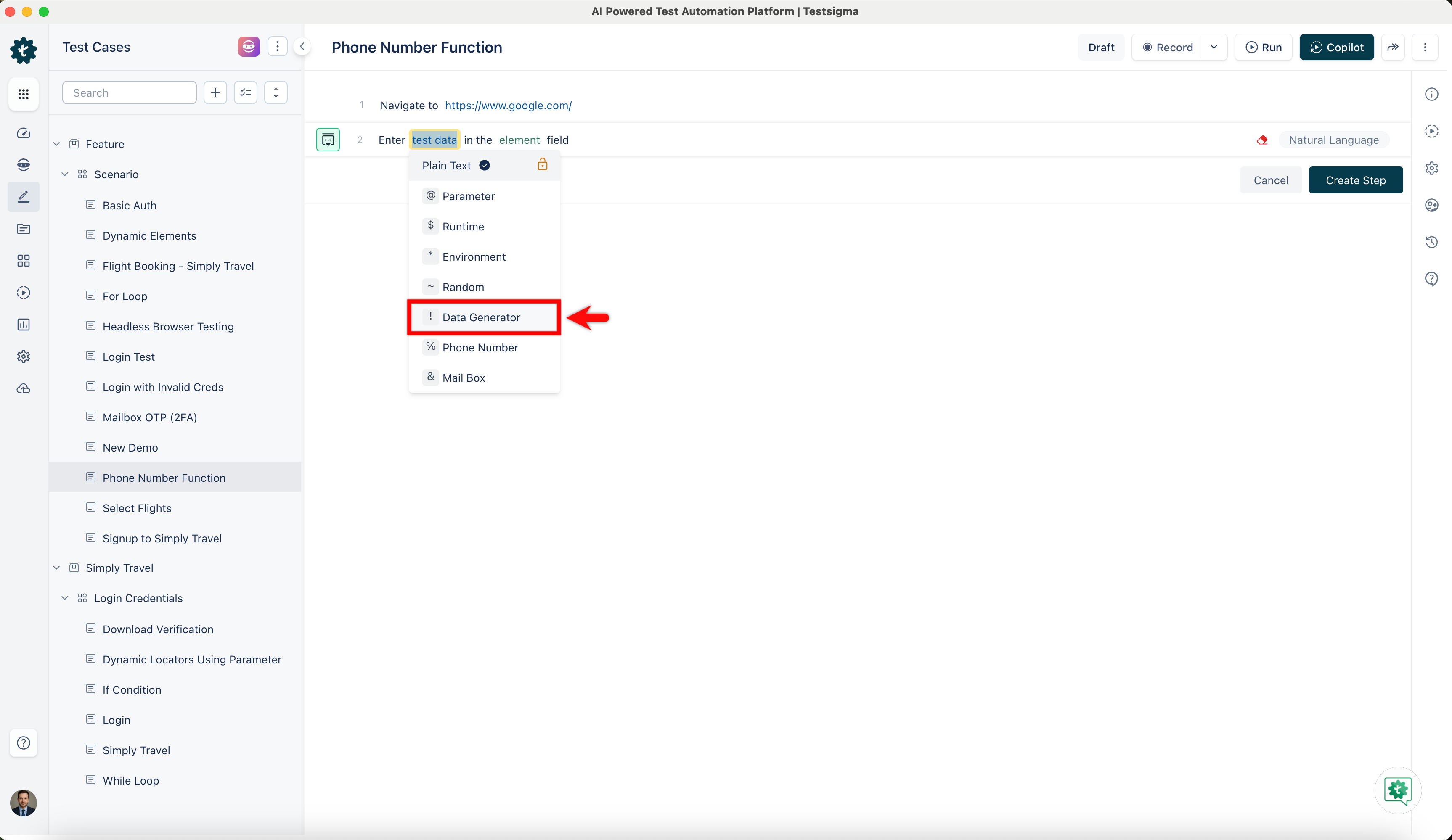
Click on the test data placeholder. From the Test Data Types dropdown menu, select the ! Data Generator option.
-
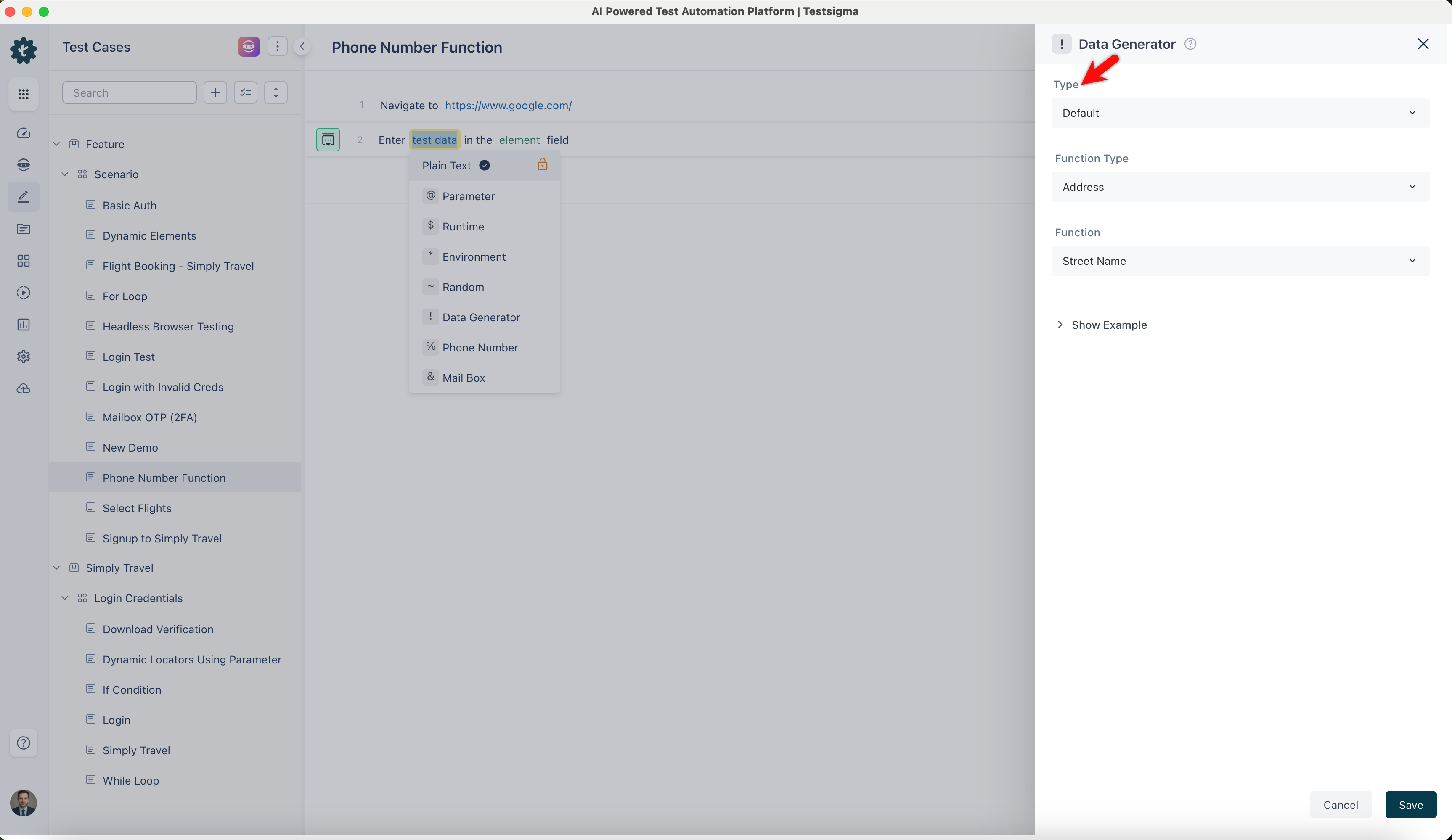
On the ! Data Generators overlay screen, select the Type to Default. This will enable you to use a collection of built-in test data generators.
-
Select Phone Number from the Function Type dropdown list.
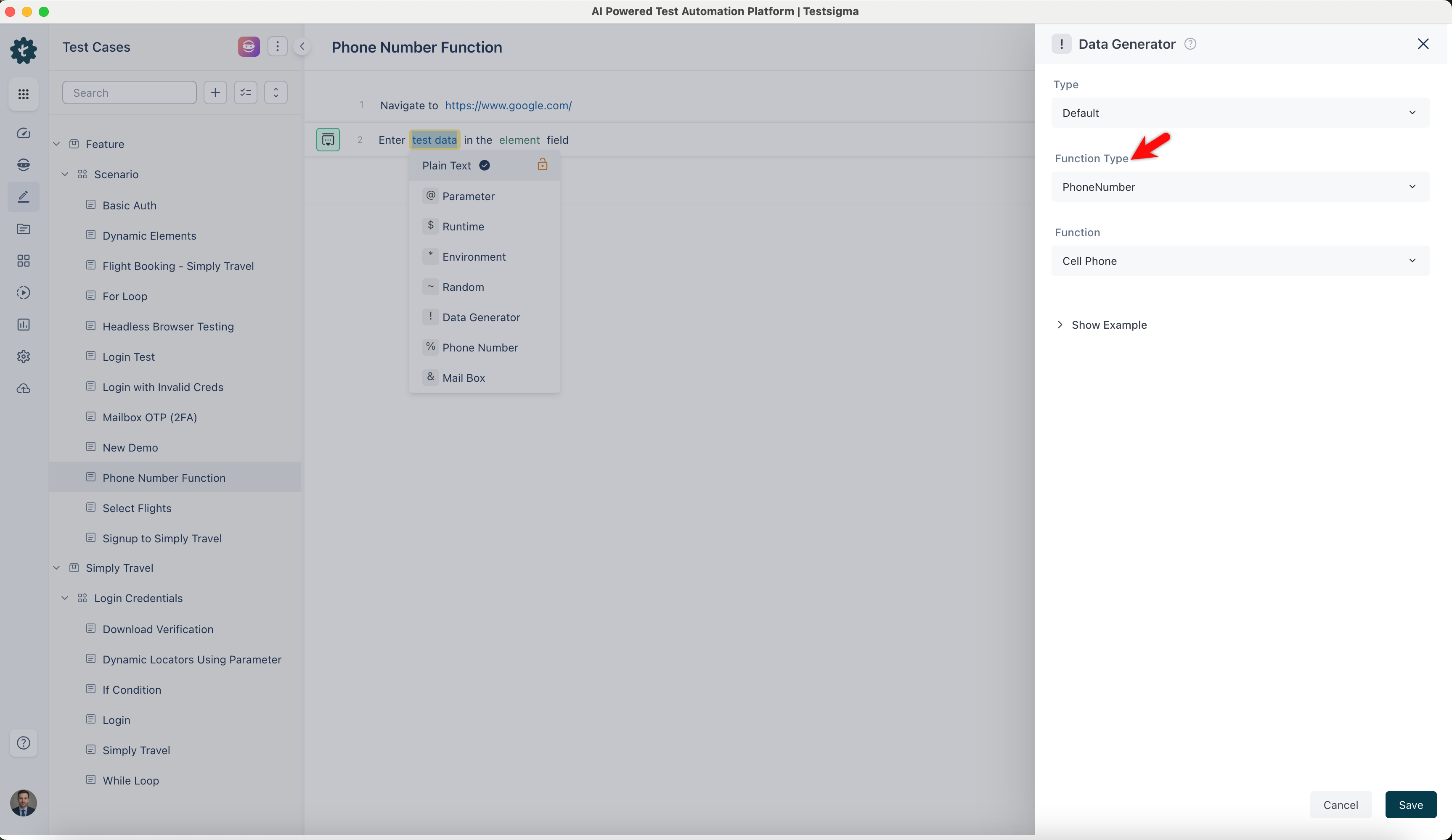
Cell Phone
Section titled “Cell Phone”- Enables you to generate random cell phone numbers.
- It formats the generated phone numbers to match typical cell phone number patterns, ensuring they appear realistic.
ℹ️Example:
- Input: None (This function does not require any specific input)
- Output:
- (820) 332-7751
- +1 555-123-4567
- +61 412 345 678
- +1-909-047-5395
Phone Number
Section titled “Phone Number”- Allows you to generate random phone numbers.
- It is helpful for testing contact forms, databases, and user profiles with random phone number data.
ℹ️Example:
- Input: None (This function does not require any specific input)
- Output:
- 483.497.7780
- +1 212-555-7890
- 1-677-575-0974 x4290
- 1-106-694-1031 x4038