Atto AI Coworker
Introduction: BYOK ֎
Prerequisites
- Before you begin, ensure you have the valid API keys and necessary details for your preferred LLM provider.
Supported LLMs
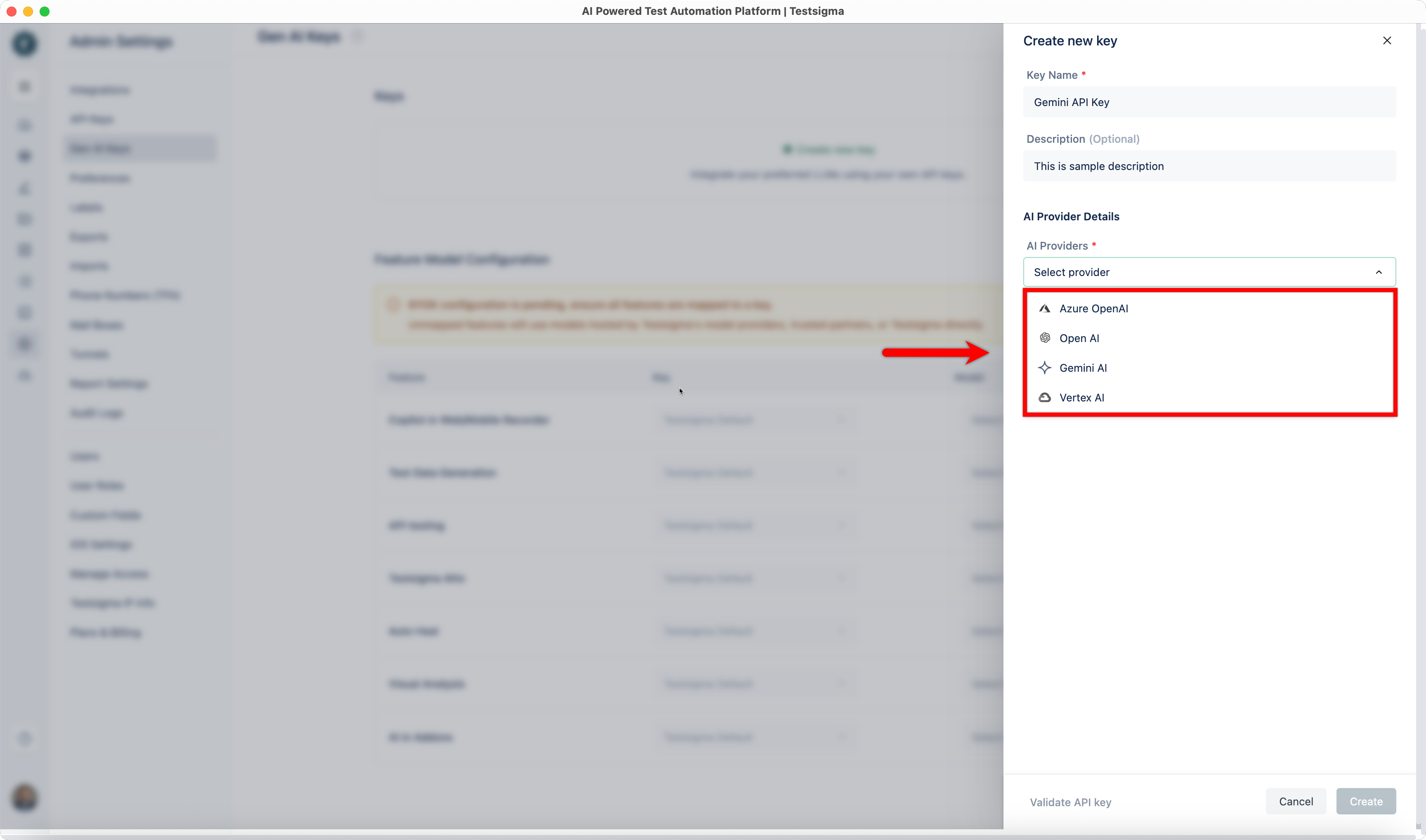
Section titled “Supported LLMs”- Azure OpenAI
- Open AI
- Gemini AI
- Vertex AI
Steps to Create a New Key
Section titled “Steps to Create a New Key”-
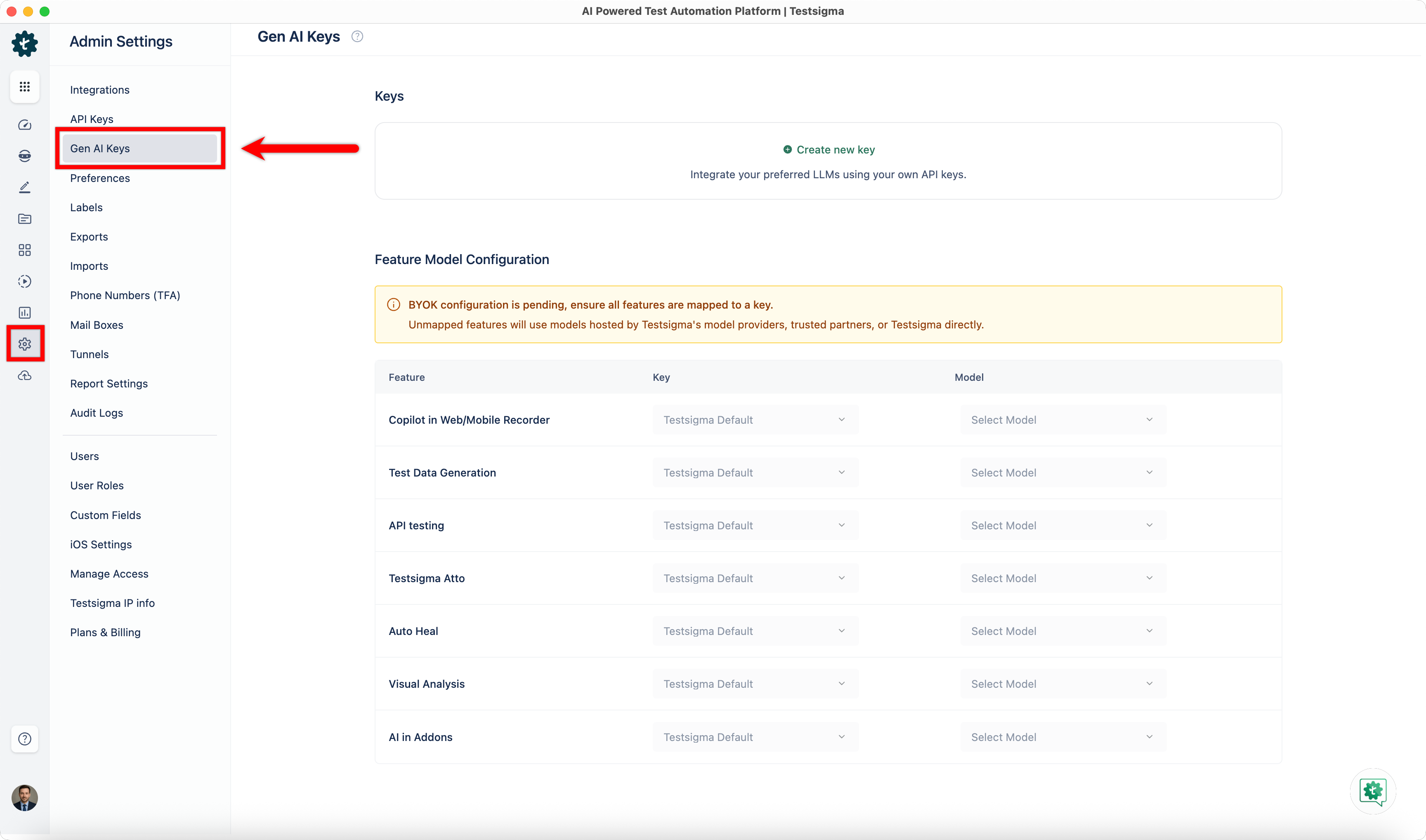
From the left navigation bar, go to Settings > Gen AI Keys.
-
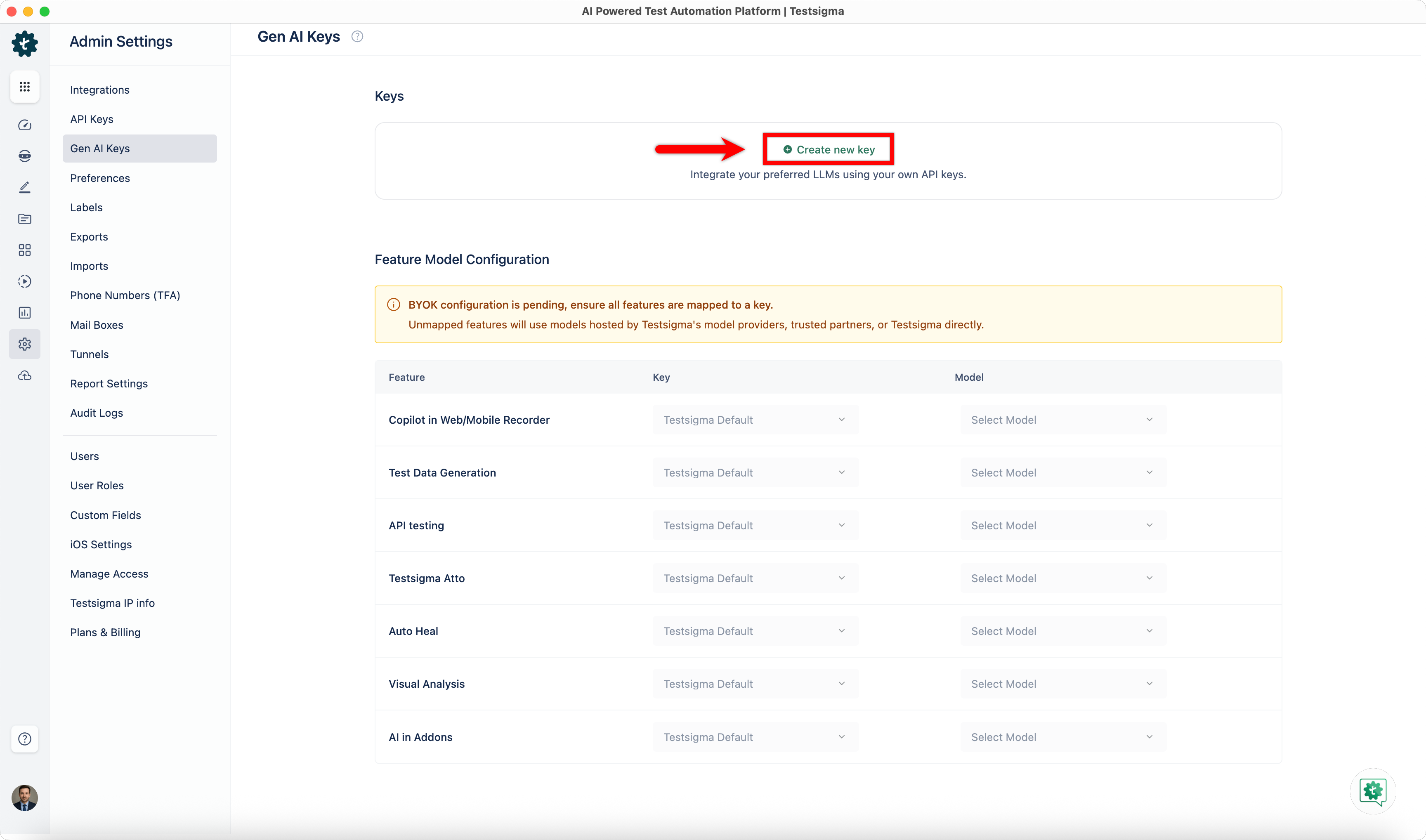
Click Create New Key in the top right corner.
-
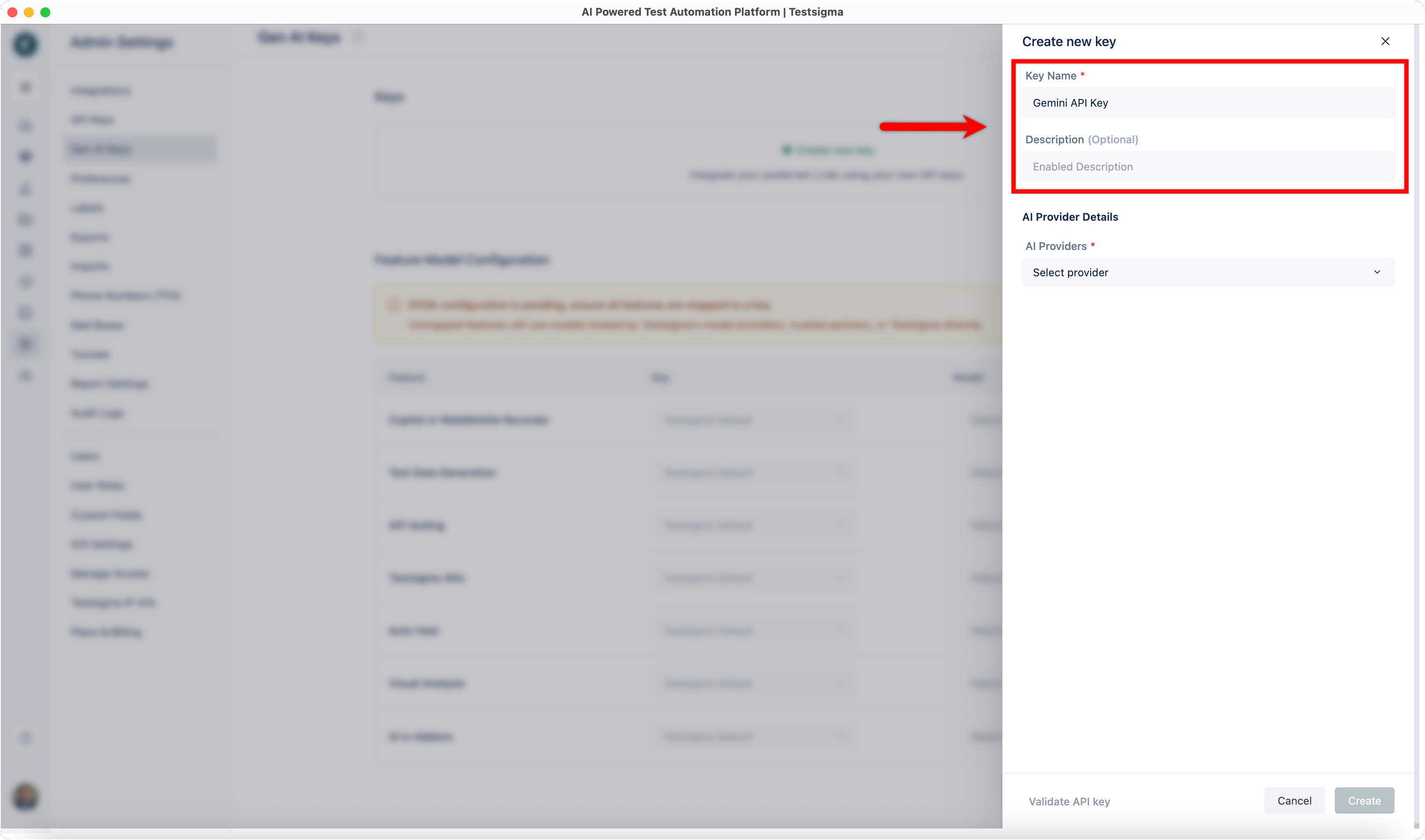
From the Create New Key overlay,
-
Enter the Key Name and an optional Description.
-
Select an AI Provider from the dropdown menu.
-
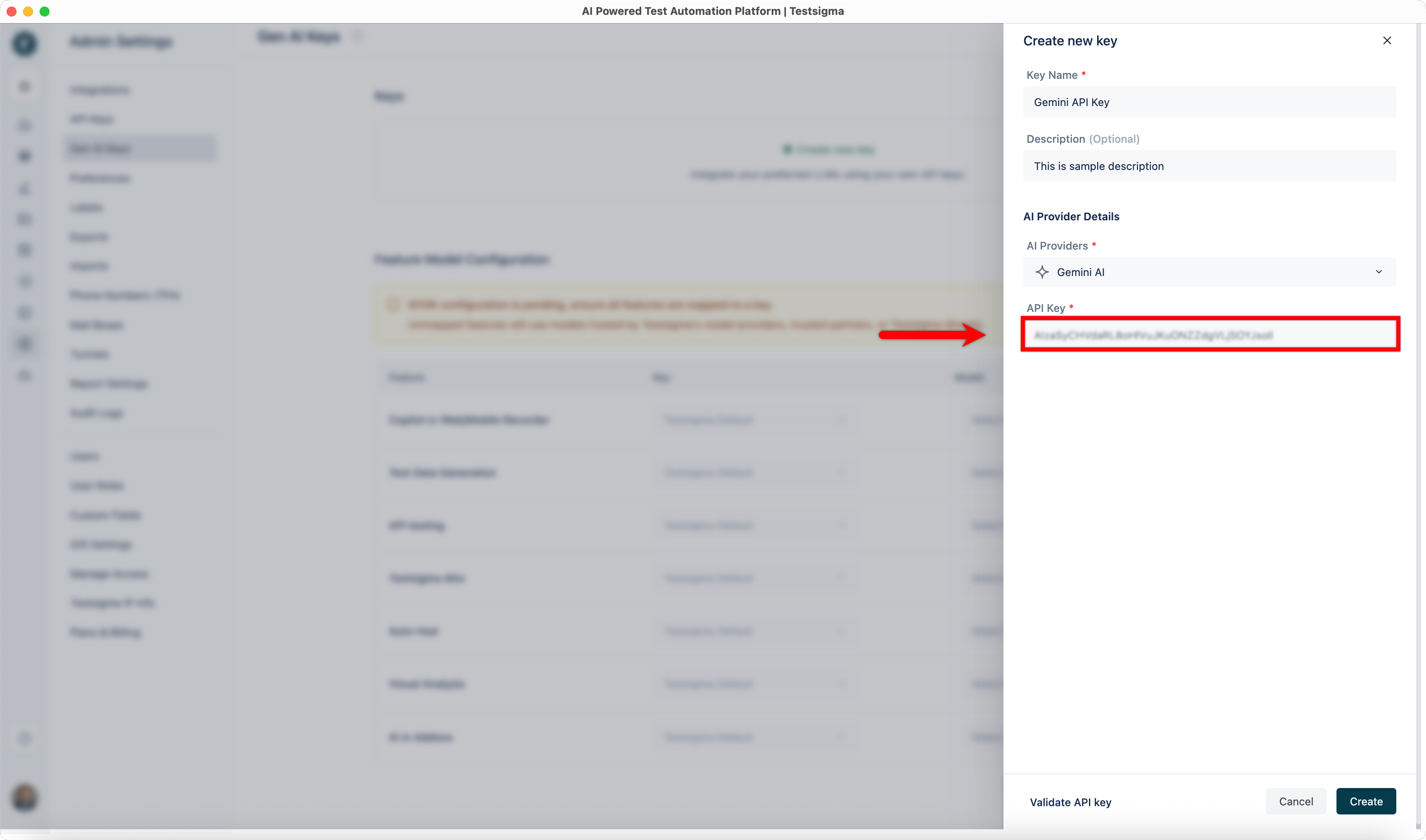
Enter the details associated with the AI Provider.
-
-
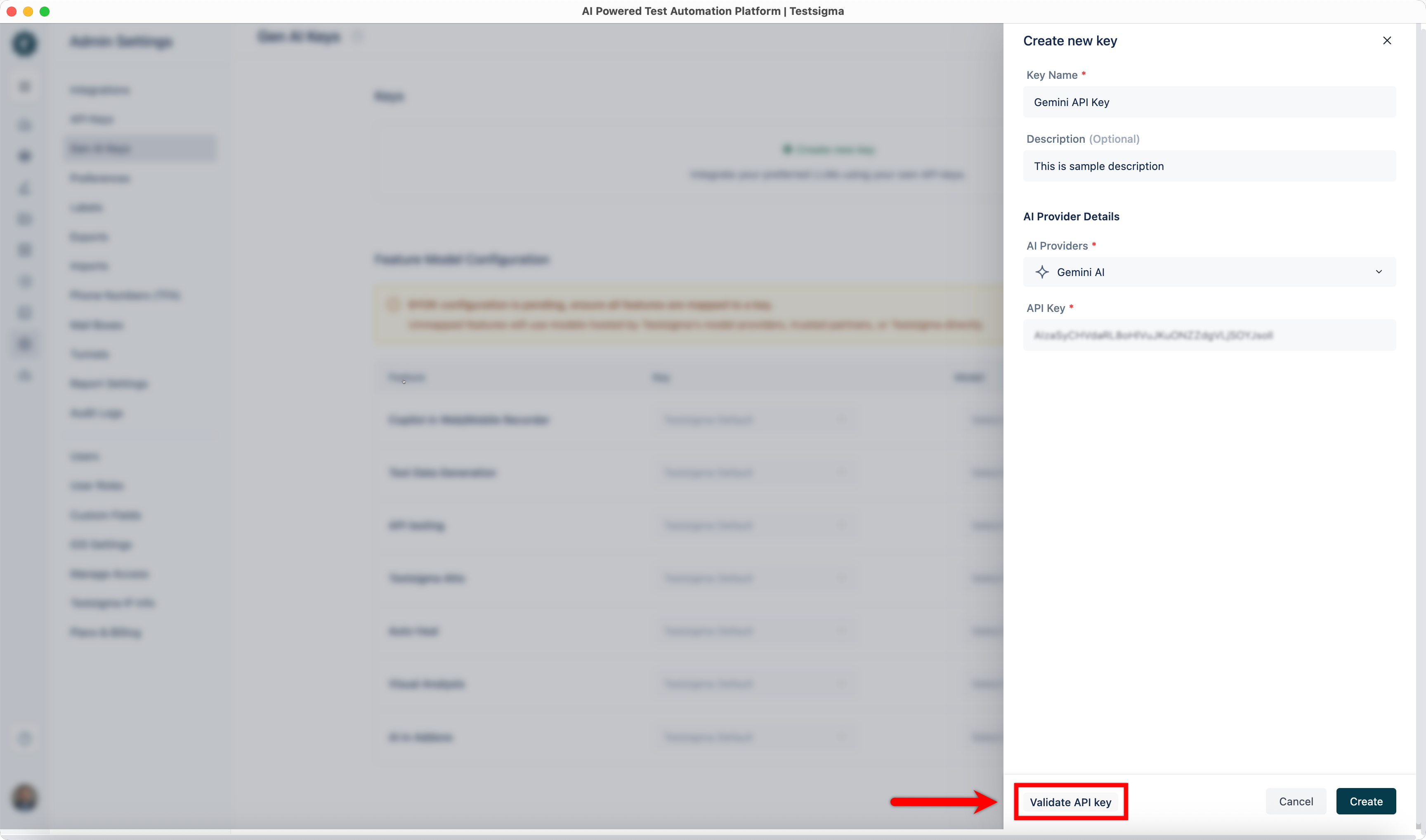
Click Validate API Key to validate the AI Provider details.
-
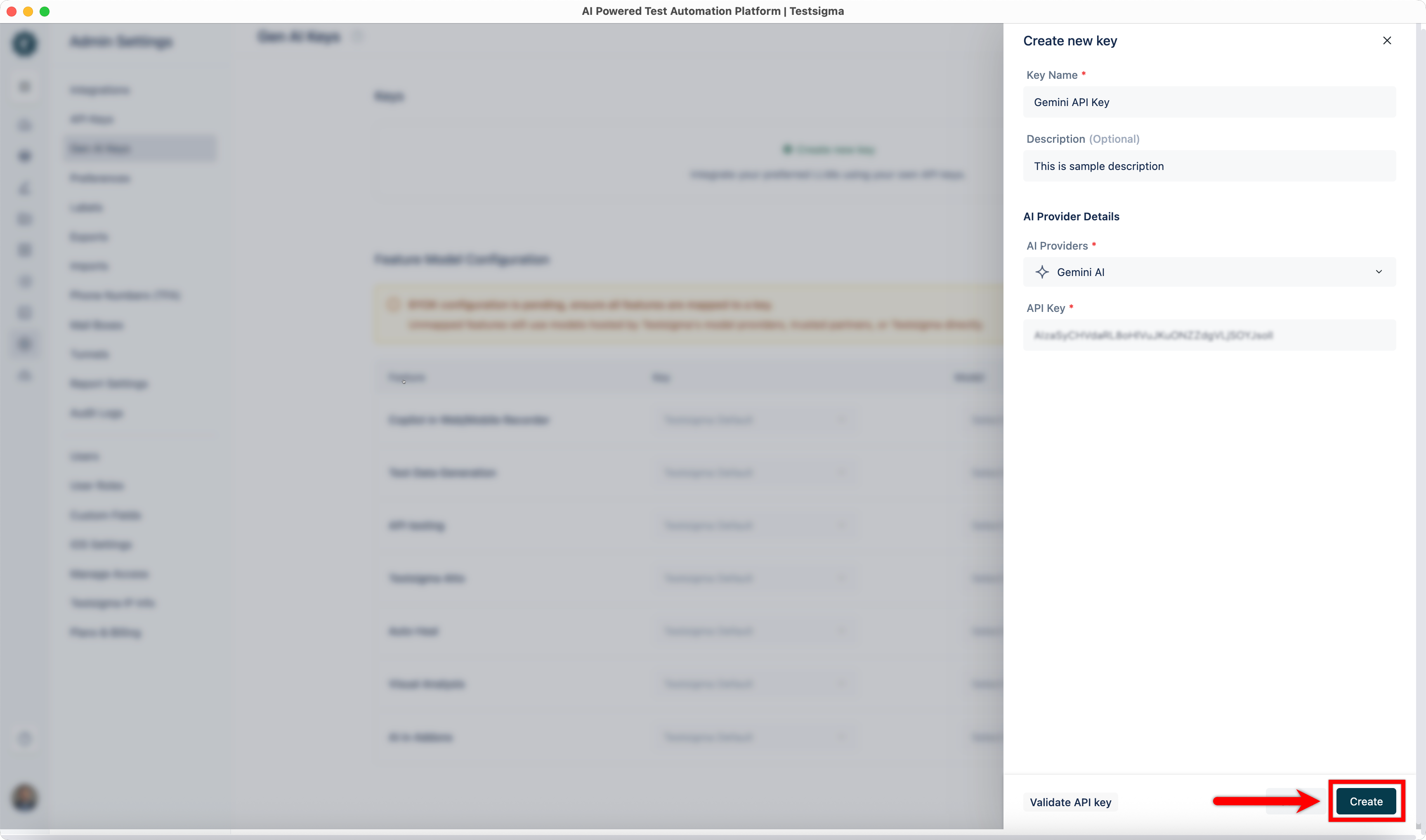
Click Create to add the API key.
-
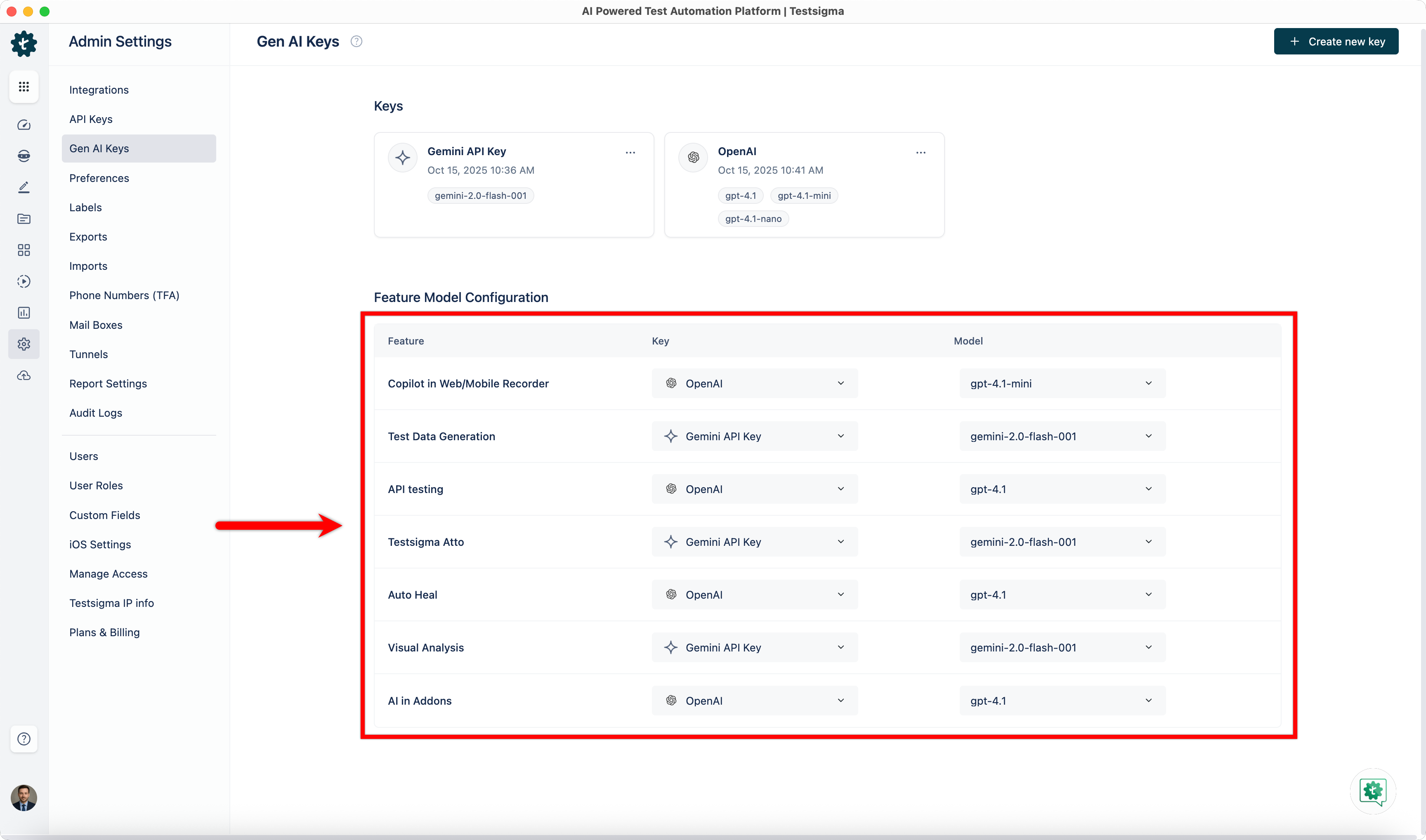
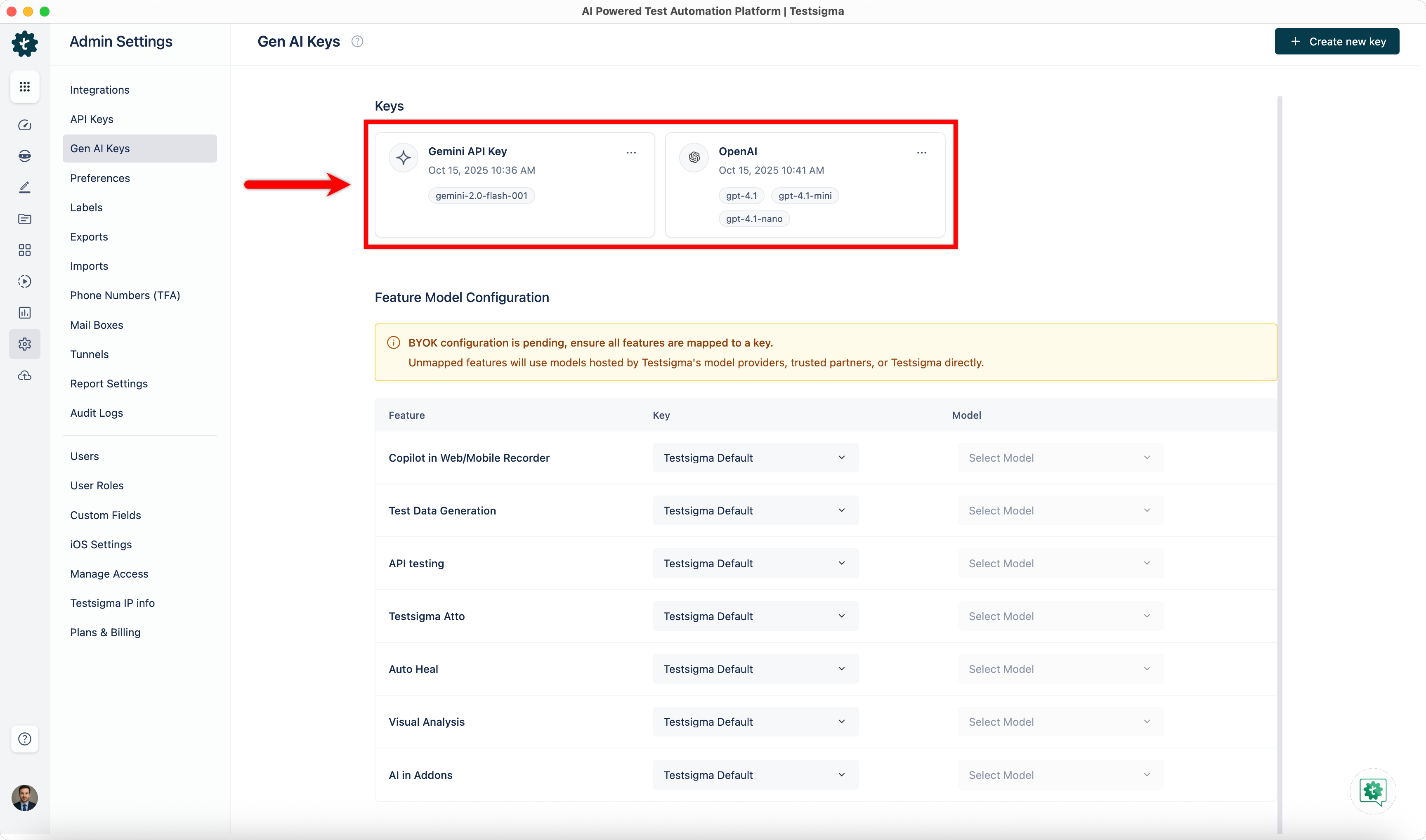
The added keys will appear in the Keys section.
Mapping Keys & Models to Testsigma Features
Section titled “Mapping Keys & Models to Testsigma Features”-
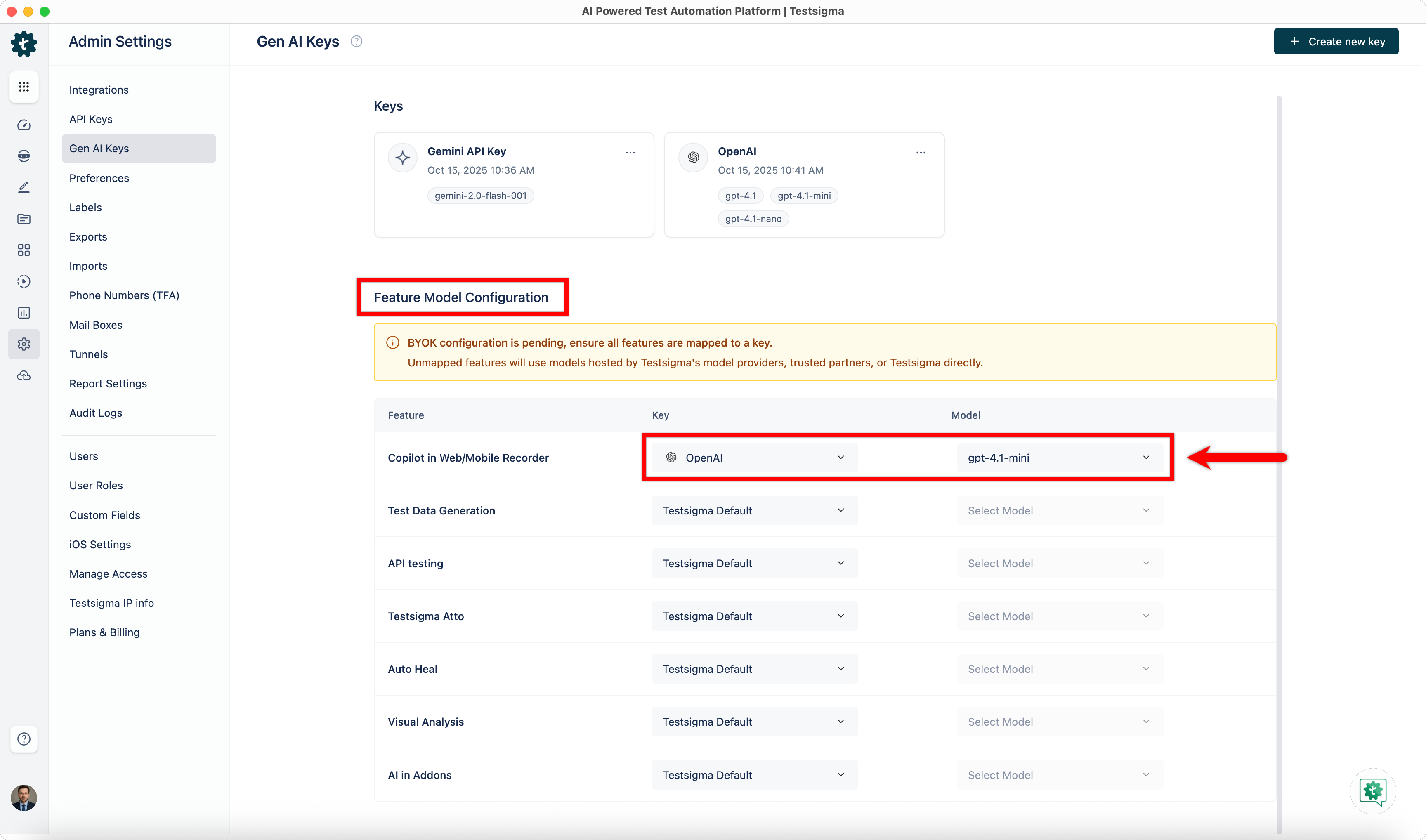
In the Feature Model Configuration section, map each Feature to the corresponding Key and Model from the dropdown menus.
-
The features will now use the mapped models.