Integrations
Slack Integration with Testsigma
Prerequisites
Before you begin, ensure that:
- You have a valid Slack Incoming Webhook URL.
- You have referred to the documentation on creating test plans.
Steps to Fetch Slack Incoming Webhook URL
Section titled “Steps to Fetch Slack Incoming Webhook URL”-
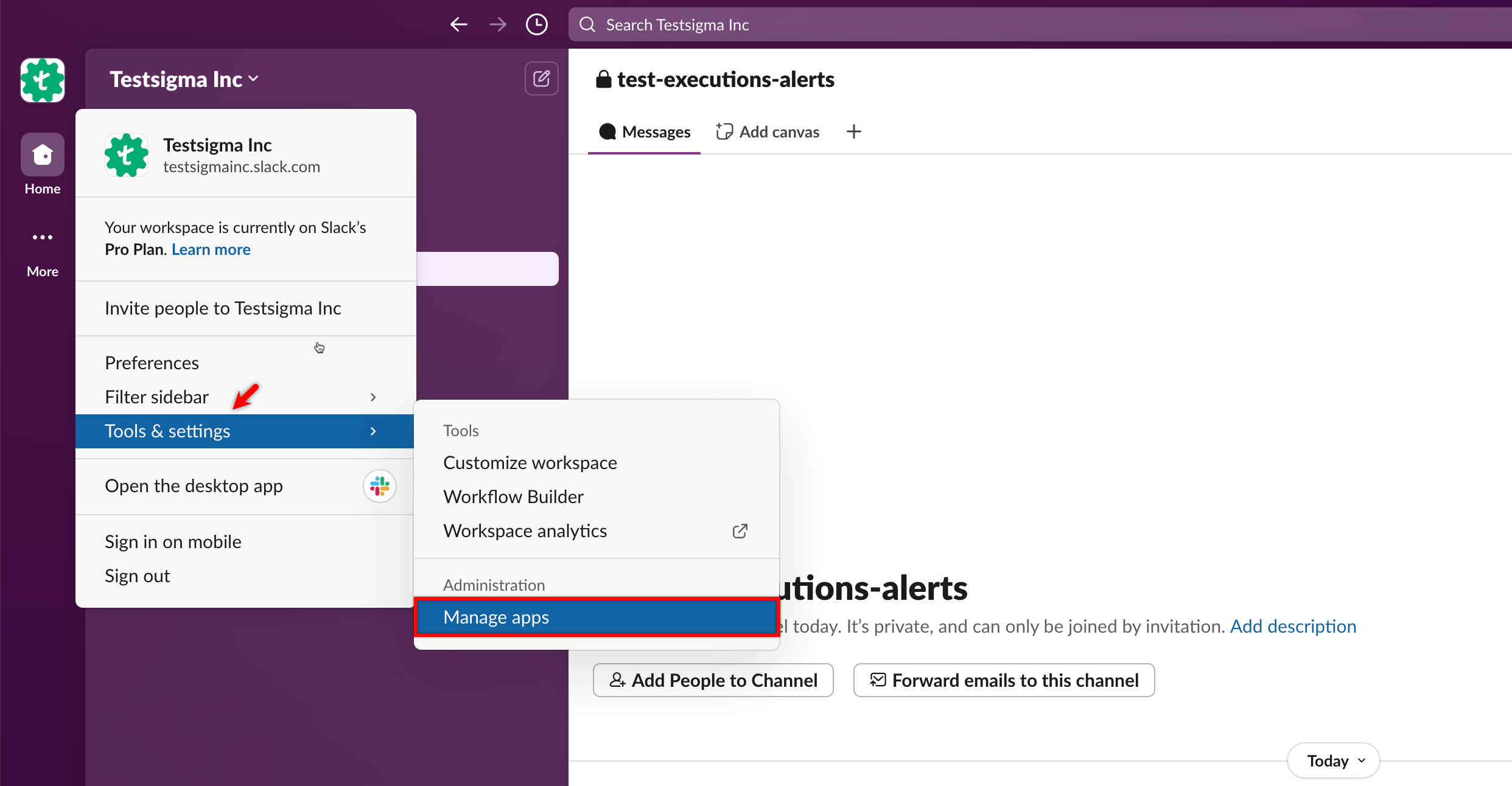
Go to Workspace > Tools & Settings > Manage Apps.
-
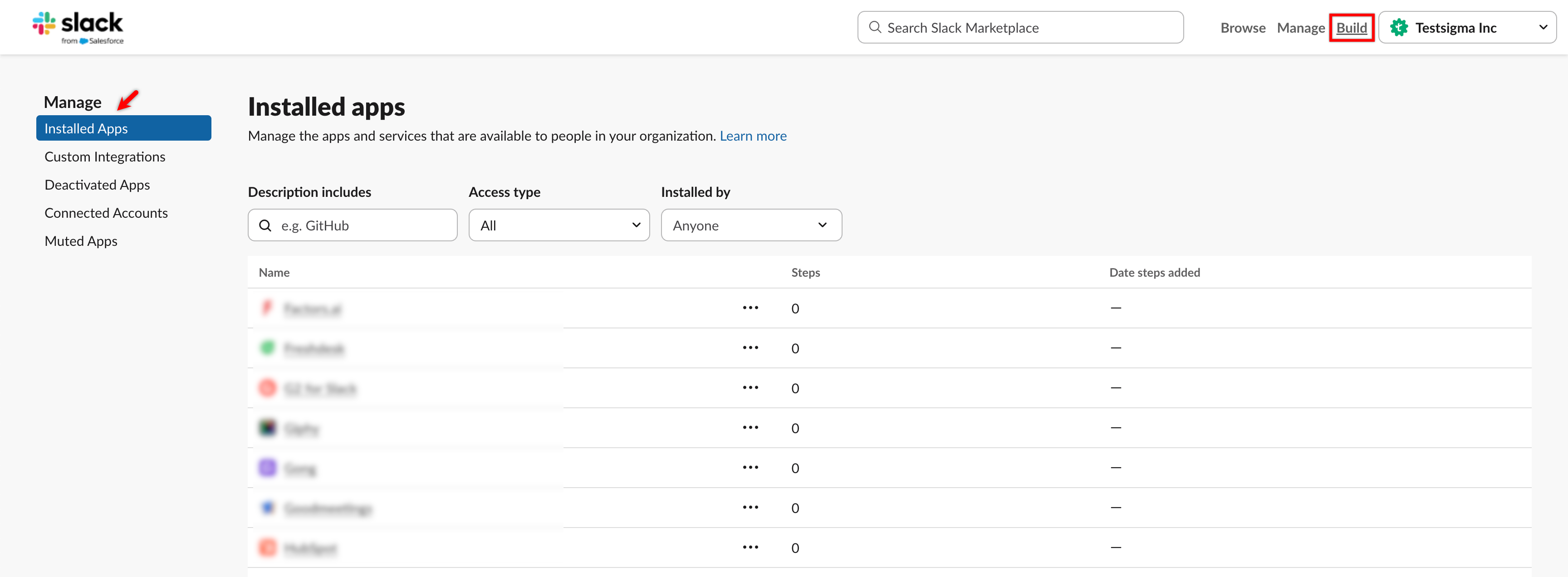
In the Installed Apps section, click Build to open the Slack API.
-
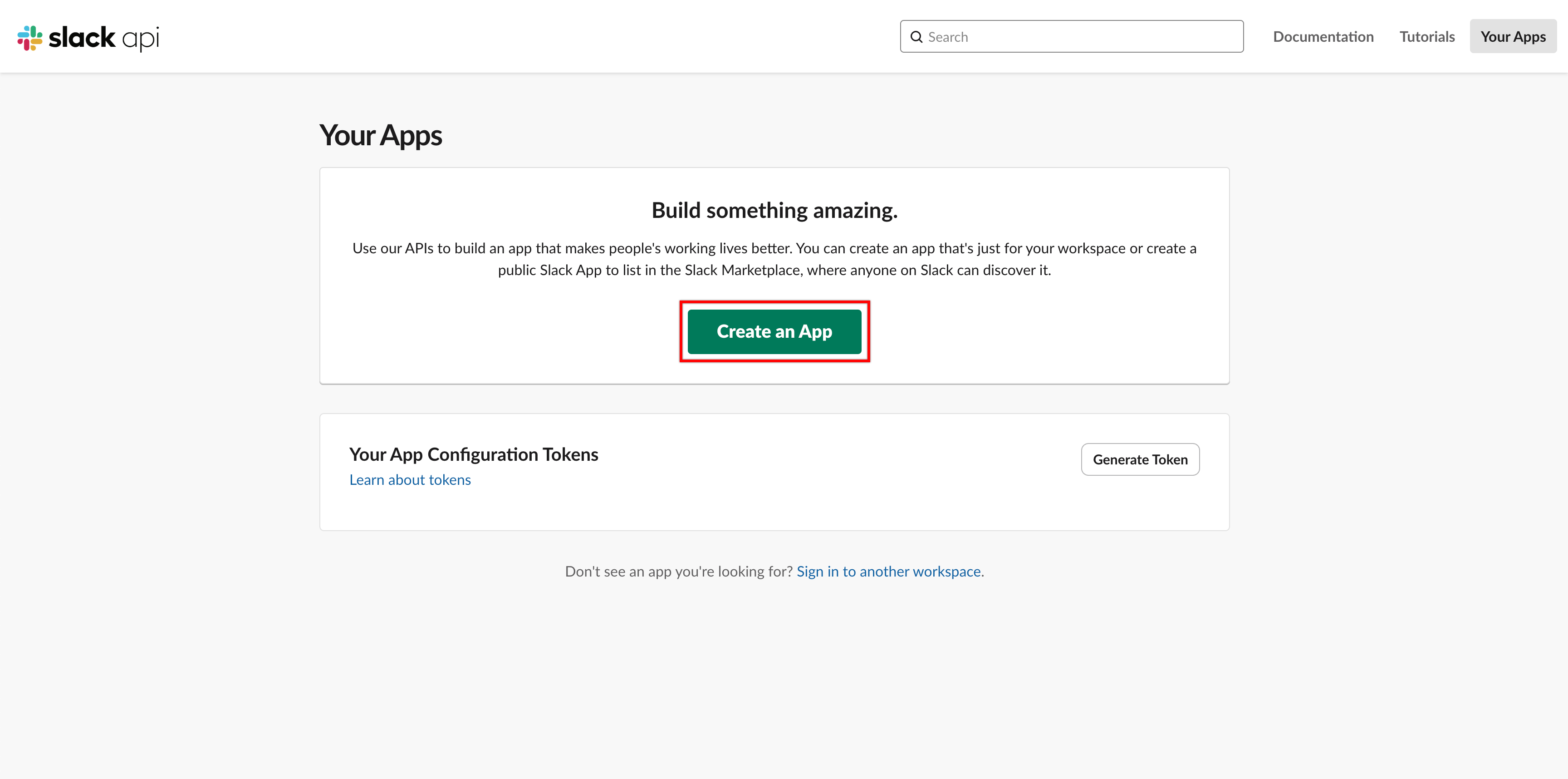
In Slack API, click Create an App.
-
In the Create an App dialog, select From Scratch.
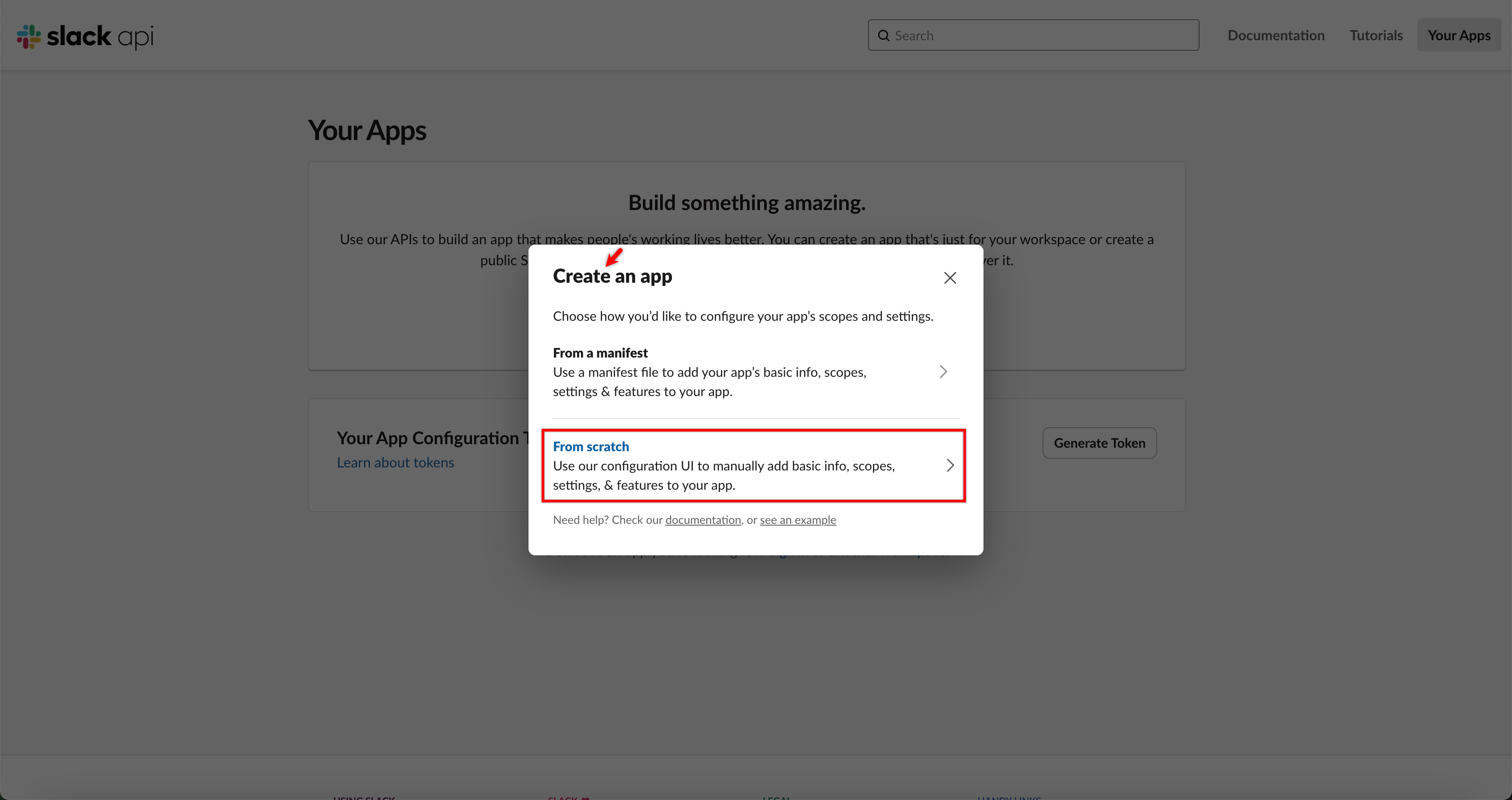
-
Enter an App Name, select your Workspace, and click Create App.
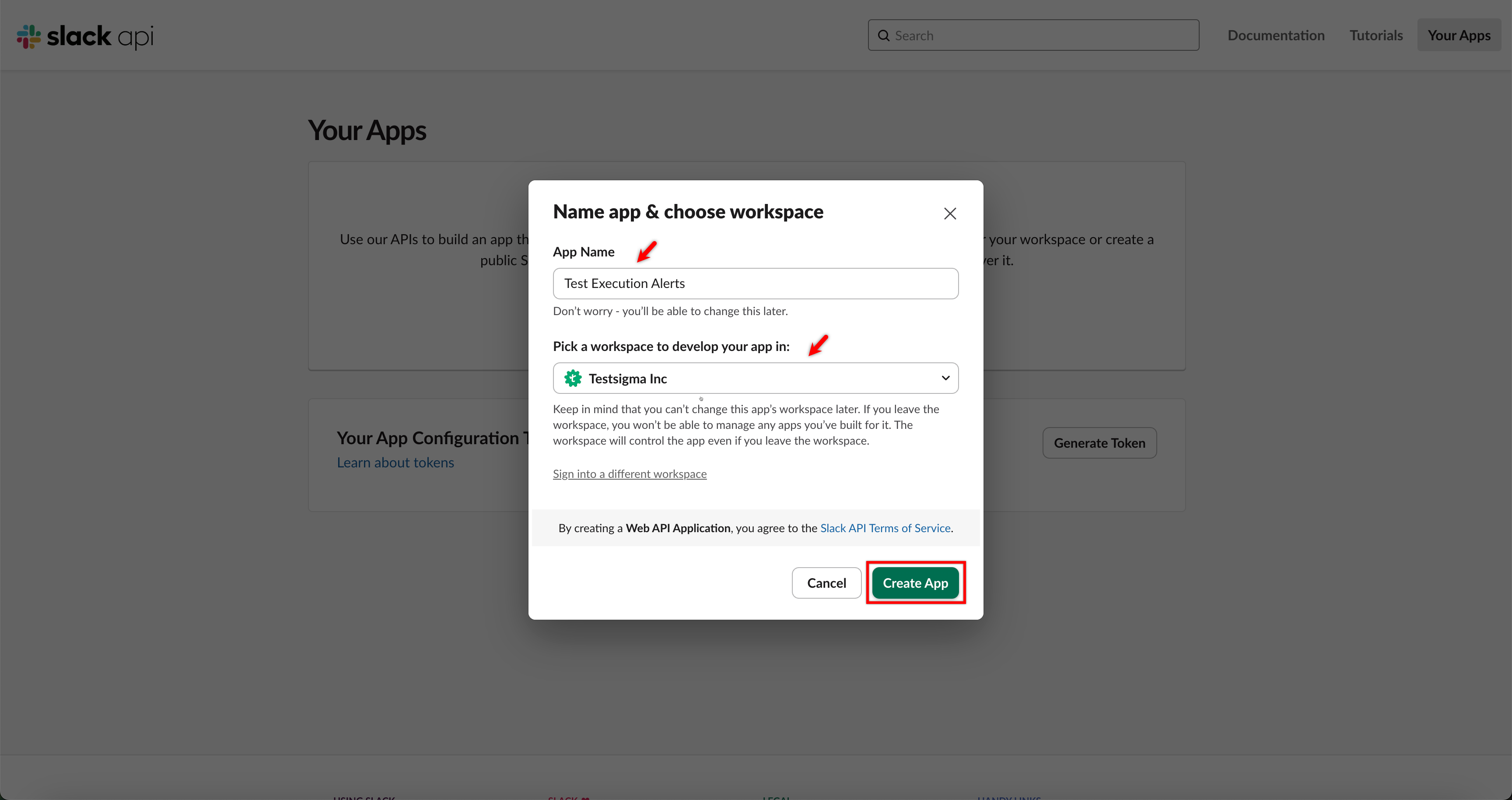
-
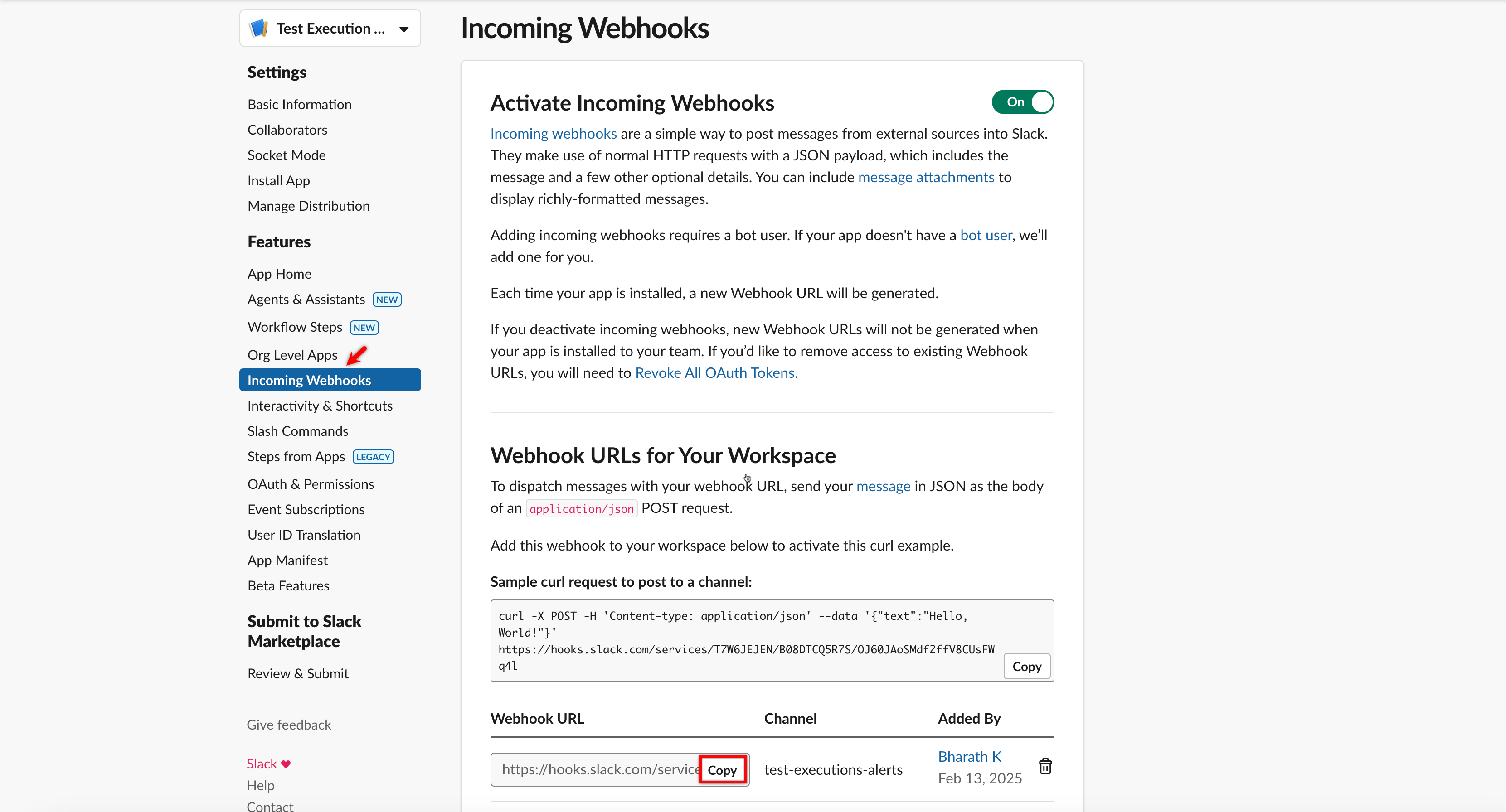
Go to Incoming Webhooks, enable Activate Incoming Webhooks.
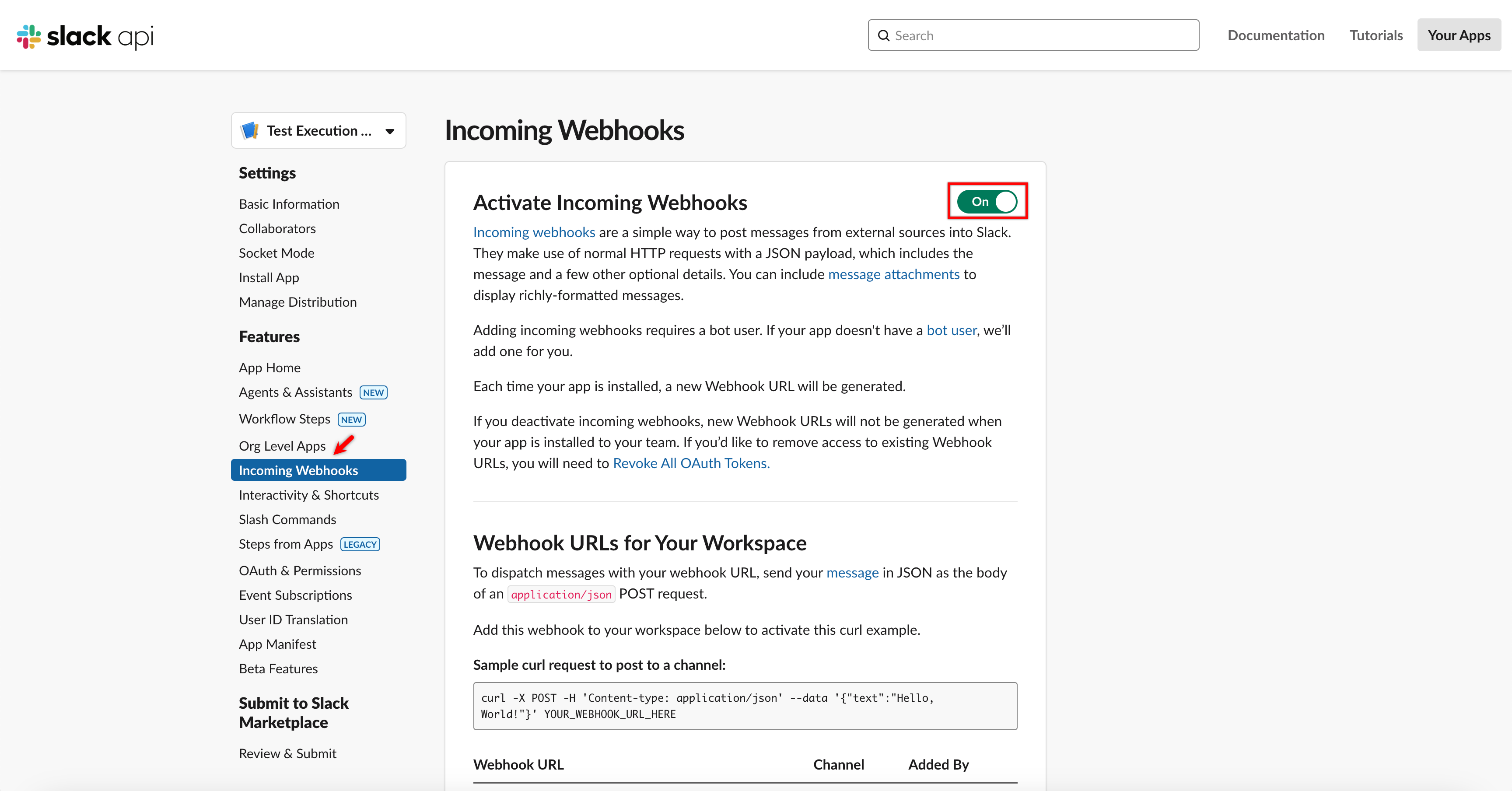
-
Click Add New Webhook to Workspace.
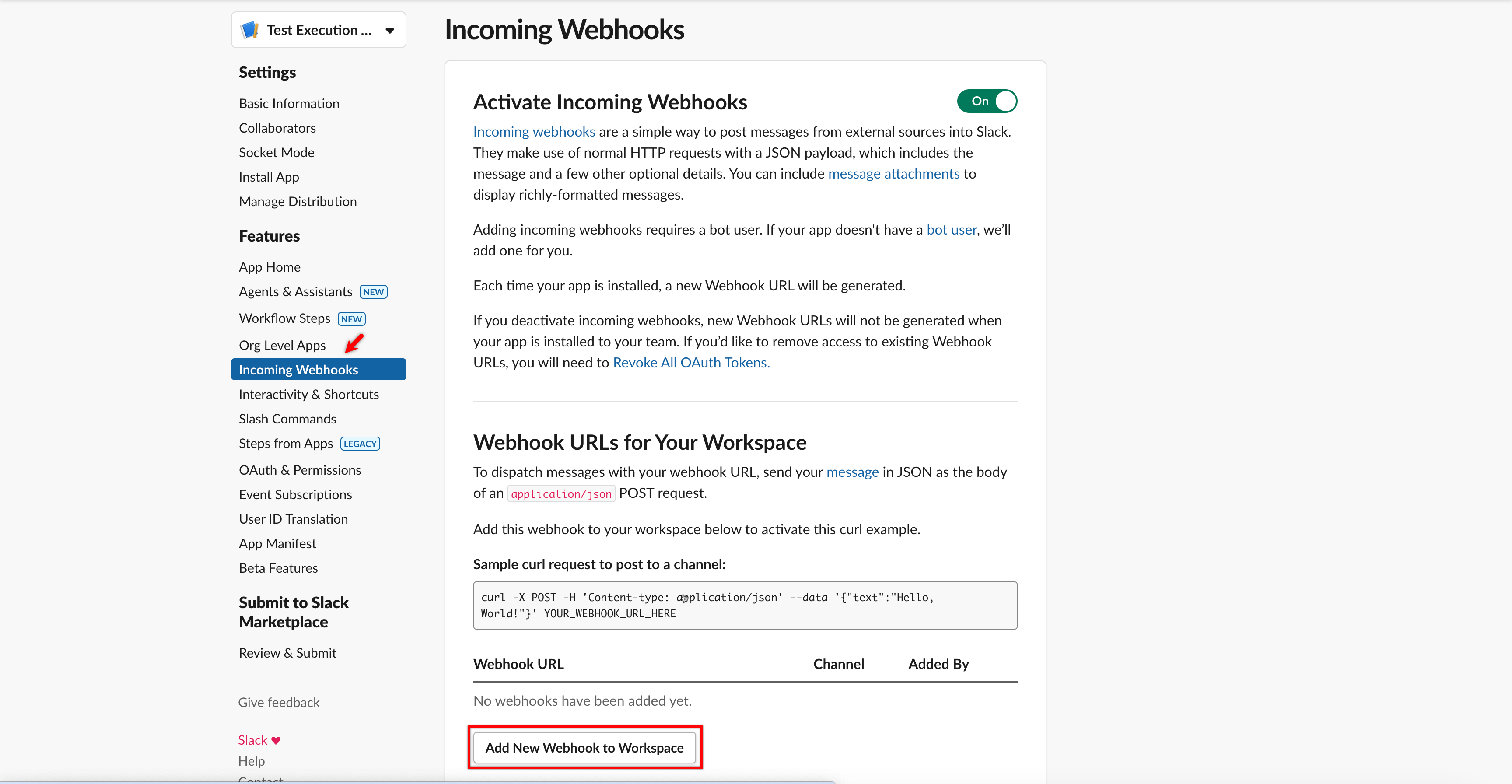
-
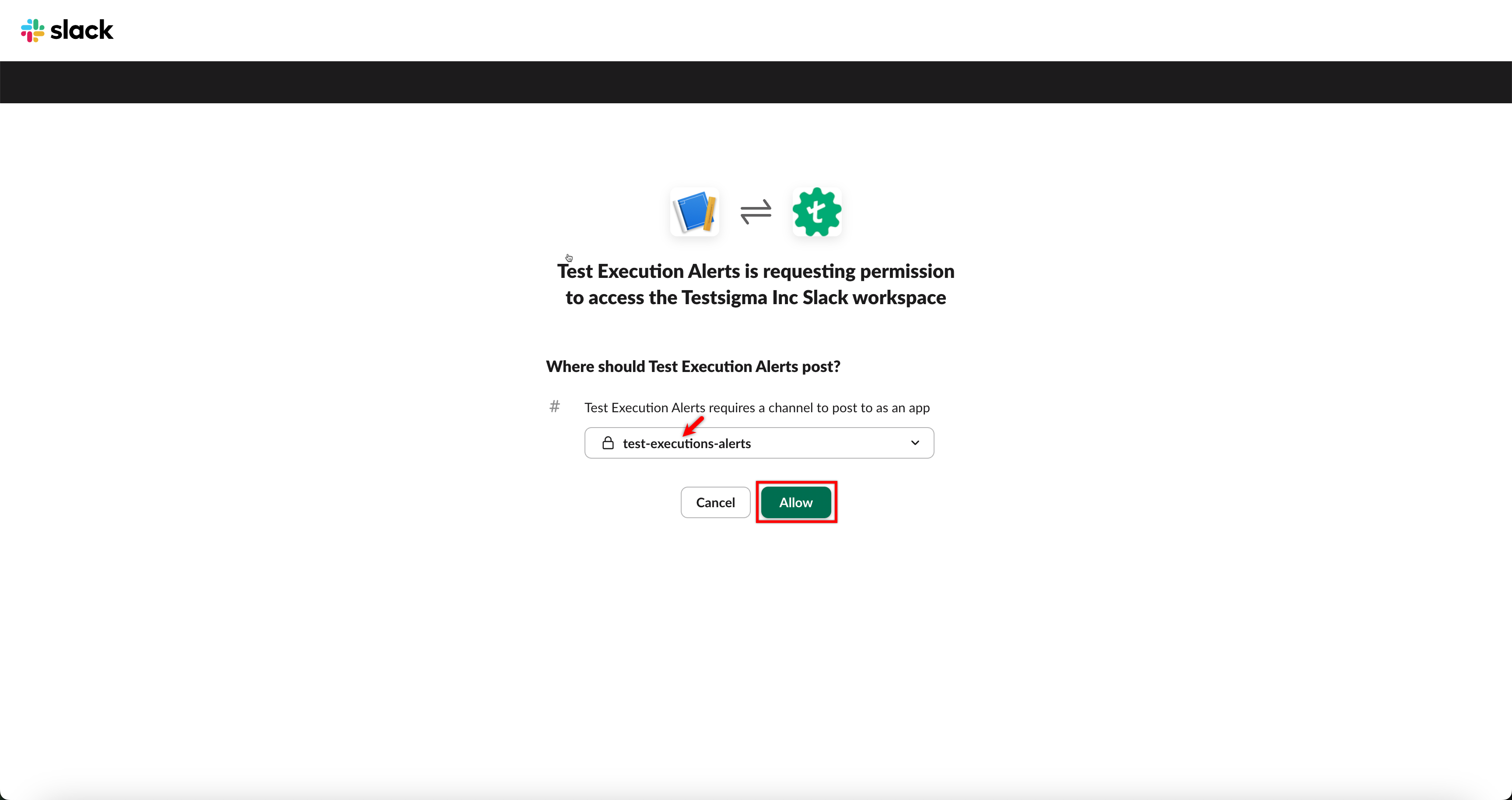
Select a Channel and click Allow.
-
In Incoming Webhooks, click Copy on the URL textbox to copy the generated Webhook URL.
Steps to Integrate Slack with Testsigma
Section titled “Steps to Integrate Slack with Testsigma”-
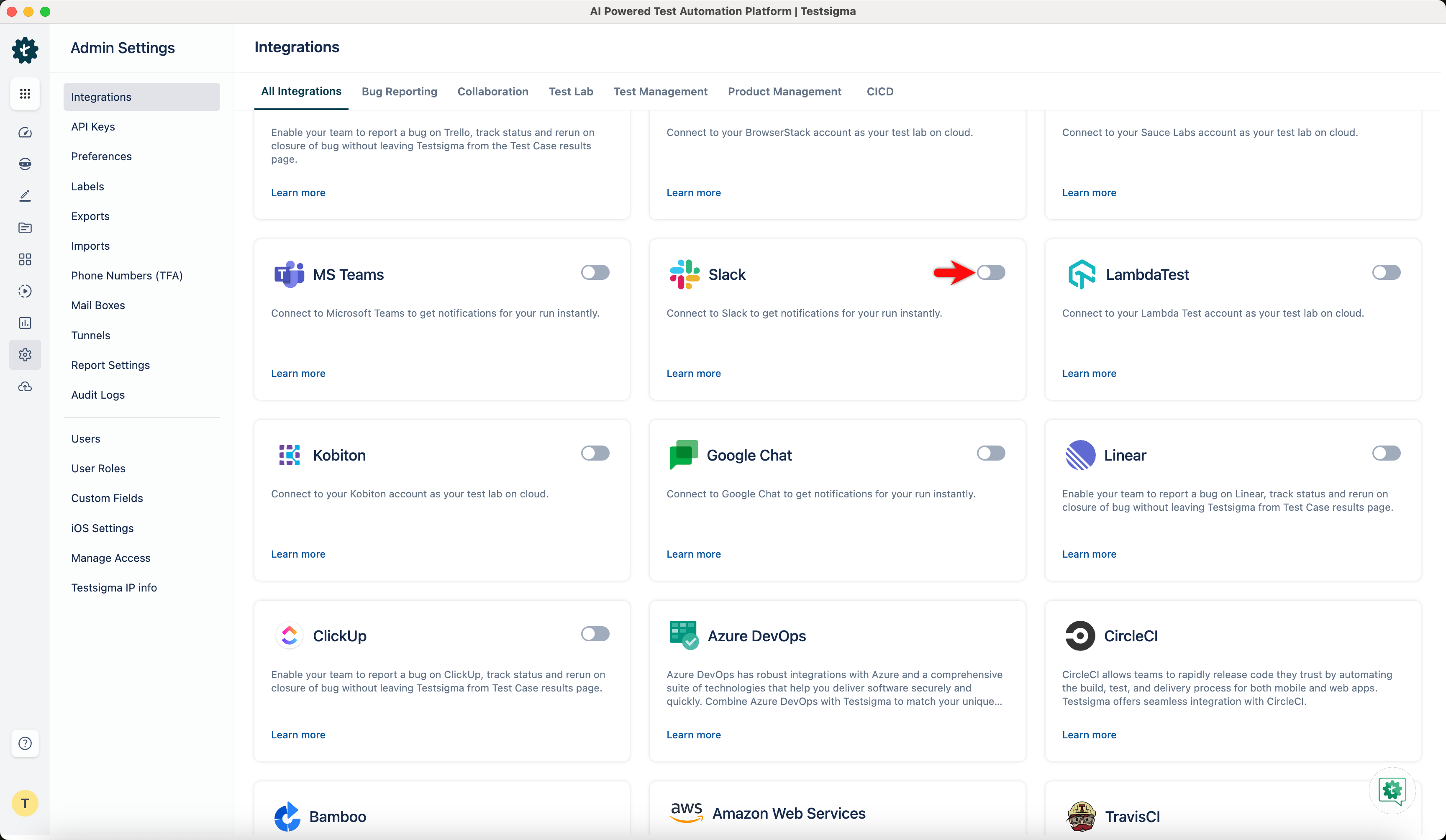
Navigate to Settings > Integrations and enable the toggle on Slack widget.
-
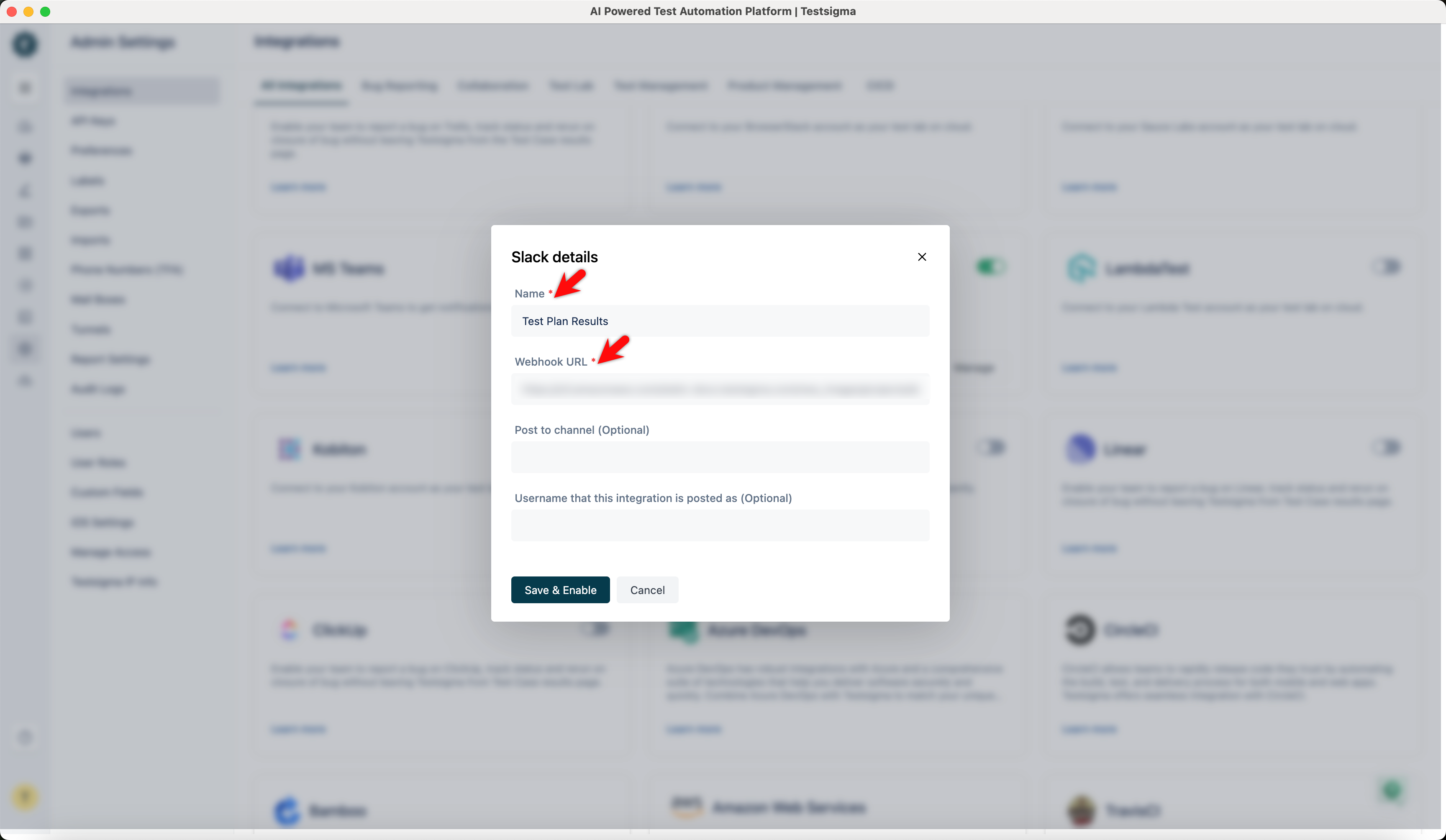
On the Slack details prompt, enter all the details and click on Save & Enable.
Enabling Slack Notifications in Test Plan
Section titled “Enabling Slack Notifications in Test Plan”-
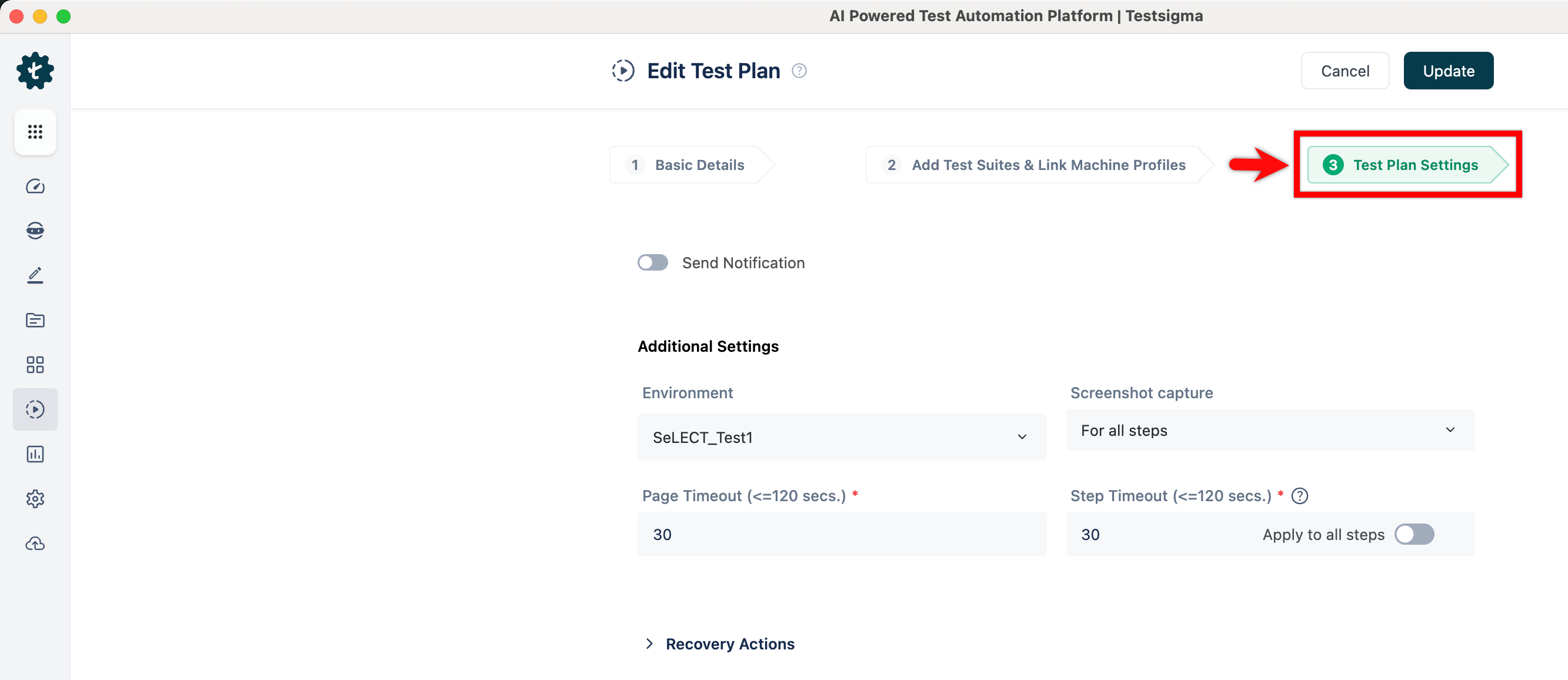
Navigate to Test Plans > Select/Create a Test Plan > Test Plan Settings.
-
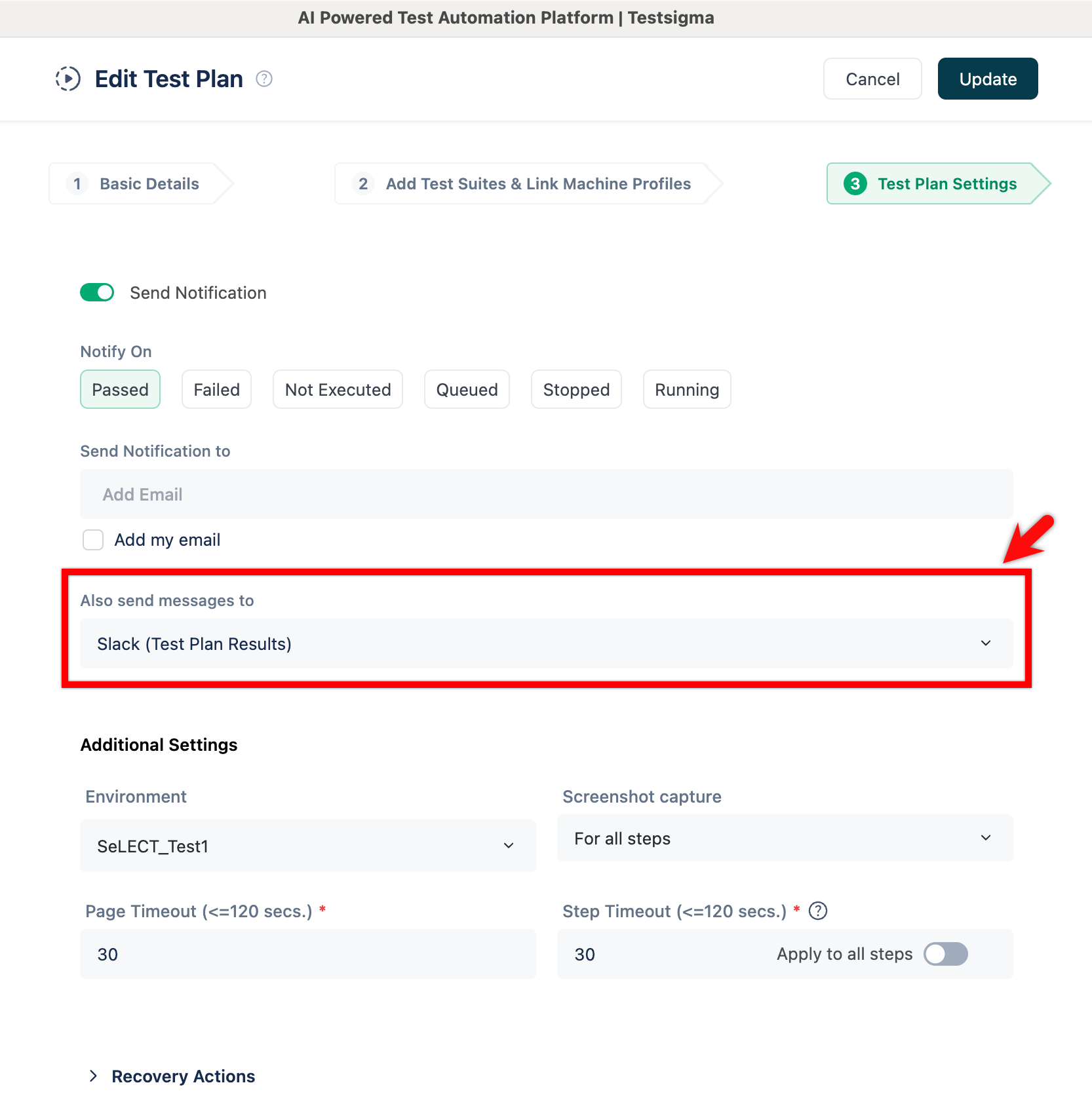
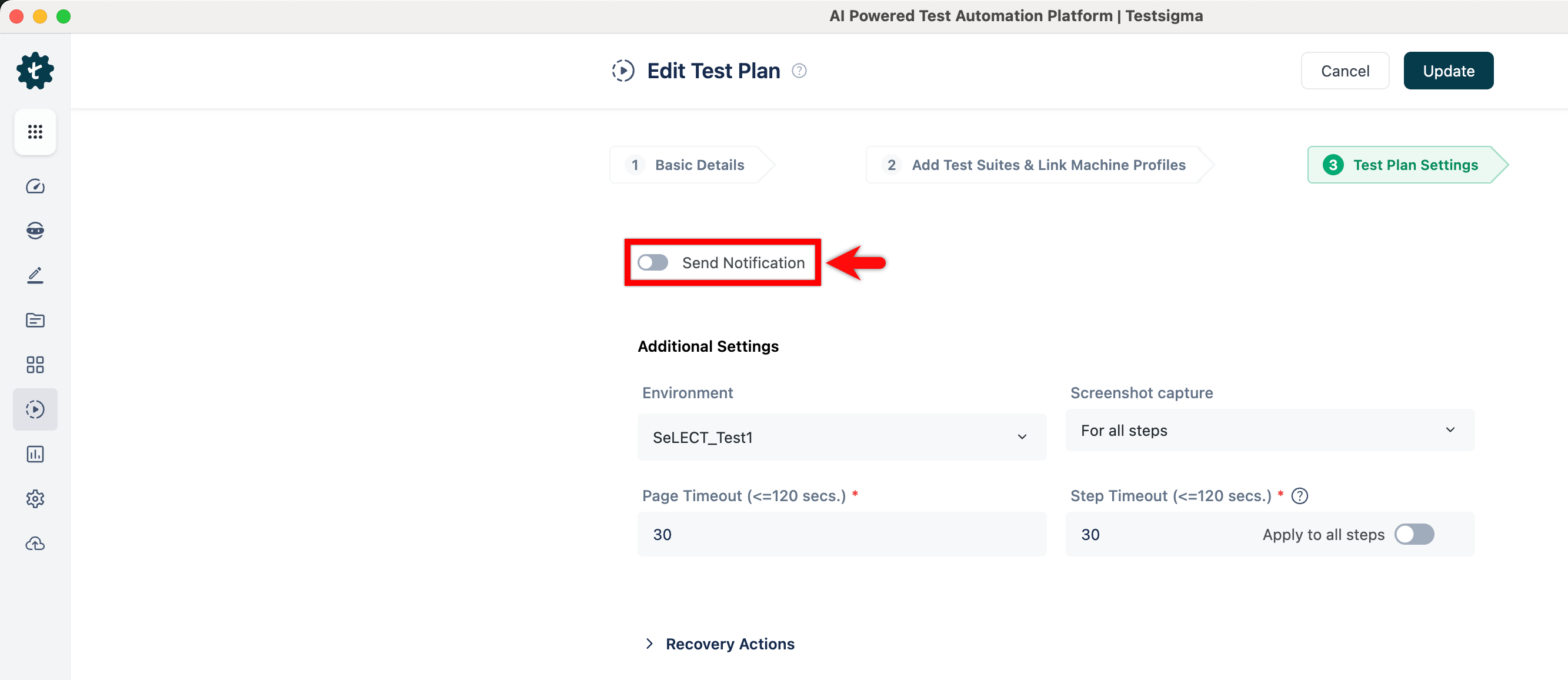
On the Edit Test Plan page, enable Send Notification toggle.
-
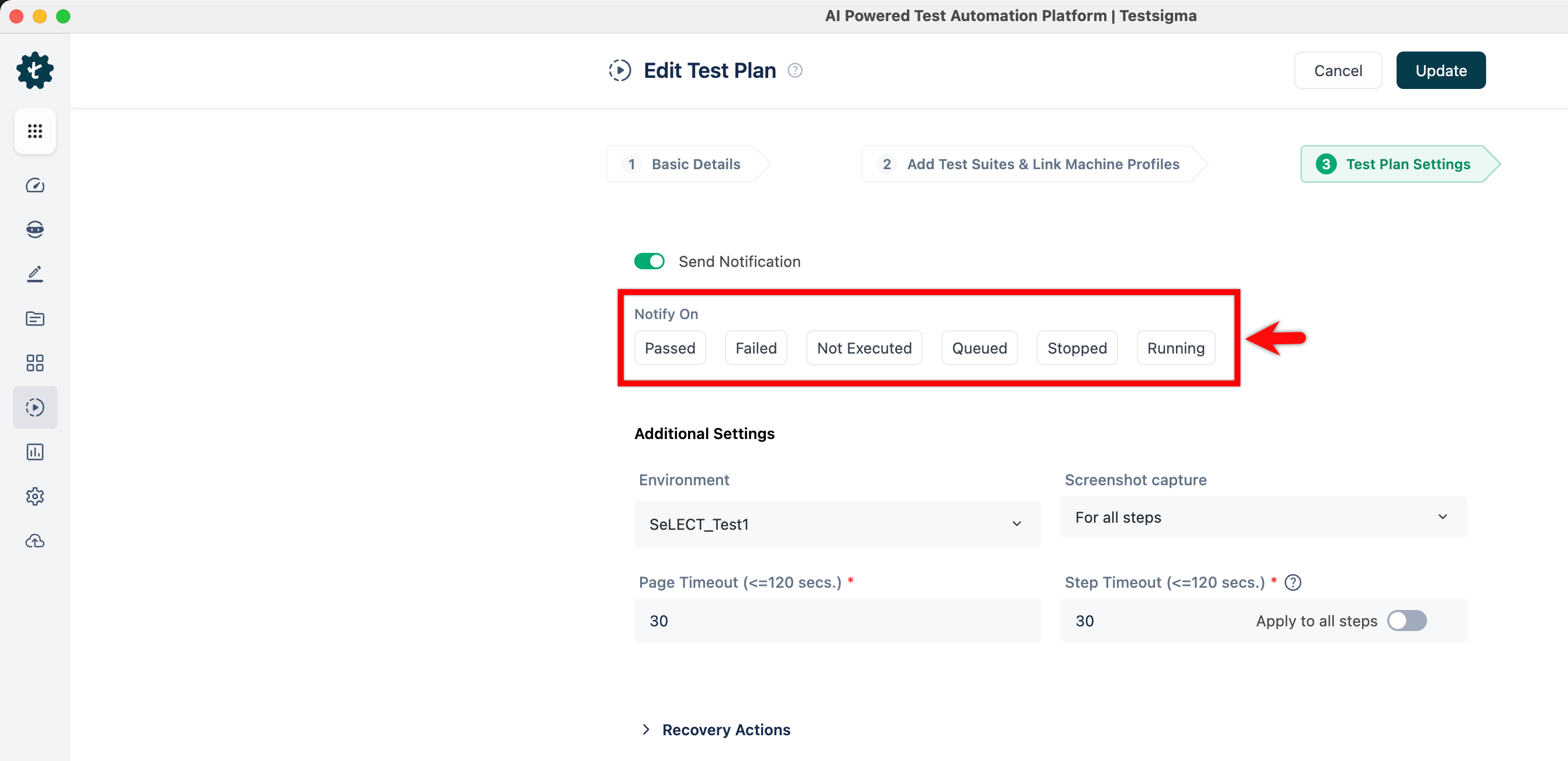
Select the status for which you want to receive the notification.
-
Select Slack from ‘Also send messages to’ dropdown menu.